cruise control CADILLAC CT6 2016 User Guide
[x] Cancel search | Manufacturer: CADILLAC, Model Year: 2016, Model line: CT6, Model: CADILLAC CT6 2016Pages: 397, PDF Size: 7.09 MB
Page 145 of 397

Cadillac CT6 Owner Manual (GMNA-Localizing-U.S./Canada-9235592) -
2016 - crc - 11/6/15
144 Instruments and Controls
HUD Display on the Vehicle
Windshield
The HUD may display some of the
following vehicle information and
vehicle messages or alerts:
.
Speed
.
Tachometer
.
Audio
.
Phone
.
Navigation
.
Collision Alert
.
Cruise Control
.
Lane Keep Assist
.
Low Fuel Some vehicle messages or alerts
displayed in the HUD may be
cleared by using the steering wheel
controls. See Vehicle
Messages 0 146 .
The HUD control is to the left of the
steering wheel.
To adjust the HUD image:
1. Adjust the driver seat.
2. Start the engine.
3. Use the following settings to
adjust the HUD. $ : Press down or lift up to center
the HUD image. The HUD image
can only be adjusted up and down,
not side to side.
! : Press to select the display
view. Each press will change the
display view.
D : Lift up and hold to brighten
the display. Press down and hold to
dim the display. Hold down to turn
the display off.
The HUD image will automatically
dim and brighten to compensate for
outside lighting. The HUD
brightness control can also be
adjusted as needed.
The HUD image can temporarily
light up depending on the angle and
position of the sunlight on the HUD
display. This is normal.
Polarized sunglasses could make
the HUD image harder to see.
HUD Views
There are four views in the HUD.
Some vehicle information and
vehicle messages or alerts may be
displayed in any view.
Page 146 of 397

Cadillac CT6 Owner Manual (GMNA-Localizing-U.S./Canada-9235592) -
2016 - crc - 11/6/15
Instruments and Controls 145
Metric
English
Speed View : This display gives the
speedometer reading (in English or
metric units), speed limit, Adaptive
Cruise Control speed, Lane
Departure Warning, and Vehicle
Ahead indicator. Some information
only appears on vehicles that have
these features, and when they are
active. Metric
English
Audio/Phone View : This displays
the speed view along with audio/
phone information. The current radio
station, media type, and incoming
calls will be displayed.
All HUD views may briefly display
audio information when the driver
uses the steering wheel controls to
adjust the audio settings appearing
in the instrument cluster.
Incoming phone calls appearing in
the instrument cluster may also
display in any HUD view. Metric
English
Navigation View : This display
includes the information in the
speed view along with Turn-by-Turn
Navigation information in some
vehicles. The compass heading is
displayed when navigation routing is
not active.
Navigation Turn-by-Turn Alerts
shown in the instrument cluster may
also be displayed in any HUD view.
Page 149 of 397

Cadillac CT6 Owner Manual (GMNA-Localizing-U.S./Canada-9235592) -
2016 - crc - 11/6/15
148 Instruments and Controls
Compass Messages The compass display will be blank if
the vehicle temporarily loses
communication with the Global
Positioning System (GPS).
Cruise Control Messages ADAPTIVE CRUISE SET
TO XXX This message displays when the
Adaptive Cruise Control (ACC)
speed is set. See Adaptive Cruise
Control 0 223 .
ADAPTIVE CRUISE
TEMPORARILY UNAVAILABLE This message displays when
attempting to activate Adaptive
Cruise Control (ACC) when it is
temporarily unavailable. The ACC
system does not need service.
This can occur under the following
conditions:
.
The radar is not clean. Keep the
radar sensors free of mud, dirt,
snow, ice, and slush. Clean the
entire front and/or rear of the vehicle. For cleaning
instructions, see Exterior
Care 0 333 .
.
Heavy rain or snow is interfering
with the radar object detection or
camera performance.
CRUISE SET TO XXX This message displays when the
cruise control speed is set. See
Cruise Control 0 220 .
NO CRUISE BRAKING GAS
PEDAL APPLIED This message displays when
Adaptive Cruise Control (ACC) is
active and the driver is pressing the
gas pedal. When this occurs, ACC
will not brake. See Adaptive Cruise
Control 0 223 .
SERVICE ADAPTIVE CRUISE
CONTROL
This message displays when the
Adaptive Cruise Control (ACC)
needs service. Take the vehicle to
your dealer. SHIFT TO PARK BEFORE
EXITING This message may display if
Adaptive Cruise Control (ACC) is
engaged holding the vehicle at a
stop, and the driver attempts to exit
the vehicle. Put the vehicle in
P (Park) before exiting.
Door Ajar Messages DOOR OPEN A door open symbol will be
displayed on the DIC showing which
door is open. If the vehicle has been
shifted out of P (Park), a DOOR
OPEN message will also be
displayed. The DOOR OPEN
message may also be displayed if
the vehicle starts to move. Close the
door completely.
HOOD OPEN
This message will display along with
a hood open symbol when the hood
is open. A chime may also sound.
Close the hood completely.
Page 152 of 397

Cadillac CT6 Owner Manual (GMNA-Localizing-U.S./Canada-9235592) -
2016 - crc - 11/6/15
Instruments and Controls 151REPLACE BATTERY IN
REMOTE KEY This message displays when the
battery in the RKE transmitter needs
to be replaced.
Lamp Messages AUTOMATIC LIGHT CONTROL
ON/OFF This message is displayed when the
automatic light control has been
turned on or off. See Automatic
Headlamp System 0 172 .
XX TURN INDICATOR FAILURE When one of the turn signals is out,
this message displays to show
which bulb needs to be replaced.
See Bulb Replacement 0 288 and
Replacement Bulbs 0 289 .
TURN SIGNAL ON
This message is displayed if the
turn signal has been left on. Turn off
the turn signal. Object Detection System
Messages 24 GHz RADARS OFF This message displays when driving
in certain areas where there may be
radar interference. Adaptive Cruise
Control (ACC), Forward Collision
Alert (FCA), and the Front
Automatic Braking (FAB) System
may not work or may not work as
well. The vehicle does not need
service.
AUTOMATIC COLLISION
PREP OFF This message displays when the
Front Automatic Braking (FAB)
System has been turned off. See
Front Automatic Braking (FAB)
System 0 240 .
AUTOMATIC COLLISION PREP
REDUCED
If the vehicle has Adaptive Cruise
Control (ACC), this message
displays when the Front Automatic
Braking (FAB) System has been set
to the Alert setting. This setting disables FAB functions but if the
vehicle has Adaptive Cruise Control
(ACC), some last-second automatic
braking capability is still provided,
though less likely to occur. See
Front Automatic Braking (FAB)
System 0 240 .
AUTOMATIC COLLISION PREP
UNAVAILABLE This message displays when the
Front Automatic Braking (FAB)
System has been unavailable for
some time. The FAB System does
not need service. This message can
display under the following
conditions:
.
The front of the vehicle or
windshield is not clean. Keep
these areas clean and free of
mud, dirt, snow, ice, and slush.
For cleaning instructions, see
Exterior Care 0 333 .
.
Heavy rain or snow is interfering
with the object detection
performance.
Page 153 of 397

Cadillac CT6 Owner Manual (GMNA-Localizing-U.S./Canada-9235592) -
2016 - crc - 11/6/15
152 Instruments and Controls This message may also be
displayed if there is a problem with
the StabiliTrak system. See Traction
Control/Electronic Stability
Control 0 217 .
FORWARD COLLISION
ALERT OFF This message displays when the
Forward Collision Alert has been
turned off.
FRONT CAMERA BLOCKED
CLEAN WINDSHIELD This message displays when the
camera is blocked. The Front
Pedestrian Braking (FPB), Forward
Collision Alert (FCA), Front
Automatic Braking (FAB), Lane
Keep Assist (LKA), and Lane
Departure Warning (LDW) features
will not operate. Cleaning the
outside of the windshield behind the
rearview mirror may correct the
issue. LANE CHANGE ALERT OFF This message indicates that the
driver has turned the Side Blind
Zone Alert (SBZA) and Lane
Change Alert (LCA) systems off.
LANE KEEPING ASSIST
UNAVAILABLE This message displays when the
Lane Keep Assist (LKA) and Lane
Departure Warning (LDW) system is
temporarily unavailable. The LKA
system does not need service.
This message could be due to the
camera being blocked. Clean the
outside of the windshield behind the
rearview mirror.
REAR AUTO BRAKE/PARK
ASSIST OFF This message displays when the
Parking Assist system has been
turned off or when there is a
temporary condition causing the
system to be disabled. REAR AUTO BRAKE AND
PARK ASSIST UNAVAILABLE This message displays when
attempting to activate the parking
and backing features of the Driver
Assistance System when they are
temporarily unavailable. The system
does not need service.
This can occur under the following
conditions:
.
The radar is not clean. Keep the
radar sensors free of mud, dirt,
snow, ice, and slush. Clean the
entire front and/or rear of the
vehicle. For cleaning
instructions, see Exterior
Care 0 333 .
.
Heavy rain or snow is interfering
with the radar object detection or
camera performance.
See Driver Assistance
Systems 0 230 .
SERVICE AUTOMATIC
COLLISION PREP
If this message displays, take the
vehicle to your dealer to repair the
system. Adaptive Cruise Control
Page 154 of 397

Cadillac CT6 Owner Manual (GMNA-Localizing-U.S./Canada-9235592) -
2016 - crc - 11/6/15
Instruments and Controls 153(ACC), Forward Collision Alert
(FCA), and/or the Front Automatic
Braking (FAB) System may not
work. Do not use these systems
until the vehicle has been repaired.
SERVICE DRIVER ASSIST
SYSTEM If this message displays, take the
vehicle to your dealer to repair the
system.
Adaptive Cruise Control (ACC),
Forward Collision Alert (FCA), Front
Automatic Braking (FAB),
Assistance Systems for Parking or
Backing, Lane Keep Assist (LKA),
and/or Lane Departure Warning
(LDW) may not work. Do not use
these systems until the vehicle has
been repaired.
SERVICE FRONT CAMERA
If this message remains on after
continued driving, the vehicle needs
service. Take the vehicle to your
dealer. Do not use the Front
Pedestrian Braking (FPB), Forward
Collision Alert (FCA), Front Automatic Braking (FAB), Lane
Keep Assist (LKA), and Lane
Departure Warning (LDW) features.
SERVICE NIGHT VISION
SYSTEM The Night Vision system needs
service. See your dealer.
SERVICE PARK ASSIST This message displays if there is a
problem with the Parking Assist
system. Do not use this system to
help you park. See your dealer for
service.
SERVICE REAR AUTO BRAKE
AND PARK ASSIST This message displays if there is a
problem with the parking and
backing features of the Driver
Assistance System. Do not use this
system to help park or back the
vehicle. See your dealer for service.
SERVICE SIDE DETECTION
SYSTEM
If this message remains on after
continued driving, the vehicle needs
service. Take the vehicle to your dealer. Side Blind Zone Alert
(SBZA), Lane Change Alert (LCA),
and Rear Cross Traffic Alert (RCTA)
features will not work.
SIDE DETECTION SYSTEM
UNAVAILABLE This message indicates that Side
Blind Zone Alert (SBZA), Lane
Change Alert (LCA), and Rear
Cross Traffic Alert (RCTA) are
disabled either because the sensor
is blocked and cannot detect
vehicles in the blind zone, or the
vehicle is passing through an open
area, such as the desert, where
there is insufficient data for
operation. This message may also
activate during heavy rain or due to
road spray. The vehicle does not
need service. For cleaning, see
"Washing the Vehicle" under
Exterior Care 0 333 .
TAKE STEERING
If LKA does not detect active driver
steering, an alert and chime may be
provided. Move the steering wheel
to dismiss. See Lane Keep Assist
(LKA) 0 248 .
Page 161 of 397
Cadillac CT6 Owner Manual (GMNA-Localizing-U.S./Canada-9235592) -
2016 - crc - 11/6/15
160 Instruments and Controls Ionizer
If equipped and on, this feature
purifies the air in the interior of the
vehicle. See Automatic Climate
Control System (Quad Zone) 0 178
or Automatic Climate Control
System (Dual Zone) 0 185 .
Select Off or On.
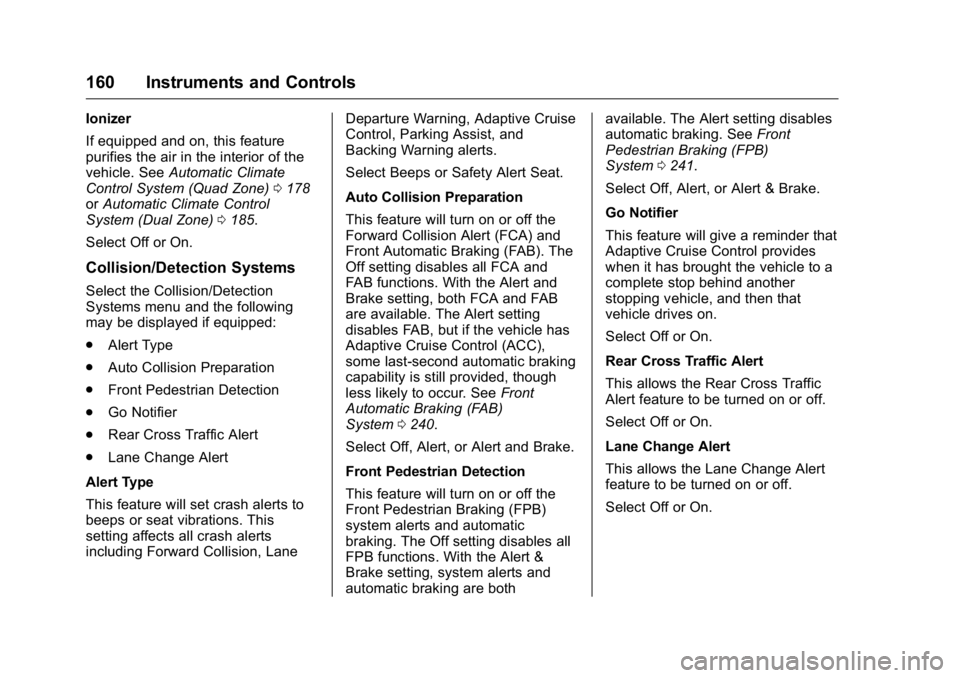
Collision/Detection Systems Select the Collision/Detection
Systems menu and the following
may be displayed if equipped:
.
Alert Type
.
Auto Collision Preparation
.
Front Pedestrian Detection
.
Go Notifier
.
Rear Cross Traffic Alert
.
Lane Change Alert
Alert Type
This feature will set crash alerts to
beeps or seat vibrations. This
setting affects all crash alerts
including Forward Collision, Lane Departure Warning, Adaptive Cruise
Control, Parking Assist, and
Backing Warning alerts.
Select Beeps or Safety Alert Seat.
Auto Collision Preparation
This feature will turn on or off the
Forward Collision Alert (FCA) and
Front Automatic Braking (FAB). The
Off setting disables all FCA and
FAB functions. With the Alert and
Brake setting, both FCA and FAB
are available. The Alert setting
disables FAB, but if the vehicle has
Adaptive Cruise Control (ACC),
some last-second automatic braking
capability is still provided, though
less likely to occur. See Front
Automatic Braking (FAB)
System 0 240 .
Select Off, Alert, or Alert and Brake.
Front Pedestrian Detection
This feature will turn on or off the
Front Pedestrian Braking (FPB)
system alerts and automatic
braking. The Off setting disables all
FPB functions. With the Alert &
Brake setting, system alerts and
automatic braking are both available. The Alert setting disables
automatic braking. See Front
Pedestrian Braking (FPB)
System 0 241 .
Select Off, Alert, or Alert & Brake.
Go Notifier
This feature will give a reminder that
Adaptive Cruise Control provides
when it has brought the vehicle to a
complete stop behind another
stopping vehicle, and then that
vehicle drives on.
Select Off or On.
Rear Cross Traffic Alert
This allows the Rear Cross Traffic
Alert feature to be turned on or off.
Select Off or On.
Lane Change Alert
This allows the Lane Change Alert
feature to be turned on or off.
Select Off or On.
Page 192 of 397

Cadillac CT6 Owner Manual (GMNA-Localizing-U.S./Canada-9235592) -
2016 - crc - 11/6/15
Driving and Operating 191
Driving and
Operating Driving Information Distracted Driving . . . . . . . . . . . . 192
Defensive Driving . . . . . . . . . . . . . 193
Drunk Driving . . . . . . . . . . . . . . . . . 193
Control of a Vehicle . . . . . . . . . . . 193
Braking . . . . . . . . . . . . . . . . . . . . . . . 193
Steering . . . . . . . . . . . . . . . . . . . . . . 194
Off-Road Recovery . . . . . . . . . . . 194
Loss of Control . . . . . . . . . . . . . . . 195
Driving on Wet Roads . . . . . . . . 195
Hill and Mountain Roads . . . . . 196
Winter Driving . . . . . . . . . . . . . . . . 197
If the Vehicle Is Stuck . . . . . . . . 198
Vehicle Load Limits . . . . . . . . . . . 198
Starting and Operating New Vehicle Break-In . . . . . . . . . 202
Ignition Positions . . . . . . . . . . . . . 202
Starting the Engine . . . . . . . . . . . 204
Retained Accessory
Power (RAP) . . . . . . . . . . . . . . . . 206
Engine Coolant Heater . . . . . . . 206
Shifting Into Park . . . . . . . . . . . . . 207
Shifting out of Park . . . . . . . . . . . 208
Parking over Things
That Burn . . . . . . . . . . . . . . . . . . . 209 Engine Exhaust Engine Exhaust . . . . . . . . . . . . . . 209
Running the Vehicle While
Parked . . . . . . . . . . . . . . . . . . . . . . 210
Automatic Transmission Automatic Transmission . . . . . . 210
Manual Mode . . . . . . . . . . . . . . . . . 212
Drive Systems All-Wheel Drive . . . . . . . . . . . . . . . 213
Brakes Antilock Brake
System (ABS) . . . . . . . . . . . . . . . 214
Electric Parking Brake . . . . . . . . 214
Brake Assist . . . . . . . . . . . . . . . . . . 216
Hill Start Assist (HSA) . . . . . . . . 216
Automatic Vehicle
Hold (AVH) . . . . . . . . . . . . . . . . . . 217
Ride Control Systems Traction Control/Electronic
Stability Control . . . . . . . . . . . . . 217
Driver Mode Control . . . . . . . . . . 219
Cruise Control Cruise Control . . . . . . . . . . . . . . . . 220
Adaptive Cruise Control . . . . . . 223
Driver Assistance Systems
Driver Assistance Systems . . . 230 Assistance Systems for
Parking or Backing . . . . . . . . . . 231
Assistance Systems for
Driving . . . . . . . . . . . . . . . . . . . . . . 237
Forward Collision Alert (FCA)
System . . . . . . . . . . . . . . . . . . . . . . 237
Front Automatic Braking (FAB)
System . . . . . . . . . . . . . . . . . . . . . . 240
Front Pedestrian Braking
(FPB) System . . . . . . . . . . . . . . . 241
Night Vision System . . . . . . . . . . 243
Side Blind Zone
Alert (SBZA) . . . . . . . . . . . . . . . . 246
Lane Change Alert (LCA) . . . . . 246
Lane Departure
Warning (LDW) . . . . . . . . . . . . . 248
Lane Keep Assist (LKA) . . . . . . 248
Surround Vision Recorder . . . . 250
Fuel Fuel . . . . . . . . . . . . . . . . . . . . . . . . . . 251
California Fuel
Requirements . . . . . . . . . . . . . . . 253
Fuels in Foreign Countries . . . 253
Fuel Additives . . . . . . . . . . . . . . . . 253
Filling the Tank . . . . . . . . . . . . . . . 253
Filling a Portable Fuel
Container . . . . . . . . . . . . . . . . . . . 255
Page 197 of 397

Cadillac CT6 Owner Manual (GMNA-Localizing-U.S./Canada-9235592) -
2016 - crc - 11/6/15
196 Driving and Operating Warning (Continued)After driving through a large
puddle of water or a car/vehicle
wash, lightly apply the brake
pedal until the brakes work
normally.
Flowing or rushing water creates
strong forces. Driving through
flowing water could cause the
vehicle to be carried away. If this
happens, you and other vehicle
occupants could drown. Do not
ignore police warnings and be
very cautious about trying to drive
through flowing water.
Hydroplaning Hydroplaning is dangerous. Water
can build up under the vehicle's
tires so they actually ride on the
water. This can happen if the road is
wet enough and you are going fast
enough. When the vehicle is
hydroplaning, it has little or no
contact with the road. There is no hard and fast rule about
hydroplaning. The best advice is to
slow down when the road is wet.
Other Rainy Weather Tips Besides slowing down, other wet
weather driving tips include:
.
Allow extra following distance.
.
Pass with caution.
.
Keep windshield wiping
equipment in good shape.
.
Keep the windshield washer fluid
reservoir filled.
.
Have good tires with proper
tread depth. See Tires 0 299 .
.
Turn off cruise control.
Hill and Mountain Roads Driving on steep hills or through
mountains is different than driving
on flat or rolling terrain. Tips include:
.
Keep the vehicle serviced and in
good shape.
.
Check all fluid levels and brakes,
tires, cooling system, and
transmission. .
Shift to a lower gear when going
down steep or long hills.
{ WarningUsing the brakes to slow the
vehicle on a long downhill slope
can cause brake overheating, can
reduce brake performance, and
could result in a loss of braking.
Shift the transmission to a lower
gear to let the engine assist the
brakes on a steep downhill slope.
{ WarningCoasting downhill in N (Neutral)
or with the ignition off is
dangerous. This can cause
overheating of the brakes and
loss of steering. Always have the
engine running and the vehicle
in gear.
.
Drive at speeds that keep the
vehicle in its own lane. Do not
swing wide or cross the
center line.
Page 198 of 397

Cadillac CT6 Owner Manual (GMNA-Localizing-U.S./Canada-9235592) -
2016 - crc - 11/6/15
Driving and Operating 197.
Be alert on top of hills;
something could be in your lane
(e.g., stalled car, accident).
.
Pay attention to special road
signs (e.g., falling rocks area,
winding roads, long grades,
passing or no-passing zones)
and take appropriate action.
Winter Driving Driving on Snow or Ice Snow or ice between the tires and
the road creates less traction or
grip, so drive carefully. Wet ice can
occur at about 0 °C (32 °F) when
freezing rain begins to fall. Avoid
driving on wet ice or in freezing rain
until roads can be treated.
For slippery road driving:
.
Accelerate gently. Accelerating
too quickly causes the wheels to
spin and makes the surface
under the tires slick.
.
Turn on Traction Control. See
Traction Control/Electronic
Stability Control 0 217 . .
Antilock Brake System (ABS)
improves vehicle stability during
hard stops, but the brakes
should be applied sooner than
when on dry pavement. See
Antilock Brake System
(ABS) 0 214 .
See Driver Mode Control 0 219
.
Allow greater following distance
and watch for slippery spots. Icy
patches can occur on otherwise
clear roads in shaded areas.
The surface of a curve or an
overpass can remain icy when
the surrounding roads are clear.
Avoid sudden steering
maneuvers and braking while
on ice.
.
Turn off cruise control.
Blizzard Conditions
Stop the vehicle in a safe place and
signal for help. Stay with the vehicle
unless there is help nearby.
If possible, use Roadside Service.
See Roadside Service 0 364 . To get
help and keep everyone in the
vehicle safe: .
Turn on the hazard warning
flashers.
.
Tie a red cloth to an outside
mirror.
{ WarningSnow can trap engine exhaust
under the vehicle. This may
cause exhaust gases to get
inside. Engine exhaust contains
carbon monoxide (CO), which
cannot be seen or smelled. It can
cause unconsciousness and even
death.
If the vehicle is stuck in snow:
.
Clear snow from the base of
the vehicle, especially any
blocking the exhaust pipe.
.
Open a window about 5 cm
(2 in) on the vehicle side
that is away from the wind,
to bring in fresh air.
.
Fully open the air outlets on
or under the instrument
panel.
(Continued)