engine CADILLAC CT6 2018 1.G Manual PDF
[x] Cancel search | Manufacturer: CADILLAC, Model Year: 2018, Model line: CT6, Model: CADILLAC CT6 2018 1.GPages: 445, PDF Size: 7.7 MB
Page 238 of 445

Cadillac CT6 Owner Manual (GMNA-Localizing-U.S./Canada-11292458) -
2018 - crc - 2/14/17
DRIVING AND OPERATING 237
automatically disengage when the
brake pedal is released or brake pedal
pressure is quickly decreased.
Hill Start Assist (HSA)
Hill Start Assist (HSA) may
automatically activate when the
vehicle is stopped on a hill and
Automatic Vehicle Hold (AVH) is not
enabled. This feature is designed to
prevent the vehicle from rolling, either
forward or rearward, during vehicle
drive off. During the transition from
releasing the brake pedal to
accelerating to drive off on a hill, HSA
holds the braking pressure to prevent
rolling. HSA will not activate if the
vehicle is in a drive gear and facing
downhill or if the vehicle is facing
uphill and in R (Reverse).
Automatic Vehicle
Hold (AVH)
Automatic Vehicle Hold (AVH),
if equipped, can be turned on by
pressing AUTO HOLD with the driver
seat belt fastened, the driver door
closed, and the engine running. The
AVH indicator will come on.
This feature will activate when the
vehicle is stopped to prevent it from
moving. After the brake pedal has
been released and before the
accelerator pedal has been pressed,
AVH uses braking pressure to hold the
vehicle stationary. In addition, theABS pump motor may activate to
build brake pressure to maintain the
vehicle at a standstill if necessary.
If AVH is holding the vehicle, the AVH
indicator will change to green. Once
AVH is active it will hold the vehicle
for a defined time period then engage
the parking brake. While AVH is
holding the vehicle, the parking brake
will engage if the driver door is
opened or the driver seat belt is
unfastened. See
Automatic Vehicle Hold
(AVH) Light 0147.
Regenerative Braking
(PLUG-IN Only)
Regenerative braking takes some of
the energy from the moving vehicle
and turns it back into electrical
energy. This energy is then stored
back into the high voltage battery
system, contributing to increased
energy efficiency.
The hydraulic disc brakes work with
the regenerative braking to ensure
effective braking, such as when a high
braking demand is requested.
Page 240 of 445
Cadillac CT6 Owner Manual (GMNA-Localizing-U.S./Canada-11292458) -
2018 - crc - 2/14/17
DRIVING AND OPERATING 239
accelerator pedal is applied for
15 seconds. Temporary Regen on
Demand can also be deactivated by
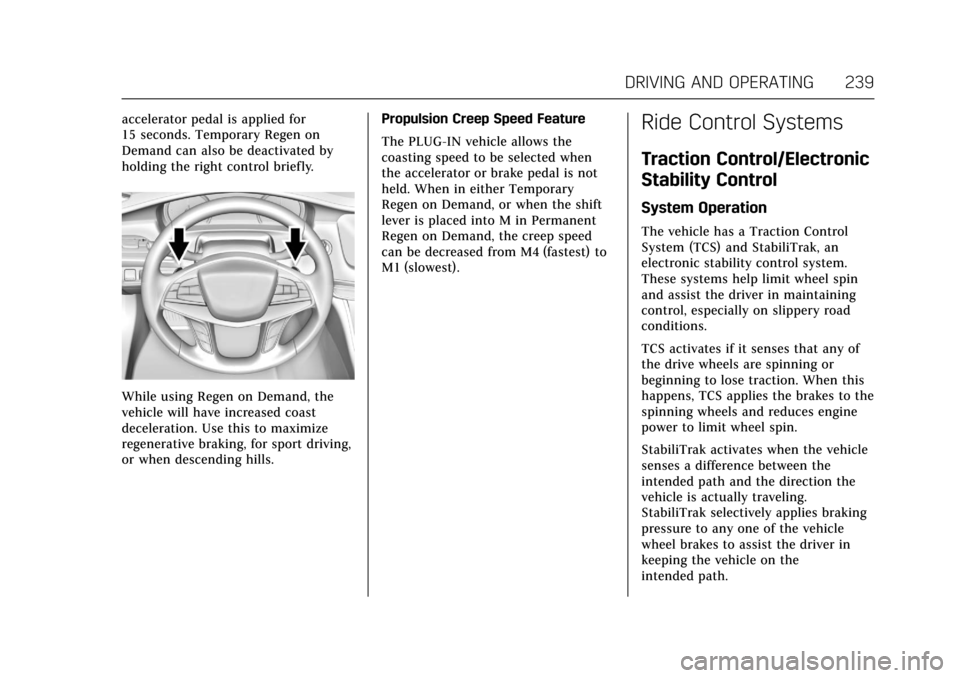
holding the right control briefly.
While using Regen on Demand, the
vehicle will have increased coast
deceleration. Use this to maximize
regenerative braking, for sport driving,
or when descending hills.Propulsion Creep Speed Feature
The PLUG-IN vehicle allows the
coasting speed to be selected when
the accelerator or brake pedal is not
held. When in either Temporary
Regen on Demand, or when the shift
lever is placed into M in Permanent
Regen on Demand, the creep speed
can be decreased from M4 (fastest) to
M1 (slowest).
Ride Control Systems
Traction Control/Electronic
Stability Control
System Operation
The vehicle has a Traction Control
System (TCS) and StabiliTrak, an
electronic stability control system.
These systems help limit wheel spin
and assist the driver in maintaining
control, especially on slippery road
conditions.
TCS activates if it senses that any of
the drive wheels are spinning or
beginning to lose traction. When this
happens, TCS applies the brakes to the
spinning wheels and reduces engine
power to limit wheel spin.
StabiliTrak activates when the vehicle
senses a difference between the
intended path and the direction the
vehicle is actually traveling.
StabiliTrak selectively applies braking
pressure to any one of the vehicle
wheel brakes to assist the driver in
keeping the vehicle on the
intended path.
Page 241 of 445
Cadillac CT6 Owner Manual (GMNA-Localizing-U.S./Canada-11292458) -
2018 - crc - 2/14/17
240 DRIVING AND OPERATING
If cruise control is being used and
traction control or StabiliTrak begins
to limit wheel spin, cruise control will
disengage. Cruise control may be
turned back on when road conditions
allow.
Both systems come on automatically
when the vehicle is started and begins
to move. The systems may be heard or
felt while they are operating or while
performing diagnostic checks. This is
normal and does not mean there is a
problem with the vehicle.
It is recommended to leave both
systems on for normal driving
conditions, but it may be necessary to
turn TCS off if the vehicle gets stuck
in sand, mud, ice, or snow. SeeIf the
Vehicle Is Stuck 0212 and “Turning
the Systems Off and On ”later in this
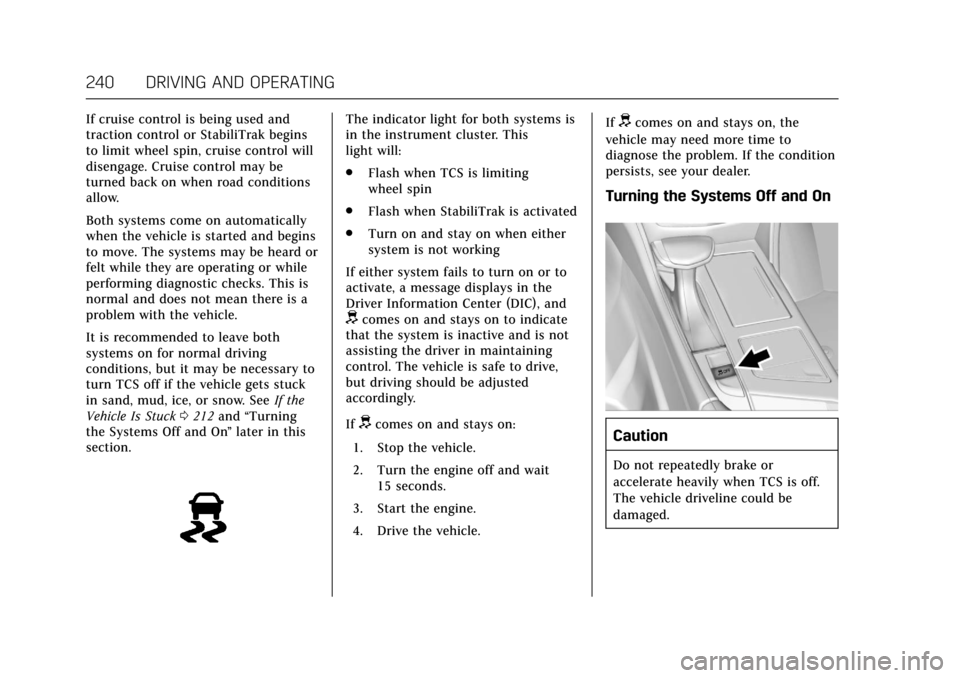
section.The indicator light for both systems is
in the instrument cluster. This
light will:
. Flash when TCS is limiting
wheel spin
. Flash when StabiliTrak is activated
. Turn on and stay on when either
system is not working
If either system fails to turn on or to
activate, a message displays in the
Driver Information Center (DIC), and
dcomes on and stays on to indicate
that the system is inactive and is not
assisting the driver in maintaining
control. The vehicle is safe to drive,
but driving should be adjusted
accordingly.
If
dcomes on and stays on:
1. Stop the vehicle.
2. Turn the engine off and wait 15 seconds.
3. Start the engine.
4. Drive the vehicle. If
dcomes on and stays on, the
vehicle may need more time to
diagnose the problem. If the condition
persists, see your dealer.
Turning the Systems Off and On
Caution
Do not repeatedly brake or
accelerate heavily when TCS is off.
The vehicle driveline could be
damaged.
Page 278 of 445

Cadillac CT6 Owner Manual (GMNA-Localizing-U.S./Canada-11292458) -
2018 - crc - 2/14/17
DRIVING AND OPERATING 277
Charging StatusIndicator Sound Action/Reason
Short Flashing Green
(From one to four
flashes depending on
charge level) One audible beep Charging has begun.
Long Flashing Green Two audible beeps Charging is delayed by Programmable Charging or, if the vehicle is equipped
accordingly, by a total utility interruption via
OnStar. Charging will begin later. SeeUtility
Interruption of Charging (PLUG-IN Only) 0284.
Solid Green None Charging is complete.
Yellow (Upon Plug-in) None Charge cord is OK and the vehicle is not yet charging.
Yellow (For Extended
Time Period after
Plug-in) None Charge cord is OK, but the vehicle is not
charging. This may be due to a total utility
interruption via Onstar and charging will
begin later. The condition may also occur if
the vehicle has detected a fault with the high
voltage charging system.
SeeUtility Interruption of Charging (PLUG-IN
Only) 0284 orMalfunction Indicator Lamp
(Check Engine Light) 0143.
Page 279 of 445

Cadillac CT6 Owner Manual (GMNA-Localizing-U.S./Canada-11292458) -
2018 - crc - 2/14/17
278 DRIVING AND OPERATING
Charging StatusIndicator Sound Action/Reason
Short Flashing Green
(From one to four
flashes depending on
charge level) Two audible beeps Vehicle is charging but will delay at least once
before the charge is complete.
Short Flashing Green
(From one to four
flashes depending on
charge level) or Long
Flashing Green Four audible beeps Insufficient time to fully charge by departure
time due to rate preference.
None (Upon Plug-in) None Charge cord connection should be checked.
None (After Green or
Yellow CSI Indication
Observed) None Charge cord connection should be checked.
If connection is good, this may be due to a
total utility interruption via OnStar and
charging will begin later. The condition may
also occur if the vehicle has detected a fault
with the high voltage charging system.
SeeUtility Interruption of Charging (PLUG-IN
Only) 0284 orMalfunction Indicator Lamp
(Check Engine Light) 0143.
Page 287 of 445
Cadillac CT6 Owner Manual (GMNA-Localizing-U.S./Canada-11292458) -
2018 - crc - 2/14/17
286 DRIVING AND OPERATING
The following are the minimum
requirements for circuits used to
charge this vehicle:
.120 volts/15 amps
. 240 volts/20 amps
Charging equipment with a rating of
at least 240 volts/20 amps will provide
the fastest charging time and best
charging efficiency to recharge the
high voltage battery. 240 volt/40 amp
circuits provide flexibility for future
vehicle charging needs. Always follow
the charging equipment installation
instructions. Contact your dealer for
more information.
Caution
Do not use portable or stationary
backup generating equipment to
charge the vehicle. This may cause
damage to the vehicle's charging
system. Only charge the vehicle
from utility supplied power.
Fuel
GM recommends the use of TOP
TIER®detergent gasoline to keep the
engine cleaner and reduce engine
deposits. See www.toptiergas.com for a
list of TOP TIER detergent gasoline
marketers and applicable countries.
Do not use any fuel labeled E85 or
FlexFuel. Do not use gasoline with
ethanol levels greater than 15% by
volume.
For the 2.0L L4 turbo engine,
premium unleaded gasoline meeting
ASTM specification D4814 with a
posted octane rating of 93 is highly
recommended for best performance and fuel economy. Unleaded gasoline
with an octane rated as low as 87 can
be used. Using unleaded gasoline
rated below 93 octane, however, will
lead to reduced acceleration and fuel
economy. If knocking occurs, use a
gasoline rated at 93 octane as soon as
possible, otherwise, the engine could
be damaged. If heavy knocking is
heard when using gasoline with a
93 octane rating, the engine needs
service.
For the 3.6L V6 engine, use regular
unleaded gasoline meeting ASTM
specification D4814 with a posted
octane rating of 87 or higher. Do not
use gasoline with a posted octane
rating of less than 87, as this may
cause engine knock and will lower fuel
economy.
For the 3.0L twin turbo V6 engine, use
premium unleaded gasoline meeting
ASTM specification D4814 with a
posted octane rating of 93.
If unavailable, unleaded gasoline with
a posted octane rating of 91 may be
used, but with reduced performance
and fuel economy. If the octane is less
than 91, the engine could be damaged
and the repairs would not be covered
Page 288 of 445
Cadillac CT6 Owner Manual (GMNA-Localizing-U.S./Canada-11292458) -
2018 - crc - 2/14/17
DRIVING AND OPERATING 287
by the vehicle warranty. If heavy
knocking is heard when using gasoline
rated at 93 octane, the engine needs
service.
Prohibited Fuels
Caution
Do not use fuels with any of the
following conditions; doing so may
damage the vehicle and void its
warranty:. For vehicles which are not
FlexFuel, fuel labeled greater
than 15% ethanol by volume,
such as mid-level ethanol
blends (16 –50% ethanol),
E85, or FlexFuel.
. Fuel with any amount of
methanol, methylal, and
aniline. These fuels can
corrode metal fuel system
parts or damage plastic and
rubber parts.
. Fuel containing metals such
as methylcyclopentadienyl
manganese tricarbonyl
(Continued)
Caution (Continued)
(MMT), which can damage
the emissions control system
and spark plugs.
. Fuel with a posted octane
rating of less than the
recommended fuel. Using this
fuel will lower fuel economy
and performance, and may
decrease the life of the
emissions catalyst.
California Fuel
Requirements
If the vehicle is certified to meet
California Emissions Standards, it is
designed to operate on fuels that meet
California specifications. See the
underhood emission control label.
If this fuel is not available in states
adopting California Emissions
Standards, the vehicle will operate
satisfactorily on fuels meeting federal
specifications, but emission control
system performance may be affected.
The malfunction indicator lamp could
turn on and the vehicle may not pass a smog-check test. See
Malfunction
Indicator Lamp (Check Engine Light)
0 143. If this occurs, return to your
authorized dealer for diagnosis. If it is
determined that the condition is
caused by the type of fuel used,
repairs may not be covered by the
vehicle warranty.
Fuels in Foreign Countries
The U.S., Canada, and Mexico post
fuel octane ratings in anti-knock index
(AKI). For fuel not to use in a foreign
country, see “Prohibited Fuels” inFuel
0 286.
Fuel Additives
To keep fuel systems clean, TOP TIER
detergent gasoline is recommended.
See Fuel 0286.
If TOP TIER detergent gasoline is not
available, one bottle of GM Fuel
System Treatment Cleaner added to
the fuel tank at every engine oil
change, can help. GM Fuel System
Treatment Cleaner is the only gasoline
additive recommended by General
Motors. It is available at your dealer.
Page 289 of 445
Cadillac CT6 Owner Manual (GMNA-Localizing-U.S./Canada-11292458) -
2018 - crc - 2/14/17
288 DRIVING AND OPERATING
Filling the Tank
{Warning
Fuel vapors and fuel fires burn
violently and can cause injury or
death.. To help avoid injuries to you
and others, read and follow
all the instructions on the
fuel pump island.
. Turn off the engine when
refueling.
. Keep sparks, flames, and
smoking materials away
from fuel.
. Do not leave the fuel pump
unattended.
. Do not use a cell phone while
refueling.
. Do not reenter the vehicle
while pumping fuel.
. Keep children away from the
fuel pump and never let
children pump fuel.
(Continued)
Warning (Continued)
.Fuel can spray out if the
refueling nozzle is inserted
too quickly. This spray can
happen if the tank is nearly
full, and is more likely in hot
weather. Insert the refueling
nozzle slowly and wait for any
hiss noise to stop prior to
beginning to flow fuel.
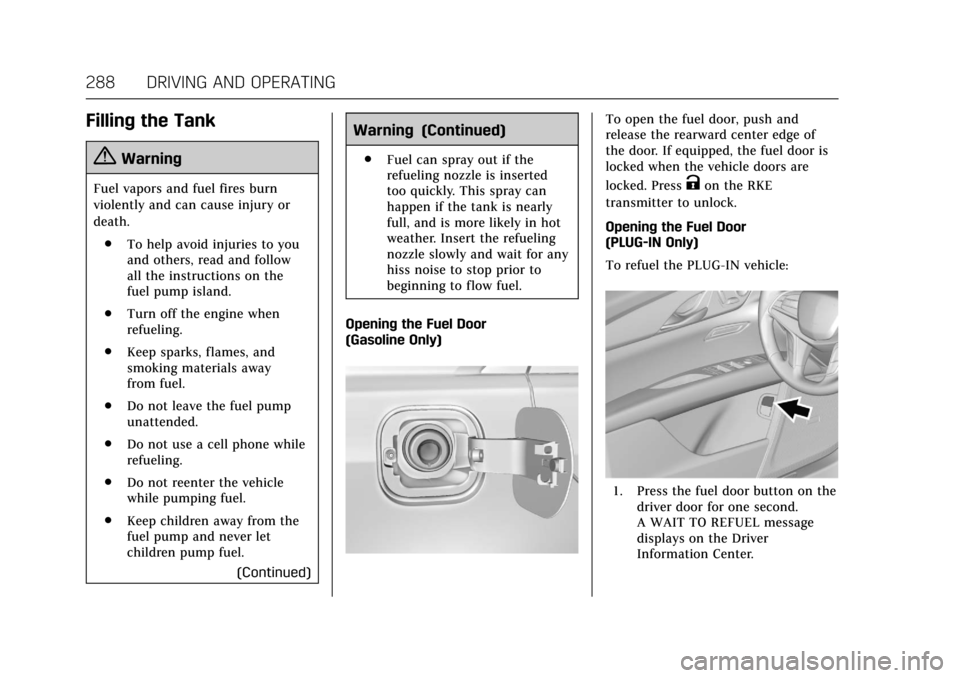
Opening the Fuel Door
(Gasoline Only)
To open the fuel door, push and
release the rearward center edge of
the door. If equipped, the fuel door is
locked when the vehicle doors are
locked. Press
Kon the RKE
transmitter to unlock.
Opening the Fuel Door
(PLUG-IN Only)
To refuel the PLUG-IN vehicle:
1. Press the fuel door button on the driver door for one second.
A WAIT TO REFUEL message
displays on the Driver
Information Center.
Page 290 of 445
Cadillac CT6 Owner Manual (GMNA-Localizing-U.S./Canada-11292458) -
2018 - crc - 2/14/17
DRIVING AND OPERATING 289
2. When the READY TO REFUELmessage displays, the fuel door
will unlock. To open the fuel
door, push and release the
rearward center edge of the door.
3. Complete refueling within 30 minutes of pressing the fuel
door button on the driver door.
If refueling after more than
30 minutes, press the fuel door
button again.
4. After refueling, close the fuel door.
Refueling the Vehicle
The vehicle has a capless fuel system
and does not have a fuel cap. The
filling nozzle must be fully inserted
and latched prior to starting fuel flow.
{Warning
Overfilling the fuel tank by more
than three clicks of a standard fill
nozzle may cause:
(Continued)
Warning (Continued)
.Vehicle performance issues,
including engine stalling and
damage to the fuel system.
. Fuel spills.
. Potential fuel fires.
Be careful not to spill fuel. Wait a few
seconds after you have finished
pumping before removing the nozzle.
Clean fuel from painted surfaces as
soon as possible. See Exterior Care
0 380.
{Warning
If a fire starts while you are
refueling, do not remove the nozzle.
Shut off the flow of fuel by shutting
off the pump or by notifying the
station attendant. Leave the area
immediately.
Filling the Tank with a Portable
Gas Can
If the vehicle runs out of fuel and
must be filled from a portable gas can:
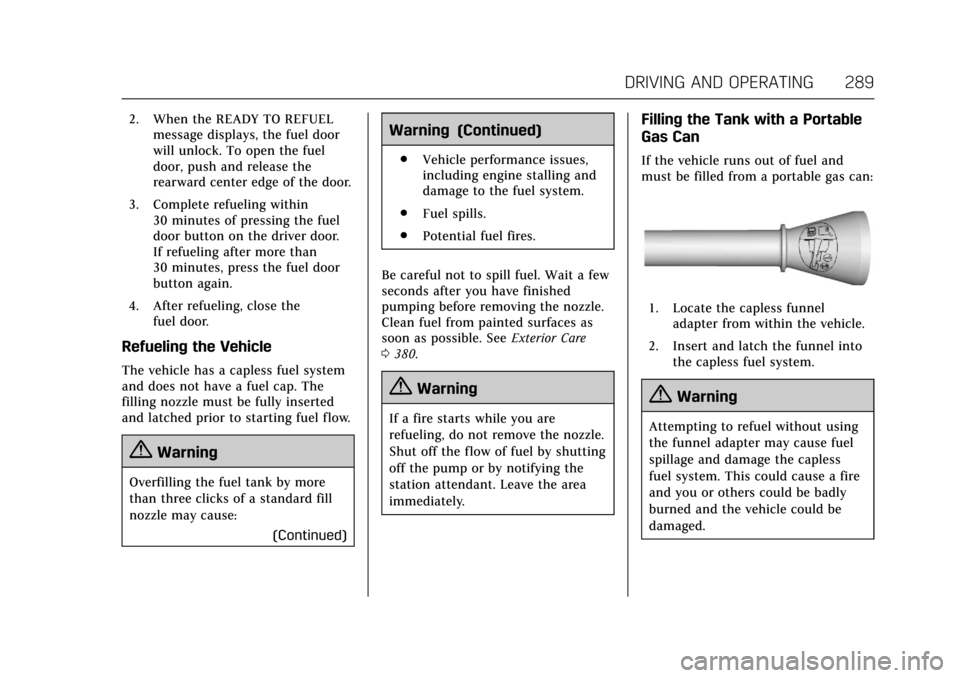
1. Locate the capless funnel
adapter from within the vehicle.
2. Insert and latch the funnel into the capless fuel system.
{Warning
Attempting to refuel without using
the funnel adapter may cause fuel
spillage and damage the capless
fuel system. This could cause a fire
and you or others could be badly
burned and the vehicle could be
damaged.
Page 291 of 445

Cadillac CT6 Owner Manual (GMNA-Localizing-U.S./Canada-11292458) -
2018 - crc - 2/14/17
290 DRIVING AND OPERATING
3. Remove and clean the funneladapter and return it to the
storage location.
Filling a Portable Fuel
Container
{Warning
Filling a portable fuel container
while it is in the vehicle can cause
fuel vapors that can ignite either by
static electricity or other means.
You or others could be badly
burned and the vehicle could be
damaged. Always:
. Use approved fuel containers.
. Remove the container from
the vehicle, trunk, or pickup
bed before filling.
. Place the container on the
ground.
. Place the nozzle inside the fill
opening of the container
before dispensing fuel, and
(Continued)
Warning (Continued)
keep it in contact with the fill
opening until filling is
complete.
. Fill the container no more
than 95% full to allow for
expansion.
. Do not smoke, light matches,
or use lighters while
pumping fuel.
. Avoid using cell phones or
other electronic devices.
Trailer Towing
General Towing
Information
Only use towing equipment that has
been designed for the vehicle. Contact
your dealer or trailering dealer for
assistance with preparing the vehicle
for towing a trailer. Read the entire
section before towing a trailer.
For towing a disabled vehicle, see
Towing the Vehicle 0376. For towing
the vehicle behind another vehicle
such as a motor home, see
Recreational Vehicle Towing 0378.
Driving Characteristics and
Towing Tips
Driving with a Trailer
When towing a trailer:
.
Become familiar with the local
laws that apply to trailer towing.
. Do not tow a trailer during the
first 2 414 km (1,500 mi) to
prevent damage to the engine,
axle, or other parts.