steering CADILLAC DEVILLE 2003 8.G Owner's Manual
[x] Cancel search | Manufacturer: CADILLAC, Model Year: 2003, Model line: DEVILLE, Model: CADILLAC DEVILLE 2003 8.GPages: 423, PDF Size: 2.91 MB
Page 128 of 423

The main components of the instrument panel are the following:
A. Air Outlets
B. Turn Signal/Multifunction Lever
C. Climate Controls and OnStar
žSteering Wheel
Controls
(or Cellular Telephone Controls)
D. Instrument Panel Cluster
E. Audio Steering Wheel Controls
F. Driver Information Center (DIC) Buttons
G. Climate ControlsH. Exterior Lamp Controls
I. Night Vision Controls
J. Hood Release
K. Cruise Control
L. Horn
M. Cruise Control
N. Radio
O. Ashtray
P. Glove Box
3-5
Page 130 of 423

Other Warning Devices
If you carry re¯ective triangles, you can set one up at
the side of the road about 300 feet (100 m) behind your
vehicle.
Horn
The horn can be sounded by pressing on the center of
the steering wheel pad.
Tilt Wheel
A tilt wheel allows you to adjust the steering wheel
before you drive. You can raise the steering wheel to
the highest level to give your legs more room when you
enter and exit the vehicle.
The lever that allows you to tilt the steering wheel is
located on the left side of the steering column.
To tilt the wheel, hold the
wheel and pull the lever.
Then move the wheel
to a comfortable position
and release the lever
to lock the wheel in place.
3-7
Page 131 of 423
Power Tilt Wheel and Telescopic
Steering Column
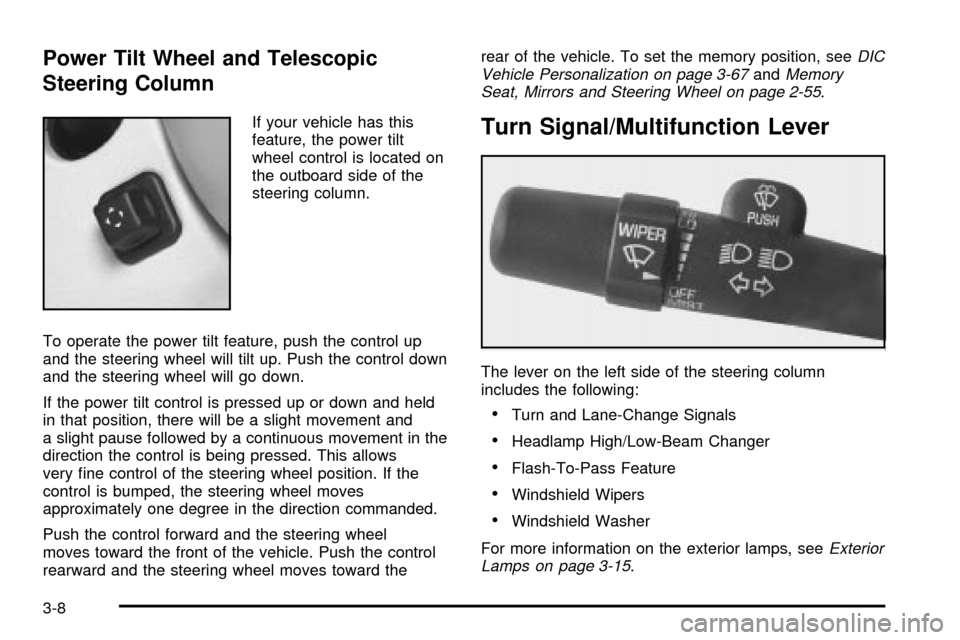
If your vehicle has this
feature, the power tilt
wheel control is located on
the outboard side of the
steering column.
To operate the power tilt feature, push the control up
and the steering wheel will tilt up. Push the control down
and the steering wheel will go down.
If the power tilt control is pressed up or down and held
in that position, there will be a slight movement and
a slight pause followed by a continuous movement in the
direction the control is being pressed. This allows
very ®ne control of the steering wheel position. If the
control is bumped, the steering wheel moves
approximately one degree in the direction commanded.
Push the control forward and the steering wheel
moves toward the front of the vehicle. Push the control
rearward and the steering wheel moves toward therear of the vehicle. To set the memory position, see
DIC
Vehicle Personalization on page 3-67andMemory
Seat, Mirrors and Steering Wheel on page 2-55.
Turn Signal/Multifunction Lever
The lever on the left side of the steering column
includes the following:
·Turn and Lane-Change Signals
·Headlamp High/Low-Beam Changer
·Flash-To-Pass Feature
·Windshield Wipers
·Windshield Washer
For more information on the exterior lamps, see
Exterior
Lamps on page 3-15.
3-8
Page 136 of 423
Setting Cruise Control
{CAUTION:
If you leave your cruise control on when you're
not using cruise, you might hit a button and go
into cruise when you don't want to. You could
be startled and even lose control. Keep the
cruise control switch off until you want to use
cruise control.
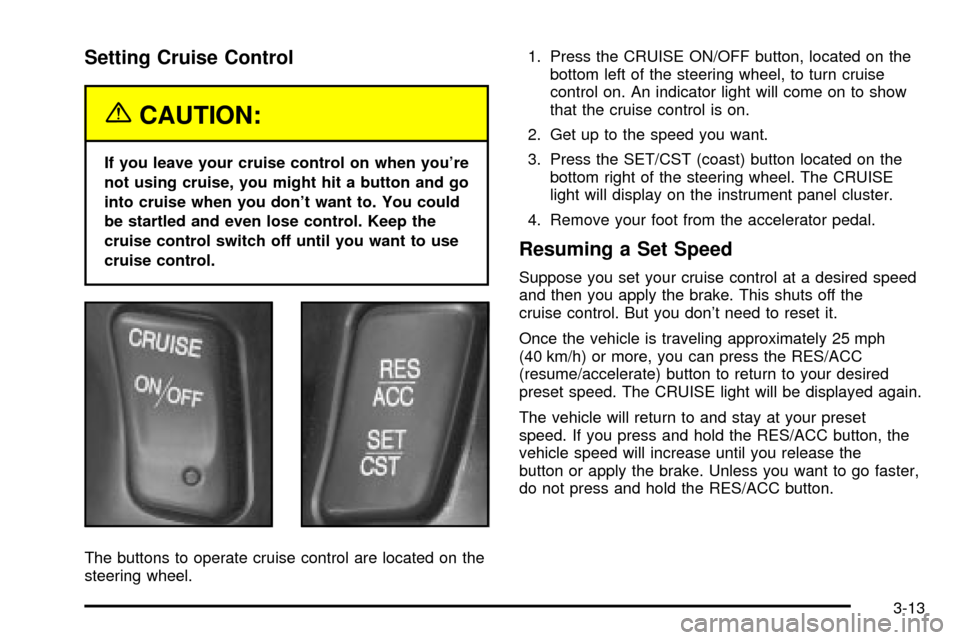
The buttons to operate cruise control are located on the
steering wheel.1. Press the CRUISE ON/OFF button, located on the
bottom left of the steering wheel, to turn cruise
control on. An indicator light will come on to show
that the cruise control is on.
2. Get up to the speed you want.
3. Press the SET/CST (coast) button located on the
bottom right of the steering wheel. The CRUISE
light will display on the instrument panel cluster.
4. Remove your foot from the accelerator pedal.
Resuming a Set Speed
Suppose you set your cruise control at a desired speed
and then you apply the brake. This shuts off the
cruise control. But you don't need to reset it.
Once the vehicle is traveling approximately 25 mph
(40 km/h) or more, you can press the RES/ACC
(resume/accelerate) button to return to your desired
preset speed. The CRUISE light will be displayed again.
The vehicle will return to and stay at your preset
speed. If you press and hold the RES/ACC button, the
vehicle speed will increase until you release the
button or apply the brake. Unless you want to go faster,
do not press and hold the RES/ACC button.
3-13
Page 137 of 423

Increasing Speed While Using Cruise
Control
There are two ways to go to a higher speed:
·Use the accelerator pedal to get to the higher
speed. Press the SET/CST button, then release the
button and the accelerator pedal. You will now
cruise at the higher speed.
·Press the RES/ACC button. Hold it there until you get
up to the speed that you want, and then release the
button. To increase your speed in very small
amounts, brie¯y press the RES/ACC button and then
release it. Each time you do this, your vehicle will
speed up approximately 1 mph (1.6 km/h).
The accelerate feature will only work after you have set
the cruise control speed by pressing the SET/CST button.
Reducing Speed While Using Cruise
Control
There are two ways to reduce your speed while using
cruise control:
·Press the SET/CST button until you reach the lower
speed you want, then release it.
·To slow down in very small amounts, push the
SET/CST button brie¯y. Each time you do this,
the vehicle will slow down approximately 1 mph
(1.6 km/h).
Passing Another Vehicle While Using
Cruise Control
Use the accelerator pedal to increase your speed.
When you take your foot off the pedal, your vehicle will
slow down to the cruise control speed you set earlier.
Using Cruise Control on Hills
How well your cruise control will work on hills depends
upon your speed, load and the steepness of the hills.
When going up steep hills, you may have to step on the
accelerator pedal to maintain your speed. When going
downhill, you may have to brake or shift to a lower gear to
keep your speed down. Applying the brake or shifting into
a lower gear will take you out of cruise control. If you
need to apply the brake or shift to a lower gear due to the
grade of the downhill slope, you may not want to attempt
to use your cruise control feature.
Ending Cruise Control
To turn off the cruise control, step lightly on the brake
pedal, or press the CRUISE ON/OFF button on the
steering wheel.
Erasing Speed Memory
When you turn off the cruise control or the ignition, your
cruise control set speed memory is erased.
3-14
Page 138 of 423
Exterior Lamps
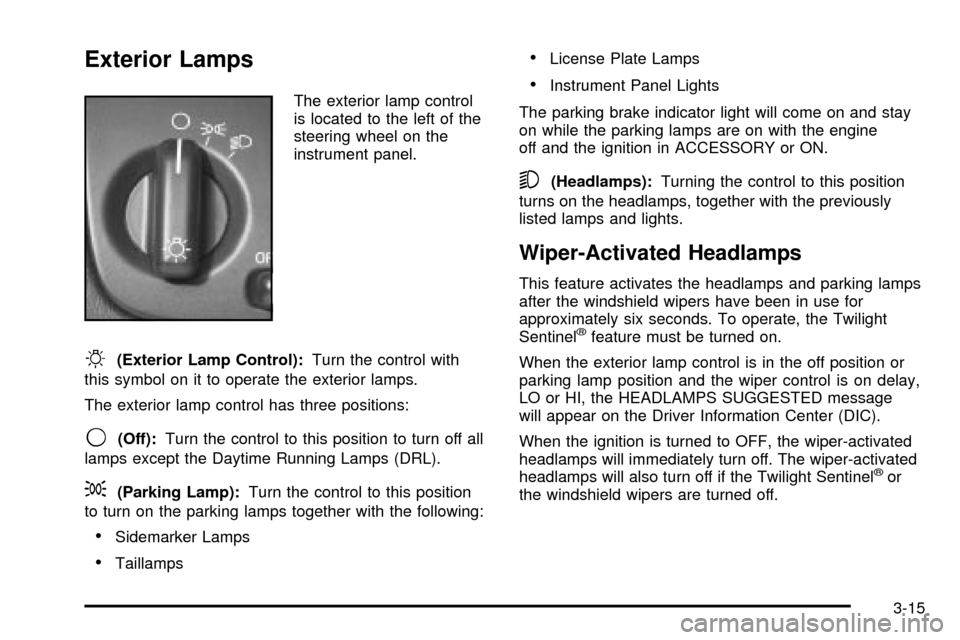
The exterior lamp control
is located to the left of the
steering wheel on the
instrument panel.
O(Exterior Lamp Control):Turn the control with
this symbol on it to operate the exterior lamps.
The exterior lamp control has three positions:
9(Off):Turn the control to this position to turn off all
lamps except the Daytime Running Lamps (DRL).
;(Parking Lamp):Turn the control to this position
to turn on the parking lamps together with the following:
·Sidemarker Lamps
·Taillamps
·License Plate Lamps
·Instrument Panel Lights
The parking brake indicator light will come on and stay
on while the parking lamps are on with the engine
off and the ignition in ACCESSORY or ON.
5(Headlamps):Turning the control to this position
turns on the headlamps, together with the previously
listed lamps and lights.
Wiper-Activated Headlamps
This feature activates the headlamps and parking lamps
after the windshield wipers have been in use for
approximately six seconds. To operate, the Twilight
Sentinel
žfeature must be turned on.
When the exterior lamp control is in the off position or
parking lamp position and the wiper control is on delay,
LO or HI, the HEADLAMPS SUGGESTED message
will appear on the Driver Information Center (DIC).
When the ignition is turned to OFF, the wiper-activated
headlamps will immediately turn off. The wiper-activated
headlamps will also turn off if the Twilight Sentinel
žor
the windshield wipers are turned off.
3-15
Page 140 of 423
To drive your vehicle with the DRL off, turn off the
Twilight Sentinelžand manually turn on the parking
lamps or fog lamps (if equipped).
As with any vehicle, you should turn on the regular
headlamp system when you need it.
Fog Lamps
If your vehicle has fog lamps, use them for better vision
in foggy or misty conditions.
The fog lamp button is
located to the left of the
steering wheel on the
instrument panel.
When you press the fog lamp button, a fog lamp symbol
in the button and the fog lamp light on the instrument
panel cluster will come on to indicate that the fog lamps
and the parking lamps are on.
Press the button again to turn them off.If you turn on the high-beam headlamps, the fog lamps
will turn off. They'll turn back on again when you
switch to low-beam headlamps.
When the Twilight Sentinel
žis on and the fog lamps are
turned on, the fog lamps, headlamps and parking
lamps will remain on.
The ignition must be on for the fog lamps to operate.
Cornering Lamps
The cornering lamps come on when the headlamps or
parking lamps are on and you signal a turn with the
multifunction lever. They provide more light for cornering.
Twilight Sentinelž
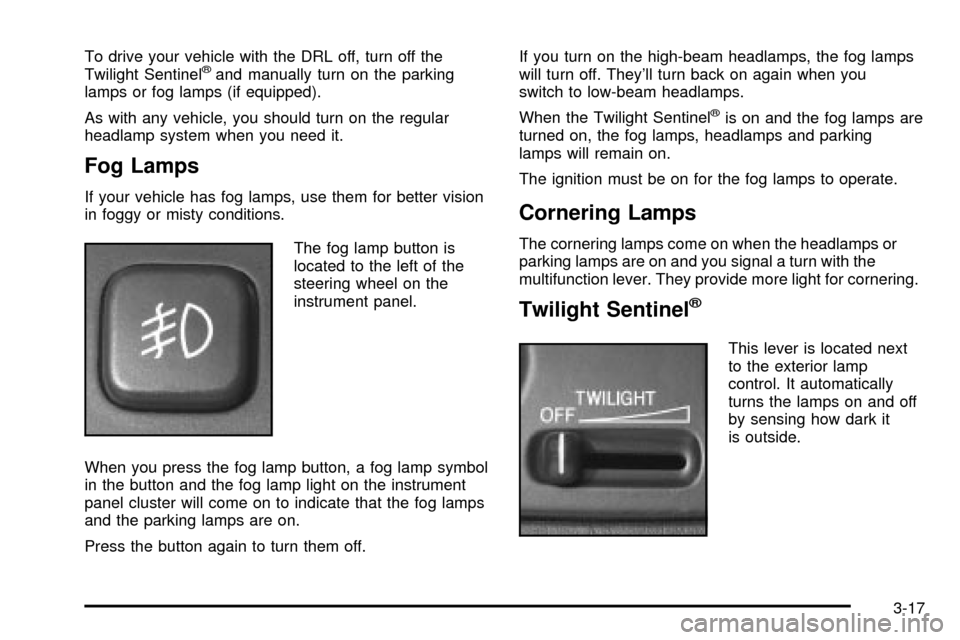
This lever is located next
to the exterior lamp
control. It automatically
turns the lamps on and off
by sensing how dark it
is outside.
3-17
Page 146 of 423

The controls for this feature are located to the left of
and below the steering wheel. They are used to adjust
the brightness and location of the image. Adjust the
IMAGE control so the image is as low as possible while
remaining visible.
Slide the dimmer control until the image is no brighter
than necessary to clearly and comfortably see the image.
When the system comes on, you'll see the Night Vision
System symbol in the image. After about one minute, you
should see the view of the road ahead. If you don't see
the image after about two minutes (on cold days it may
take longer for the image to display), there may be
something wrong with the system. See your dealer for
service.
{CAUTION:
If the Night Vision System image is too bright,
or too high in your ®eld of view, it may take
you more time to see things you need to see
when it's dark outside. Be sure to keep the
image dim and placed low in your ®eld of view.
Remember that the Night Vision System, can only help
you see objects that are warmer or colder than the
surroundings. It can't sense things like brake lights, turn
signals or emergency ¯ashers, traffic lights or signs.
3-23
Page 161 of 423
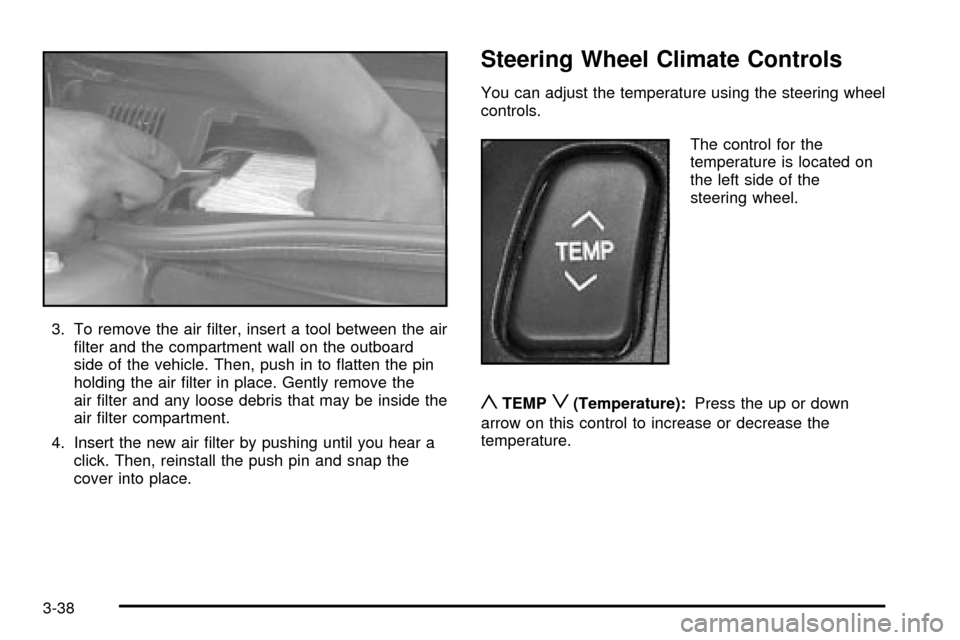
3. To remove the air ®lter, insert a tool between the air
®lter and the compartment wall on the outboard
side of the vehicle. Then, push in to ¯atten the pin
holding the air ®lter in place. Gently remove the
air ®lter and any loose debris that may be inside the
air ®lter compartment.
4. Insert the new air ®lter by pushing until you hear a
click. Then, reinstall the push pin and snap the
cover into place.
Steering Wheel Climate Controls
You can adjust the temperature using the steering wheel
controls.
The control for the
temperature is located on
the left side of the
steering wheel.
yTEMPz(Temperature):Press the up or down
arrow on this control to increase or decrease the
temperature.
3-38
Page 162 of 423

Climate Controls Personalization
If your vehicle is equipped with this feature, you
can store and recall climate control settings for the
temperature, the fan speed and the direction of
the air¯ow.
Memory buttons 1 and 2 are located on the driver's door
panel and correspond to the numbers 1 or 2 found on
the back of each remote keyless entry transmitter.
To recall the climate control settings last stored on your
transmitter, press the unlock button on your remote
keyless entry transmitter and put the ignition in
ACCESSORY or ON. The settings will be recalled.
To change the stored settings, do the following:
1. Select the desired temperature, fan speed and
air¯ow mode. If desired, a separate temperature
setting may also be selected for the front seat
passenger. For information on how to do this, see
Dual Climate Control System on page 3-29.2. Locate memory buttons 1 and 2 on the driver's
door panel.
3. Press the memory button on the door panel that
corresponds to the number on the back of the
transmitter you are programming, until you hear two
beeps. The beeps con®rm that your selection has
been saved and can now be recalled. For more
information on the memory feature, see
Memory
Seat, Mirrors and Steering Wheel on page 2-55.
Follow these steps each time you want to change the
stored settings.
3-39