radio CADILLAC ESCALADE 2010 3.G Workshop Manual
[x] Cancel search | Manufacturer: CADILLAC, Model Year: 2010, Model line: ESCALADE, Model: CADILLAC ESCALADE 2010 3.GPages: 616, PDF Size: 39.41 MB
Page 372 of 616

Order of Play
Play will begin from the first track under the rootdirectory. When all tracks from the root directory havebeen played, play will continue from files according totheir numerical listing. After playing the last track fromthe last folder, play will begin again at the first track ofthe first folder or root directory.
When play enters a new folder, the display will notautomatically show the new folder name. The new trackname will appear on the display.
File System and Naming
The song name that will display will be the song namethat is contained in the ID3 tag. If the song name is notpresent in the ID3 tag, then the radio will display the filename without the extension (such as .mp3) as thetrack name.
Track names longer than 32 characters or four pageswill be shortened. The display will not show parts ofwords on the last page of text and the extension of thefilename will not display.
Playing an MP3
While playing a CD, the navigation system is available.
When you insert a CD, the CD tab will display. If youselect a DSP setting for the CD, it will be activated eachtime you play a CD.
If you turn off the ignition or radio with a CD in theplayer, it will stay in the player. When you turn on theignition or radio, the CD will start playing where itstopped, if it was the last selected audio source.
As each new track starts to play, the track number willappear on the display.
If an error appears on the display, see“CD Messages”later in this section.
If viewing a map screen, touch the CD screen button.The display will split between the audio screen and themap screen. If you do not want to view a split screen oryou are not on a map screen, press the AUDIO keythen press the AUDIO key repeatedly until CD isselected or touch the CD screen button.
M(Load):To load one disc, do the following:
1. Press the load hard key and follow the screenmessage displayed.
2. When the system displays“Insert Disc (number)”,insert the disc partway into the slot, label side up.The system will pull it into the first available slotand start playing. The system will display the typeof disc inserted.
5-72
Page 375 of 616

DVD Player
The player can be used for DVD audio and DVD video.
DVD video will not display on the navigation screenunless the vehicle is in PARK (P). It will operate on therear seat entertainment screens while the vehicle ismoving. The Rear Seat Entertainment (RSE) videoscreen will start play of the DVD when a DVD videohas been inserted into the navigation system. TheDVD player can be controlled by the buttons on thenavigation system, the Rear Seat Audio (RSA) system,and the remote control. The DVD player can also beused for the rear seat passengers with the radio off.The rear seat passengers can power on the videoscreen and use the remote control to navigate the disc.See“Rear Seat Entertainment System”in the Index ofyour vehicle's owner manual for more information.
The DVD player is only compatible with DVDs of theappropriate region code that is printed on the jacket ofmost DVDs.
The DVD slot is compatible with most audio CDs,CD-R, CD-RW, DVD-Video, DVD-Audio, DVD-R/RW,DVD+R/RW media along with MP3 and WMA formats.
If an error appears on the display, see“DVD Messages”later in this section.
M(Load):To load one disc, do the following:
1. Press the load hard key and follow the screenmessage displayed.
2. When the system displays“Insert Disc (number)”,insert the disc partway into the slot, label side up.The system will pull it into the first available slotand start playing. The system will display the typeof disc inserted.
To load multiple discs, do the following:
1. Press and hold the load hard key and follow thescreen message displayed.
2. When the system displays“Insert Disc (number)”,insert the disc partway into the slot, label side up.The system will pull it in.
3. Once a disc is loaded, the system will display“Insert Disc (number)”again. Load the next disc.Repeat this procedure for each disc. The playertakes up to six discs, do not try to load more thansix. The system will not display the disc typeswhen loading all, until the discs have been read bythe system.
Once all discs have been inserted, the system willstart playing the last loaded disc.
5-75
Page 381 of 616
.You are driving on a very rough road. When theroad becomes smoother, the DVD should play.
.The DVD is dirty, scratched, wet, or upside down.
.The air is very humid. If so, wait about an hour andtry again.
.There may have been a problem while burningthe DVD.
.The label may be caught in the DVD player.
If the DVD is not playing correctly, for any other reason,try a known good DVD.
If any error occurs repeatedly or if an error cannot becorrected, contact your dealer/retailer.
Connecting a USB Storage Device
or iPod®
The USB Port, located in the center console, can beused to control an iPod®or a USB storage device.
To avoid connection problems, extension cords arenot recommended. Use only the cable that came withthe device.
To connect a USB storage device, connect the device tothe USB port located in the center console.
To connect an iPod®, connect one end of the USB cablethat came with the iPod to the iPod’s dock connectorand connect the other end to the USB port. If thevehicle is on and the USB connection works,“OK todisconnect”and a GM logo may appear on the iPod andiPod appears on the radio's display. The iPod musicappears on the radio’s display and begins playing.
The iPod charges while it is connected to thevehicle if the vehicle is in the ACC/ACCESSORY orON/RUN position. When the vehicle is turned off, theiPod automatically powers off and will not charge ordraw power from the vehicle's battery.
USB Supported File and Folder Structure
The guidelines that must be met while using USBsupported files and folders are:
.Up to 700 folders.
.Up to 8 folders in depth.
.Up to 65,535 files.
.Folder and file names up to 64 bytes.
.Files with an .mp3 or .wma file extension.
.AAC files stored on an iPod.
.FAT16
.FAT32
5-81
Page 382 of 616

Using the Navigation Audio System to
Control a USB Storage Device or iPod®
The navigation audio system can control a USB storagedevice or an iPod by using the radio touch screens andsteering wheel controls.
1. Touch the AUX buttton and then the USB button.
2. Press center screen button to enter the musicnavigator main screen.
3. Touch or tap the left or right arrow to selectdesired Category such as: Artist, Album,Genre, etc. A list of that category will display.
4. Select an Artist, Album, or Track from that list.
5. Touch the up or down arrows located on theside of the screen to select one item at a time,or touch the top or bottom arrow to jump10 percent up or down the list.
6. Touch the Back button to go back to theprevious screen.
7. Touch the Exit button to go back to the mainaudio screen.
5-82
Page 386 of 616

3. For the second row display select the Rear AUXscreen button next to Rear Display 1 and for thethird row display select the Rear AUX screenbutton next to Rear Display 2. Each screen worksindependently of the other. The second row screencan watch a DVD while the third row screen canuse the auxiliary device.
The rear seat passengers can also use the remotecontrol to change the functions of the RSE. SeeRearSeat Entertainment (RSE) System (Overhead)onpage 4!77orRear Seat Entertainment (RSE) System(Headrest DVD)on page 4!86for more information.
Voice Recognition
The navigation system's voice recognition allowsfor hands-free operation of the navigation system,audio system, and OnStar®features. The DVD mapdisc must be installed in the navigation system for voicerecognition to work. See“Installing the DVD Map Disc”underMapson page 5!14for more information.
Voice recognition can be used when the ignition is onor when Retained Accessory Power (RAP) is active.See“Retained Accessory Power (RAP)”in the Index ofyour vehicle's owner manual for more information.
To use voice recognition, do the following:
1. Push and hold theSRCE button on thesteering wheel untilyou hear a beep. Theaudio system mutes.
2. Clearly state one of the commands listed on thefollowing pages.
Helpful Hints for Stating Commands
.When a multiple command is available, choose thecommand that works best.
.Words that are in brackets are optional. Forexample, for the command Radio [band] [select]FM, stating Radio FM or Radio select FM are bothvalid commands.
5-86
Page 388 of 616

Storing Voice Tags
From the address book entry information page, pressthe Add Voice tag screen button. The system responds“Name Please?”and you will have four seconds torecord a name. The system asks for confirmation of thename before saving it as a voice tag.
Navigation Help
Navigation Help :This command instructs the systemto assist with navigation commands.
Display Commands
Use the following display commands to set thedisplay mode.
Display [set] day [mode] :Sets the display todaytime mode.
Display [set] night [mode] :Sets the display tonight mode.
Display [set] auto [mode] :Sets the display toautomatic mode. The system changes between day andnight mode automatically.
System help :Instructs the system to assist withdisplay commands.
Radio Commands
The following are radio commands that can beaccessed by clearly stating the commands exactly asthey are written.
Radio [band] [select] AM, radio [band] [select] FM,radio [band] [select] XM, radio [band] [select]satellite :Instructs the system to go to either theAM, FM, or XM (if equipped).
Radio [select] (frequency) AM, radio [select](frequency) FM :Instructs the system to go to aspecific frequency on either AM or FM.
Radio [select] (channel) XM, radio [select] (channel)satellite :Instructs the system to go to a specificchannel on the XM™band (if equipped).
Radio help :Instructs the system to assist with radiocommands.
5-88
Page 491 of 616
Notice:Ignoring these steps could result in costlydamage to the vehicle that would not be covered bythe warranty.
Trying to start the vehicle by pushing or pulling itwill not work, and it could damage the vehicle.
1. Check the other vehicle. It must have a 12-voltbattery with a negative ground system.
Notice:If the other vehicle's system is not a 12-voltsystem with a negative ground, both vehicles canbe damaged. Only use vehicles with 12-volt systemswith negative grounds to jump start your vehicle.
2. Get the vehicles close enough so the jumpercables can reach, but be sure the vehicles are nottouching each other. If they are, it could cause aground connection you do not want. You would notbe able to start your vehicle, and the badgrounding could damage the electrical systems.
To avoid the possibility of the vehicles rolling, setthe parking brake firmly on both vehicles involvedin the jump start procedure. Put the automatictransmission in P (Park) or a manual transmissionin Neutral before setting the parking brake. If youhave a four-wheel-drive vehicle, be sure thetransfer case is in a drive gear, not in Neutral.
Notice:If you leave the radio or other accessorieson during the jump starting procedure, they couldbe damaged. The repairs would not be covered bythe warranty. Always turn off the radio and otheraccessories when jump starting the vehicle.
3. Turn off the ignition on both vehicles. Unplugunnecessary accessories plugged into thecigarette lighter or the accessory power outlets.Turn off the radio and all the lamps that are notneeded. This avoids sparks and helps save bothbatteries. And it could save the radio!
4. Open the hood on the other vehicle and locate thepositive (+) and negative (!) terminal locations onthat vehicle.
Your vehicle has a remote positive (+) jump startingterminal and a remote negative (!) jump startingterminal. You should always use these remoteterminals instead of the terminals on the battery.
If the vehicle has a remote positive (+) terminal, itis located under a red plastic cover at the positivebattery post. To uncover the remote positive (+)terminal, open the red plastic cover.
7-45
Page 513 of 616
Tire Pressure Monitor System
The Tire Pressure Monitor System (TPMS) uses radioand sensor technology to check tire pressure levels.The TPMS sensors monitor the air pressure in yourvehicle's tires and transmit tire pressure readings to areceiver located in the vehicle.
Each tire, including the spare (if provided), should bechecked monthly when cold and inflated to the inflationpressure recommended by the vehicle manufactureron the vehicle placard or tire inflation pressure label.(If your vehicle has tires of a different size than the sizeindicated on the vehicle placard or tire inflation pressurelabel, you should determine the proper tire inflationpressure for those tires.)
As an added safety feature, your vehicle has beenequipped with a tire pressure monitoring system(TPMS) that illuminates a low tire pressure telltale whenone or more of your tires is significantly under!inflated.
Accordingly, when the low tire pressure telltaleilluminates, you should stop and check your tires assoon as possible, and inflate them to the properpressure. Driving on a significantly under!inflated tirecauses the tire to overheat and can lead to tire failure.Under!inflation also reduces fuel efficiency and tiretread life, and may affect the vehicle's handling andstopping ability.
Please note that the TPMS is not a substitute for propertire maintenance, and it is the driver's responsibility tomaintain correct tire pressure, even if under!inflationhas not reached the level to trigger illumination of theTPMS low tire pressure telltale.
Your vehicle has also been equipped with a TPMSmalfunction indicator to indicate when the system isnot operating properly. The TPMS malfunction indicatoris combined with the low tire pressure telltale. Whenthe system detects a malfunction, the telltale will flashfor approximately one minute and then remaincontinuously illuminated. This sequence will continueupon subsequent vehicle start!ups as long as themalfunction exists.
When the malfunction indicator is illuminated, thesystem may not be able to detect or signal low tirepressure as intended. TPMS malfunctions may occurfor a variety of reasons, including the installation ofreplacement or alternate tires or wheels on the vehiclethat prevent the TPMS from functioning properly.Always check the TPMS malfunction telltale afterreplacing one or more tires or wheels on your vehicle toensure that the replacement or alternate tires andwheels allow the TPMS to continue to function properly.
SeeTire Pressure Monitor Operationon page 7!68foradditional information.
7-67
Page 514 of 616
Federal Communications Commission
(FCC) and Industry and Science Canada
SeeRadio Frequency Statementon page 9!20forinformation regarding Part 15 of the FederalCommunications Commission (FCC) Rules andRSS-210/211 of Industry and Science Canada.
Tire Pressure Monitor Operation
If your vehicle is a Two!mode Hybrid, see theTwo!mode Hybrid manual for more information.
This vehicle may have a Tire Pressure Monitor System(TPMS). The TPMS is designed to warn the driver whena low tire pressure condition exists. TPMS sensors aremounted onto each tire and wheel assembly, excludingthe spare tire and wheel assembly. The TPMS sensorsmonitor the air pressure in the vehicle's tires andtransmit the tire pressure readings to a receiver locatedin the vehicle.
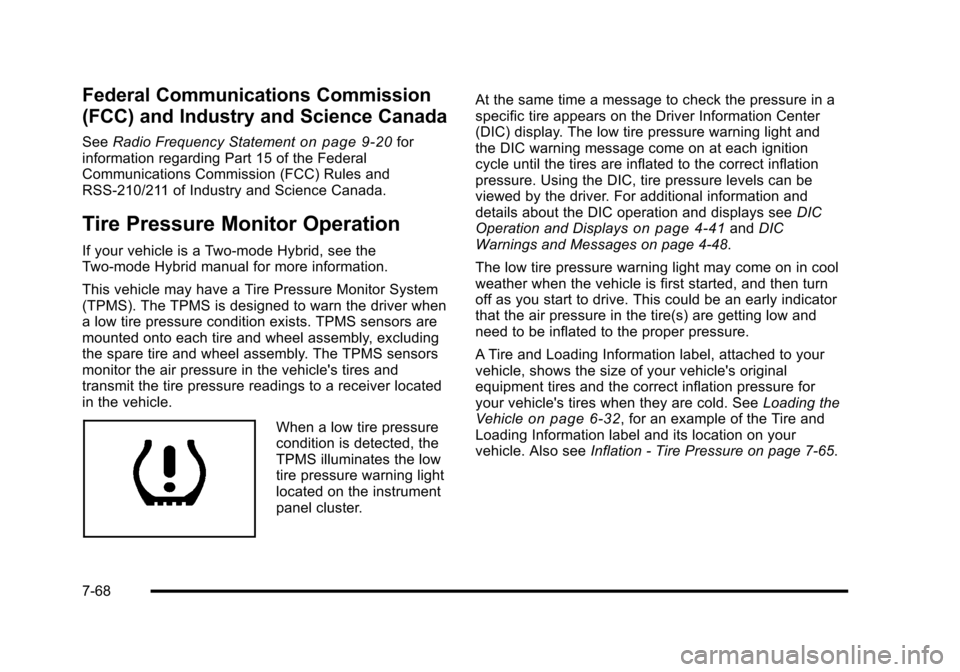
When a low tire pressurecondition is detected, theTPMS illuminates the lowtire pressure warning lightlocated on the instrumentpanel cluster.
At the same time a message to check the pressure in aspecific tire appears on the Driver Information Center(DIC) display. The low tire pressure warning light andthe DIC warning message come on at each ignitioncycle until the tires are inflated to the correct inflationpressure. Using the DIC, tire pressure levels can beviewed by the driver. For additional information anddetails about the DIC operation and displays seeDICOperation and Displayson page 4!41andDICWarnings and Messages on page 4!48.
The low tire pressure warning light may come on in coolweather when the vehicle is first started, and then turnoff as you start to drive. This could be an early indicatorthat the air pressure in the tire(s) are getting low andneed to be inflated to the proper pressure.
A Tire and Loading Information label, attached to yourvehicle, shows the size of your vehicle's originalequipment tires and the correct inflation pressure foryour vehicle's tires when they are cold. SeeLoading theVehicleon page 6!32, for an example of the Tire andLoading Information label and its location on yourvehicle. Also seeInflation - Tire Pressure on page 7!65.
7-68
Page 515 of 616
Your vehicle's TPMS can warn you about a low tirepressure condition but it does not replace normal tiremaintenance. SeeTire Inspection and Rotationonpage 7!71andTires on page 7!58.
Notice:Liquid tire sealants could damage the TirePressure Monitor System (TPMS) sensors. Sensordamage caused by using a tire sealant is notcovered by your warranty. Do not use liquid tiresealants.
TPMS Malfunction Light and Message
The TPMS will not function properly if one or more ofthe TPMS sensors are missing or inoperable. When thesystem detects a malfunction, the low tire warning lightflashes for about one minute and then stays on for theremainder of the ignition cycle. A DIC warning messageis also displayed. The low tire warning light and DICwarning message come on at each ignition cycle untilthe problem is corrected. Some of the conditions thatcan cause the malfunction light and DIC message tocome on are:
.One of the road tires has been replaced with thespare tire. The spare tire does not have a TPMSsensor. The TPMS malfunction light and DICmessage should go off once you re!install theroad tire containing the TPMS sensor.
.The TPMS sensor matching process was startedbut not completed or not completed successfullyafter rotating the vehicle's tires. The DIC messageand TPMS malfunction light should go off once theTPMS sensor matching process is performedsuccessfully. See“TPMS Sensor MatchingProcess”later in this section.
.One or more TPMS sensors are missing ordamaged. The DIC message and the TPMSmalfunction light should go off when the TPMSsensors are installed and the sensor matchingprocess is performed successfully. See yourdealer/retailer for service.
.Replacement tires or wheels do not match yourvehicle's original equipment tires or wheels. Tiresand wheels other than those recommended foryour vehicle could prevent the TPMS fromfunctioning properly. SeeBuying New Tiresonpage 7!73.
.Operating electronic devices or being near facilitiesusing radio wave frequencies similar to the TPMScould cause the TPMS sensors to malfunction.
If the TPMS is not functioning it cannot detect or signala low tire condition. See your dealer/retailer for serviceif the TPMS malfunction light and DIC message comeson and stays on.
7-69