V4 mode CADILLAC ESCALADE 2018 Owner's Guide
[x] Cancel search | Manufacturer: CADILLAC, Model Year: 2018, Model line: ESCALADE, Model: CADILLAC ESCALADE 2018Pages: 399, PDF Size: 6.23 MB
Page 107 of 399
Cadillac Escalade Owner Manual (GMNA-Localizing-U.S./Canada/Mexico-
11349344) - 2018 - crc - 11/7/17
106 SEATS AND RESTRAINTS
row. Be sure to use an anchor on the
same side of the vehicle as the seating
position where the child restraint will
be placed.
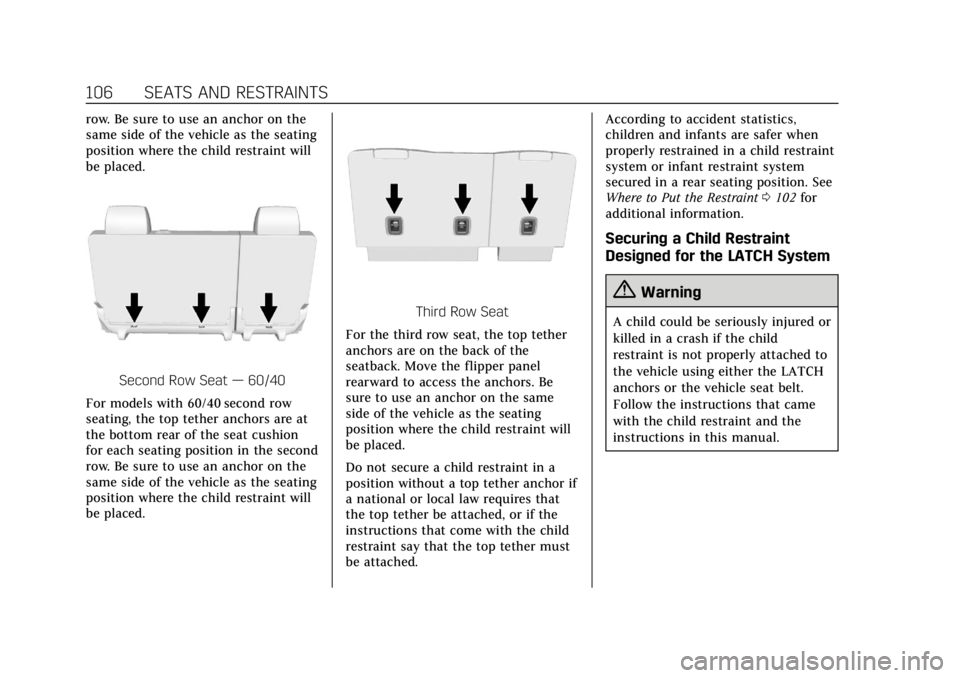
Second Row Seat—60/40
For models with 60/40 second row
seating, the top tether anchors are at
the bottom rear of the seat cushion
for each seating position in the second
row. Be sure to use an anchor on the
same side of the vehicle as the seating
position where the child restraint will
be placed.
Third Row Seat
For the third row seat, the top tether
anchors are on the back of the
seatback. Move the flipper panel
rearward to access the anchors. Be
sure to use an anchor on the same
side of the vehicle as the seating
position where the child restraint will
be placed.
Do not secure a child restraint in a
position without a top tether anchor if
a national or local law requires that
the top tether be attached, or if the
instructions that come with the child
restraint say that the top tether must
be attached. According to accident statistics,
children and infants are safer when
properly restrained in a child restraint
system or infant restraint system
secured in a rear seating position. See
Where to Put the Restraint
0102 for
additional information.
Securing a Child Restraint
Designed for the LATCH System
{Warning
A child could be seriously injured or
killed in a crash if the child
restraint is not properly attached to
the vehicle using either the LATCH
anchors or the vehicle seat belt.
Follow the instructions that came
with the child restraint and the
instructions in this manual.
Page 121 of 399
Cadillac Escalade Owner Manual (GMNA-Localizing-U.S./Canada/Mexico-
11349344) - 2018 - crc - 11/7/17
120 INSTRUMENTS AND CONTROLS
Instruments and
Controls
Controls
Steering Wheel Adjustment . . . . . 121
Steering Wheel Controls . . . . . . . . . 121
Heated Steering Wheel . . . . . . . . . . 121
Horn . . . . . . . . . . . . . . . . . . . . . . . . . . . . . . . 121
Windshield Wiper/Washer . . . . . . . 121
Rear Window Wiper/Washer . . . . 123
Compass . . . . . . . . . . . . . . . . . . . . . . . . . . 124
Clock . . . . . . . . . . . . . . . . . . . . . . . . . . . . . . 124
Power Outlets . . . . . . . . . . . . . . . . . . . . . 125
Wireless Charging . . . . . . . . . . . . . . . . 127
Cigarette Lighter . . . . . . . . . . . . . . . . . . 129
Ashtrays . . . . . . . . . . . . . . . . . . . . . . . . . . 129
Warning Lights, Gauges, and
Indicators
Warning Lights, Gauges, andIndicators . . . . . . . . . . . . . . . . . . . . . . . 129
Instrument Cluster . . . . . . . . . . . . . . . 130
Speedometer . . . . . . . . . . . . . . . . . . . . . . 132
Odometer . . . . . . . . . . . . . . . . . . . . . . . . . 132
Trip Odometer . . . . . . . . . . . . . . . . . . . . 133
Tachometer . . . . . . . . . . . . . . . . . . . . . . . 133
Fuel Gauge . . . . . . . . . . . . . . . . . . . . . . . . 133 Engine Coolant Temperature
Gauge . . . . . . . . . . . . . . . . . . . . . . . . . . . . 134
Seat Belt Reminders . . . . . . . . . . . . . . 134
Airbag Readiness Light . . . . . . . . . . 135
Passenger Airbag Status Indicator . . . . . . . . . . . . . . . . . . . . . . . . . 135
Charging System Light . . . . . . . . . . . 136
Malfunction Indicator Lamp (Check Engine Light) . . . . . . . . . . . 137
Brake System Warning Light . . . . 138
Electric Parking Brake Light . . . . . 139
Service Electric Parking Brake Light . . . . . . . . . . . . . . . . . . . . . . . . . . . . . 139
Antilock Brake System (ABS) Warning Light . . . . . . . . . . . . . . . . . . 140
Sport Mode Light . . . . . . . . . . . . . . . . . 140
Tow/Haul Mode Light . . . . . . . . . . . . 140
Winter Driving Mode Light . . . . . . 140
Lane Keep Assist (LKA) Light . . . 140
Vehicle Ahead Indicator . . . . . . . . . 141
Traction Off Light . . . . . . . . . . . . . . . . 141
StabiliTrak OFF Light . . . . . . . . . . . . 141
Traction Control System (TCS)/ StabiliTrak Light . . . . . . . . . . . . . . . . 142
Engine Coolant Temperature Warning Light . . . . . . . . . . . . . . . . . . 142
Tire Pressure Light . . . . . . . . . . . . . . . 142
Engine Oil Pressure Light . . . . . . . . 143
Low Fuel Warning Light . . . . . . . . . 143
Security Light . . . . . . . . . . . . . . . . . . . . . 143 High-Beam On Light . . . . . . . . . . . . . 144
Lamps On Reminder . . . . . . . . . . . . . 144
Cruise Control Light . . . . . . . . . . . . . . 144
Door Ajar Light . . . . . . . . . . . . . . . . . . . 145
Information Displays
Driver Information
Center (DIC) . . . . . . . . . . . . . . . . . . . . . 145
Head-Up Display (HUD) . . . . . . . . . 147
Vehicle Messages
Vehicle Messages . . . . . . . . . . . . . . . . . 151
Engine Power Messages . . . . . . . . . . 151
Vehicle Speed Messages . . . . . . . . . 152
Vehicle Personalization
Vehicle Personalization . . . . . . . . . . 152
Universal Remote System
Universal Remote System . . . . . . . . 160
Universal Remote System Programming . . . . . . . . . . . . . . . . . . . 160
Universal Remote System Operation . . . . . . . . . . . . . . . . . . . . . . . . 163
Page 126 of 399
Cadillac Escalade Owner Manual (GMNA-Localizing-U.S./Canada/Mexico-
11349344) - 2018 - crc - 11/7/17
INSTRUMENTS AND CONTROLS 125
1. From the Home Page, touchSETTINGS, then touch Time
and Date.
2. Touch Set Date, then touch + or −to increase or decrease month,
day, or year.
3. Touch
[Back to go back to the
previous menu.
Auto Set
When on, the time and date will
automatically update.
To set auto set: 1. From the Home Page, touch SETTINGS, then touch Time
and Date.
2. Touch Set Time or Set Date.
3. Touch Auto Set, then select On-Cell Network or Off-Manual
to manually set the time
and date.
4. Touch
[Back to go back to the
previous menu.
If auto set is on, the time displayed on
the clock may not update immediately
when driving into a new time zone. In some regions, auto set may require
an active OnStar service plan,
if available.
Clock Display
When on, the digital clock will display
on the infotainment screen.
To set the clock display:
1. From the Home Page, touch SETTINGS, then touch Time
and Date.
2. Touch Clock Display, then select Off or On.
3. Touch
[Back to go back to the
previous menu.
Power Outlets
Power Outlets 12-Volt Direct Current
Accessory power outlets can be used
to plug in electrical equipment, such
as a cell phone or MP3 player.
The vehicle has five accessory power
outlets:
. One near the cupholders on the
center console
. One inside the center console .
One on the rear of the center
console
. One in the third row seat on the
driver side
. One in the rear cargo area on the
passenger side
Lift the cover to access and replace
when not in use.
The accessory power outlets are
powered as follows:
. The power outlet near the
cupholders on the center console
is powered in Retained Accessory
Power (RAP) mode. This outlet can
be configured to operate using
RAP or battery power. If the power
outlet is used while in the battery
power mode, this could cause
interference between the RKE
transmitter and the vehicle, and
the vehicle may not start. See
Ignition Positions 0199.
. The power outlets inside the
center console and on the rear of
the center console are powered
when the vehicle is started or the
ignition is in ACC/ACCESSORY,
Page 133 of 399
Cadillac Escalade Owner Manual (GMNA-Localizing-U.S./Canada/Mexico-
11349344) - 2018 - crc - 11/7/17
132 INSTRUMENTS AND CONTROLS
Phone
While the Phone application page is
displayed, press SEL to enter the
Phone menu. In the Phone menu,
if there is no active phone call, view
recent calls, select from favorites,
or scroll through contacts. If there is
an active call, mute the phone or
switch to handset operation.
Cluster Options Menu
To enter the cluster Options menu:1. Use the five-way control on the right side of the steering wheel
to find the Options page in one
of the interactive display zones
on the cluster.
2. Press SEL on the center of the five-way control to enter the
Options menu.
Units : Press SEL while Units is
highlighted to enter the Unit menu.
Choose US or metric units by pressing
SEL while the desired item is
highlighted. A checkmark will be
displayed next to the selected item. Info Pages :
Press SEL while Info
Pages is highlighted to select the
items to be displayed in the DIC info
displays. See Driver Information Center
(DIC) 0145.
Fav Button Options : Press SEL while
Fav Button Options is highlighted to
select between FAV Primary and SEEK
Primary. This selection allows for
configuration of the
CandB
steering wheel controls. When FAV
Primary is selected, pressing
Cand
Bwill go to the next or previous
favorite and pressing and holding
C
andBwill seek. When SEEK Primary
is selected, pressing
CandBwill
seek and pressing and holding
Cand
Bwill go to the next or previous
favorite.
Display Layout : Press SEL while
Display Layout is highlighted to
change the configuration of the
cluster. See “Reconfigurable
Instrument Cluster” earlier in this
section. Head-up Display (HUD) Rotation :
This feature allows for adjusting the
angle of the HUD image. Press SEL on
the steering wheel controls while
Head-up Display Rotation is
highlighted to enter Adjust Mode.
Press
yorzto adjust the angle of
the HUD display. Press
SorTto
highlight OK, then press SEL to save
the setting. Cancel can also be
selected to cancel the setting. The
vehicle must be in P (Park).
Open Source Software : Press SEL
while Open Source Software is
highlighted to display open source
software information.
Speedometer
The speedometer shows the vehicle's
speed in either kilometers per hour
(km/h) or miles per hour (mph).
Odometer
The odometer shows how far the
vehicle has been driven, in either
kilometers or miles.
Page 138 of 399
Cadillac Escalade Owner Manual (GMNA-Localizing-U.S./Canada/Mexico-
11349344) - 2018 - crc - 11/7/17
INSTRUMENTS AND CONTROLS 137
Malfunction Indicator Lamp
(Check Engine Light)
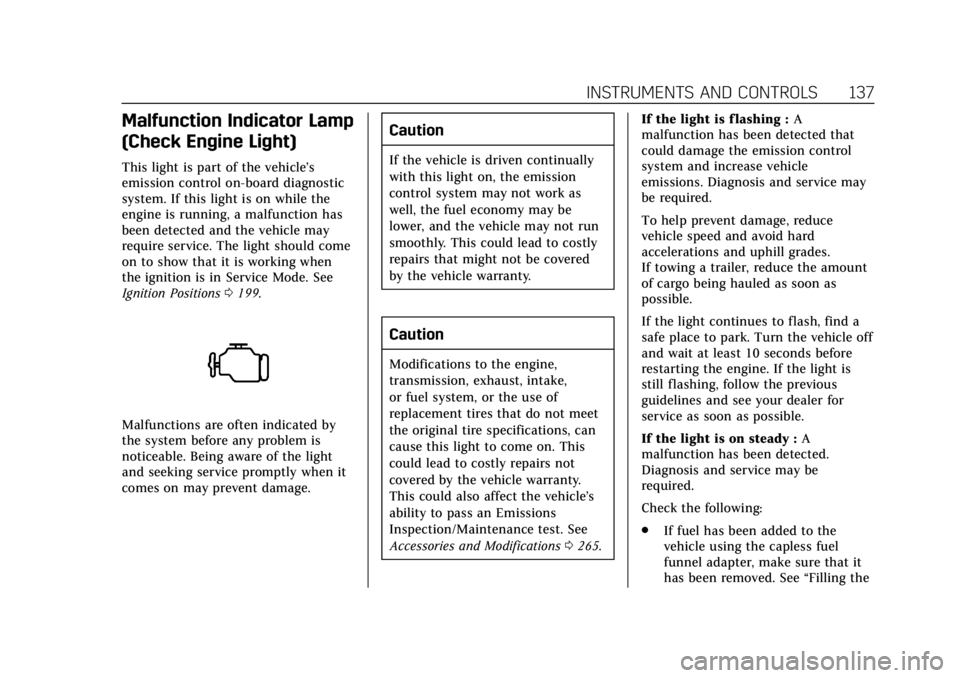
This light is part of the vehicle’s
emission control on-board diagnostic
system. If this light is on while the
engine is running, a malfunction has
been detected and the vehicle may
require service. The light should come
on to show that it is working when
the ignition is in Service Mode. See
Ignition Positions0199.
Malfunctions are often indicated by
the system before any problem is
noticeable. Being aware of the light
and seeking service promptly when it
comes on may prevent damage.
Caution
If the vehicle is driven continually
with this light on, the emission
control system may not work as
well, the fuel economy may be
lower, and the vehicle may not run
smoothly. This could lead to costly
repairs that might not be covered
by the vehicle warranty.
Caution
Modifications to the engine,
transmission, exhaust, intake,
or fuel system, or the use of
replacement tires that do not meet
the original tire specifications, can
cause this light to come on. This
could lead to costly repairs not
covered by the vehicle warranty.
This could also affect the vehicle’s
ability to pass an Emissions
Inspection/Maintenance test. See
Accessories and Modifications 0265. If the light is f lashing :
A
malfunction has been detected that
could damage the emission control
system and increase vehicle
emissions. Diagnosis and service may
be required.
To help prevent damage, reduce
vehicle speed and avoid hard
accelerations and uphill grades.
If towing a trailer, reduce the amount
of cargo being hauled as soon as
possible.
If the light continues to flash, find a
safe place to park. Turn the vehicle off
and wait at least 10 seconds before
restarting the engine. If the light is
still flashing, follow the previous
guidelines and see your dealer for
service as soon as possible.
If the light is on steady : A
malfunction has been detected.
Diagnosis and service may be
required.
Check the following:
. If fuel has been added to the
vehicle using the capless fuel
funnel adapter, make sure that it
has been removed. See “Filling the
Page 139 of 399
Cadillac Escalade Owner Manual (GMNA-Localizing-U.S./Canada/Mexico-
11349344) - 2018 - crc - 11/7/17
138 INSTRUMENTS AND CONTROLS
Tank with a Portable Gas Can”
under Filling the Tank 0249. The
diagnostic system can detect if the
adapter has been left installed in
the vehicle, allowing fuel to
evaporate into the atmosphere.
A few driving trips with the
adapter removed may turn off the
light.
. Poor fuel quality can cause
inefficient engine operation and
poor driveability, which may go
away once the engine is warmed
up. If this occurs, change the fuel
brand. It may require at least one
full tank of the proper fuel to turn
the light off. See Fuel0248.
If the light remains on, see your
dealer.
Emissions Inspection and
Maintenance Programs
If the vehicle requires an Emissions
Inspection/Maintenance test, the test
equipment will likely connect to the
vehicle's Data Link Connector (DLC).
The DLC is under the instrument
panel to the left of the steering wheel.
Connecting devices that are not used
to perform an Emissions Inspection/
Maintenance test or to service the
vehicle may affect vehicle operation.
See Add-On Electrical Equipment 0262.
See your dealer if assistance is needed.
The vehicle may not pass
inspection if:
. The light is on when the engine is
running.
. The light does not come on when
the ignition is in Service Mode.
. Critical emission control systems
have not been completely
diagnosed. If this happens, the
vehicle would not be ready for
inspection and might require
several days of routine driving
before the system is ready for
inspection. This can happen if the 12-volt battery has recently been
replaced or run down, or if the
vehicle has been recently serviced.
See your dealer if the vehicle will not
pass or cannot be made ready for
the test.Brake System Warning
Light
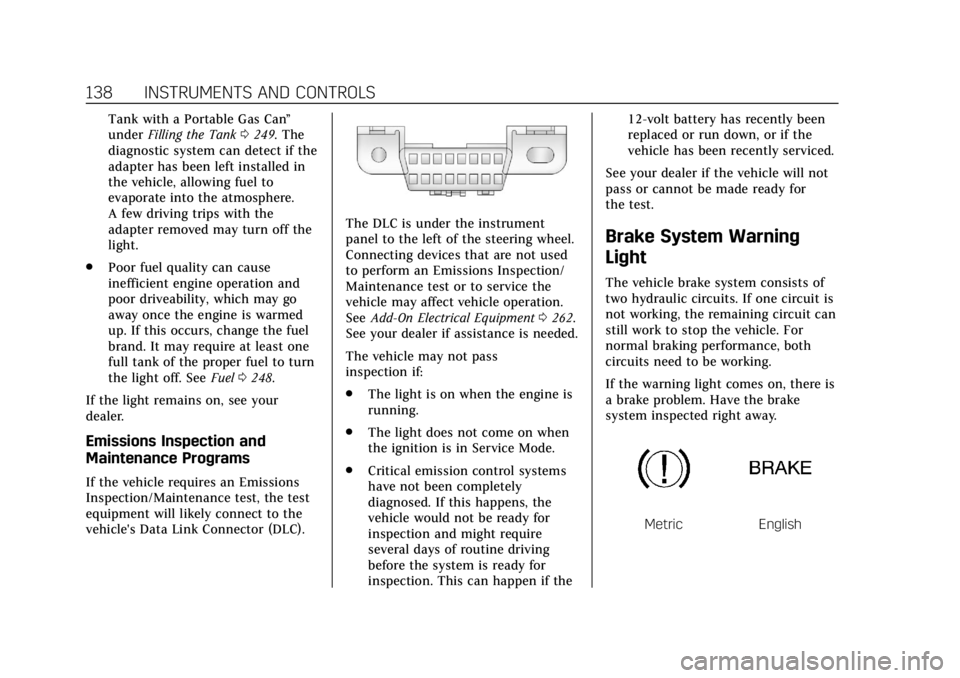
The vehicle brake system consists of
two hydraulic circuits. If one circuit is
not working, the remaining circuit can
still work to stop the vehicle. For
normal braking performance, both
circuits need to be working.
If the warning light comes on, there is
a brake problem. Have the brake
system inspected right away.
MetricEnglish
Page 141 of 399
Cadillac Escalade Owner Manual (GMNA-Localizing-U.S./Canada/Mexico-
11349344) - 2018 - crc - 11/7/17
140 INSTRUMENTS AND CONTROLS
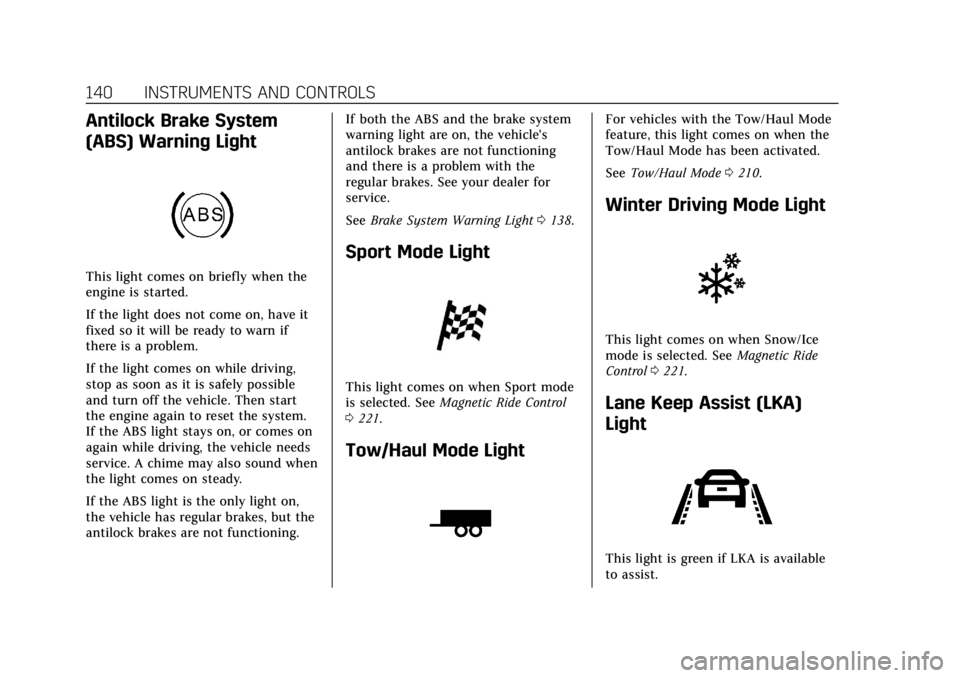
Antilock Brake System
(ABS) Warning Light
This light comes on briefly when the
engine is started.
If the light does not come on, have it
fixed so it will be ready to warn if
there is a problem.
If the light comes on while driving,
stop as soon as it is safely possible
and turn off the vehicle. Then start
the engine again to reset the system.
If the ABS light stays on, or comes on
again while driving, the vehicle needs
service. A chime may also sound when
the light comes on steady.
If the ABS light is the only light on,
the vehicle has regular brakes, but the
antilock brakes are not functioning.If both the ABS and the brake system
warning light are on, the vehicle's
antilock brakes are not functioning
and there is a problem with the
regular brakes. See your dealer for
service.
See
Brake System Warning Light 0138.
Sport Mode Light
This light comes on when Sport mode
is selected. See Magnetic Ride Control
0 221.
Tow/Haul Mode Light
For vehicles with the Tow/Haul Mode
feature, this light comes on when the
Tow/Haul Mode has been activated.
See Tow/Haul Mode 0210.
Winter Driving Mode Light
This light comes on when Snow/Ice
mode is selected. See Magnetic Ride
Control 0221.
Lane Keep Assist (LKA)
Light
This light is green if LKA is available
to assist.
Page 147 of 399
Cadillac Escalade Owner Manual (GMNA-Localizing-U.S./Canada/Mexico-
11349344) - 2018 - crc - 11/7/17
146 INSTRUMENTS AND CONTROLS
Trip 1 or Trip 2 and Average Fuel
Economy :The Trip display shows the
current distance traveled, in either
kilometers (km) or miles (mi), since
the trip odometer was last reset. The
trip odometer can be reset by pressing
and holding SEL while this display is
active.
The Average Fuel Economy display
shows the approximate average liters
per 100 kilometers (L/100 km) or
miles per gallon (mpg). This number
is calculated based on the number of
L/100 km (mpg) recorded since the
last time this menu item was reset.
This number reflects only the
approximate average fuel economy
that the vehicle has right now, and
will change as driving conditions
change. The Average Fuel Economy
can be reset along with the trip
odometer by pressing and holding SEL
while this display is active.
Also shows if the Active Fuel
Management is active and in
V4 mode, or inactive and in V8 mode.
See Active Fuel Management 0205. Fuel Range :
Shows the approximate
distance the vehicle can be driven
without refueling. LOW will be
displayed when the vehicle is low on
fuel. The fuel range estimate is based
on an average of the vehicle's fuel
economy over recent driving history
and the amount of fuel remaining in
the fuel tank.
Instantaneous Fuel Economy : Shows
the current fuel economy in either
liters per 100 kilometers (L/100 km) or
miles per gallon (mpg). This number
reflects only the approximate fuel
economy that the vehicle has right
now and changes frequently as driving
conditions change.
Average Speed : Shows the average
speed of the vehicle in kilometers per
hour (km/h) or miles per hour (mph).
This average is calculated based on
the various vehicle speeds recorded
since the last reset of this value. The
average speed can be reset by pressing
and holding SEL while this display is
active.
Timer : This display can be used as a
timer. To start the timer, press SEL
while this display is active. The display will show the amount of time
that has passed since the timer was
last reset. To stop the timer, press SEL
briefly while this display is active and
the timer is running. To reset the
timer to zero, press and hold SEL
while this display is active.
Turn Arrow :
Shows the next
maneuver when using route guidance.
Estimated Time to Arrival : Shows
the estimated time until arrival at
your destination.
Distance to Destination : Shows the
distance to the destination when
using route guidance.
Speed Limit : Shows the current
speed limit. The information for this
page comes from a roadway database.
Speed Warning : Allows the driver to
set a speed that they do not want to
exceed. To set the Speed Warning,
press SEL when Speed Warning is
displayed. Press
yorzto adjust the
value. This feature can be turned off
by pressing and holding SEL while
viewing this page. If the selected
Page 150 of 399
Cadillac Escalade Owner Manual (GMNA-Localizing-U.S./Canada/Mexico-
11349344) - 2018 - crc - 11/7/17
INSTRUMENTS AND CONTROLS 149
$:Press down or lift up to center
the HUD image. The HUD image can
only be adjusted up and down, not
side to side.
!: Press to select the display view.
Each press will change the
display view.
D: Lift up and hold to brighten the
display. Press down and hold to dim
the display. Hold down to turn the
display off.
The HUD image will automatically
dim and brighten to compensate for
outside lighting. The HUD brightness
control can also be adjusted as
needed.
The HUD image can temporarily light
up depending on the angle and
position of the sunlight on the HUD
display. This is normal.
Polarized sunglasses could make the
HUD image harder to see.
Head-Up Display (HUD) Rotation
Option
This feature allows for adjusting the
angle of the HUD image. Press SEL on the steering wheel
controls while Head-up Display
Rotation is highlighted to enter Adjust
Mode. Press
yorzto adjust the
angle of the HUD display. Press
Sor
Tto highlight OK, then press SEL to
save the setting. CANCEL can also be
selected to cancel the setting. The
vehicle must be in P (Park). See
Instrument Cluster 0130.
Press SEL on the steering wheel
controls while Head-up Display
Rotation is highlighted to enter Adjust
Mode. Press
yorzto adjust the
angle of the HUD display. Press
Sor
Tto highlight OK, then press SEL to
save the setting. CANCEL can also be
selected to cancel the setting. The
vehicle must be in P (Park). See
Instrument Cluster 0130.
HUD Views
There are four views in the HUD.
Some vehicle information and vehicle
messages or alerts may be displayed
in any view.
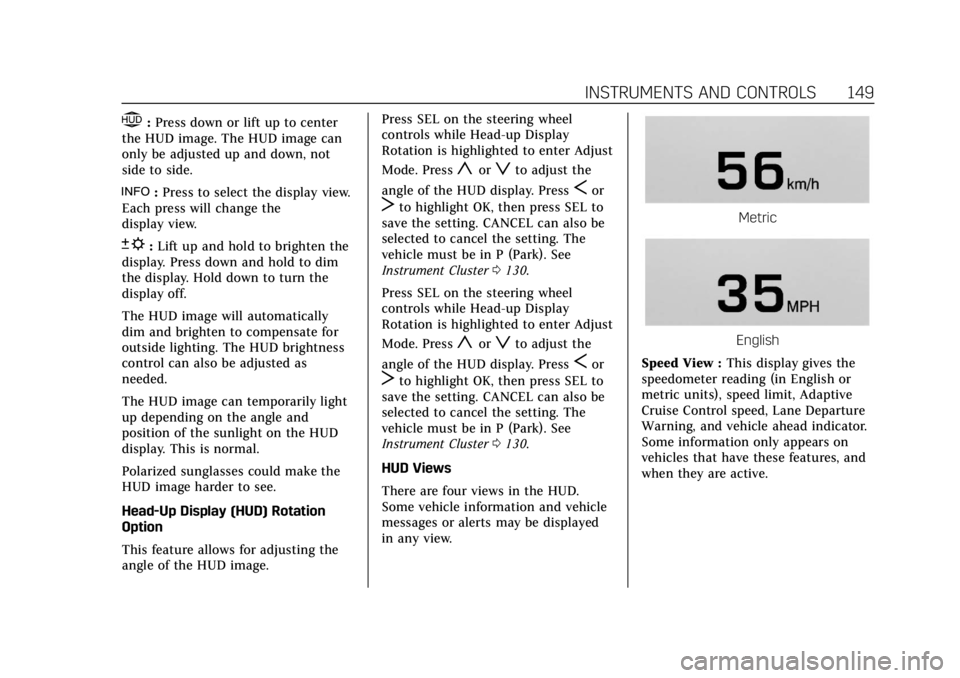
Metric
English
Speed View : This display gives the
speedometer reading (in English or
metric units), speed limit, Adaptive
Cruise Control speed, Lane Departure
Warning, and vehicle ahead indicator.
Some information only appears on
vehicles that have these features, and
when they are active.
Page 153 of 399
Cadillac Escalade Owner Manual (GMNA-Localizing-U.S./Canada/Mexico-
11349344) - 2018 - crc - 11/7/17
152 INSTRUMENTS AND CONTROLS
on, but maximum acceleration and
speed may be reduced. Anytime this
message stays on, or displays
repeatedly, the vehicle should be
taken to your dealer for service as
soon as possible.
Vehicle Speed Messages
SPEED LIMITED TO XXX
KM/H (MPH)
This message shows that the vehicle
speed has been limited to the speed
displayed. The limited speed is a
protection for various propulsion and
vehicle systems, such as lubrication,
thermal, suspension, Teen Driver if
equipped, or tires.
Vehicle Personalization
Use the audio system controls to
access the personalization menus for
customizing vehicle features.
The following are all possible
personalization features. Depending
on the vehicle, some may not be
available.
Audio System Controls1. Touch the desired feature to display a list of available options.
2. Touch to select the desired feature setting.
3. Touch
SBack to return to the
previous menu or exit.
Touch SETTINGS from the Home Page
on the infotainment display.
Personalization Menus
The following list of menu items may
be available:
. Time and Date
. Rear Seat Reminder
. Language .
Video Voice-Over
. Valet Mode
. Teen Driver
. Radio
. Vehicle
. Bluetooth
. Apple CarPlay
. Android Auto
. Voice
. Display
. Rear Camera
. Return to Factory Settings
. Software Information
. Wi-Fi
Detailed information for each menu
follows.
Time and Date
Manually set the time and date. See
Clock 0124.