transmi CADILLAC ESCALADE 2020 Owner's Guide
[x] Cancel search | Manufacturer: CADILLAC, Model Year: 2020, Model line: ESCALADE, Model: CADILLAC ESCALADE 2020Pages: 392, PDF Size: 6.39 MB
Page 34 of 392
Cadillac Escalade Owner Manual (GMNA-Localizing-U.S./Canada/Mexico-
13566588) - 2020 - CRC - 4/24/19
KEYS, DOORS, AND WINDOWS 33
Folding Mirrors
Power Folding
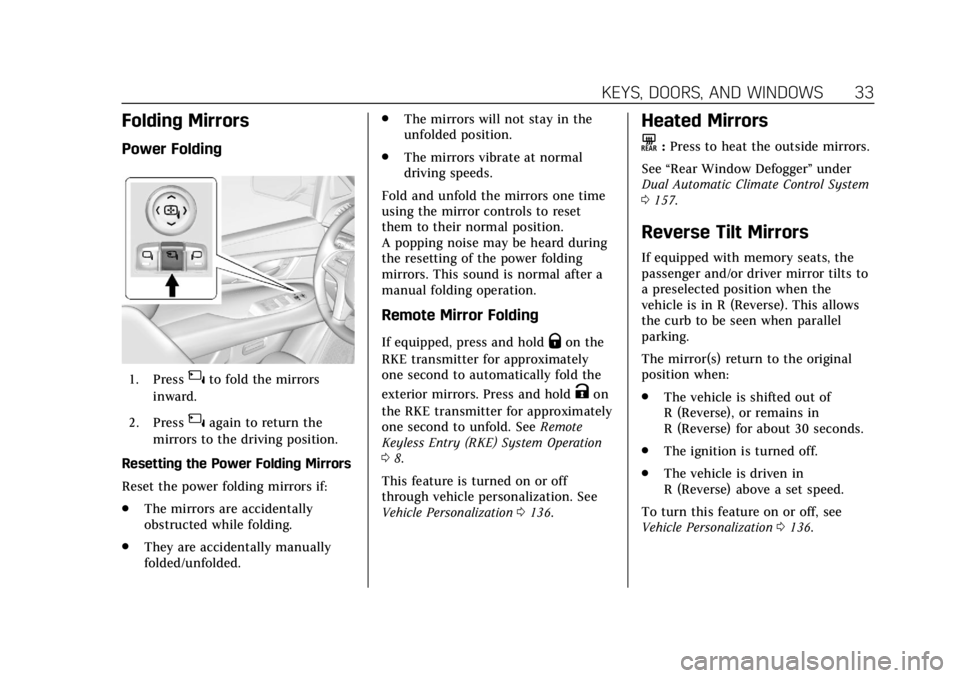
1. Press{to fold the mirrors
inward.
2. Press
{again to return the
mirrors to the driving position.
Resetting the Power Folding Mirrors
Reset the power folding mirrors if:
. The mirrors are accidentally
obstructed while folding.
. They are accidentally manually
folded/unfolded. .
The mirrors will not stay in the
unfolded position.
. The mirrors vibrate at normal
driving speeds.
Fold and unfold the mirrors one time
using the mirror controls to reset
them to their normal position.
A popping noise may be heard during
the resetting of the power folding
mirrors. This sound is normal after a
manual folding operation.
Remote Mirror Folding
If equipped, press and holdQon the
RKE transmitter for approximately
one second to automatically fold the
exterior mirrors. Press and hold
Kon
the RKE transmitter for approximately
one second to unfold. See Remote
Keyless Entry (RKE) System Operation
0 8.
This feature is turned on or off
through vehicle personalization. See
Vehicle Personalization 0136.
Heated Mirrors
K
:Press to heat the outside mirrors.
See “Rear Window Defogger” under
Dual Automatic Climate Control System
0 157.
Reverse Tilt Mirrors
If equipped with memory seats, the
passenger and/or driver mirror tilts to
a preselected position when the
vehicle is in R (Reverse). This allows
the curb to be seen when parallel
parking.
The mirror(s) return to the original
position when:
.
The vehicle is shifted out of
R (Reverse), or remains in
R (Reverse) for about 30 seconds.
. The ignition is turned off.
. The vehicle is driven in
R (Reverse) above a set speed.
To turn this feature on or off, see
Vehicle Personalization 0136.
Page 37 of 392
Cadillac Escalade Owner Manual (GMNA-Localizing-U.S./Canada/Mexico-
13566588) - 2020 - CRC - 4/24/19
36 KEYS, DOORS, AND WINDOWS
Child-View Mirror
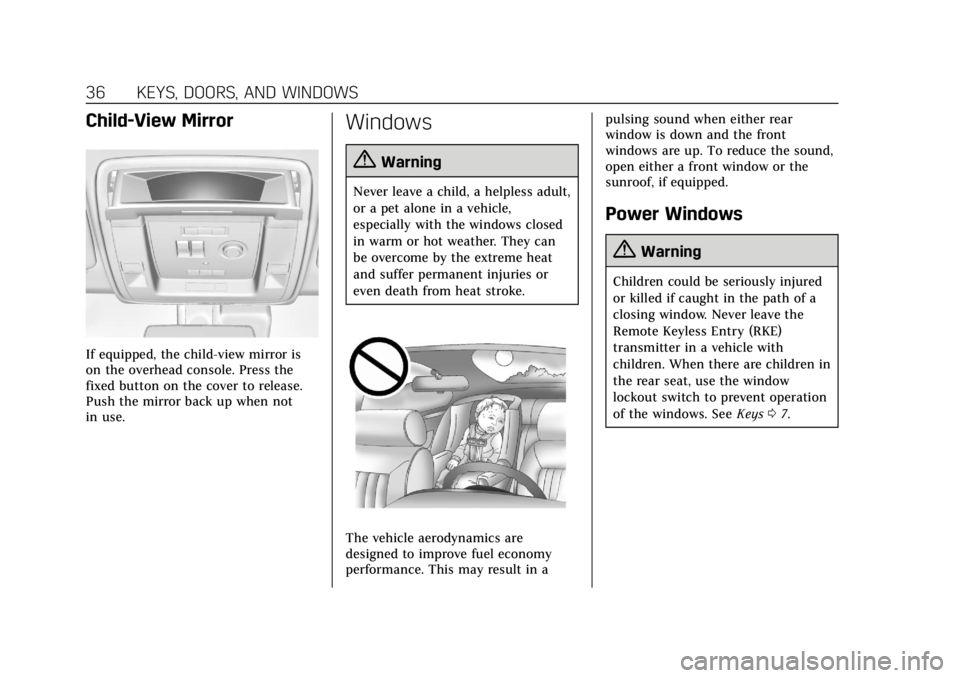
If equipped, the child-view mirror is
on the overhead console. Press the
fixed button on the cover to release.
Push the mirror back up when not
in use.
Windows
{Warning
Never leave a child, a helpless adult,
or a pet alone in a vehicle,
especially with the windows closed
in warm or hot weather. They can
be overcome by the extreme heat
and suffer permanent injuries or
even death from heat stroke.
The vehicle aerodynamics are
designed to improve fuel economy
performance. This may result in apulsing sound when either rear
window is down and the front
windows are up. To reduce the sound,
open either a front window or the
sunroof, if equipped.
Power Windows
{Warning
Children could be seriously injured
or killed if caught in the path of a
closing window. Never leave the
Remote Keyless Entry (RKE)
transmitter in a vehicle with
children. When there are children in
the rear seat, use the window
lockout switch to prevent operation
of the windows. See
Keys07.
Page 39 of 392
Cadillac Escalade Owner Manual (GMNA-Localizing-U.S./Canada/Mexico-
13566588) - 2020 - CRC - 4/24/19
38 KEYS, DOORS, AND WINDOWS
Programming the Power
Windows
Programming may be necessary if the
vehicle battery has been disconnected
or discharged. If the window is unable
to express-up, program each
express-close window:1. Close all doors.
2. Turn the ignition on or to ACC/ ACCESSORY.
3. Partially open the window to be programmed. Then close it and
continue to pull the switch
briefly after the window has fully
closed.
4. Open the window and continue to press the switch briefly after
the window has fully opened.
Remote Window Operation
If equipped, this feature allows the
windows to be opened remotely.
If enabled in vehicle personalization,
press and hold
"on the RKE
transmitter. See Vehicle Personalization
0 136.
Sun Visors
Pull the sun visor down to block glare.
Detach the sun visor from the center
mount to pivot to the side window
and, if equipped, extend along the rod.
Roof
Sunroof
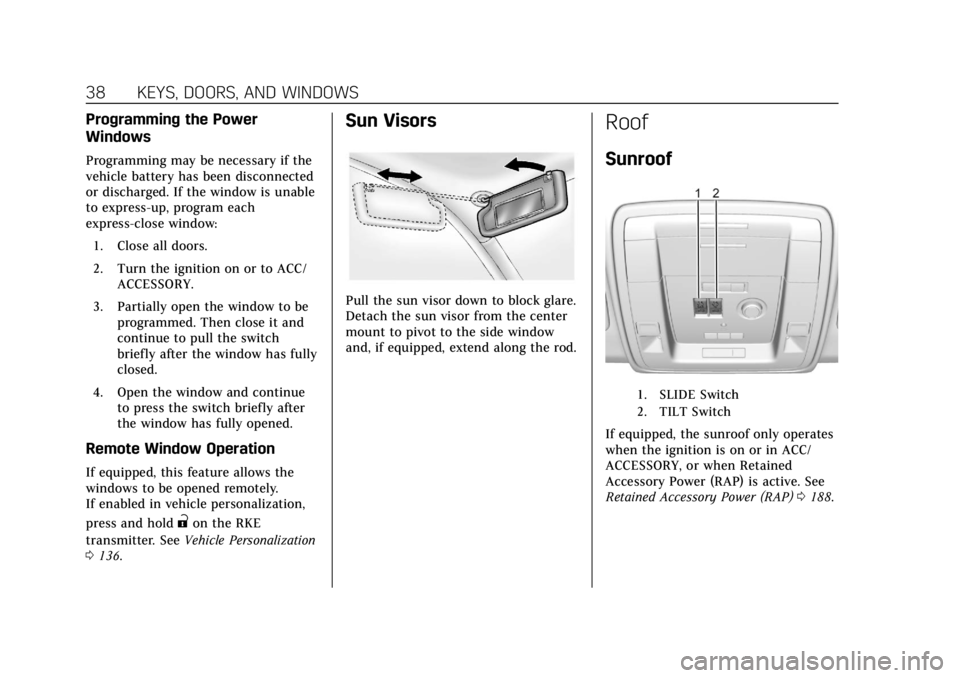
1. SLIDE Switch
2. TILT Switch
If equipped, the sunroof only operates
when the ignition is on or in ACC/
ACCESSORY, or when Retained
Accessory Power (RAP) is active. See
Retained Accessory Power (RAP) 0188.
Page 47 of 392
Cadillac Escalade Owner Manual (GMNA-Localizing-U.S./Canada/Mexico-
13566588) - 2020 - CRC - 4/24/19
46 SEATS AND RESTRAINTS
If equipped, memory seats allow two
drivers to save and recall their unique
seat positions for driving the vehicle,
and a shared exit position for getting
out of the vehicle. Other feature
positions may also be saved, such as
power mirrors and power steering
wheel, if equipped. Memory positions
are linked to RKE transmitter 1 or 2
for automatic memory recalls.
Before saving, adjust all available
memory feature positions. Turn the
vehicle on and then press and release
SET; a beep will sound. Then
immediately press and hold 1, 2,
or
B(Exit) until two beeps sound.
To manually recall these positions,
press and hold 1, 2, or
Buntil the
saved position is reached. Follow the
instructions under “Saving Memory
Positions.”
The vehicle identifies the current
driver’s RKE transmitter number
(1–8). See Remote Keyless Entry (RKE)
System Operation 08. Only RKE
transmitters 1 and 2 can be used for
automatic memory recalls. A Driver
Information Center (DIC) welcome
message indicating the transmitter number may display for the first few
ignition cycles following a transmitter
change. For Auto Memory Recall to
work properly, save the positions to
the memory button (1 or 2) matching
the RKE transmitter number displayed
in the DIC welcome message. Carry
the linked RKE transmitter when
entering the vehicle.
Vehicle Personalization Settings
.
To have the Auto Memory Recall
movement begin when the vehicle
is started, select the Settings
menu, then Vehicle, then Comfort
and Convenience, and then Auto
Memory Recall. Select On or Off.
See “Auto Memory Recall” later in
this section.
. To begin Easy Exit Recall
movement when the vehicle is
turned off and the driver door is
opened, or when the vehicle is
turned off with the driver door
already opened, select the Settings
menu, then Vehicle, then Comfort
and Convenience, and then Easy
Exit Options. Select On or Off. See
“Easy Exit Recall” later in this
section. .
See Vehicle Personalization 0136
for additional setting information.
Identifying Driver Number
To identify the driver number: 1. Move your RKE transmitter away from the vehicle.
2. Start the vehicle with another key or RKE transmitter. The DIC
should display the driver number
for the other RKE transmitter.
Turn the vehicle off and remove
the key or RKE transmitter from
the vehicle.
3. Start the vehicle with the initial key or RKE transmitter. The DIC
should display the driver number
of your RKE transmitter.
Saving Memory Positions
Read these instructions completely
before saving memory positions.
To save preferred driving positions
1 and 2: 1. Turn the vehicle on or to ACC/ ACCESSORY.
Page 48 of 392
Cadillac Escalade Owner Manual (GMNA-Localizing-U.S./Canada/Mexico-
13566588) - 2020 - CRC - 4/24/19
SEATS AND RESTRAINTS 47
A DIC welcome message may
indicate driver number 1 or 2.
2. Adjust all available memory features to the desired driving
position.
3. Press and release SET; a beep will sound.
4. Immediately press and hold the 1 or 2 memory button matching
the above DIC welcome message
until two beeps sound.
If too much time passes between
releasing SET and pressing 1, the
memory position will not be
saved and two beeps will not
sound. Repeat Steps 3 and 4.
1 or 2 corresponds to the driver
number. See “Identifying Driver
Number” previously in this
section.
5. Repeat Steps 1–4 for a second driver using 1 or 2.
To save the position for
Band Easy
Exit Recall features, repeat Steps 1–4
using
B. This saves the position for
getting out of the vehicle. Save preferred memory feature
positions to both 1 and 2 if you are
the only driver.
Manually Recalling Memory
Positions
Press and hold 1, 2, or
Bto recall
the previously saved memory
positions if you are driver 1 or 2
identified in the DIC welcome
message. RKE transmitters 3–8 will
not recall memory positions.
To stop Manual Memory recall
movement, release 1, 2, or
Bor press
any of the following controls:
. Power seat
. Memory SET
. Power mirror, with the driver or
passenger side mirror selected
. Power steering wheel, if equipped
Auto Memory Recall
The vehicle identifies the number of
the current driver’s RKE transmitter
(1–8). See Remote Keyless Entry (RKE)
System Operation 08. If the RKE
transmitter is 1 or 2, and Auto Memory Recall is enabled in vehicle
personalization, the positions saved to
the same memory button number 1 or
2 are automatically recalled when the
vehicle is turned on, or turned from
off to ACC/ACCESSORY. RKE
transmitters 3–8 will not provide
automatic memory recalls.
To turn Auto Memory Recall on or off,
see
“Vehicle Personalization Settings”
previously in this section and Vehicle
Personalization 0136.
The shift lever must be in P (Park) to
start Auto Memory Recall. Auto
Memory Recall will complete if the
vehicle is shifted out of P (Park) prior
to reaching the saved memory
position.
To stop Auto Memory Recall
movement, turn the vehicle off or
press any of the following controls:
. Power seat
. Memory SET, 1, 2, or
B
.Power mirror, with the driver or
passenger side mirror selected
. Power steering wheel, if equipped
Page 49 of 392
Cadillac Escalade Owner Manual (GMNA-Localizing-U.S./Canada/Mexico-
13566588) - 2020 - CRC - 4/24/19
48 SEATS AND RESTRAINTS
If the saved memory seat position
does not automatically recall or recalls
to the wrong positions, the driver’s
RKE transmitter number (1 or 2) may
not match the memory button
number that positions were saved to.
Try storing the position to the other
memory button or try the other RKE
transmitter.
Easy Exit Recall
Easy Exit Recall is not linked to an
RKE transmitter. The position saved to
Bis used for all drivers. To turn
Easy Exit Recall on or off, see "Vehicle
Personalization Settings" previously in
this section and Vehicle Personalization
0 136.
If turned on, the position saved to
B
is automatically recalled when one of
the following occurs:
. The vehicle is turned off and the
driver door is opened within a
short time.
. The vehicle is turned off with the
driver door open. To stop Easy Exit Recall movement,
press any of the following memory
controls:
.
Power seat
. Memory SET, 1, 2, or
B
.Power mirror, with the driver or
passenger side mirror selected
. Power steering wheel, if equipped
Obstructions
If something has blocked the driver
seat and/or power steering wheel
while recalling a memory position, the
recall may stop. Remove the
obstruction and try the recall again.
If the memory position still does not
recall, see your dealer.
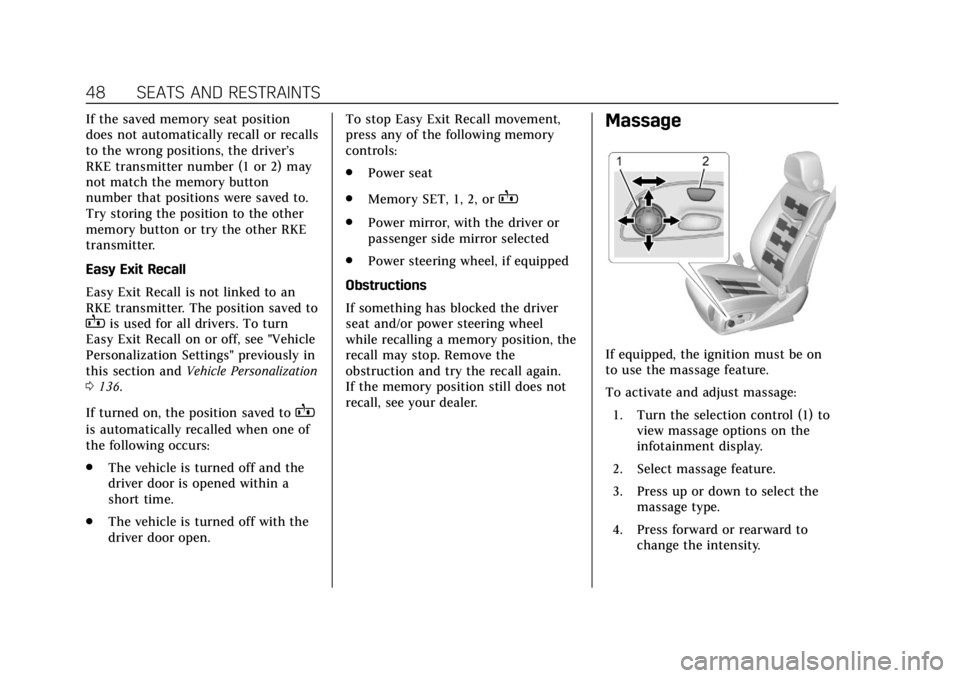
Massage
If equipped, the ignition must be on
to use the massage feature.
To activate and adjust massage: 1. Turn the selection control (1) to view massage options on the
infotainment display.
2. Select massage feature.
3. Press up or down to select the massage type.
4. Press forward or rearward to change the intensity.
Page 55 of 392
Cadillac Escalade Owner Manual (GMNA-Localizing-U.S./Canada/Mexico-
13566588) - 2020 - CRC - 4/24/19
54 SEATS AND RESTRAINTS
Warning (Continued)
stop or crash. Be sure to return the
seat to the passenger seating
position before driving the vehicle.
Push and pull on the seat to make
sure it is locked into place.
{Warning
Automatically folding and tumbling
the seat when someone is sitting in
the seat, could cause injury to the
person sitting there. Always make
sure there is no one sitting in the
seat before pressing the automatic
seat release switch.
Caution
Folding a rear seat with the seat
belts still fastened may cause
damage to the seat or the seat
belts. Always unbuckle the seat(Continued)
Caution (Continued)
belts and return them to their
normal stowed position before
folding a rear seat.
The transmission must be in P (Park)
for this feature to work.
Folding and Tumbling the Seat
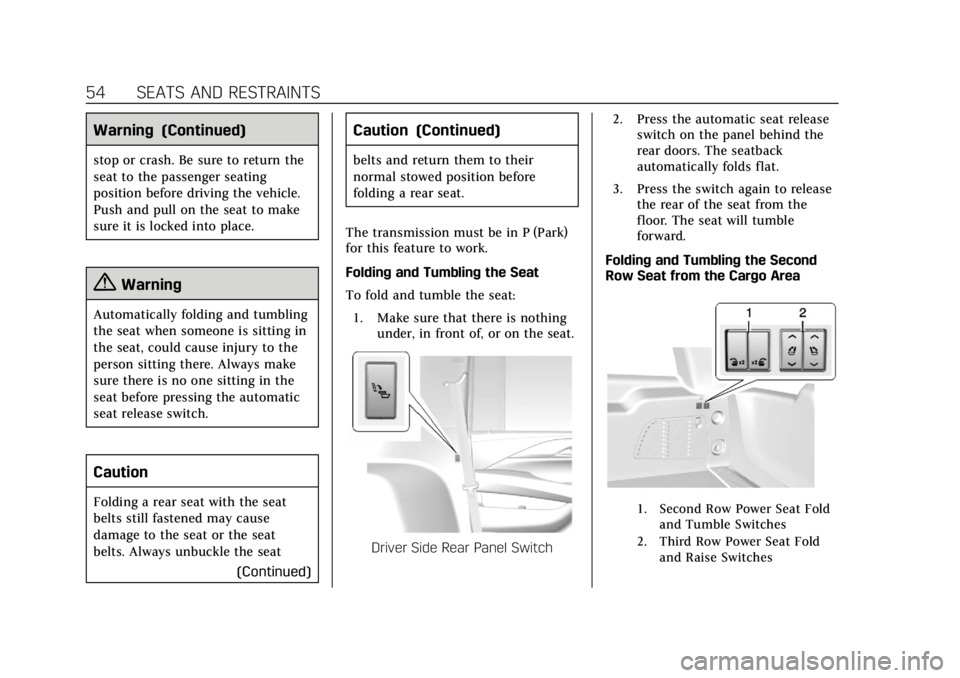
To fold and tumble the seat: 1. Make sure that there is nothing under, in front of, or on the seat.
Driver Side Rear Panel Switch 2. Press the automatic seat release
switch on the panel behind the
rear doors. The seatback
automatically folds flat.
3. Press the switch again to release the rear of the seat from the
floor. The seat will tumble
forward.
Folding and Tumbling the Second
Row Seat from the Cargo Area
1. Second Row Power Seat Fold and Tumble Switches
2. Third Row Power Seat Fold and Raise Switches
Page 56 of 392
Cadillac Escalade Owner Manual (GMNA-Localizing-U.S./Canada/Mexico-
13566588) - 2020 - CRC - 4/24/19
SEATS AND RESTRAINTS 55
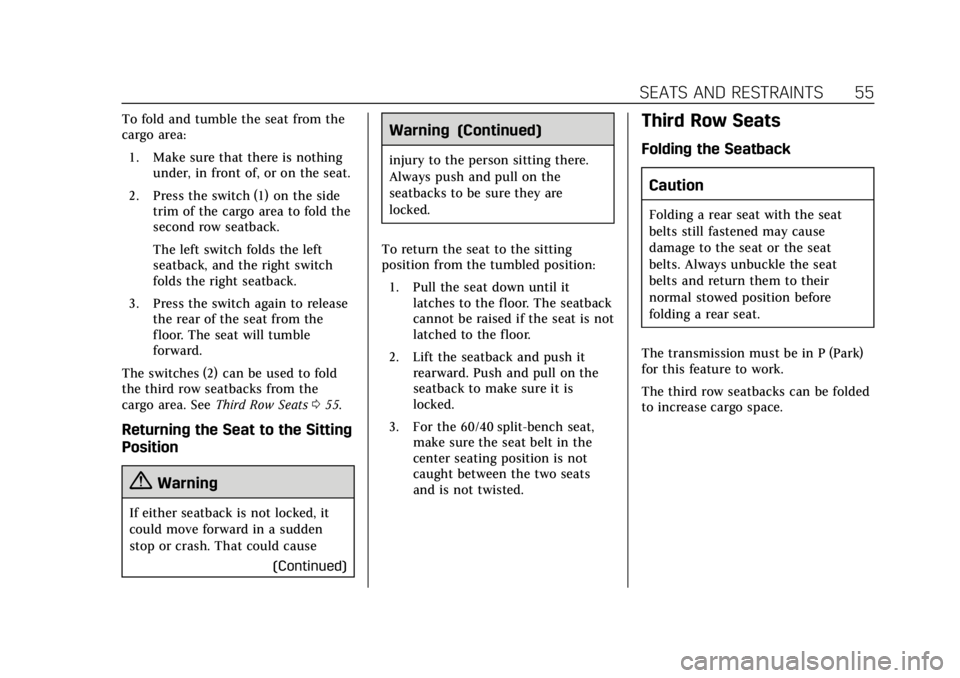
To fold and tumble the seat from the
cargo area:1. Make sure that there is nothing under, in front of, or on the seat.
2. Press the switch (1) on the side trim of the cargo area to fold the
second row seatback.
The left switch folds the left
seatback, and the right switch
folds the right seatback.
3. Press the switch again to release the rear of the seat from the
floor. The seat will tumble
forward.
The switches (2) can be used to fold
the third row seatbacks from the
cargo area. See Third Row Seats 055.
Returning the Seat to the Sitting
Position
{Warning
If either seatback is not locked, it
could move forward in a sudden
stop or crash. That could cause
(Continued)
Warning (Continued)
injury to the person sitting there.
Always push and pull on the
seatbacks to be sure they are
locked.
To return the seat to the sitting
position from the tumbled position: 1. Pull the seat down until it latches to the floor. The seatback
cannot be raised if the seat is not
latched to the floor.
2. Lift the seatback and push it rearward. Push and pull on the
seatback to make sure it is
locked.
3. For the 60/40 split-bench seat, make sure the seat belt in the
center seating position is not
caught between the two seats
and is not twisted.
Third Row Seats
Folding the Seatback
Caution
Folding a rear seat with the seat
belts still fastened may cause
damage to the seat or the seat
belts. Always unbuckle the seat
belts and return them to their
normal stowed position before
folding a rear seat.
The transmission must be in P (Park)
for this feature to work.
The third row seatbacks can be folded
to increase cargo space.
Page 108 of 392
Cadillac Escalade Owner Manual (GMNA-Localizing-U.S./Canada/Mexico-
13566588) - 2020 - CRC - 4/24/19
INSTRUMENTS AND CONTROLS 107
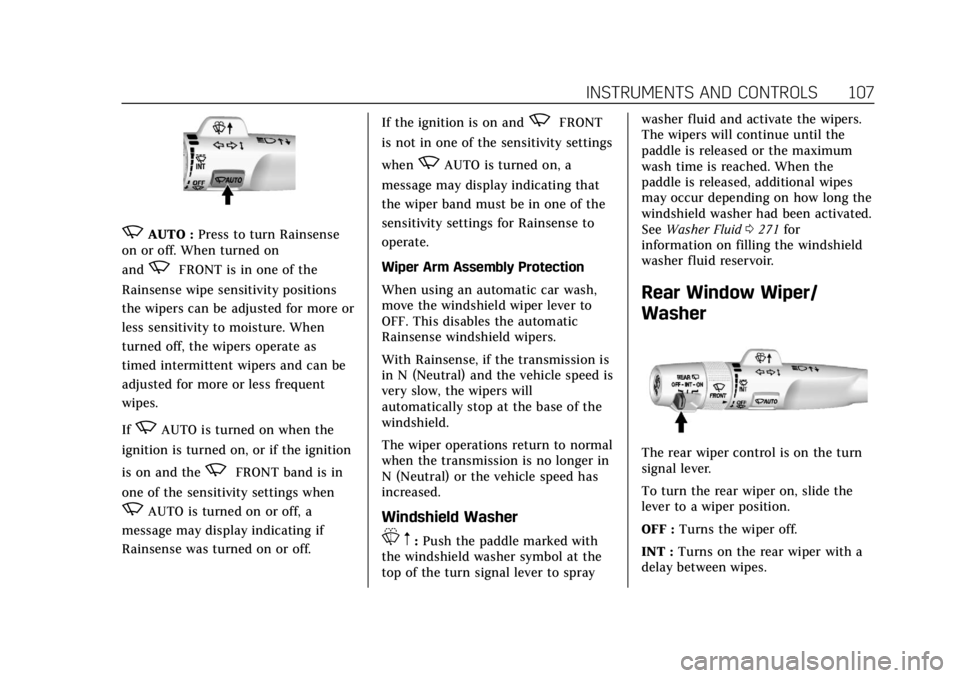
zAUTO :Press to turn Rainsense
on or off. When turned on
and
zFRONT is in one of the
Rainsense wipe sensitivity positions
the wipers can be adjusted for more or
less sensitivity to moisture. When
turned off, the wipers operate as
timed intermittent wipers and can be
adjusted for more or less frequent
wipes.
If
zAUTO is turned on when the
ignition is turned on, or if the ignition
is on and the
zFRONT band is in
one of the sensitivity settings when
zAUTO is turned on or off, a
message may display indicating if
Rainsense was turned on or off. If the ignition is on and
zFRONT
is not in one of the sensitivity settings
when
zAUTO is turned on, a
message may display indicating that
the wiper band must be in one of the
sensitivity settings for Rainsense to
operate.
Wiper Arm Assembly Protection
When using an automatic car wash,
move the windshield wiper lever to
OFF. This disables the automatic
Rainsense windshield wipers.
With Rainsense, if the transmission is
in N (Neutral) and the vehicle speed is
very slow, the wipers will
automatically stop at the base of the
windshield.
The wiper operations return to normal
when the transmission is no longer in
N (Neutral) or the vehicle speed has
increased.
Windshield Washer
L m:Push the paddle marked with
the windshield washer symbol at the
top of the turn signal lever to spray washer fluid and activate the wipers.
The wipers will continue until the
paddle is released or the maximum
wash time is reached. When the
paddle is released, additional wipes
may occur depending on how long the
windshield washer had been activated.
See
Washer Fluid 0271 for
information on filling the windshield
washer fluid reservoir.
Rear Window Wiper/
Washer
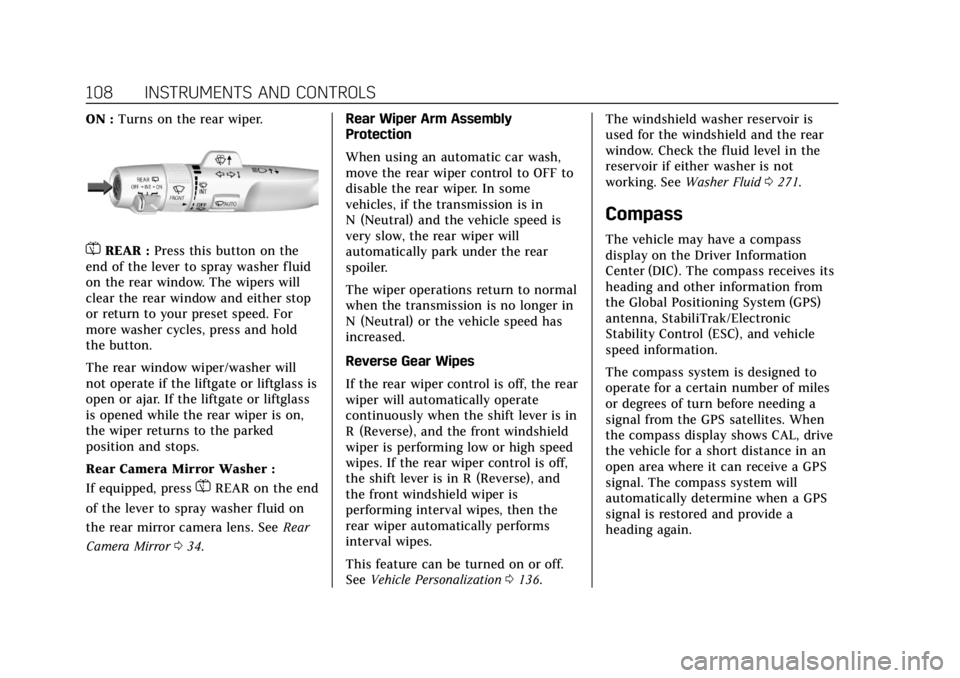
The rear wiper control is on the turn
signal lever.
To turn the rear wiper on, slide the
lever to a wiper position.
OFF : Turns the wiper off.
INT : Turns on the rear wiper with a
delay between wipes.
Page 109 of 392
Cadillac Escalade Owner Manual (GMNA-Localizing-U.S./Canada/Mexico-
13566588) - 2020 - CRC - 4/24/19
108 INSTRUMENTS AND CONTROLS
ON :Turns on the rear wiper.
=REAR : Press this button on the
end of the lever to spray washer fluid
on the rear window. The wipers will
clear the rear window and either stop
or return to your preset speed. For
more washer cycles, press and hold
the button.
The rear window wiper/washer will
not operate if the liftgate or liftglass is
open or ajar. If the liftgate or liftglass
is opened while the rear wiper is on,
the wiper returns to the parked
position and stops.
Rear Camera Mirror Washer :
If equipped, press
=REAR on the end
of the lever to spray washer fluid on
the rear mirror camera lens. See Rear
Camera Mirror 034. Rear Wiper Arm Assembly
Protection
When using an automatic car wash,
move the rear wiper control to OFF to
disable the rear wiper. In some
vehicles, if the transmission is in
N (Neutral) and the vehicle speed is
very slow, the rear wiper will
automatically park under the rear
spoiler.
The wiper operations return to normal
when the transmission is no longer in
N (Neutral) or the vehicle speed has
increased.
Reverse Gear Wipes
If the rear wiper control is off, the rear
wiper will automatically operate
continuously when the shift lever is in
R (Reverse), and the front windshield
wiper is performing low or high speed
wipes. If the rear wiper control is off,
the shift lever is in R (Reverse), and
the front windshield wiper is
performing interval wipes, then the
rear wiper automatically performs
interval wipes.
This feature can be turned on or off.
See
Vehicle Personalization 0136. The windshield washer reservoir is
used for the windshield and the rear
window. Check the fluid level in the
reservoir if either washer is not
working. See
Washer Fluid 0271.
Compass
The vehicle may have a compass
display on the Driver Information
Center (DIC). The compass receives its
heading and other information from
the Global Positioning System (GPS)
antenna, StabiliTrak/Electronic
Stability Control (ESC), and vehicle
speed information.
The compass system is designed to
operate for a certain number of miles
or degrees of turn before needing a
signal from the GPS satellites. When
the compass display shows CAL, drive
the vehicle for a short distance in an
open area where it can receive a GPS
signal. The compass system will
automatically determine when a GPS
signal is restored and provide a
heading again.