service CADILLAC ESCALADE 2021 Manual Online
[x] Cancel search | Manufacturer: CADILLAC, Model Year: 2021, Model line: ESCALADE, Model: CADILLAC ESCALADE 2021Pages: 492, PDF Size: 7.92 MB
Page 348 of 492
Cadillac Escalade Owner Manual (GMNA-Localizing-U.S./Canada/Mexico-
13690472) - 2021 - CRC - 8/10/21
DRIVING AND OPERATING 347
.The ITBC system first determines
connection to a trailer with electric
brakes and then the trailer harness
becomes disconnected the vehicle.
If the disconnect occurs while the
vehicle is stationary, this message
will automatically turn off in about
30 seconds. This message will also
turn off if it is acknowledged or if
the trailer harness is reconnected.
If the disconnect occurs while the
vehicle is moving, this message will
continue until the ignition is turned
off. This message will also turn off if
it is acknowledged or if the trailer
harness is reconnected.
.There is an electrical fault in the
wiring to the trailer brakes. This
message will continue as long as
there is an electrical fault in the
trailer wiring. This message will also
turn off if it is acknowledged.
To determine whether the electrical
fault is on the vehicle side or trailer
side of the trailer wiring harness
connection: 1. Disconnect the trailer wiring harness from the vehicle.
2. Turn the ignition off. 3. Wait 10 seconds, then turn the
ignition back to RUN.
4. If the CHECK TRAILER WIRING message reappears, the electrical
fault is on the vehicle side.
If the CHECK TRAILER WIRING
message only reappears when
connecting the trailer wiring
harness to the vehicle, the
electrical fault is on the trailer side.
SERVICE TRAILER BRAKE SYSTEM:
This message will display when there
is a problem with the ITBC system.
If this message continues over
multiple ignition cycles, there is a
problem with the ITBC system. Have
the vehicle serviced.
If either the CHECK TRAILER WIRING
or SERVICE TRAILER BRAKE SYSTEM
message displays while driving, the
ITBC system may not be fully
functional or may not function at all.
When traffic conditions allow,
carefully pull the vehicle over to the
side of the road and turn the ignition
off. Check the wiring connection to
the trailer and turn the ignition back on. If either of these messages
continues, either the vehicle or trailer
needs service.
A GM dealer may be able to diagnose
and repair problems with the trailer.
However, any diagnosis and repair of
the trailer is not covered under the
vehicle warranty. Contact your trailer
dealer for assistance with trailer
repairs and trailer warranty
information.
Trailer Sway Control (TSC)
Vehicles with StabiliTrak/Electronic
Stability Control (ESC) have a Trailer
Sway Control (TSC) feature. Trailer
sway is unintended side-to-side
motion of a trailer while towing. If the
vehicle is towing a trailer and the TSC
detects that sway is increasing, the
vehicle brakes are selectively applied
at each wheel, to help reduce
excessive trailer sway. If equipped with
the Integrated Trailer Brake Control
(ITBC) system, and the trailer has an
electric brake system, StabiliTrak may
also apply the trailer brakes.
Page 352 of 492

Cadillac Escalade Owner Manual (GMNA-Localizing-U.S./Canada/Mexico-
13690472) - 2021 - CRC - 8/10/21
DRIVING AND OPERATING 351
Trailer Feature Setup
Tow/Haul Mode Reminder
To turn the Tow/Haul Mode Reminder
setting on, touch Yes. To turn it off,
touch No.
Trailer Tire Pressure Setup
If the Trailer Tire Pressure Monitoring
System (TTPMS) is detected, touch
the Tire Pressure Monitoring icon to
set up tire pressure monitoring. Touch
Yes to set up the sensors or touch No
to return to the previous screen.
The trailer tire pressure sensors can
transmit up to 7 m (23 ft) from the
hitch receiver of the vehicle.
A trailer must be electrically
connected to the vehicle before
starting the sensor-to-vehicle learn
process.
After selecting Start from the Learn
Sensors screen, use the Tool Method
or the Manual Method (described
below) to learn each tire sensor,
during which the current tire number
will be highlighted.Each sensor has a minimum of
two minutes to learn, shown by a
timer. After a sensor is learned, a
checkmark appears next to the tire,
the vehicle horn will sound, the
vehicle’s brake lamps will flash, and
all working trailer lamps will flash.
It then moves to the next sensor.
To cancel the process touch Stop.
The recommended tire pressure must
be entered for the trailer tires. This
allows the vehicle to alert when the
tire pressure is high or low.
TTPMS must learn the location of the
installed tire sensors to show correct
air pressure and temperature for each
tire. To set up, use one of the
following options or see a tire or
trailer dealer for service. The learning
process must be repeated when the
trailer tires are rotated or replaced.
See
“Editing a Trailer Profile ”later in
this section for tire pressure sensor
relearn information.
Tool Method: A TTPMS activation tool
can be purchased separately to learn
the sensor locations. Manual Method: Without the tool, the
air pressure can be increased or
decreased in each tire for 10 seconds.
Do not exceed the maximum inflation
pressure found on the tire sidewalls.
Make sure to re-adjust tire pressure to
the recommended level when the
process is complete.
Sensor Learning Steps
To complete the sensor-to-vehicle
learn process:
1. Touch Start on the Learn Sensors screen. The horn chirps twice and
the Learning Active screen appears
on the infotainment display.
2. Start with the driver side front trailer tire.
3. Activate the tool near the valve stem or adjust the air pressure of
this tire until the horn chirps and
all working vehicle and trailer
lights flash.
The process stops without saving
the sensor locations if this step
takes more than two minutes.
Page 355 of 492

Cadillac Escalade Owner Manual (GMNA-Localizing-U.S./Canada/Mexico-
13690472) - 2021 - CRC - 8/10/21
354 DRIVING AND OPERATING
Light Test
Touch Start Light Test to cycle the
trailer lights on and off to determine if
they are working. The test follows this
sequence:1. The running lights turn on first and remain on throughout the
sequence.
2. The brake lights turn on for about two seconds.
3. The left turn signal light flashes three times.
4. The right turn signal light flashes three times.
5. The reverse lights turn on for about two seconds.
6. Steps 2–5 repeat for approximately one minute and 45 seconds,
or until the test deactivates.
Touch Stop to stop the test. The test
will automatically end after
one minute and 45 seconds.
The sequence also deactivates when
any of the following occur:
.The ignition is turned off.
.The transmission is shifted out of
P (Park).
.The brake pedal is pressed.
.The turn signal is activated.
.The hazard warning lights are
activated.
Tires
1. Trailer Tire Pressure/Temperature
Tire Pressure and Temperature
If the TTPMS sensor-to-vehicle learn
process was completed, the status
view will display the current tire
pressure and temperature of the
trailer tires related to the active
Trailer Profile. If a tire’s pressure is
low or high, the color of the pressure
value will be amber. If a sensor
malfunctions, the values are dashed
lines. If the screen displays “ServiceTire Pressure Monitoring System
”, the
vehicle needs to be taken to a dealer
for service.
Maintenance
1. List of Maintenance Reminders
2. Add a New Maintenance Reminder
The Maintenance Status view displays
reminders. Touch a reminder to edit.
Touch + New Maintenance Reminder
to go to the Select New
Reminder view.
The progress bar turns yellow when
the maintenance item reaches 90%
complete.
The progress bar turns red when the
maintenance item reaches 100%
complete.
Page 356 of 492
Cadillac Escalade Owner Manual (GMNA-Localizing-U.S./Canada/Mexico-
13690472) - 2021 - CRC - 8/10/21
DRIVING AND OPERATING 355
Maintenance Notifications
.Touch Service Complete to reset the
maintenance reminder.
.Touch Remind Me Later to delay
the reminder.
.Touch X next to Upcoming Alerts
(90%) to dismiss the alert. It will
not appear again.
.Touch X next to Maintenance Due
(100%) to delay the alert to the next
ignition cycle.
Always follow all of the maintenance
instructions that came with your
trailer.
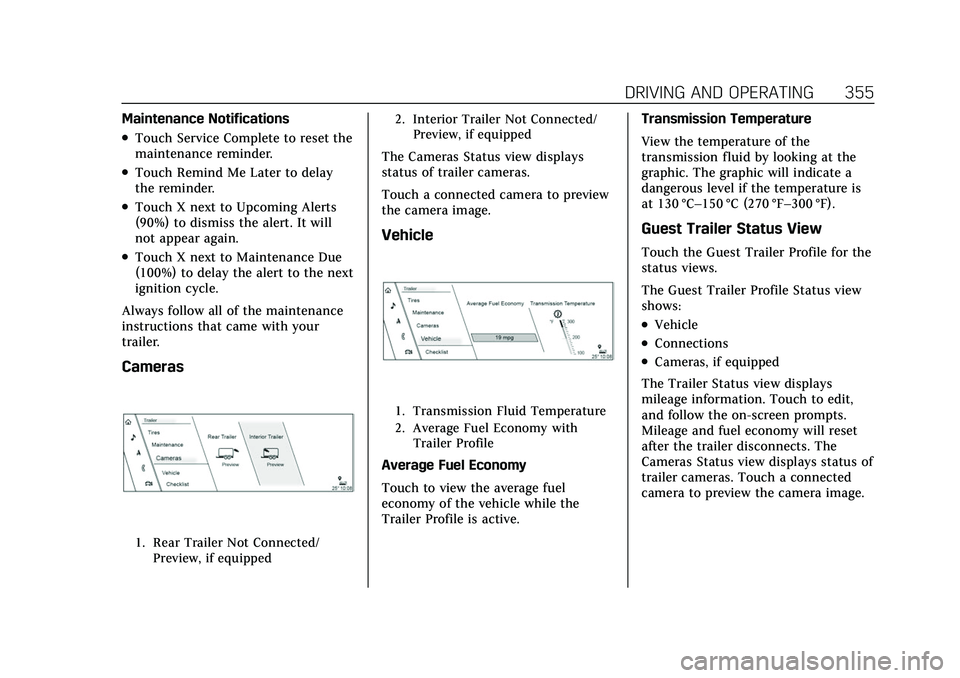
Cameras
1. Rear Trailer Not Connected/ Preview, if equipped 2. Interior Trailer Not Connected/
Preview, if equipped
The Cameras Status view displays
status of trailer cameras.
Touch a connected camera to preview
the camera image.
Vehicle
1. Transmission Fluid Temperature
2. Average Fuel Economy withTrailer Profile
Average Fuel Economy
Touch to view the average fuel
economy of the vehicle while the
Trailer Profile is active. Transmission Temperature
View the temperature of the
transmission fluid by looking at the
graphic. The graphic will indicate a
dangerous level if the temperature is
at 130 °C–150 °C (270 °F–300 °F).
Guest Trailer Status View
Touch the Guest Trailer Profile for the
status views.
The Guest Trailer Profile Status view
shows:
.Vehicle
.Connections
.Cameras, if equipped
The Trailer Status view displays
mileage information. Touch to edit,
and follow the on-screen prompts.
Mileage and fuel economy will reset
after the trailer disconnects. The
Cameras Status view displays status of
trailer cameras. Touch a connected
camera to preview the camera image.
Page 360 of 492
Cadillac Escalade Owner Manual (GMNA-Localizing-U.S./Canada/Mexico-
13690472) - 2021 - CRC - 8/10/21
DRIVING AND OPERATING 359
On the pop-up, touch Remove to
remove the Trailer Profile from the
vehicle. Touch Cancel to dismiss the
pop-up and return to the
previous view.
Remove will be displayed if there is a
connected OnStar plan active with the
vehicle. Removing a trailer profile will
remove the profile from the vehicle
but the profile will still be associated
with the user account. However,
if there is not a connected OnStar
plan then the remove button will read
DELETE and the profile will be deleted
permanently
Settings View
Within the Trailering App, touch the
Settings tab to modify the following
settings:
.Trailer Detection Alert
.Maintenance Alerts
.Theft Alert
.Tow/Haul Mode Reminder
.Trailer Length Indicator
Trailer Detection Alert
The Trailer Detection Alert setting will
be on by default. Turn it off to disable
the Trailer Detection pop-up from
displaying when a trailer is connected.
The Guest Trailer Profile will become
the active Trailer Profile, unless
another Trailer Profile is selected
manually through the Trailering App.
If this setting is disabled while a
Custom Trailer Profile is active, that
Trailer Profile will remain the active
profile until the trailer is
disconnected.
Maintenance Alerts
Touch Maintenance Alerts to view the
Maintenance Alerts settings page.
These alerts are based on the Trailer
Profile, so the settings for each Trailer
Profile must be turned on or off.
Touch a profile to view more
information or adjust the setting for
that profile.
The setting will be on by default for
each profile. All Maintenance Alerts
for that active Trailer Profile will be
received.Turn a setting off to not receive any
of the Maintenance Alerts when that
Trailer Profile is active.
Theft Alert
A theft alert can be set if a trailer is
connected and the alert is enabled.
When the trailer is disconnected and
the vehicle is off, an alarm will sound.
Touch Theft Alert in Settings to view
the Theft Alert settings page. These
alerts are based on the Trailer Profile,
so the settings for each Trailer Profile
must be turned on or off. Touch a
profile to view more information or
adjust the setting for that profile.
This setting will be off by default for
each Trailer Profile, including the
Guest Trailer Profile.
A smartphone will receive a
notification that the trailer related to
the selected Trailer Profile is
disconnected from the vehicle, if the
setting is on for the active Trailer
Profile, the vehicle has an OnStar or
connected service plan and the
smartphone number has been added
to the account for this notification.
Page 361 of 492

Cadillac Escalade Owner Manual (GMNA-Localizing-U.S./Canada/Mexico-
13690472) - 2021 - CRC - 8/10/21
360 DRIVING AND OPERATING
If the setting is turned off for a given
Trailer Profile, the smartphone will
not receive this security notification
even if the Trailer Profile is active.
Tow/Haul Mode Reminder
This is a reminder to turn on the Tow/
Haul Mode when towing a trailer. See
Tow/Haul Mode0256.
Touch Tow/Haul Mode Reminder in
Settings to view the Tow/Haul Mode
Reminder settings page. These alerts
are based on the Trailer Profile, so the
settings for each Trailer Profile must
be turned on or off. Touch a profile to
view more information or to adjust
the setting for that profile.
This setting will default to OFF for
each Trailer Profile, including the
Guest Trailer Profile.
If Tow/Haul Mode is off and this
setting is on for a Trailer Profile, each
time the ignition is turned on a
reminder will appear to turn on Tow/
Haul Mode when the Trailer Profile is
active. If Tow/Haul Mode is on and this
setting is on for a Trailer Profile, the
reminder will not appear when the
Trailer Profile is active.
Trailer Length Indicator
Touch Trailer Length Indicator to view
the Trailer Length Indicator settings
page. If this setting is ON a guideline
is displayed in the side mirror camera
view to indicate the rear of the
attached trailer. If this setting is OFF
the guideline will not be displayed.
This setting will default to OFF if the
trailer length indicator feature is not
set up. See "Towing Assistance" for
details on the setup.
Conversions and
Add-Ons
Add-On Electrical
Equipment
{Warning
The Data Link Connector (DLC) is
used for vehicle service and
Emission Inspection/Maintenance
testing. See
Malfunction Indicator
Lamp (Check Engine Light) 0122.
A device connected to the DLC —
such as an aftermarket fleet or
driver-behavior tracking device —
may interfere with vehicle systems.
This could affect vehicle operation
and cause a crash. Such devices
may also access information stored
in the vehicle’s systems.
Caution
Some electrical equipment can
damage the vehicle or cause
components to not work and would (Continued)
Page 363 of 492
Cadillac Escalade Owner Manual (GMNA-Localizing-U.S./Canada/Mexico-
13690472) - 2021 - CRC - 8/10/21
362 VEHICLE CARE
Vehicle Care
General Information
General Information . . . . . . . . . . . . . 363
California Proposition65 Warning . . . . . . . . . . . . . . . . . . . . . 363
California Perchlorate Materials Requirements . . . . . . . . . . . . . . . . . . . 363
Accessories and Modifications . . . . . . . . . . . . . . . . . . . 364
Vehicle Checks
Doing Your OwnService Work . . . . . . . . . . . . . . . . . . . . 364
Hood . . . . . . . . . . . . . . . . . . . . . . . . . . . . . . 365
Engine Compartment Overview . . . . . . . . . . . . . . . . . . . . . . . . . 366
Engine Oil . . . . . . . . . . . . . . . . . . . . . . . . . 367
Engine Oil Life System . . . . . . . . . . . 369
Automatic Transmission Fluid . . . . . . . . . . . . . . . . . . . . . . . . . . . . . 370
Engine Air Filter Life System . . . . 371
Engine Air Cleaner/Filter . . . . . . . . . 371
Cooling System . . . . . . . . . . . . . . . . . . . 372
Engine Overheating . . . . . . . . . . . . . . 375
Engine Fan . . . . . . . . . . . . . . . . . . . . . . . . 376
Washer Fluid . . . . . . . . . . . . . . . . . . . . . 377
Brakes . . . . . . . . . . . . . . . . . . . . . . . . . . . . . 377
Brake Pad Life System . . . . . . . . . . . 378
Brake Fluid . . . . . . . . . . . . . . . . . . . . . . . 379 Battery - North America . . . . . . . . . 380
Four-Wheel Drive . . . . . . . . . . . . . . . . 380
Front Axle . . . . . . . . . . . . . . . . . . . . . . . . 381
Rear Axle . . . . . . . . . . . . . . . . . . . . . . . . . 381
Park Brake and P (Park)
Mechanism Check . . . . . . . . . . . . . . 381
Wiper Blade Replacement . . . . . . . 382
Glass Replacement . . . . . . . . . . . . . . . 383
Windshield Replacement . . . . . . . . 383
Gas Strut(s) . . . . . . . . . . . . . . . . . . . . . . . 383
Headlamp Aiming
Front Headlamp Aiming . . . . . . . . . 384
Bulb Replacement
Bulb Replacement . . . . . . . . . . . . . . . . 384
LED Lighting . . . . . . . . . . . . . . . . . . . . . 384
Electrical System
Electrical System Overload . . . . . . 385
Fuses and Circuit Breakers . . . . . . 385
Engine Compartment Fuse Block . . . . . . . . . . . . . . . . . . . . . . . . . . . . 386
Instrument Panel Fuse Block . . . . 389
Rear Compartment Fuse Block . . . . . . . . . . . . . . . . . . . . . . . . . . . . 391
Wheels and Tires
Tires . . . . . . . . . . . . . . . . . . . . . . . . . . . . . . . 393
All-Season Tires . . . . . . . . . . . . . . . . . . 394
Winter Tires . . . . . . . . . . . . . . . . . . . . . . 394
Low-Profile Tires . . . . . . . . . . . . . . . . . 395 All-Terrain Tires . . . . . . . . . . . . . . . . . . 395
Tire Sidewall Labeling . . . . . . . . . . . 395
Tire Designations . . . . . . . . . . . . . . . . . 397
Tire Terminology and
Definitions . . . . . . . . . . . . . . . . . . . . . . 397
Tire Pressure . . . . . . . . . . . . . . . . . . . . . . 400
Tire Pressure for High-Speed Operation . . . . . . . . . . . . . . . . . . . . . . . . 401
Tire Pressure Monitor System . . . 402
Tire Pressure Monitor Operation . . . . . . . . . . . . . . . . . . . . . . . . 403
Tire Inspection . . . . . . . . . . . . . . . . . . . 406
Tire Rotation . . . . . . . . . . . . . . . . . . . . . 406
When It Is Time for New Tires . . . . . . . . . . . . . . . . . . . . . . . . . . . . . 407
Buying New Tires . . . . . . . . . . . . . . . . 408
Different Size Tires and Wheels . . . . . . . . . . . . . . . . . . . . . . . . . . 409
Uniform Tire Quality Grading . . . 410
Wheel Alignment and Tire Balance . . . . . . . . . . . . . . . . . . . . . . . . . . 411
Wheel Replacement . . . . . . . . . . . . . . 411
Tire Chains . . . . . . . . . . . . . . . . . . . . . . . 412
If a Tire Goes Flat . . . . . . . . . . . . . . . . 412
Tire Changing . . . . . . . . . . . . . . . . . . . . . 413
Full-Size Spare Tire . . . . . . . . . . . . . . 424Jump Starting
Jump Starting - North America . . . . . . . . . . . . . . . . . . . . . . . . . 425
Page 364 of 492
Cadillac Escalade Owner Manual (GMNA-Localizing-U.S./Canada/Mexico-
13690472) - 2021 - CRC - 8/10/21
VEHICLE CARE 363
Towing the Vehicle
Towing the Vehicle . . . . . . . . . . . . . . . 428
Recreational Vehicle Towing . . . . 429
Appearance Care
Exterior Care . . . . . . . . . . . . . . . . . . . . . . 432
Interior Care . . . . . . . . . . . . . . . . . . . . . . 437
Floor Mats . . . . . . . . . . . . . . . . . . . . . . . . 440
General Information
For service and parts needs, visit your
dealer. You will receive genuine GM
parts and GM-trained and supported
service people.
Genuine GM parts have one of these
marks:
California Proposition
65 Warning
{Warning
Most motor vehicles, including this
one, as well as many of its service
parts and fluids, contain and/or
emit chemicals known to the State
of California to cause cancer and
birth defects or other reproductive
harm. Engine exhaust, many parts
and systems, many fluids, and
some component wear by-products
contain and/or emit these
chemicals. For more information go
to www.P65Warnings.ca.gov/
passenger-vehicle.
See Battery - North America 0380 and
Jump Starting - North America 0425
and the back cover.
California Perchlorate
Materials Requirements
Certain types of automotive
applications, such as airbag initiators,
seat belt pretensioners, and lithium
batteries contained in electronic keys,
Page 365 of 492
Cadillac Escalade Owner Manual (GMNA-Localizing-U.S./Canada/Mexico-
13690472) - 2021 - CRC - 8/10/21
364 VEHICLE CARE
may contain perchlorate materials.
Perchlorate Material–special
handling may apply. See
www.dtsc.ca.gov/hazardouswaste/
perchlorate.
Accessories and
Modifications
Adding non-dealer accessories or
making modifications to the vehicle
can affect vehicle performance and
safety, including such things as
airbags, braking, stability, ride and
handling, emissions systems,
aerodynamics, durability, and
electronic systems like antilock
brakes, traction control, and stability
control. These accessories or
modifications could even cause
malfunction or damage not covered by
the vehicle warranty.
Damage to suspension components
caused by modifying vehicle height
outside of factory settings will not be
covered by the vehicle warranty.
Damage to vehicle components
resulting from modifications or the
installation or use of non-GM certified
parts, including control module or software modifications, is not covered
under the terms of the vehicle
warranty and may affect remaining
warranty coverage for affected parts.
GM Accessories are designed to
complement and function with other
systems on the vehicle. See your
dealer to accessorize the vehicle using
genuine GM Accessories installed by a
dealer technician.
Also, see
Adding Equipment to the
Airbag-Equipped Vehicle 075.
Vehicle Checks
Doing Your Own
Service Work
{Warning
It can be dangerous to work on
your vehicle if you do not have the
proper knowledge, service manual,
tools, or parts. Always follow
owner’s manual procedures and
consult the service manual for your
vehicle before doing any
service work. If doing some of your own service
work, use the proper service manual.
It tells you much more about how to
service the vehicle than this manual
can. To order the proper service
manual, see
Publication Ordering
Information 0467.
This vehicle has an airbag system.
Before attempting to do your own
service work, see Servicing the
Airbag-Equipped Vehicle 075.
If equipped with remote vehicle start,
open the hood before performing any
service work to prevent remote
starting the vehicle accidentally. See
Remote Vehicle Start 014.
Keep a record with all parts receipts
and list the mileage and the date of
any service work performed. See
Maintenance Records 0453.
Caution
Even small amounts of
contamination can cause damage to
vehicle systems. Do not allow
contaminants to contact the fluids,
reservoir caps, or dipsticks.
Page 369 of 492
Cadillac Escalade Owner Manual (GMNA-Localizing-U.S./Canada/Mexico-
13690472) - 2021 - CRC - 8/10/21
368 VEHICLE CARE
improves when checking a cold
engine prior to starting. Remove the
dipstick and check the level.
.If unable to wait two hours, the
engine must be off for at least
15 minutes if the engine is warm,
or at least 30 minutes if the engine
is not warm. Pull out the dipstick,
wipe it with a clean paper towel or
cloth, then push it back in all the
way. Remove it again, keeping the
tip down, and check the level.
When to Add Engine Oil
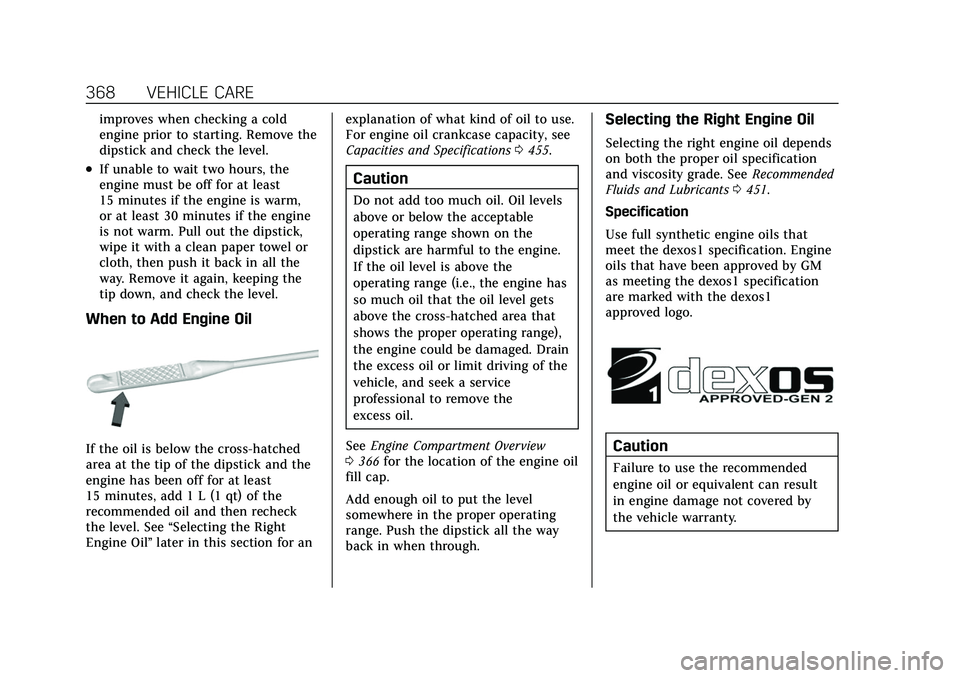
If the oil is below the cross-hatched
area at the tip of the dipstick and the
engine has been off for at least
15 minutes, add 1 L (1 qt) of the
recommended oil and then recheck
the level. See“Selecting the Right
Engine Oil” later in this section for an explanation of what kind of oil to use.
For engine oil crankcase capacity, see
Capacities and Specifications
0455.
Caution
Do not add too much oil. Oil levels
above or below the acceptable
operating range shown on the
dipstick are harmful to the engine.
If the oil level is above the
operating range (i.e., the engine has
so much oil that the oil level gets
above the cross-hatched area that
shows the proper operating range),
the engine could be damaged. Drain
the excess oil or limit driving of the
vehicle, and seek a service
professional to remove the
excess oil.
See Engine Compartment Overview
0 366 for the location of the engine oil
fill cap.
Add enough oil to put the level
somewhere in the proper operating
range. Push the dipstick all the way
back in when through.
Selecting the Right Engine Oil
Selecting the right engine oil depends
on both the proper oil specification
and viscosity grade. See Recommended
Fluids and Lubricants 0451.
Specification
Use full synthetic engine oils that
meet the dexos1 specification. Engine
oils that have been approved by GM
as meeting the dexos1 specification
are marked with the dexos1
approved logo.
Caution
Failure to use the recommended
engine oil or equivalent can result
in engine damage not covered by
the vehicle warranty.