wheel CADILLAC ESCALADE EXT 2006 2.G User Guide
[x] Cancel search | Manufacturer: CADILLAC, Model Year: 2006, Model line: ESCALADE EXT, Model: CADILLAC ESCALADE EXT 2006 2.GPages: 484, PDF Size: 2.98 MB
Page 106 of 484
SECOND (2):This position gives you more power but
lower fuel economy. You can use SECOND (2) on
hills. It can help control your speed as you go down
steep mountain roads, but then you would also want to
use your brakes off and on.
If you manually select SECOND (2), the transmission
will drive in second gear. You may use this feature
for reducing the speed of the rear wheels when you are
trying to start your vehicle from a stop on slippery
road surfaces. Once the vehicle is moving, shift into
DRIVE (D).
FIRST (1):This position gives you even more power,
but lower fuel economy than SECOND (2). You can use
it on very steep hills, or in deep snow or mud. If the
shift lever is put in FIRST (1) while the vehicle is moving
forward, the vehicle will not shift into rst gear until
the vehicle is going slowly enough.
Notice:Spinning the tires or holding the vehicle in
one place on a hill using only the accelerator
pedal may damage the transmission. If you are
stuck, do not spin the tires. When stopping on a hill,
use the brakes to hold the vehicle in place.
On cold days, approximately 32°F (0°C) or colder, your
transmission is designed to shift differently until the
engine reaches normal operating temperature. This is
intended to improve heater performance.Tow/Haul Mode
Your vehicle is equipped
with a tow/haul mode.
The button for this feature
is located on the end of
the column shift lever.
You can use this feature to assist when towing or
hauling a heavy load. See “Tow/Haul Mode” under
Towing a Trailer on page 4-50for more information.
The tow/haul mode also interacts with the Road Sensing
Suspension (RSS) feature to enhance the ride when
trailering or with a loaded vehicle. SeeRoad Sensing
Suspension on page 4-9.
2-32
Page 121 of 484
OnStar®Personal Calling
As an OnStar®subscriber, the Personal Calling
capability allows you to make hands-free calls using a
wireless system that is integrated into the vehicle.
Calls can be placed nationwide using simple voice
commands with no additional contracts and no additional
roaming charges. To nd out more about OnStar
®
Personal Calling, refer to the OnStar®User’s Guide
in the vehicle’s glove box, visit www.onstar.com
or www.onstar.ca, or speak to an OnStar
®advisor by
pressing the OnStar®button or calling 1-888-4-ONSTAR
(1-888-466-7827).
OnStar®Virtual Advisor
Your vehicle may have Virtual Advisor. It is a feature of
OnStar®Personal Calling that uses your minutes to
access weather, local traffic reports and sports updates.
By pressing the phone button and giving a few simple
voice commands, you can browse through the
various topics. Customize your information prole at
www.myonstar.com. See the OnStar
®user’s guide for
more information.
OnStar®Steering Wheel Controls
Your vehicle may be
equipped with a Talk/Mute
button that can be used
to interact with OnStar
®.
SeeAudio Steering Wheel
Controls on page 3-98
for more information.
When calling into voice mail systems or to dial directory
numbers, press the control, wait for the “number
please” response, say the number(s) to be dialed, wait
for the number(s) to be repeated and then say “dial.”
See the OnStar
®User’s Guide for more information.
2-47
Page 151 of 484
Instrument Panel Overview...............................3-4
Hazard Warning Flashers................................3-6
Other Warning Devices...................................3-6
Horn.............................................................3-6
Tilt Wheel.....................................................3-6
Turn Signal/Multifunction Lever.........................3-7
Turn and Lane-Change Signals........................3-7
Headlamp High/Low-Beam Changer..................3-8
Flash-to-Pass.................................................3-9
Windshield Wipers..........................................3-9
Windshield Washer.......................................3-10
Cruise Control..............................................3-10
Exterior Lamps.............................................3-14
Headlamps on Reminder................................3-15
Daytime Running Lamps (DRL).......................3-15
Automatic Headlamp System..........................3-15
Fog Lamps..................................................3-16
Exterior Cargo Lamps....................................3-17
Instrument Panel Brightness...........................3-17
Dome Lamps...............................................3-17
Dome Lamp Override....................................3-18
Entry/Exit Lighting.........................................3-18Reading Lamps............................................3-18
Battery Run-Down Protection..........................3-18
Ultrasonic Rear Parking Assist (URPA)............3-18
Accessory Power Outlet(s).............................3-21
Ashtray(s) and Cigarette Lighter......................3-21
Analog Clock...............................................3-22
Climate Controls............................................3-22
Dual Automatic Climate Control System...........3-22
Outlet Adjustment.........................................3-27
Warning Lights, Gages, and Indicators............3-28
Instrument Panel Cluster................................3-29
Speedometer and Odometer...........................3-30
Trip Odometer..............................................3-30
Tachometer.................................................3-30
Safety Belt Reminder Light.............................3-30
Airbag Readiness Light..................................3-31
Passenger Airbag Status Indicator...................3-32
Charging System Light..................................3-34
Voltmeter Gage............................................3-34
Brake System Warning Light..........................3-35
Anti-Lock Brake System Warning Light.............3-36
Section 3 Instrument Panel
3-1
Page 152 of 484
Low Tire Pressure Warning Light....................3-36
Traction Off Light..........................................3-37
Engine Coolant Temperature Gage..................3-37
Transmission Temperature Gage.....................3-38
Malfunction Indicator Lamp.............................3-39
Oil Pressure Gage........................................3-41
Security Light...............................................3-42
Cruise Control Light......................................3-43
Highbeam On Light.......................................3-43
Tow/Haul Mode Light....................................3-43
Cargo Lamp Light.........................................3-43
Fuel Gage...................................................3-44
Low Fuel Warning Light.................................3-44
Driver Information Center (DIC).......................3-45
DIC Operation and Displays...........................3-45
DIC Warnings and Messages.........................3-48
DIC Vehicle Customization.............................3-57Audio System(s).............................................3-63
Setting the Time...........................................3-64
Radio with Cassette and CD..........................3-65
Navigation/Radio System...............................3-80
Rear Seat Entertainment System....................3-80
Rear Seat Audio (RSA).................................3-92
CD Changer................................................3-94
Theft-Deterrent Feature..................................3-97
Audio Steering Wheel Controls.......................3-98
Radio Reception...........................................3-99
Care of the Cassette Tape Player.................3-100
Care of Your CDs and DVDs........................3-101
Care of the CD and DVD Player...................3-101
Fixed Mast Antenna....................................3-101
XM™ Satellite Radio Antenna System............3-102
Chime Level Adjustment...............................3-102
Section 3 Instrument Panel
3-2
Page 155 of 484
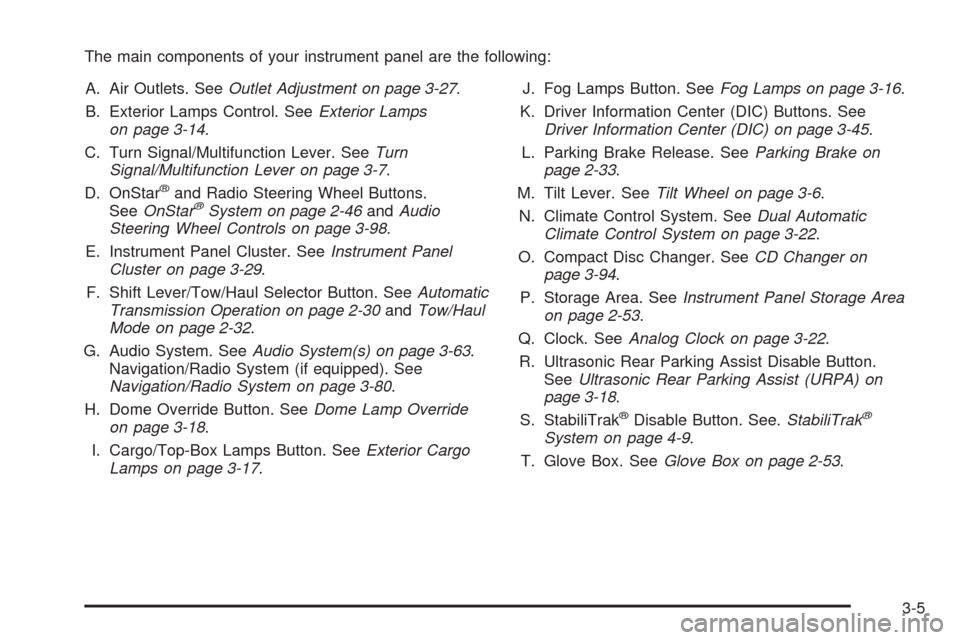
The main components of your instrument panel are the following:
A. Air Outlets. SeeOutlet Adjustment on page 3-27.
B. Exterior Lamps Control. SeeExterior Lamps
on page 3-14.
C. Turn Signal/Multifunction Lever. SeeTurn
Signal/Multifunction Lever on page 3-7.
D. OnStar
®and Radio Steering Wheel Buttons.
SeeOnStar®System on page 2-46andAudio
Steering Wheel Controls on page 3-98.
E. Instrument Panel Cluster. SeeInstrument Panel
Cluster on page 3-29.
F. Shift Lever/Tow/Haul Selector Button. SeeAutomatic
Transmission Operation on page 2-30andTow/Haul
Mode on page 2-32.
G. Audio System. SeeAudio System(s) on page 3-63.
Navigation/Radio System (if equipped). See
Navigation/Radio System on page 3-80.
H. Dome Override Button. SeeDome Lamp Override
on page 3-18.
I. Cargo/Top-Box Lamps Button. SeeExterior Cargo
Lamps on page 3-17.J. Fog Lamps Button. SeeFog Lamps on page 3-16.
K. Driver Information Center (DIC) Buttons. See
Driver Information Center (DIC) on page 3-45.
L. Parking Brake Release. SeeParking Brake on
page 2-33.
M. Tilt Lever. SeeTilt Wheel on page 3-6.
N. Climate Control System. SeeDual Automatic
Climate Control System on page 3-22.
O. Compact Disc Changer. SeeCD Changer on
page 3-94.
P. Storage Area. SeeInstrument Panel Storage Area
on page 2-53.
Q. Clock. SeeAnalog Clock on page 3-22.
R. Ultrasonic Rear Parking Assist Disable Button.
SeeUltrasonic Rear Parking Assist (URPA) on
page 3-18.
S. StabiliTrak
®Disable Button. See.StabiliTrak®
System on page 4-9.
T. Glove Box. SeeGlove Box on page 2-53.
3-5
Page 156 of 484
Hazard Warning Flashers
Your hazard warning ashers let you warn others. They
also let police know you have a problem. Your front
and rear turn signal lamps will ash on and off.
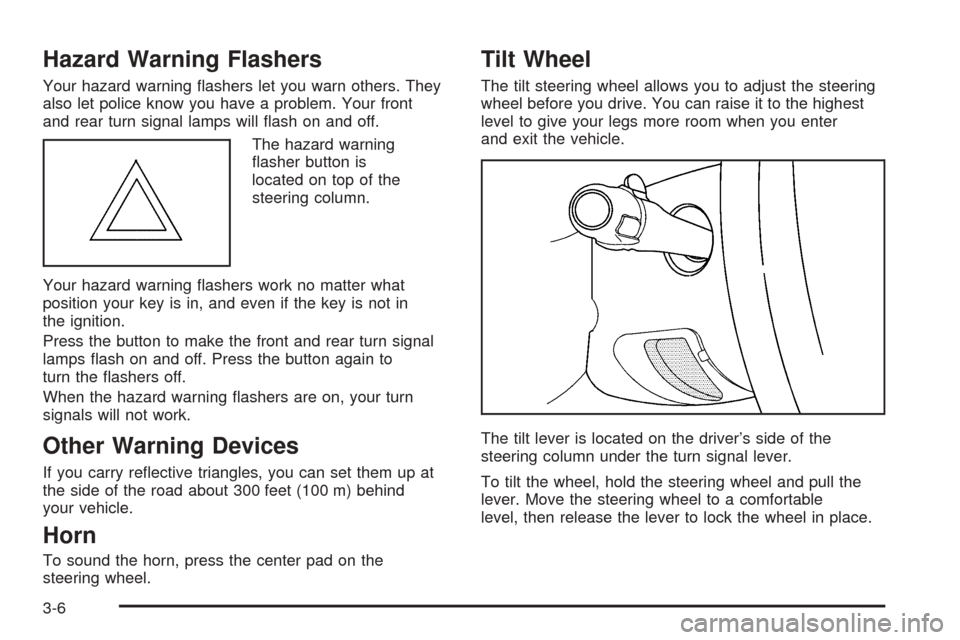
The hazard warning
asher button is
located on top of the
steering column.
Your hazard warning ashers work no matter what
position your key is in, and even if the key is not in
the ignition.
Press the button to make the front and rear turn signal
lamps ash on and off. Press the button again to
turn the ashers off.
When the hazard warning ashers are on, your turn
signals will not work.
Other Warning Devices
If you carry reective triangles, you can set them up at
the side of the road about 300 feet (100 m) behind
your vehicle.
Horn
To sound the horn, press the center pad on the
steering wheel.
Tilt Wheel
The tilt steering wheel allows you to adjust the steering
wheel before you drive. You can raise it to the highest
level to give your legs more room when you enter
and exit the vehicle.
The tilt lever is located on the driver’s side of the
steering column under the turn signal lever.
To tilt the wheel, hold the steering wheel and pull the
lever. Move the steering wheel to a comfortable
level, then release the lever to lock the wheel in place.
3-6
Page 161 of 484
If you apply your brakes, the cruise control will shut off.
{CAUTION:
Cruise control can be dangerous where you
cannot drive safely at a steady speed. So, do
not use your cruise control on winding roads
or in heavy traffic.
Cruise control can be dangerous on slippery
roads. On such roads, fast changes in tire
traction can cause needless wheel spinning,
and you could lose control. Do not use cruise
control on slippery roads.
Setting Cruise Control
{CAUTION:
If you leave your cruise control on when you
are not using cruise, you might hit a button
and go into cruise when you do not want to.
You could be startled and even lose control.
Keep the cruise control switch off until you
want to use cruise control.
1. Move the cruise control switch to on.
2. Get up to the speed you want.
3. Press in the set button at the end of the lever and
release it.
4. Take your foot off the accelerator pedal.
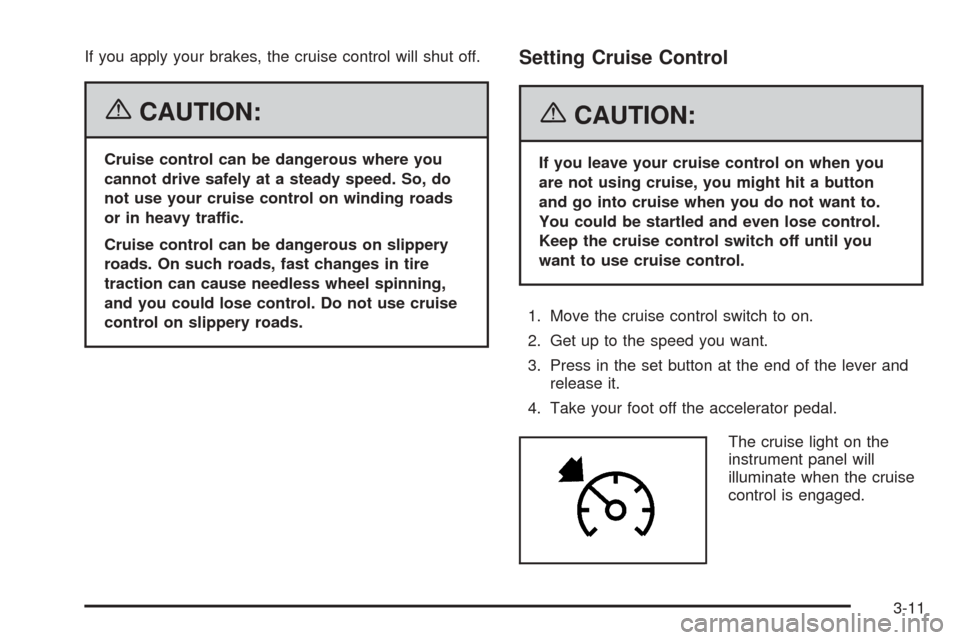
The cruise light on the
instrument panel will
illuminate when the cruise
control is engaged.
3-11
Page 167 of 484
The fog lamps will go off whenever your high-beam
headlamps come on. When the high beams go off, the
fog lamps will come on again.
The fog lamps will be cancelled after the ignition is
turned off. If you still want to use the fog lamps after
you restart the vehicle, you will need to press the
fog lamp button again.
Some localities have laws that require the headlamps to
be on along with the fog lamps.
Exterior Cargo Lamps
You can use the cargo lamp if you need more light in
the cargo area of your vehicle or in the top-box storage
units. Some vehicles will only have a cargo lamp in
the passenger side top box.
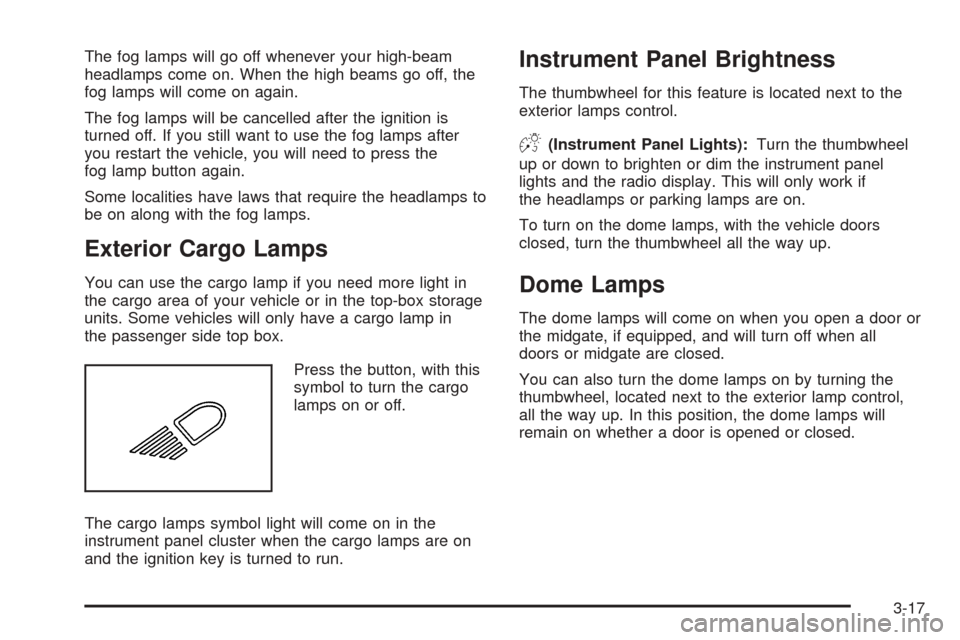
Press the button, with this
symbol to turn the cargo
lamps on or off.
The cargo lamps symbol light will come on in the
instrument panel cluster when the cargo lamps are on
and the ignition key is turned to run.
Instrument Panel Brightness
The thumbwheel for this feature is located next to the
exterior lamps control.
D(Instrument Panel Lights):Turn the thumbwheel
up or down to brighten or dim the instrument panel
lights and the radio display. This will only work if
the headlamps or parking lamps are on.
To turn on the dome lamps, with the vehicle doors
closed, turn the thumbwheel all the way up.
Dome Lamps
The dome lamps will come on when you open a door or
the midgate, if equipped, and will turn off when all
doors or midgate are closed.
You can also turn the dome lamps on by turning the
thumbwheel, located next to the exterior lamp control,
all the way up. In this position, the dome lamps will
remain on whether a door is opened or closed.
3-17
Page 177 of 484
Defogging and Defrosting
You can use either defog or front defrost to clear fog or
frost from your windshield. Use the defog mode to
clear the windows of fog or moisture. Use the front
defrost button to defrost the front windshield.
-(Defog):Use this setting to clear the windows of fog
or moisture. Press the mode button to select this
setting. This setting will deliver air to the oor and
windshield outlets.
0(Defrost):Press this button to defrost the
windshield. The system will automatically control the fan
speed if you select defrost from AUTO mode. If the
outside temperature is 40°F (4°C) or warmer, your air
conditioning compressor will automatically run to
help dehumidify the air and dry the windshield.
Rear Window Defogger
If your vehicle has this feature, the lines you see on the
rear window warm the glass. The rear window
defogger uses a warming grid to remove fog from the
rear window.
<(Rear):Press this button to turn the rear window
defogger on or off. An indicator light in the button
will come on to let you know that the rear window
defogger is activated.
The rear window defogger will turn off about 10 minutes
after the button is pressed. If you need additional
warming time, press the button again.
If your vehicle is equipped with heated mirrors, this
button will activate them.
Notice:Do not use a razor blade or sharp object to
clear the inside rear window. Do not adhere
anything to the defogger grid lines in the rear glass.
These actions may damage the rear defogger.
Repairs would not be covered by your warranty.
Outlet Adjustment
Your vehicle has air outlets located in the center and on
the side of your instrument panel that allow you to adjust
the direction and amount of airow inside the vehicle.
Move the louvers up or down. Use the thumbwheel next
to or underneath the outlet to close the louvers. For the
most efficient airow and temperature control, keep the
outlet in the fully opened position.
3-27
Page 195 of 484
Driver Information Center (DIC)
The Driver Information Center (DIC) display is located
on the instrument panel cluster, below the speedometer.
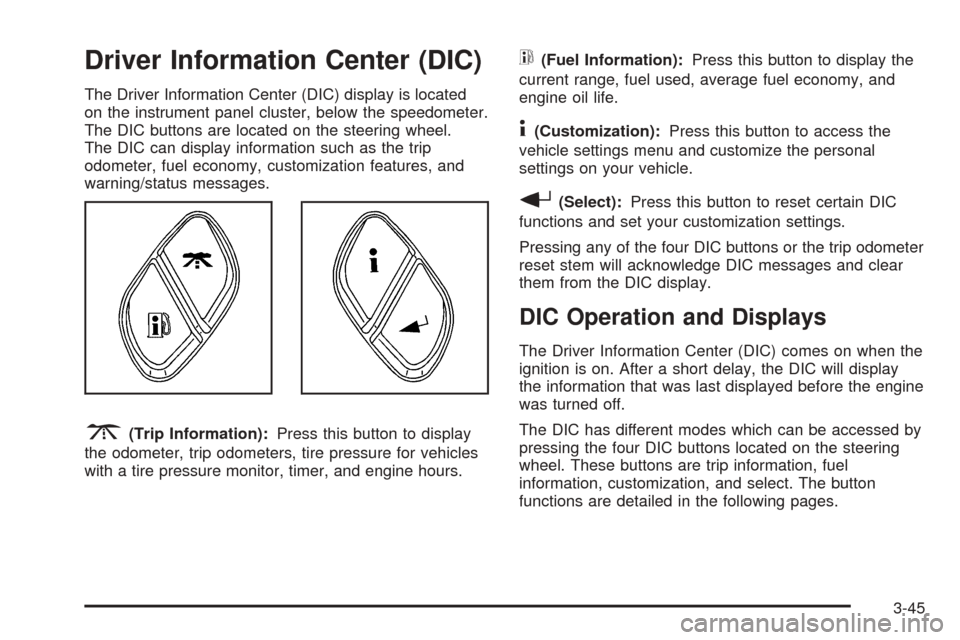
The DIC buttons are located on the steering wheel.
The DIC can display information such as the trip
odometer, fuel economy, customization features, and
warning/status messages.
3(Trip Information):Press this button to display
the odometer, trip odometers, tire pressure for vehicles
with a tire pressure monitor, timer, and engine hours.
t(Fuel Information):Press this button to display the
current range, fuel used, average fuel economy, and
engine oil life.
4(Customization):Press this button to access the
vehicle settings menu and customize the personal
settings on your vehicle.
r(Select):Press this button to reset certain DIC
functions and set your customization settings.
Pressing any of the four DIC buttons or the trip odometer
reset stem will acknowledge DIC messages and clear
them from the DIC display.
DIC Operation and Displays
The Driver Information Center (DIC) comes on when the
ignition is on. After a short delay, the DIC will display
the information that was last displayed before the engine
was turned off.
The DIC has different modes which can be accessed by
pressing the four DIC buttons located on the steering
wheel. These buttons are trip information, fuel
information, customization, and select. The button
functions are detailed in the following pages.
3-45