light CADILLAC SRX 2008 1.G Repair Manual
[x] Cancel search | Manufacturer: CADILLAC, Model Year: 2008, Model line: SRX, Model: CADILLAC SRX 2008 1.GPages: 448, PDF Size: 5.61 MB
Page 194 of 448
CHECK TIRE PRESSURE
This message displays when the pressure in one or more
of the vehicle’s tires needs to be checked. This message
also displays LEFT FRONT, RIGHT FRONT, LEFT
REAR, or RIGHT REAR to indicate which tire needs to
be checked. You can receive more than one tire pressure
message at a time. To read the other messages that may
have been sent at the same time, press the set/reset
button. If a tire pressure message appears on the DIC,
stop as soon as you can. Have the tire pressures
checked and set to those shown on the Tire Loading
Information label. SeeTires on page 5-51,Loading Your
Vehicle on page 4-33, andInflation - Tire Pressure on
page 5-59. The DIC also shows the tire pressure values.
SeeDIC Operation and Displays on page 3-48. If the tire
pressure is low, the low tire pressure warning light comes
on. SeeTire Pressure Light on page 3-41.
CRUISE SET TO XXX MPH (km/h)
This message displays whenever the cruise control
is set. SeeCruise Control on page 3-12for more
information.
DRIVER DOOR OPEN
This message displays when the driver door is not
closed completely. Make sure that the door is closed
completely.
ENGINE HOT – A/C
(Air Conditioning) OFF
This message displays when the engine coolant
becomes hotter than the normal operating temperature.
SeeEngine Coolant Temperature Gage on page 3-40.
To avoid added strain on a hot engine, the air
conditioning compressor automatically turns off.
When the coolant temperature returns to normal,
the air conditioning compressor turns back on.
You can continue to drive your vehicle.
If this message continues to appear, have the system
repaired by your dealer/retailer as soon as possible
to avoid damage to the engine.
3-54
Page 195 of 448
ENGINE OVERHEATED IDLE ENGINE
Notice:If you drive your vehicle while the engine
is overheating, severe engine damage may occur.
If an overheat warning appears on the instrument
panel cluster and/or DIC, stop the vehicle as soon as
possible. Do not increase the engine speed above
normal idling speed. SeeEngine Overheating
on page 5-26for more information.
This message displays when the engine coolant
temperature is too hot. Stop and allow the vehicle
to idle until it cools down. SeeEngine Coolant
Temperature Warning Light on page 3-40.
SeeOverheated Engine Protection Operating Mode on
page 5-28for information on driving to a safe place
in an emergency.
ENGINE POWER REDUCED
This message displays when the engine power is being
reduced to protect the engine from damage. There could
be several malfunctions that might cause this message.
Reduced engine power can affect the vehicle’s ability to
accelerate. If this message is on, but there is no reduction
in performance, proceed to your destination. The
performance may be reduced the next time the vehicle
is driven. The vehicle may be driven at a reduced speed
while this message is on, but acceleration and speed may
be reduced. Anytime this message stays on, the vehicle
should be taken to your dealer/retailer for service as soon
as possible.
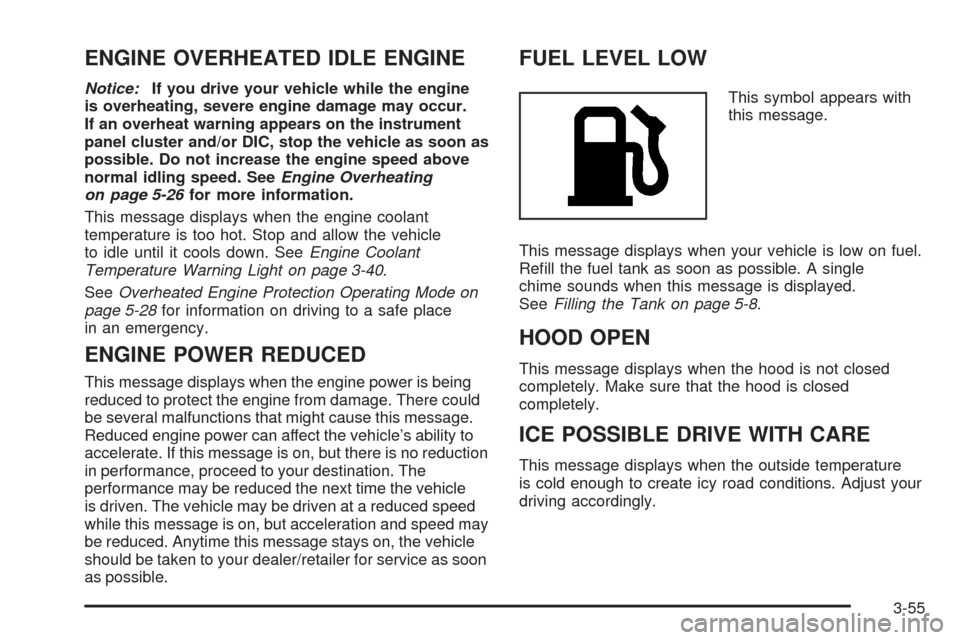
FUEL LEVEL LOW
This symbol appears with
this message.
This message displays when your vehicle is low on fuel.
Rell the fuel tank as soon as possible. A single
chime sounds when this message is displayed.
SeeFilling the Tank on page 5-8.
HOOD OPEN
This message displays when the hood is not closed
completely. Make sure that the hood is closed
completely.
ICE POSSIBLE DRIVE WITH CARE
This message displays when the outside temperature
is cold enough to create icy road conditions. Adjust your
driving accordingly.
3-55
Page 196 of 448
LEFT REAR DOOR OPEN
This message displays when the driver side rear door
is not closed completely. Make sure that the door
is closed completely.
OIL PRESSURE LOW STOP ENGINE
Notice:If you drive your vehicle while the engine
oil pressure is low, severe engine damage may
occur. If a low oil pressure warning appears on
the instrument panel cluster and/or DIC, stop the
vehicle as soon as possible. Do not drive the vehicle
until the cause of the low oil pressure is corrected.
SeeEngine Oil on page 5-16for more information.
This message displays when the vehicle’s engine
oil pressure is low. The oil pressure light may also
appear on the instrument panel cluster. SeeOil
Pressure Light on page 3-44.
A multiple chime sounds when this message is
displayed. SeeEngine Oil on page 5-16for more
information.
Stop the vehicle immediately, as engine damage can
result from driving a vehicle with low oil pressure. Have
the vehicle serviced by your dealer/retailer as soon
as possible when this message is displayed.
PARKING ASSIST OFF
If your vehicle has the Ultrasonic Rear Parking
Assist (URPA) system, after the vehicle has been
started, this message displays to remind the driver that
the URPA system has been turned off. Press the set/
reset button to acknowledge this message and clear it
from the DIC display. To turn the URPA system back on,
see “PARKING ASSIST” underDIC Operation and
Displays on page 3-48. SeeUltrasonic Rear Parking
Assist (URPA) on page 2-45for more information.
PASSENGER DOOR OPEN
This message displays when the passenger side front
door is not closed completely. Make sure that the door is
closed completely.
REAR ACCESS OPEN
This message displays when the liftgate is not closed
completely. Make sure that the liftgate is closed
completely.
REMOTE KEY LEARNING ACTIVE
This message displays while you are matching a
Remote Keyless Entry (RKE) transmitter to your vehicle.
See “Matching Transmitter(s) to Your Vehicle” under
Remote Keyless Entry (RKE) System Operation
on page 2-5andDIC Operation and Displays on
page 3-48for more information.
3-56
Page 197 of 448
REPLACE BATTERY IN REMOTE KEY
This message displays when the battery in the Remote
Keyless Entry (RKE) transmitter needs to be replaced.
To replace the battery, see “Battery Replacement” under
Remote Keyless Entry (RKE) System Operation on
page 2-5.
RIGHT REAR DOOR OPEN
This message displays when the passenger side rear
door is not closed completely. Make sure that the door
is closed completely.
SERVICE AIR BAG
This message displays when there is a problem with
the airbag system. Have your vehicle serviced by your
dealer/retailer immediately. SeeAirbag Readiness
Light on page 3-34for more information.
SERVICE A/C SYSTEM
This message displays when the air delivery mode door
or the electronic sensors that control the air conditioning
and heating systems are no longer working. Have the
climate control system serviced by your dealer/retailer
if you notice a drop in heating and air conditioning
efficiency.
SERVICE BATTERY CHARGING
SYSTEM
This message displays when there is a problem with the
generator and battery charging systems. Driving with this
problem could drain the battery. Turn off all unnecessary
accessories. Stop and turn off the vehicle as soon as it is
safe to do so. Have the electrical system checked by your
dealer/retailer. Under certain conditions, the charging
system light may also turn on in the instrument panel
cluster. SeeCharging System Light on page 3-37for
more information.
SERVICE BRAKE ASSIST
This message displays if there is a problem with the
brake system. The brake system warning light and the
antilock brake system warning light may also display on
the instrument panel cluster. SeeBrake System Warning
Light on page 3-38andAntilock Brake System Warning
Light on page 3-39for more information. If this happens,
stop as soon as possible and turn off the vehicle. Restart
the vehicle and check for the message on the DIC
display. If the message displays or appears again when
you begin driving, the brake system needs service. See
your dealer/retailer as soon as possible. SeeBrakes on
page 5-35for more information.
3-57
Page 198 of 448
SERVICE BRAKE SYSTEM
This message displays, while the ignition is on, when
the brake uid level is low. The brake system warning
light on the instrument panel cluster also comes on.
SeeBrake System Warning Light on page 3-38for more
information. Have the brake system serviced by your
dealer/retailer as soon as possible.
SERVICE PARKING ASSIST
If your vehicle has the Ultrasonic Rear Parking
Assist (URPA) system, this message displays if there
is a problem with the URPA system. Do not use
this system to help you park. SeeUltrasonic Rear
Parking Assist (URPA) on page 2-45for more
information. See your dealer/retailer for service.
SERVICE POWER STEERING
Your vehicle may have a speed variable assist steering
system. SeeSteering on page 4-8.
This message displays if a problem is detected with
the speed variable assist steering system. When
this message is displayed, you may notice that the effort
required to steer the vehicle decreases or feels lighter,
but you will still be able to steer the vehicle.
SERVICE STABILITRAK
This message displays if there has been a problem
detected with the StabiliTrak®system.
If this message comes on while you are driving, pull off
the road as soon as possible and stop carefully. Try
resetting the system by turning the ignition off then back
on. If this message still stays on or comes back on again
while you are driving, your vehicle needs service. Have
the StabiliTrak
®system inspected by your dealer/retailer
as soon as possible. SeeStabiliTrak®System on
page 4-7for more information.
SERVICE SUSPENSION SYS (System)
This message displays when the magnetic ride
control or automatic leveling control system is not
operating properly. Have your vehicle serviced by your
dealer/retailer.
SERVICE THEFT DETERRENT SYSTEM
This message displays when there is a problem with
the theft-deterrent system programmed in the key.
A fault has been detected in the system which means
that the system is disabled and it is not protecting
the vehicle. The vehicle usually restarts; however, you
may want to take the vehicle to your dealer/retailer
before turning off the engine. SeePASS-Key
®III+
Operation on page 2-22for more information.
3-58
Page 199 of 448
SERVICE TIRE MONITOR SYSTEM
This message displays if a part on the Tire Pressure
Monitor System (TPMS) is not working properly. The tire
pressure light also ashes and then remains on during
the same ignition cycle. SeeTire Pressure Light on
page 3-41. Several conditions may cause this message
to appear. SeeTire Pressure Monitor Operation on
page 5-62for more information. If the warning comes on
and stays on, there may be a problem with the TPMS.
See your dealer/retailer.
SERVICE TRACTION CONTROL
This message displays when there is a problem with
the Traction Control System (TCS). When this message
displays, the system will not limit wheel spin. Adjust
your driving accordingly. See your dealer/retailer
for service. SeeTraction Control System (TCS) on
page 4-5for more information.
SERVICE TRANSMISSION
This message displays when there is a problem with the
vehicle’s transmission. Have your vehicle serviced by
your dealer/retailer.
SERVICE VEHICLE SOON
This message displays when a non-emissions related
malfunction occurs. Have your vehicle serviced by your
dealer/retailer as soon as possible.
SPEED LIMITED TO XXX MPH (km/h)
This message displays when your vehicle speed
is limited to 80 mph (128 km/h) because the vehicle
detects a problem in the speed variable assist steering,
magnetic ride control, or automatic leveling control
systems. Have your vehicle serviced by your
dealer/retailer.
STABILITRAK NOT READY
This message may display and the Traction Control
System and StabiliTrak®Warning Light on the instrument
panel cluster may be on after rst driving the vehicle
and exceeding 19 mph (30 km/h) for 30 seconds.
The StabiliTrak
®system is not functional until the light
has turned off. SeeStabiliTrak®System on page 4-7for
more information.
3-59
Page 200 of 448

STABILITRAK OFF
This message displays when you turn off StabiliTrak®,
or when the stability control has been automatically
disabled. To limit wheel spin and realize the full benets
of the stability enhancement system, you should
normally leave StabiliTrak
®on. However, you should
turn StabiliTrak®off if your vehicle gets stuck in
sand, mud, ice, or snow and you want to rock your
vehicle to attempt to free it, or if you are driving
in extreme off-road conditions and require more wheel
spin. SeeIf Your Vehicle is Stuck in Sand, Mud,
Ice, or Snow on page 4-32. To turn the StabiliTrak
®
system on or off, seeStabiliTrak®System on page 4-7.
There are several conditions that can cause this
message to appear.
One condition is overheating, which could occur if
StabiliTrak®activates continuously for an extended
period of time.
The message also displays if the brake system
warning light is on. SeeBrake System Warning
Light on page 3-38.
The message could display if the stability system
takes longer than usual to complete its diagnostic
checks due to driving conditions.
The message displays if an engine or vehicle
related problem has been detected and the vehicle
needs service. See your dealer/retailer.The message turns off as soon as the conditions that
caused the message to be displayed are no longer
present.
STARTING DISABLED SERVICE
THROTTLE
This message displays when your vehicle’s throttle
system is not functioning properly. Have your vehicle
serviced by your dealer/retailer.
THEFT ATTEMPTED
This symbol appears with
this message.
This message displays if the theft-deterrent system
has detected a break-in attempt while you were away
from your vehicle. SeeTheft-Deterrent System on
page 2-20for more information.
3-60
Page 204 of 448
AUTO DOOR UNLOCK
This feature allows you to select whether or not the
door(s) will automatically unlock. It also allows you to
select which doors and when they will automatically
unlock. SeeProgrammable Automatic Door Locks on
page 2-11for more information.
Press the customization button until AUTO DOOR
UNLOCK appears on the DIC display. Press the
set/reset button to access the settings for this feature.
Then press the menu up/down button to scroll through
the following settings:
OFF:None of the doors will automatically unlock.
DRIVER AT KEY OUT:Only the driver’s door will
unlock when the key is taken out of the ignition.
DRIVER IN PARK:Only the driver’s door will unlock
when the vehicle is shifted into PARK (P).
ALL AT KEY OUT:All of the doors will unlock when
the key is taken out of the ignition.
ALL IN PARK (default):All of the doors will unlock
when the vehicle is shifted into PARK (P).
NO CHANGE:No change will be made to this feature.
The current setting will remain.
To select a setting, press the set/reset button while the
desired setting is displayed on the DIC.
REMOTE DOOR LOCK
This feature allows you to select the type of feedback
you will receive when locking the vehicle with the
Remote Keyless Entry (RKE) transmitter. You will not
receive feedback when locking the vehicle with the RKE
transmitter if the doors are open. SeeRemote Keyless
Entry (RKE) System Operation on page 2-5for more
information.
Press the customization button until REMOTE DOOR
LOCK appears on the DIC display. Press the set/reset
button to access the settings for this feature. Then
press the menu up/down button to scroll through the
following settings:
OFF:There will be no feedback when you press the
lock button on the RKE transmitter.
LIGHTS ONLY:The exterior lamps will ash when you
press the lock button on the RKE transmitter.
HORN ONLY:The horn will sound on the second press
of the lock button on the RKE transmitter.
HORN & LIGHTS (default):The exterior lamps will
ash when you press the lock button on the RKE
transmitter, and the horn will sound when the lock button
is pressed again within ve seconds of the previous
command.
NO CHANGE:No change will be made to this feature.
The current setting will remain.
3-64
Page 205 of 448
To select a setting, press the set/reset button while the
desired setting is displayed on the DIC.
REMOTE DOOR UNLOCK
This feature allows you to select the type of feedback you
will receive when unlocking the vehicle with the Remote
Keyless Entry (RKE) transmitter. You will not receive
feedback when unlocking the vehicle with the RKE
transmitter if the doors are open. SeeRemote Keyless
Entry (RKE) System Operation on page 2-5for more
information.
Press the customization button until REMOTE DOOR
UNLOCK appears on the DIC display. Press the
set/reset button to access the settings for this feature.
Then press the menu up/down button to scroll through
the following settings:
LIGHTS OFF:The exterior lamps will not ash when
you press the unlock button on the RKE transmitter.
LIGHTS ON (default):The exterior lamps will
ash when you press the unlock button on the RKE
transmitter.
NO CHANGE:No change will be made to this feature.
The current setting will remain.
To select a setting, press the set/reset button while the
desired setting is displayed on the DIC.
DELAY DOOR LOCK
This feature allows you to select whether or not the
locking of the vehicle’s doors and liftgate will be delayed.
When locking the doors and liftgate with the power door
lock switch and a door or the liftgate is open, this feature
will delay locking the doors and liftgate until ve seconds
after the last door is closed. You will hear three chimes to
signal that the delayed locking feature is in use. The key
must be out of the ignition for this feature to work. You
can temporarily override delayed locking by pressing the
power door lock switch twice or the lock button on the
RKE transmitter twice. SeeDelayed Locking on
page 2-11for more information.
Press the customization button until DELAY DOOR
LOCK appears on the DIC display. Press the set/reset
button to access the settings for this feature. Then
press the menu up/down button to scroll through the
following settings:
OFF:There will be no delayed locking of the vehicle’s
doors.
ON (default):The doors will not lock until ve seconds
after the last door or the liftgate is closed.
NO CHANGE:No change will be made to this feature.
The current setting will remain.
To select a setting, press the set/reset button while the
desired setting is displayed on the DIC.
3-65
Page 206 of 448
EXIT LIGHTING
This feature allows you to select the amount of time you
want the exterior lamps to remain on when it is dark
enough outside. This happens after the key is turned
from ON/RUN to LOCK/OFF.
Press the customization button until EXIT LIGHTING
appears on the DIC display. Press the set/reset button
to access the settings for this feature. Then press the
menu up/down button to scroll through the following
settings:
OFF:The exterior lamps will not turn on.
30 SECONDS (default):The exterior lamps will stay on
for 30 seconds.
1 MINUTE:The exterior lamps will stay on for
one minute.
2 MINUTES:The exterior lamps will stay on for
two minutes.
NO CHANGE:No change will be made to this feature.
The current setting will remain.
To select a setting, press the set/reset button while the
desired setting is displayed on the DIC.
APPROACH LIGHTING
This feature allows you to select whether or not to have
the exterior lights turn on briey during low light periods
after unlocking the vehicle using the Remote Keyless
Entry (RKE) transmitter.
Press the customization button until APPROACH
LIGHTING appears on the DIC display. Press the
set/reset button to access the settings for this feature.
Then press the menu up/down button to scroll through
the following settings:
OFF:The exterior lights will not turn on when you
unlock the vehicle with the RKE transmitter.
ON (default):If it is dark enough outside, the exterior
lights will turn on briey when you unlock the vehicle
with the RKE transmitter.
The lights will remain on for 20 seconds or until the lock
button on the RKE transmitter is pressed, or the vehicle is
no longer off. SeeRemote Keyless Entry (RKE) System
Operation on page 2-5for more information.
NO CHANGE:No change will be made to this feature.
The current setting will remain.
To select a setting, press the set/reset button while the
desired setting is displayed on the DIC.
3-66