display CADILLAC STS 2008 1.G Owner's Manual
[x] Cancel search | Manufacturer: CADILLAC, Model Year: 2008, Model line: STS, Model: CADILLAC STS 2008 1.GPages: 500, PDF Size: 5.81 MB
Page 150 of 500
For vehicles with the base audio system, memory
features are programmed and recalled through the radio
from the DRIVER SELECTION and the DRIVER EXIT
SETTINGS submenus. See “Entering the Driver
Selection Submenu” and “Entering the Driver Exit
Settings Submenu” later in this section for more
information on recalling and programming the memory
settings using the base audio system.
For vehicles with the Navigation system, memory
features are programmed and recalled through the
navigation display. See “Personalization” in the Index of
the Navigation System manual for more information
on programming and recalling the memory settings using
the Navigation system.
For vehicles with the Navigation system, you can also
recall the memory features by using voice recognition,
if your vehicle has this feature. See “Voice Recognition”
in the Index of the Navigation System manual for
more information.Entering the Driver Selection Submenu
To enter the memory programming mode for your
driver settings:
1. Be sure the ignition is either on, in ACCESSORY,
or in RAP and place the transmission in PARK (P)
or make sure that the vehicle speed is less than
6 mph (9 km/h).
2. Press any button on the appropriate keyless access
transmitter to identify yourself as Driver 1 or Driver 2.
3. Turn on the radio by pressing the
power/volume knob.
4. Press the CNFG radio button to enter the main
menu of the radio.
5. Turn the tune/select knob and scroll to SETUP.
6. Press the tune/select knob to enter the SETUP menu.
7. Turn the tune/select knob and scroll to DRIVER
SELECTION.
8. Press the tune/select knob to enter the DRIVER
SELECTION submenu. The following items will
appear:
DRIVER 1
DRIVER 2
RECALL DRIVER SETTINGS
STORE DRIVER SETTINGS
2-78
Page 155 of 500
Instrument Panel Overview...............................3-4
Hazard Warning Flashers................................3-6
Other Warning Devices...................................3-6
Horn.............................................................3-6
Power Tilt Wheel and Telescopic
Steering Column.........................................3-7
Heated Steering Wheel...................................3-7
Turn Signal/Multifunction Lever.........................3-8
Turn and Lane-Change Signals........................3-8
Headlamp High/Low-Beam Changer..................3-9
Forward Collision Alert (FCA) System..............3-10
Flash-to-Pass...............................................3-13
Windshield Wipers........................................3-14
Rainsense™ II Wipers...................................3-15
Windshield Washer.......................................3-16
Headlamp Washer........................................3-16
Cruise Control..............................................3-17
Adaptive Cruise Control.................................3-20
Headlamps..................................................3-33
Wiper Activated Headlamps............................3-37Headlamps on Reminder................................3-37
Daytime Running Lamps (DRL).......................3-37
Fog Lamps..................................................3-39
Twilight Sentinel
®..........................................3-39
Exterior Lighting Battery Saver........................3-40
Instrument Panel Brightness...........................3-41
Entry Lighting...............................................3-41
Parade Dimming...........................................3-41
Reading Lamps............................................3-42
Battery Load Management.............................3-42
Electric Power Management...........................3-42
Inadvertent Power Battery Saver.....................3-43
Head-Up Display (HUD).................................3-43
Accessory Power Outlet(s).............................3-46
Ashtray(s) and Cigarette Lighter......................3-47
Climate Controls............................................3-48
Dual Climate Control System..........................3-48
Outlet Adjustment.........................................3-54
Rear Climate Control System.........................3-54
Passenger Compartment Air Filter...................3-55
Section 3 Instrument Panel
3-1
Page 156 of 500
Warning Lights, Gages, and Indicators............3-57
Instrument Panel Cluster................................3-58
Speedometer and Odometer...........................3-59
Tachometer.................................................3-59
Safety Belt Reminders...................................3-59
Airbag Readiness Light..................................3-60
Passenger Airbag Status Indicator...................3-61
Charging System Light..................................3-63
Brake System Warning Light..........................3-64
Antilock Brake System Warning Light...............3-65
Traction Control System (TCS)
Warning Light...........................................3-65
Lane Departure Warning Light........................3-66
Engine Coolant Temperature Warning Light......3-66
Engine Coolant Temperature Gage..................3-67
Tire Pressure Light.......................................3-67
Malfunction Indicator Lamp.............................3-68
Oil Pressure Light.........................................3-70
Security Light...............................................3-71
Fog Lamp Light............................................3-72
Lights On Reminder......................................3-72Cruise Control Light......................................3-72
Highbeam On Light.......................................3-72
Fuel Gage...................................................3-73
Driver Information Center (DIC).......................3-74
DIC Operation and Displays...........................3-74
DIC Warnings and Messages.........................3-80
Other Messages...........................................3-97
Audio System(s).............................................3-98
Setting the Time...........................................3-99
Radio(s) (MP3)...........................................3-100
Using an MP3............................................3-112
XM Radio Messages...................................3-116
Navigation/Radio System..............................3-117
Radio Personalization
..................................3-117
Theft-Deterrent Feature................................3-121
Audio Steering Wheel Controls......................3-121
Radio Reception.........................................3-123
Backglass Antenna......................................3-124
XM™ Satellite Radio Antenna System............3-124
Section 3 Instrument Panel
3-2
Page 159 of 500
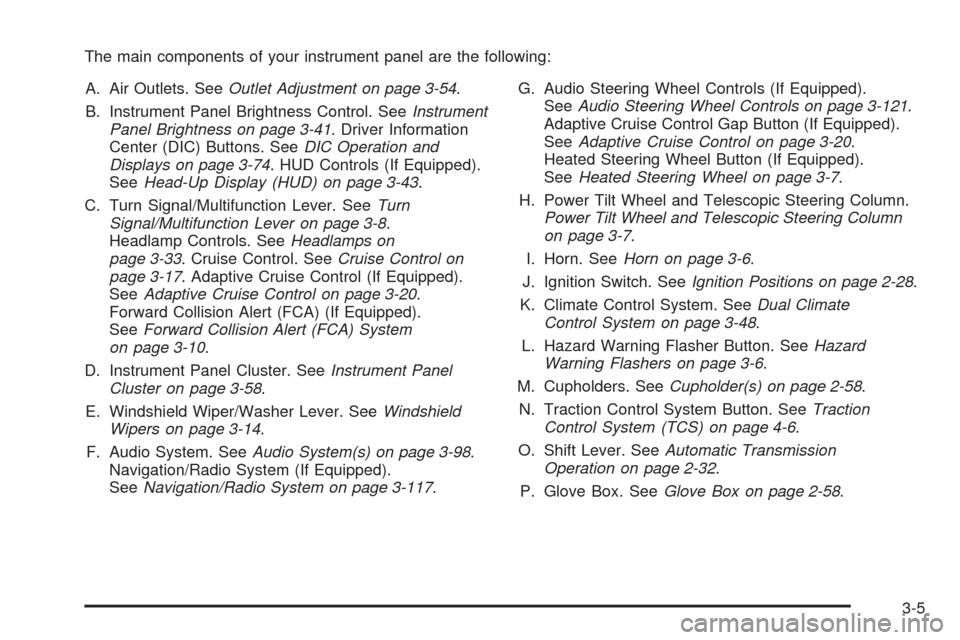
The main components of your instrument panel are the following:
A. Air Outlets. SeeOutlet Adjustment on page 3-54.
B. Instrument Panel Brightness Control. SeeInstrument
Panel Brightness on page 3-41. Driver Information
Center (DIC) Buttons. SeeDIC Operation and
Displays on page 3-74. HUD Controls (If Equipped).
SeeHead-Up Display (HUD) on page 3-43.
C. Turn Signal/Multifunction Lever. SeeTurn
Signal/Multifunction Lever on page 3-8.
Headlamp Controls. SeeHeadlamps on
page 3-33. Cruise Control. SeeCruise Control on
page 3-17. Adaptive Cruise Control (If Equipped).
SeeAdaptive Cruise Control on page 3-20.
Forward Collision Alert (FCA) (If Equipped).
SeeForward Collision Alert (FCA) System
on page 3-10.
D. Instrument Panel Cluster. SeeInstrument Panel
Cluster on page 3-58.
E. Windshield Wiper/Washer Lever. SeeWindshield
Wipers on page 3-14.
F. Audio System. SeeAudio System(s) on page 3-98.
Navigation/Radio System (If Equipped).
SeeNavigation/Radio System on page 3-117.G. Audio Steering Wheel Controls (If Equipped).
SeeAudio Steering Wheel Controls on page 3-121.
Adaptive Cruise Control Gap Button (If Equipped).
SeeAdaptive Cruise Control on page 3-20.
Heated Steering Wheel Button (If Equipped).
SeeHeated Steering Wheel on page 3-7.
H. Power Tilt Wheel and Telescopic Steering Column.
Power Tilt Wheel and Telescopic Steering Column
on page 3-7.
I. Horn. SeeHorn on page 3-6.
J. Ignition Switch. SeeIgnition Positions on page 2-28.
K. Climate Control System. SeeDual Climate
Control System on page 3-48.
L. Hazard Warning Flasher Button. SeeHazard
Warning Flashers on page 3-6.
M. Cupholders. SeeCupholder(s) on page 2-58.
N. Traction Control System Button. SeeTraction
Control System (TCS) on page 4-6.
O. Shift Lever. SeeAutomatic Transmission
Operation on page 2-32.
P. Glove Box. SeeGlove Box on page 2-58.
3-5
Page 161 of 500
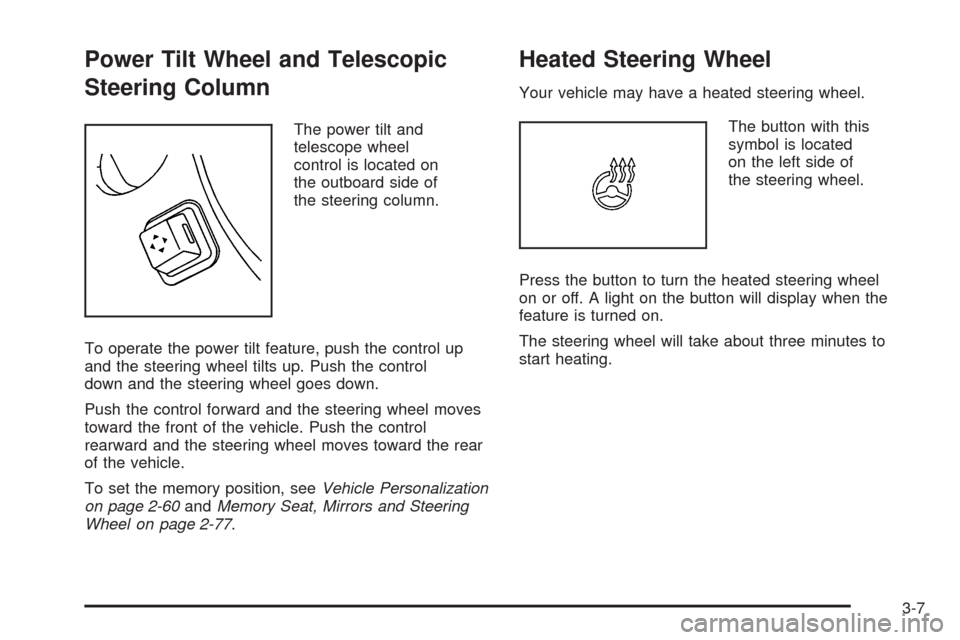
Power Tilt Wheel and Telescopic
Steering Column
The power tilt and
telescope wheel
control is located on
the outboard side of
the steering column.
To operate the power tilt feature, push the control up
and the steering wheel tilts up. Push the control
down and the steering wheel goes down.
Push the control forward and the steering wheel moves
toward the front of the vehicle. Push the control
rearward and the steering wheel moves toward the rear
of the vehicle.
To set the memory position, seeVehicle Personalization
on page 2-60andMemory Seat, Mirrors and Steering
Wheel on page 2-77.
Heated Steering Wheel
Your vehicle may have a heated steering wheel.
The button with this
symbol is located
on the left side of
the steering wheel.
Press the button to turn the heated steering wheel
on or off. A light on the button will display when the
feature is turned on.
The steering wheel will take about three minutes to
start heating.
3-7
Page 163 of 500
Raise or lower the lever until the arrow starts to ash
to signal a lane change. Hold it briey until the lane
change is complete. The arrow will automatically ash
three times The lever returns to its original position
when it is released.
Rapid ashing of arrows when signaling for a turn
or lane change can be caused by a burned-out signal
bulb. Other drivers will not see the signal.
Replace burned-out bulbs to help avoid possible
accidents. Check the fuse for burned-out bulbs
if the arrow fails to work when signaling a turn.
SeeFuses and Circuit Breakers on page 5-117
for more information.
Turn Signal On Chime
If the turn signal is left on for about 1 mile (1.6 km),
a warning chime will sound and the TURN SIGNAL
ON message will appear on the Driver Information
Center (DIC) display. See “Turn Signal On” under
DIC Warnings and Messages on page 3-80for
more information.
Headlamp High/Low-Beam Changer
Push forward on the turn signal/multifunction lever
to change the headlamps from low to high beam.
Pull the lever back and then release it to change
from high to low beam.
If you turn the vehicle off with the high beams on,
the next time you start your vehicle the low beams
will be on.
To re-activate high beams, pull lever toward you and
then push it forward again.
This light on the
instrument panel cluster
will be on, indicating
high-beam usage.
3-9
Page 165 of 500
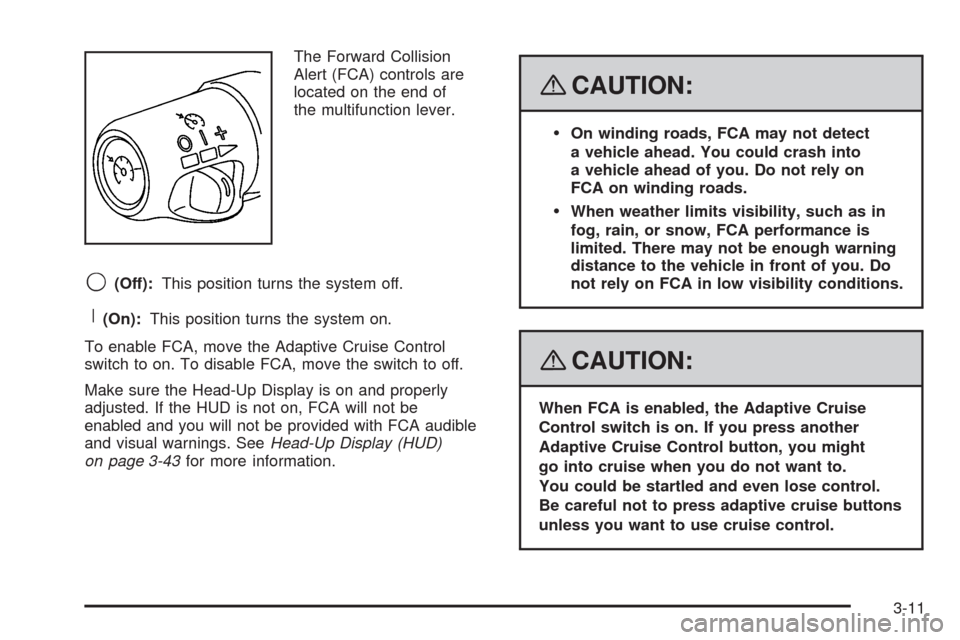
The Forward Collision
Alert (FCA) controls are
located on the end of
the multifunction lever.
9(Off):This position turns the system off.
R(On):This position turns the system on.
To enable FCA, move the Adaptive Cruise Control
switch to on. To disable FCA, move the switch to off.
Make sure the Head-Up Display is on and properly
adjusted. If the HUD is not on, FCA will not be
enabled and you will not be provided with FCA audible
and visual warnings. SeeHead-Up Display (HUD)
on page 3-43for more information.
{CAUTION:
On winding roads, FCA may not detect
a vehicle ahead. You could crash into
a vehicle ahead of you. Do not rely on
FCA on winding roads.
When weather limits visibility, such as in
fog, rain, or snow, FCA performance is
limited. There may not be enough warning
distance to the vehicle in front of you. Do
not rely on FCA in low visibility conditions.
{CAUTION:
When FCA is enabled, the Adaptive Cruise
Control switch is on. If you press another
Adaptive Cruise Control button, you might
go into cruise when you do not want to.
You could be startled and even lose control.
Be careful not to press adaptive cruise buttons
unless you want to use cruise control.
3-11
Page 170 of 500
Windshield Washer
K(Washer Fluid):The lever on the right side of the
steering column also controls the windshield washer.
There is a button at the end of the lever. To spray
washer uid on the windshield, press the button and
hold it. The washer will spray until you release the
button. The wipers will continue to clear the window
for about six seconds after the button is released and
then stop or return to your preset speed.
{CAUTION:
In freezing weather, do not use your washer
until the windshield is warmed. Otherwise the
washer uid can form ice on the windshield,
blocking your vision.
If the uid in the windshield washer uid reservoir is
low, the message CHECK WASHER FLUID will appear
on the Driver Information Center (DIC) display. It will
take 60 seconds after the bottle is relled for this
message to turn off. For information on the correct
washer uid mixture to use, seeWindshield Washer
Fluid on page 5-40andRecommended Fluids and
Lubricants on page 6-13.
Headlamp Washer
Your vehicle may have headlamp washers. The headlamp
washers clear debris from the headlamp lenses.
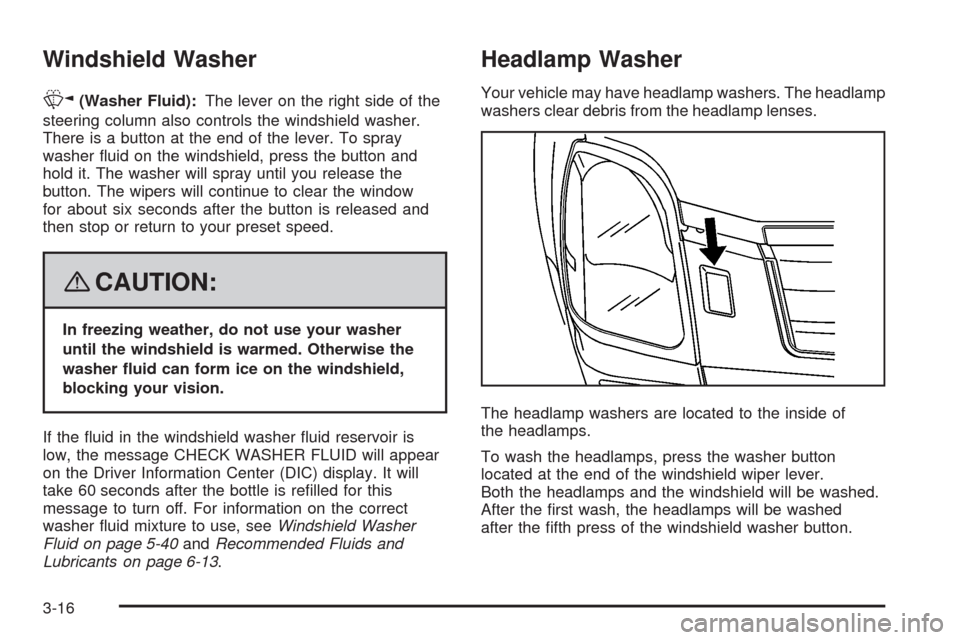
The headlamp washers are located to the inside of
the headlamps.
To wash the headlamps, press the washer button
located at the end of the windshield wiper lever.
Both the headlamps and the windshield will be washed.
After the rst wash, the headlamps will be washed
after the fth press of the windshield washer button.
3-16
Page 176 of 500
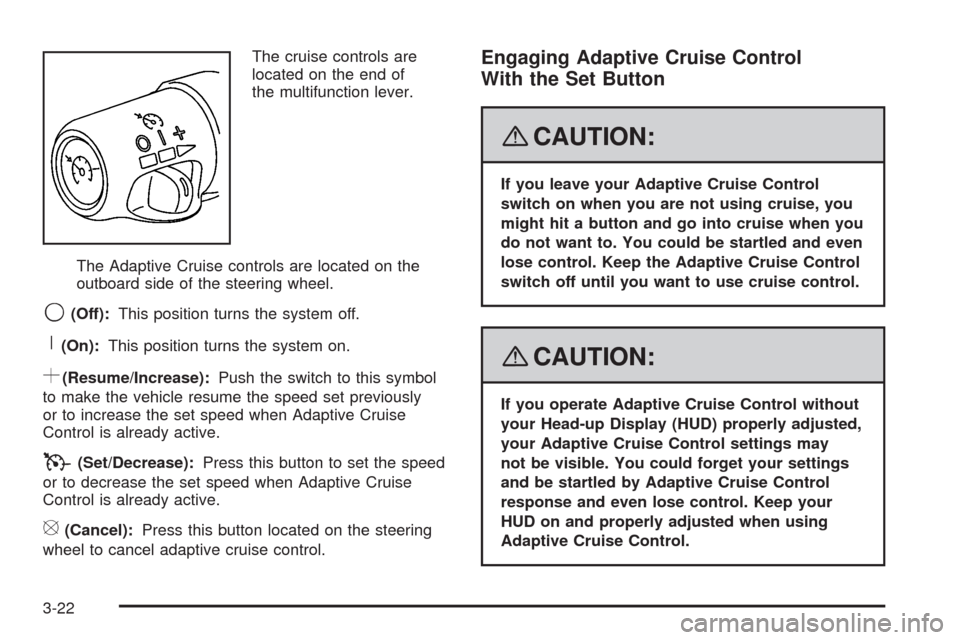
The cruise controls are
located on the end of
the multifunction lever.
The Adaptive Cruise controls are located on the
outboard side of the steering wheel.
9(Off):This position turns the system off.
R(On):This position turns the system on.
S(Resume/Increase):Push the switch to this symbol
to make the vehicle resume the speed set previously
or to increase the set speed when Adaptive Cruise
Control is already active.
T(Set/Decrease):Press this button to set the speed
or to decrease the set speed when Adaptive Cruise
Control is already active.
[(Cancel):Press this button located on the steering
wheel to cancel adaptive cruise control.
Engaging Adaptive Cruise Control
With the Set Button
{CAUTION:
If you leave your Adaptive Cruise Control
switch on when you are not using cruise, you
might hit a button and go into cruise when you
do not want to. You could be startled and even
lose control. Keep the Adaptive Cruise Control
switch off until you want to use cruise control.
{CAUTION:
If you operate Adaptive Cruise Control without
your Head-up Display (HUD) properly adjusted,
your Adaptive Cruise Control settings may
not be visible. You could forget your settings
and be startled by Adaptive Cruise Control
response and even lose control. Keep your
HUD on and properly adjusted when using
Adaptive Cruise Control.
3-22
Page 177 of 500
The set speed is selected by the driver. This is the
speed you will travel if there is no vehicle detected
in your path.
To set Adaptive Cruise Control, do the following:
1. Make sure the Head-Up Display (HUD) is on and
properly adjusted. You cannot engage Adaptive
Cruise Control unless the HUD is on. SeeHead-Up
Display (HUD) on page 3-43for more information.
2. Move the switch to the on position.
3. Get up to the desired speed.
4. Press in the set button at the end of the lever
and release the button.
5. Take your foot off the accelerator pedal.
Once Adaptive Cruise Control is set, it might
immediately apply the brakes if it detects a vehicle
ahead that is too close or moving slower than
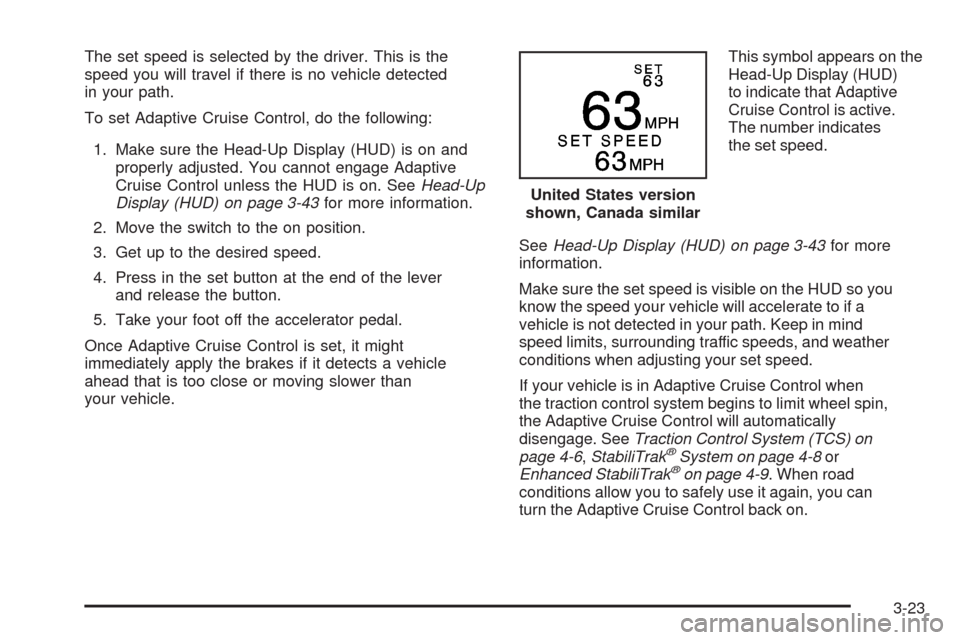
your vehicle.This symbol appears on the
Head-Up Display (HUD)
to indicate that Adaptive
Cruise Control is active.
The number indicates
the set speed.
SeeHead-Up Display (HUD) on page 3-43for more
information.
Make sure the set speed is visible on the HUD so you
know the speed your vehicle will accelerate to if a
vehicle is not detected in your path. Keep in mind
speed limits, surrounding traffic speeds, and weather
conditions when adjusting your set speed.
If your vehicle is in Adaptive Cruise Control when
the traction control system begins to limit wheel spin,
the Adaptive Cruise Control will automatically
disengage. SeeTraction Control System (TCS) on
page 4-6,StabiliTrak
®System on page 4-8or
Enhanced StabiliTrak®on page 4-9. When road
conditions allow you to safely use it again, you can
turn the Adaptive Cruise Control back on.United States version
shown, Canada similar
3-23