display CADILLAC STS 2008 1.G Repair Manual
[x] Cancel search | Manufacturer: CADILLAC, Model Year: 2008, Model line: STS, Model: CADILLAC STS 2008 1.GPages: 500, PDF Size: 5.81 MB
Page 244 of 500
RADAR CRUISE NOT READY
This message displays when the Adaptive Cruise Control
system is not activating due to a temporary condition.
Your vehicle does not require service. This message also
displays when either of the following conditions occur:
The driver turns off the head-up display (HUD)
while the Adaptive Cruise Control is engaged.
The driver attempts to engage the Adaptive Cruise
Control while the HUD is off.
If this message appears when attempting to activate the
system, continue driving for several minutes and then
try activating the system again.
RIGHT REAR DOOR AJAR
This symbol appears
with this message.This message displays when the passenger side rear
door is not closed completely. Make sure that the door
is closed completely.
SERVICE AC (Air Conditioning)
SYSTEM
This message displays when the electronic sensors that
control the air conditioning and heating systems are
no longer working. Have the climate control system
serviced by your dealer/retailer if a drop in heating and
air conditioning efficiency is noticeable.
SERVICE AIR BAG
This message displays if there is a problem with the
airbag system. Have your vehicle serviced by your
dealer/retailer immediately. SeeAirbag Readiness Light
on page 3-60for more information.
SERVICE BRAKE ASSIST
This message displays when a problem with the panic
brake assist system has been detected. Have your
vehicle serviced by your dealer/retailer.
3-90
Page 245 of 500
SERVICE LANE DEPARTURE SYSTEM
If your vehicle has the Lane Departure Warning
(LDW) system, this message may display to
indicate that the LDW system is not working properly.
If this message remains on after continued driving,
the system needs service. See your dealer/retailer.
See the Index in the Navigation manual for more
information.
SERVICE RADAR CRUISE
This message displays when the Adaptive Cruise
Control system is disabled and needs service.
See your dealer/retailer.
SERVICE SIDE BLIND ZONE ALERT
SYSTEM
If your vehicle has the Side Blind Zone Alert (SBZA)
system and this message displays, both SBZA
displays will remain on indicating there is a problem
with the SBZA system. If these displays remain on
after continued driving, the system needs service.
See your dealer/retailer. See the Index in the
Navigation manual for more information.
SERVICE STABILITY SYS (System)
Your vehicle has a vehicle stability enhancement system
called StabiliTrak®. All-Wheel Drive (AWD) vehicle
with the Active Steering with Enhanced StabiliTrak®
option have a stability enhancement system called
Enhanced StabiliTrak®.
This message displays if there has been a problem
detected with the stability system.
If this message comes on while driving, pull off the road
as soon as possible and stop carefully. Try resetting
the system by turning the ignition off then back on. If this
message still stays on or comes back on again while
driving, your vehicle needs service. Have the stability
system inspected by your dealer/retailer as soon
as possible. SeeStabiliTrak
®System on page 4-8or
Enhanced StabiliTrak®on page 4-9for more information.
For vehicles with the Active Steering with Enhanced
StabiliTrak
®option, in some cases when the SERVICE
STABILITY SYS message is displayed, a larger
degree of steering wheel input at low vehicle speeds
and a smaller degree of steering wheel input at higher
vehicle speeds may be required.
3-91
Page 246 of 500
SERVICE STEERING SYS (System)
Your vehicle has a speed variable assist steering
system. Your All-Wheel Drive (AWD) vehicle may
have the Active Steering with Enhanced StabiliTrak
®
option. See “Active Steering” underSteering on
page 4-13.
This message displays if a problem is detected with
the speed variable assist steering system or the
Active Steering system. When this message is
displayed, you may notice that the effort required to
steer the vehicle increases or feels heavier, but you
will still be able to steer the vehicle. SeeSteering
on page 4-13for more information. Have the steering
system inspected by your dealer/retailer as soon
as possible.
If the SERVICE STEERING SYS message appears
because the Active Steering system needs service,
normal power steering is still operational. However,
compared to Active Steering, normal power steering
requires a larger degree of steering wheel input at
low vehicle speeds and a smaller degree of steering
wheel input at high vehicle speeds. The center position
of the steering wheel may be different. You may
continue to drive your vehicle with normal power
steering, but have the steering system inspected by
your dealer/retailer as soon as possible.If the Active Steering system needs service, the system
may be operating in the Stability Secure Mode and
the STABILITY SECURE MODE message will display.
SeeEnhanced StabiliTrak
®on page 4-9.
When certain steering faults are present, the vehicle
speed may be limited. If vehicle speed is limited,
the SPEED LIMITED TO XXX message will display.
See “Active Steering” underSteering on page 4-13.
SERVICE SUSPENSION SYS (System)
This message displays when the suspension system
is not operating properly. Have your vehicle serviced
by your dealer/retailer.
If your All-Wheel Drive (AWD) vehicle has the Active
Steering with Enhanced StabiliTrak
®option and
the suspension system needs service, the Enhanced
StabiliTrak
®system may be operating in the Stability
Secure Mode and the STABILITY SECURE MODE
message will display. SeeEnhanced StabiliTrak
®
on page 4-9.
3-92
Page 247 of 500
SERVICE TIRE MONITOR
This message displays if a part on the Tire Pressure
Monitor System (TPMS) is not working properly. The tire
pressure light also ashes and then remains on during
the same ignition cycle. SeeTire Pressure Light on
page 3-67. Several conditions may cause this message
to appear. SeeTire Pressure Monitor Operation on
page 5-70for more information. If the warning comes on
and stays on, there may be a problem with the TPMS.
See your dealer/retailer.
SERVICE THEFT SYSTEM
This message displays when there is a problem with
the hood open and closed switches. The switches may
need to be replaced. When this message is displayed,
the theft-deterrent system will still be protecting the
interior of the vehicle, however, the hood area will not
be protected at this time. Also, the remote start function
will not work when this message appears. See your
dealer/retailer for service.
SERVICE TRANSMISSION
This message displays when there is a problem with
the transmission. Have your vehicle serviced by
your dealer/retailer.
SERVICE VEHICLE SOON
This message displays when a non-emissions related
malfunction occurs. Have your vehicle serviced by your
dealer/retailer as soon as possible.
SIDE BLIND ZONE ALERT
SYSTEM OFF
If your vehicle has the Side Blind Zone Alert (SBZA)
system, this message displays when the SBZA system
has been turned off. See the Index in the Navigation
manual andDIC Operation and Displays on page 3-74
for more information.
SPEED LIMITED TO XXX
This message displays when the vehicle speed is
limited to XXX, mph in English mode and km/h in
Metric mode, because the vehicle detects a problem
in the steering, stability control, or suspension system.
Have your vehicle serviced by your dealer/retailer.
3-93
Page 248 of 500
STABILITY COMPETITIVE MODE
If your All-Wheel Drive (AWD) vehicle has the
Active Steering with Enhanced StabiliTrak®option,
this message displays when the Competitive Mode
for stability control has been turned on using the
TC (traction control) button. SeeEnhanced StabiliTrak
®
on page 4-9. When the Enhanced StabiliTrak®
Competitive Mode has been activated, traction control
operates in competitive mode and cannot be turned
off. Also, the Active Steering and the Magnetic
Ride Control systems operate in the Performance
Mode. For more information, see “Active Steering
and Magnetic Ride Control” in the Index in the
Navigation manual.
STABILITY SECURE MODE
If your All-Wheel Drive (AWD) vehicle has the
Active Steering with Enhanced StabiliTrak®option,
this message displays when the stability control system
is in the secure mode. Stability Secure Mode is set
automatically when certain system faults or vehicle
conditions are detected. When the Stability Secure
Mode is activated, the stability control system will
not respond to driver requests to change the stability
mode until the next ignition cycle or until the vehicle
condition or fault is returned to normal. SeeEnhanced
StabiliTrak
®on page 4-9.
STABILITY SYS (System) ACTIVE
This message displays any time the StabiliTrak®system
or Enhanced StabiliTrak®system is actively assisting
with directional control of the vehicle. Slippery road
conditions may exist when this message is displayed,
so adjust your driving accordingly. This message
may stay on for a few seconds after StabiliTrak
®
stops assisting with directional control of the vehicle.
SeeStabiliTrak®System on page 4-8orEnhanced
StabiliTrak®on page 4-9for more information.
STABILITY SYS (System) NOT READY
This message displays if the StabiliTrak®system is
not ready. Two conditions may cause this message
to display:
The vehicle needs to be driven in a straight line
until the sensors are centered. Once the sensors
are centered, the StabiliTrak
®system is ready and
the STABILITY SYS READY message displays.
The system needs to warm up. This may occur
when rst starting your vehicle and driving away
during cold winter weather. This is normal. To
acknowledge this message, press the reset button.
The StabiliTrak
®performance is affected until the
STABILITY SYS READY message is displayed in the
DIC. SeeStabiliTrak
®System on page 4-8for more
information.
3-94
Page 249 of 500
STABILITY SYS (System) OFF
This message displays any time StabiliTrak®or
Enhanced StabiliTrak®is turned off using the TC
(traction control) on/off button. SeeTraction Control
System (TCS) on page 4-6and “Enhanced StabiliTrak
®
and Traction Control Mode Selection” underEnhanced
StabiliTrak®on page 4-9for more information. When
this message has been displayed, StabiliTrak®or
Enhanced StabiliTrak®is no longer available to assist
with directional control of the vehicle. Adjust your driving
accordingly. SeeStabiliTrak
®System on page 4-8or
Enhanced StabiliTrak®on page 4-9for more information.
STABILITY SYS (System) READY
This message displays any time StabiliTrak®is turned
back on using the TC (traction control) on/off button.
SeeTraction Control System (TCS) on page 4-6
for more information. When this message has been
displayed, StabiliTrak
®is ready to assist with directional
control of the vehicle, if needed. SeeStabiliTrak®
System on page 4-8for more information.
STABILITY TOURING MODE
If your All-Wheel Drive (AWD) vehicle has the
Active Steering with Enhanced StabiliTrak®option,
this message displays when the Stability Touring
Mode is re-activated by using the traction control
button after:
Driving in the Stability Competitive Mode.
The stability control system is turned off
by the driver.
This message may also display after exiting
STABILITY SECURE MODE when certain system
faults or vehicle conditions have been cleared.
SeeEnhanced StabiliTrak
®on page 4-9.
STARTING DISABLED THEFT
PROBLEM
This message displays when incorrect conditions
exist within the theft-deterrent system. See your
dealer/retailer for service.
3-95
Page 250 of 500
STARTING DISABLED THROTTLE
PROBLEM
This message displays when your vehicle’s throttle
system is not functioning properly. Have your vehicle
serviced by your dealer/retailer.
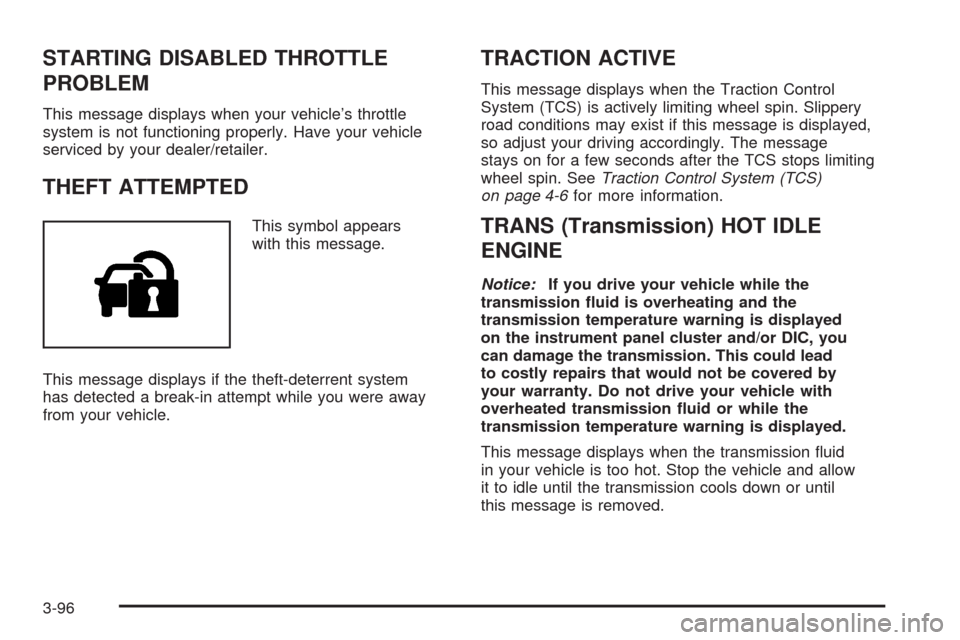
THEFT ATTEMPTED
This symbol appears
with this message.
This message displays if the theft-deterrent system
has detected a break-in attempt while you were away
from your vehicle.
TRACTION ACTIVE
This message displays when the Traction Control
System (TCS) is actively limiting wheel spin. Slippery
road conditions may exist if this message is displayed,
so adjust your driving accordingly. The message
stays on for a few seconds after the TCS stops limiting
wheel spin. SeeTraction Control System (TCS)
on page 4-6for more information.
TRANS (Transmission) HOT IDLE
ENGINE
Notice:If you drive your vehicle while the
transmission uid is overheating and the
transmission temperature warning is displayed
on the instrument panel cluster and/or DIC, you
can damage the transmission. This could lead
to costly repairs that would not be covered by
your warranty. Do not drive your vehicle with
overheated transmission uid or while the
transmission temperature warning is displayed.
This message displays when the transmission uid
in your vehicle is too hot. Stop the vehicle and allow
it to idle until the transmission cools down or until
this message is removed.
3-96
Page 251 of 500
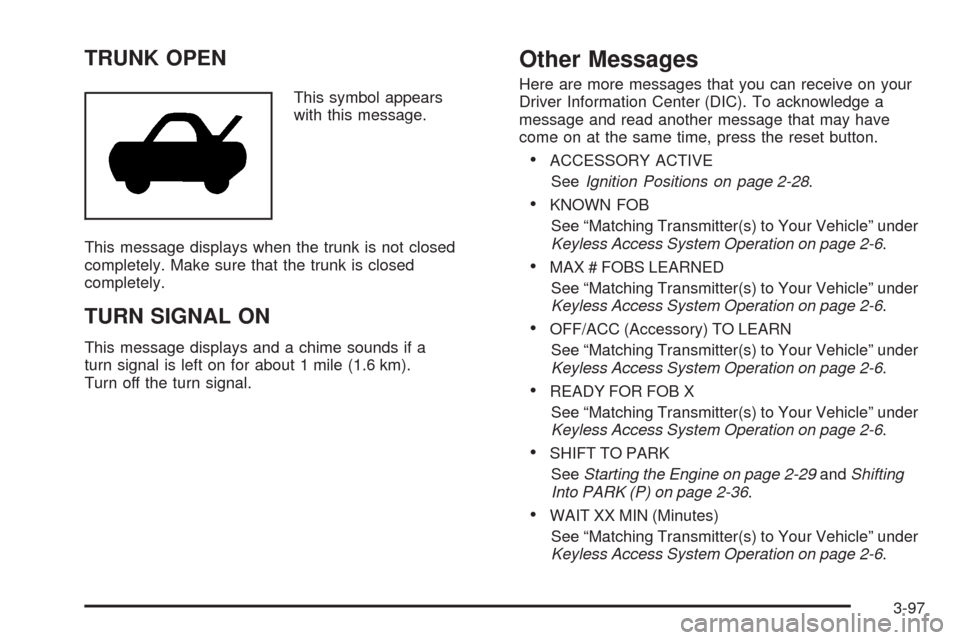
TRUNK OPEN
This symbol appears
with this message.
This message displays when the trunk is not closed
completely. Make sure that the trunk is closed
completely.
TURN SIGNAL ON
This message displays and a chime sounds if a
turn signal is left on for about 1 mile (1.6 km).
Turn off the turn signal.
Other Messages
Here are more messages that you can receive on your
Driver Information Center (DIC). To acknowledge a
message and read another message that may have
come on at the same time, press the reset button.
ACCESSORY ACTIVE
SeeIgnition Positions on page 2-28.
KNOWN FOB
See “Matching Transmitter(s) to Your Vehicle” under
Keyless Access System Operation on page 2-6.
MAX # FOBS LEARNED
See “Matching Transmitter(s) to Your Vehicle” under
Keyless Access System Operation on page 2-6.
OFF/ACC (Accessory) TO LEARN
See “Matching Transmitter(s) to Your Vehicle” under
Keyless Access System Operation on page 2-6.
READY FOR FOB X
See “Matching Transmitter(s) to Your Vehicle” under
Keyless Access System Operation on page 2-6.
SHIFT TO PARK
SeeStarting the Engine on page 2-29andShifting
Into PARK (P) on page 2-36.
WAIT XX MIN (Minutes)
See “Matching Transmitter(s) to Your Vehicle” under
Keyless Access System Operation on page 2-6.
3-97
Page 253 of 500
Setting the Time
1. Press thew(tune/select) knob (the passenger
side knob) to enter the main menu.
2. Turn the same knob until SET CLOCK displays.
3. Press this knob to select SET CLOCK.
4. Turn this knob to adjust the time.
5. Press the same knob to update the time.
VEHICLE TIME UPDATED displays.
If the CLOCK/RADIO DISP (display) is programmed
into one of the congurable keys, pressing the key
switches the display back to the clock set function.
The time and date always appears on the radio display.
See “Congurable Radio Display Keys” later in this
section for more information on conguring the keys.
Setting the Date
1. Press thewknob (the passenger side knob)
to enter the main menu.
2. Turn the same knob until SET DATE displays.
3. Press this knob to select SET DATE.
4. Turn this knob to adjust the date.
5. Press the same knob to update the time.
VEHICLE DATE UPDATED displays.
If the DATE is programmed into one of the congurable
keys, pressing the key switches the display back to
the date set function. The time and date always appears
on the radio display. See “Congurable Radio Display
Keys” later in this section for more information on
conguring the keys.
3-99
Page 254 of 500
Radio(s) (MP3)Radio Data System (RDS)
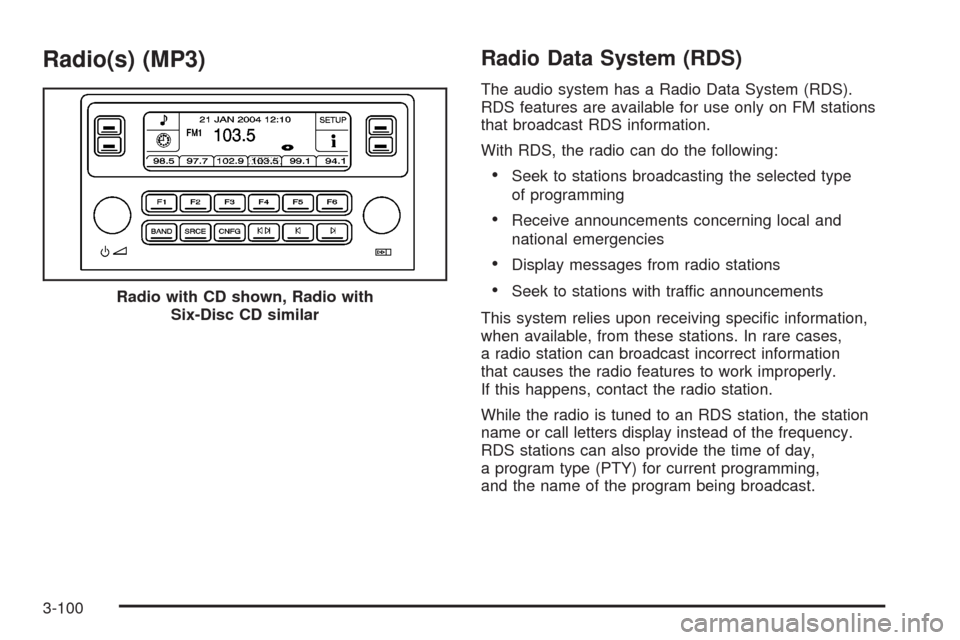
The audio system has a Radio Data System (RDS).
RDS features are available for use only on FM stations
that broadcast RDS information.
With RDS, the radio can do the following:
Seek to stations broadcasting the selected type
of programming
Receive announcements concerning local and
national emergencies
Display messages from radio stations
Seek to stations with traffic announcements
This system relies upon receiving specic information,
when available, from these stations. In rare cases,
a radio station can broadcast incorrect information
that causes the radio features to work improperly.
If this happens, contact the radio station.
While the radio is tuned to an RDS station, the station
name or call letters display instead of the frequency.
RDS stations can also provide the time of day,
a program type (PTY) for current programming,
and the name of the program being broadcast. Radio with CD shown, Radio with
Six-Disc CD similar
3-100