display CADILLAC STS 2008 1.G Service Manual
[x] Cancel search | Manufacturer: CADILLAC, Model Year: 2008, Model line: STS, Model: CADILLAC STS 2008 1.GPages: 500, PDF Size: 5.81 MB
Page 204 of 500
The mode switch can also be used to select the defog
mode. Information on defogging and defrosting can
be found later in this section.
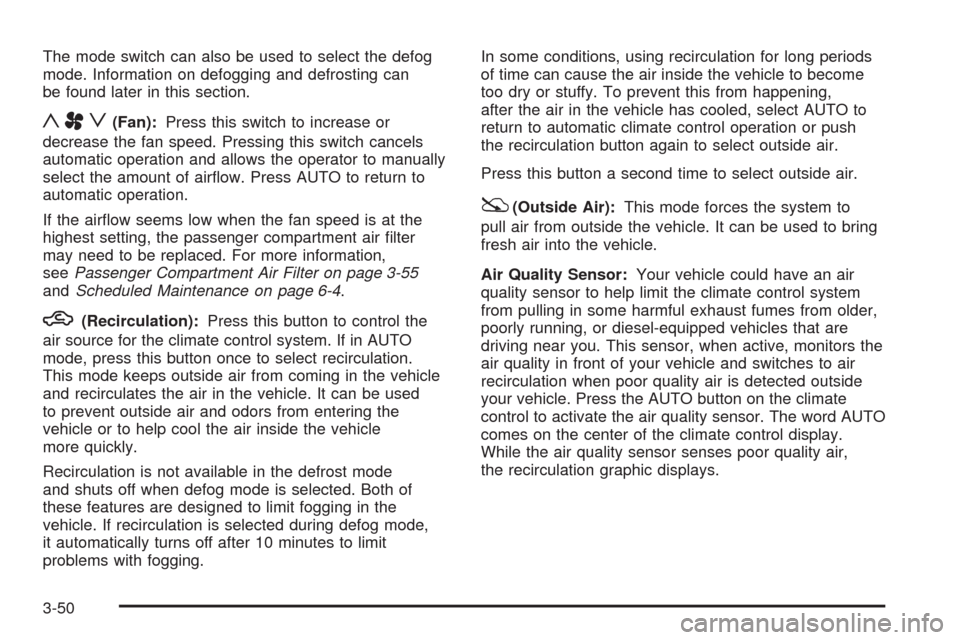
yAz(Fan):Press this switch to increase or
decrease the fan speed. Pressing this switch cancels
automatic operation and allows the operator to manually
select the amount of airow. Press AUTO to return to
automatic operation.
If the airow seems low when the fan speed is at the
highest setting, the passenger compartment air lter
may need to be replaced. For more information,
seePassenger Compartment Air Filter on page 3-55
andScheduled Maintenance on page 6-4.
h(Recirculation):Press this button to control the
air source for the climate control system. If in AUTO
mode, press this button once to select recirculation.
This mode keeps outside air from coming in the vehicle
and recirculates the air in the vehicle. It can be used
to prevent outside air and odors from entering the
vehicle or to help cool the air inside the vehicle
more quickly.
Recirculation is not available in the defrost mode
and shuts off when defog mode is selected. Both of
these features are designed to limit fogging in the
vehicle. If recirculation is selected during defog mode,
it automatically turns off after 10 minutes to limit
problems with fogging.In some conditions, using recirculation for long periods
of time can cause the air inside the vehicle to become
too dry or stuffy. To prevent this from happening,
after the air in the vehicle has cooled, select AUTO to
return to automatic climate control operation or push
the recirculation button again to select outside air.
Press this button a second time to select outside air.
:(Outside Air):This mode forces the system to
pull air from outside the vehicle. It can be used to bring
fresh air into the vehicle.
Air Quality Sensor:Your vehicle could have an air
quality sensor to help limit the climate control system
from pulling in some harmful exhaust fumes from older,
poorly running, or diesel-equipped vehicles that are
driving near you. This sensor, when active, monitors the
air quality in front of your vehicle and switches to air
recirculation when poor quality air is detected outside
your vehicle. Press the AUTO button on the climate
control to activate the air quality sensor. The word AUTO
comes on the center of the climate control display.
While the air quality sensor senses poor quality air,
the recirculation graphic displays.
3-50
Page 205 of 500
Under some conditions, the air quality sensor system
does not operate. In cold weather, the system might
not be active (even if AUTO is displayed) because
of concerns of fogging your windows, which may occur
by activating recirculation mode. Also, the air quality
sensor system does not remain in recirculation mode
for extended periods of time that could cause stuffy
or very dry conditions in the vehicle. Following a poorly
running vehicle for an extended period of time may
not keep recirculation active indenitely.
The air quality sensor does not activate due to organic
odors, like skunk, and may not activate on many
chemical-related odors. If you wish to limit these types
of odors, manually select recirculation. Your vehicle
could also have a charcoal lter that can limit many
odors from being pulled into your vehicle. This
lter needs to be changed periodically. SeeScheduled
Maintenance on page 6-4. The air quality sensor
system does not protect against carbon monoxide (CO),
which you cannot see or smell. SeeEngine Exhaust
on page 2-38.
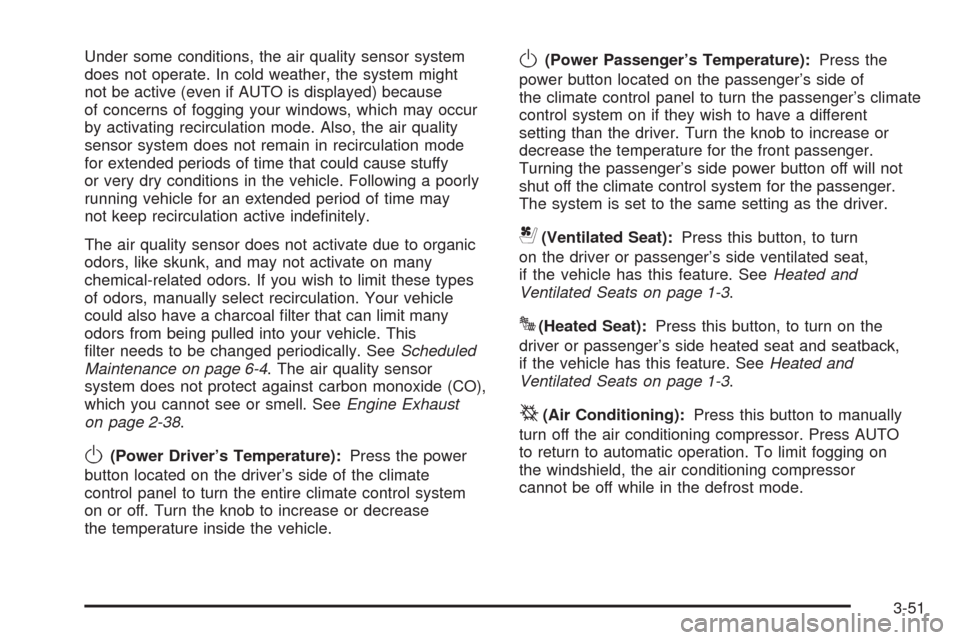
O(Power Driver’s Temperature):Press the power
button located on the driver’s side of the climate
control panel to turn the entire climate control system
on or off. Turn the knob to increase or decrease
the temperature inside the vehicle.
O(Power Passenger’s Temperature):Press the
power button located on the passenger’s side of
the climate control panel to turn the passenger’s climate
control system on if they wish to have a different
setting than the driver. Turn the knob to increase or
decrease the temperature for the front passenger.
Turning the passenger’s side power button off will not
shut off the climate control system for the passenger.
The system is set to the same setting as the driver.
{(Ventilated Seat):Press this button, to turn
on the driver or passenger’s side ventilated seat,
if the vehicle has this feature. SeeHeated and
Ventilated Seats on page 1-3.
J(Heated Seat):Press this button, to turn on the
driver or passenger’s side heated seat and seatback,
if the vehicle has this feature. SeeHeated and
Ventilated Seats on page 1-3.
^(Air Conditioning):Press this button to manually
turn off the air conditioning compressor. Press AUTO
to return to automatic operation. To limit fogging on
the windshield, the air conditioning compressor
cannot be off while in the defrost mode.
3-51
Page 206 of 500
Sensors
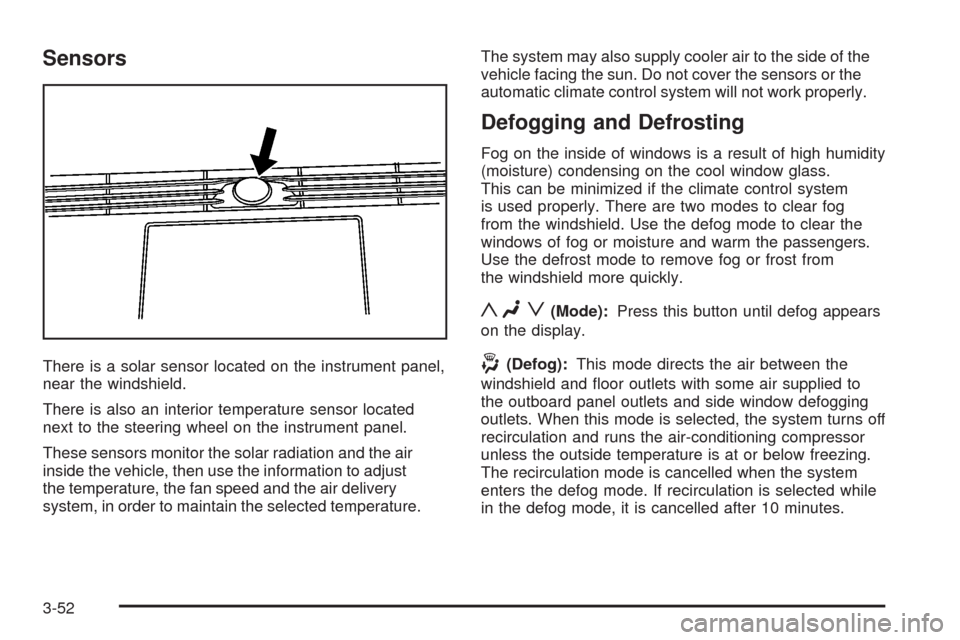
There is a solar sensor located on the instrument panel,
near the windshield.
There is also an interior temperature sensor located
next to the steering wheel on the instrument panel.
These sensors monitor the solar radiation and the air
inside the vehicle, then use the information to adjust
the temperature, the fan speed and the air delivery
system, in order to maintain the selected temperature.The system may also supply cooler air to the side of the
vehicle facing the sun. Do not cover the sensors or the
automatic climate control system will not work properly.
Defogging and Defrosting
Fog on the inside of windows is a result of high humidity
(moisture) condensing on the cool window glass.
This can be minimized if the climate control system
is used properly. There are two modes to clear fog
from the windshield. Use the defog mode to clear the
windows of fog or moisture and warm the passengers.
Use the defrost mode to remove fog or frost from
the windshield more quickly.
yNz(Mode):Press this button until defog appears
on the display.
-(Defog):This mode directs the air between the
windshield and oor outlets with some air supplied to
the outboard panel outlets and side window defogging
outlets. When this mode is selected, the system turns off
recirculation and runs the air-conditioning compressor
unless the outside temperature is at or below freezing.
The recirculation mode is cancelled when the system
enters the defog mode. If recirculation is selected while
in the defog mode, it is cancelled after 10 minutes.
3-52
Page 213 of 500
Speedometer and Odometer
Your speedometer lets you see your speed in both
miles per hour (mph) and kilometers per hour (km/h).
See “MPH (km)” underDIC Operation and Displays
on page 3-74for more information.
The odometer mileage can be checked without the
vehicle running. Your vehicle’s odometer works together
with the driver information center. You can set a Trip
A and a Trip B odometer. See “Trip Information” under
DIC Operation and Displays on page 3-74for more
information.
If your vehicle ever needs a new odometer installed,
the new one will be set to the correct mileage total
of the old odometer.
Tachometer
This gage indicates the engine speed in revolutions
per minute (rpm).
Safety Belt Reminders
Safety Belt Reminder Light
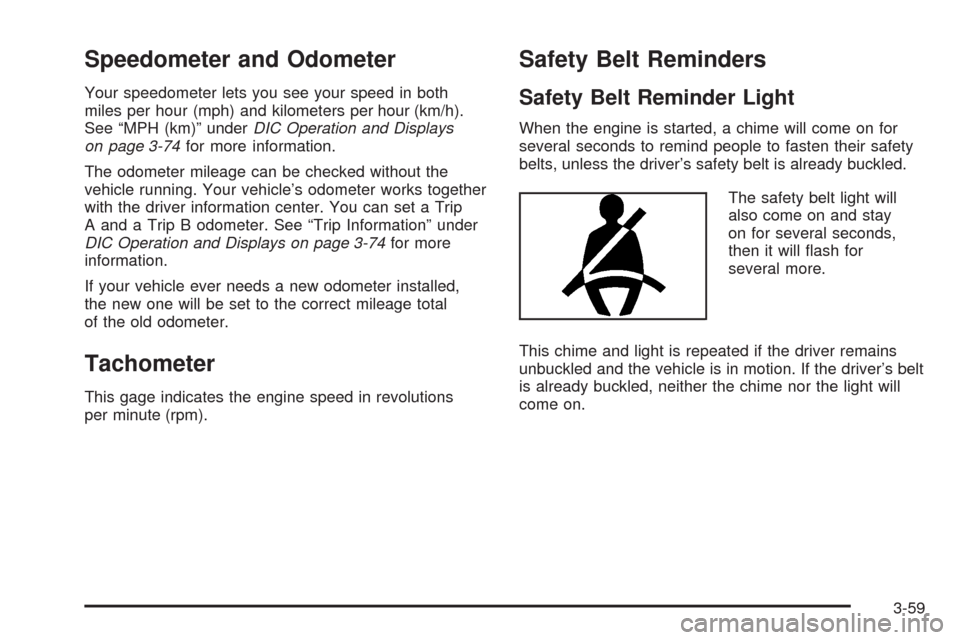
When the engine is started, a chime will come on for
several seconds to remind people to fasten their safety
belts, unless the driver’s safety belt is already buckled.
The safety belt light will
also come on and stay
on for several seconds,
then it will ash for
several more.
This chime and light is repeated if the driver remains
unbuckled and the vehicle is in motion. If the driver’s belt
is already buckled, neither the chime nor the light will
come on.
3-59
Page 228 of 500
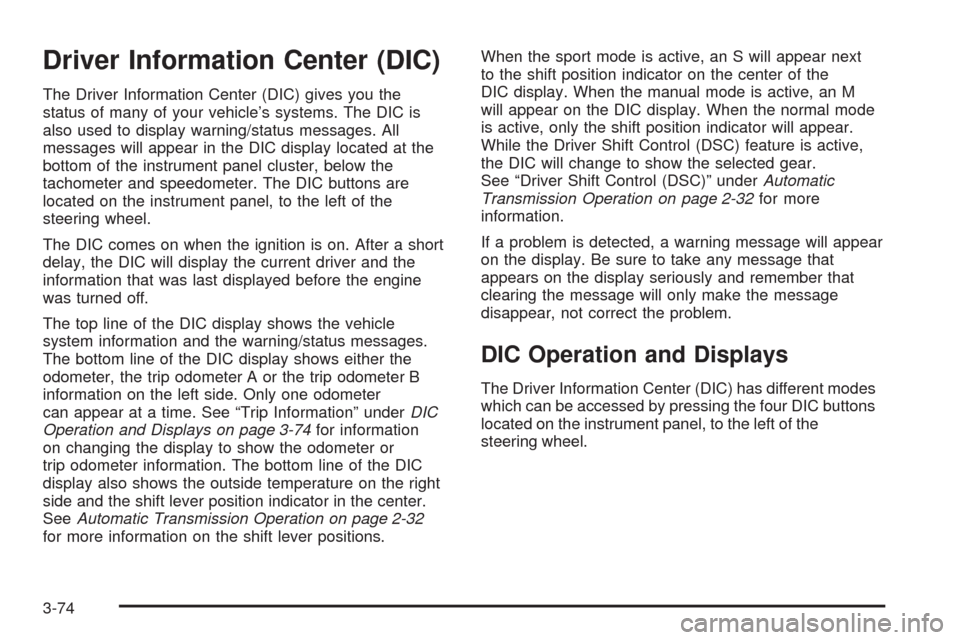
Driver Information Center (DIC)
The Driver Information Center (DIC) gives you the
status of many of your vehicle’s systems. The DIC is
also used to display warning/status messages. All
messages will appear in the DIC display located at the
bottom of the instrument panel cluster, below the
tachometer and speedometer. The DIC buttons are
located on the instrument panel, to the left of the
steering wheel.
The DIC comes on when the ignition is on. After a short
delay, the DIC will display the current driver and the
information that was last displayed before the engine
was turned off.
The top line of the DIC display shows the vehicle
system information and the warning/status messages.
The bottom line of the DIC display shows either the
odometer, the trip odometer A or the trip odometer B
information on the left side. Only one odometer
can appear at a time. See “Trip Information” underDIC
Operation and Displays on page 3-74for information
on changing the display to show the odometer or
trip odometer information. The bottom line of the DIC
display also shows the outside temperature on the right
side and the shift lever position indicator in the center.
SeeAutomatic Transmission Operation on page 2-32
for more information on the shift lever positions.When the sport mode is active, an S will appear next
to the shift position indicator on the center of the
DIC display. When the manual mode is active, an M
will appear on the DIC display. When the normal mode
is active, only the shift position indicator will appear.
While the Driver Shift Control (DSC) feature is active,
the DIC will change to show the selected gear.
See “Driver Shift Control (DSC)” underAutomatic
Transmission Operation on page 2-32for more
information.
If a problem is detected, a warning message will appear
on the display. Be sure to take any message that
appears on the display seriously and remember that
clearing the message will only make the message
disappear, not correct the problem.
DIC Operation and Displays
The Driver Information Center (DIC) has different modes
which can be accessed by pressing the four DIC buttons
located on the instrument panel, to the left of the
steering wheel.
3-74
Page 229 of 500
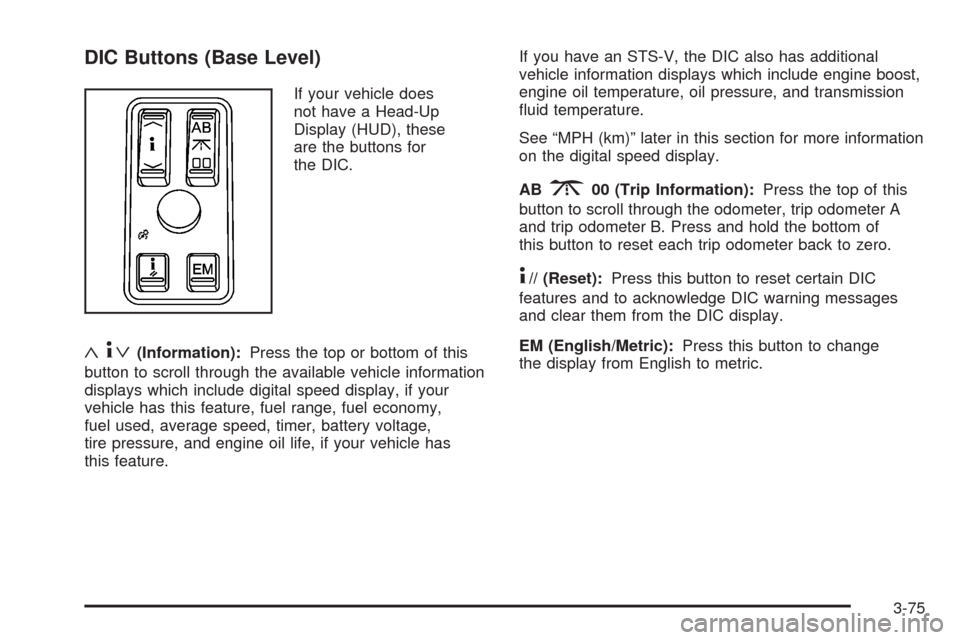
DIC Buttons (Base Level)
If your vehicle does
not have a Head-Up
Display (HUD), these
are the buttons for
the DIC.
«4ª(Information):Press the top or bottom of this
button to scroll through the available vehicle information
displays which include digital speed display, if your
vehicle has this feature, fuel range, fuel economy,
fuel used, average speed, timer, battery voltage,
tire pressure, and engine oil life, if your vehicle has
this feature.If you have an STS-V, the DIC also has additional
vehicle information displays which include engine boost,
engine oil temperature, oil pressure, and transmission
uid temperature.
See “MPH (km)” later in this section for more information
on the digital speed display.
AB
300 (Trip Information):Press the top of this
button to scroll through the odometer, trip odometer A
and trip odometer B. Press and hold the bottom of
this button to reset each trip odometer back to zero.
4// (Reset):Press this button to reset certain DIC
features and to acknowledge DIC warning messages
and clear them from the DIC display.
EM (English/Metric):Press this button to change
the display from English to metric.
3-75
Page 230 of 500
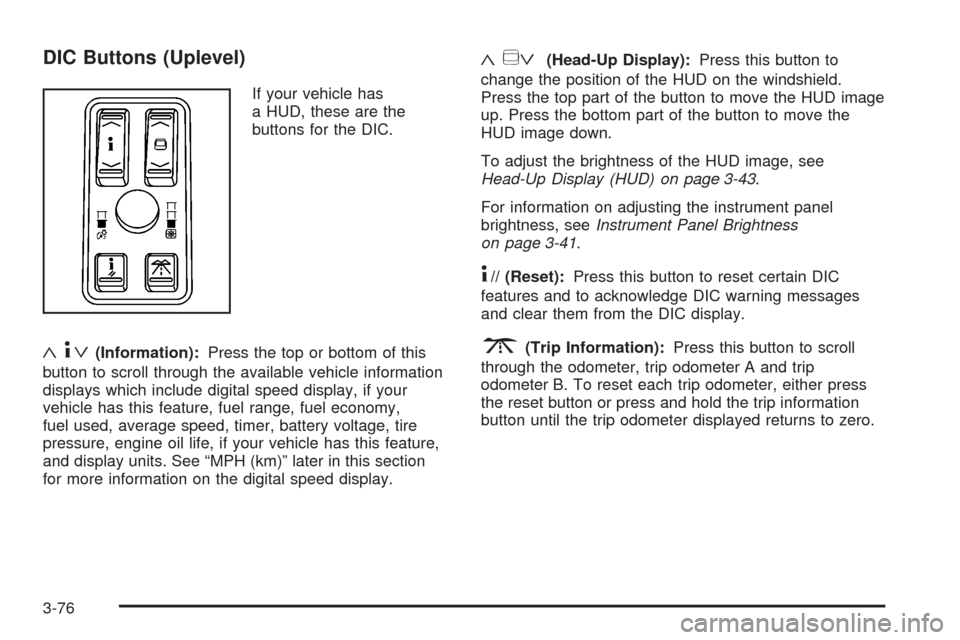
DIC Buttons (Uplevel)
If your vehicle has
a HUD, these are the
buttons for the DIC.
«4ª(Information):Press the top or bottom of this
button to scroll through the available vehicle information
displays which include digital speed display, if your
vehicle has this feature, fuel range, fuel economy,
fuel used, average speed, timer, battery voltage, tire
pressure, engine oil life, if your vehicle has this feature,
and display units. See “MPH (km)” later in this section
for more information on the digital speed display.
«~ª(Head-Up Display):Press this button to
change the position of the HUD on the windshield.
Press the top part of the button to move the HUD image
up. Press the bottom part of the button to move the
HUD image down.
To adjust the brightness of the HUD image, see
Head-Up Display (HUD) on page 3-43.
For information on adjusting the instrument panel
brightness, seeInstrument Panel Brightness
on page 3-41.
4// (Reset):Press this button to reset certain DIC
features and to acknowledge DIC warning messages
and clear them from the DIC display.
3(Trip Information):Press this button to scroll
through the odometer, trip odometer A and trip
odometer B. To reset each trip odometer, either press
the reset button or press and hold the trip information
button until the trip odometer displayed returns to zero.
3-76
Page 231 of 500
Information Display Menu Items
The following display menu items can be displayed
by pressing the information button.
MPH (km/h)
If your vehicle has this display, it shows the vehicle’s
speed digitally in either miles per hour (mph) or
kilometers per hour (km/h).
MILES RANGE (km RANGE)
This display shows the approximate number of
remaining miles (mi) or kilometers (km) you can drive
without relling the fuel tank. This estimate is based
on the current driving conditions and will change if
the driving conditions change. For example, if you are
driving in traffic making frequent stops, the display
may read one number, but if you enter the freeway,
the number may change even though you still have the
same amount of fuel in the fuel tank. This is because
different driving conditions produce different fuel
economies. Generally, freeway driving produces better
fuel economy than city driving.
Once the range drops below about 40 miles (64 km)
remaining, the display will show LOW RANGE.
If your vehicle is low on fuel, the Fuel Level Low
message will be displayed. See “Fuel Level Low”
underDIC Warnings and Messages on page 3-80
for more information.
MPG AVG (L/100 km AVG)
This display shows the approximate average miles per
gallon (mpg) or liters per 100 kilometers (L/100 km).
This number is calculated based on the number of
mpg (L/100 km) recorded since the last time this display
was reset. To reset MPG AVG, press the reset button.
The display will return to zero.
MPG INST (L/100 km INST)
This display shows the current fuel economy. This
number reects only the fuel economy that the vehicle
has right now and will change frequently as driving
conditions change. Unlike average fuel economy,
this display cannot be reset.
GAL FUEL USED (L FUEL USED)
This display shows the number of gallons (gal) or
liters (L) of fuel used since the last reset of this display.
To reset GAL FUEL USED, press the reset button.
The display will return to zero.
AVG MPH (AVG km/h)
This display shows the average speed of the vehicle
in miles per hour (mph) or kilometers per hour (km/h).
This average is calculated based on the various vehicle
speeds recorded since the last reset of this display.
To reset AVG MPH, press the reset button.
The display will return to zero.
3-77
Page 232 of 500
TIMER OFF
This display can be used like a stopwatch. You can
record the time it takes to travel from one point to
another. To access the timer, press the information
button until 00:00:00 TIMER OFF displays. To turn
on the timer, press the reset button until TIMER
ON displays. The timer will then start. To turn off
the timer, press the reset button again until TIMER OFF
displays. The timer will stop and display the end
timing value. To reset the timer, press and hold
the reset button after the timer has been stopped.
The display will return to zero.
BATTERY VOLTS
This display shows the current battery voltage. If the
voltage is in the normal range, the value will display. For
example, the display may read 13.2 BATTERY VOLTS.
If the voltage is low, the display will have LOW after it.
If the voltage is high, the display will have HIGH after it.
Your vehicle’s charging system regulates voltage based
on the state of the battery. The battery voltage may
uctuate when viewing this information on the DIC.
This is normal. SeeCharging System Light on page 3-63
for more information.
If there is a problem with the battery charging system,
the DIC may display a message. SeeDIC Warnings and
Messages on page 3-80andElectric Power Management
on page 3-42for more information.
Tire Pressure
This display shows the pressure for each tire in either
pounds per square inch (psi) or kilopascals (kPa). If the
tire pressure is normal, the value will display. If the tire
pressure is low or high, LOW or HIGH will appear on
the display with the value. SeeInflation - Tire Pressure
on page 5-66andDIC Warnings and Messages on
page 3-80for more information. Press the information
button to scroll through the following displays:
LF TIRE:This display shows the pressure in the driver
side front tire.
RF TIRE:This display shows the pressure in the
passenger side front tire.
LR TIRE:This display shows the pressure in the driver
side rear tire.
RR TIRE:This display shows the pressure in the
passenger side rear tire.
If the tire pressure display shows dashes instead of
a value, there may be a problem with your vehicle.
If this consistently occurs, see your dealer/retailer
for service.
3-78
Page 233 of 500
ENGINE OIL LIFE
If your vehicle has this display, it shows the estimated
oil life remaining. If you see 99% ENGINE OIL LIFE
on the display, that means that 99% of the current oil
life remains.
When the oil life is depleted, the CHANGE ENGINE OIL
SOON message will appear on the display. Change
the oil as soon as possible. In addition to the engine oil
life system monitoring the oil life, additional maintenance
is recommended in the Maintenance Schedule in this
manual. SeeScheduled Maintenance on page 6-4
andEngine Oil on page 5-18.
After an oil change, reset the ENGINE OIL LIFE display.
To reset, seeEngine Oil Life System on page 5-21.
The display will show 100% ENGINE OIL LIFE after
it has been reset. Also clear the CHANGE ENGINE OIL
SOON message from the display.
ENGLISH DISPLAY UNITS
(METRIC DISPLAY UNITS)
This display allows you to select between English and
metric units of measurement if your vehicle has the
uplevel DIC. Press the reset button to switch between
English and metric units.
Blank Line
This display shows no information.
ENGINE BOOST (STS-V Only)
This display shows a graphic that indicates the amount
of boost the engine is receiving in either pounds per
square inch (psi) or kilopascals (kPa).
ENGINE OIL TEMPERATURE (STS-V Only)
This display shows the engine oil temperature in
either degrees Fahrenheit (°F) or degrees Celsius (°C).
OIL PRESSURE (STS-V Only)
This display shows the oil pressure in either pounds
per square inch (psi) or kilopascals (kPa).
TRANS (Transmission) FLUID TEMP
(Temperature) (STS-V Only)
This display shows the transmission uid temperature in
either degrees Fahrenheit (°F) or degrees Celsius (°C).
3-79