ECU CADILLAC XLR 2004 1.G Owner's Manual
[x] Cancel search | Manufacturer: CADILLAC, Model Year: 2004, Model line: XLR, Model: CADILLAC XLR 2004 1.GPages: 356, PDF Size: 2.36 MB
Page 94 of 356

Keep the original transmitter for use in other vehicles as
well as for future HomeLinkžprogramming. It is also
recommended that upon the sale of the vehicle,
the programmed HomeLink
žbuttons should be erased
for security purposes. Refer to ªErasing HomeLinkž
Buttonsº or, for assistance, contact HomeLinkžon the
internet at: www.homelink.com or by calling
1-800-355-3515.
Be sure that people and objects are clear of the garage
door or gate operator you are programming. When
programming a garage door, it is advised to park outside
of the garage.
It is recommended that a new battery be installed in
your hand-held transmitter for quicker and more
accurate transmission of the radio frequency.
Your vehicle's engine should be turned off while
programming the transmitter. Follow these steps to
program up to three channels:
1. Press and hold down the two outside buttons,
releasing only when the indicator light begins to
¯ash, after 20 seconds. Do not hold down the
buttons for longer than 30 seconds and do not
repeat this step to program a second and/or third
transmitter to the remaining two HomeLink
žbuttons.
2. Position the end of your hand-held transmitter about
1 to 3 inches (3 to 8 cm) away from the HomeLink
ž
buttons while keeping the indicator light in view.3. Simultaneously press and hold both the desired
button on HomeLink
žand the hand-held transmitter
button. Do not release the buttons until Step 4
has been completed.
Some entry gates and garage door openers may
require you to substitute Step 3 with the procedure
noted in ªGate Operator and Canadian
Programmingº later in this section.
4. The indicator light will ¯ash slowly at ®rst and then
rapidly after HomeLink
žsuccessfully receives the
frequency signal from the hand-held transmitter.
Release both buttons.
5. Press and hold the newly-trained HomeLink
žbutton
and observe the indicator light.
If the indicator light stays on constantly,
programming is complete and your device should
activate when the HomeLink
žbutton is pressed and
released.
To program the remaining two HomeLink
žbuttons,
begin with Step 2 under ªProgramming HomeLinkž.º
Do not repeat Step 1 as this will erase all of the
programmed channels.
If the indicator light blinks rapidly for two seconds
and then turns to a constant light, continue with
Steps 6 through 8 following to complete the
programming of a rolling-code equipped device
(most commonly, a garage door opener).
2-38
Page 99 of 356

Rear Storage Area
There is a cargo cover located in the trunk to keep
cargo from getting in the way of the retractable hardtop.
The cargo cover must be in place for the top to move.
To install the cargo cover, snap the bottom of the cover
onto the snaps (B) located on the ¯oor of the trunk.Then, swing the cover up and place the pins on each
side of the cover into the notches (A) on either side
of the trunk.
There is also a storage compartment located in the
trunk on the passenger's side.
To access the storage compartment, unsnap the lid. To
reinstall the lid, line up the opening in the lid over the
snap and push down into place.
Convenience Net
Your vehicle is equipped with a convenience net. The
net attaches to the ¯oor of the trunk. Put small
loads, like grocery bags, behind the net. It can help
keep them from falling over during sharp turns or quick
starts and stops.
The net is not for larger, heavier loads. Store them in
the trunk as far forward as you can. When not using
the net, hook the net to the tabs securing it to the
sill plate.
2-43
Page 111 of 356

Instrument Panel Overview...............................3-2
Hazard Warning Flashers................................3-4
Other Warning Devices...................................3-4
Horn.............................................................3-5
Power Tilt Wheel and Telescopic Steering
Column......................................................3-5
Turn Signal/Multifunction Lever.........................3-5
Exterior Lamps.............................................3-22
Interior Lamps..............................................3-25
Head-Up Display (HUD).................................3-27
Ultrasonic Rear Parking Assist (URPA)............3-30
Accessory Power Outlets...............................3-32
Ashtrays and Cigarette Lighter........................3-33
Climate Controls............................................3-33
Dual Climate Control System..........................3-33
Outlet Adjustment.........................................3-38
Passenger Compartment Air Filter...................3-38
Warning Lights, Gages, and Indicators............3-39
Instrument Panel Cluster................................3-40
Speedometer and Odometer...........................3-41
Trip Odometer..............................................3-41
Tachometer.................................................3-41
Safety Belt Reminder Light.............................3-41
Air Bag Readiness Light................................3-42
Air Bag Off Light..........................................3-43
Voltmeter Gage............................................3-44
Brake System Warning Light..........................3-45
Anti-Lock Brake System Warning Light.............3-46Traction Control System (TCS) Warning Light . . .3-46
Engine Coolant Temperature Gage..................3-47
Tire Pressure Light.......................................3-48
Malfunction Indicator Lamp.............................3-48
Engine Oil Pressure Gage.............................3-52
Security Light...............................................3-52
Fog Lamp Light............................................3-53
Lights On Reminder......................................3-53
Fuel Gage...................................................3-54
Driver Information Center (DIC).......................3-55
DIC Controls and Displays.............................3-55
DIC Warnings and Messages.........................3-57
Other Messages...........................................3-65
DIC Vehicle Personalization............................3-66
Trip Computer................................................3-70
Oil Life Indicator...........................................3-70
Audio System(s).............................................3-70
Navigation/Radio System...............................3-71
Theft-Deterrent Feature..................................3-71
Audio Steering Wheel Controls.......................3-71
Radio Reception...........................................3-72
Care of Your CDs.........................................3-72
Care of Your CD Player................................3-72
Diversity Antenna System..............................3-73
XMŸ Satellite Radio Antenna System.............3-73
Section 3 Instrument Panel
3-1
Page 154 of 356

{CAUTION:
If the air bag readiness light ever comes on
when you have turned off the air bags, it
means that something may be wrong with the
air bag system. The passenger's air bags
could in¯ate even though the switch is off. If
this ever happens, do not let anyone whom the
national government has identi®ed as a
member of a passenger air bag risk group sit
in the passenger's position (for example, do
not secure a rear-facing child restraint in your
vehicle) until you have your vehicle serviced.
See
Air Bag Off Switch on page 1-44.
Voltmeter Gage
When the vehicle is in
accessory mode, the
voltmeter shows the
voltage output of your
battery. When the engine
is running, it shows
the voltage output of the
charging system.
The reading will change as the rate of charge changes
(with engine speed, for example), but if the voltmeter
reads at 9 volts or below, your instrument panel cluster
and other systems may shut down. The Driver
Information Center (DIC) will read LOW VOLTAGE
when your vehicle is at 10 volts or below. Have
it checked right away. Driving with the voltmeter reading
at 10 volts or below could drain your battery and
disable your vehicle.
3-44
Page 162 of 356

Engine Oil Pressure Gage
The engine oil pressure gage shows the engine oil
pressure in psi (pounds per square inch) or kPa
(kilopascals) when the engine is running.
Oil pressure should be 20 to 80 psi (140 to 550 kPa). In
certain situations such as long, extended idles on
hot days, it could read as low as 6 psi (40 kPa) and still
be considered normal. It may vary with engine speed,
outside temperature and oil viscosity. The Driver
Information Center (DIC) may display messages
regarding the oil condition. See
DIC Warnings and
Messages on page 3-57andEngine Oil on page 5-13.
{CAUTION:
Do not keep driving if the oil pressure is low. If
you do, your engine can become so hot that it
catches ®re. You or others could be burned.
Check your oil as soon as possible and have
your vehicle serviced.
Notice:Lack of proper engine oil maintenance may
damage the engine. The repairs would not be
covered by your warranty. Always follow the
maintenance schedule in this manual for changing
engine oil.
Security Light
For information regarding
this light, see
Theft-Deterrent Systems
on page 2-17. United States
Canada
3-52
Page 168 of 356

CHANGE OIL NOW:This means that the life of the
engine oil has expired. SeeScheduled Maintenance on
page 6-4. After an oil change, the Oil Life Indicator
must be reset. SeeOil Life Indicator on page 3-70. SeeEngine Oil on page 5-13.
CHARGE SYSTEM FAULT:This message will display
when a problem with the charging system has been
detected. Have your vehicle serviced at your dealership.
CHECK GAS CAP:This message will appear if the
gas cap has not been fully tightened. You should
recheck your gas cap to ensure that it is on properly.
CLEAN RADAR CRUISE:This message indicates the
ACC system is disabled because the radar is blocked
and cannot detect vehicles in your path. It may
also activate during heavy rain or due to road spray. To
clean the system, see ªAdaptive Cruise Control
(ACC)º under
Turn Signal/Multifunction Lever on
page 3-5.
CLOSE CARGO COVER:This message indicates that
the cargo cover is not in place. Open the trunk and
make sure the cargo cover is secure and no objects are
on the cover. See
Rear Storage Area on page 2-43for more information.COOLANT OVER TEMP:This message will appear
when the engine coolant temperature is too hot.
Stop and allow your vehicle to idle in PARK (P) until it
cools down and the message is removed. Do not
increase engine speed above a normal idle. If it does
not cool down, turn off the engine and have it serviced
before driving it again. Severe engine damage can
result from an overheated engine. See
Engine
Overheating on page 5-23.
CRUISE NOT READY:This message indicates that
ACC will not activate due to a temporary condition. Your
vehicle does not require service. If this message
appears when you attempt to activate the system,
continue driving for several minutes then try again to
activate the system.
DRIVER NO. X (1 OR 2):This message will be
displayed when the vehicle is started or when there is a
change of driver. The message will show which driver
is activating the personalization feature. It will only
stay on for ®ve seconds.
ENGINE HOT, STOP ENGINE:This message will
appear when the engine has overheated. Stop and turn
the engine off immediately to avoid severe engine
damage. See
Engine Overheating on page 5-23.A
multiple chime will also sound when this message
is displayed.
3-58
Page 174 of 356

TOO COLD TO MOVE TOP:This message will display
when the retractable hardtop button is pressed and
the hardtop pump motor temperature is below -4É F (-20É
C). Wait for the hardtop pump motor to warm up
before using the retractable hardtop.
TOP INOP ± VALET ON:This message will display
when the retractable hardtop button is pressed and the
valet switch is on. Turn off the valet switch before
using the retractable hardtop.
TOP INOP OUT OF PARK:This message will display if
the retractable hardtop button is pressed while the
vehicle is not in PARK (P).
TOP MOTOR OVER TEMP:This message will display
when the retractable hardtop button is pressed and
the hardtop pump motor temperature is over 185É F (85É
C). Wait for the hardtop pump motor to cool down
before using the retractable hardtop.
TOP NOT SECURE:This message will display when
the retractable hardtop button is released before the top
open or close operation is complete. Press and hold
the retractable hardtop button to fully open or close
the top.
TRAC SYSTEM ACTIVE:When your traction control
system is limiting wheel spin, the TRACTION SYSTEM
ACTIVE message will be displayed. Slippery road
conditions may exist if this message is displayed, soadjust your driving accordingly. This message will stay
on for a few seconds after the traction control system
stops limited wheel spin.
TRAC/STABILITRAK OFF:This message indicates
that both the Traction Control System (TCS) and
Stabilitrak
žare off. The message will remain until
RESET is pressed or the systems are turned on again.
TRAC/STABILITRAK ON:This message indicates
that both the Traction Control System (TCS) and
the Stabilitrak
žare on.
TRACTION SYSTEM OFF:This message indicates
that the Traction Control System (TCS) is off but
Stabilitrak
žremains on.
TRACTION SYSTEM ON:This message indicates that
the Traction Control System (TCS) is on, but
Stabilitrak
žis off.
TRUNK AJAR:This message indicates that the trunk is
open while the vehicle is running and not in PARK (P).
WAIT FOR STABILITRAK:This message will be
displayed after driving 19 mph (30 km/h) for 10 seconds
if the steering is not centered. Stabilitrak
žis not
available until the steering centers itself and the
STABILITRAK READY message is displayed in the DIC.
3-64
Page 212 of 356
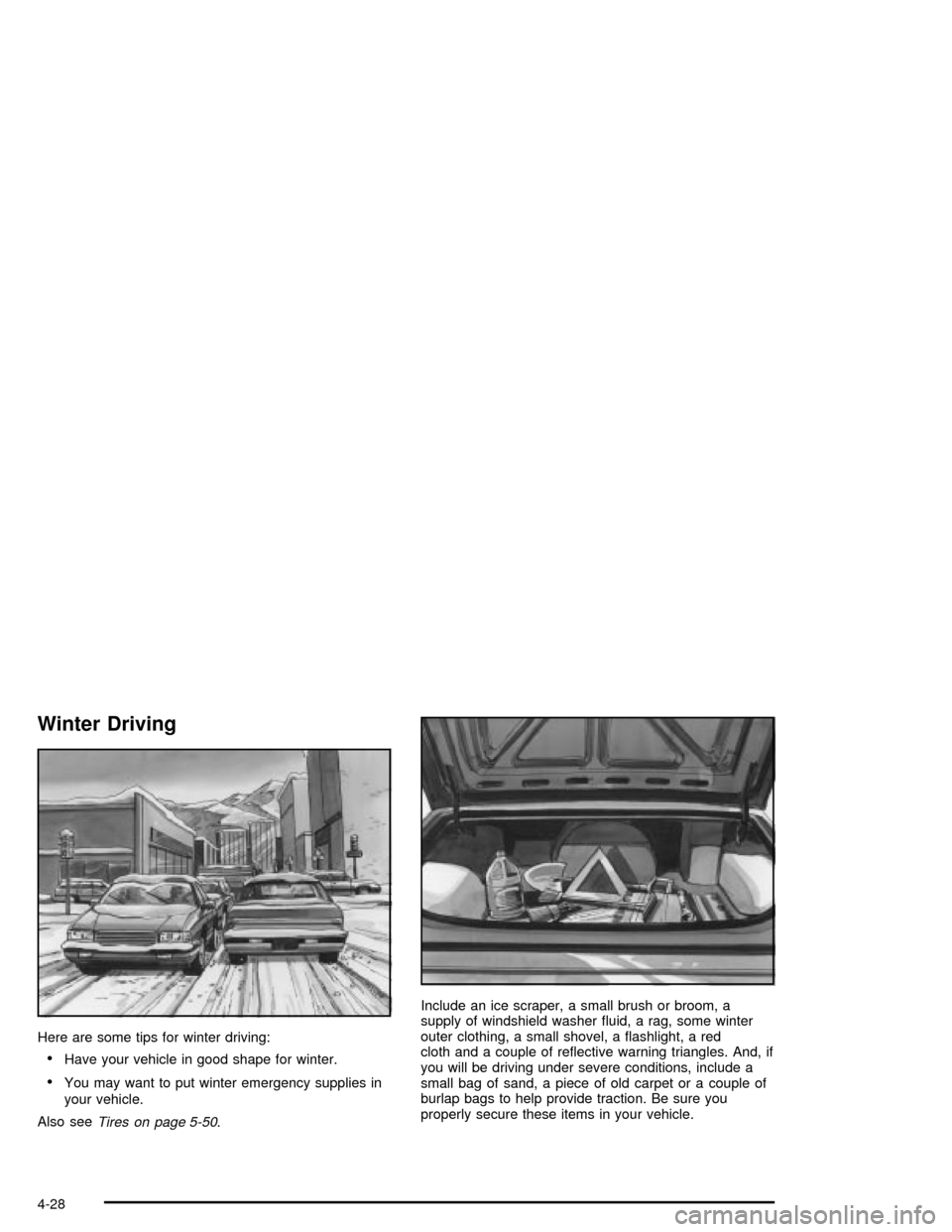
Winter Driving
Here are some tips for winter driving:
·Have your vehicle in good shape for winter.
·You may want to put winter emergency supplies in
your vehicle.
Also see
Tires on page 5-50.Include an ice scraper, a small brush or broom, a
supply of windshield washer ¯uid, a rag, some winter
outer clothing, a small shovel, a ¯ashlight, a red
cloth and a couple of re¯ective warning triangles. And, if
you will be driving under severe conditions, include a
small bag of sand, a piece of old carpet or a couple of
burlap bags to help provide traction. Be sure you
properly secure these items in your vehicle.
4-28
Page 221 of 356

And, if you do have a heavy load, you should spread it
out. Do not carry more than 100 lbs. (45 kg) in your
rear area.
{CAUTION:
Do not load your vehicle any heavier than the
GVWR, or either the maximum front or rear
GAWR. If you do, parts on your vehicle can
break, and it can change the way your vehicle
handles. These could cause you to lose
control and crash. Also, overloading can
shorten the life of your vehicle.
Notice:Overloading your vehicle may cause
damage. Repairs would not be covered by your
warranty. Do not overload your vehicle.
If you put things inside your vehicle ± like suitcases,
tools, packages or anything else ± they will go as fast as
the vehicle goes. If you have to stop or turn quickly,
or if there is a crash, they will keep going.
{CAUTION:
Things you put inside your vehicle can strike
and injure people in a sudden stop or turn, or
in a crash.
·Put things in the rear area of your vehicle.
Try to spread the weight evenly.
·Never stack heavier things, like suitcases,
inside the vehicle so that some of them
are above the tops of the seats.
·Do not leave an unsecured child restraint
in your vehicle.
·When you carry something inside the
vehicle, secure it whenever you can.
Towing a Trailer
Your XLR is neither designed nor intended to tow a
trailer.
4-37
Page 245 of 356

Coolant Surge Tank Pressure Cap
Notice:If the pressure cap is not tightly installed,
coolant loss and possible engine damage may
occur. Be sure the cap is properly and tightly
secured.
See
Engine Compartment Overview on page 5-12for
information on location.
Engine Overheating
You will ®nd an COOLANT OVER TEMP message or
an ENGINE HOT, STOP ENGINE message displayed in
the Driver Information Center (DIC). You will also
hear a chime. There is also an engine coolant
temperature gage on the instrument panel cluster. See
Engine Coolant Temperature Gage on page 3-47.
Overheated Engine Protection
Operating Mode
This operating mode allows your vehicle to be driven to
a safe place in an emergency situation. If an overheated
engine condition exists and the DIC message ENGINE
HOT, STOP ENGINE is displayed, an overheat
protection mode which alternates ®ring groups of
cylinders helps prevent engine damage. In this mode,
you will notice a signi®cant loss in power and engine
performance. Driving extended miles (km) in the
overheat protection mode should be avoided.
Notice:After driving in the overheated engine
protection operating mode, to avoid engine damage,
allow the engine to cool before attempting any
repair. The engine oil will be severely degraded.
Repair the cause of coolant loss, change the oil and
reset the oil life system. See
Engine Oil on
page 5-13.
5-23