instrument panel CADILLAC XT4 2020 User Guide
[x] Cancel search | Manufacturer: CADILLAC, Model Year: 2020, Model line: XT4, Model: CADILLAC XT4 2020Pages: 372, PDF Size: 6.25 MB
Page 128 of 372

Cadillac XT4 Owner Manual (GMNA-Localizing-U.S./Canada/Mexico-
13527548) - 2020 - CRC - 9/5/19
INSTRUMENTS AND CONTROLS 127
Head-Up Display (HUD)
{Warning
If the HUD image is too bright or
too high in your field of view, it
may take you more time to see
things you need to see when it is
dark outside. Be sure to keep the
HUD image dim and placed low in
your field of view.
If equipped with HUD, some
information concerning the operation
of the vehicle is projected onto the
windshield. The image is projected
through the HUD lens on top of the
instrument panel. The information
appears as an image focused out
toward the front of the vehicle.
Caution
If you try to use the HUD image as
a parking aid, you may misjudge
the distance and damage your
vehicle. Do not use the HUD image
as a parking aid. The HUD information can be
displayed in various languages. The
speedometer reading and other
numerical values can be displayed in
either English or metric units.
The language selection is changed
through the radio and the units of
measurement is changed through the
instrument cluster. See
“Settings”in
the Infotainment Manual and
“Options” underInstrument Cluster
0 108.HUD Display on the Windshield
The HUD may display some of the
following vehicle information and
vehicle messages or alerts: .
Speed
. Audio
. Phone
. Navigation
. Performance
. Driver Assistance Features
. Vehicle Messages
Some vehicle messages or alerts
displayed in the HUD may be cleared
by using the steering wheel controls.
See Vehicle Messages 0130.
The HUD control is to the left of the
steering wheel.
To adjust the HUD image:
1. Adjust the driver seat.
2. Start the engine.
3. Use the following settings to adjust the HUD.
Page 141 of 372

Cadillac XT4 Owner Manual (GMNA-Localizing-U.S./Canada/Mexico-
13527548) - 2020 - CRC - 9/5/19
140 LIGHTING
Lighting
Exterior Lighting
Exterior Lamp Controls . . . . . . . . . . 140
Exterior Lamps Off Reminder . . . 142
Headlamp High/Low-BeamChanger . . . . . . . . . . . . . . . . . . . . . . . . . . 142
Flash-to-Pass . . . . . . . . . . . . . . . . . . . . . 142
Daytime Running Lamps (DRL) . . . . . . . . . . . . . . . . . . . . 142
Automatic Headlamp System . . . 142
Hazard Warning Flashers . . . . . . . . 143
Turn and Lane-Change Signals . . . . . . . . . . . . . . . . . . . . . . . . . . . 143
Cornering Lamps . . . . . . . . . . . . . . . . . 144
Interior Lighting
Instrument Panel Illumination Control . . . . . . . . . . . . . . . . . . . . . . . . . . 144
Courtesy Lamps . . . . . . . . . . . . . . . . . . 144
Dome Lamps . . . . . . . . . . . . . . . . . . . . . 144
Reading Lamps . . . . . . . . . . . . . . . . . . . 145
Lighting Features
Entry Lighting . . . . . . . . . . . . . . . . . . . . 145
Exit Lighting . . . . . . . . . . . . . . . . . . . . . . 145
Battery Power Protection . . . . . . . . 146
Exterior Lighting Battery Saver . . . . . . . . . . . . . . . . . . . . . . . . . . . . . 146
Exterior Lighting
Exterior Lamp Controls
The exterior lamp control is on the
turn signal lever.
Turn the control to the following
positions:
O:Turns the exterior lamps off and
deactivates the AUTO mode. Turn to
Oagain to reactivate the AUTO mode.
In Canada, the headlamps will
automatically reactivate when the
vehicle is shifted out of P (Park).
AUTO : Automatically turns the
exterior lamps on and off, depending
on outside lighting.
;: Turns on the parking lamps
including all lamps, except the
headlamps.
2: Turns on the headlamps together
with the parking lamps and
instrument panel lights.
IntelliBeam System
If equipped, this system turns the
vehicle's high-beam headlamps on and
off according to surrounding traffic
conditions.
The system turns the high-beam
headlamps on when it is dark enough
and there is no other traffic present.
This light
bcomes on in the
instrument cluster when the
IntelliBeam system is enabled.
Page 143 of 372
Cadillac XT4 Owner Manual (GMNA-Localizing-U.S./Canada/Mexico-
13527548) - 2020 - CRC - 9/5/19
142 LIGHTING
Exterior Lamps Off
Reminder
A warning chime sounds if the driver
door is opened while the ignition is off
and the exterior lamps are on.
Headlamp High/Low-Beam
Changer
3
:Push the turn signal lever away
from you and release, to turn the high
beams on. To return to low beams,
push the lever again or pull it toward
you and release.
This indicator light turns on in the
instrument cluster when the
high-beam headlamps are on.
Flash-to-Pass
To flash the high beams, pull the turn
signal lever toward you, and release.
Daytime Running
Lamps (DRL)
DRL can make it easier for others to
see the front of your vehicle during
the day. Fully functional DRL are
required on all vehicles first sold in
Canada.
The dedicated DRL will come on when
all of the following conditions are met:
. The ignition is on.
. The exterior lamp control is
in AUTO.
. The light sensor determines it is
daytime.
. The parking brake is released or
the vehicle is not in P (Park).
When the DRL are on, the taillamps,
sidemarker lamps, and other lamps
will not be on.
The DRL turn off when the headlamps
are turned to
Oor the ignition is off.
For vehicles first sold in Canada, the
DRL can only be turned off when the
vehicle is parked.
Automatic Headlamp
System
When the exterior lamp control is set
to AUTO and it is dark enough
outside, the headlamps come on
automatically.
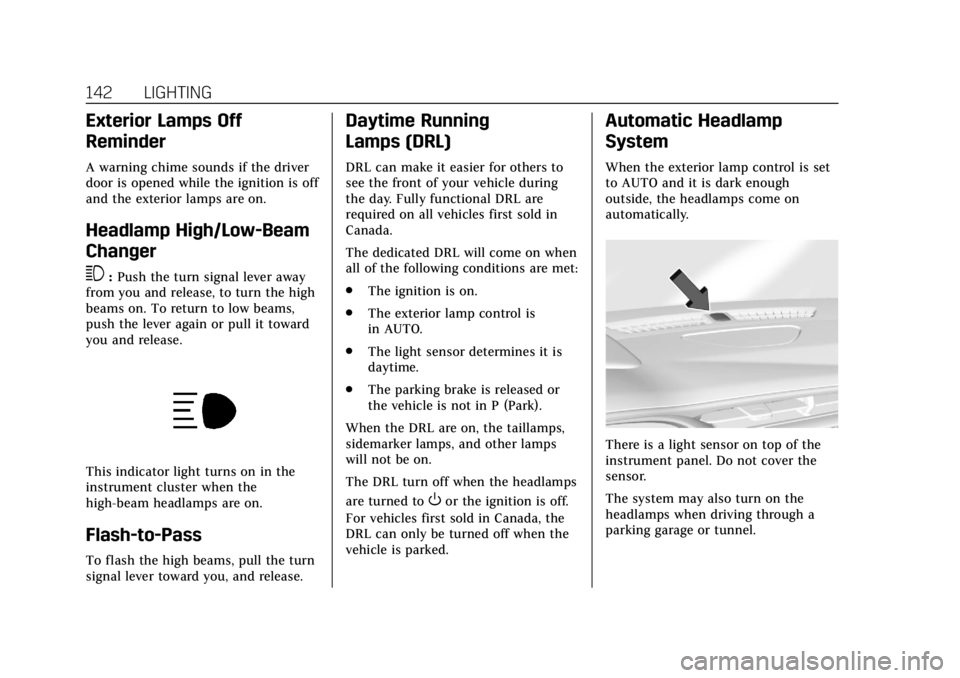
There is a light sensor on top of the
instrument panel. Do not cover the
sensor.
The system may also turn on the
headlamps when driving through a
parking garage or tunnel.
Page 144 of 372

Cadillac XT4 Owner Manual (GMNA-Localizing-U.S./Canada/Mexico-
13527548) - 2020 - CRC - 9/5/19
LIGHTING 143
If the vehicle is started in a dark
garage, the automatic headlamp
system comes on immediately. If it is
light outside when the vehicle leaves
the garage, there is a slight delay
before the automatic headlamp
system changes to the Daytime
Running Lamps (DRL). During that
delay, the instrument cluster may not
be as bright as usual. Make sure the
instrument panel brightness control is
in the full bright position. See
Instrument Panel Illumination Control
0144.
When it is bright enough outside, the
headlamps will turn off or may change
to DRL.
The automatic headlamp system turns
off when the exterior lamp control is
turned to
Oor the ignition is off.
For vehicles sold in Canada, this
control only works when the
transmission is in P (Park).
Lights On with Wipers
If the windshield wipers are activated
in daylight with the engine on, and
the exterior lamp control is in AUTO, the headlamps, parking lamps, and
other exterior lamps come on. The
transition time for the lamps coming
on varies based on wiper speed. When
the wipers are not operating, these
lamps turn off. Move the exterior
lamp control to
Oor;to disable
this feature.
Hazard Warning Flashers
|: Press|to make the front and
rear turn signal lamps flash on and
off. Press again to turn the
flashers off. The hazard warning flashers turn on
automatically if the airbags deploy.
Turn and Lane-Change
Signals
Move the lever all the way up or down
to signal a turn.
An arrow on the instrument cluster
flashes in the direction of the turn or
lane change.
Raise or lower the lever until the
arrow starts to flash to signal a lane
change. Hold it there until the lane
change is completed. If the lever is
briefly pressed and released, the turn
signal flashes three times.
Page 145 of 372

Cadillac XT4 Owner Manual (GMNA-Localizing-U.S./Canada/Mexico-
13527548) - 2020 - CRC - 9/5/19
144 LIGHTING
The turn and lane-change signal can
be turned off manually by moving the
lever back to its original position.
If after signaling a turn or lane
change, the arrow flashes rapidly or
does not come on, a signal bulb may
be burned out.
Replace any burned out bulbs. If a
bulb is not burned out, check the fuse.
SeeFuses and Circuit Breakers 0265.
Cornering Lamps
If equipped with cornering lamps, they
automatically come on when all of the
following occur:
.
The low-beam headlamps are on.
. The turn signals are activated or
the steering wheel is at a turning
angle.
. The vehicle speed is below
40 km/h (25 mph).
Interior Lighting
Instrument Panel
Illumination Control
The brightness of the instrument
panel lighting and steering wheel
controls can be adjusted.
D:Move the thumbwheel up or
down to brighten or dim the lights.
The brightness of the displays
automatically adjusts based on
outdoor lighting. The instrument panel illumination control will set the
lowest level to which the display will
be automatically adjusted.
Courtesy Lamps
The courtesy lamps come on when
any door is opened unless the dome
lamp override is activated. To
deactivate the dome lamp override,
press
jOFF and the indicator
light on the button will turn off.
Dome Lamps
The dome lamp controls are in the
overhead console.
Page 151 of 372

Cadillac XT4 Owner Manual (GMNA-Localizing-U.S./Canada/Mexico-
13527548) - 2020 - CRC - 9/5/19
150 CLIMATE CONTROLS
English units can be changed to
metric units through the instrument
cluster. SeeInstrument Cluster 0108.
OFF : Press to turn the fan on or off.
The front climate display turns off
when the fan is turned off and the
system will stop air from flowing into
the cabin. If on is selected, or any
other buttons are pressed, the climate
control system will turn on and
operate at the current setting. The
temperature control and air delivery
mode can still be adjusted.
w/x: The temperature can be
adjusted separately for the driver and
the passenger. Press to increase or
decrease the temperature. Press and
hold to rapidly increase or decrease
the temperature.
The driver and passenger
temperatures can also be adjusted by
touching the buttons on the climate
control display.
Sync : Touch Sync on the climate
control display to link all climate zone
settings to the driver settings. Adjust
the driver side temperature control to
change the linked temperature. When the passenger settings are adjusted,
the Sync indicator light turns off
when the temperatures are unlinked.
Manual Operation
Q
9 R:Press the fan controls on the
center stack or the climate control
display to increase or decrease the fan
speed. Press and hold the controls to
adjust speed more quickly. The fan
speed setting displays. Pressing either
button cancels automatic fan control
and the fan can be controlled
manually. Press AUTO to return to
automatic operation.
Air Delivery Mode Control : When
the climate information is displayed,
touch the desired air delivery mode on
the climate control display to change
the direction of the airf low. The
selected air delivery mode button is
lit. Touching any of the air delivery
buttons cancels automatic air delivery
control and the direction of the
airf low can be controlled manually.
Press AUTO to return to automatic
operation. Press
z,Y, or[to change the
direction of the airflow. Any
combination of the three controls can
be selected. An indicator light comes
on in the selected mode button.
To change the current mode, select
one of the following:
Y: Air is directed to the instrument
panel outlets.
[: Air is directed to the floor
outlets.
z: Air is directed to the windshield.
d:Clears the windshield of fog or
frost more quickly. Air is directed to
the windshield. Press
dto turn on or
off. Changing the air delivery mode
also turns the defrost off.
A/C : Touch A/C on the climate
control display to turn the automatic
air conditioning on or off. If the fan is
turned off or the outside temperature
falls below freezing, the air
conditioner will not run.
Page 153 of 372

Cadillac XT4 Owner Manual (GMNA-Localizing-U.S./Canada/Mexico-
13527548) - 2020 - CRC - 9/5/19
152 CLIMATE CONTROLS
Caution (Continued)
stations clearly. The repairs would
not be covered by the vehicle
warranty.
Remote Start Climate Control
Operation : If equipped with remote
start, the climate control system may
run when the vehicle is started
remotely. The system will determine
the best mode and temperature
setting for operation. Once the vehicle
is started with the Engine Start/Stop
button, the climate control system will
begin to operate at the last customer
selected operating mode and
temperature. The rear defog may come
on during remote start based on cold
ambient conditions. The rear defog
indicator light does not come on
during a remote start.
If equipped, the heated seats will turn
on if it is cold outside or the
ventilated seats will turn on if it is hot
outside. The heated and ventilated
seat indicator lights may not come on
during a remote start. If equipped, the heated steering wheel will come on in
a remote start if it is cold outside. The
heated steering wheel indicator light
may not come on. See
Remote Vehicle
Start 015 and
Heated and Ventilated Front Seats 048.
Sensor
The solar sensor, on top of the
instrument panel near the windshield,
monitors the solar intensity.
The climate control system uses the
sensor information to adjust the
temperature, fan speed, recirculation,
and air delivery mode for best
comfort. If the sensor is covered, the automatic
climate control system may not work
properly.
Page 154 of 372

Cadillac XT4 Owner Manual (GMNA-Localizing-U.S./Canada/Mexico-
13527548) - 2020 - CRC - 9/5/19
CLIMATE CONTROLS 153
Air Vents
Adjustable air vents are in the center
and on the sides of the instrument
panel, and on the rear of the center
console storage.
Move the slider knobs to change the
direction of or to close off the airf low.
Operation Tips
.Clear away any ice, snow, or leaves
from air inlets at the base of the
windshield that could block the
flow of air into the vehicle. .
Clear snow off the hood to
improve visibility and help
decrease moisture drawn into the
vehicle.
. Keep the path under the front
seats clear of objects to help
circulate the air inside of the
vehicle more effectively.
. Use of non-GM approved hood
deflectors can adversely affect the
performance of the system. Check
with your dealer before adding
equipment to the outside of the
vehicle.
. Do not attach any devices to the
air vent slats. This restricts airflow
and may cause damage to the air
vents.
Maintenance
Passenger Compartment
Air Filter
The filter reduces dust, pollen, and
other airborne irritants from outside
air that is pulled into the vehicle. The
filter should be replaced as part of
routine scheduled maintenance. See
Maintenance Schedule 0319.
See your dealer regarding replacement
of the filter.
Service
All vehicles have a label underhood
that identifies the refrigerant used in
the vehicle. The refrigerant system
should only be serviced by trained and
certified technicians. The air
conditioning evaporator should never
be repaired or replaced by one from a
salvage vehicle. It should only be
replaced by a new evaporator to
ensure proper and safe operation.
During service, all refrigerants should
be reclaimed with proper equipment.
Venting refrigerants directly to the
Page 168 of 372

Cadillac XT4 Owner Manual (GMNA-Localizing-U.S./Canada/Mexico-
13527548) - 2020 - CRC - 9/5/19
DRIVING AND OPERATING 167
Blizzard Conditions
Stop the vehicle in a safe place and
signal for help. Stay with the vehicle
unless there is help nearby. If possible,
use Roadside Service. SeeRoadside
Service 0340. To get help and keep
everyone in the vehicle safe:
. Turn on the hazard warning
flashers.
. Tie a red cloth to an outside
mirror.
{Warning
Snow can trap engine exhaust
under the vehicle. This may cause
exhaust gases to get inside. Engine
exhaust contains carbon monoxide
(CO), which cannot be seen or
smelled. It can cause
unconsciousness and even death.
If the vehicle is stuck in snow:
. Clear snow from the base of
the vehicle, especially any
blocking the exhaust pipe.
(Continued)
Warning (Continued)
.Open a window about 5 cm
(2 in) on the vehicle side that
is away from the wind, to
bring in fresh air.
. Fully open the air outlets on
or under the instrument
panel.
. Adjust the climate control
system to circulate the air
inside the vehicle and set the
fan speed to the highest
setting. See “Climate Control
Systems.”
For more information about CO, see
Engine Exhaust 0181.
To save fuel, run the engine for short
periods to warm the vehicle and then
shut the engine off and partially close
the window. Moving about to keep
warm also helps.
If it takes time for help to arrive,
when running the engine, push the
accelerator pedal slightly so the
engine runs faster than the idle speed. This keeps the battery charged to
restart the vehicle and to signal for
help with the headlamps. Do this as
little as possible, to save fuel.
If the Vehicle Is Stuck
Slowly and cautiously spin the wheels
to free the vehicle when stuck in sand,
mud, ice, or snow.
If stuck too severely for the traction
system to free the vehicle, turn the
traction system off and use the
rocking method. See
Traction Control/
Electronic Stability Control 0191.
{Warning
If the vehicle's tires spin at high
speed, they can explode, and you or
others could be injured. The vehicle
can overheat, causing an engine
compartment fire or other damage.
Spin the wheels as little as possible
and avoid going above 56 km/h
(35 mph).
Page 201 of 372
Cadillac XT4 Owner Manual (GMNA-Localizing-U.S./Canada/Mexico-
13527548) - 2020 - CRC - 9/5/19
200 DRIVING AND OPERATING
Resuming a Set Speed
If the ACC is set at a desired speed
and then the brakes are applied, ACC
is disengaged without erasing the set
speed from memory.
To begin using ACC again, move the
thumbwheel up toward RES+ briefly.
The vehicle returns to the previous set
speed.
.If the vehicle is moving, it returns
to the previous set speed.
. If the vehicle is stopped with the
brake pedal applied, move the
thumbwheel up toward RES+ and
release the brake pedal. ACC will
hold the vehicle until the
thumbwheel is moved up toward
RES+ or the accelerator pedal is
pressed.
A green ACC indicator and the set
speed display on the instrument
cluster. The vehicle ahead indicator
may be flashing if a vehicle ahead was
present and moved. See “Approaching
and Following a Vehicle ”later in this
section. Once ACC has resumed, if there is no
vehicle ahead, if the vehicle ahead is
beyond the selected following gap,
or if the vehicle has exited a sharp
curve, then the vehicle speed will
increase to the set speed.
Increasing Speed While ACC is at a
Set Speed
If ACC is already activated, do one of
the following:
.
Use the accelerator to get to the
higher speed. Move the
thumbwheel down toward SET– .
Release the control and the
accelerator pedal. The vehicle will
now cruise at the higher speed.
When the accelerator pedal is
pressed, ACC will not brake
because it is overridden. The ACC
indicator will turn blue on the
instrument panel and HUD,
if equipped. See Vehicle Messages
0 130.
. Move the thumbwheel up toward
RES+ until the desired set speed
appears on the display, then
release it. .
To increase vehicle speed in small
increments, move the thumbwheel
up toward RES+ to the first detent.
For each press, the vehicle goes
1 km/h (1 mph) faster.
. To increase vehicle speed in larger
increments, move the thumbwheel
up toward RES+ to the second
detent. For each press, the vehicle
speed increases to the next 5 km/h
(5 mph) mark on the speedometer.
The set speed can also be increased
while the vehicle is stopped.
. If stopped with the brake applied,
move the thumbwheel up toward
RES+ until the desired set speed is
displayed.
. If ACC is holding the vehicle at a
stop and there is another vehicle
directly ahead, moving the
thumbwheel up toward RES+ will
increase the set speed. Moving the
thumbwheel up toward RES+ when
there is no longer a vehicle ahead
will cause the ACC to resume.