instrument panel CADILLAC XT5 2020 Owner's Guide
[x] Cancel search | Manufacturer: CADILLAC, Model Year: 2020, Model line: XT5, Model: CADILLAC XT5 2020Pages: 384, PDF Size: 6.52 MB
Page 202 of 384
DRIVING AND OPERATING 201
1. PressJ.
2. Get up to the desired speed.
3. Press and release SET–.
4. Remove foot from the accelerator.
After ACC is set, it may immediately
apply the brakes if a vehicle ahead is
detected closer than the selected
following gap.
ACC can also be set while the vehicle
is stopped if ACC is on and the brake
pedal is applied.
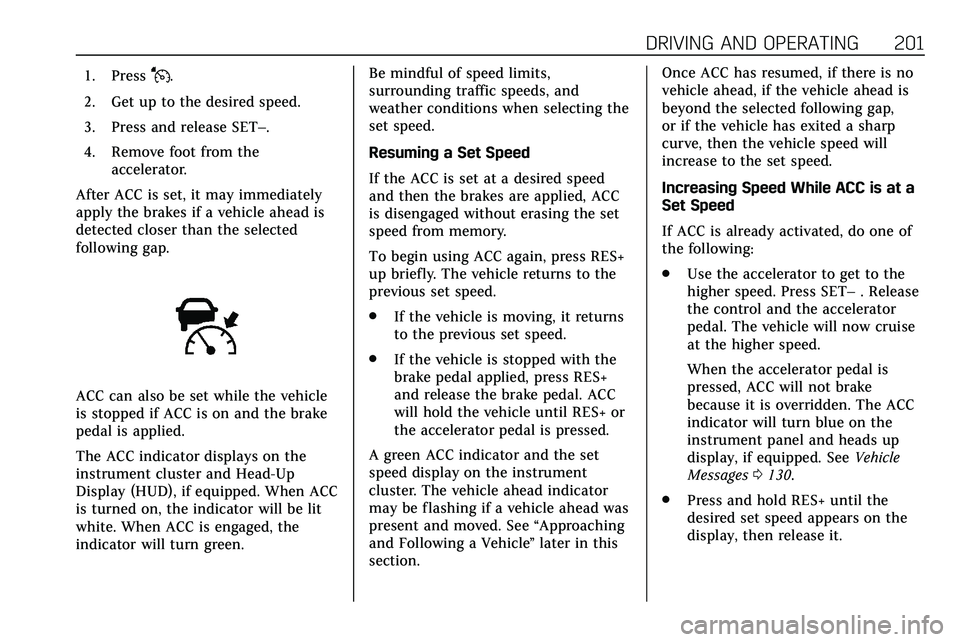
The ACC indicator displays on the
instrument cluster and Head-Up
Display (HUD), if equipped. When ACC
is turned on, the indicator will be lit
white. When ACC is engaged, the
indicator will turn green. Be mindful of speed limits,
surrounding traffic speeds, and
weather conditions when selecting the
set speed.
Resuming a Set Speed
If the ACC is set at a desired speed
and then the brakes are applied, ACC
is disengaged without erasing the set
speed from memory.
To begin using ACC again, press RES+
up briefly. The vehicle returns to the
previous set speed.
.
If the vehicle is moving, it returns
to the previous set speed.
. If the vehicle is stopped with the
brake pedal applied, press RES+
and release the brake pedal. ACC
will hold the vehicle until RES+ or
the accelerator pedal is pressed.
A green ACC indicator and the set
speed display on the instrument
cluster. The vehicle ahead indicator
may be flashing if a vehicle ahead was
present and moved. See “Approaching
and Following a Vehicle ”later in this
section. Once ACC has resumed, if there is no
vehicle ahead, if the vehicle ahead is
beyond the selected following gap,
or if the vehicle has exited a sharp
curve, then the vehicle speed will
increase to the set speed.
Increasing Speed While ACC is at a
Set Speed
If ACC is already activated, do one of
the following:
.
Use the accelerator to get to the
higher speed. Press SET– . Release
the control and the accelerator
pedal. The vehicle will now cruise
at the higher speed.
When the accelerator pedal is
pressed, ACC will not brake
because it is overridden. The ACC
indicator will turn blue on the
instrument panel and heads up
display, if equipped. See Vehicle
Messages 0130.
. Press and hold RES+ until the
desired set speed appears on the
display, then release it.
Page 225 of 384

224 DRIVING AND OPERATING
With the Front Pedestrian Braking
system turned on, Night Vision
provides a red Head-Up Display (HUD)
alert when the system detects that the
vehicle is approaching a pedestrian
ahead too quickly. In addition, an alert
beeps or the Safety Alert Seat pulses,
if equipped. SeeFront Pedestrian
Braking (FPB) System 0221.
{Warning
The system does not detect all
objects or the vehicle distance from
objects. The system may not
provide a warning with enough time
to help avoid a crash.
1. Low-Beam Headlamps
2. High-Beam Headlamps
3. Night Vision System
By selecting a view on the instrument
cluster, the Night Vision image can be
displayed. See Instrument Cluster 0108
. The Night Vision system can operate
only if:
. The ignition is on.
. The vehicle is in P (Park) or a
forward gear.
. It is dark enough outside.
. The headlamps are on, except
when parked. Adjust the instrument panel
brightness to make the image no
brighter than necessary. Turn the
image off by selecting another view
on the instrument cluster.
Warm objects, such as pedestrians,
animals, and other moving vehicles,
should appear whiter on the Night
Vision display. Cold objects, such as
the sky, signs, and parked vehicles,
should appear darker. Night Vision
only shows objects that are warmer or
colder than the surroundings. It does
not detect brake lamps, turn signals,
emergency flashers, traffic lights,
or sign information.
Use this system as an aid by
occasionally glancing at the image. Do
not stare at the image or use the
image under well-lit conditions.
{Warning
Do not stare at the image while
driving as this might cause
important objects ahead not to be
seen. You could crash, and you or
others could be injured.
Page 236 of 384

DRIVING AND OPERATING 235
If equipped, the following driver
assistance features should be turned
off when towing a trailer:
.Adaptive Cruise Control (ACC)
. Super Cruise Control
. Lane Keep Assist (LKA)
. Park Assist
. Automatic Parking Assist (APA)
. Reverse Automatic Braking (RAB)
If equipped, the following driver
assistance features should be turned
to alert or off when towing a trailer:
. Automatic Emergency
Braking (AEB)
. Intelligent Brake Assist (IBA)
. Front Pedestrian Braking (FPB)
If equipped with Lane Change Alert
(LCA), the LCA detection zones that
extend back from the side of the
vehicle do not move further back
when a trailer is towed. Use caution
while changing lanes when towing a
trailer. If equipped with Rear Cross Traffic
Alert (RCTA), use caution while
backing up when towing a trailer, as
the RCTA detection zones that extend
out from the back of the vehicle do
not move further back when a trailer
is towed.
{Warning
To prevent serious injury or death
from carbon monoxide (CO), when
towing a trailer:
. Do not drive with the liftgate,
trunk/hatch, or rear-most
window open.
. Fully open the air outlets on
or under the instrument
panel.
. Adjust the climate control
system to a setting that
brings in only outside air. See
“Climate Control Systems” in
the Index.
For more information about carbon
monoxide, see Engine Exhaust
0 183. Towing a trailer requires experience.
The combination of the vehicle and
trailer is longer and not as responsive
as the vehicle itself. Get used to the
handling and braking of the
combination by driving on a level road
surface before driving on public roads.
The trailer structure, the tires, and the
brakes must be all be rated to carry
the intended cargo. Inadequate trailer
equipment can cause the combination
to operate in an unexpected or unsafe
manner. Before driving, inspect all
trailer hitch parts and attachments,
safety chains, electrical connectors,
lamps, tires, and mirrors. See
Towing
Equipment 0241. If the trailer has
electric brakes, start the combination
moving and then manually apply the
trailer brake controller to check the
trailer brakes work. During the trip,
occasionally check that the cargo and
trailer are secure and that the lamps
and any trailer brakes are working.
Towing with a Stability Control
System
When towing, the stability control
system might be heard. The system
reacts to vehicle movement caused by
Page 245 of 384
244 DRIVING AND OPERATING
Tail/Parking
LampsGray/Brown
Reverse Lamps White/Green
Battery Feed Red/Green
Ground Black
Electric Trailer
Brake* Blue
* Circuit powered by electric trailer
brake control wiring provisions.
Electric Trailer Brake Control
Wiring Provisions
Wiring provisions for an aftermarket
electric trailer brake controller are
included with the vehicle as part of
the trailer wiring package. The
harness contains the following
circuits: Electric Trailer
Brakes Blue
Battery Feed Red/Green or
Red/Blue
Brake Apply
Signal White/Blue
Ground Black Refer to the aftermarket electric trailer
brake controller owner's manual to
determine wire color coding of the
electric trailer brake controller. The
wire colors on the brake controller
may be different from the vehicle. The
electric trailer brake controller should
be installed by your dealer or a
qualified service center.
If equipped, there are four blunt cut
wires inside the front driver side
instrument panel. It will be necessary
to have a technician connect the
12-volt power to the engine
compartment fuse block.Trailer Lamps
Always check all trailer lamps are
working at the beginning of each trip,
and periodically on longer trips.
Turn Signals When Towing a
Trailer
When properly connected, the trailer
turn signals will illuminate to indicate
the vehicle is turning, changing lanes,
or stopping. When towing a trailer,
the arrows on the instrument cluster
will illuminate even if the trailer is not
properly connected or the bulbs are
burned out.
Always check all trailer lamps are
working at the beginning of each trip,
and periodically on longer trips.
Trailer Sway Control (TSC)
Vehicles with StabiliTrak/Electronic
Stability Control (ESC) have a Trailer
Sway Control (TSC) feature. Trailer
sway is unintended side-to-side
motion of a trailer while towing. If the
vehicle is towing a trailer and the TSC
detects that sway is increasing, the
vehicle brakes are selectively applied
at each wheel, to help reduce
excessive trailer sway. If equipped with
the Integrated Trailer Brake Control
(ITBC) system, and the trailer has an
electric brake system, StabiliTrak/ESC
may also apply the trailer brakes.
Page 248 of 384
VEHICLE CARE 247
Vehicle Care
General Information
General Information . . . . . . . . . . . . . 248
California Proposition65 Warning . . . . . . . . . . . . . . . . . . . . . 248
California Perchlorate Materials Requirements . . . . . . . . . . . . . . . . . . . 249
Accessories and Modifications . . . . . . . . . . . . . . . . . . . 249
Vehicle Checks
Doing Your OwnService Work . . . . . . . . . . . . . . . . . . . . 249
Hood . . . . . . . . . . . . . . . . . . . . . . . . . . . . . . 250
Engine Compartment Overview . . . . . . . . . . . . . . . . . . . . . . . . . 252
Engine Oil . . . . . . . . . . . . . . . . . . . . . . . . . 255
Engine Oil Life System . . . . . . . . . . . 257
Automatic Transmission Fluid . . . . . . . . . . . . . . . . . . . . . . . . . . . . . 258
Engine Air Filter Life System . . . . 259
Engine Air Cleaner/Filter . . . . . . . . . 259
Cooling System . . . . . . . . . . . . . . . . . . . 260
Engine Overheating . . . . . . . . . . . . . . 264
Washer Fluid . . . . . . . . . . . . . . . . . . . . . 266
Brakes . . . . . . . . . . . . . . . . . . . . . . . . . . . . . 266
Brake Fluid . . . . . . . . . . . . . . . . . . . . . . . 267
Battery - North America . . . . . . . . . 268 All-Wheel Drive . . . . . . . . . . . . . . . . . . 269
Starter Switch Check . . . . . . . . . . . . . 269
Park Brake and P (Park)
Mechanism Check . . . . . . . . . . . . . . 269
Wiper Blade Replacement . . . . . . . 270
Windshield Replacement . . . . . . . . 271
Gas Strut(s) . . . . . . . . . . . . . . . . . . . . . . . 271
Headlamp Aiming
Front Headlamp Aiming . . . . . . . . . 272
Bulb Replacement
Bulb Replacement . . . . . . . . . . . . . . . . 273
Halogen Bulbs . . . . . . . . . . . . . . . . . . . . 273
LED Lighting . . . . . . . . . . . . . . . . . . . . . 273
Electrical System
Electrical System Overload . . . . . . 273
Fuses and Circuit Breakers . . . . . . 274
Engine Compartment Fuse
Block . . . . . . . . . . . . . . . . . . . . . . . . . . . . 274
Instrument Panel Fuse Block . . . . 277
Rear Compartment Fuse Block . . . . . . . . . . . . . . . . . . . . . . . . . . . . 279
Wheels and Tires
Tires . . . . . . . . . . . . . . . . . . . . . . . . . . . . . . . 282
All-Season Tires . . . . . . . . . . . . . . . . . . 283
Winter Tires . . . . . . . . . . . . . . . . . . . . . . 283
Summer Tires . . . . . . . . . . . . . . . . . . . . 283
Tire Sidewall Labeling . . . . . . . . . . . 284
Tire Designations . . . . . . . . . . . . . . . . . 286 Tire Terminology and
Definitions . . . . . . . . . . . . . . . . . . . . . . 286
Tire Pressure . . . . . . . . . . . . . . . . . . . . . . 289
Tire Pressure for High-Speed Operation . . . . . . . . . . . . . . . . . . . . . . . . 290
Tire Pressure Monitor System . . . 291
Tire Pressure Monitor Operation . . . . . . . . . . . . . . . . . . . . . . . . 292
Tire Inspection . . . . . . . . . . . . . . . . . . . 295
Tire Rotation . . . . . . . . . . . . . . . . . . . . . 296
When It Is Time for New Tires . . . . . . . . . . . . . . . . . . . . . . . . . . . . . 297
Buying New Tires . . . . . . . . . . . . . . . . 297
Different Size Tires and Wheels . . . . . . . . . . . . . . . . . . . . . . . . . . 299
Uniform Tire Quality Grading . . . 299
Wheel Alignment and Tire Balance . . . . . . . . . . . . . . . . . . . . . . . . . . 300
Wheel Replacement . . . . . . . . . . . . . . 301
Tire Chains . . . . . . . . . . . . . . . . . . . . . . . 301
If a Tire Goes Flat . . . . . . . . . . . . . . . . 302
Tire Sealant and Compressor Kit . . . . . . . . . . . . . . . . . 304
Storing the Tire Sealant and Compressor Kit . . . . . . . . . . . . . . . . . 310
Tire Changing . . . . . . . . . . . . . . . . . . . . . 310
Compact Spare Tire . . . . . . . . . . . . . . 315
Jump Starting
Jump Starting - North America . . . . . . . . . . . . . . . . . . . . . . . . . 316
Page 251 of 384
250 VEHICLE CARE
If equipped with remote vehicle start,
open the hood before performing any
service work to prevent remote
starting the vehicle accidentally. See
Remote Vehicle Start017.
Keep a record with all parts receipts
and list the mileage and the date of
any service work performed. See
Maintenance Records 0344.
Caution
Even small amounts of
contamination can cause damage to
vehicle systems. Do not allow
contaminants to contact the fluids,
reservoir caps, or dipsticks.
Hood
{Warning
For vehicles with auto engine stop/
start, turn the vehicle off before
opening the hood. If the vehicle is
on, the engine will start when the
hood is opened. You or others could
be injured.
{Warning
Components under the hood can
get hot from running the engine. To
help avoid the risk of burning
unprotected skin, never touch these
components until they have cooled,
and always use a glove or towel to
avoid direct skin contact.
Clear any snow from the hood before
opening.
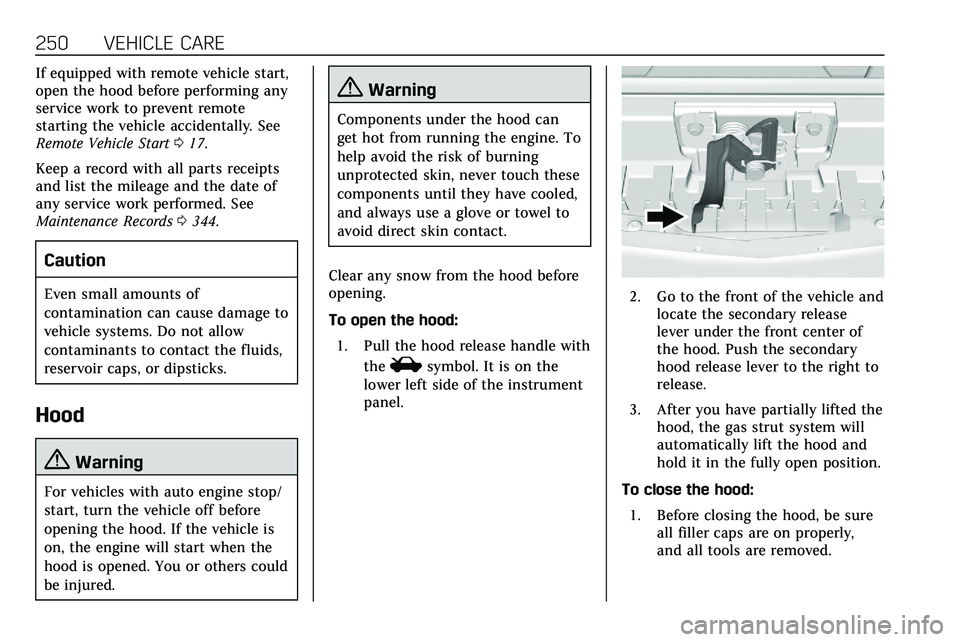
To open the hood: 1. Pull the hood release handle with the
isymbol. It is on the
lower left side of the instrument
panel.
2. Go to the front of the vehicle and locate the secondary release
lever under the front center of
the hood. Push the secondary
hood release lever to the right to
release.
3. After you have partially lifted the hood, the gas strut system will
automatically lift the hood and
hold it in the fully open position.
To close the hood: 1. Before closing the hood, be sure all filler caps are on properly,
and all tools are removed.
Page 278 of 384
VEHICLE CARE 277
FusesUsage
F53 –
F54 Coolant pump
F55 –
F56 –
F57 Engine control module/Ignition
F58 Transmission control module/Ignition
F59 Engine control module battery
F60 –
F61 O2 sensor 1/ Aeroshutter
F62 Engine control module–odd
F63 O2 sensor 2
F64 Engine control module–even
F65 Engine control module powertrain 1
F66 Engine control module powertrain 2 Fuses
Usage
F67 Engine control module powertrain 3
F68 –
F69 –
F70 –
F71 –
F72 –
F73 –
F74 –
F75 –
F76 –
F77 –
Relays Usage
K1 Starter 1
K2 Run/Crank
K3 Starter 3
K4 LED/Automatic headlamps
K5 –
K6 Coolant pump Relays
Usage
K7 Engine control module
K8 Air conditioning
K9 –
K10 Starter 2
Instrument Panel Fuse
Block
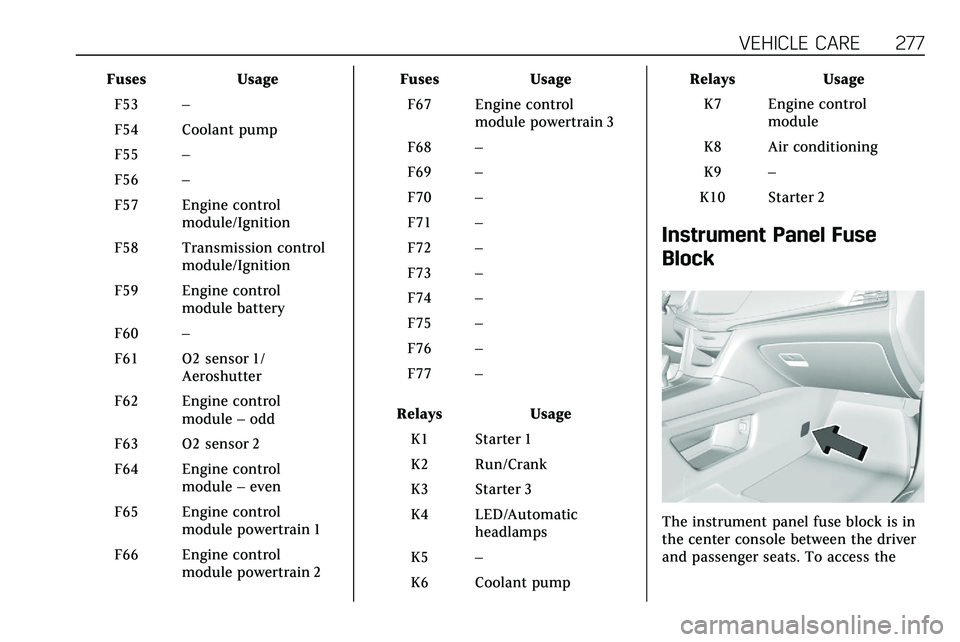
The instrument panel fuse block is in
the center console between the driver
and passenger seats. To access the
Page 279 of 384

278 VEHICLE CARE
fuses, open the fuse panel door,
or remove the panel from the
passenger side by pulling it out.
To reinstall the door, push the door
back into its original location.
The vehicle may not be equipped with
all of the fuses, relays, and features
shown.
FusesUsage
F1 Body control module 6 Fuses
Usage
F2 Diagnostic link/ Central gateway
module
F3 Electric steering column lock
F4 –
F5 Logistics
F6 Heating, ventilation, and air conditioning
F7 Body control module 3
F8 –
F9 Right front heated seat
F10 Airbag
F11 –
F12 Amplifier 2
F13 Body control module 7
F14 Left front heated seat
F15 Instrument panel switch bank
Page 330 of 384

VEHICLE CARE 329
Cleaning High Gloss Surfaces
and Vehicle Information and
Radio Displays
Use a microfiber cloth on high gloss
surfaces or vehicle displays. First, use
a soft bristle brush to remove dirt that
can scratch the surface. Then gently
clean by rubbing with a microfiber
cloth. Never use window cleaners or
solvents. Periodically hand wash the
microfiber cloth separately, using mild
soap. Do not use bleach or fabric
softener. Rinse thoroughly and air dry
before next use.
Caution
Do not attach a device with a
suction cup to the display. This may
cause damage and would not be
covered by the vehicle warranty.
Instrument Panel, Leather, Vinyl,
Other Plastic Surfaces, Low
Gloss Paint Surfaces, and
Natural Open Pore Wood
Surfaces
Use a soft microfiber cloth dampened
with water to remove dust and loose
dirt. For a more thorough cleaning,
use a soft microfiber cloth dampened
with a mild soap solution.
Caution
Soaking or saturating leather,
especially perforated leather, as well
as other interior surfaces, may
cause permanent damage. Wipe
excess moisture from these surfaces
after cleaning and allow them to
dry naturally. Never use heat,
steam, or spot removers. Do not use
cleaners that contain silicone or
wax-based products. Cleaners
containing these solvents can
permanently change the appearance
and feel of leather or soft trim, and
are not recommended.Do not use cleaners that increase
gloss, especially on the instrument
panel. Reflected glare can decrease
visibility through the windshield
under certain conditions.
Caution
Use of air fresheners may cause
permanent damage to plastics and
painted surfaces. If an air freshener
comes in contact with any plastic
or painted surface in the vehicle,
blot immediately and clean with a
soft cloth dampened with a mild
soap solution. Damage caused by
air fresheners would not be covered
by the vehicle warranty.
Cargo Cover and
Convenience Net
If equipped, wash with warm water
and mild detergent. Do not use
chlorine bleach. Rinse with cold water,
and then dry completely.
Care of Seat Belts
Keep belts clean and dry.
Page 346 of 384

TECHNICAL DATA 345
Technical Data
Vehicle Identification
Vehicle IdentificationNumber (VIN) . . . . . . . . . . . . . . . . . . . 345
Service Parts Identification . . . . . . 345
Vehicle Data
Capacities and Specifications . . . . 346
Engine Drive Belt Routing . . . . . . . 348
Vehicle Identification
Vehicle Identification
Number (VIN)
This legal identifier is in the front
corner of the instrument panel, on the
driver side of the vehicle. It can be
seen through the windshield from
outside. The Vehicle Identification
Number (VIN) also appears on the
Vehicle Certification and Service Parts
labels and certificates of title and
registration.
Engine Identification
The eighth character in the VIN is the
engine code. This code identifies the
vehicle's engine, specifications, and
replacement parts. See “EngineSpecifications”
underCapacities and
Specifications 0346 for the vehicle's
engine code.
Service Parts Identification
There may be a large barcode on the
certification label on the center pillar
that you can scan for the following
information:
. Vehicle Identification
Number (VIN)
. Model designation
. Paint information
. Production options
If there is not a large barcode on this
label, then you will find this same
information on a label under the load
floor, inside the cargo storage
shelf unit.