belt CADILLAC XT6 2023 Workshop Manual
[x] Cancel search | Manufacturer: CADILLAC, Model Year: 2023, Model line: XT6, Model: CADILLAC XT6 2023Pages: 507, PDF Size: 6.49 MB
Page 193 of 507

Cadillac XT6 Owner Manual (GMNA-Localizing-U.S./Canada-16405819) -
2023 - CRC - 3/22/22
192 Infotainment System
category icon shortcuts,
recents icon, favorites icon,
and keyboard.
Auto Complete
Enter a partial location in the
field entry box on the search
display. Auto complete will
attempt to complete the
destination based on what is
being entered. Touch the
suggested item to search.
Search While in Motion with
No Front Seat Passenger
Present
The search display will not
allow changes or text input
with the keyboard when the
vehicle is in motion. As a
result, a display showing three
rows of the most commonly
used categories appears.
Touching the search box will
activate speech recognition.Search While in Motion with
Front Seat Passenger
Present
If the system detects that the
front seat passenger is
present with both driver and
passenger seat belts buckled,
touching the search icon will
display an alert message that
allows the passenger to
search for a destination as if
the vehicle were stopped.
Connected Navigation
Connected Navigation is a
subscription service that
enables certain capabilities
within the navigation system,
such as Traffic, Smart Search/
Routing, and Predictive
Navigation capabilities. The
system will show an alert
when the subscription is
expiring and will ask to renew
the plan.
Global Positioning
System (GPS)
If equipped, the position of the
vehicle is determined by using
satellite signals, various
vehicle signals, and map data.
At times, other interference
such as the satellite condition,
road configuration, condition
of the vehicle, and/or other
circumstances can affect the
navigation system's ability to
determine the accurate
position of the vehicle.
The GPS shows the current
position of the vehicle using
signals sent by GPS satellites.
When the vehicle is not
receiving signals from the
satellites, a symbol appears in
the status bar.
This system might not be
available or interference can
occur if any of the following
are true:
.Signals are obstructed by
tall buildings, trees, large
trucks, or a tunnel.
Page 217 of 507

Cadillac XT6 Owner Manual (GMNA-Localizing-U.S./Canada-16405819) -
2023 - CRC - 3/22/22
216 Infotainment System
In vehicles with a pushbutton
start system, if a Teen Driver
and a non-Teen Driver key are
both present at start up, the
vehicle will recognize the
non-Teen Driver key to start
the vehicle. The Teen Driver
settings will not be active.
For a keyed ignition system:1. Start the vehicle.
2. For automatic transmissions, the vehicle
must be in P (Park). For
manual transmissions, the
vehicle must be stopped
with the parking brake set.
3. From the Settings menu, touch Vehicle and then
Teen Driver.
4. Enter the PIN.
5. Touch Setup Keys or Add/ Remove Teen Driver Keys.
The system displays
instructions for registering
or unregistering a key.
A confirmation message
displays. Manage Settings or Teen
Driver Settings
Depending on the options of
your vehicle, the following
menu items may be displayed:
Buckle to Drive :
When turned
ON, Buckle to Drive prevents
the driver from shifting out of
P (Park) for a period of time
after the brake pedal is
pressed if the driver, or on
some vehicles the detected
passenger, has not buckled
their seat belt. On some
vehicles, Buckle to Drive is
always ON when Teen Driver
is active and is not
configurable.
Audio Volume Limit : Allows a
maximum audio volume to be
set. Turn the audio volume
limit on or off. Use the arrows
to choose the maximum
allowable level for the audio
volume. On some infotainment
systems, touch Set Audio
Volume Limit to choose the
maximum allowable audio
volume level. Set Audio Volume Limit :
Use
the arrows to choose the
maximum allowable level for
the audio volume.
Teen Driver Speed Limiter :
Limits the maximum speed of
the vehicle. When the speed
limiter is turned on and the
vehicle is started with a Teen
Driver key, the DIC displays a
message that the top speed is
limited.
On certain vehicles, when the
Speed Limiter is turned ON,
the vehicle’s maximum
acceleration will be limited.
The DIC will display a message
that the acceleration is limited.
Teen Driver Speed Warning :
Displays a warning in the DIC
when exceeding a selectable
speed. Turn the speed
warning on or off and choose
the desired speed warning
level. The speed warning does
not limit the speed of the
vehicle. On some infotainment
Page 218 of 507

Cadillac XT6 Owner Manual (GMNA-Localizing-U.S./Canada-16405819) -
2023 - CRC - 3/22/22
Infotainment System 217
systems, touch Set Teen
Driver Speed Warning to set
the warning speed.
Set Teen Driver Speed
Warning :Choose the desired
speed warning level. The
speed warning does not limit
the speed of the vehicle.
SiriusXM Explicit Content
Filter : Allows the SiriusXM
Explicit Content Filter to be
turned ON or OFF. When ON,
the teen driver will not be able
to listen to SiriusXM stations
that contain explicit content,
and the Explicit Content Filter
selection in the Audio Settings
will be unavailable for change.
When Teen Driver is Active:
.If equipped, the radio will
mute when the driver seat
belt, and in some vehicles
the front passenger seat
belt, is not buckled. The
audio from any device paired
to the vehicle will also be
muted.
.An object placed on the
front passenger seat, such
as a briefcase, handbag,
grocery bag, laptop, or other
electronic device, could
cause the passenger
sensing system to falsely
sense an unbuckled front
passenger and mute the
radio. If this happens,
remove the object from the
seat. See Passenger
Sensing System 078.
.Some safety systems, such
as Automatic Emergency
Braking, if equipped, cannot
be turned off.
.The gap setting for Adaptive
Cruise Control and alert
timing for Forward Collision
Alert, if equipped, cannot be
changed.
.When trying to change a
safety feature that is not
configurable in Teen Driver,
the feature may be grayed
out or removed from the
infotainment menu, or the
DIC will display a message indicating that Teen Driver is
active and the action is not
available.
.Super Cruise, if equipped, is
not available.
.Enhanced Low Fuel Warning
(if equipped)
–When the
vehicle is low on fuel, the low
fuel light on the instrument
cluster flashes and the DIC
low fuel warning cannot be
dismissed.
.Do not tow a trailer if
equipped with Automatic
Emergency Braking.
Report Card
The vehicle owner must
secure the driver’s consent to
record certain vehicle data
when the vehicle is driven with
a registered Teen Driver key.
There is one Report Card per
vehicle. Data is only recorded
when a registered Teen Driver
key is used to operate the
vehicle.
Page 242 of 507

Cadillac XT6 Owner Manual (GMNA-Localizing-U.S./Canada-16405819) -
2023 - CRC - 3/22/22
Driving and Operating 241
driving defensively is to wear
the seat belt. See Seat Belts
062.
.Assume that other road
users (pedestrians,
bicyclists, and other drivers)
are going to be careless and
make mistakes. Anticipate
what they may do and be
ready.
.Allow enough following
distance between you and
the driver in front of you.
.Focus on the task of driving.
Impaired Driving
Death and injury associated
with impaired driving is a
global tragedy.
{Warning
Drinking alcohol or taking
drugs and then driving is
very dangerous. Your
reflexes, perceptions,
attentiveness, and judgment
can be affected by even a
(Continued)
Warning (Continued)
small amount of alcohol or
drugs. You can have a
serious—or even fatal —
collision if you drive after
drinking or taking drugs.
Do not drive while under the
influence of alcohol or drugs,
or ride with a driver who has
been drinking or is impaired
by drugs. Find alternate
transportation home; or if
you are with a group,
designate a driver who will
remain sober.
Control of a Vehicle
Braking, steering, and
accelerating are important
factors in helping to control a
vehicle while driving.
Braking
Braking action involves
perception time and reaction
time. Deciding to push the brake pedal is perception time.
Actually doing it is
reaction time.
Average driver reaction time is
about three-quarters of a
second. In that time, a vehicle
moving at 100 km/h (60 mph)
travels 20 m (66 ft), which
could be a lot of distance in an
emergency.
Helpful braking tips to keep in
mind include:
.Keep enough distance
between you and the vehicle
in front of you.
.Avoid needless heavy
braking.
.Keep pace with traffic.
If the engine ever stops while
the vehicle is being driven,
brake normally but do not
pump the brakes. Doing so
could make the pedal harder
to push down. If the engine
stops, there will be some
power brake assist but it will
be used when the brake is
applied. Once the power assist
Page 245 of 507

Cadillac XT6 Owner Manual (GMNA-Localizing-U.S./Canada-16405819) -
2023 - CRC - 3/22/22
244 Driving and Operating
reducing vehicle speed by
shifting to a lower gear. Any
sudden changes could cause
the tires to slide.
Remember: Antilock brakes
help avoid only the
braking skid.
Off-Road Driving
All-Wheel Drive vehicles can
be used for off-road driving.
Vehicles without All-Wheel
Drive and vehicles not
equipped with All Terrain (AT)
or On-Off Road (OOR) tires
must not be driven off-road
except on a level, solid
surface. To contact the tire
manufacturer for more
information about the original
equipment tires, see the
Limited Warranty and Owner
Assistance Information
manual.
Controlling the vehicle is the
key to successful off-road
driving. One of the best ways
to control the vehicle is to
control the speed.
{Warning
When driving off-road,
bouncing and quick changes
in direction can easily throw
you out of position. This
could cause you to lose
control and crash. You and
your passengers should
always wear seat belts.
Before Driving Off-Road
.Have all necessary
maintenance and service
work completed.
.Fuel the vehicle, fill fluid
levels, and check inflation
pressure in all tires, including
the spare, if equipped.
.Read all the information
about All-Wheel Drive
vehicles in this manual.
.Make sure all underbody
shields, if equipped, are
properly attached.
.Know the local laws that
apply to off-road driving. To gain more ground
clearance if needed, it may be
necessary to remove the front
fascia lower air dam. However,
driving without the air dam
reduces fuel economy.
Caution
Operating the vehicle for
extended periods without
the front fascia lower air
dam installed can cause
improper airflow to the
engine. Reattach the front
fascia air dam after off-road
driving.
Loading the Vehicle for
Off-Road Driving
{Warning
.Unsecured cargo on the
load floor can be tossed
about when driving over
rough terrain. You or your
passengers can be struck
by flying objects. Secure
the cargo properly.
(Continued)
Page 261 of 507
Cadillac XT6 Owner Manual (GMNA-Localizing-U.S./Canada-16405819) -
2023 - CRC - 3/22/22
260 Driving and Operating
Warning (Continued)
unexpectedly. Always shift
to P (Park), and then turn
the ignition off before
exiting the vehicle.
Auto Engine Stop/Start
When the brakes are applied
and the vehicle is at a
complete stop, the engine may
turn off. When stopped, the
tachometer displays AUTO
STOP. See Tachometer 0130.
When the brake pedal is
released or the accelerator
pedal is pressed, the engine
will restart.
To maintain vehicle
performance, other conditions
may cause the engine to
automatically restart before
the brake pedal is released.
Auto Stops may not occur
and/or auto restarts may
occur because:
.The climate control settings
require the engine to be
running to cool or heat the
vehicle interior.
.The vehicle battery needs to
charge.
.The vehicle battery has
recently been disconnected.
.Minimum vehicle speed has
not been reached since the
last Auto Stop.
.The accelerator pedal is
pressed.
.The engine or transmission
is not at the required
operating temperature.
.The outside temperature is
not in the required operating
range.
.The vehicle transmission is
shifted out of D (Drive) to
any gear other than P (Park).
.Certain driver modes have
been selected. See Driver
Mode Control 0278.
.The vehicle is on a steep hill
or grade.
.The driver door has been
opened or the driver seat
belt has been unbuckled.
.The hood has been opened.
.The Auto Stop has reached
the maximum allowed time.
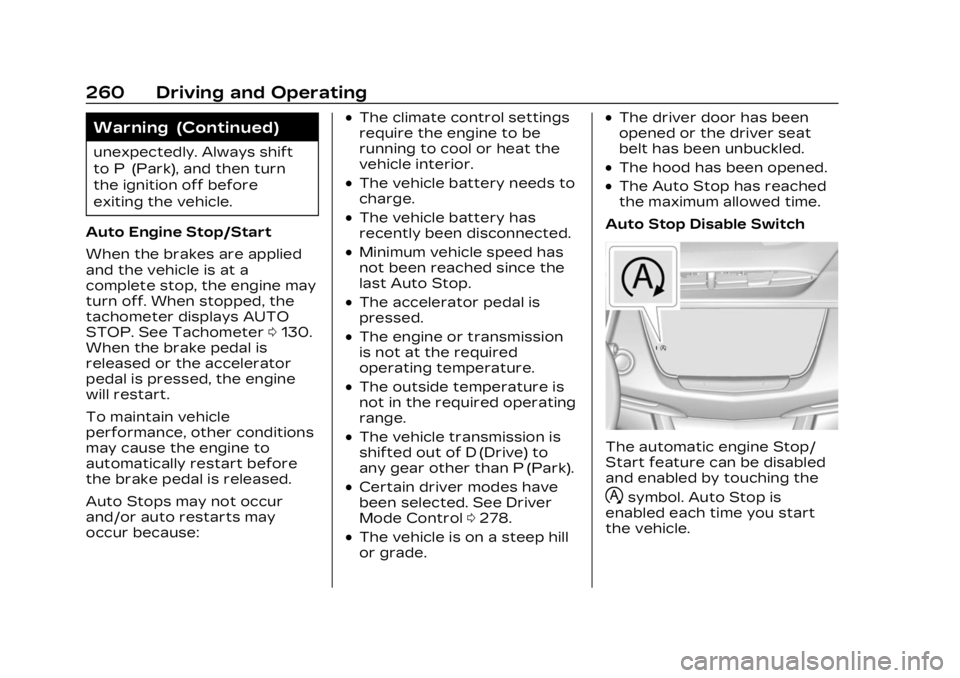
Auto Stop Disable Switch
The automatic engine Stop/
Start feature can be disabled
and enabled by touching the
hsymbol. Auto Stop is
enabled each time you start
the vehicle.
Page 292 of 507
Cadillac XT6 Owner Manual (GMNA-Localizing-U.S./Canada-16405819) -
2023 - CRC - 3/22/22
Driving and Operating 291
When the vehicle ahead drives
away, ACC resumes
automatically if the stop was
brief. If necessary, press RES+
or the accelerator pedal to
resume ACC. If stopped for
more than two minutes or if
the driver door is opened and
the driver seat belt is
unbuckled, ACC automatically
applies the Electric Parking
Brake (EPB) to hold the
vehicle. The Electric Parking
Brake light will turn on. See
Electric Parking Brake0274.
To release the EPB, press the
accelerator pedal.
A DIC warning message may
display indicating to shift to
P (Park) before exiting the
vehicle. See Vehicle Messages
0 151.{Warning
If ACC has stopped the
vehicle, and if ACC is
disengaged, turned off,
or canceled, the vehicle will
no longer be held at a stop.
The vehicle can move. When
ACC is holding the vehicle at
a stop, always be prepared
to manually apply the
brakes.
{Warning
Leaving the vehicle without
placing it in P (Park) can be
dangerous. Do not leave the
vehicle while it is being held
at a stop by ACC. Always
place the vehicle in P (Park)
and turn off the ignition
before leaving the vehicle. ACC Override
If using the accelerator pedal
while ACC is active, the ACC
indicator turns blue on the
instrument cluster and in the
HUD (if equipped) indicating
ACC braking will not occur.
ACC will resume operation
when the accelerator pedal is
not being pressed.
{Warning
The ACC will not
automatically apply the
brakes if your foot is resting
on the accelerator pedal.
You could crash into a
vehicle ahead of you.
Page 297 of 507

Cadillac XT6 Owner Manual (GMNA-Localizing-U.S./Canada-16405819) -
2023 - CRC - 3/22/22
296 Driving and Operating
Warning (Continued)
Failure to do so may result in
a crash involving serious
injury or death.
{Warning
Failure to supervise the
driving task and to respond
appropriately, even while
Super Cruise is operating,
can cause a crash. Super
Cruise may not respond as
you would to all driving
situations and may not
maintain lane position under
all conditions.
It is extremely important to
pay attention to the
operation of the vehicle,
even while using Super
Cruise. Do not use a
hand-held device while
driving, even with Super
Cruise engaged.(Continued)
Warning (Continued)
To prevent serious injury or
death:
.Always remain properly
seated in the driver seat
with your seat belt
fastened.
.Never remove your hands
from the steering wheel
when Super Cruise is not
operating.
.Always make sure traffic
conditions are safe before
using Super Cruise.
.Always keep the entire
front of the vehicle and
the sensors clean.
.Always observe posted
speed limits. Only use
Super Cruise at or below
the posted speed limit.
Super Cruise should not be
used in complex or uncertain
driving conditions, including:
.Not in construction zones. (Continued)
Warning (Continued)
.Not when approaching or
exiting toll plazas.
.Not when lane markings
are not present or cannot
be detected. For example
there is too much glare,
weather conditions are
poor, or lanes are poorly
marked.
.Not on slippery or icy
freeways.
.Not in adverse weather
conditions, including rain,
sleet, fog, ice, or snow.
.Not on winding or hilly
roads.
.Not for city driving.
.Not during heavy or
emergency braking.
.Not on surface streets.
.Not on a road shoulder,
service drive, or under an
elevated freeway.
.Not in tunnels.
(Continued)
Page 323 of 507

Cadillac XT6 Owner Manual (GMNA-Localizing-U.S./Canada-16405819) -
2023 - CRC - 3/22/22
322 Driving and Operating
How to Cancel Automatic
Parking
To cancel automatic parking
or automatic unparking at any
time, press
O. Be prepared to
resume full control of the
vehicle. APA holds the vehicle
until the parking brake or
brake is applied, or the vehicle
is shifted into P (Park). To start
driving away, press the brakes
and shift into D (Drive).
Certain vehicle conditions and
driver interferences may also
cancel automatic parking:
.The driver manually steers
the vehicle.
.The maximum allowed speed
is exceeded.
.There is a failure with the
APA system.
.Electronic stability control or
antilock brakes are
activated.
.The parking brake is applied.
.Driver unbuckles the seat
belt and opens the door. System Limitations
Automatic Parking Assist has
certain limitations. The system
cannot:
.Continue to operate if the
maneuver speed exceeds
5 km/h (3 mph).
.Detect whether a parking
space is legal or restricted.
.Detect pavement markings
or lines.
.Park the vehicle closely lined
up with the vehicle next to it,
particularly if the spot is
approached at an angle or if
the parking space is angled.
.Park exactly centered in a
very large spot.
.Always detect short curbs.
.Operate while towing any
trailer.
.Function the vehicle is raised
or lowered by air
suspension,if equipped.
When the System Does Not
Seem to Work Properly
If the vehicle does not reverse
into the expected parking
space, the system could be
maneuvering the vehicle into a
previously detected space.
Reverse Automatic
Braking (RAB)
Backing Warning and
Reverse Automatic
Braking (RAB)
If equipped, vehicles with
Adaptive Cruise Control (ACC)
have the Backing Warning
System and Reverse
Automatic Braking (RAB)
system. When in R (Reverse),
Backing Warning alerts of rear
objects at vehicle speeds
greater than 8 km/h (5 mph),
and RAB may automatically
brake hard at speeds between
1–32 km/h (0.5–20 mph).
The Backing Warning System
will beep once from the rear
when an object is first
Page 352 of 507
Cadillac XT6 Owner Manual (GMNA-Localizing-U.S./Canada-16405819) -
2023 - CRC - 3/22/22
Driving and Operating 351
Maintenance When Trailer
Towing
The vehicle needs service
more often when used to tow
trailers. See Maintenance
Schedule0454. It is especially
important to check the engine
oil, axle lubricant, belts, cooling
system, and brake system
before and during each trip.
Check periodically that all nuts
and bolts on the trailer hitch
are tight.
Engine Cooling When
Trailer Towing
The cooling system may
temporarily overheat during
severe operating conditions.
See Engine Overheating 0381.
Trailer Towing
Caution
Towing a trailer improperly
can damage the vehicle and
result in costly repairs not
covered by the vehicle
warranty. To tow a trailer
correctly, follow the
directions in this section and
see your dealer for
important information about
towing a trailer with the
vehicle.
Trailer Weight
{Warning
Never exceed the towing
capacity for your vehicle. Safe trailering requires
monitoring the weight, speed,
altitude, road grades, outside
temperature, dimensions of
the front of the trailer, and
how frequently the vehicle is
used to tow a trailer.
Trailer Weight Ratings
When towing a trailer, the
combined weight of the
vehicle, vehicle contents,
trailer, and trailer contents
must be below all of the
maximum weight ratings for
the vehicle including:
.Gross Combined Weight
Rating (GCWR)
.Gross Vehicle Weight
Rating (GVWR)
.Maximum Trailer Weight
Rating
.Maximum Trailer Tongue
Weight Rating
.Gross Axle Weight
Rating-Rear (GAWR-RR)