head light sensor CADILLAC XTS 2019 Owner's Manual
[x] Cancel search | Manufacturer: CADILLAC, Model Year: 2019, Model line: XTS, Model: CADILLAC XTS 2019Pages: 376, PDF Size: 6.71 MB
Page 20 of 376
Cadillac XTS Owner Manual (GMNA-Localizing-U.S./Canada-12032610) -
2019 - crc - 8/22/18
IN BRIEF 19
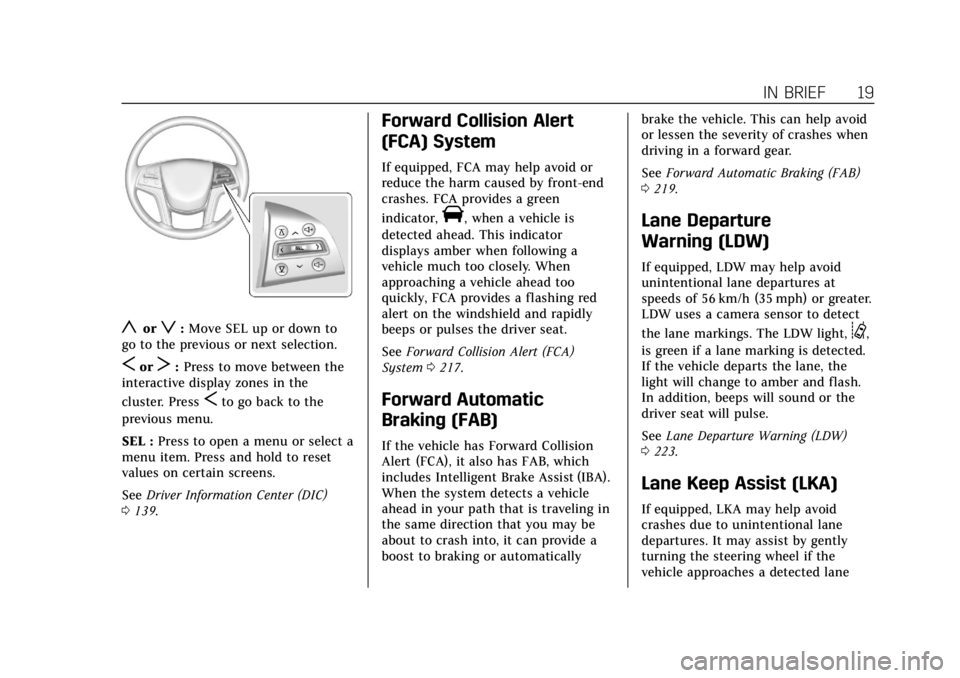
yorz:Move SEL up or down to
go to the previous or next selection.
SorT: Press to move between the
interactive display zones in the
cluster. Press
Sto go back to the
previous menu.
SEL : Press to open a menu or select a
menu item. Press and hold to reset
values on certain screens.
See Driver Information Center (DIC)
0 139.
Forward Collision Alert
(FCA) System
If equipped, FCA may help avoid or
reduce the harm caused by front-end
crashes. FCA provides a green
indicator,
V, when a vehicle is
detected ahead. This indicator
displays amber when following a
vehicle much too closely. When
approaching a vehicle ahead too
quickly, FCA provides a flashing red
alert on the windshield and rapidly
beeps or pulses the driver seat.
See Forward Collision Alert (FCA)
System 0217.
Forward Automatic
Braking (FAB)
If the vehicle has Forward Collision
Alert (FCA), it also has FAB, which
includes Intelligent Brake Assist (IBA).
When the system detects a vehicle
ahead in your path that is traveling in
the same direction that you may be
about to crash into, it can provide a
boost to braking or automatically brake the vehicle. This can help avoid
or lessen the severity of crashes when
driving in a forward gear.
See
Forward Automatic Braking (FAB)
0 219.
Lane Departure
Warning (LDW)
If equipped, LDW may help avoid
unintentional lane departures at
speeds of 56 km/h (35 mph) or greater.
LDW uses a camera sensor to detect
the lane markings. The LDW light,
@,
is green if a lane marking is detected.
If the vehicle departs the lane, the
light will change to amber and flash.
In addition, beeps will sound or the
driver seat will pulse.
See Lane Departure Warning (LDW)
0 223.
Lane Keep Assist (LKA)
If equipped, LKA may help avoid
crashes due to unintentional lane
departures. It may assist by gently
turning the steering wheel if the
vehicle approaches a detected lane
Page 115 of 376
Cadillac XTS Owner Manual (GMNA-Localizing-U.S./Canada-12032610) -
2019 - crc - 8/22/18
114 INSTRUMENTS AND CONTROLS
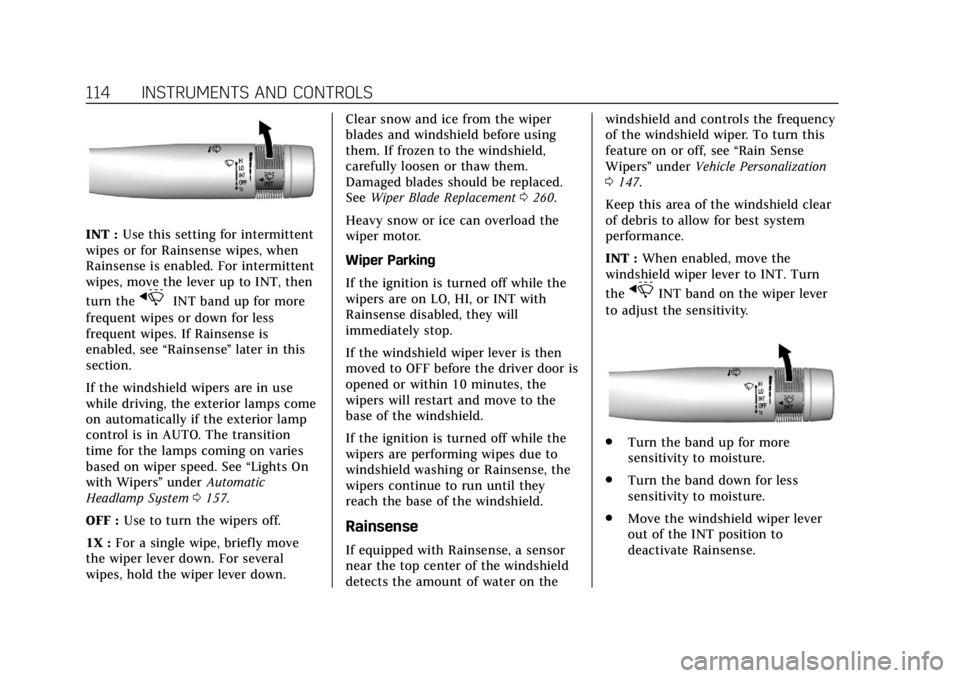
INT :Use this setting for intermittent
wipes or for Rainsense wipes, when
Rainsense is enabled. For intermittent
wipes, move the lever up to INT, then
turn the
xINT band up for more
frequent wipes or down for less
frequent wipes. If Rainsense is
enabled, see “Rainsense”later in this
section.
If the windshield wipers are in use
while driving, the exterior lamps come
on automatically if the exterior lamp
control is in AUTO. The transition
time for the lamps coming on varies
based on wiper speed. See “Lights On
with Wipers ”under Automatic
Headlamp System 0157.
OFF : Use to turn the wipers off.
1X : For a single wipe, briefly move
the wiper lever down. For several
wipes, hold the wiper lever down. Clear snow and ice from the wiper
blades and windshield before using
them. If frozen to the windshield,
carefully loosen or thaw them.
Damaged blades should be replaced.
See
Wiper Blade Replacement 0260.
Heavy snow or ice can overload the
wiper motor.
Wiper Parking
If the ignition is turned off while the
wipers are on LO, HI, or INT with
Rainsense disabled, they will
immediately stop.
If the windshield wiper lever is then
moved to OFF before the driver door is
opened or within 10 minutes, the
wipers will restart and move to the
base of the windshield.
If the ignition is turned off while the
wipers are performing wipes due to
windshield washing or Rainsense, the
wipers continue to run until they
reach the base of the windshield.
Rainsense
If equipped with Rainsense, a sensor
near the top center of the windshield
detects the amount of water on the windshield and controls the frequency
of the windshield wiper. To turn this
feature on or off, see
“Rain Sense
Wipers ”under Vehicle Personalization
0 147.
Keep this area of the windshield clear
of debris to allow for best system
performance.
INT : When enabled, move the
windshield wiper lever to INT. Turn
the
xINT band on the wiper lever
to adjust the sensitivity.
. Turn the band up for more
sensitivity to moisture.
. Turn the band down for less
sensitivity to moisture.
. Move the windshield wiper lever
out of the INT position to
deactivate Rainsense.
Page 157 of 376
Cadillac XTS Owner Manual (GMNA-Localizing-U.S./Canada-12032610) -
2019 - crc - 8/22/18
156 LIGHTING
Turning On and Enabling IntelliBeam
To enable the IntelliBeam system,
with the turn signal lever in the
neutral position, turn the exterior
lamp control to AUTO. The blue
high-beam on light appears on the
instrument cluster when the high
beams are on.
The IntelliBeam system is disabled by
the high/low-beam changer or the
flash-to-pass feature. If this happens,
the high/low-beam changer must be
activated two times within
two seconds to reactivate the
IntelliBeam system. The instrument
cluster light will come on to indicate
the IntelliBeam is reactivated.
SeeHeadlamp High/Low-Beam Changer
0 156 and Flash-to-Pass 0157.
Driving with IntelliBeam
The system only activates the high
beams when driving over 40 km/h
(25 mph).
There is a sensor near the top center
of the windshield that automatically
controls the system. Keep this area of
the windshield clear of debris to allow
for best system performance. The high-beam headlamps remain on,
under the automatic control, until one
of the following situations occurs:
.
The system detects an
approaching vehicle's headlamps.
. The system detects a preceding
vehicle's taillamps.
. The outside light is bright enough
that high-beam headlamps are not
required.
. The vehicle's speed drops below
20 km/h (12 mph).
The high beams may not turn off
automatically if the system cannot
detect another vehicle's lamps because
of any of the following:
. The other vehicle's lamps are
missing, damaged, obstructed from
view, or otherwise undetected.
. The other vehicle's lamps are
covered with dirt, snow, and/or
road spray.
. The other vehicle's lamps cannot
be detected due to dense exhaust,
smoke, fog, snow, road spray, mist,
or other airborne obstructions. .
The vehicle's windshield is dirty,
cracked, or obstructed by
something that blocks the view of
the light sensor.
. The vehicle is loaded such that the
front end points upward, causing
the light sensor to aim high and
not detect headlamps and
taillamps.
. Driving on winding or hilly roads.
The automatic high-beam headlamps
may need to be disabled if any of the
above conditions exist.
Exterior Lamps Off
Reminder
A warning chime sounds if the driver
door is opened while the ignition is off
and the exterior lamps are on.
Headlamp High/Low-Beam
Changer
Push the turn signal lever away from
you and release, to turn the high
beams on. To return to low beams,
push the lever again or pull it toward
you and release.
Page 158 of 376
Cadillac XTS Owner Manual (GMNA-Localizing-U.S./Canada-12032610) -
2019 - crc - 8/22/18
LIGHTING 157
This indicator light turns on in the
instrument cluster when the
high-beam headlamps are on.
Flash-to-Pass
To flash the high beams, pull the turn
signal lever toward you, and release.
Daytime Running
Lamps (DRL)
DRL can make it easier for others to
see the front of your vehicle during
the day. Fully functional DRL are
required on all vehicles first sold in
Canada.
The dedicated DRL will come on when
all of the following conditions are met:
.The ignition is on.
. The exterior lamp control is
in AUTO. .
The light sensor determines it is
daytime.
. The parking brake is released or
the vehicle is not in P (Park).
When the DRL are on, the taillamps,
sidemarker lamps, and other lamps
will not be on.
The DRL turn off when the headlamps
are turned to
Oor the ignition is off.
For vehicles first sold in Canada, the
DRL can only be turned off when the
vehicle is parked.
Automatic Headlamp
System
When the exterior lamp control is set
to AUTO and it is dark enough
outside, the headlamps come on
automatically.
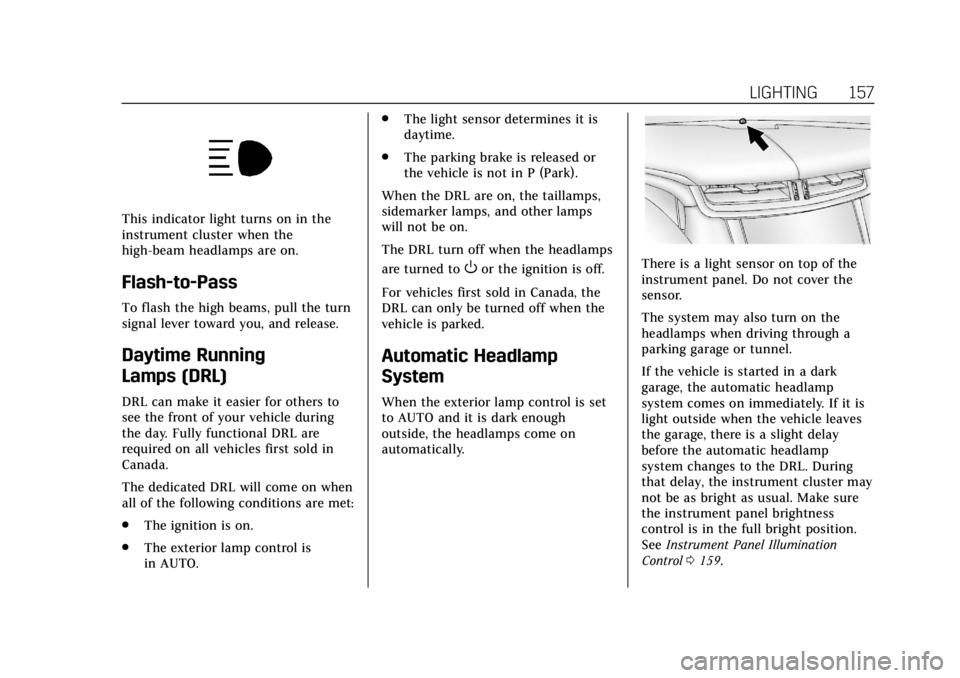
There is a light sensor on top of the
instrument panel. Do not cover the
sensor.
The system may also turn on the
headlamps when driving through a
parking garage or tunnel.
If the vehicle is started in a dark
garage, the automatic headlamp
system comes on immediately. If it is
light outside when the vehicle leaves
the garage, there is a slight delay
before the automatic headlamp
system changes to the DRL. During
that delay, the instrument cluster may
not be as bright as usual. Make sure
the instrument panel brightness
control is in the full bright position.
See Instrument Panel Illumination
Control 0159.
Page 207 of 376
Cadillac XTS Owner Manual (GMNA-Localizing-U.S./Canada-12032610) -
2019 - crc - 8/22/18
206 DRIVING AND OPERATING
Approaching and Following a
Vehicle
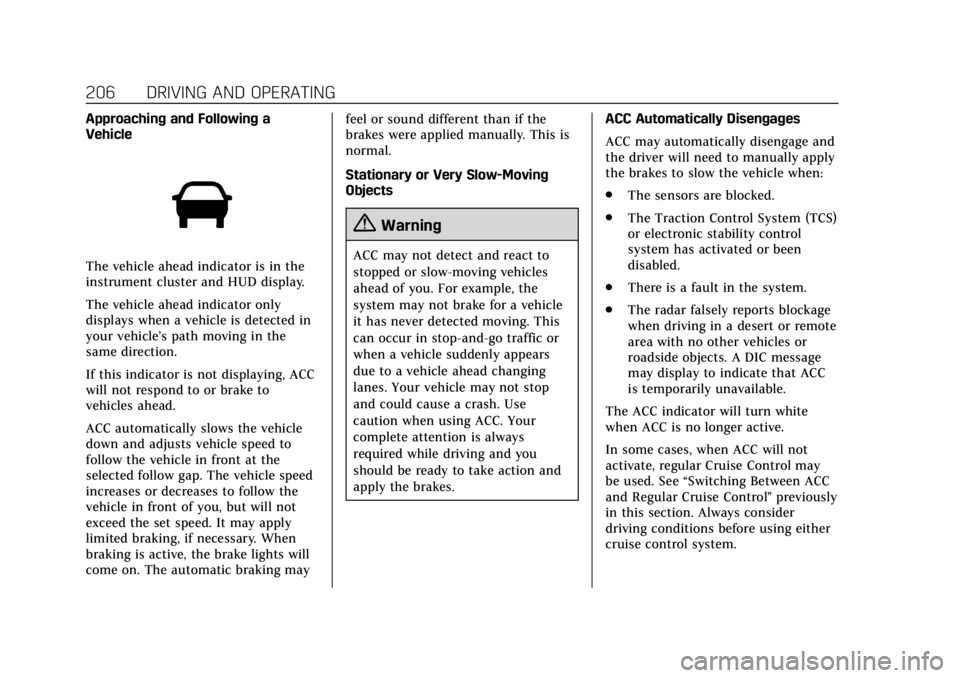
The vehicle ahead indicator is in the
instrument cluster and HUD display.
The vehicle ahead indicator only
displays when a vehicle is detected in
your vehicle’s path moving in the
same direction.
If this indicator is not displaying, ACC
will not respond to or brake to
vehicles ahead.
ACC automatically slows the vehicle
down and adjusts vehicle speed to
follow the vehicle in front at the
selected follow gap. The vehicle speed
increases or decreases to follow the
vehicle in front of you, but will not
exceed the set speed. It may apply
limited braking, if necessary. When
braking is active, the brake lights will
come on. The automatic braking mayfeel or sound different than if the
brakes were applied manually. This is
normal.
Stationary or Very Slow-Moving
Objects
{Warning
ACC may not detect and react to
stopped or slow-moving vehicles
ahead of you. For example, the
system may not brake for a vehicle
it has never detected moving. This
can occur in stop-and-go traffic or
when a vehicle suddenly appears
due to a vehicle ahead changing
lanes. Your vehicle may not stop
and could cause a crash. Use
caution when using ACC. Your
complete attention is always
required while driving and you
should be ready to take action and
apply the brakes.
ACC Automatically Disengages
ACC may automatically disengage and
the driver will need to manually apply
the brakes to slow the vehicle when:
.
The sensors are blocked.
. The Traction Control System (TCS)
or electronic stability control
system has activated or been
disabled.
. There is a fault in the system.
. The radar falsely reports blockage
when driving in a desert or remote
area with no other vehicles or
roadside objects. A DIC message
may display to indicate that ACC
is temporarily unavailable.
The ACC indicator will turn white
when ACC is no longer active.
In some cases, when ACC will not
activate, regular Cruise Control may
be used. See “Switching Between ACC
and Regular Cruise Control ”previously
in this section. Always consider
driving conditions before using either
cruise control system.
Page 224 of 376
Cadillac XTS Owner Manual (GMNA-Localizing-U.S./Canada-12032610) -
2019 - crc - 8/22/18
DRIVING AND OPERATING 223
LCA may not operate when the LCA
sensors in the left or right corners of
the rear bumper are covered with
mud, dirt, snow, ice, or slush, or in
heavy rainstorms. For cleaning
instructions, see "Washing the
Vehicle" underExterior Care0312.
If the DIC still displays the system
unavailable message after cleaning
both sides of the vehicle toward the
rear corners of the vehicle, see your
dealer.
If the LCA displays do not light up
when moving vehicles are in the side
blind zone or rapidly approaching this
zone and the system is clean, the
system may need service. Take the
vehicle to your dealer.
Radio Frequency Information
See Radio Frequency Statement 0349.
Lane Departure
Warning (LDW)
If equipped, LDW may help avoid
crashes due to unintentional lane
departures. It may provide an alert if
the vehicle is crossing a lane without using a turn signal in that direction.
LDW uses a camera sensor to detect
the lane markings at speeds of 56
km/h (35 mph) or greater.
{Warning
The LDW system does not steer the
vehicle. The LDW system may not:
. Provide enough time to avoid
a crash.
. Detect lane markings under
poor weather or visibility
conditions. This can occur if
the windshield or headlamps
are blocked by dirt, snow,
or ice; if they are not in
proper condition; or if the sun
shines directly into the
camera.
. Detect road edges.
. Detect lanes on winding or
hilly roads.
If LDW only detects lane markings
on one side of the road, it will only
warn you when departing the lane (Continued)
Warning (Continued)
on the side where it has detected a
lane marking. Always keep your
attention on the road and maintain
proper vehicle position within the
lane, or vehicle damage, injury,
or death could occur. Always keep
the windshield, headlamps, and
camera sensors clean and in good
repair. Do not use LDW in bad
weather conditions.
How the System Works
The LDW camera sensor is on the
windshield ahead of the rearview
mirror.
To turn LDW on and off, press
@on
the center stack to the left of the
infotainment display. The control
indicator will light when LDW is on.
Page 226 of 376
Cadillac XTS Owner Manual (GMNA-Localizing-U.S./Canada-12032610) -
2019 - crc - 8/22/18
DRIVING AND OPERATING 225
Warning (Continued)
If LKA only detects lane markings
on one side of the road, it will only
assist or provide an LDW alert
when approaching the lane on the
side where it has detected a lane
marking. Even with LKA and LDW,
you must steer the vehicle. Always
keep your attention on the road and
maintain proper vehicle position
within the lane, or vehicle damage,
injury, or death could occur. Always
keep the windshield, headlamps,
and camera sensors clean and in
good repair. Do not use LKA in bad
weather conditions.
{Warning
Using LKA while towing a trailer or
on slippery roads could cause loss
of control of the vehicle and a
crash. Turn the system off.
How the System Works
The LKA camera sensor is on the
windshield ahead of the rearview
mirror.
To turn LKA on and off, press
A
on the center stack.
When on,
Ais green if LKA is
available to assist and provide LDW
alerts. It may assist by gently turning
the steering wheel and display
A
as amber if the vehicle approaches a
detected lane marking without using a
turn signal in that direction. It may
also provide an LDW alert by
flashing
Aamber as the lane
marking is crossed. Additionally, there
may be three beeps, or the driver seat
may pulse three times, on the right or
left, depending on the lane departure
direction.
Take Steering
The LKA system does not
continuously steer the vehicle. If LKA
does not detect active driver steering, an alert, chime, or DIC message may
be provided. Move the steering wheel
to dismiss.
When the System Does Not
Seem to Work Properly
The system performance may be
affected by:
.
Close vehicles ahead.
. Sudden lighting changes, such as
when driving through tunnels.
. Banked roads.
. Roads with poor lane markings,
such as two-lane roads.
If the LKA system is not functioning
properly when lane markings are
clearly visible, cleaning the windshield
may help.
A camera blocked message may
display if the camera is blocked.
Cleaning the outside of the windshield
behind the rearview mirror may
correct the issue. Some driver
assistance systems may have reduced
performance or not work at all. An
LKA or LDW unavailable message may
display if the systems are temporarily
Page 291 of 376
Cadillac XTS Owner Manual (GMNA-Localizing-U.S./Canada-12032610) -
2019 - crc - 8/22/18
290 VEHICLE CARE
government test surfaces of
asphalt and concrete. A tire
marked C may have poor traction
performance. Warning: The
traction grade assigned to this tire
is based on straight-ahead braking
traction tests, and does not
include acceleration, cornering,
hydroplaning, or peak traction
characteristics.
Temperature
The temperature grades are A (the
highest), B, and C, representing
the tire's resistance to the
generation of heat and its ability
to dissipate heat when tested
under controlled conditions on a
specified indoor laboratory test
wheel. Sustained high temperature
can cause the material of the tire
to degenerate and reduce tire life,
and excessive temperature can
lead to sudden tire failure. The
grade C corresponds to a level of
performance which all passenger
car tires must meet under theFederal Motor Safety Standard
No. 109. Grades B and A represent
higher levels of performance on
the laboratory test wheel than the
minimum required by law.
Warning: The temperature grade
for this tire is established for a tire
that is properly inflated and not
overloaded. Excessive speed,
underinflation, or excessive
loading, either separately or in
combination, can cause heat
buildup and possible tire failure.
Wheel Alignment and Tire
Balance
The tires and wheels were aligned and
balanced at the factory to provide the
longest tire life and best overall
performance. Adjustments to wheel
alignment and tire balancing are not
necessary on a regular basis. Consider
an alignment check if there is unusual
tire wear or the vehicle is significantly
pulling to one side or the other. Some
slight pull to the left or right,
depending on the crown of the road
and/or other road surface variations such as troughs or ruts, is normal.
If the vehicle is vibrating when driving
on a smooth road, the tires and
wheels may need to be rebalanced.
See your dealer for proper diagnosis.
Wheel Replacement
Replace any wheel that is bent,
cracked, or badly rusted or corroded.
If wheel nuts keep coming loose, the
wheel, wheel bolts, and wheel nuts
should be replaced. If the wheel leaks
air, replace it. Some aluminum wheels
can be repaired. See your dealer if any
of these conditions exist.
Your dealer will know the kind of
wheel that is needed.
Each new wheel should have the same
load-carrying capacity, diameter,
width, offset, and be mounted the
same way as the one it replaces.
Replace wheels, wheel bolts, wheel
nuts, or Tire Pressure Monitor System
(TPMS) sensors with new GM original
equipment parts.