audio CHEVROLET CAMARO 1993 User Guide
[x] Cancel search | Manufacturer: CHEVROLET, Model Year: 1993, Model line: CAMARO, Model: CHEVROLET CAMARO 1993Pages: 358, PDF Size: 15.6 MB
Page 120 of 358
Comfort Controls & Audio Systems
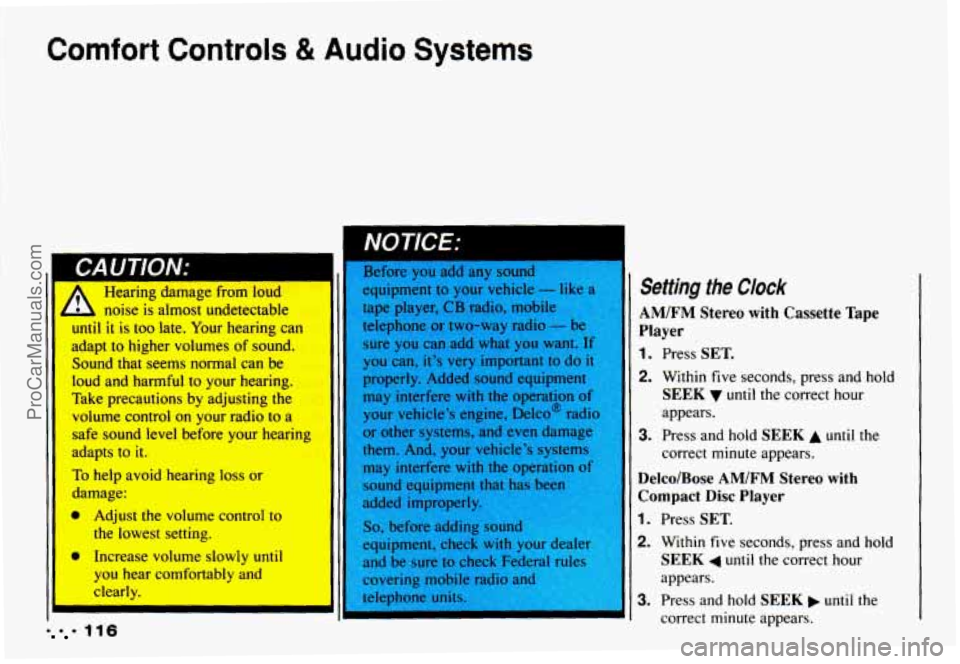
I Setting the Clock noise is almost undetectable AM/FM Stereo with Cassette Tape
until it is too late. Your hearing can
adapt
to higher volumes of sound. sure you can add what you want. If
Player
you can, it’s very important to do it 1. Press SET. Sound that Seems normal can be
Ioud and harmful to your hearing.
Take precautions by adjusting the
volume
control on your radio to a
safe sound level before your hearing
adapts
to it.
To help avoid hearing loss or 31
damage:
a Adjust the volume control to
the lowest setting. properly.
Added
sound equipment
may interfere
with the operation of
your vehicle’s engine, Delco@ radio
or other systems, and even damage
them. And, your vehicle’s systems may interfere
with the operation of
sound equipment that has been
added improperly.
So, before adding sound
equipment, check with your d er
2. Within five
seconds, press and hold
SEEK until the correct hour
appears.
correct minute appears.
3. Press and hold SEEK A until the
Delco/Bose AM/FM Stereo with
Compact Disc Player
1. Press SET.
2. Within five seconds, press and hold
SEEK 4 until the correct hour I, Increase volume slowly until
you
hear comfortably and appears.
clearly. 3. Press and hold SEEK until the
1116 correct minute appears.
ProCarManuals.com
Page 122 of 358
Comfort Controls & Audio Systems
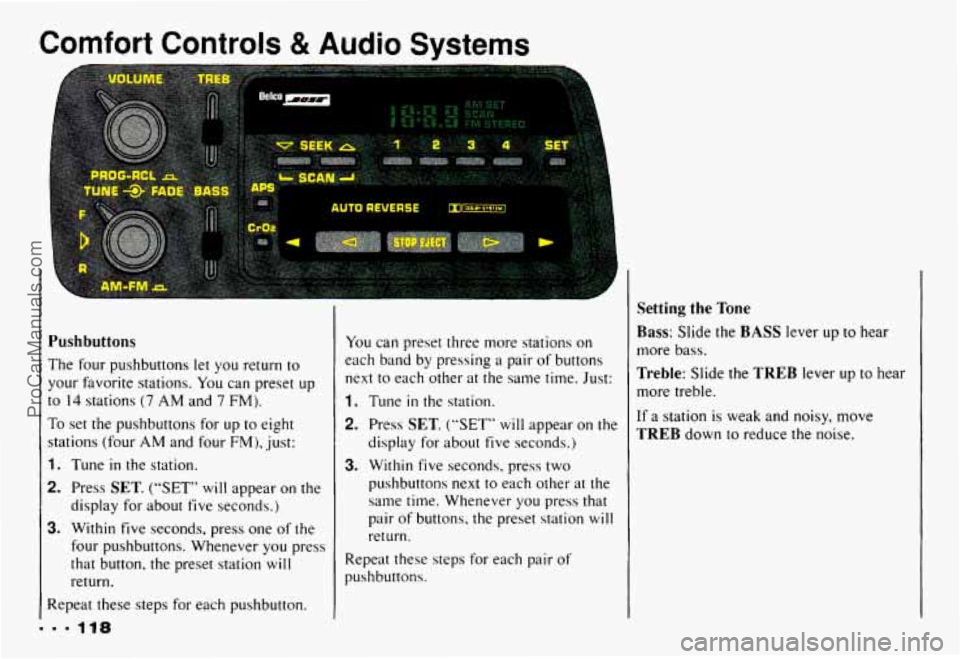
Pushbuttons
The four pushbuttons let you return to
your favorite stations. You can preset
up
to 14 stations (7 AM and 7 FM).
To set the pushbuttons for up to eight
stations (four
AM and four FM), just:
1. Tune in the station.
2. Press SET. (“SET” will appear on the
display for about five seconds.)
3. Within five seconds, press one of the
four pushbuttons. Whenever you press
that button, the preset station
will
return.
Repeat these steps for each pushbutton. You
can preset three more stations on
each band by pressing
a pair of buttons
next to each other
at the same time. Just:
1. Tune in the station.
2. Press SET. (“SET” will appear on the
display for about five seconds.)
3. Within five seconds, press two
pushbuttons next to each other
at the
same time. Whenever you press
that
pair of buttons, the preset station will
return.
Repeat these steps for each pair of
pushbuttons.
Setting the Tone
Bass: Slide the BASS lever up to hear
more bass,
Treble: Slide the TREB lever up to hear
more treble.
If a station is weak and noisy, move
TREB down to reduce the noise.
ProCarManuals.com
Page 124 of 358
Comfort Controls & Audio Systems
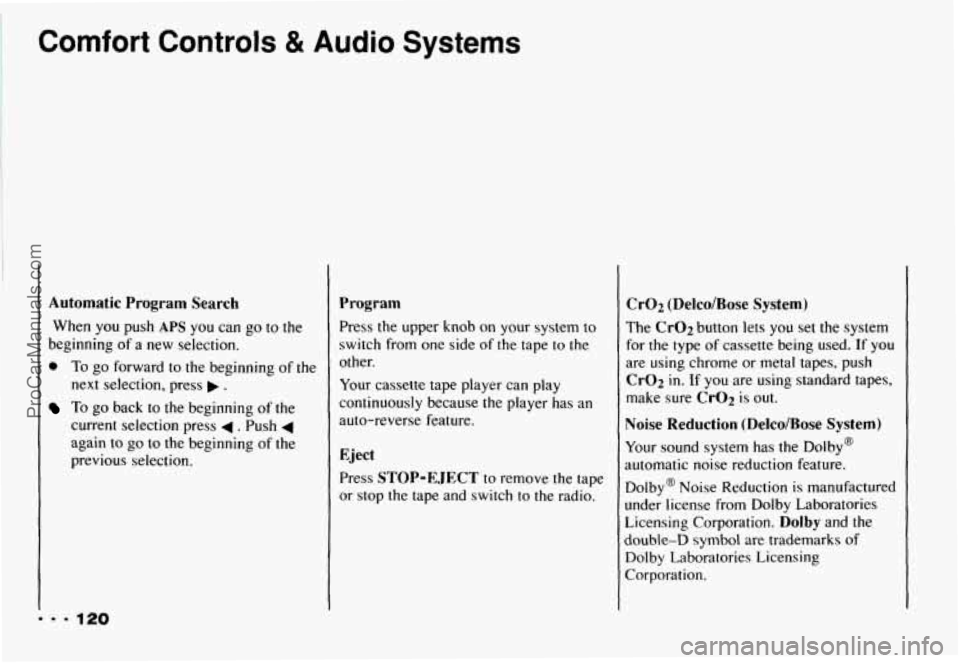
Automatic Program Search
When you push APS you can go to the
beginning of a new selection.
0 To go forward to the beginning of the
next selection, press
.
To go back to the beginning of the
current selection press
4 . Push 4
again to go to the beginning of the
previous selection.
Program
Press the upper knob on your system to
switch from one side
of the tape to the
other.
Your cassette tape player can play
continuously because the player has an
auto-reverse feature.
Eject
Press STOP-EJECT to remove the tape
or stop the tape and switch to the radio.
Cr02 (Delco/Bose System)
The Cr02 button lets you set the system
for the type
of cassette being used. If you
are using chrome or metal tapes, push
Cr02 in. If you are using standard tapes,
make sure
CrO2 is out.
Noise Reduction (Delco/Bose System)
Your sound system has the Dolby@
automatic noise reduction feature.
Dolby@ Noise Reduction is manufactured
under license from Dolby Laboratories
Licensing Corporation.
Dolby and the
double-D symbol are trademarks
of
Dolby Laboratories Licensing
Corporation.
... 120
ProCarManuals.com
Page 126 of 358
Comfort Controls & Audio Systems
... 122
Setting the Tone
Bass:
Press BASS A or BASS to hear
more or less bass.
Treble: Press TREB A or TREB v to
hear more or less treble.
For the clearest sound, keep both of these
adjusted all the way up. If a station is
weak and noisy, press
TREB v to reduce
the noise.
Adjusting the Speakers
Balance:
Turn the balance control behind
the upper knob to move the sound
between the right and left speakers.
Fade: Turn the fade control behind the
lower knob to move the sound between
the front and rear speakers.
I’o Play a Compact Disc
Before you begin, please note: don’t use
:he mini-discs that are called “singles.”
rhey won’t eject. Use full-size compact
jiscs.
With the audio system on, insert a disc
into the slot
with the label side up. “CD”
will appear on the display and track 1 will
begin to play. If
the disc comes back out and
“ERR” appears on the display, it could be
that:
The disc is upside down.
It is dirty, scratched, or wet.
There’s too much moisture
in the
air.
You are driving on a very rough
road.
The temperature
is too hot or too
cold.
ProCarManuals.com
Page 128 of 358
Comfort Controls & Audio Systems
To Stop the Disc Player
0
0
Turn the power off or turn the ignition
key off. The disc stays in the player
and will resume playing at the point
where
it stopped.
Press
ST-PL to stop playing the disc
and switch to radio. Press ST-PL to
restart the disc at the point where
it
stopped.
Press
EJCT to eject the disc and the
radio will play. The disc
will start
playing at track
1 when you reinsert it.
Theft-Deterrent Feature
Delco-Loc I1 is a security feature for the
compact disc player. It can be used or
ignored. If ignored, the system functions
normally.
If it is used, your system won’t
be usable
if it’s ever stolen.
Setting Your Security Code
The instructions below tell you how to
enter a security
code into the system. If
your vehicle loses battery power for any
reason,
you must enter the security code
again before the system
will turn on.
1. Write down any six digit number and
2. Turn the ignition switch to the Acc
3. Turn the audio system off.
4. Press and hold 1 and 4 together until
keep it in a safe place.
or
Run position.
“---” shows on the display.
I. 9 124
ProCarManuals.com
Page 129 of 358
You are now ready to enter your security
code. Don’t wait more than 15 seconds
between steps.
5. Press SET and “000” will appear on
the display.
6. Press SCAN and hold until the first
digit
of your code appears. Release
the button.
7. Press SEEK 4 or b and hold until
the second and third digits
of your
code appear. Release the button.
8. Press the lower knob and “000’ will
appear. Now you are ready to enter
the
last three digits of your code.
9. Press SCAN and hold until the
fourth digit
of your code appears.
Release the button.
10. Press SEEK 4 or b and hold until
the fifth and sixth digits of your code
appear. Release the button.
11. Press the lower knob. “rEP’ will
appear for five seconds, and then
“000” will appear.
12. Repeat steps 6 through 11. “SEC”
will appear. This means that your
audio system is secured.
Shutting Off the Theft-Deterrent
Feature
If your audio system is secured (“SEC”
shows on display) and you wish to disable
it, enter your security code as follows,
pausing no more than
15 seconds between
steps:
1. Turn the ignition on. Make sure the
audio system is off. The time
will
show on the display.
seconds.
“SEC” will show on the
display.
display.
2. Press 1 and 4 together for five
3. Press SET. “000” will appear on the
ProCarManuals.com
Page 130 of 358
Comfort Controls & Audio Systems
mm. 126
4. Press SCAN and hold until the first
digit of your code appears. Release the
button.
5. Press SEEK 4 or b and hold until the
second and third digits appear.
Release the button.
6. Press the lower knob.“000” will
appear on the display.
7. Press SCAN and hold until the fourth
digit of your security code appears.
Release the button.
8. Press SEEK 4 or b and hold until the
fifth and sixth digits of your code
appear. Release the button.
9. Press the lower knob. If ”---” shows,
you have shut off the theft-deterrent
feature.
If “SEC” shows, your audio
system is still secured.
NOTE: If you lose or forget your security
code. see your dealer for assistance.
Unlocking the Audio System after a
Power Failure
If power is disrupted to the audio system
while
in the “SEC” mode, the unit will
not work and “LOC” will show on the
display whenever the ignition is on.
To
unlock the unit:
1. Press SET. “000” will appear on the
2. Press SCAN and hold until the first
display.
digit
of your
code appears. Release the
button.
3. Press SEEK 4 or b and hold until the
second and third digits appear.
Release the button.
ProCarManuals.com
Page 132 of 358
Comfort Controls & Audio Systems
AM Stereo
This means the Delco@ system can
receive C-QUAM@ stereo broadcasts.
Many AM stations around the country use
C-QUAM@
to produce stereo, though
some
do not. (C-QUAM@ is a registered
trademark
of Motorola, Inc.) If your
Delco@ system can get C-QUAM@, your
“STEREO” light will come on when
you’re receiving
it.
I
Care of Your Cassette Tape
Player
A tape player that is not cleaned regularly
can cause reduced sound quality, ruined
cassettes, or a damaged mechanism.
Cassette tapes should be stored
in their
cases away from contaminants, direct
sunlight, and extreme heat. If they aren’t.
they may not operate properly or cause
failure
of the tape player.
Your tape player should be cleaned
regularly each month or after every
IS
hours of use. If you notice a reduction in
sound quality. try a known good cassette
to see
if the tape or the tape player is a1
fault. If this other cassette has no
improvenlent in sound qualily. clean the
tape player. Clean
your tape player
with a
wiping-action, non-abrasive cleaning
cassette, and follow the directions
provided with it.
Cassettes are subject to wear and the
sound quality may degrade over time.
Always make sure that the cassette tape is
in good condition before you have your
tape player serviced.
ProCarManuals.com
Page 281 of 358
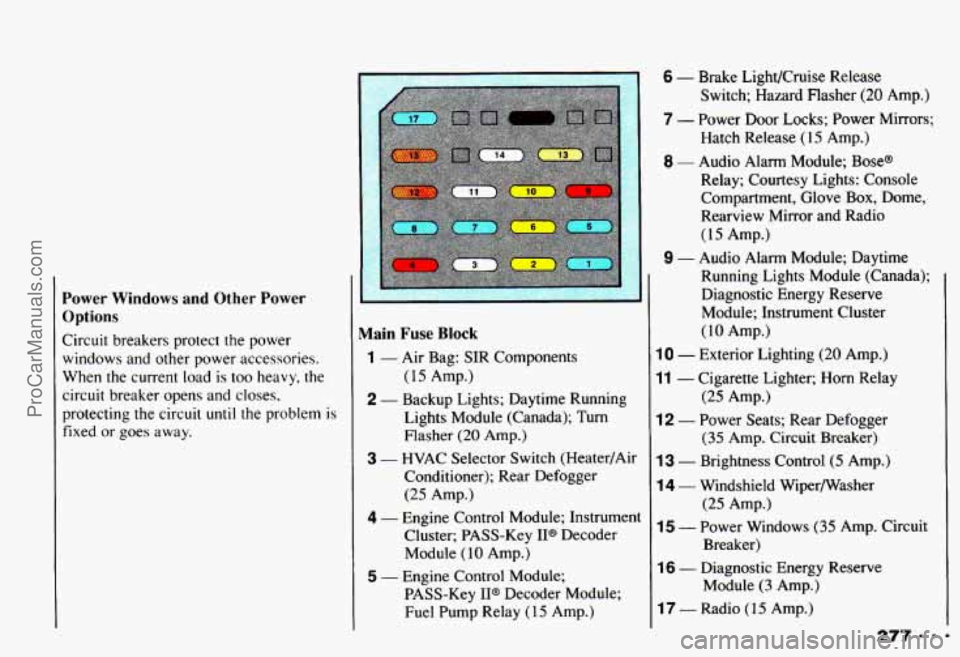
Power Windows and Other Power
Options
Circuit breakers protect the power
windows and other power accessories.
When the current load is
too heavy, the
circuit breaker opens and closes,
protecting the circuit
until the problem is
fixed or goes away.
Main Fuse Block
(15 Amp.)
Lights Module (Canada); Turn Flasher
(20 Amp.)
3 - HVAC Selector Switch (Heater/Air
Conditioner); Rear Defogger
(25 Amp.)
4 - Engine Control Module; Instrument Cluster; PASS-Key IP Decoder
Module
( 10 Amp.)
1 - Air Bag: SIR Components
2 - Backup Lights; Daytime Running
I
5 - Engine Control Module; PASS-Key
II@ Decoder Module;
Fuel Pump Relay
(1 5 Amp.)
6 - Brake LighVCruise Release
Switch; Hazard Flasher
(20 Amp.)
7 - Power Door Locks; Power Mirrors; Hatch Release (15 Amp.)
8 - Audio Alarm Module; Base@
Relay; Courtesy Lights: Console
Compartment, Glove Box, Dome,
Rearview Mirror and Radio
(15 Amp.)
9 - Audio Alarm Module; Daytime
Running Lights Module (Canada); Diagnostic Energy Reserve
Module; Instrument Cluster
(10 Amp.)
10 - Exterior Lighting (20 Amp.)
11 - Cigarette Lighter; Horn Relay
12 - Power Seats; Rear Defogger
13 - Brightness Control (5 Amp.)
14 - Windshield Wipermasher
15 - Power Windows (35 Amp. Circuit
(25 Amp.)
(35 Amp. Circuit Breaker)
(25 Amp.)
Breaker)
16 - Diagnostic Energy Reserve Module
(3 Amp.)
17 - Radio (15 Amp.)
ProCarManuals.com
Page 333 of 358
Index
Adding Coolant .............. 240
Add-on Electrical Equipment
.... 275
AirBags
...................... 25
How the System Works
........ 27
Servicing Your Chevrolet with
the System
................ 30
System Light
................ 26
Air Cleaner
................... 230
Air Conditioner Controls
......... 11 2
Air Control Knob
............... 110
Air Filter Replacement
.......... 231
Alignment and Tire Balance.
Wheel
..................... 262
Aluminum Wheels
............. 271
AM ......................... 127 AM/FM Stereo
With Cassette Tape Player
...... 1 17
With Compact Disc Player.
Delco-Base@ ............. 12 1
AM Stereo ................... 128
Antenna. Fixed Mast
........... 129
Anti-lock Brakes (ABS)
......... 143
System Warning Light
........ 101
To Use
.................... 144
Appearance Care
.............. 265
Appearance Care and Maintenance Materials
........ 274
Appearance Care. Service and
.... 217
Ashtray and Lighter
............. 94
Ashtray. Front
................. 94
Audio Systems
................. 11 5
Audio Systems. Comfort Controls and
................ 109 Automatic Transmission
......... 62
Automatic Transmission Fluid
.... 233
Axle. Limited-Slip Rear
.......... 70
Axle. Rear
................... 237
Backing Up (with a Trailer)
..... 178
Balance. Wheel Alignment
and Tire
................... 262
Battery
...................... 246
Beams. High
.................. 154
Before Leaving on a Long Trip
... 163
Belt. Lap-Shoulder
.............. 21
Better Business Bureau MediatiodArbitration Program
GM Participation
in ........ 316
Bi-Level Heating
............... 111
Blizzard. If You’re Caught in a ... 172
Box. Glove .................... 92
329 . .
ProCarManuals.com