lock CHEVROLET CAMARO 1993 Service Manual
[x] Cancel search | Manufacturer: CHEVROLET, Model Year: 1993, Model line: CAMARO, Model: CHEVROLET CAMARO 1993Pages: 358, PDF Size: 15.6 MB
Page 107 of 358
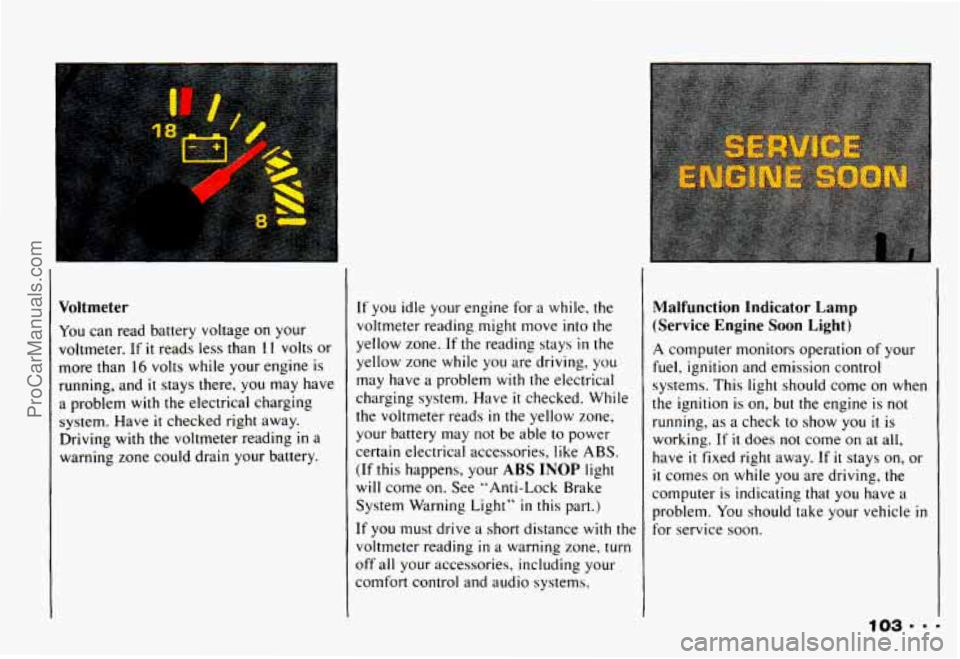
Voltmeter
You can read battery voltage on your
voltmeter. If
it reads less than 1 I volts or
more than
16 volts while your engine is
running, and
it stays there, you may have
a problem with the electrical charging
system. Have
it checked right away.
Driving with the voltmeter reading
in a
warning zone could drain your battery.
If you idle your engine for a while, the
voltmeter reading might move into the
yellow zone.
If the reading stays in the
yellow zone while you are driving, you
may have a problem with
the electrical
charging system. Have
it checked. While
the voltmeter reads
in the yellow zone,
your battery may
not be able to power
certain electrical accessories, like ABS.
(If this happens, your ABS INOP light
will come
on, See "Anti-Lock Brake
System Warning Light"
in this part.)
It' you must drive a short distance with the
voltmeter reading
in a warning zone. turn
off all your accessories, including your
comfort control and audio systems.
Malfunction Ind-kator Lamp
(Service Engine Soon Light)
A computer monitors operation of your
fuel, ignition and emission control
systems. This light should come on when
the ignition is
on, but the engine is not
running, as a check
to show you il is
working.
If it does not come on at all,
have
it fixed right away. If it stays on, or
it comes on while you are driving, the
computer is indicating that you have
a
problem. You should take your vehicle in
for service soon.
ProCarManuals.com
Page 113 of 358
.* ....
L
In this part you'll find out how to
operate the comfort control
systems and audio systems
offered with your Chevrolet
. Be
sure to read about the particular
system supplied with your vehicle
.
Part 3
Comfort Controls & Audio Systems
Comfort Controls ...................................................
Heater Controls ..................................................
Heating .........................................................
Bi-LevelHeating .................................................
Ventilation ......................................................
Air Conditioner Controls ...........................................
Cooling .........................................................
Rear Window Defogger ............................................
Flow-Through Ventilation System ....................................
Audiosystems .....................................................
Settingtheclock .................................................
AM/FM Stereo with Cassette Tape Player ..............................
Delco/Bose AM/FM Stereo with Compact Disc Player ....................
Care of Your Cassette Tape Player ....................................
FixedMastAntenna ...............................................
Defogging and Defrosting Windows ..................................
Understanding Radio Reception .....................................
Care of Your Compact Discs ........................................
110
110
111
111
112
112
112
113
114
114
115 116
117
121
127
128
129
129
ProCarManuals.com
Page 115 of 358
Heating
The heater works best if you keep your
windows closed while using it.
1. Turn the air control knob to .
2. Turn the fan control knob to the right.
3. Turn the temperature control knob to a
comfortable setting.
I
During initial start-up only, if your
vehicle is equipped
with an optional
engine block heater,
you can use it in cold
weather (around
+20°F/-8 “C or lower) to
heat the passenger area better than
without it. Because an engine block heater
warms the engine coolant, your vehicle’s
heating system can more efficiently
provide heat for the passenger area
of
your vehicle. See “Engine Block Heater”
in the Index.
Bi-level Heating
You may want to use bi-level heating on
cool, but sunny days. This setting directs
cool air toward your body and warmer air
toward your feet.
1. Turn the air control knob to *2 .
2. Turn the temperature control knob to
3. Turn the fan control knob to the right.
a comfortable setting.
111 .
ProCarManuals.com
Page 120 of 358
Comfort Controls & Audio Systems
I Setting the Clock noise is almost undetectable AM/FM Stereo with Cassette Tape
until it is too late. Your hearing can
adapt
to higher volumes of sound. sure you can add what you want. If
Player
you can, it’s very important to do it 1. Press SET. Sound that Seems normal can be
Ioud and harmful to your hearing.
Take precautions by adjusting the
volume
control on your radio to a
safe sound level before your hearing
adapts
to it.
To help avoid hearing loss or 31
damage:
a Adjust the volume control to
the lowest setting. properly.
Added
sound equipment
may interfere
with the operation of
your vehicle’s engine, Delco@ radio
or other systems, and even damage
them. And, your vehicle’s systems may interfere
with the operation of
sound equipment that has been
added improperly.
So, before adding sound
equipment, check with your d er
2. Within five
seconds, press and hold
SEEK until the correct hour
appears.
correct minute appears.
3. Press and hold SEEK A until the
Delco/Bose AM/FM Stereo with
Compact Disc Player
1. Press SET.
2. Within five seconds, press and hold
SEEK 4 until the correct hour I, Increase volume slowly until
you
hear comfortably and appears.
clearly. 3. Press and hold SEEK until the
1116 correct minute appears.
ProCarManuals.com
Page 121 of 358
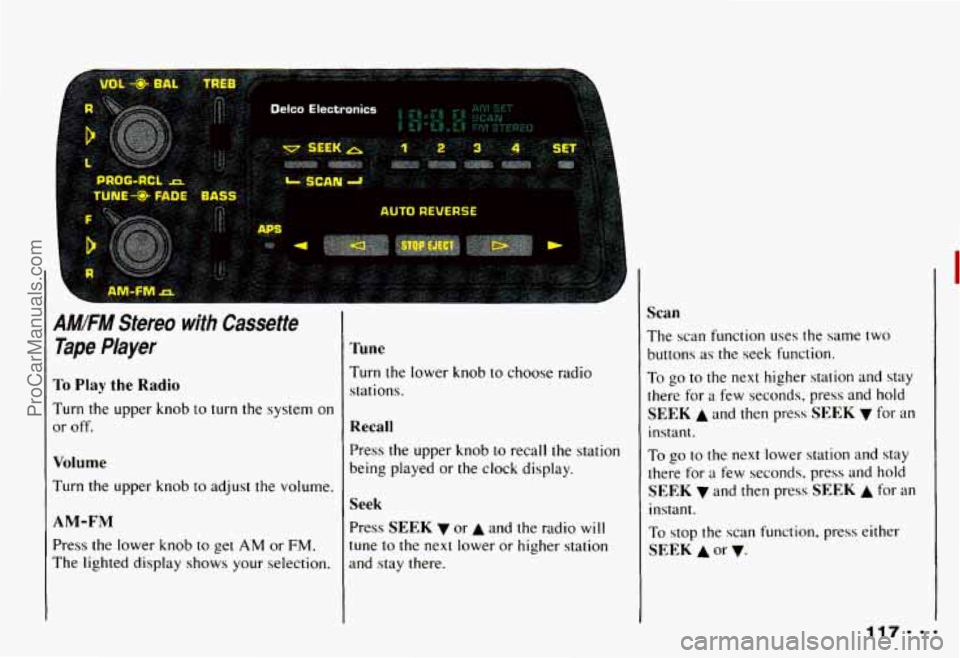
AMIFM Stereo with Cassette
Tape Player
To Play the Radio
Turn the upper knob to turn the system on
or off.
Volume
Turn the upper knob to adjust the volume.
AM-FM
Press the lower knob to get AM or FM.
The lighted display shows your selection.
Tune
Turn the lower knob to choose radio
stations.
Recall
Press the upper knob to recall the station
being played or the clock display.
Seek
Press SEEK v or A and the radio will
tune to the next lower or higher station
and stay there.
Scan
The scan function uses the same two
buttons
as the seek function.
To go to the next higher station and stay
there for
a few seconds, press and hold
SEEK A and then press SEEK v for an
instant.
To go to the next lower station and stay
there for
a few seconds, press and hold
SEEK v and then press SEEK A for an
instant.
To stop the scan function, press either
SEEK A or v.
ProCarManuals.com
Page 130 of 358
Comfort Controls & Audio Systems
mm. 126
4. Press SCAN and hold until the first
digit of your code appears. Release the
button.
5. Press SEEK 4 or b and hold until the
second and third digits appear.
Release the button.
6. Press the lower knob.“000” will
appear on the display.
7. Press SCAN and hold until the fourth
digit of your security code appears.
Release the button.
8. Press SEEK 4 or b and hold until the
fifth and sixth digits of your code
appear. Release the button.
9. Press the lower knob. If ”---” shows,
you have shut off the theft-deterrent
feature.
If “SEC” shows, your audio
system is still secured.
NOTE: If you lose or forget your security
code. see your dealer for assistance.
Unlocking the Audio System after a
Power Failure
If power is disrupted to the audio system
while
in the “SEC” mode, the unit will
not work and “LOC” will show on the
display whenever the ignition is on.
To
unlock the unit:
1. Press SET. “000” will appear on the
2. Press SCAN and hold until the first
display.
digit
of your
code appears. Release the
button.
3. Press SEEK 4 or b and hold until the
second and third digits appear.
Release the button.
ProCarManuals.com
Page 131 of 358
4. Press the lower knob.“000” will
appear on the display.
digit of your code appears. Release the
button.
6. Press SEEK 4 or and hold until the
fifth and sixth digits of your code
appear. Release the button.
7. Press the lower knob. “SEC” will
appear and the unit will work. If
“LOC” shows, the numbers did not
match and the
unit is still locked.
5. Press SCAN and hold until the fourth
How to Change Your Security Code
You can change your security code by
following these steps:
1. Using your old code, follow the
directions given under “Shutting Off
the Theft-Deterrent Feature.’’
2. Repeat directions of “Setting Your
Security Code” with your new
security code.
Understanding Radio Reception
FM Stereo
FM stereo will give you the best sound.
But FM signals will reach only about
10 to 40 miles (16 to 65 km). And, tall
buildings or hills can interfere with
FM signals, causing the sound to come
and go.
AM
The range for most AM stations is greater
than for FM, especially at night. The
longer range, however, can cause stations
to interfere with each other. AM can pick
up noise from things like storms and
power lines. Try reducing the treble to
reduce this noise
if you ever get it.
I
127---
ProCarManuals.com
Page 147 of 358
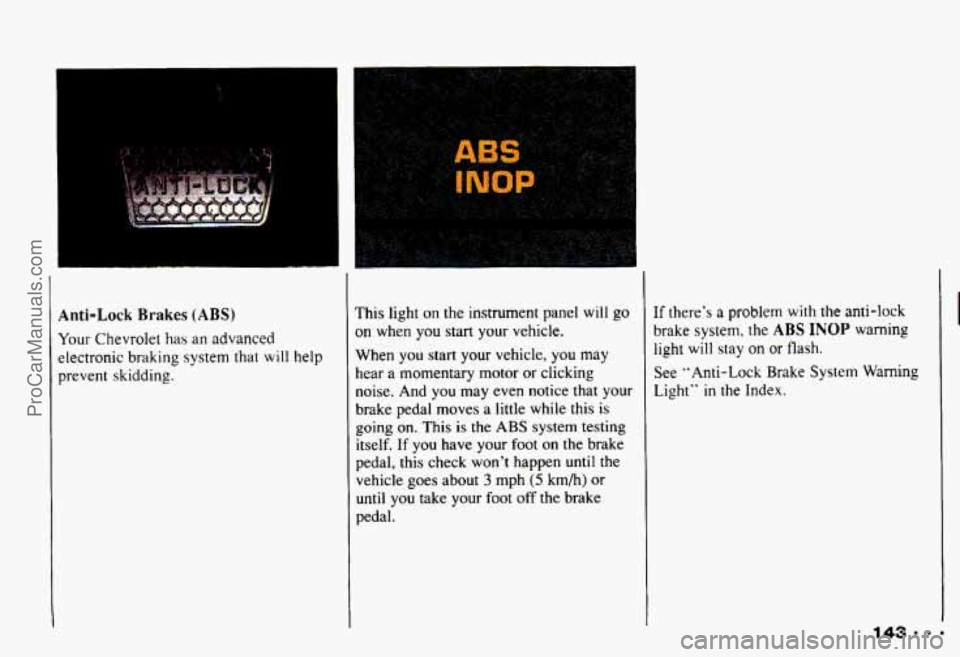
Anti-Lock Brakes (ABS)
Your Chevrolet has an advanced
electronic
braking system that will help
prevent skidding.
I
This light on the instrument panel will go
on when you start your vehicle.
When you start your vehicle,
you may
hear a momentary motor or clicking
noise. And you may even notice that your
brake pedal moves
a little while this is
going
on. This is the ABS system testing
itself. If you have your foot
on the brake
pedal, this check won't happen until the
vehicle goes about
3 mph (5 km/h) or
until you take your foot off the brake
pedal. If
there's
a problem with the anti-lock
brake system. the
ABS INOP warning
light will stay on
or flash.
See "Anti-Lock Brake
System Warning
Light" in the Index.
143.m-
ProCarManuals.com
Page 148 of 358
Your Driving and the Road
I
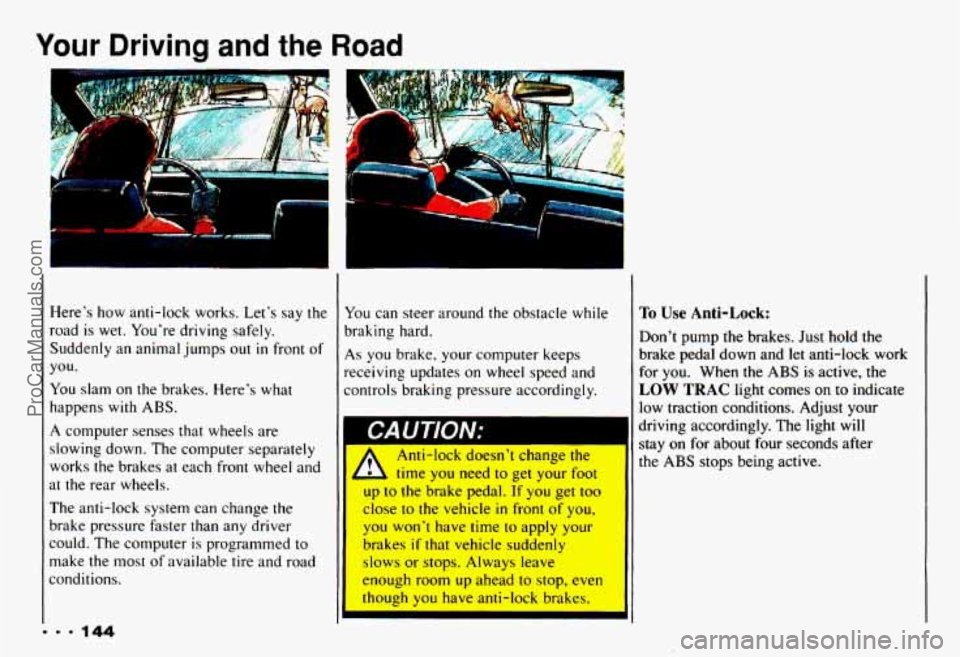
Here's how anti-lock works. Let's say the
road is wet. You're driving safely.
Suddenly an animal jumps out
in front of
you.
You slam on
the brakes. Here's what
happens with ABS.
A computer senses that wheels are
slowing down. The computer separately
works the brakes at each front wheel and
at the rear wheels.
The anti-lock system can change
the
brake pressure faster than any driver
could. The computer is programmed
to
make the most of available tire and road
conditions.
1
You can steer around the obstacle while
braking hard.
As you brake, your conlputer keeps
receiving updates
on wheel speed and
controls braking pressure accordingly.
I CAUTION;
A
Anti-lock doesn't change the
time
you need to get your foot
up
to the brake pedal. If you get too
close
to the vehicle in front of you,
1 you won't have time to apply your
brakes
if that vehicle suddenly
slows or stops. Always leave
enough room up ahead
to stop, even
though
you have anti-lock brakes.
I'o Use Anti-Lock:
Don't pump the brakes. Just hold the
brake pedal down and
let anti-lock work
for you. When the
ABS is active, the
LOW TRAC light comes on to indicate
low traction conditions. Adjust your
driving accordingly. The light will
stay on for about four seconds after
the
ABS stops being active.
ProCarManuals.com
Page 150 of 358
Your Driving and the Road
Brake Pedal Travel
See your dealer if the brake pedal does
not return to normal height, or if there is a
rapid increase
in pedal travel. This could
be a sign of brake trouble.
Brake Adjustment
Every time you make a moderate brake
stop, your disc brakes adjust for wear. If
you rarely make a moderate or heavier
stop, then your brakes might not adjust
correctly. If you drive in that way, then
-
very carefully - make a few moderate
brake stops about every
1000 miles
(1 600 km), so your brakes will adjust
properly. If
your brake pedal goes down farther
than normal, your rear drum brakes may
need adjustment. Adjust them by backing up and firmly applying the brakes a few
times.
Braking in Emergencies
Use your anti-lock braking system when
you need to. With anti-lock, you can steer
and brake at the same time. In many emergencies, steering can help you more
than even the very best braking.
Steering
Power Steering
If you lose power steering assist because
the engine stops or the system fails to
function, you can steer but
it will take
much more effort.
Steering Tips
Driving on Curves
It’s important to take curves at a
reasonable speed.
A lot of the “driver lost control” accidents
mentioned on the news happen on curves.
Here’s why:
Experienced driver or beginner, each of
us is subject to the same laws of physics
when driving on curves. The traction of
ProCarManuals.com