display CHEVROLET CAMARO 2023 Owners Manual
[x] Cancel search | Manufacturer: CHEVROLET, Model Year: 2023, Model line: CAMARO, Model: CHEVROLET CAMARO 2023Pages: 345, PDF Size: 16.19 MB
Page 204 of 345
Chevrolet Camaro Owner Manual (GMNA-Localizing-U.S./Canada/Mexico-
16408685) - 2023 - CRC - 3/28/22
Driving and Operating 203
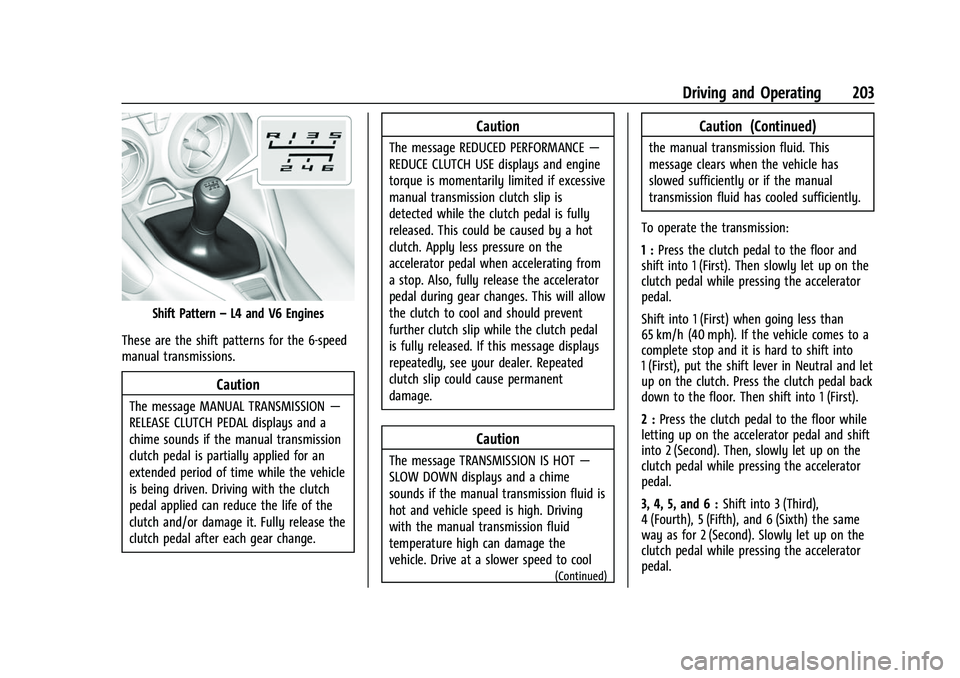
Shift Pattern–L4 and V6 Engines
These are the shift patterns for the 6-speed
manual transmissions.
Caution
The message MANUAL TRANSMISSION —
RELEASE CLUTCH PEDAL displays and a
chime sounds if the manual transmission
clutch pedal is partially applied for an
extended period of time while the vehicle
is being driven. Driving with the clutch
pedal applied can reduce the life of the
clutch and/or damage it. Fully release the
clutch pedal after each gear change.
Caution
The message REDUCED PERFORMANCE —
REDUCE CLUTCH USE displays and engine
torque is momentarily limited if excessive
manual transmission clutch slip is
detected while the clutch pedal is fully
released. This could be caused by a hot
clutch. Apply less pressure on the
accelerator pedal when accelerating from
a stop. Also, fully release the accelerator
pedal during gear changes. This will allow
the clutch to cool and should prevent
further clutch slip while the clutch pedal
is fully released. If this message displays
repeatedly, see your dealer. Repeated
clutch slip could cause permanent
damage.
Caution
The message TRANSMISSION IS HOT —
SLOW DOWN displays and a chime
sounds if the manual transmission fluid is
hot and vehicle speed is high. Driving
with the manual transmission fluid
temperature high can damage the
vehicle. Drive at a slower speed to cool
(Continued)
Caution (Continued)
the manual transmission fluid. This
message clears when the vehicle has
slowed sufficiently or if the manual
transmission fluid has cooled sufficiently.
To operate the transmission:
1 : Press the clutch pedal to the floor and
shift into 1 (First). Then slowly let up on the
clutch pedal while pressing the accelerator
pedal.
Shift into 1 (First) when going less than
65 km/h (40 mph). If the vehicle comes to a
complete stop and it is hard to shift into
1 (First), put the shift lever in Neutral and let
up on the clutch. Press the clutch pedal back
down to the floor. Then shift into 1 (First).
2 : Press the clutch pedal to the floor while
letting up on the accelerator pedal and shift
into 2 (Second). Then, slowly let up on the
clutch pedal while pressing the accelerator
pedal.
3, 4, 5, and 6 : Shift into 3 (Third),
4 (Fourth), 5 (Fifth), and 6 (Sixth) the same
way as for 2 (Second). Slowly let up on the
clutch pedal while pressing the accelerator
pedal.
Page 205 of 345
Chevrolet Camaro Owner Manual (GMNA-Localizing-U.S./Canada/Mexico-
16408685) - 2023 - CRC - 3/28/22
204 Driving and Operating
To stop, let up on the accelerator pedal and
press the brake pedal. Just before the
vehicle stops, press the clutch pedal and the
brake pedal, and shift to Neutral.
Neutral :Use this position when starting or
idling the engine. The shift lever is in
Neutral when it is centered in the shift
pattern, not in any gear.
R : To back up, press the clutch pedal to the
floor and shift into R (Reverse). Let up on
the clutch pedal slowly while pressing the
accelerator pedal.
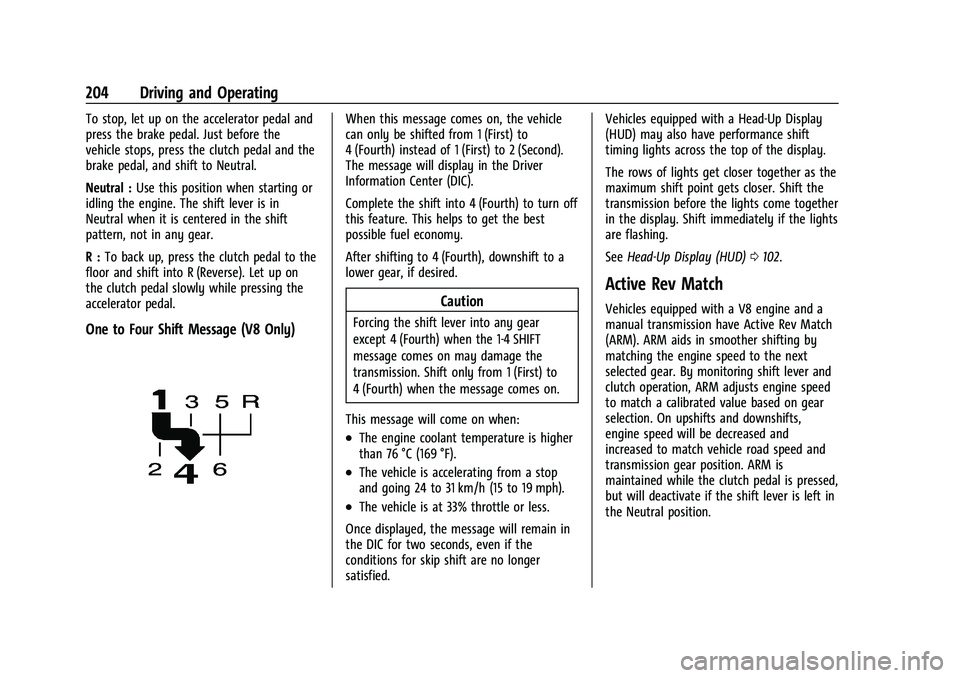
One to Four Shift Message (V8 Only)
When this message comes on, the vehicle
can only be shifted from 1 (First) to
4 (Fourth) instead of 1 (First) to 2 (Second).
The message will display in the Driver
Information Center (DIC).
Complete the shift into 4 (Fourth) to turn off
this feature. This helps to get the best
possible fuel economy.
After shifting to 4 (Fourth), downshift to a
lower gear, if desired.
Caution
Forcing the shift lever into any gear
except 4 (Fourth) when the 1-4 SHIFT
message comes on may damage the
transmission. Shift only from 1 (First) to
4 (Fourth) when the message comes on.
This message will come on when:
.The engine coolant temperature is higher
than 76 °C (169 °F).
.The vehicle is accelerating from a stop
and going 24 to 31 km/h (15 to 19 mph).
.The vehicle is at 33% throttle or less.
Once displayed, the message will remain in
the DIC for two seconds, even if the
conditions for skip shift are no longer
satisfied. Vehicles equipped with a Head-Up Display
(HUD) may also have performance shift
timing lights across the top of the display.
The rows of lights get closer together as the
maximum shift point gets closer. Shift the
transmission before the lights come together
in the display. Shift immediately if the lights
are flashing.
See
Head-Up Display (HUD) 0102.
Active Rev Match
Vehicles equipped with a V8 engine and a
manual transmission have Active Rev Match
(ARM). ARM aids in smoother shifting by
matching the engine speed to the next
selected gear. By monitoring shift lever and
clutch operation, ARM adjusts engine speed
to match a calibrated value based on gear
selection. On upshifts and downshifts,
engine speed will be decreased and
increased to match vehicle road speed and
transmission gear position. ARM is
maintained while the clutch pedal is pressed,
but will deactivate if the shift lever is left in
the Neutral position.
Page 206 of 345
Chevrolet Camaro Owner Manual (GMNA-Localizing-U.S./Canada/Mexico-
16408685) - 2023 - CRC - 3/28/22
Driving and Operating 205
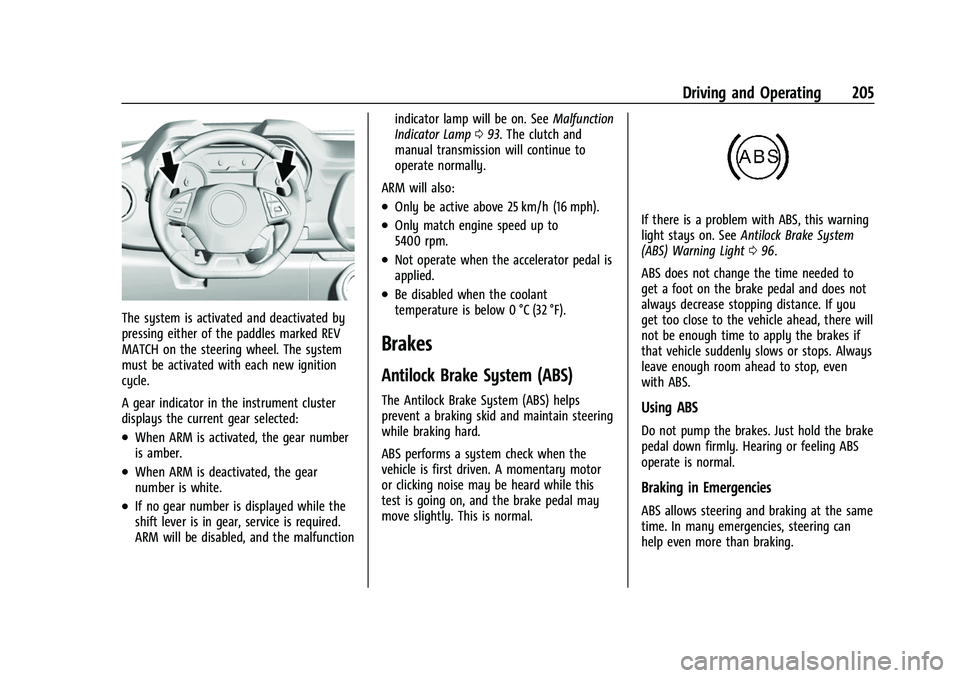
The system is activated and deactivated by
pressing either of the paddles marked REV
MATCH on the steering wheel. The system
must be activated with each new ignition
cycle.
A gear indicator in the instrument cluster
displays the current gear selected:
.When ARM is activated, the gear number
is amber.
.When ARM is deactivated, the gear
number is white.
.If no gear number is displayed while the
shift lever is in gear, service is required.
ARM will be disabled, and the malfunctionindicator lamp will be on. See
Malfunction
Indicator Lamp 093. The clutch and
manual transmission will continue to
operate normally.
ARM will also:
.Only be active above 25 km/h (16 mph).
.Only match engine speed up to
5400 rpm.
.Not operate when the accelerator pedal is
applied.
.Be disabled when the coolant
temperature is below 0 °C (32 °F).
Brakes
Antilock Brake System (ABS)
The Antilock Brake System (ABS) helps
prevent a braking skid and maintain steering
while braking hard.
ABS performs a system check when the
vehicle is first driven. A momentary motor
or clicking noise may be heard while this
test is going on, and the brake pedal may
move slightly. This is normal.
If there is a problem with ABS, this warning
light stays on. See Antilock Brake System
(ABS) Warning Light 096.
ABS does not change the time needed to
get a foot on the brake pedal and does not
always decrease stopping distance. If you
get too close to the vehicle ahead, there will
not be enough time to apply the brakes if
that vehicle suddenly slows or stops. Always
leave enough room ahead to stop, even
with ABS.
Using ABS
Do not pump the brakes. Just hold the brake
pedal down firmly. Hearing or feeling ABS
operate is normal.
Braking in Emergencies
ABS allows steering and braking at the same
time. In many emergencies, steering can
help even more than braking.
Page 207 of 345
Chevrolet Camaro Owner Manual (GMNA-Localizing-U.S./Canada/Mexico-
16408685) - 2023 - CRC - 3/28/22
206 Driving and Operating
Electric Parking Brake
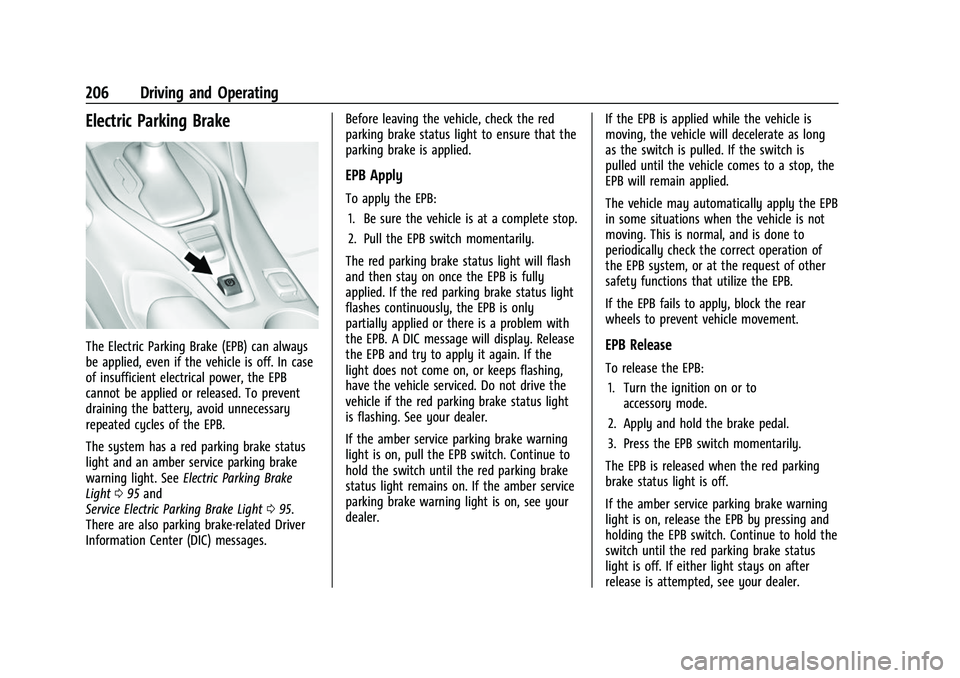
The Electric Parking Brake (EPB) can always
be applied, even if the vehicle is off. In case
of insufficient electrical power, the EPB
cannot be applied or released. To prevent
draining the battery, avoid unnecessary
repeated cycles of the EPB.
The system has a red parking brake status
light and an amber service parking brake
warning light. SeeElectric Parking Brake
Light 095 and
Service Electric Parking Brake Light 095.
There are also parking brake-related Driver
Information Center (DIC) messages. Before leaving the vehicle, check the red
parking brake status light to ensure that the
parking brake is applied.
EPB Apply
To apply the EPB:
1. Be sure the vehicle is at a complete stop.
2. Pull the EPB switch momentarily.
The red parking brake status light will flash
and then stay on once the EPB is fully
applied. If the red parking brake status light
flashes continuously, the EPB is only
partially applied or there is a problem with
the EPB. A DIC message will display. Release
the EPB and try to apply it again. If the
light does not come on, or keeps flashing,
have the vehicle serviced. Do not drive the
vehicle if the red parking brake status light
is flashing. See your dealer.
If the amber service parking brake warning
light is on, pull the EPB switch. Continue to
hold the switch until the red parking brake
status light remains on. If the amber service
parking brake warning light is on, see your
dealer. If the EPB is applied while the vehicle is
moving, the vehicle will decelerate as long
as the switch is pulled. If the switch is
pulled until the vehicle comes to a stop, the
EPB will remain applied.
The vehicle may automatically apply the EPB
in some situations when the vehicle is not
moving. This is normal, and is done to
periodically check the correct operation of
the EPB system, or at the request of other
safety functions that utilize the EPB.
If the EPB fails to apply, block the rear
wheels to prevent vehicle movement.
EPB Release
To release the EPB:
1. Turn the ignition on or to accessory mode.
2. Apply and hold the brake pedal.
3. Press the EPB switch momentarily.
The EPB is released when the red parking
brake status light is off.
If the amber service parking brake warning
light is on, release the EPB by pressing and
holding the EPB switch. Continue to hold the
switch until the red parking brake status
light is off. If either light stays on after
release is attempted, see your dealer.
Page 209 of 345

Chevrolet Camaro Owner Manual (GMNA-Localizing-U.S./Canada/Mexico-
16408685) - 2023 - CRC - 3/28/22
208 Driving and Operating
StabiliTrak/ESC activates when the vehicle
senses a difference between the intended
path and the direction the vehicle is actually
traveling. StabiliTrak/ESC selectively applies
braking pressure to any one of the vehicle
wheel brakes to assist the driver in keeping
the vehicle on the intended path.
If cruise control is being used and traction
control or StabiliTrak/ESC begins to limit
wheel spin, cruise control will disengage.
Cruise control may be turned back on when
road conditions allow.
Both systems come on automatically when
the vehicle is started and begins to move.
The systems may be heard or felt while
they are operating or while performing
diagnostic checks. This is normal and does
not mean there is a problem with the
vehicle.
It is recommended to leave both systems on
for normal driving conditions, but it may be
necessary to turn TCS off if the vehicle gets
stuck in sand, mud, ice, or snow. SeeIf the
Vehicle Is Stuck 0188 and “Turning the
Systems Off and On” later in this section.
The indicator light for both systems is in the
instrument cluster. This light will:
.Flash when TCS is limiting wheel spin
.Flash when StabiliTrak/ESC is activated
.Turn on and stay on when either system
is not working
If either system fails to turn on or to
activate, a message displays in the Driver
Information Center (DIC), and
dcomes on
and stays on to indicate that the system is
inactive and is not assisting the driver in
maintaining control. The vehicle is safe to
drive, but driving should be adjusted
accordingly.
If
dcomes on and stays on:
1. Stop the vehicle.
2. Turn the engine off and wait 15 seconds.
3. Start the engine. Drive the vehicle. If
dcomes on and stays
on, the vehicle may need more time to
diagnose the problem. If the condition
persists, see your dealer.
Turning the Systems Off and On
Caution
Do not repeatedly brake or accelerate
heavily when TCS is off. The vehicle
driveline could be damaged.
To turn off only TCS, press and release
Y.
The traction off light
idisplays in the
instrument cluster.
Page 210 of 345
Chevrolet Camaro Owner Manual (GMNA-Localizing-U.S./Canada/Mexico-
16408685) - 2023 - CRC - 3/28/22
Driving and Operating 209
To turn TCS on again, pressY. The traction
off light
idisplayed in the instrument
cluster will turn off.
If TCS is limiting wheel spin when
Yis
pressed, the system will not turn off until
the wheels stop spinning.
To turn off both TCS and StabiliTrak/ESC,
press and hold
Yuntil the traction off
light
iand StabiliTrak/ESC OFF lightg
come on and stay on in the instrument
cluster.
To turn TCS and StabiliTrak/ESC on again,
press
Y. The traction off lightiand
StabiliTrak/ESC OFF light
gin the
instrument cluster turn off.
Adding accessories can affect the vehicle
performance. See Accessories and
Modifications 0228.
Engine Drag Control (EDC)
EDC improves vehicle stability by sensing if
there is a difference in speed between the
free rolling front wheels and the rear drive
wheels that often occurs when the driver
takes their foot off the accelerator pedal on
slippery surfaces (snow, ice, etc.). When this
is detected, EDC sends more torque to the rear wheels to make sure all four wheels are
spinning at similar speeds, making the
vehicle more stable.
Driver Mode Control
Driver Mode Control adds a sportier feel,
provides a more comfortable ride, or assists
in different weather conditions or terrain.
This system changes various subsystems to
optimize driving performance. Depending on
the option package, available features, and
mode selected, the exhaust, suspension,
steering, and powertrain will change
calibrations to achieve the desired mode
characteristics. If the vehicle is equipped
with Magnetic Ride Control, selecting the
various Driver modes adjusts the ride of the
vehicle to enhance the ride performance for
the road conditions and the selected mode.
While in the Sport and Track Modes, the
vehicle monitors driving behavior and
automatically enables performance shift
features in the automatic transmission when
spirited driving is detected. These features
maintain lower transmission gears to
increase available engine braking and
improve acceleration response. The vehicle
will exit these features and return to normal
operation after a short period when no
spirited driving is detected.
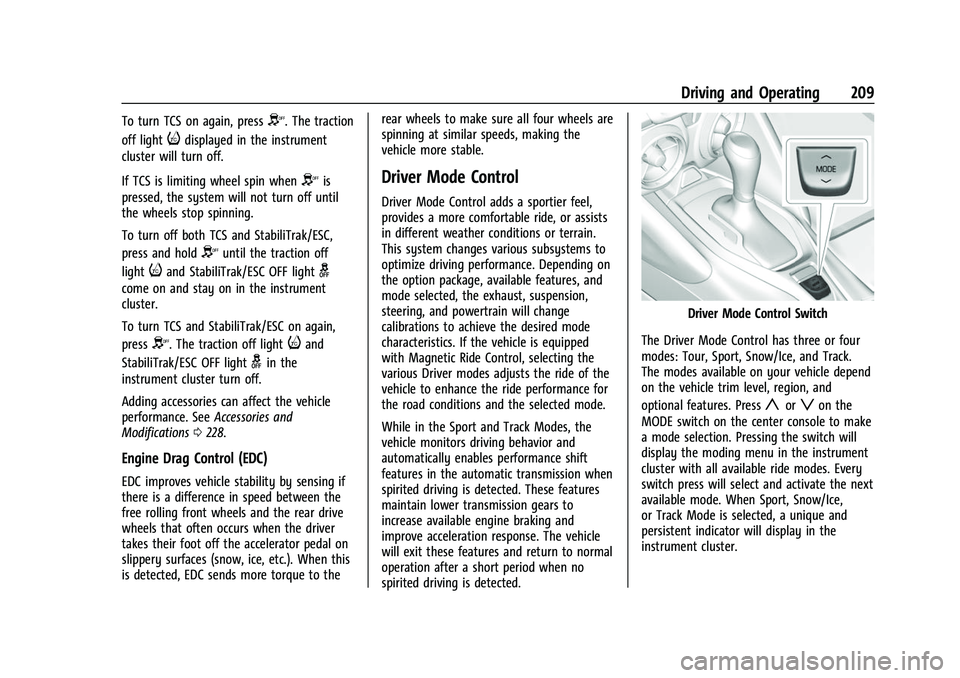
Driver Mode Control Switch
The Driver Mode Control has three or four
modes: Tour, Sport, Snow/Ice, and Track.
The modes available on your vehicle depend
on the vehicle trim level, region, and
optional features. Press
yorzon the
MODE switch on the center console to make
a mode selection. Pressing the switch will
display the moding menu in the instrument
cluster with all available ride modes. Every
switch press will select and activate the next
available mode. When Sport, Snow/Ice,
or Track Mode is selected, a unique and
persistent indicator will display in the
instrument cluster.
Page 213 of 345
Chevrolet Camaro Owner Manual (GMNA-Localizing-U.S./Canada/Mexico-
16408685) - 2023 - CRC - 3/28/22
212 Driving and Operating
For more information, seeTrack Events and
Competitive Driving 0177.
Competitive Driving Mode (SS,
ZL1 and 1LE Models Only)
Competitive Driving Mode and Launch
Control are systems designed to allow
increased performance while accelerating
and/or cornering. This is accomplished by
regulating and optimizing the engine,
brakes, and suspension performance. These
modes are for use at a closed course race
track and are not intended for use on public
roads. They will not compensate for a
driver’s inexperience or lack of familiarity
with the race track. Drivers who prefer to
allow the system to have more control of
the engine, brakes, and suspension are
advised to turn the normal TCS and
StabiliTrak/Electronic Stability Control (ESC)
systems on.
Caution
Attempting to shift when the drive
wheels are spinning and do not have
traction may cause damage to the
transmission. Damage caused by misuse
of the vehicle is not covered by the
(Continued)
Caution (Continued)
vehicle warranty. Do not attempt to shift
when the drive wheels do not have
traction.
Competitive Driving Mode allows full engine
power while the StabiliTrak/ESC system
helps maintain directional control of the
vehicle by selective brake application. In this
mode, TCS is off and Launch Control is
available. Adjust your driving style to
account for the available engine power. See
“Launch Control” later in this section.
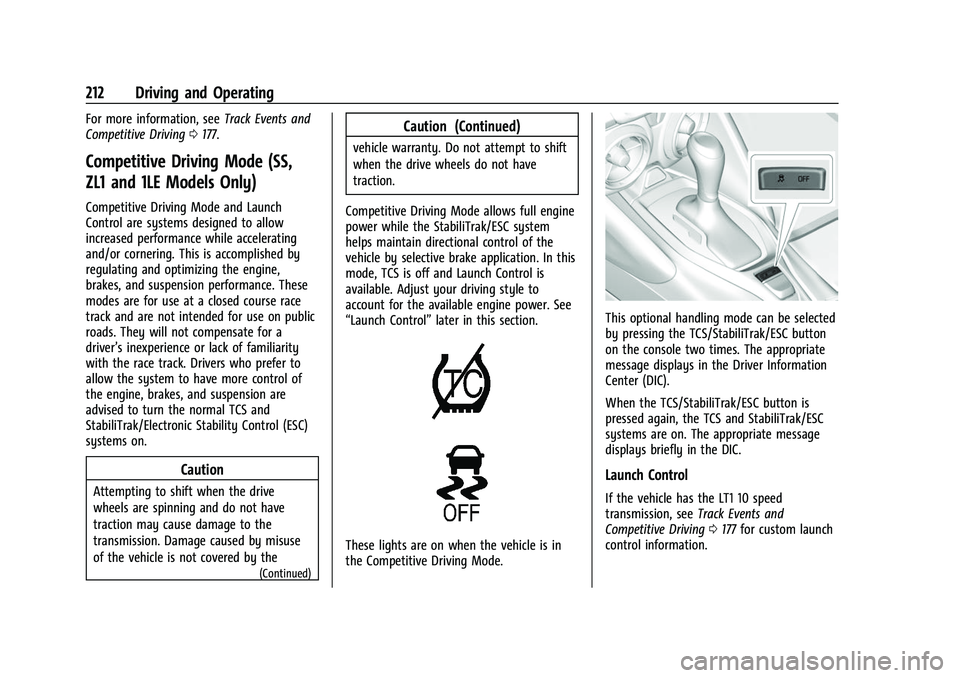
These lights are on when the vehicle is in
the Competitive Driving Mode.
This optional handling mode can be selected
by pressing the TCS/StabiliTrak/ESC button
on the console two times. The appropriate
message displays in the Driver Information
Center (DIC).
When the TCS/StabiliTrak/ESC button is
pressed again, the TCS and StabiliTrak/ESC
systems are on. The appropriate message
displays briefly in the DIC.
Launch Control
If the vehicle has the LT1 10 speed
transmission, see Track Events and
Competitive Driving 0177 for custom launch
control information.
Page 216 of 345
Chevrolet Camaro Owner Manual (GMNA-Localizing-U.S./Canada/Mexico-
16408685) - 2023 - CRC - 3/28/22
Driving and Operating 215
The cruise control indicator on the
instrument cluster turns green after cruise
control has been set to the desired speed.
SeeInstrument Cluster 084.
Resuming a Set Speed
If the cruise control is set at a desired speed
and then the brakes are applied or
*is
pressed, if equipped, the cruise control is
disengaged without erasing the set speed
from memory.
Once the vehicle speed reaches about
40 km/h (25 mph) or more, briefly press
RES+. The vehicle returns to the previous set
speed.
Increasing Speed While Using Cruise Control
If the cruise control system is already
activated:
.Press and hold RES+ until the desired
speed is reached, and then release it.
.To increase the vehicle speed in small
increments, briefly press RES+. For each
press, the vehicle goes about 1 km/h
(1 mph) faster. The speedometer reading can be displayed
in either English or metric units. See
“Options”
underInstrument Cluster 084.
The increment value used depends on the
units displayed.
Reducing Speed While Using Cruise Control
If the cruise control system is already
activated:
.Press and hold SET− until the desired
lower speed is reached, then release it.
.To decrease the vehicle speed in small
increments, briefly press SET−. For each
press, the vehicle goes about 1 km/h
(1 mph) slower.
The speedometer reading can be displayed
in either English or metric units. See
“Options” underInstrument Cluster 084.
The increment value used depends on the
units displayed.
Passing Another Vehicle While Using Cruise
Control
Use the accelerator pedal to increase the
vehicle speed. When you take your foot off
the pedal, the vehicle slows down to the
previously set cruise control speed. While
pressing the accelerator pedal or shortly
following the release to override cruise control, briefly pressing SET–
will result in
cruise control set to the current vehicle
speed.
Using Cruise Control on Hills
How well the cruise control works on hills
depends upon the vehicle speed, load, and
the steepness of the hills. When going up
steep hills, you might have to step on the
accelerator pedal to maintain the vehicle
speed. When going downhill, you might
have to brake or shift to a lower gear to
keep your speed down. If the brake pedal is
applied, cruise control will disengage.
Ending Cruise Control
There are five ways to end cruise control:
.Step lightly on the brake pedal (manual
and automatic transmissions).
.Press the clutch pedal for several seconds
or shift to Neutral (manual transmissions).
.Shift to N (Neutral) (automatic
transmissions).
.Press*, if equipped.
.To turn off cruise control, press1.
Page 217 of 345
Chevrolet Camaro Owner Manual (GMNA-Localizing-U.S./Canada/Mexico-
16408685) - 2023 - CRC - 3/28/22
216 Driving and Operating
Erasing Speed Memory
The cruise control set speed is erased from
memory if
1is pressed or if the vehicle is
turned off.
Driver Assistance Systems
This vehicle may have features that work
together to help avoid crashes or reduce
crash damage while driving, backing, and
parking. Read this entire section before
using these systems.
{Warning
Do not rely on the Driver Assistance
Systems. These systems do not replace
the need for paying attention and driving
safely. You may not hear or see alerts or
warnings provided by these systems.
Failure to use proper care when driving
may result in injury, death, or vehicle
damage. See Defensive Driving 0175.
Under many conditions, these systems
will not:
.Detect children, pedestrians, bicyclists,
or animals. (Continued)
Warning (Continued)
.Detect vehicles or objects outside the
area monitored by the system.
.Work at all driving speeds.
.Warn you or provide you with enough
time to avoid a crash.
.Work under poor visibility or bad
weather conditions.
.Work if the detection sensor is not
cleaned or is covered by ice, snow,
mud, or dirt.
.Work if the detection sensor is
covered up, such as with a sticker,
magnet, or metal plate.
.Work if the area surrounding the
detection sensor is damaged or not
properly repaired.
Complete attention is always required
while driving, and you should be ready to
take action and apply the brakes and/or
steer the vehicle to avoid crashes.
Audible Alert
Some driver assistance features alert the
driver of obstacles by beeping. To view
available settings for this feature, touch the Settings icon on the infotainment home
page. Select
“Vehicle”to display the list of
available options and select “Comfort and
Convenience”.
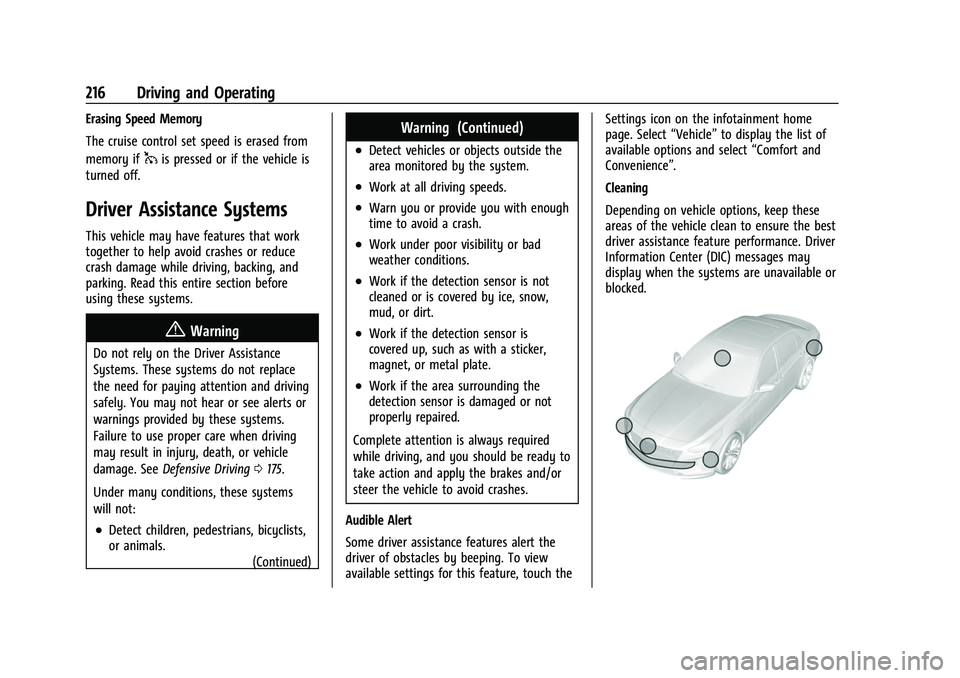
Cleaning
Depending on vehicle options, keep these
areas of the vehicle clean to ensure the best
driver assistance feature performance. Driver
Information Center (DIC) messages may
display when the systems are unavailable or
blocked.
Page 218 of 345
Chevrolet Camaro Owner Manual (GMNA-Localizing-U.S./Canada/Mexico-
16408685) - 2023 - CRC - 3/28/22
Driving and Operating 217
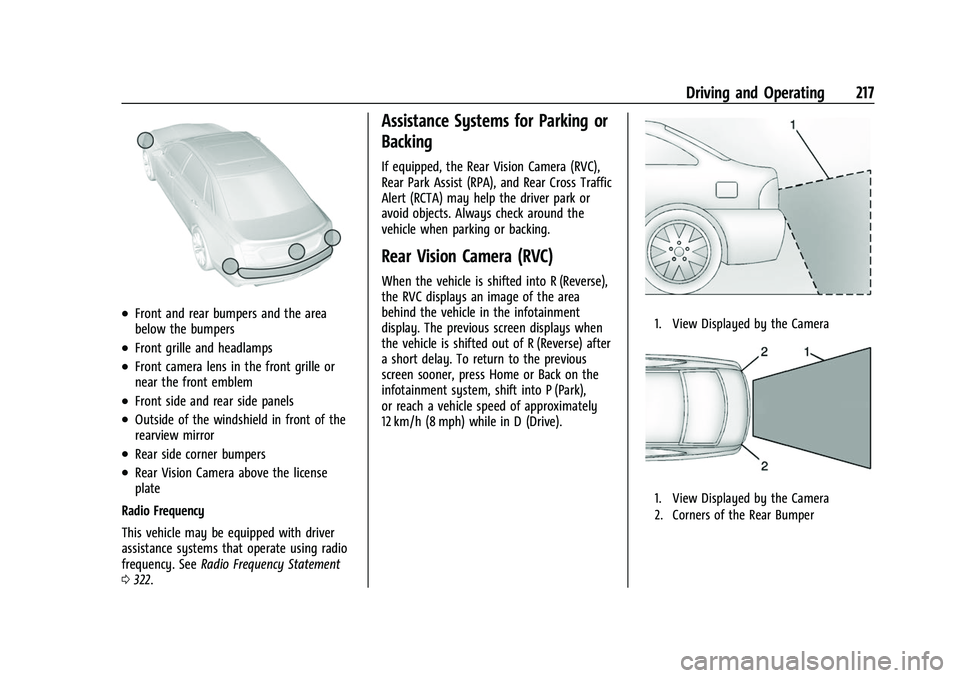
.Front and rear bumpers and the area
below the bumpers
.Front grille and headlamps
.Front camera lens in the front grille or
near the front emblem
.Front side and rear side panels
.Outside of the windshield in front of the
rearview mirror
.Rear side corner bumpers
.Rear Vision Camera above the license
plate
Radio Frequency
This vehicle may be equipped with driver
assistance systems that operate using radio
frequency. See Radio Frequency Statement
0 322.
Assistance Systems for Parking or
Backing
If equipped, the Rear Vision Camera (RVC),
Rear Park Assist (RPA), and Rear Cross Traffic
Alert (RCTA) may help the driver park or
avoid objects. Always check around the
vehicle when parking or backing.
Rear Vision Camera (RVC)
When the vehicle is shifted into R (Reverse),
the RVC displays an image of the area
behind the vehicle in the infotainment
display. The previous screen displays when
the vehicle is shifted out of R (Reverse) after
a short delay. To return to the previous
screen sooner, press Home or Back on the
infotainment system, shift into P (Park),
or reach a vehicle speed of approximately
12 km/h (8 mph) while in D (Drive).
1. View Displayed by the Camera
1. View Displayed by the Camera
2. Corners of the Rear Bumper