ECO mode CHEVROLET CAMARO 2023 Owners Manual
[x] Cancel search | Manufacturer: CHEVROLET, Model Year: 2023, Model line: CAMARO, Model: CHEVROLET CAMARO 2023Pages: 345, PDF Size: 16.19 MB
Page 12 of 345
Chevrolet Camaro Owner Manual (GMNA-Localizing-U.S./Canada/Mexico-
16408685) - 2023 - CRC - 3/28/22
Keys, Doors, and Windows 11
1. Remove the key from the remote key.
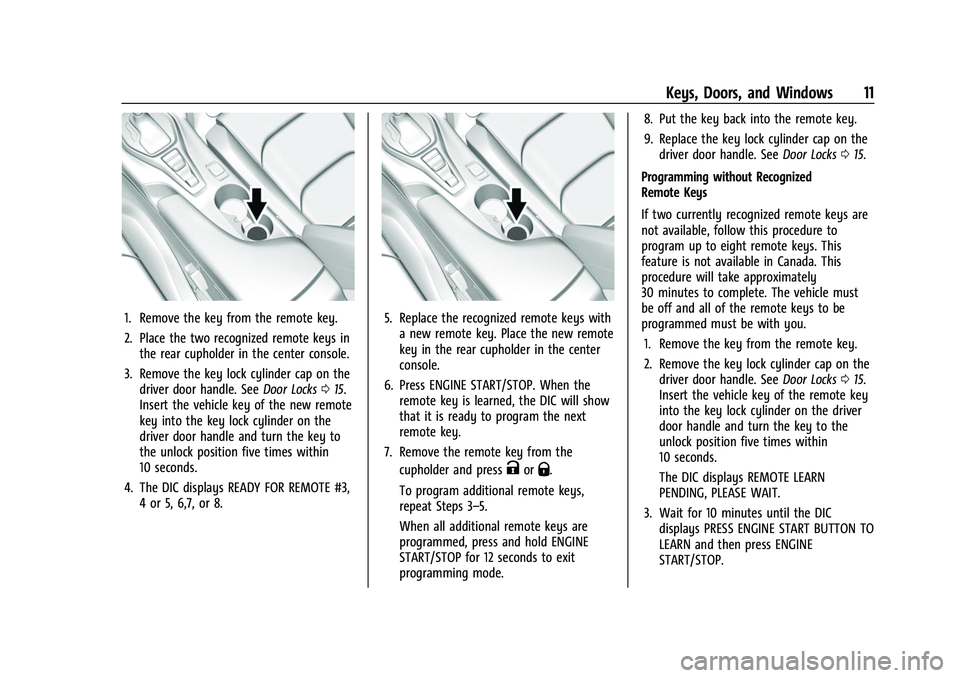
2. Place the two recognized remote keys inthe rear cupholder in the center console.
3. Remove the key lock cylinder cap on the driver door handle. See Door Locks015.
Insert the vehicle key of the new remote
key into the key lock cylinder on the
driver door handle and turn the key to
the unlock position five times within
10 seconds.
4. The DIC displays READY FOR REMOTE #3, 4 or 5, 6,7, or 8.5. Replace the recognized remote keys witha new remote key. Place the new remote
key in the rear cupholder in the center
console.
6. Press ENGINE START/STOP. When the remote key is learned, the DIC will show
that it is ready to program the next
remote key.
7. Remove the remote key from the cupholder and press
KorQ.
To program additional remote keys,
repeat Steps 3–5.
When all additional remote keys are
programmed, press and hold ENGINE
START/STOP for 12 seconds to exit
programming mode. 8. Put the key back into the remote key.
9. Replace the key lock cylinder cap on the
driver door handle. See Door Locks015.
Programming without Recognized
Remote Keys
If two currently recognized remote keys are
not available, follow this procedure to
program up to eight remote keys. This
feature is not available in Canada. This
procedure will take approximately
30 minutes to complete. The vehicle must
be off and all of the remote keys to be
programmed must be with you. 1. Remove the key from the remote key.
2. Remove the key lock cylinder cap on the driver door handle. See Door Locks015.
Insert the vehicle key of the remote key
into the key lock cylinder on the driver
door handle and turn the key to the
unlock position five times within
10 seconds.
The DIC displays REMOTE LEARN
PENDING, PLEASE WAIT.
3. Wait for 10 minutes until the DIC displays PRESS ENGINE START BUTTON TO
LEARN and then press ENGINE
START/STOP.
Page 13 of 345
Chevrolet Camaro Owner Manual (GMNA-Localizing-U.S./Canada/Mexico-
16408685) - 2023 - CRC - 3/28/22
12 Keys, Doors, and Windows
The DIC display will again show REMOTE
LEARN PENDING, PLEASE WAIT.
4. Repeat Step 2 two additional times. After the third time, all previously known
remote keys will no longer work with
the vehicle. Remaining remote keys can
be relearned during the next steps.
The DIC display should now show READY
FOR REMOTE # 1.
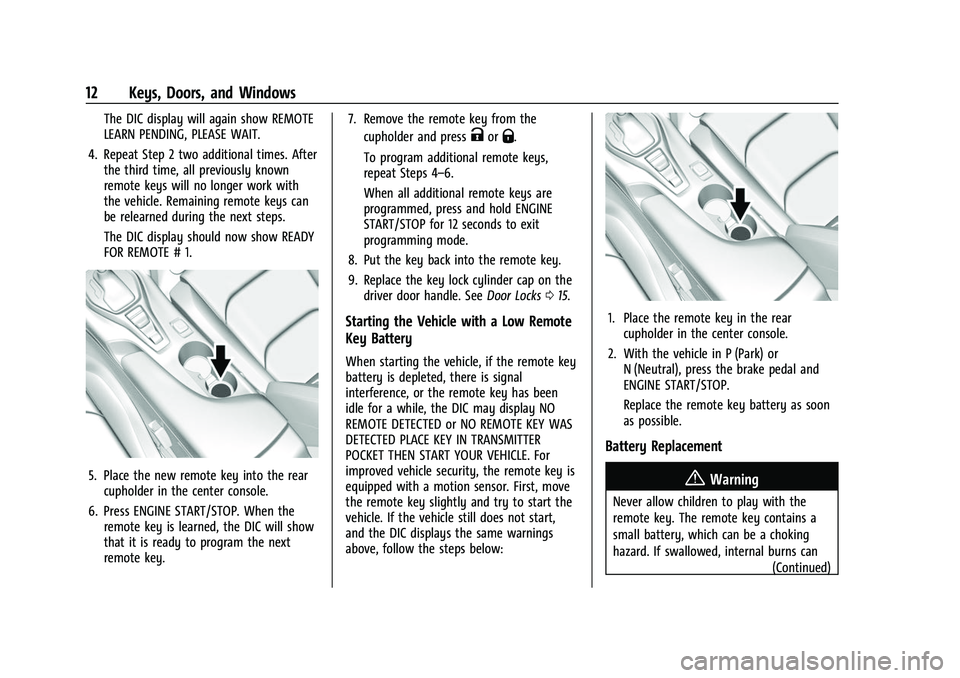
5. Place the new remote key into the rearcupholder in the center console.
6. Press ENGINE START/STOP. When the remote key is learned, the DIC will show
that it is ready to program the next
remote key. 7. Remove the remote key from the
cupholder and press
KorQ.
To program additional remote keys,
repeat Steps 4–6.
When all additional remote keys are
programmed, press and hold ENGINE
START/STOP for 12 seconds to exit
programming mode.
8. Put the key back into the remote key.
9. Replace the key lock cylinder cap on the driver door handle. See Door Locks015.
Starting the Vehicle with a Low Remote
Key Battery
When starting the vehicle, if the remote key
battery is depleted, there is signal
interference, or the remote key has been
idle for a while, the DIC may display NO
REMOTE DETECTED or NO REMOTE KEY WAS
DETECTED PLACE KEY IN TRANSMITTER
POCKET THEN START YOUR VEHICLE. For
improved vehicle security, the remote key is
equipped with a motion sensor. First, move
the remote key slightly and try to start the
vehicle. If the vehicle still does not start,
and the DIC displays the same warnings
above, follow the steps below:
1. Place the remote key in the rear
cupholder in the center console.
2. With the vehicle in P (Park) or N (Neutral), press the brake pedal and
ENGINE START/STOP.
Replace the remote key battery as soon
as possible.
Battery Replacement
{Warning
Never allow children to play with the
remote key. The remote key contains a
small battery, which can be a choking
hazard. If swallowed, internal burns can
(Continued)
Page 30 of 345
Chevrolet Camaro Owner Manual (GMNA-Localizing-U.S./Canada/Mexico-
16408685) - 2023 - CRC - 3/28/22
Keys, Doors, and Windows 29
Roof
Sunroof
If equipped, the sunroof only operates when
the ignition is on or in accessory mode,
or when Retained Accessory Power (RAP) is
active. SeeRetained Accessory Power (RAP)
0 196.
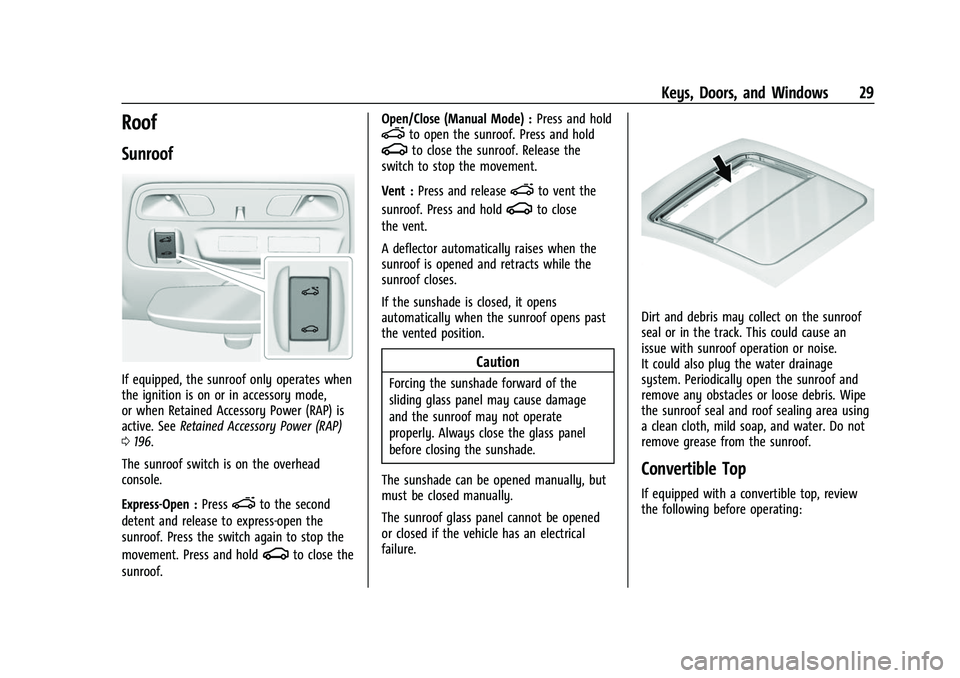
The sunroof switch is on the overhead
console.
Express-Open : Press
eto the second
detent and release to express-open the
sunroof. Press the switch again to stop the
movement. Press and hold
gto close the
sunroof. Open/Close (Manual Mode) :
Press and hold
eto open the sunroof. Press and holdgto close the sunroof. Release the
switch to stop the movement.
Vent : Press and release
eto vent the
sunroof. Press and hold
gto close
the vent.
A deflector automatically raises when the
sunroof is opened and retracts while the
sunroof closes.
If the sunshade is closed, it opens
automatically when the sunroof opens past
the vented position.
Caution
Forcing the sunshade forward of the
sliding glass panel may cause damage
and the sunroof may not operate
properly. Always close the glass panel
before closing the sunshade.
The sunshade can be opened manually, but
must be closed manually.
The sunroof glass panel cannot be opened
or closed if the vehicle has an electrical
failure.
Dirt and debris may collect on the sunroof
seal or in the track. This could cause an
issue with sunroof operation or noise.
It could also plug the water drainage
system. Periodically open the sunroof and
remove any obstacles or loose debris. Wipe
the sunroof seal and roof sealing area using
a clean cloth, mild soap, and water. Do not
remove grease from the sunroof.
Convertible Top
If equipped with a convertible top, review
the following before operating:
Page 31 of 345
Chevrolet Camaro Owner Manual (GMNA-Localizing-U.S./Canada/Mexico-
16408685) - 2023 - CRC - 3/28/22
30 Keys, Doors, and Windows
{Warning
While opening or closing the convertible
top, people can be injured by the moving
parts of the tonneau cover or convertible
top. Maintain visual contact with the top
while it is being operated.
Caution
Follow these guidelines when operating
the convertible top or damage can occur:
.Remove all items from the roof, trunk
lid, or tonneau cover before operating.
.Remove all objects from the trunk that
may contact the convertible top when
it is operated.
.Do not leave the vehicle with the
convertible top open.
.Do not exceed 50 km/h (31 mph) until
the top has completely closed or
opened.
.Do not open or close the top while
driving in high wind conditions.
(Continued)
Caution (Continued)
.Do not operate the convertible top
multiple times in a short period of
time without starting the engine to
avoid draining the vehicle battery.
.Do not open or store the convertible
top when it is dirty or wet. This could
result in stains, mildew, or other
damage.
.Only store the vehicle with the top
fully closed.
Caution
When the convertible top is open, there
are sliding covers next to the rear seat on
each side of the vehicle. Do not press
down on or move these covers as
damage may occur to the covers or the
convertible top.
Opening the Convertible Top
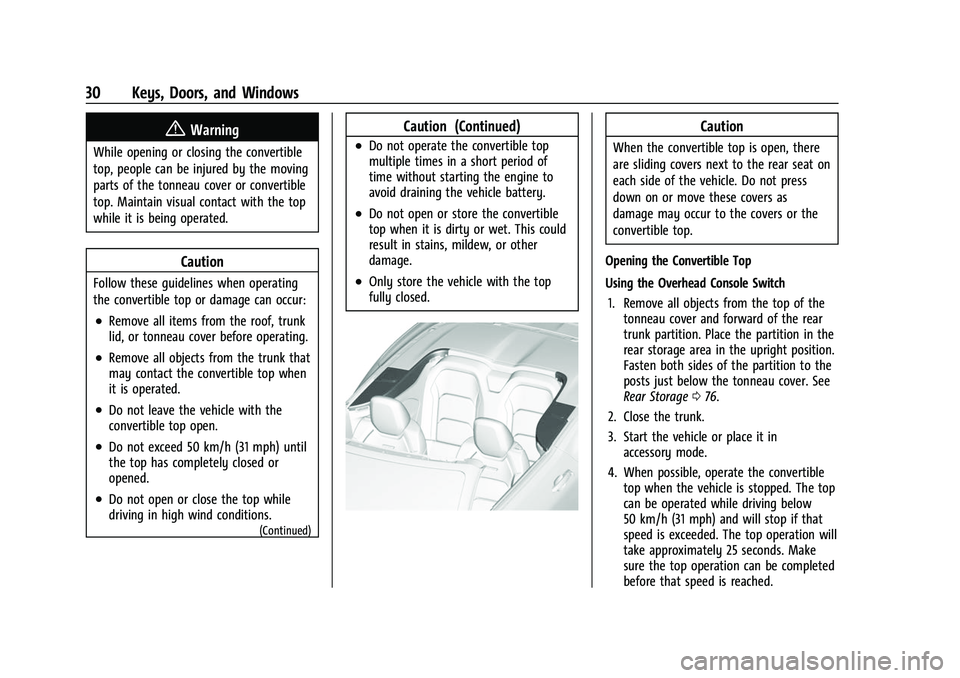
Using the Overhead Console Switch 1. Remove all objects from the top of the tonneau cover and forward of the rear
trunk partition. Place the partition in the
rear storage area in the upright position.
Fasten both sides of the partition to the
posts just below the tonneau cover. See
Rear Storage 076.
2. Close the trunk.
3. Start the vehicle or place it in accessory mode.
4. When possible, operate the convertible top when the vehicle is stopped. The top
can be operated while driving below
50 km/h (31 mph) and will stop if that
speed is exceeded. The top operation will
take approximately 25 seconds. Make
sure the top operation can be completed
before that speed is reached.
Page 32 of 345
Chevrolet Camaro Owner Manual (GMNA-Localizing-U.S./Canada/Mexico-
16408685) - 2023 - CRC - 3/28/22
Keys, Doors, and Windows 31
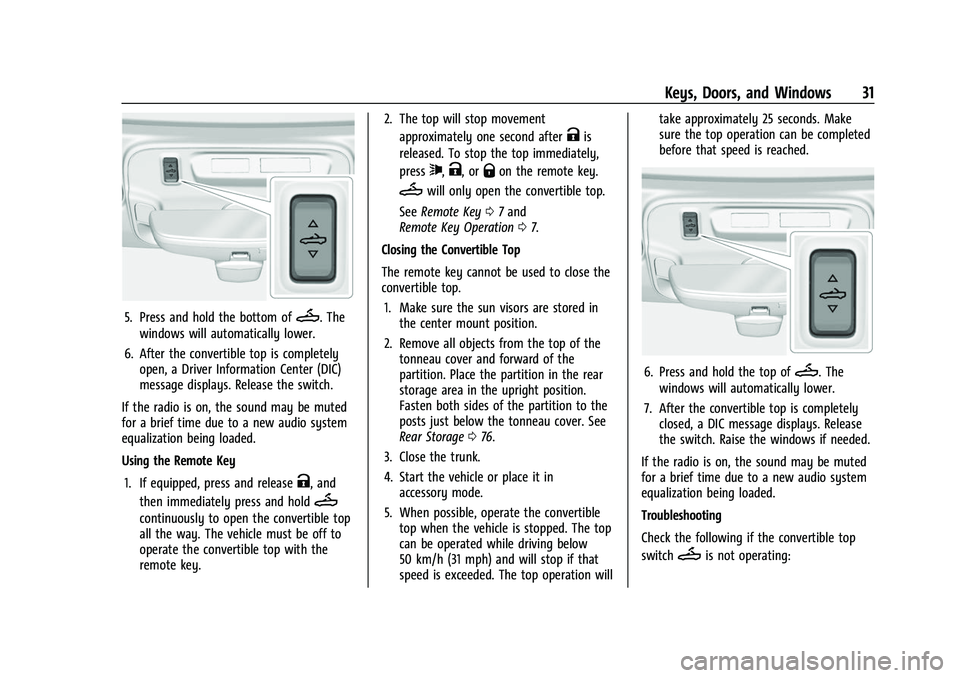
5. Press and hold the bottom ofM. The
windows will automatically lower.
6. After the convertible top is completely open, a Driver Information Center (DIC)
message displays. Release the switch.
If the radio is on, the sound may be muted
for a brief time due to a new audio system
equalization being loaded.
Using the Remote Key
1. If equipped, press and release
K, and
then immediately press and hold
M
continuously to open the convertible top
all the way. The vehicle must be off to
operate the convertible top with the
remote key. 2. The top will stop movement
approximately one second after
Kis
released. To stop the top immediately,
press
7,K, orQon the remote key.
Mwill only open the convertible top.
See Remote Key 07and
Remote Key Operation 07.
Closing the Convertible Top
The remote key cannot be used to close the
convertible top. 1. Make sure the sun visors are stored in the center mount position.
2. Remove all objects from the top of the tonneau cover and forward of the
partition. Place the partition in the rear
storage area in the upright position.
Fasten both sides of the partition to the
posts just below the tonneau cover. See
Rear Storage 076.
3. Close the trunk.
4. Start the vehicle or place it in accessory mode.
5. When possible, operate the convertible top when the vehicle is stopped. The top
can be operated while driving below
50 km/h (31 mph) and will stop if that
speed is exceeded. The top operation will take approximately 25 seconds. Make
sure the top operation can be completed
before that speed is reached.
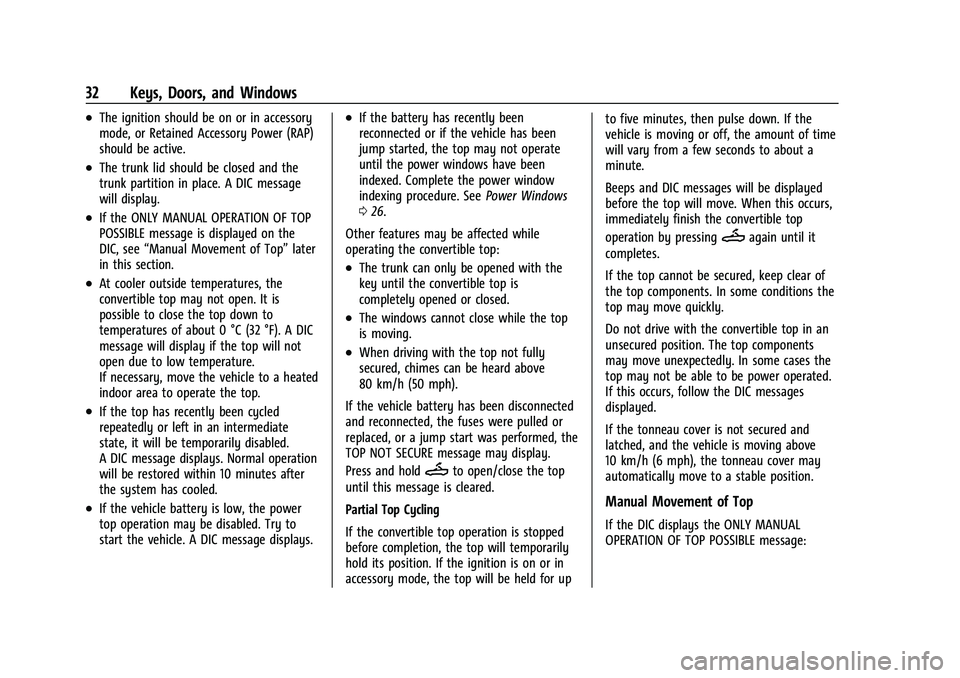
6. Press and hold the top ofM. The
windows will automatically lower.
7. After the convertible top is completely closed, a DIC message displays. Release
the switch. Raise the windows if needed.
If the radio is on, the sound may be muted
for a brief time due to a new audio system
equalization being loaded.
Troubleshooting
Check the following if the convertible top
switch
Mis not operating:
Page 33 of 345
Chevrolet Camaro Owner Manual (GMNA-Localizing-U.S./Canada/Mexico-
16408685) - 2023 - CRC - 3/28/22
32 Keys, Doors, and Windows
.The ignition should be on or in accessory
mode, or Retained Accessory Power (RAP)
should be active.
.The trunk lid should be closed and the
trunk partition in place. A DIC message
will display.
.If the ONLY MANUAL OPERATION OF TOP
POSSIBLE message is displayed on the
DIC, see“Manual Movement of Top” later
in this section.
.At cooler outside temperatures, the
convertible top may not open. It is
possible to close the top down to
temperatures of about 0 °C (32 °F). A DIC
message will display if the top will not
open due to low temperature.
If necessary, move the vehicle to a heated
indoor area to operate the top.
.If the top has recently been cycled
repeatedly or left in an intermediate
state, it will be temporarily disabled.
A DIC message displays. Normal operation
will be restored within 10 minutes after
the system has cooled.
.If the vehicle battery is low, the power
top operation may be disabled. Try to
start the vehicle. A DIC message displays.
.If the battery has recently been
reconnected or if the vehicle has been
jump started, the top may not operate
until the power windows have been
indexed. Complete the power window
indexing procedure. See Power Windows
0 26.
Other features may be affected while
operating the convertible top:
.The trunk can only be opened with the
key until the convertible top is
completely opened or closed.
.The windows cannot close while the top
is moving.
.When driving with the top not fully
secured, chimes can be heard above
80 km/h (50 mph).
If the vehicle battery has been disconnected
and reconnected, the fuses were pulled or
replaced, or a jump start was performed, the
TOP NOT SECURE message may display.
Press and hold
Mto open/close the top
until this message is cleared.
Partial Top Cycling
If the convertible top operation is stopped
before completion, the top will temporarily
hold its position. If the ignition is on or in
accessory mode, the top will be held for up to five minutes, then pulse down. If the
vehicle is moving or off, the amount of time
will vary from a few seconds to about a
minute.
Beeps and DIC messages will be displayed
before the top will move. When this occurs,
immediately finish the convertible top
operation by pressing
Magain until it
completes.
If the top cannot be secured, keep clear of
the top components. In some conditions the
top may move quickly.
Do not drive with the convertible top in an
unsecured position. The top components
may move unexpectedly. In some cases the
top may not be able to be power operated.
If this occurs, follow the DIC messages
displayed.
If the tonneau cover is not secured and
latched, and the vehicle is moving above
10 km/h (6 mph), the tonneau cover may
automatically move to a stable position.
Manual Movement of Top
If the DIC displays the ONLY MANUAL
OPERATION OF TOP POSSIBLE message:
Page 39 of 345
Chevrolet Camaro Owner Manual (GMNA-Localizing-U.S./Canada/Mexico-
16408685) - 2023 - CRC - 3/28/22
38 Seats and Restraints
Recall”later in this section. To enable
automatic recalls, turn on Seat Entry
Memory and/or Seat Exit Memory. See
“Enabling Automatic Recalls” later in this
section. The memory recalls may be
cancelled at any time during the recall. See
“Cancel Memory Seating Recalls” later in this
section.
Identifying Driver Number
The vehicle identifies the current driver by
their remote key number 1–8. The current
remote key number may be identified by
Driver Information Center (DIC) welcome
message, “You are driver x for memory
recalls.” This message is displayed the first
few times the vehicle is turned on when a
different remote key is used. For Seat Entry
Memory to work properly, save positions to
the 1 or 2 memory button matching the
driver number of this welcome message. To
aid in identifying remote key IDs, it is
recommended to only carry one remote key
when entering the vehicle. Perform the
following if the welcome message is not
displayed:
1. Move all keys and remote keys away from the vehicle. 2. Start the vehicle with another remote
key. A DIC welcome message should
display indicating the driver number of
the other remote key. Turn the vehicle
off and remove the other key or remote
key from the vehicle.
3. Start the vehicle with the initial key or remote key. The DIC welcome message
should display the driver number of the
initial remote key.
Saving Seating Positions
Read these instructions completely before
saving memory positions.
To save preferred driving positions to
1 and 2: 1. Turn the vehicle on or to accessory mode. A DIC welcome message may
indicate the driver number of the current
remote key. See “Identifying Driver
Number” previously in this section.
2. Adjust all available memory features to the desired driving position.
3. Press and release SET; a beep will sound.
4. Immediately upon releasing SET, press and hold memory button 1 or 2 matching
the current Driver’s remote key number
until two beeps sound. If too much time
passes between releasing SET and pressing 1 or 2, the two beeps will not
sound indicating memory position were
not saved. Repeat Steps 3 and 4 to try
again.
5. Repeat Steps 1–4 for the other remote key 1 or 2 using the other 1 or 2 memory
button.
It is recommended to save the preferred
driving positions to both 1 and 2 if you are
the only driver.
To save the common exit seating position to
Bthat is used by all drivers for Manually
Recalling Seating Positions and Auto Seat
Exit Memory Recall features, repeat Steps 1–
4 using
B, the exit button.
Manually Recalling Seating Positions
Press and hold 1, 2, or
Bbutton until the
recall is complete, to recall the positions
previously saved to that button.
Manual Memory recall movement for 1, 2 or
Bbuttons may be initiated and will
complete to the saved memory position if
the vehicle is in or out of P (Park).
Page 52 of 345
Chevrolet Camaro Owner Manual (GMNA-Localizing-U.S./Canada/Mexico-
16408685) - 2023 - CRC - 3/28/22
Seats and Restraints 51
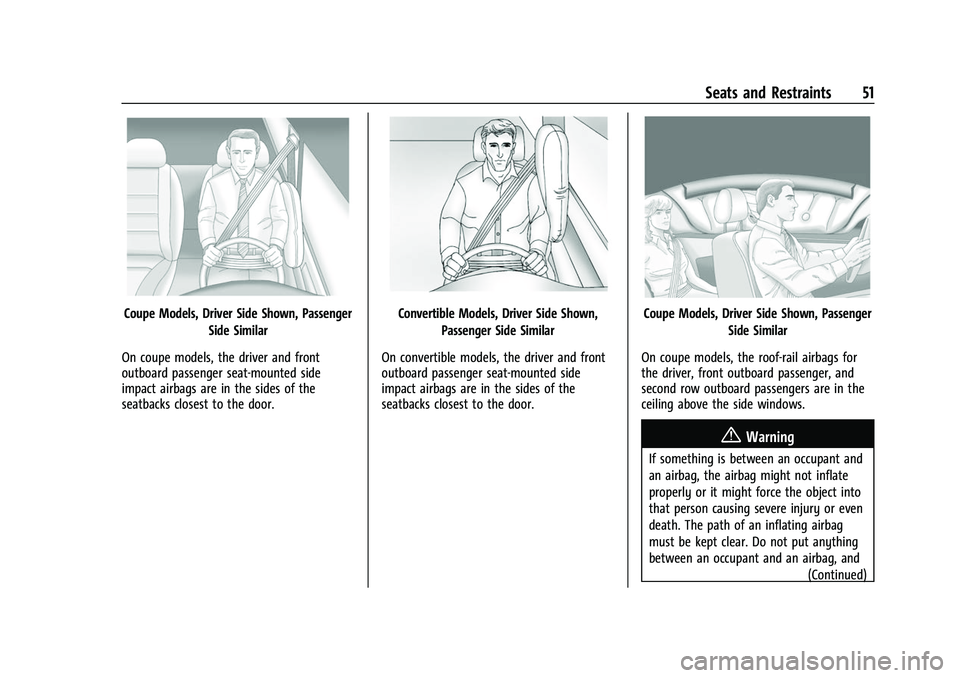
Coupe Models, Driver Side Shown, PassengerSide Similar
On coupe models, the driver and front
outboard passenger seat-mounted side
impact airbags are in the sides of the
seatbacks closest to the door.Convertible Models, Driver Side Shown, Passenger Side Similar
On convertible models, the driver and front
outboard passenger seat-mounted side
impact airbags are in the sides of the
seatbacks closest to the door.Coupe Models, Driver Side Shown, Passenger Side Similar
On coupe models, the roof-rail airbags for
the driver, front outboard passenger, and
second row outboard passengers are in the
ceiling above the side windows.
{Warning
If something is between an occupant and
an airbag, the airbag might not inflate
properly or it might force the object into
that person causing severe injury or even
death. The path of an inflating airbag
must be kept clear. Do not put anything
between an occupant and an airbag, and (Continued)
Page 54 of 345
Chevrolet Camaro Owner Manual (GMNA-Localizing-U.S./Canada/Mexico-
16408685) - 2023 - CRC - 3/28/22
Seats and Restraints 53
In any particular crash, no one can say
whether an airbag should have inflated
simply because of the vehicle damage or
repair costs.
What Makes an Airbag Inflate?
In a deployment event, the sensing system
sends an electrical signal triggering a release
of gas from the inflator. Gas from the
inflator fills the airbag causing the bag to
break out of the cover. The inflator, the
airbag, and related hardware are all part of
the airbag module.
For airbag locations, seeWhere Are the
Airbags? 050.
How Does an Airbag Restrain?
In moderate to severe frontal or near frontal
collisions, even belted occupants can contact
the steering wheel or the instrument panel.
In moderate to severe side collisions, even
belted occupants can contact the inside of
the vehicle.
Airbags supplement the protection provided
by seat belts by distributing the force of the
impact more evenly over the
occupant's body. Rollover capable roof-rail airbags,
if equipped, are designed to help contain
the head and chest of occupants in the
outboard seating positions in the first and
second rows. The rollover capable roof-rail
airbags are designed to help reduce the risk
of full or partial ejection in rollover events,
although no system can prevent all such
ejections.
But airbags would not help in many types
of collisions, primarily because the
occupant's motion is not toward those
airbags. See
When Should an Airbag Inflate?
0 52.
Airbags should never be regarded as
anything more than a supplement to seat
belts.What Will You See after an
Airbag Inflates?
After frontal, knee, and seat-mounted side
impact airbags inflate, they quickly deflate,
so quickly that some people may not even
realize the airbags inflated. Roof-rail airbags
may still be at least partially inflated for
some time after they inflate. Some
components of the airbag module may be
hot for several minutes. For location of the
airbags, see Where Are the Airbags? 050. The parts of the airbag that come into
contact with you may be warm, but not too
hot to touch. There may be some smoke
and dust coming from the vents in the
deflated airbags. Airbag inflation does not
prevent the driver from seeing out of the
windshield or being able to steer the
vehicle, nor does it prevent people from
leaving the vehicle.
{Warning
When an airbag inflates, there may be
dust in the air. This dust could cause
breathing problems for people with a
history of asthma or other breathing
trouble. To avoid this, everyone in the
vehicle should get out as soon as it is
safe to do so. If you have breathing
problems but cannot get out of the
vehicle after an airbag inflates, then get
fresh air by opening a window or a door.
If you experience breathing problems
following an airbag deployment, you
should seek medical attention.
The vehicle has a feature that may
automatically unlock the doors, turn on the
interior lamps and hazard warning flashers,
and shut off the fuel system after the
Page 55 of 345
Chevrolet Camaro Owner Manual (GMNA-Localizing-U.S./Canada/Mexico-
16408685) - 2023 - CRC - 3/28/22
54 Seats and Restraints
airbags inflate. The feature may also
activate, without airbag inflation, after an
event that exceeds a predetermined
threshold. After turning the ignition off and
then on again, the fuel system will return to
normal operation; the doors can be locked,
the interior lamps can be turned off, and
the hazard warning flashers can be turned
off using the controls for those features.
If any of these systems are damaged in the
crash they may not operate as normal.
{Warning
A crash severe enough to inflate the
airbags may have also damaged
important functions in the vehicle, such
as the fuel system, brake and steering
systems, etc. Even if the vehicle appears
to be drivable after a moderate crash,
there may be concealed damage that
could make it difficult to safely operate
the vehicle.
Use caution if you should attempt to
restart the engine after a crash has
occurred.In many crashes severe enough to inflate
the airbag, windshields are broken by
vehicle deformation. Additional windshield
breakage may also occur from the front
outboard passenger airbag.
.Airbags are designed to inflate only once.
After an airbag inflates, you will need
some new parts for the airbag system.
If you do not get them, the airbag
system will not be there to help protect
you in another crash. A new system will
include airbag modules and possibly other
parts. The service manual for the vehicle
covers the need to replace other parts.
.The vehicle has a crash sensing and
diagnostic module which records
information after a crash. See
Vehicle
Data Recording and Privacy 0323 and
Event Data Recorders 0324.
.Let only qualified technicians work on the
airbag system. Improper service can mean
that an airbag system will not work
properly. See your dealer for service.
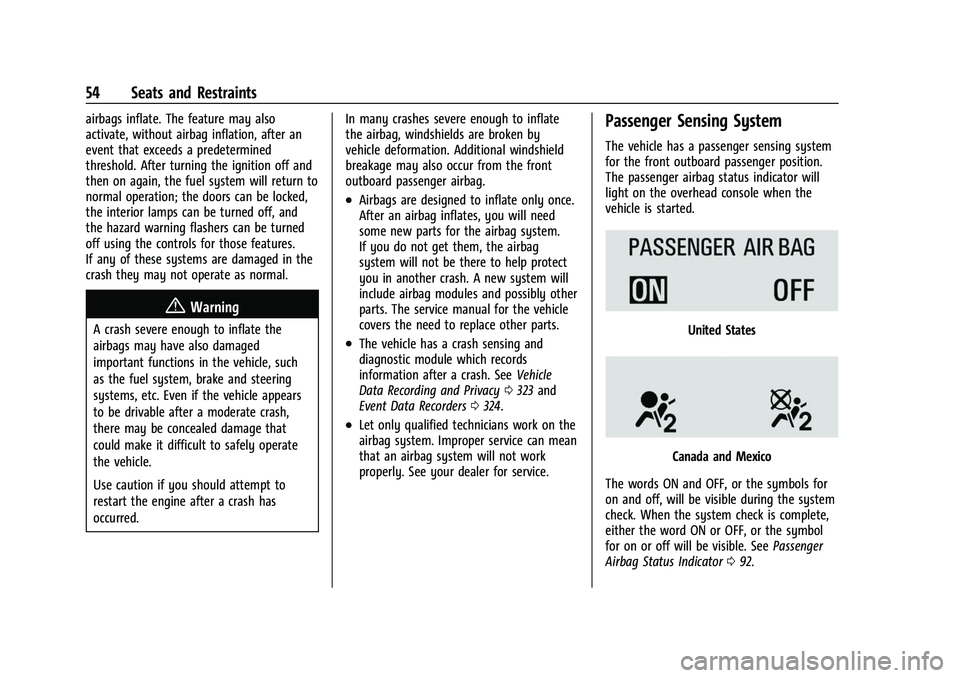
Passenger Sensing System
The vehicle has a passenger sensing system
for the front outboard passenger position.
The passenger airbag status indicator will
light on the overhead console when the
vehicle is started.
United States
Canada and Mexico
The words ON and OFF, or the symbols for
on and off, will be visible during the system
check. When the system check is complete,
either the word ON or OFF, or the symbol
for on or off will be visible. See Passenger
Airbag Status Indicator 092.