driver CHEVROLET CAMARO SS 2010 Workshop Manual
[x] Cancel search | Manufacturer: CHEVROLET, Model Year: 2010, Model line: CAMARO SS, Model: CHEVROLET CAMARO SS 2010Pages: 372, PDF Size: 1.91 MB
Page 208 of 372
Let us say the road is wet and you
are driving safely. Suddenly, an
animal jumps out in front of you.
You slam on the brakes and
continue braking. Here is what
happens with ABS:
A computer senses that the wheels
are slowing down. If one of the
wheels is about to stop rolling,
the computer will separately work
the brakes at each wheel.
ABS can change the brake pressure
to each wheel, as required, faster
than any driver could. This can
help the driver steer around
the obstacle while braking hard.
As the brakes are applied, the
computer keeps receiving updates
on wheel speed and controls braking
pressure accordingly.Remember: ABS does not change
the time needed to get a foot up to
the brake pedal or always decrease
stopping distance. If you get too
close to the vehicle in front of you,
there will not be enough time to
apply the brakes if that vehicle
suddenly slows or stops. Always
leave enough room up ahead to
stop, even with ABS.
Using ABS
Do not pump the brakes. Just hold
the brake pedal down firmly and let
antilock work. The antilock pump
or motor might be heard operating,
and the brake pedal might be felt to
pulsate, but this is normal.
Braking in Emergencies
ABS allows the driver to steer and
brake at the same time. In many
emergencies, steering can help
more than even the very best
braking.
Parking Brake
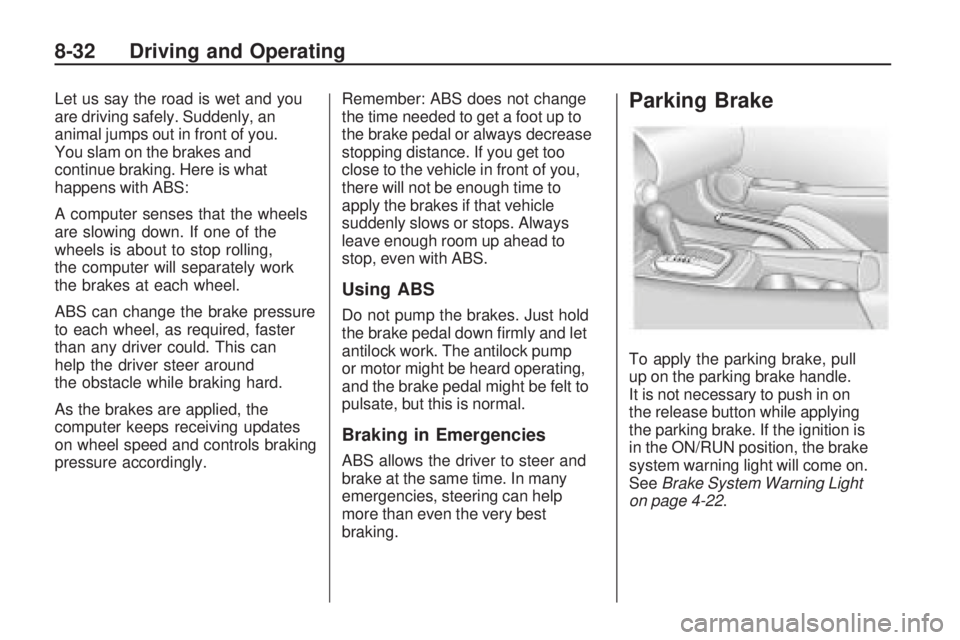
To apply the parking brake, pull
up on the parking brake handle.
It is not necessary to push in on
the release button while applying
the parking brake. If the ignition is
in the ON/RUN position, the brake
system warning light will come on.
SeeBrake System Warning Light
on page 4-22.
8-32 Driving and Operating
Page 209 of 372
To release the parking brake:
1. Hold the brake pedal down.
2. Pull the parking brake handle up
until you can press the release
button.
3. Hold the release button in as you
move the brake handle all the
way down.
Notice:Driving with the parking
brake on can overheat the brake
system and cause premature wear
or damage to brake system parts.
Make sure that the parking brake
is fully released and the brake
warning light is off before driving.Driving with the parking brake
applied will cause a warning chime to
sound and the Park Brake message
to appear in the DIC. The message
will remain on until:
•the parking brake is released
•the vehicle comes to a stop.
If you are towing a trailer and you
are parking on a hill, seeDriving
Characteristics and Towing Tips
on page 8-49.
Brake Assist
This vehicle has a Brake Assist
feature designed to assist the driver
in stopping or decreasing vehicle
speed in emergency driving
conditions. This feature uses the
stability system hydraulic brakecontrol module to supplement
the power brake system under
conditions where the driver has
quickly and forcefully applied the
brake pedal in an attempt to quickly
stop or slow down the vehicle.
The stability system hydraulic brake
control module increases brake
pressure at each corner of the
vehicle until the ABS activates.
Minor brake pedal pulsations or
pedal movement during this time
is normal and the driver should
continue to apply the brake pedal
as the driving situation dictates
The Brake Assist feature will
automatically disengage when the
brake pedal is released or brake
pedal pressure is quickly decreased.
Driving and Operating 8-33
Page 210 of 372

Ride Control Systems
Traction Control
System (TCS)
The vehicle has a Traction Control
System (TCS) that limits wheel spin.
The system utilizes engine and
braking controls to control wheel
spin during acceleration at all driving
speeds for maximum driver control
regardless of conditions. When the
system senses impending wheel slip
during acceleration, it signals the
throttle control to reduce drive wheel
torque. Under extreme situations,
such as going from pavement to ice
during acceleration, the system
will selectively apply the brakes to
maintain control. The system may
be heard or felt while it is working,
but this is normal.The TCS/StabiliTrak warning light
flashes when the traction control
system is limiting wheel spin.
The StabiliTrak/TCS warning light
comes on solid if there is a problem
with the traction control system.
SeeTraction Control System
(TCS)/StabiliTrak
®Light on
page 4-24for more information.
If the light stays on, see your
dealer/retailer for service. When the
TCS/StabiliTrak warning light is on,
the system will not limit wheel spin.
Adjust your driving accordingly.
TCS automatically comes on
whenever the vehicle is started.
To limit wheel spin, especially in
slippery road conditions, the systemshould always be left on, but it may
be necessary to turn the system off if
the vehicle is stuck in sand, mud or
snow and rocking the vehicle is
required. Also, turn TCS off while
in deep snow or on loose gravel,
to assist vehicle motion at lower
speeds. SeeIf the Vehicle is Stuck
on page 8-11for more information.
See alsoWinter Driving on
page 8-10for information on using
TCS when driving in snowy or icy
conditions.
To turn the system off, press
and release the StabiliTrak/TCS
button located on the console
in front of the shift lever.
8-34 Driving and Operating
Page 213 of 372
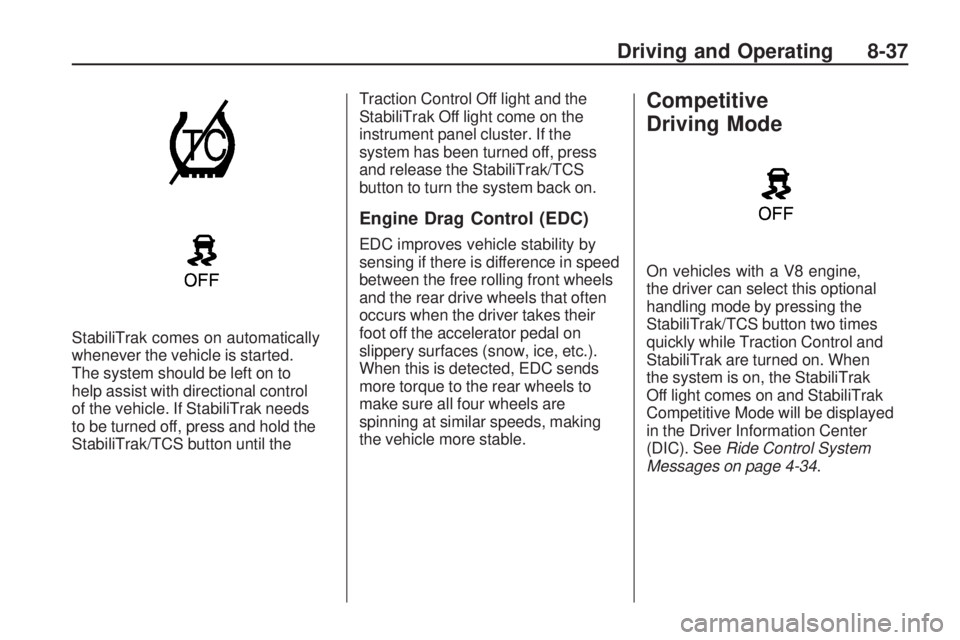
StabiliTrak comes on automatically
whenever the vehicle is started.
The system should be left on to
help assist with directional control
of the vehicle. If StabiliTrak needs
to be turned off, press and hold the
StabiliTrak/TCS button until theTraction Control Off light and the
StabiliTrak Off light come on the
instrument panel cluster. If the
system has been turned off, press
and release the StabiliTrak/TCS
button to turn the system back on.
Engine Drag Control (EDC)
EDC improves vehicle stability by
sensing if there is difference in speed
between the free rolling front wheels
and the rear drive wheels that often
occurs when the driver takes their
foot off the accelerator pedal on
slippery surfaces (snow, ice, etc.).
When this is detected, EDC sends
more torque to the rear wheels to
make sure all four wheels are
spinning at similar speeds, making
the vehicle more stable.
Competitive
Driving Mode
On vehicles with a V8 engine,
the driver can select this optional
handling mode by pressing the
StabiliTrak/TCS button two times
quickly while Traction Control and
StabiliTrak are turned on. When
the system is on, the StabiliTrak
Off light comes on and StabiliTrak
Competitive Mode will be displayed
in the Driver Information Center
(DIC). SeeRide Control System
Messages on page 4-34.
Driving and Operating 8-37
Page 217 of 372

Object Detection
Systems
Ultrasonic Parking Assist
For vehicles with the Ultrasonic
Rear Parking Assist (URPA)
system, it assists the driver with
parking and avoiding objects while
in R (Reverse). URPA operates at
speeds less than 8 km/h (5 mph),
and the sensors on the rear bumper
detect objects up to 2.4m (8 feet)
behind the vehicle, and at least
20 cm (8 inches) off the ground.
{WARNING
The Ultrasonic Rear Parking
Assist (URPA) system does not
replace driver vision. It cannot
detect:
•objects that are below the
bumper, underneath the
vehicle, or if they are too
close or far from the vehicle
•children, pedestrians,
bicyclists, or pets.
If you do not use proper care
before and while backing; vehicle
damage, injury, or death could
occur. Even with URPA, always
check behind the vehicle before
backing up. While backing, be
sure to look for objects and check
the vehicle’s mirrors.The display is located in the center
of the rear seat back filler panel
trim and uses three color-coded
lights to provide distance and
system information.
Driving and Operating 8-41
Page 218 of 372
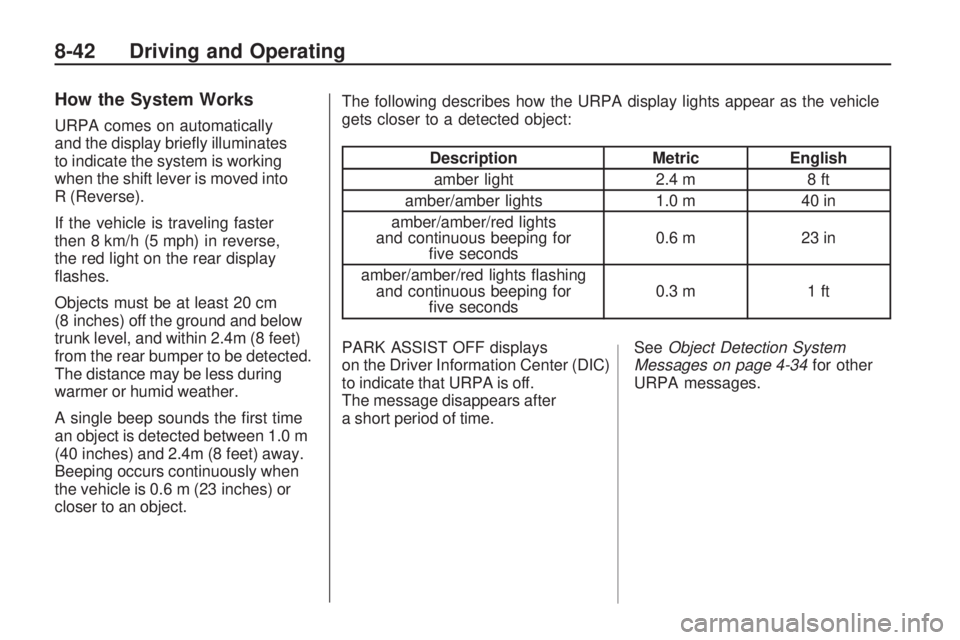
How the System Works
URPA comes on automatically
and the display briefly illuminates
to indicate the system is working
when the shift lever is moved into
R (Reverse).
If the vehicle is traveling faster
then 8 km/h (5 mph) in reverse,
the red light on the rear display
flashes.
Objects must be at least 20 cm
(8 inches) off the ground and below
trunk level, and within 2.4m (8 feet)
from the rear bumper to be detected.
The distance may be less during
warmer or humid weather.
A single beep sounds the first time
an object is detected between 1.0 m
(40 inches) and 2.4m (8 feet) away.
Beeping occurs continuously when
the vehicle is 0.6 m (23 inches) or
closer to an object.The following describes how the URPA display lights appear as the vehicle
gets closer to a detected object:
Description
MetricEnglish
amber light 2.4 m8 ft
amber/amber lights 1.0 m40 in
amber/amber/red lights
and continuous beeping for five seconds 0.6 m
23 in
amber/amber/red lights flashing and continuous beeping for five seconds 0.3 m
1 ft
PARK ASSIST OFF displays
on the Driver Information Center (DIC)
to indicate that URPA is off.
The message disappears after
a short period of time. See
Object Detection System
Messages on page 4-34 for other
URPA messages.
8-42 Driving and Operating
Page 225 of 372
Driving Characteristics
and Towing Tips
{WARNING
The driver can lose control
when pulling a trailer if the correct
equipment is not used or the
vehicle is not driven properly.
For example, if the trailer is too
heavy, the brakes may not work
well — or even at all. The driver
and passengers could be seriously
injured. The vehicle may also be
damaged; the resulting repairs
would not be covered by the
vehicle warranty. Pull a trailer only
if all the steps in this section have
been followed. Ask your dealer/
retailer for advice and information
about towing a trailer with the
vehicle.The vehicle can tow a trailer if it
is equipped with the proper trailer
towing equipment. To identify the
trailering capacity of the vehicle,
seeTrailer Towing on page 8-53.
Trailering changes handling,
acceleration, braking, durability
and fuel economy. With the added
weight, the engine, transmission,
wheel assemblies and tires are
forced to work harder and under
greater loads. The trailer also adds
wind resistance, increasing the
pulling requirements. For safe
trailering, correctly use the proper
trailering equipment.
The following information has
important trailering tips and rules
for your safety and that of your
passengers. Read this section
carefully before pulling a trailer.
Pulling A Trailer
Here are some important points:
•There are many laws, including
speed limit restrictions that apply
to trailering. Check for legal
requirements with state or
provincial police.
•Do not tow a trailer at all during
the first 1 600 km (1,000 miles)
the new vehicle is driven.
The engine, axle or other
parts could be damaged.
•During the first 800 km
(500 miles) that a trailer is
towed, do not drive over 80 km/h
(50 mph) and do not make starts
at full throttle. This reduces wear
on the vehicle.
Driving and Operating 8-49
Page 227 of 372
Backing Up
Hold the bottom of the steering
wheel with one hand. Then, to move
the trailer to the left, move that
hand to the left. To move the trailer
to the right, move your hand to
the right. Always back up slowly
and, if possible, have someone
guide you.
Making Turns
Notice:Making very sharp turns
while trailering could cause the
trailer to come in contact with the
vehicle. The vehicle could be
damaged. Avoid making very
sharp turns while trailering.
When turning with a trailer, make
wider turns than normal. Do this so
the trailer won’t strike soft shoulders,
curbs, road signs, trees or other
objects. Avoid jerky or sudden
maneuvers. Signal well in advance.
Turn Signals When Towing a
Trailer
The arrows on the instrument panel
flash whenever signaling a turn
or lane change. Properly hooked up,
the trailer lamps also flash, telling
other drivers the vehicle is turning,
changing lanes or stopping.
When towing a trailer, the arrows on
the instrument panel flash for turns
even if the bulbs on the trailer are
burned out. For this reason you
may think other drivers are seeing
the signal when they are not. It is
important to check occasionally to be
sure the trailer bulbs are still working.
Driving On Grades
Reduce speed and shift to a lower
gear before starting down a long or
steep downgrade. If the transmission
is not shifted down, the brakes might
have to be used so much that they
would get hot and no longer
work well.Vehicles with an automatic
transmission can tow in D (Drive).
Shift the transmission to a lower
gear if the transmission shifts
too often under heavy loads and/or
hilly conditions. For vehicles with
a manual transmission, it is
better not to use the highest gear.
When towing at high altitude on
steep uphill grades, consider the
following: Engine coolant will boil at
a lower temperature than at normal
altitudes. If the engine is turned off
immediately after towing at high
altitude on steep uphill grades,
the vehicle may show signs similar
to engine overheating. To avoid
this, let the engine run while
parked, preferably on level ground,
with the automatic transmission
in P (Park) for a few minutes
before turning the engine off.
Driving and Operating 8-51
Page 229 of 372

Maintenance When Trailer
Towing
The vehicle needs service more
often when pulling a trailer. See this
manual’s Maintenance Schedule or
Index for more information. Things
that are especially important in trailer
operation are automatic transmission
fluid, engine oil, axle lubricant, belts,
cooling system and brake system.
It is a good idea to inspect these
before and during the trip.
Check periodically to see that all
hitch nuts and bolts are tight.
Engine Cooling When Trailer
Towing
The cooling system may temporarily
overheat during severe operating
conditions. SeeEngine Overheating
on page 9-24.
Trailer Towing
Before pulling a trailer, there are
three important considerations that
have to do with weight:
•The weight of the trailer.
•The weight of the trailer tongue.
•The total weight on your
vehicle’s tires.
Weight of the Trailer
How heavy can a trailer safely be?
It should never weigh more than
1,000 lbs (454 kg). But even
that can be too heavy.
It depends on how the rig is used.
For example, speed, altitude, road
grades, outside temperature and
how much the vehicle is used to pull
a trailer are all important. It candepend on any special equipment
on the vehicle, and the amount of
tongue weight the vehicle can carry.
See “Weight of the Trailer Tongue”
later in this section for more
information.
Maximum trailer weight is calculated
assuming only the driver is in the tow
vehicle and it has all the required
trailering equipment. The weight
of additional optional equipment,
passengers and cargo in the tow
vehicle must be subtracted from
the maximum trailer weight.
Ask your dealer/retailer for our
trailering information or advice, or
you can write us at our Customer
Assistance Offices. SeeCustomer
Assistance Offices on page 12-3
for more information.
Driving and Operating 8-53
Page 248 of 372

Engine Air Cleaner/Filter
SeeEngine Compartment
Overview on page 9-6for the
location of the engine air
cleaner/filter.
When to Inspect the Engine
Air Cleaner/Filter
Inspect the air cleaner/filter at the
MaintenanceIIintervals and replace
it at the first oil change after each
50,000 mile (80 000 km) interval.
See “Schedule Maintenance” in
Service and Maintenance for more
information. If driving in dusty/dirty
conditions, inspect the filter at each
engine oil change.
How to Inspect the Engine Air
Cleaner/Filter
To inspect the air cleaner/filter,
remove the filter from the vehicle
and lightly shake the filter to release
loose dust and dirt. If the filter
remains caked with dirt, a new
filter is required.
To inspect or replace the engine air
cleaner/filter:
1. Open the hood. SeeHood on
page 9-5.
2. Locate the air filter housing
on the front of the driver
side of the engine compartment.
SeeEngine Compartment
Overview on page 9-6.
3.6 L V6 Engine Air Cleaner/
Filter Housing shown
(6.2 L V8 Engines similar)
9-16 Vehicle Care