change time CHEVROLET EXPRESS CARGO VAN 2017 1.G User Guide
[x] Cancel search | Manufacturer: CHEVROLET, Model Year: 2017, Model line: EXPRESS CARGO VAN, Model: CHEVROLET EXPRESS CARGO VAN 2017 1.GPages: 346, PDF Size: 6.54 MB
Page 123 of 346
Chevrolet Express Owner Manual (GMNA-Localizing-U.S./Canada/Mexico-9967827) - 2017 - crc - 5/2/16
122 Instruments and Controls
transmitter. You will not receivefeedback when unlocking thevehicle with the RKE transmitter ifthe doors are open. SeeRemoteKeyless Entry (RKE) SystemOperation025.
PressUuntil REMOTE DOOR
UNLOCK appears on the DIC
display. PressVonce to access the
settings for this feature. Then
pressUto scroll through the
following settings:
LIGHTS OFF :The exterior lamps
will not flash when you pressKon
the RKE transmitter.
LIGHTS ON (default) :The exterior
lamps will flash when you pressK
on the RKE transmitter.
NO CHANGE :No change will bemade to this feature. The currentsetting will remain.
To s e l e c t a s e t t i n g , p r e s sVwhile
the desired setting is displayed onthe DIC.
DELAY DOOR LOCK
This feature allows you to selectwhether or not the locking of thedoors will be delayed. When lockingthe doors with the power door lockswitch and a door is open, thisfeature will delay locking the doorsuntil five seconds after the last dooris closed. You will hear three chimesto signal that the delayed lockingfeature is in use. The key must beout of the ignition for this feature towork. You can temporarily overridedelayed locking by pressing the
power door lock switch twice orQ
on the RKE transmitter twice. SeeDelayed Locking029.
PressUuntil DELAY DOOR LOCK
appears on the DIC display.
PressVonce to access the settings
for this feature. Then pressUto
scroll through the following settings:
OFF :There will be no delayedlocking of the vehicle's doors.
ON (default) :The doors will notlock until five seconds after the lastdoor is closed.
NO CHANGE :No change will bemade to this feature. The currentsetting will remain.
To s e l e c t a s e t t i n g , p r e s sVwhile
the desired setting is displayed onthe DIC.
EXIT LIGHTING
This feature allows you to select theamount of time you want theexterior lamps to remain on when itis dark enough outside. Thishappens after the key is turned fromON/RUN to LOCK/OFF.
PressUuntil EXIT LIGHTING
appears on the DIC display.
PressVonce to access the settings
for this feature. Then pressUto
scroll through the following settings:
OFF :The exterior lamps will notturn on.
10 SECONDS (default) :Theexterior lamps will stay on for10 seconds.
1MINUTE :The exterior lamps willstay on for one minute.
Page 126 of 346
Chevrolet Express Owner Manual (GMNA-Localizing-U.S./Canada/Mexico-9967827) - 2017 - crc - 5/2/16
Lighting 125
Lighting
Exterior Lighting
Exterior Lamp Controls . . . . . . . 125Exterior Lamps OffReminder . . . . . . . . . . . . . . . . . . . 126Headlamp High/Low-BeamChanger . . . . . . . . . . . . . . . . . . . . 126Flash-to-Pass . . . . . . . . . . . . . . . . 126Daytime RunningLamps (DRL) . . . . . . . . . . . . . . . 126Automatic HeadlampSystem . . . . . . . . . . . . . . . . . . . . . . 127Hazard Warning Flashers . . . . . 128Turn and Lane-ChangeSignals . . . . . . . . . . . . . . . . . . . . . . 128
Interior Lighting
Instrument Panel IlluminationControl . . . . . . . . . . . . . . . . . . . . . . 129Dome Lamps . . . . . . . . . . . . . . . . . 129Reading Lamps . . . . . . . . . . . . . . 130
Lighting Features
Entry/Exit Lighting . . . . . . . . . . . . 130Battery Load Management . . . 130Battery Power Protection . . . . . 131
Exterior Lighting
Exterior Lamp Controls
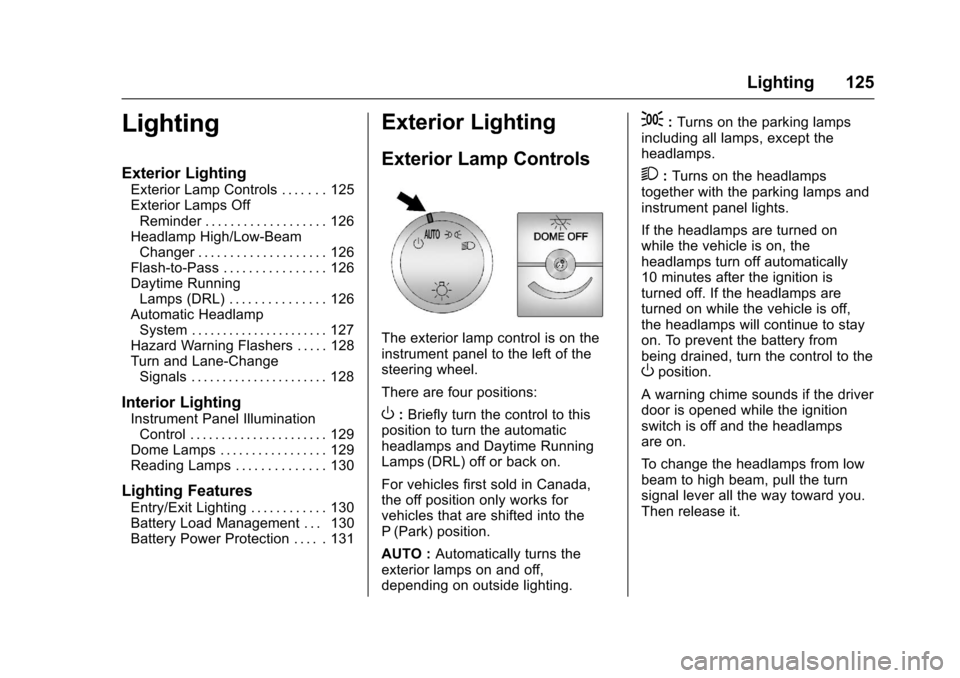
The exterior lamp control is on theinstrument panel to the left of thesteering wheel.
There are four positions:
O:Briefly turn the control to thisposition to turn the automaticheadlamps and Daytime RunningLamps (DRL) off or back on.
For vehicles first sold in Canada,the off position only works forvehicles that are shifted into theP(Park) position.
AUTO :Automatically turns theexterior lamps on and off,depending on outside lighting.
;:Turns on the parking lampsincluding all lamps, except theheadlamps.
2:Turns on the headlampstogether with the parking lamps andinstrument panel lights.
If the headlamps are turned onwhile the vehicle is on, theheadlamps turn off automatically10 minutes after the ignition isturned off. If the headlamps areturned on while the vehicle is off,the headlamps will continue to stayon. To prevent the battery frombeing drained, turn the control to theOposition.
Awarningchimesoundsifthedriverdoor is opened while the ignitionswitch is off and the headlampsare on.
To c h a n g e t h e h e a d l a m p s f r o m l o wbeam to high beam, pull the turnsignal lever all the way toward you.Then release it.
Page 127 of 346
Chevrolet Express Owner Manual (GMNA-Localizing-U.S./Canada/Mexico-9967827) - 2017 - crc - 5/2/16
126 Lighting
Exterior Lamps Off
Reminder
If a door is open, a reminder chimesounds when the headlamps orparking lamps are manually turnedon and the key is out of the ignition.To t u r n o f f t h e c h i m e , t u r n t h e
headlamp switch toOor AUTO and
then back on, or close and re⇣openthe door. In the auto mode, theheadlamps turn off once the ignitionis in LOCK/OFF or may remain onuntil the headlamp delay ends,if enabled in the Driver InformationCenter (DIC). See“Exit Lighting”underVehiclePersonalization011 9.
Headlamp High/
Low-Beam Changer
23(Headlamp High/Low-BeamChanger) :Pull the turn signal leverall the way toward you to changethe headlamps from low to highbeam. Then release it.
This instrument cluster light comeson when the high-beam headlampsare on.
Flash-to-Pass
This feature is used to signal to thevehicle ahead that you wantto pass.
If the headlamps are off or in thelow⇣beam position, pull the turnsignal lever toward you tomomentarily switch to high beams.
Release the lever to turn thehigh-beam headlamps off.
Daytime Running
Lamps (DRL)
DRL can make it easier for others tosee the front of the vehicle duringthe day. Fully functional DRL arerequired on all vehicles first sold inCanada.
The DRL system comes on indaylight when the followingconditions are met:
.The ignition is on.
.The exterior lamp control is inthe AUTO position.
.The shift lever is not in P (Park).
.The light sensor determines it isdaytime.
When the DRL are on, the taillamps,sidemarker, instrument panel lights,and other lamps will not be on.
The automatic headlamp systemautomatically switches from DRL tothe headlamps depending on thedarkness of the surroundings.
To t u r n o f f t h e D R L , t u r n t h e e x t e r i o r
lamp control toOand then release
it. For vehicles first sold in Canada,the transmission must be in theP(Park) position, before the DRLcan be turned off.
Page 128 of 346
Chevrolet Express Owner Manual (GMNA-Localizing-U.S./Canada/Mexico-9967827) - 2017 - crc - 5/2/16
Lighting 127
Automatic Headlamp
System
When it is dark enough outside andthe headlamp switch is in AUTO,the automatic headlamp systemturns on the headlamps, along withthe taillamps, sidemarker lamps,parking lamps, and the instrumentpanel lights. The radio lights willalso be dim.
To t u r n o f f t h e a u t o m a t i c h e a d l a m psystem, turn the exterior lampcontrol to the off position and thenrelease. For vehicles first sold inCanada, the transmission must bein the P (Park) position, before theautomatic headlamp system can beturned off.
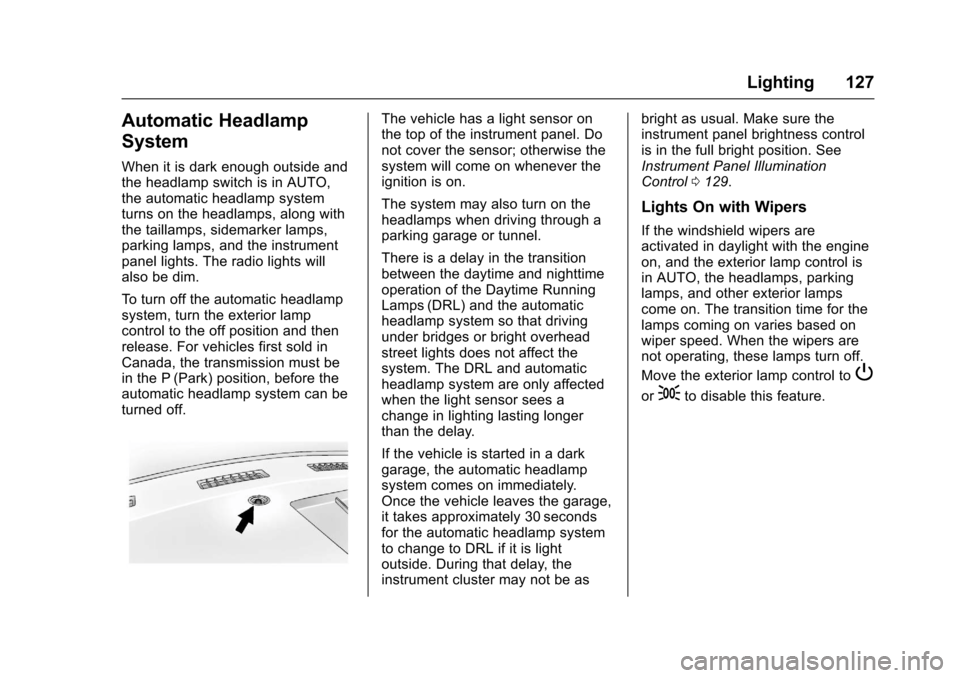
The vehicle has a light sensor onthe top of the instrument panel. Donot cover the sensor; otherwise thesystem will come on whenever theignition is on.
The system may also turn on theheadlamps when driving through aparking garage or tunnel.
There is a delay in the transitionbetween the daytime and nighttimeoperation of the Daytime RunningLamps (DRL) and the automaticheadlamp system so that drivingunder bridges or bright overheadstreet lights does not affect thesystem. The DRL and automaticheadlamp system are only affectedwhen the light sensor sees achange in lighting lasting longerthan the delay.
If the vehicle is started in a darkgarage, the automatic headlampsystem comes on immediately.Once the vehicle leaves the garage,it takes approximately 30 secondsfor the automatic headlamp systemto change to DRL if it is lightoutside. During that delay, theinstrument cluster may not be as
bright as usual. Make sure theinstrument panel brightness controlis in the full bright position. SeeInstrument Panel IlluminationControl0129.
Lights On with Wipers
If the windshield wipers areactivated in daylight with the engineon, and the exterior lamp control isin AUTO, the headlamps, parkinglamps, and other exterior lampscome on. The transition time for thelamps coming on varies based onwiper speed. When the wipers arenot operating, these lamps turn off.
Move the exterior lamp control toP
or;to disable this feature.
Page 129 of 346
Chevrolet Express Owner Manual (GMNA-Localizing-U.S./Canada/Mexico-9967827) - 2017 - crc - 5/2/16
128 Lighting
Hazard Warning Flashers
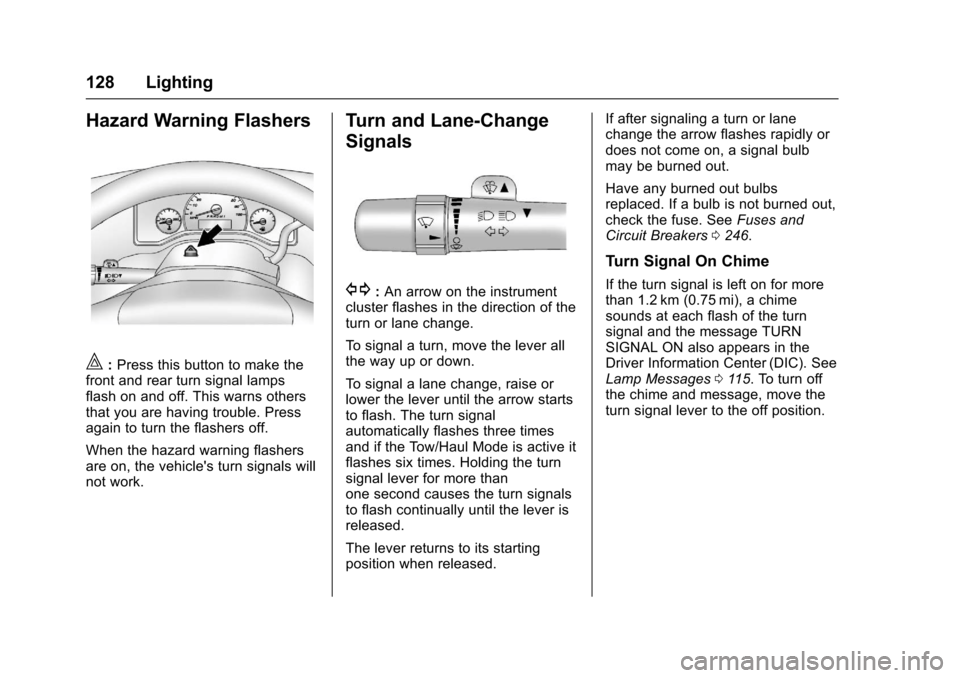
|:Press this button to make thefront and rear turn signal lampsflash on and off. This warns othersthat you are having trouble. Pressagain to turn the flashers off.
When the hazard warning flashersare on, the vehicle's turn signals willnot work.
Turn and Lane-Change
Signals
G:An arrow on the instrumentcluster flashes in the direction of theturn or lane change.
To s i g n a l a t u r n , m o v e t h e l e v e r a l lthe way up or down.
To s i g n a l a l a n e c h a n g e , r a i s e o rlower the lever until the arrow startsto flash. The turn signalautomatically flashes three timesand if the Tow/Haul Mode is active itflashes six times. Holding the turnsignal lever for more thanone second causes the turn signalsto flash continually until the lever isreleased.
The lever returns to its startingposition when released.
If after signaling a turn or lanechange the arrow flashes rapidly ordoes not come on, a signal bulbmay be burned out.
Have any burned out bulbsreplaced. If a bulb is not burned out,check the fuse. SeeFuses andCircuit Breakers0246.
Turn Signal On Chime
If the turn signal is left on for morethan 1.2 km (0.75 mi), a chimesounds at each flash of the turnsignal and the message TURNSIGNAL ON also appears in theDriver Information Center (DIC). SeeLamp Messages011 5.Toturnoffthe chime and message, move theturn signal lever to the off position.
Page 137 of 346
Chevrolet Express Owner Manual (GMNA-Localizing-U.S./Canada/Mexico-9967827) - 2017 - crc - 5/2/16
136 Infotainment System
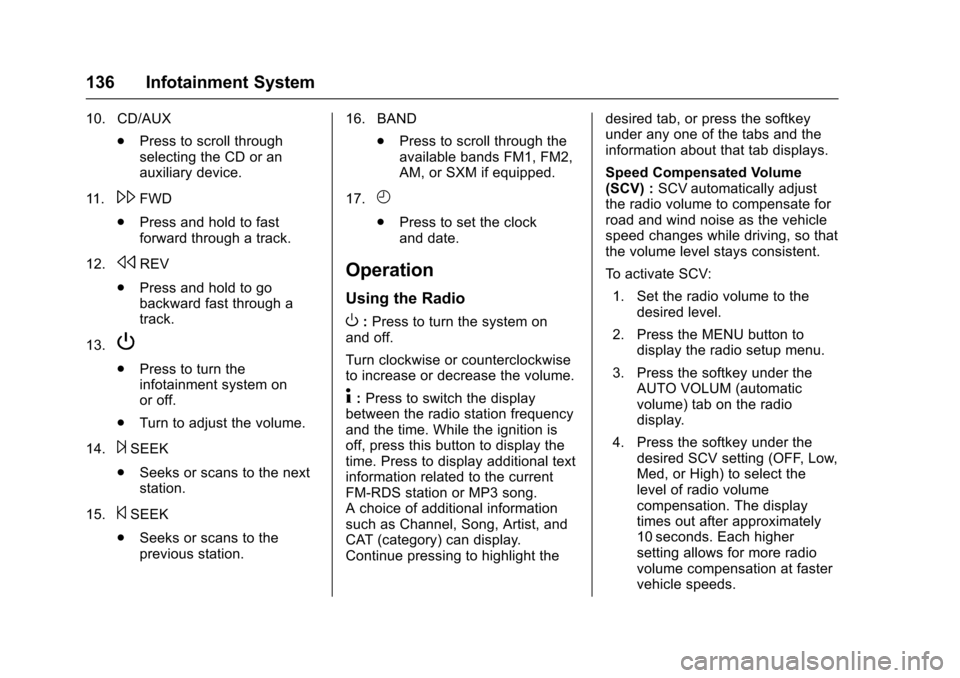
10. CD/AUX
.Press to scroll throughselecting the CD or anauxiliary device.
11 .\FWD
.Press and hold to fastforward through a track.
12.sREV
.Press and hold to gobackward fast through atrack.
13.P
.Press to turn theinfotainment system onor off.
.Turn to adjust the volume.
14.¨SEEK
.Seeks or scans to the nextstation.
15.©SEEK
.Seeks or scans to theprevious station.
16. BAND
.Press to scroll through theavailable bands FM1, FM2,AM, or SXM if equipped.
17.H
.Press to set the clockand date.
Operation
Using the Radio
O:Press to turn the system onand off.
Turn clockwise or counterclockwiseto increase or decrease the volume.
4:Press to switch the displaybetween the radio station frequencyand the time. While the ignition isoff, press this button to display thetime. Press to display additional textinformation related to the currentFM-RDS station or MP3 song.Achoiceofadditionalinformationsuch as Channel, Song, Artist, andCAT (category) can display.Continue pressing to highlight the
desired tab, or press the softkeyunder any one of the tabs and theinformation about that tab displays.
Speed Compensated Volume(SCV) :SCV automatically adjustthe radio volume to compensate forroad and wind noise as the vehiclespeed changes while driving, so thatthe volume level stays consistent.
To a c t i v a t e S C V :
1. Set the radio volume to thedesired level.
2. Press the MENU button todisplay the radio setup menu.
3. Press the softkey under theAUTO VOLUM (automaticvolume) tab on the radiodisplay.
4. Press the softkey under thedesired SCV setting (OFF, Low,Med, or High) to select thelevel of radio volumecompensation. The displaytimes out after approximately10 seconds. Each highersetting allows for more radiovolume compensation at fastervehicle speeds.
Page 153 of 346
Chevrolet Express Owner Manual (GMNA-Localizing-U.S./Canada/Mexico-9967827) - 2017 - crc - 5/2/16
152 Infotainment System
can be used while the key is in theON/RUN or ACC/ACCESSORYposition. The range of the Bluetoothsystem can be up to 9.1 m (30 ft).Not all phones support all functions,and not all phones work with thein-vehicle Bluetooth system. Seewww.gm.com/bluetooth for moreinformation on compatible phones inU.S. and Canada only.
Voice Recognition
The Bluetooth system uses voicerecognition to interpret voicecommands to dial phone numbersand name tags.
For additional information, say“Help”while you are in a voicerecognition menu.
Noise :Keep interior noise levels toaminimum.Thesystemmaynotrecognize voice commands if thereis too much background noise.
When to Speak :Ashorttonesounds after the system respondsindicating when it is waiting for avoice command. Wait until the toneand then speak.
How to Speak :Speak clearly in acalm and natural voice.
Audio System
When using the in-vehicle Bluetoothsystem, sound comes through thevehicle's front audio systemspeakers and overrides the audiosystem. Use the audio systemvolume knob, during a call, tochange the volume level. Theadjusted volume level remains inmemory for later calls. To preventmissed calls, a minimum volumelevel is used if the volume is turneddown too low.
Bluetooth Controls
Use the buttons on the steeringwheel to operate the in-vehicleBluetooth system. SeeSteeringWheel Controls088.
b/g:Press to answer incomingcalls, confirm system information,and start speech recognition.
c/x:Press to end a call, rejectacall,orcancelanoperation.
Pairing
ABluetooth-enabledcellphonemust be paired to the Bluetoothsystem and then connected to thevehicle before it can be used. Seethe cell phone manufacturer's userguide for Bluetooth functions beforepairing the cell phone. If a Bluetoothphone is not connected, calls will bemade using OnStar Hands-FreeCalling, if equipped. See OnStar,if equipped.
Pairing Information
.ABluetoothphonewithMP3capability cannot be paired tothe vehicle as a phone and anMP3 player at the same time.
.Up to five cell phones can bepaired to the Bluetooth system.
.The pairing process is disabledwhen the vehicle is moving.
.Pairing only needs to becompleted once, unless thepairing information on the cellphone changes or the cell phoneis deleted from the system.
Page 155 of 346
Chevrolet Express Owner Manual (GMNA-Localizing-U.S./Canada/Mexico-9967827) - 2017 - crc - 5/2/16
154 Infotainment System
3. Say“Change phone.”
.If another cell phone isfound, the response will be“
.If another cell phone is notfound, the original phoneremains connected.
Storing and Deleting Phone
Numbers
The system can store up to 30phone numbers as name tags in theHands-Free Directory that is sharedbetween the Bluetooth and OnStarsystems, if equipped.
The following commands are usedto delete and store phone numbers.
Store :This command will store aphone number, or a group ofnumbers as a name tag.
Digit Store :This command allowsaphonenumbertobestoredasaname tag by entering the digits oneat a time.
Delete :This command is used todelete individual name tags.
Delete All Name Tags :Thiscommand deletes all stored nametags in the Hands-Free CallingDirectory and the OnStarTurn-by-Turn Destinations Directory,if equipped.
Using the“Store”Command
1. Press and holdb/gfor
two seconds.
2. Say“Store.”
3. Say the phone number orgroup of numbers you want tostore all at once with nopauses, then follow thedirections given by the systemto save a name tag for thisnumber.
Using the“Digit Store”Command
If an unwanted number isrecognized by the system, say“Clear”at any time to clear the lastnumber.
To h e a r a l l o f t h e n u m b e r srecognized by the system, say“Ve r i f y”at any time.
1. Press and holdb/gfor
two seconds.
2. Say“Digit Store.”
3. Say each digit, one at a time,that you want to store. Aftereach digit is entered, thesystem repeats back the digit itheard followed by a tone. Afterthe last digit has been entered,say“Store,”and then follow thedirections given by the systemto save a name tag for thisnumber.
Using the“Delete”Command
1. Press and holdb/gfor
two seconds.
2. Say“Delete.”
3. Say the name tag you want todelete.
Using the“Delete All Name Tags”Command
This command deletes all storedname tags in the Hands-FreeCalling Directory and the OnStarTurn-by-Turn Destinations Directory,if equipped.
Page 156 of 346
Chevrolet Express Owner Manual (GMNA-Localizing-U.S./Canada/Mexico-9967827) - 2017 - crc - 5/2/16
Infotainment System 155
To d e l e t e a l l n a m e t a g s :
1. Press and holdb/gfor
two seconds.
2. Say“Delete all name tags.”
Listing Stored Numbers
The list command will list all storednumbers and name tags.
Using the“List”Command
1. Press and holdb/gfor
two seconds.
2. Say“Directory.”
3. Say“Hands-Free Calling.”
4. Say“List.”
Making a Call
Calls can be made using thefollowing commands.
Dial or Call :The dial or callcommand can be usedinterchangeably to dial a phonenumber or a stored name tag.
Digit Dial :This command allows aphone number to be dialed byentering the digits one at a time.
Re-dial :This command is used todial the last number used on the cellphone.
Using the“Dial”or“Call”Command
1. Press and holdb/gfor
two seconds.
2. Say“Dial”or“Call.”
3. Say the entire number withoutpausing, or say the name tag.
Once connected, the person calledwill be heard through the audiospeakers.
Calling Emergency
1. Press and holdb/gfor
two seconds. The systemresponds“Ready,”followed byatone.
2. Say“Dial”or“Call.”
3. Say [emergency number].
4. Say“Dial”or“Call.”
Once connected, the person calledwill be heard through the audiospeakers.
Using the“Digit Dial”Command
The digit dial command allows aphone number to be dialed byentering the digits one at a time.After each digit is entered, thesystem repeats back the digit itheard followed by a tone.
If an unwanted number isrecognized by the system, say“Clear”at any time to clear the lastnumber.
To h e a r a l l o f t h e n u m b e r srecognized by the system, say“Ve r i f y”at any time.
1. Press and holdb/gfor
two seconds.
2. Say“Digit Dial.”
3. Say each digit, one at a time,that you want to dial. Aftereach digit is entered, thesystem repeats back the digit itheard followed by a tone. Afterthe last digit has been entered,say“Dial.”
Once connected, the person calledwill be heard through the audiospeakers.
Page 178 of 346
Chevrolet Express Owner Manual (GMNA-Localizing-U.S./Canada/Mexico-9967827) - 2017 - crc - 5/6/16
Driving and Operating 177
1(ACC/ACCESSORY):This is theposition in which you can operatethings like the radio and thewindshield wipers when the engineis off.
2(ON/RUN):This position can beused to operate the electricalaccessories and to display someinstrument cluster warning andindicator lights. This position canalso be used for service anddiagnostics, and to verify the properoperation of the malfunctionindicator lamp as may be requiredfor emission inspection purposes.The switch stays in this positionwhen the engine is running.
If you leave the key in the ACC/ACCESSORY or ON/RUN positionwith the engine off, the battery couldbe drained. You may not be able tostart the vehicle if the battery isallowed to drain for an extendedperiod of time.
3(START):This is the position thatstarts the engine. When the enginestarts, release the key. The ignitionswitch returns to ON/RUN fordriving.
Awarningtonewillsoundwhenthedriver door is opened, the ignition isin ACC/ACCESSORY or LOCK/OFFand the key is in the ignition.
Starting the Engine
If the vehicle has a diesel engine,see the Duramax dieselsupplement.
To p l a c e t h e t r a n s m i s s i o n i n t h eproper gear:
Move the shift lever to P (Park) orN(Neutral). The engine will not startin any other position. To restart theengine when the vehicle is alreadymoving, use N (Neutral) only.
Caution
If you add electrical parts or
accessories, you could change
the way the engine operates. Any
resulting damage would not be
covered by the vehicle warranty.
SeeAdd-On Electrical
Equipment0212.
Caution
Do not try to shift to P (Park) if the
vehicle is moving. If you do, you
could damage the transmission.
Shift to P (Park) only when the
vehicle is stopped.
Caution
If the steering wheel is turned
until it reaches the end of its
travel, and is held in that position
while starting the vehicle, damage
may occur to the hydraulic power
steering system and there may be
loss of power steering assist.
Starting Procedure
1. With your foot off theaccelerator pedal, turn theignition key to START. Whenthe engine starts, let go of thekey. The idle speed will godown as your engine getswarm. Do not race the engineimmediately after starting it.