light CHEVROLET HHR 2009 1.G Manual Online
[x] Cancel search | Manufacturer: CHEVROLET, Model Year: 2009, Model line: HHR, Model: CHEVROLET HHR 2009 1.GPages: 450, PDF Size: 2.49 MB
Page 244 of 450
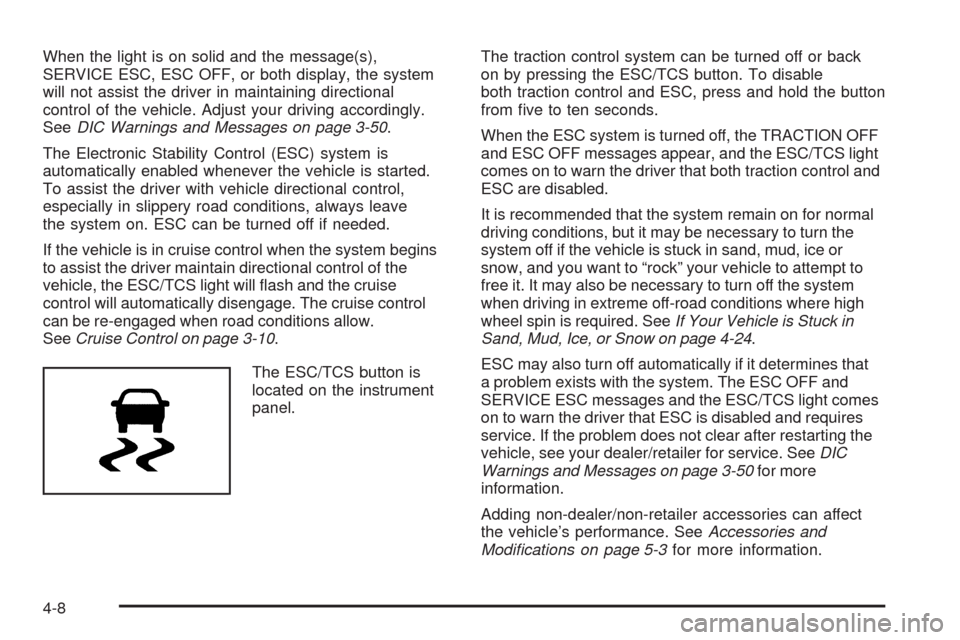
When the light is on solid and the message(s),
SERVICE ESC, ESC OFF, or both display, the system
will not assist the driver in maintaining directional
control of the vehicle. Adjust your driving accordingly.
SeeDIC Warnings and Messages on page 3-50.
The Electronic Stability Control (ESC) system is
automatically enabled whenever the vehicle is started.
To assist the driver with vehicle directional control,
especially in slippery road conditions, always leave
the system on. ESC can be turned off if needed.
If the vehicle is in cruise control when the system begins
to assist the driver maintain directional control of the
vehicle, the ESC/TCS light will ash and the cruise
control will automatically disengage. The cruise control
can be re-engaged when road conditions allow.
SeeCruise Control on page 3-10.
The ESC/TCS button is
located on the instrument
panel.The traction control system can be turned off or back
on by pressing the ESC/TCS button. To disable
both traction control and ESC, press and hold the button
from ve to ten seconds.
When the ESC system is turned off, the TRACTION OFF
and ESC OFF messages appear, and the ESC/TCS light
comes on to warn the driver that both traction control and
ESC are disabled.
It is recommended that the system remain on for normal
driving conditions, but it may be necessary to turn the
system off if the vehicle is stuck in sand, mud, ice or
snow, and you want to “rock” your vehicle to attempt to
free it. It may also be necessary to turn off the system
when driving in extreme off-road conditions where high
wheel spin is required. SeeIf Your Vehicle is Stuck in
Sand, Mud, Ice, or Snow on page 4-24.
ESC may also turn off automatically if it determines that
a problem exists with the system. The ESC OFF and
SERVICE ESC messages and the ESC/TCS light comes
on to warn the driver that ESC is disabled and requires
service. If the problem does not clear after restarting the
vehicle, see your dealer/retailer for service. SeeDIC
Warnings and Messages on page 3-50for more
information.
Adding non-dealer/non-retailer accessories can affect
the vehicle’s performance. SeeAccessories and
Modifications on page 5-3for more information.
4-8
Page 245 of 450
Competitive Driving Mode
(SS Models Only)
The driver can select this optional handling mode by
pressing the ESC/TCS button on the console two times
quickly. COMPETITIVE MODE will be displayed in the
DIC. SeeDIC Warnings and Messages on page 3-50.
Competitive Driving Mode allows the driver to have full
control of the front wheels while the ESC system helps
maintain directional control of the vehicle by selective
brake application. The ESC/TCS light will be on and the
traction control system will not be operating. Adjust your
driving accordingly. This electronic stability control mode
is recommended only for use during closed track events
and competitive driving venues.
When the ESC button is pressed again, or the vehicle is
restarted, the ESC and TCS will be turned back on.
Notice:When traction control is turned off, or
Competitive Driving Mode is active, it is possible to
lose traction. If you attempt to shift with the front
wheels spinning with a loss of traction, it is possible
to cause damage to the transmission. Do not attempt
to shift when the front wheels do not have traction.
Damage caused by misuse of the vehicle is not
covered. See your warranty book for additional
information.
Launch Control (SS Models Only)
Launch Control is a form of traction control, to control
tire spin while launching the vehicle during closed track
events and competitive driving. The feature is activated
when the vehicle is at rest while in Competitive Mode.
At rest, if the accelerator pedal is pressed to the oor
with the clutch engaged, the RPM is limited to a
predetermined level. A smooth, quick release of the
clutch while keeping the accelerator pedal on the oor will
provide controlled wheel spin for consistent acceleration.
If the vehicle is equipped with a manual transmission,
complete shifts as described inManual Transmission
Operation on page 2-30.
LAUNCH CONTROL displays in the DIC after the
COMPETITIVE MODE message, when the vehicle is
stopped. The system will exit to COMPETITIVE MODE
after the vehicle is launched. See “Competitive Driving
Mode” earlier in this section. The normal Traction
Control System (TCS) will not be operating while in the
Competitive Driving mode and the TCS light on the
instrument panel cluster comes on. Adjust your driving
accordingly. SeeDIC Warnings and Messages on
page 3-50for more information.
4-9
Page 246 of 450
Traction Control System (TCS)
The vehicle has a Traction Control System (TCS) that
limits wheel spin. This is especially useful in slippery road
conditions. The system operates only if it senses that the
front wheels are spinning too much or are beginning to
lose traction. When this happens, the system works the
front brakes and reduces engine power by closing the
throttle and managing engine spark to limit wheel spin.
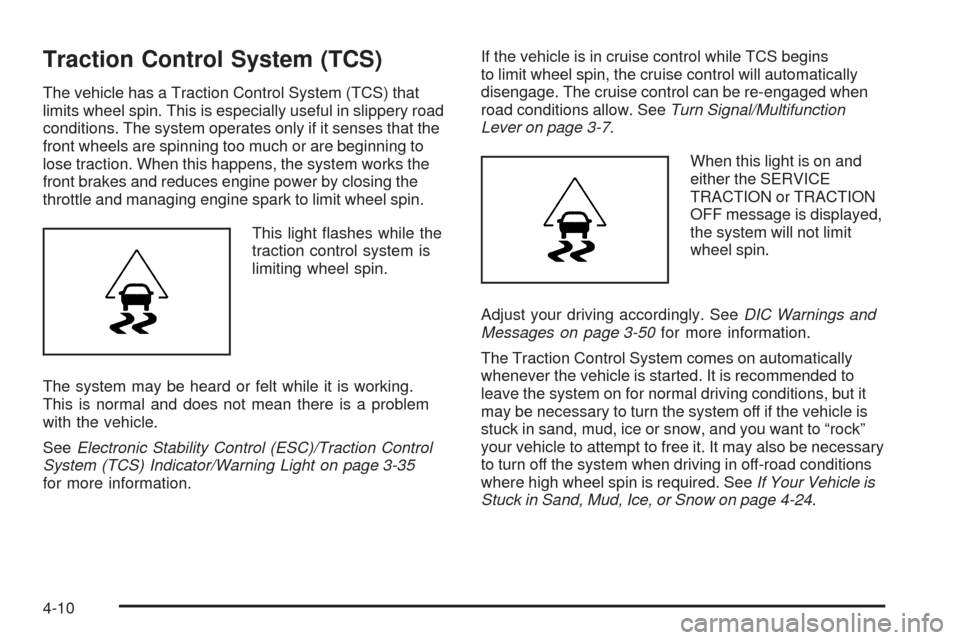
This light ashes while the
traction control system is
limiting wheel spin.
The system may be heard or felt while it is working.
This is normal and does not mean there is a problem
with the vehicle.
SeeElectronic Stability Control (ESC)/Traction Control
System (TCS) Indicator/Warning Light on page 3-35
for more information.If the vehicle is in cruise control while TCS begins
to limit wheel spin, the cruise control will automatically
disengage. The cruise control can be re-engaged when
road conditions allow. SeeTurn Signal/Multifunction
Lever on page 3-7.
When this light is on and
either the SERVICE
TRACTION or TRACTION
OFF message is displayed,
the system will not limit
wheel spin.
Adjust your driving accordingly. SeeDIC Warnings and
Messages on page 3-50for more information.
The Traction Control System comes on automatically
whenever the vehicle is started. It is recommended to
leave the system on for normal driving conditions, but it
may be necessary to turn the system off if the vehicle is
stuck in sand, mud, ice or snow, and you want to “rock”
your vehicle to attempt to free it. It may also be necessary
to turn off the system when driving in off-road conditions
where high wheel spin is required. SeeIf Your Vehicle is
Stuck in Sand, Mud, Ice, or Snow on page 4-24.
4-10
Page 247 of 450
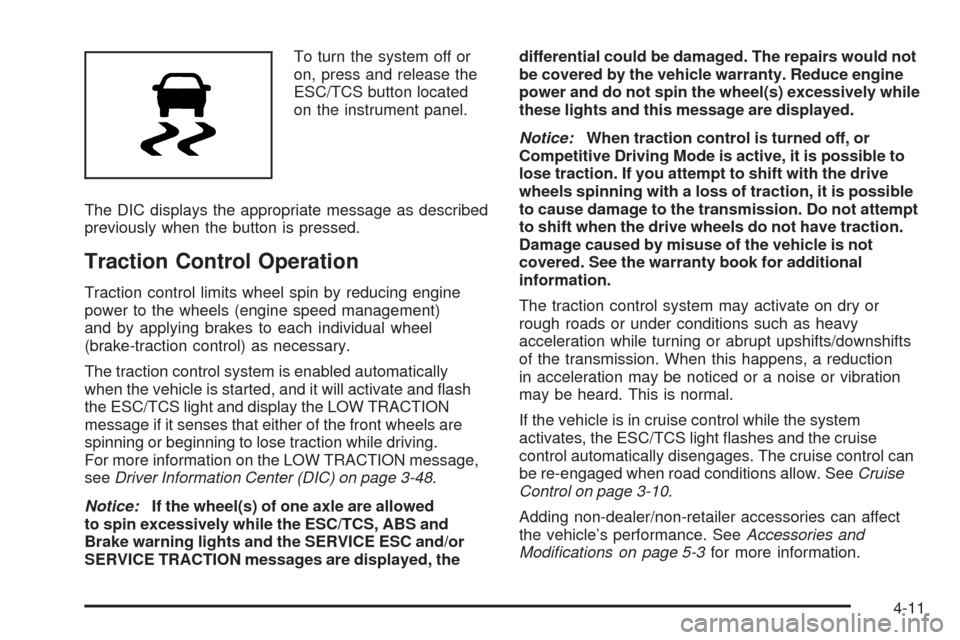
To turn the system off or
on, press and release the
ESC/TCS button located
on the instrument panel.
The DIC displays the appropriate message as described
previously when the button is pressed.
Traction Control Operation
Traction control limits wheel spin by reducing engine
power to the wheels (engine speed management)
and by applying brakes to each individual wheel
(brake-traction control) as necessary.
The traction control system is enabled automatically
when the vehicle is started, and it will activate and ash
the ESC/TCS light and display the LOW TRACTION
message if it senses that either of the front wheels are
spinning or beginning to lose traction while driving.
For more information on the LOW TRACTION message,
seeDriver Information Center (DIC) on page 3-48.
Notice:If the wheel(s) of one axle are allowed
to spin excessively while the ESC/TCS, ABS and
Brake warning lights and the SERVICE ESC and/or
SERVICE TRACTION messages are displayed, thedifferential could be damaged. The repairs would not
be covered by the vehicle warranty. Reduce engine
power and do not spin the wheel(s) excessively while
these lights and this message are displayed.
Notice:When traction control is turned off, or
Competitive Driving Mode is active, it is possible to
lose traction. If you attempt to shift with the drive
wheels spinning with a loss of traction, it is possible
to cause damage to the transmission. Do not attempt
to shift when the drive wheels do not have traction.
Damage caused by misuse of the vehicle is not
covered. See the warranty book for additional
information.
The traction control system may activate on dry or
rough roads or under conditions such as heavy
acceleration while turning or abrupt upshifts/downshifts
of the transmission. When this happens, a reduction
in acceleration may be noticed or a noise or vibration
may be heard. This is normal.
If the vehicle is in cruise control while the system
activates, the ESC/TCS light ashes and the cruise
control automatically disengages. The cruise control can
be re-engaged when road conditions allow. SeeCruise
Control on page 3-10.
Adding non-dealer/non-retailer accessories can affect
the vehicle’s performance. SeeAccessories and
Modifications on page 5-3for more information.
4-11
Page 248 of 450
Enhanced Traction System (ETS)
The vehicle may have an Enhanced Traction System
(ETS) that limits wheel spin. This is especially useful in
slippery road conditions. The system operates only if it
senses that one or both of the front wheels are spinning
or beginning to lose traction. When this happens, the
system reduces engine power and may also upshift the
transmission to limit wheel spin.
If the vehicle has ETS, there is not an ESC/TCS button
on the instrument panel. To turn the system off, shift
to L (Low) or R (Reverse). There is more information
about how to turn the system off later in this section.
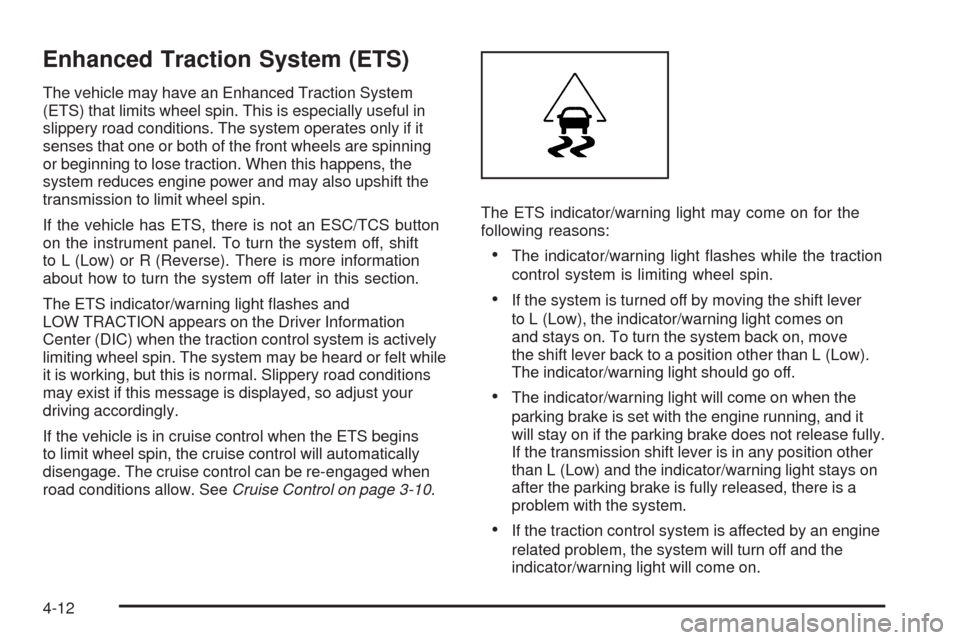
The ETS indicator/warning light ashes and
LOW TRACTION appears on the Driver Information
Center (DIC) when the traction control system is actively
limiting wheel spin. The system may be heard or felt while
it is working, but this is normal. Slippery road conditions
may exist if this message is displayed, so adjust your
driving accordingly.
If the vehicle is in cruise control when the ETS begins
to limit wheel spin, the cruise control will automatically
disengage. The cruise control can be re-engaged when
road conditions allow. SeeCruise Control on page 3-10.The ETS indicator/warning light may come on for the
following reasons:
The indicator/warning light ashes while the traction
control system is limiting wheel spin.
If the system is turned off by moving the shift lever
to L (Low), the indicator/warning light comes on
and stays on. To turn the system back on, move
the shift lever back to a position other than L (Low).
The indicator/warning light should go off.
The indicator/warning light will come on when the
parking brake is set with the engine running, and it
will stay on if the parking brake does not release fully.
If the transmission shift lever is in any position other
than L (Low) and the indicator/warning light stays on
after the parking brake is fully released, there is a
problem with the system.
If the traction control system is affected by an engine
related problem, the system will turn off and the
indicator/warning light will come on.
4-12
Page 249 of 450
If the ETS indicator/warning light comes on and stays on
for an extended period of time when the transmission
shift lever is in any position other than L (Low), the
vehicle may need service.
When this light is on solid, the system will not limit
wheel spin. Adjust your driving accordingly.
Check the DIC messaging to determine whether it is
because of the driver turning off the system, or that the
system may not be working properly and the vehicle
requires service. When this light is turned on, either the
SERVICE TRACTION or TRACTION OFF message
will be displayed.
SeeDIC Warnings and Messages on page 3-50for
more information on the messages associated with
this light.
To limit wheel spin, especially in slippery road
conditions, ETS should always be left on. But the
system can be turned off if needed.
To turn the system off, shift to L (Low) or R (Reverse).
When the system is turned off, the ETS indicator/warning
light will come on and stay on and the TRACTION OFF
message will be displayed when the gear shift is in
L (Low). The indicator/warning light and message will
not come on when the gear shift is in R (Reverse).If the ETS is limiting wheel spin when the transmission is
shifted to L (Low) or R (Reverse) to turn the system off,
the indicator/warning light and TRACTION OFF will come
on in L (Low). But the system will not turn off right away.
It will wait until there is no longer a current need to limit
wheel spin. SeeDIC Warnings and Messages on
page 3-50for more information on the messages
associated with this light.
The system can be turned back on at any time by
shifting to D (Automatic Overdive) or I (Intermediate).
The ETS indicator/warning light should go off.
Adding non-dealer/non-retailer accessories can affect
the vehicle’s performance. SeeAccessories and
Modifications on page 5-3for more information.
Limited-Slip Differential
Vehicles with a limited-slip differential can give more
traction on snow, mud, ice, sand or gravel. It works like
a standard axle most of the time, but when traction
is low, this feature allows the drive wheel with the most
traction to move the vehicle. The limited slip design
has minimal impact to the steering feel, but boosts the
traction performance under all conditions.
4-13
Page 252 of 450
Off-Road Recovery
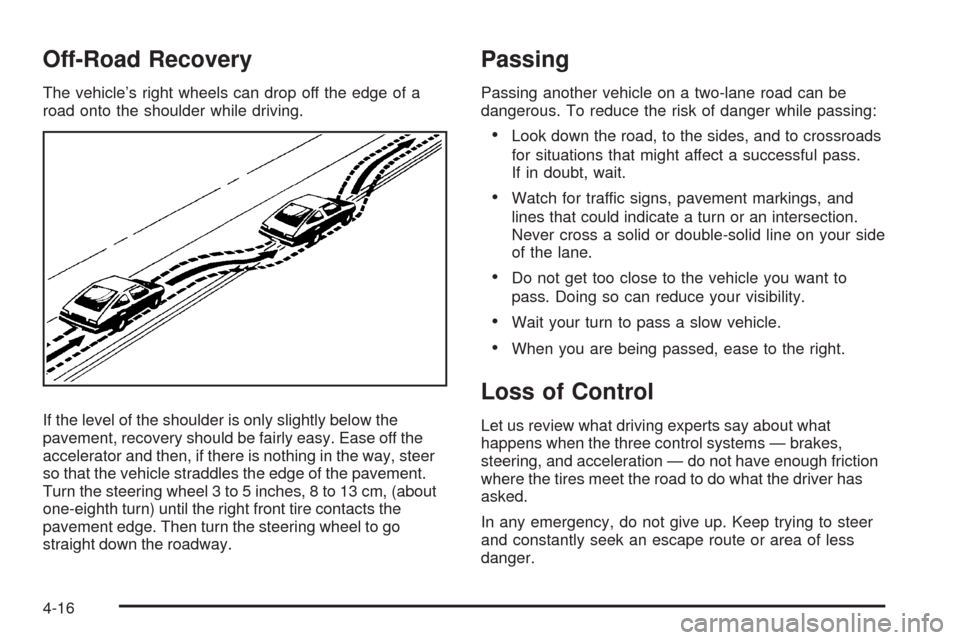
The vehicle’s right wheels can drop off the edge of a
road onto the shoulder while driving.
If the level of the shoulder is only slightly below the
pavement, recovery should be fairly easy. Ease off the
accelerator and then, if there is nothing in the way, steer
so that the vehicle straddles the edge of the pavement.
Turn the steering wheel 3 to 5 inches, 8 to 13 cm, (about
one-eighth turn) until the right front tire contacts the
pavement edge. Then turn the steering wheel to go
straight down the roadway.
Passing
Passing another vehicle on a two-lane road can be
dangerous. To reduce the risk of danger while passing:
Look down the road, to the sides, and to crossroads
for situations that might affect a successful pass.
If in doubt, wait.
Watch for traffic signs, pavement markings, and
lines that could indicate a turn or an intersection.
Never cross a solid or double-solid line on your side
of the lane.
Do not get too close to the vehicle you want to
pass. Doing so can reduce your visibility.
Wait your turn to pass a slow vehicle.
When you are being passed, ease to the right.
Loss of Control
Let us review what driving experts say about what
happens when the three control systems — brakes,
steering, and acceleration — do not have enough friction
where the tires meet the road to do what the driver has
asked.
In any emergency, do not give up. Keep trying to steer
and constantly seek an escape route or area of less
danger.
4-16
Page 254 of 450
Racing or Other Competitive Driving
See your warranty book before using your vehicle for
racing or other competitive driving. After reviewing your
warranty book, please see the GM Performance Parts
website or catalog and contact the race sanctioning
bodies, for example Sports Car Club of America (SCCA)
or Grand American, for parts and equipment required for
racing or other competitive driving.
Notice:If you use your vehicle for competitive
driving, the engine may use more oil than it would
with normal use. Low oil levels can damage the
engine. Be sure to check the oil level often during
competitive driving and keep the level at or near the
upper mark that shows the proper operating range
on the engine oil dipstick. For information on how to
add oil, seeEngine Oil on page 5-17.
Driving at Night
Night driving is more dangerous than day driving because
some drivers are likely to be impaired — by alcohol or
drugs, with night vision problems, or by fatigue.Night driving tips include:
Drive defensively.
Do not drink and drive.
Reduce headlamp glare by adjusting the inside
rearview mirror.
Slow down and keep more space between you and
other vehicles because headlamps can only light up
so much road ahead.
Watch for animals.
When tired, pull off the road.
Do not wear sunglasses.
Avoid staring directly into approaching headlamps.
Keep the windshield and all glass on your vehicle
clean — inside and out.
Keep your eyes moving, especially during turns or
curves.
No one can see as well at night as in the daytime. But, as
we get older, these differences increase. A 50-year-old
driver might need at least twice as much light to see the
same thing at night as a 20-year-old.
4-18
Page 255 of 450
Driving in Rain and on Wet Roads
Rain and wet roads can reduce vehicle traction and affect
your ability to stop and accelerate. Always drive slower
in these types of driving conditions and avoid driving
through large puddles and deep-standing or owing
water.
{CAUTION:
Wet brakes can cause crashes. They might not
work as well in a quick stop and could cause
pulling to one side. You could lose control of the
vehicle.
After driving through a large puddle of water or a
car/vehicle wash, lightly apply the brake pedal until
the brakes work normally.
Flowing or rushing water creates strong forces.
Driving through owing water could cause your
vehicle to be carried away. If this happens, you
and other vehicle occupants could drown. Do not
ignore police warnings and be very cautious about
trying to drive through owing water.
Hydroplaning
Hydroplaning is dangerous. Water can build up under
your vehicle’s tires so they actually ride on the water. This
can happen if the road is wet enough and you are going
fast enough. When your vehicle is hydroplaning, it has
little or no contact with the road.
There is no hard and fast rule about hydroplaning.
The best advice is to slow down when the road is wet.
Other Rainy Weather Tips
Besides slowing down, other wet weather driving tips
include:
Allow extra following distance.
Pass with caution.
Keep windshield wiping equipment in good shape.
Keep the windshield washer uid reservoir lled.
Have good tires with proper tread depth. SeeTires
on page 5-53.
Turn off cruise control.
4-19
Page 259 of 450
{CAUTION:
Snow can trap engine exhaust under the vehicle.
This may cause exhaust gases to get inside.
Engine exhaust contains carbon monoxide (CO)
which cannot be seen or smelled. It can cause
unconsciousness and even death.If the vehicle is
stuck in the snow:
Clear away snow from around the base of
your vehicle, especially any that is blocking
the exhaust pipe.
Check again from time to time to be sure
snow does not collect there.
Open a window about two inches (5 cm) on
the side of the vehicle that is away from the
wind to bring in fresh air.
Fully open the air outlets on or under the
instrument panel.
Adjust the Climate Control system to a setting
that circulates the air inside the vehicle and
set the fan speed to the highest setting.
See Climate Control System in the Index.
For more information about carbon monoxide, see
Engine Exhaust on page 2-37.
CAUTION: (Continued)
CAUTION: (Continued)
Snow can trap exhaust gases under your vehicle.
This can cause deadly CO (carbon monoxide) gas
to get inside. CO could overcome you and kill you.
You cannot see it or smell it, so you might not
know it is in your vehicle. Clear away snow from
around the base of your vehicle, especially any
that is blocking the exhaust.
Run the engine for short periods only as needed to
keep warm, but be careful.
To save fuel, run the engine for only short periods as
needed to warm the vehicle and then shut the engine
off and close the window most of the way to save heat.
Repeat this until help arrives but only when you feel really
uncomfortable from the cold. Moving about to keep warm
also helps.
If it takes some time for help to arrive, now and then
when you run the engine, push the accelerator
pedal slightly so the engine runs faster than the idle
speed. This keeps the battery charged to restart
the vehicle and to signal for help with the headlamps.
Do this as little as possible to save fuel.
4-23