brake CHEVROLET SILVERADO 2017 3.G Service Manual
[x] Cancel search | Manufacturer: CHEVROLET, Model Year: 2017, Model line: SILVERADO, Model: CHEVROLET SILVERADO 2017 3.GPages: 509, PDF Size: 8.87 MB
Page 285 of 509
Chevrolet Silverado Owner Manual (GMNA-Localizing-U.S./Canada/Mexico-9956065) - 2017 - CRC - 4/29/16
284 Driving and Operating
Neutral and release the clutchpedal. Then press the clutch againand shift into R (Reverse). Do notattempt to shift into 5 (Fifth) prior toshifting into R (Reverse). Thetransmission has a lock out feature,which prevents a 5 (Fifth) gear toR(Reverse) gear shift.
Caution
Shifting to R (Reverse) while the
vehicle is moving forward could
damage the transmission. The
repairs would not be covered by
the vehicle warranty. Shift to
R(Reverse) only after the vehicle
is stopped.
Use R (Reverse), along with theparking brake, for parking thevehicle.
Shift Speeds
{Warning
If you skip a gear when
downshifting, you could lose
control of the vehicle. You could
injure yourself or others. Do not
shift down more than one gear at
atimewhendownshifting.
Drive Systems
Four-Wheel Drive
If equipped, four-wheel driveengages the front axle for extratraction. Read the appropriatesection for transfer case operationbefore using.
Caution
Do not drive on clean, dry
pavement in 4mand 4n(if
equipped) for an extended period
of time. These conditions may
cause premature wear on the
vehicle’spowertrain.
Driving on clean, dry pavement in4HI or 4LO may:
.Cause a vibration to be felt inthe steering system.
.Cause tires to wear faster.
.Make the transfer case harder toshift, and cause it to run noisier.
Page 286 of 509
Chevrolet Silverado Owner Manual (GMNA-Localizing-U.S./Canada/Mexico-9956065) - 2017 - CRC - 4/29/16
Driving and Operating 285
{Warning
Shifting the transfer case to
N(Neutral) can cause the vehicle
to roll even if the transmission is
in P (Park). You or someone else
could be seriously injured. Be
sure to set the parking brake
before placing the transfer case in
N(Neutral). SeeParking
Brake0293.
Caution
Extended high-speed operation in
4nmay damage or shorten the
life of the drivetrain.
Engagement noise and bump when
shifting between 4nand 4mor from
N(Neutral), with the engine running,is normal.
Shifting into 4nwill turn Traction
Control and StabiliTrak®off. SeeTr a c t i o n C o n t r o l / E l e c t r o n i c S t a b i l i t yControl0295.
Manual Transfer Case
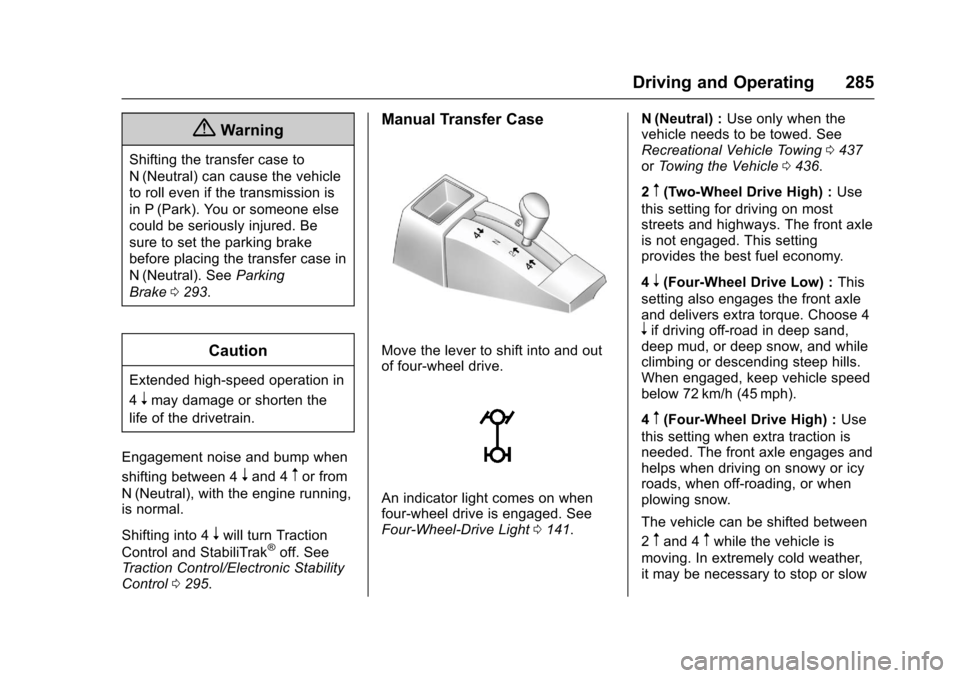
Move the lever to shift into and outof four-wheel drive.
An indicator light comes on whenfour-wheel drive is engaged. SeeFour-Wheel-Drive Light0141.
N(Neutral) :Use only when thevehicle needs to be towed. SeeRecreational Vehicle Towing0437orTo w i n g t h e V e h i c l e0436.
2m(Two-Wheel Drive High) :Use
this setting for driving on moststreets and highways. The front axleis not engaged. This settingprovides the best fuel economy.
4n(Four-Wheel Drive Low) :This
setting also engages the front axleand delivers extra torque. Choose 4nif driving off-road in deep sand,deep mud, or deep snow, and whileclimbing or descending steep hills.When engaged, keep vehicle speedbelow 72 km/h (45 mph).
4m(Four-Wheel Drive High) :Use
this setting when extra traction isneeded. The front axle engages andhelps when driving on snowy or icyroads, when off-roading, or whenplowing snow.
The vehicle can be shifted between
2mand 4mwhile the vehicle is
moving. In extremely cold weather,it may be necessary to stop or slow
Page 287 of 509
Chevrolet Silverado Owner Manual (GMNA-Localizing-U.S./Canada/Mexico-9956065) - 2017 - CRC - 4/29/16
286 Driving and Operating
the vehicle to shift into 4m.
Using the Manual Transfer Case
.Use quick motions to shift into or
out of 4nor N (Neutral).
.Shifting may be harder when thevehicle is cold, but will return tonormal once warmed up.
.Four-wheel drive reduces fueleconomy.
Shifting from 2mto 4m
.Shifts can be made at anyvehicle speed.
.Shift in one continuous motion.
.Shifting while the vehicle is inmotion may require thatmoderate force be applied to the
shift lever before 4mcan be
engaged, especially in coldweather.
.In extremely cold weather, it maybe necessary to slow or stop thevehicle to shift.
.While in 4m,thevehiclecanbe
driven at any posted legal speedlimit.
Shifting In or Out of 4n
Caution
Shifting the transfer case into 4n
while moving at speeds faster
than 5 km/h (3 mph) may cause
premature wear to the transfer
case, and may cause the gears to
grind.
1. If possible, shift with thevehicle moving 5 km/h (3 mph)or less.
2. Shift the transmission intoN(Neutral).
3. Shift the transfer case shiftlever in one continuous motion.
4. Shifting with the vehicle at astop may be more difficult. It ispossible that the shift will notcomplete and the transfer casewill remain in N (Neutral). Thisis normal. To complete theshift, with the engine running,shift the transmission to
D(Drive) and back toN(Neutral), and reattempt thetransfer case shift.
Shifting In or Out of N (Neutral)
1. Have the engine running.
2. Set the parking brake. Pressand hold the brake pedal. SeeParking Brake0293.
3. Place the transmission intoN(Neutral).
4. Shift the transfer case lever inone continuous motion into orout of N (Neutral).
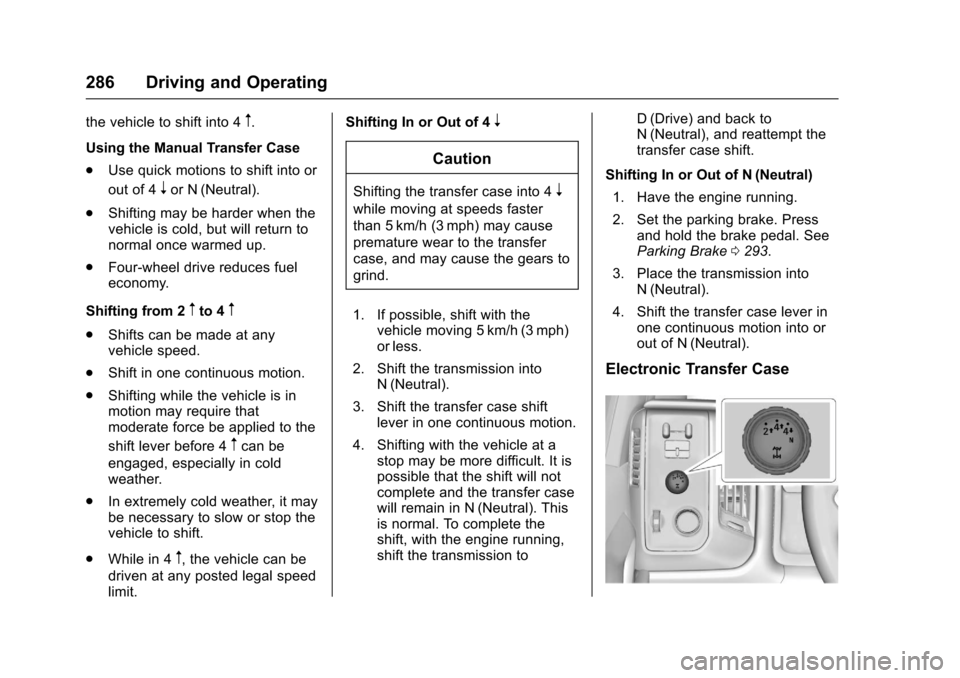
Electronic Transfer Case
Page 289 of 509
Chevrolet Silverado Owner Manual (GMNA-Localizing-U.S./Canada/Mexico-9956065) - 2017 - CRC - 4/29/16
288 Driving and Operating
1. The ignition must be in ON/RUN and the vehicle must bestopped or moving less than5km/h (3mph) with thetransmission in N (Neutral). It isbest for the vehicle to bemoving 1.6 to 3.2 km/h(1 to 2 mph).
2. Turn the knob to 4n.Waitfor
the 4nindicator light to stop
flashing before shifting thetransmission into gear.
If the transmission is in gear and/ormoving more than 5 km/h (3 mph),
the 4nindicator light will flash for
30 seconds and not complete theshift. After 30 seconds the transfer
case will shift to 4m.Turntheknob
to 4mto see the indicator. With the
vehicle moving less than 5 km/h(3 mph), and the transmission inN(Neutral), attempt the shift again.
Shifting Out of 4n
1. To shift out of 4nthe vehicle
must be stopped or movingless than 5 km/h (3 mph) withthe transmission in N (Neutral)
and the ignition in ON/RUN.It is best for the vehicle to bemoving 1.6 to 3.2 km/h(1 to 2 mph).
2. Turn the knob to 4mor 2m.
Wait for the 4mor 2mindicator
light to stop flashing beforeshifting the transmissioninto gear.
If the transmission is in gear and/ormoving more than 5 km/h (3 mph),
the 4mor 2mindicator light will flash
for 30 seconds, but will not completethe shift. With the vehicle movingless than 5 km/h (3 mph), and thetransmission in N (Neutral), attemptthe shift again.
Shifting Into N (Neutral)
To s h i f t :
1. Park the vehicle on a levelsurface.
2. Set the parking brake andpress and hold the brakepedal. SeeParkingBrake0293.
3. Start the vehicle or turn theignition to ON/RUN.
4. Shift the transmission toN(Neutral).
5. Shift the transfer case to 2m.
6. Turn the transfer case knobclockwise to N (Neutral) until itstops and hold it there until theN(Neutral) light starts blinking.This will take at least10 seconds. Then slowly
release the dial to the 4n
position. The N (Neutral) lightwill come on when the transfercase shift to N (Neutral) iscomplete.
7. With the engine running, verifythat the transfer case is inN(Neutral) by shifting thetransmission to R (Reverse),then to D (Drive). There shouldbe no movement of the vehiclewhile shifting the transmission.
8. Turn the engine off, and theignition to ACC/ACCESSORY.
9. Place the transmission shiftlever in P (Park). SeeRecreational VehicleTo w i n g0437.
Page 290 of 509
Chevrolet Silverado Owner Manual (GMNA-Localizing-U.S./Canada/Mexico-9956065) - 2017 - CRC - 4/29/16
Driving and Operating 289
10. Turn the ignition to LOCK/OFF.
Shifting Out of N (Neutral)
To s h i f t :
1. Set the parking brake andapply the brake pedal.
2. Turn the ignition to ON/RUNwith the engine off.
3. Shift the transmission toN(Neutral).
4. Turn the transfer case knob to
2m.
After the transfer case hasshifted out of N (Neutral), theN(Neutral) light will goout.
5. Release the parking brake.
Caution
Shifting the transmission into gear
before the requested mode
indicator light has stopped
flashing could damage the
transfer case.
6. Start the engine and shift thetransmission to thedesired gear.
Automatic Transfer Case
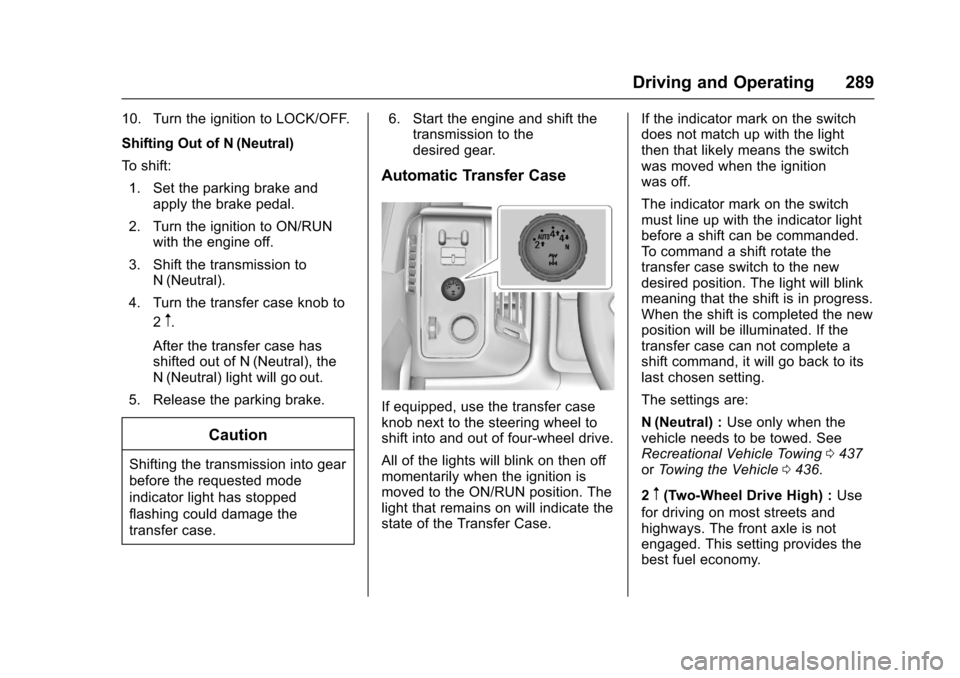
If equipped, use the transfer caseknob next to the steering wheel toshift into and out of four-wheel drive.
All of the lights will blink on then offmomentarily when the ignition ismoved to the ON/RUN position. Thelight that remains on will indicate thestate of the Transfer Case.
If the indicator mark on the switchdoes not match up with the lightthen that likely means the switchwas moved when the ignitionwas off.
The indicator mark on the switchmust line up with the indicator lightbefore a shift can be commanded.To c o m m a n d a s h i f t r o t a t e t h etransfer case switch to the newdesired position. The light will blinkmeaning that the shift is in progress.When the shift is completed the newposition will be illuminated. If thetransfer case can not complete ashift command, it will go back to itslast chosen setting.
The settings are:
N(Neutral) :Use only when thevehicle needs to be towed. SeeRecreational Vehicle Towing0437orTo w i n g t h e V e h i c l e0436.
2m(Two-Wheel Drive High) :Use
for driving on most streets andhighways. The front axle is notengaged. This setting provides thebest fuel economy.
Page 292 of 509
Chevrolet Silverado Owner Manual (GMNA-Localizing-U.S./Canada/Mexico-9956065) - 2017 - CRC - 4/29/16
Driving and Operating 291
If the transmission is in gear and/ormoving more than 5 km/h (3 mph),
the 4nindicator light will flash for
30 seconds and not complete theshift. After 30 seconds the transfer
case will shift to 4m.Turntheknob
to 4mto display the indicator. With
the vehicle moving less than 5 km/h(3 mph), and the transmission inN(Neutral), attempt the shift again.
Shifting Out of 4n
To s h i f t :
1. The vehicle must be stopped ormoving less than 5 km/h(3 mph) with the transmissionin N (Neutral) and the ignition inON/RUN. It is best for thevehicle to be moving1.6 to 3.2 km/h (1 to 2 mph).
2. Turn the knob to 4m,AUTO,
or 2m.Waitforthe4m,AUTO,
or 2mindicator light to stop
flashing before shifting thetransmission into gear.
Caution
Shifting the transmission into gear
before the requested mode
indicator light has stopped
flashing could damage the
transfer case.
If the transmission is in gear and/ormoving more than 5 km/h (3 mph),
the 4m,AUTO,or2mindicator light
will flash for 30 seconds but will notcomplete the shift. With the vehiclemoving less than 5 km/h (3 mph),and the transmission in N (Neutral),attempt the shift again.
Shifting Into N (Neutral)
To s h i f t i n t o N ( N e u t r a l ) :
1. Park the vehicle on a levelsurface.
2. Set the parking brake andpress and hold the brakepedal. SeeParkingBrake0293.
3. Start the vehicle or turn theignition to ON/RUN.
4. Shift the transmission toN(Neutral).
5. Shift the transfer case to 2m.
6. Turn the transfer case knobclockwise to N (Neutral) until itstops and hold it there until theN(Neutral) light starts blinking.This will take at least10 seconds. Then slowly
release the dial to the 4n
position. The N (Neutral) lightwill come on when the transfercase shift to N (Neutral) iscomplete.
7. With the engine running, verifythat the transfer case is inN(Neutral) by shifting thetransmission to R (Reverse),then shift the transmission toD(Drive). There should be nomovement of the vehicle whileshifting the transmission.
8. Turn the engine off, and theignition to ACC/ACCESSORY.
9. Place the transmission shiftlever in P (Park). SeeRecreational VehicleTo w i n g0437.
Page 293 of 509
Chevrolet Silverado Owner Manual (GMNA-Localizing-U.S./Canada/Mexico-9956065) - 2017 - CRC - 4/29/16
292 Driving and Operating
10. Turn the ignition to LOCK/OFF.
Shifting Out of N (Neutral)
To s h i f t o u t o f N ( N e u t r a l ) :
1. Set the parking brake andapply the brake pedal.
2. Turn the ignition to ON/RUNwith the engine off.
3. Shift the transmission toN(Neutral).
4. Turn the transfer case knob tothe desired setting.
After the transfer case hasshifted out of N (Neutral), theN(Neutral) light will goout.
5. Release the parking brake.
6. Start the engine and shift thetransmission to thedesired gear.
Brakes
Antilock Brake
System (ABS)
This vehicle has an Antilock BrakeSystem (ABS), an advancedelectronic braking system that helpsprevent a braking skid.
When the vehicle begins to driveaway, ABS checks itself.Amomentarymotororclickingnoisemay be heard while this test is goingon, and it may even be noticed thatthe brake pedal moves a little. Thisis normal.
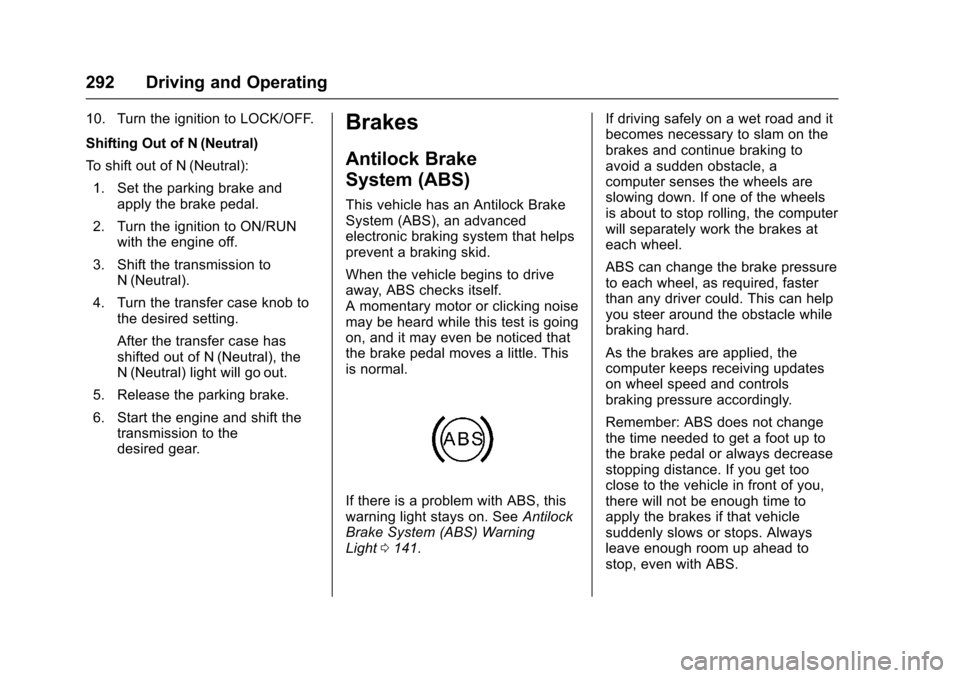
If there is a problem with ABS, thiswarning light stays on. SeeAntilockBrake System (ABS) WarningLight0141.
If driving safely on a wet road and itbecomes necessary to slam on thebrakes and continue braking toavoid a sudden obstacle, acomputer senses the wheels areslowing down. If one of the wheelsis about to stop rolling, the computerwill separately work the brakes ateach wheel.
ABS can change the brake pressureto each wheel, as required, fasterthan any driver could. This can helpyou steer around the obstacle whilebraking hard.
As the brakes are applied, thecomputer keeps receiving updateson wheel speed and controlsbraking pressure accordingly.
Remember: ABS does not changethe time needed to get a foot up tothe brake pedal or always decreasestopping distance. If you get tooclose to the vehicle in front of you,there will not be enough time toapply the brakes if that vehiclesuddenly slows or stops. Alwaysleave enough room up ahead tostop, even with ABS.
Page 294 of 509
Chevrolet Silverado Owner Manual (GMNA-Localizing-U.S./Canada/Mexico-9956065) - 2017 - CRC - 4/29/16
Driving and Operating 293
Using ABS
Do not pump the brakes. Just holdthe brake pedal down firmly and letABS work. You may hear the ABSpump or motor operating and feelthe brake pedal pulsate. This isnormal.
Braking in Emergencies
ABS allows you to steer and brakeat the same time. In manyemergencies, steering can helpmore than even the very bestbraking.
Parking Brake
For vehicles without a releasehandle, set the parking brake byholding the regular brake pedaldown, then pushing down theparking brake pedal.
If the ignition is on, the brakesystem warning light will come on.SeeBrake System WarningLight0140.
Caution
Driving with the parking brake on
can overheat the brake system
and cause premature wear or
damage to brake system parts.
Make sure that the parking brake
is fully released and the brake
warning light is off before driving.
To r e l e a s e t h e p a r k i n g b r a k e , h o l dthe regular brake pedal down, thenpush down momentarily on theparking brake pedal until you feelthe pedal release. Slowly pull yourfoot up off the parking brake pedal.If the parking brake is not releasedwhen you begin to drive, the brake
system warning light will flash and achime will sound warning you thatthe parking brake is still on.
If you are towing a trailer and areparking on a hill, seeDrivingCharacteristics and TowingTips0315.
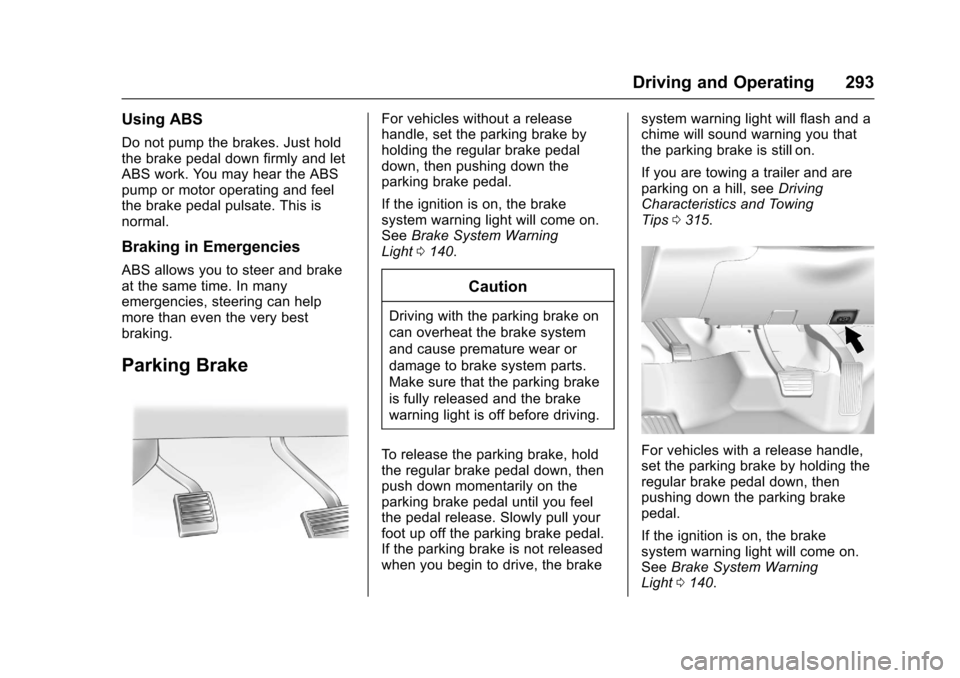
For vehicles with a release handle,set the parking brake by holding theregular brake pedal down, thenpushing down the parking brakepedal.
If the ignition is on, the brakesystem warning light will come on.SeeBrake System WarningLight0140.
Page 295 of 509
Chevrolet Silverado Owner Manual (GMNA-Localizing-U.S./Canada/Mexico-9956065) - 2017 - CRC - 4/29/16
294 Driving and Operating
Achimesoundsandthewarninglight flashes when the parking brakeis applied and the vehicle is movingat least 8 km/h (5 mph).
To r e l e a s e t h e p a r k i n g b r a k e , h o l dthe regular brake pedal down. Thenpull the bottom edge of the leverwith the parking brake symbol,located to the right of the steeringcolumn.
If the ignition is on when the parkingbrake is released, the brake systemwarning light goes off.
Caution
Driving with the parking brake on
can overheat the brake system
and cause premature wear or
damage to brake system parts.
Make sure that the parking brake
is fully released and the brake
warning light is off before driving.
If you are towing a trailer and areparking on any hill, seeDrivingCharacteristics and TowingTips0315.
Brake Assist
The Brake Assist feature isdesigned to assist the driver instopping or decreasing vehiclespeed in emergency drivingconditions. This feature uses thestability system hydraulic brakecontrol module to supplement thepower brake system underconditions where the driver hasquickly and forcefully applied thebrake pedal in an attempt to quicklystop or slow down the vehicle. Thestability system hydraulic brakecontrol module increases brakepressure at each corner of thevehicle until the ABS activates.Minor brake pedal pulsation orpedal movement during this time isnormal and the driver shouldcontinue to apply the brake pedal asthe driving situation dictates TheBrake Assist feature willautomatically disengage when thebrake pedal is released or brakepedal pressure is quicklydecreased.
Hill Start Assist (HSA)
This vehicle has a Hill Start Assist(HSA) feature, which may be usefulwhen the vehicle is stopped on agrade. This feature is designed toprevent the vehicle from rolling,either forward or rearward, duringvehicle drive off. After youcompletely stop and hold the vehiclein a complete standstill on a grade,HSA will automatically activate.During the transition period betweenwhen you release the brake pedaland start to accelerate to drive offon a grade, HSA holds the brakingpressure for a maximum oftwo seconds to ensure that there isno rolling. The brakes willautomatically release when theaccelerator pedal is applied withinthe two-second window. If thevehicle is equipped with theIntegrated Trailer Brake Control(ITBC) system, HSA may also applythe trailer brakes. It will not activateif the vehicle is in a drive gear and
Page 296 of 509
Chevrolet Silverado Owner Manual (GMNA-Localizing-U.S./Canada/Mexico-9956065) - 2017 - CRC - 4/29/16
Driving and Operating 295
facing downhill or if the vehicle isfacing uphill and in R (Reverse).There may be situations on minorhills (less than 5% grade) with aloaded vehicle or while pulling atrailer where HSA may activate.
If you release the brake pedal andthen reapply the brake pedal whileHSA is activated, the brake pedaltypically feels firmer with less pedaltravel.
Ride Control Systems
Traction Control/
Electronic Stability
Control
System Operation
The vehicle has a Traction ControlSystem (TCS) and StabiliTrak®,anelectronic stability control system.These systems help limit wheel spinand assist the driver in maintainingcontrol, especially on slippery roadconditions.
TCS activates if it senses any of thedrive wheels are spinning orbeginning to lose traction. When thishappens, TCS applies the brakes tothe spinning wheels and reducesengine power to limit wheel spin.
StabiliTrak activates when thevehicle senses a difference betweenthe intended path and the directionthe vehicle is actually traveling.StabiliTrak selectively appliesbraking pressure to any one of thevehicle wheel brakes to assist thedriver in keeping the vehicle on the
intended path. Trailer Sway Control(TSC) is also on automatically whenthe vehicle is started. SeeTr a i l e rSway Control (TSC)0344.
If cruise control is being used andtraction control or StabiliTrak beginsto limit wheel spin, cruise control willdisengage. Cruise control may beturned back on when roadconditions allow.
Both systems come onautomatically when the vehicle isstarted and begins to move. Thesystems may be heard or felt whilethey are operating or whileperforming diagnostic checks. Thisis normal and does not mean thereis a problem with the vehicle.
It is recommended to leave bothsystems on for normal drivingconditions, but it may be necessaryto turn TCS off if the vehicle getsstuck in sand, mud, ice, or snow.SeeIf the Vehicle Is Stuck0258and“Turning the Systems Off andOn”later in this section.
When the transfer case (if equipped)is in Four-Wheel Drive Low, thestability system is automatically