brake CHEVROLET SILVERADO 2017 3.G Workshop Manual
[x] Cancel search | Manufacturer: CHEVROLET, Model Year: 2017, Model line: SILVERADO, Model: CHEVROLET SILVERADO 2017 3.GPages: 509, PDF Size: 8.87 MB
Page 297 of 509
Chevrolet Silverado Owner Manual (GMNA-Localizing-U.S./Canada/Mexico-9956065) - 2017 - CRC - 4/29/16
296 Driving and Operating
disabled,gcomes on, and the
appropriate message will appear onthe DIC. Both traction control andStabiliTrak are automaticallydisabled in this condition.
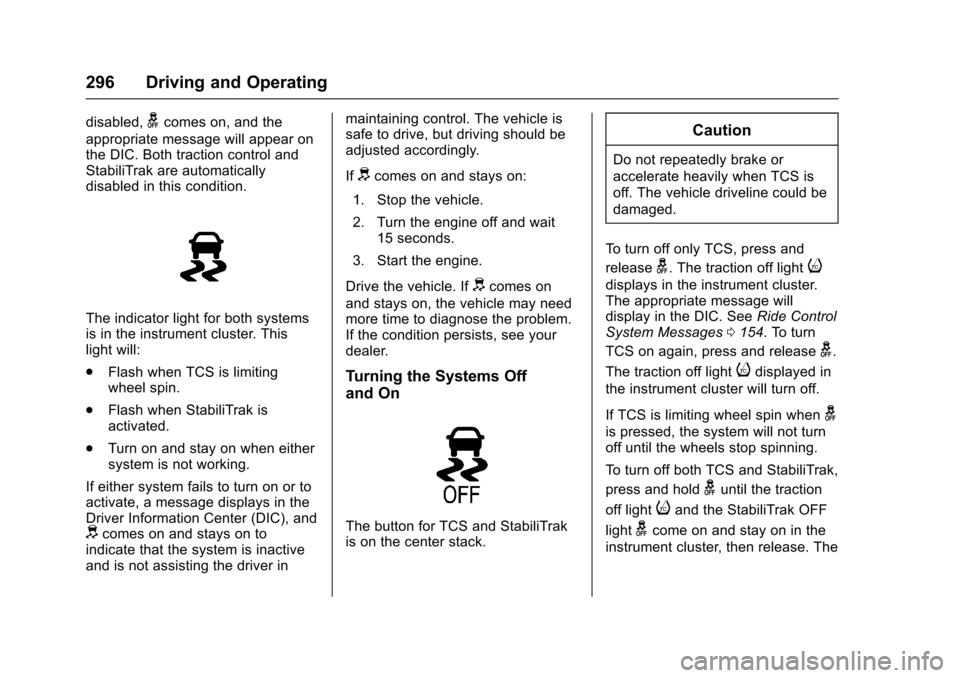
The indicator light for both systemsis in the instrument cluster. Thislight will:
.Flash when TCS is limitingwheel spin.
.Flash when StabiliTrak isactivated.
.Turn on and stay on when eithersystem is not working.
If either system fails to turn on or toactivate, a message displays in theDriver Information Center (DIC), anddcomes on and stays on toindicate that the system is inactiveand is not assisting the driver in
maintaining control. The vehicle issafe to drive, but driving should beadjusted accordingly.
Ifdcomes on and stays on:
1. Stop the vehicle.
2. Turn the engine off and wait15 seconds.
3. Start the engine.
Drive the vehicle. Ifdcomes on
and stays on, the vehicle may needmore time to diagnose the problem.If the condition persists, see yourdealer.
Turning the Systems Off
and On
The button for TCS and StabiliTrakis on the center stack.
Caution
Do not repeatedly brake or
accelerate heavily when TCS is
off. The vehicle driveline could be
damaged.
To t u r n o f f o n l y T C S , p r e s s a n d
releaseg.Thetractionofflighti
displays in the instrument cluster.The appropriate message willdisplay in the DIC. SeeRide ControlSystem Messages0154.Toturn
TCS on again, press and releaseg.
The traction off lightidisplayed in
the instrument cluster will turn off.
If TCS is limiting wheel spin wheng
is pressed, the system will not turnoff until the wheels stop spinning.
To t u r n o f f b o t h T C S a n d S t a b i l i T r a k ,
press and holdguntil the traction
off lightiand the StabiliTrak OFF
lightgcome on and stay on in the
instrument cluster, then release. The
Page 298 of 509
Chevrolet Silverado Owner Manual (GMNA-Localizing-U.S./Canada/Mexico-9956065) - 2017 - CRC - 4/29/16
Driving and Operating 297
appropriate message will display inthe DIC. SeeRide Control SystemMessages0154.
To t u r n T C S a n d S t a b i l i T r a k o n
again, press and releaseg.The
traction off lightiand the
StabiliTrak OFF lightgin the
instrument cluster turn off.
StabiliTrak will automatically turn onif the vehicle exceeds 56 km/h(35 mph). Traction control willremain off.
The vehicle has a Trailer SwayControl (TSC) feature and a HillStart Assist (HSA) feature. SeeTr a i l e r S w a y C o n t r o l ( T S C )0344orHill Start Assist (HSA)0294.
Adding accessories can affect thevehicle performance. SeeAccessories andModifications0352.
Hill Descent
Control (HDC)
If equipped, HDC can be used whendriving downhill. It sets andmaintains vehicle speed whiledescending a very steep incline in aforward or reverse gear.
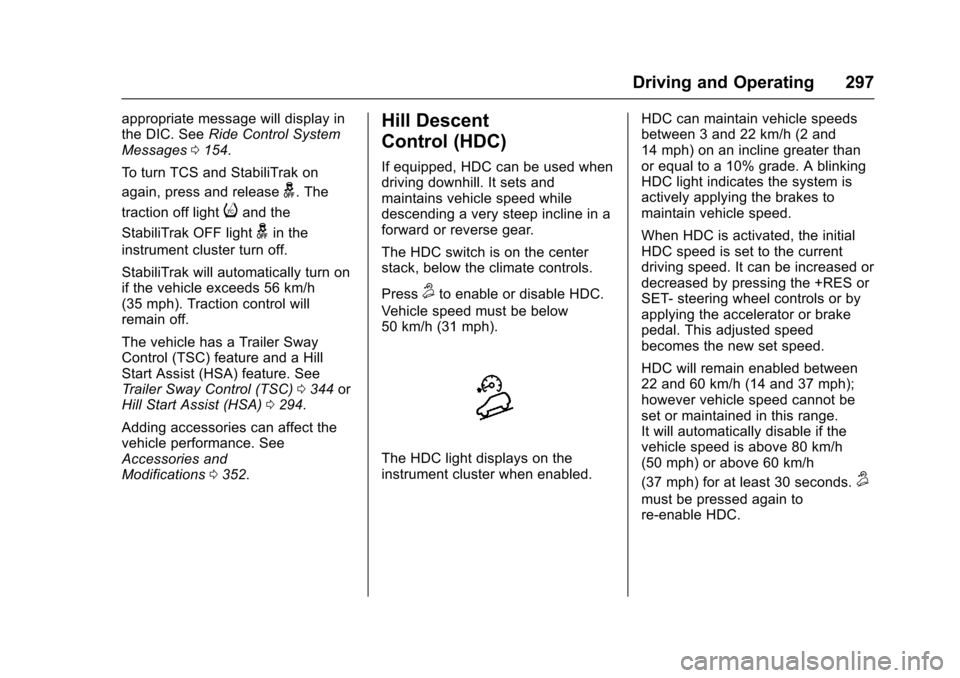
The HDC switch is on the centerstack, below the climate controls.
Press5to enable or disable HDC.
Vehicle speed must be below50 km/h (31 mph).
The HDC light displays on theinstrument cluster when enabled.
HDC can maintain vehicle speedsbetween 3 and 22 km/h (2 and14 mph) on an incline greater thanor equal to a 10% grade. A blinkingHDC light indicates the system isactively applying the brakes tomaintain vehicle speed.
When HDC is activated, the initialHDC speed is set to the currentdriving speed. It can be increased ordecreased by pressing the +RES orSET- steering wheel controls or byapplying the accelerator or brakepedal. This adjusted speedbecomes the new set speed.
HDC will remain enabled between22 and 60 km/h (14 and 37 mph);however vehicle speed cannot beset or maintained in this range.It will automatically disable if thevehicle speed is above 80 km/h(50 mph) or above 60 km/h
(37 mph) for at least 30 seconds.5
must be pressed again tore-enable HDC.
Page 299 of 509
Chevrolet Silverado Owner Manual (GMNA-Localizing-U.S./Canada/Mexico-9956065) - 2017 - CRC - 4/29/16
298 Driving and Operating
When enabled, if the vehicle is at aspeed above 22 km/h (14 mph) andless than 60 km/h (37 mph), a DICmessage will display. SeeVehicleSpeed Messages0160.
Locking Rear Axle
Vehicles with a locking rear axle cangive more traction on snow, mud,ice, sand, or gravel. It works like astandard axle most of the time, butwhen traction is low, this feature willallow the rear wheel with the mosttraction to move the vehicle.
Cruise Control
{Warning
Cruise control can be dangerous
where you cannot drive safely at
asteadyspeed.Donotuse
cruise control on winding roads or
in heavy traffic.
Cruise control can be dangerous
on slippery roads. On such roads,
fast changes in tire traction can
cause excessive wheel slip, and
you could lose control. Do not use
cruise control on slippery roads.
With cruise control a speed of about40 km/h (25 mph) or more can bemaintained without keeping yourfoot on the accelerator. Cruisecontrol does not work at speedsbelow about 40 km/h (25 mph).
If equipped with an Allison orHydra-Matic 6-speed automatictransmission, see“To w / H a u l M o d eGrade Braking”underTo w / H a u lMode0282for an explanation of
how cruise control interacts with theRange Selection Mode, Tow/HaulMode, and Grade Braking systems.
If the cruise control is being usedand the Traction Control system(TCS) or StabiliTrak begins to limitwheel spin, the cruise control willautomatically disengage. SeeTr a c t i o n C o n t r o l / E l e c t r o n i c S t a b i l i t yControl0295.Whenroadconditions allow you to safely use itagain, cruise control can be turnedback on.
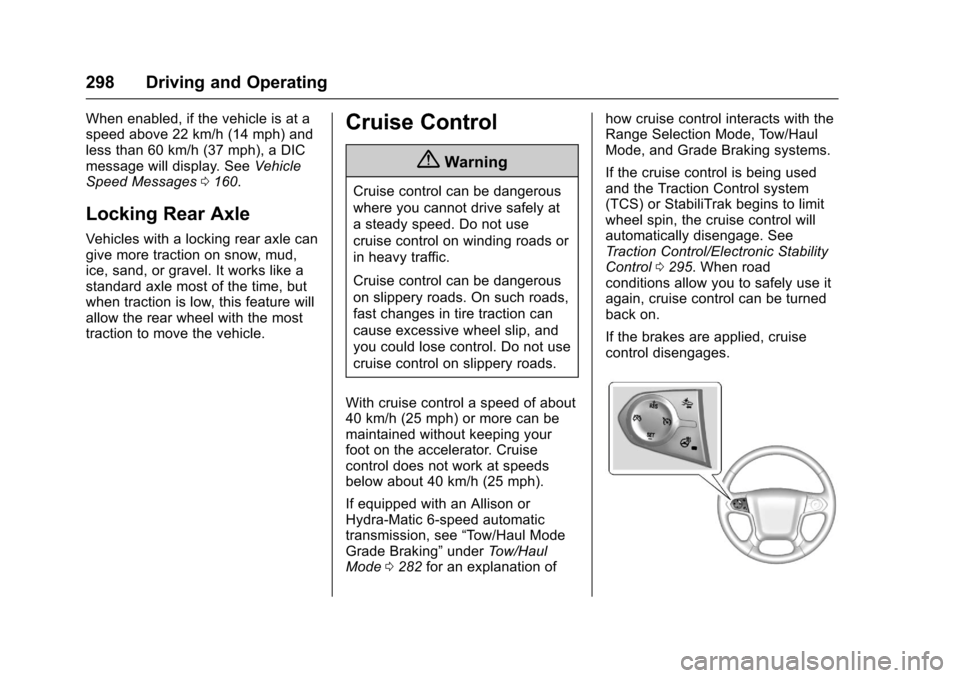
If the brakes are applied, cruisecontrol disengages.
Page 300 of 509
Chevrolet Silverado Owner Manual (GMNA-Localizing-U.S./Canada/Mexico-9956065) - 2017 - CRC - 4/29/16
Driving and Operating 299
5:Press to turn the system on oroff. The indicator light is white whencruise control is on and turns offwhen cruise control is off.
+RES :If there is a set speed inmemory, press briefly to resume tothat speed or press and hold toaccelerate. If cruise control isalready active, use to increasevehicle speed.
SET✓:Press briefly to set thespeed and activate cruise control.If cruise control is already active,use to decrease vehicle speed.
*:Press to disengage cruisecontrol without erasing the setspeed from memory.
Setting Cruise Control
If5is on when not in use, SET✓or
+RES could get pressed and go into
cruise when not desired. Keep5
off when cruise is not being used.
1. Press5to turn the cruise
system on.
2. Get up to the desired speed.
3. Press and release SET✓.
4. Remove foot from theaccelerator.
The cruise control indicator on theinstrument cluster turns green aftercruise control has been set to thedesired speed. SeeInstrumentCluster0128.
Resuming a Set Speed
If the cruise control is set at adesired speed and then the brakes
are applied or*is pressed, the
cruise control is disengaged withouterasing the set speed from memory.
Once the vehicle speed reachesabout 40 km/h (25 mph) or more,briefly press +RES . The vehiclereturns to the previous set speed.
Increasing Speed While UsingCruise Control
If the cruise control system isalready activated:
.Press and hold +RES until thedesired speed is reached, thenrelease it.
.To i n c r e a s e v e h i c l e s p e e d i nsmall increments, briefly press+RES. For each press, thevehicle goes about 1.6 km/h(1 mph) faster.
The speedometer reading can bedisplayed in either English or metricunits. SeeInstrument Cluster0128.The increment value used dependson the units displayed.
Reducing Speed While UsingCruise Control
If the cruise control system isalready activated:
.Press and hold SET–until thedesired lower speed is reached,then release it.
.To s l o w d o w n i n s m a l lincrements, briefly press SET–.For each press, the vehicle goesabout 1.6 km/h (1 mph) slower.
The speedometer reading can bedisplayed in either English or metricunits. SeeInstrument Cluster0128.The increment value used dependson the units displayed.
Page 301 of 509
Chevrolet Silverado Owner Manual (GMNA-Localizing-U.S./Canada/Mexico-9956065) - 2017 - CRC - 4/29/16
300 Driving and Operating
Passing Another Vehicle WhileUsing Cruise Control
Use the accelerator pedal toincrease the vehicle speed. Whenyou take your foot off the pedal, thevehicle will slow down to theprevious set cruise speed. Whilepressing the accelerator pedal orshortly following the release tooverride cruise control, brieflypressing SET–will result in cruisecontrol set to the current vehiclespeed.
Using Cruise Control on Hills
How well the cruise control workson hills depends on the vehiclespeed, the load, and the steepnessof the hills. When going up steephills, pressing the accelerator pedalmay be necessary to maintainvehicle speed.
While going downhill:
.Vehicles with a 6-speedautomatic transmission and agasoline engine have CruiseGrade Braking to help maintaindriver selected speed.
Cruise Grade Braking is enabledwhen the vehicle is started andcruise control is active. It is notenabled in Range SelectionMode. It assists in maintainingdriver selected speed whendriving on downhill grades byusing the engine andtransmission to slow the vehicle.
To d i s a b l e a n d e n a b l e C r u i s eGrade Braking for the currentignition key cycle, press andhold the Tow/Haul button forfive seconds. A DIC messagedisplays. SeeTr a n s m i s s i o nMessages0157.
.Vehicles with a diesel enginehave Cruise Grade Brakingenabled when Tow/Haul Mode ison, the exhaust brake is on,or both are on.
For other forms of descent control,seeHill Descent Control (HDC)0297,Automatic Transmission0277,andTo w / H a u l M o d e0282.
Ending Cruise Control
There are four ways to end cruisecontrol:
.Step lightly on the brake pedal.
.Press*.
.Shift the transmission toN(Neutral).
.To t u r n o f f c r u i s e c o n t r o l ,
press5.
Erasing Speed Memory
The cruise control set speed is
erased from memory if5is pressed
or the ignition is turned off.
Page 302 of 509
Chevrolet Silverado Owner Manual (GMNA-Localizing-U.S./Canada/Mexico-9956065) - 2017 - CRC - 4/29/16
Driving and Operating 301
Driver Assistance
Systems
This vehicle may have features thatwork together to help avoid crashesor reduce crash damage whiledriving, backing, and parking. Readthis entire section before usingthese systems.
{Warning
Do not rely on the Driver
Assistance Systems. These
systems do not replace the need
for paying attention and driving
safely. You may not hear or feel
alerts or warnings provided by
these systems. Failure to use
proper care when driving may
result in injury, death, or vehicle
damage. SeeDefensive
Driving0248.
(Continued)
Warning (Continued)
Under many conditions, these
systems will not:
.Detect children,pedestrians, bicyclists,or animals.
.Detect vehicles or objectsoutside the area monitoredby the system.
.Work at all driving speeds.
.Warn you or provide youwith enough time to avoid acrash.
.Work under poor visibility orbad weather conditions.
.Work if the detection sensoris not cleaned or is coveredby ice, snow, mud, or dirt.
.Work if the detection sensoris covered up, such as withasticker,magnet,ormetalplate.
(Continued)
Warning (Continued)
.Work if the area surrounding
the detection sensor is
damaged or not properly
repaired.
Complete attention is always
required while driving, and you
should be ready to take action
and apply the brakes and/or steer
the vehicle to avoid crashes.
Audible or Safety Alert Seat
Some driver assistance featuresalert the driver of obstacles bybeeping. To change the volume ofthe warning chime, see“Comfortand Convenience”underVehiclePersonalization0160.
If equipped with the Safety AlertSeat, the driver seat cushion mayprovide a vibrating pulse alertinstead of beeping. To change this,see“Collision/Detection Systems”underVehiclePersonalization0160.
Page 305 of 509
Chevrolet Silverado Owner Manual (GMNA-Localizing-U.S./Canada/Mexico-9956065) - 2017 - CRC - 4/29/16
304 Driving and Operating
Front and Rear Parking Assist canbe turned off, on, or on with towbarthrough vehicle personalization. See“Park Assist”underVehiclePersonalization0160.Iftheparkingassist is turned off through vehiclepersonalization, the parking assistbutton on the center stack will bedisabled. To turn the parking assiston again, select On in the vehiclepersonalization menu. The On withTo w b a r s e t t i n g a l l o w s f o r t h eparking assist to work properly withasmallitemattachedtothetrailerhitch. Turn off parking assist whentowing a trailer.
To t u r n t h e r e a r p a r k i n g a s s i s tsymbols or guidance lines on or off,see“Rear Camera”underVehiclePersonalization0160.
Assistance Systems for
Driving
If equipped, when driving thevehicle in a forward gear, ForwardCollision Alert (FCA), LaneDeparture Warning (LDW), and/or
Lane Keep Assist (LKA) can help toavoid a crash or reduce crashdamage.
Forward Collision Alert
(FCA) System
If equipped, the FCA system mayhelp to avoid or reduce the harmcaused by front-end crashes. Whenapproaching a vehicle ahead tooquickly, FCA provides a red flashingalert on the windshield and rapidlybeeps or pulses the driver seat.FCA also lights an amber visualalert if following another vehiclemuch too closely.
FCA detects vehicles within adistance of approximately 60 m(197 ft) and operates at speedsabove 40 km/h (25 mph).
{Warning
FCA is a warning system and
does not apply the brakes. When
approaching a slower-moving or
stopped vehicle ahead too rapidly,
(Continued)
Warning (Continued)
or when following a vehicle too
closely, FCA may not provide a
warning with enough time to help
avoid a crash. It also may not
provide any warning at all. FCA
does not warn of pedestrians,
animals, signs, guardrails,
bridges, construction barrels,
or other objects. Be ready to take
action and apply the brakes. See
Defensive Driving0248.
FCA can be disabled with the FCAsteering wheel control.
Detecting the Vehicle Ahead
FCA warnings will not occur unlessthe FCA system detects a vehicleahead. When a vehicle is detected,the vehicle ahead indicator will
Page 306 of 509
Chevrolet Silverado Owner Manual (GMNA-Localizing-U.S./Canada/Mexico-9956065) - 2017 - CRC - 4/29/16
Driving and Operating 305
display green. Vehicles may not bedetected on curves, highway exitramps, or hills, due to poor visibility;or if a vehicle ahead is partiallyblocked by pedestrians or otherobjects. FCA will not detect anothervehicle ahead until it is completelyin the driving lane.
{Warning
FCA does not provide a warning
to help avoid a crash, unless it
detects a vehicle. FCA may not
detect a vehicle ahead if the FCA
sensor is blocked by dirt, snow,
or ice, or if the windshield is
damaged. It may also not detect a
vehicle on winding or hilly roads,
or in conditions that can limit
visibility such as fog, rain,
or snow, or if the headlamps or
windshield are not cleaned or in
proper condition. Keep the
windshield, headlamps, and FCA
sensors clean and in good repair.
Collision Alert
When your vehicle approachesanother detected vehicle too rapidly,the red FCA display will flash on thewindshield. Also, eight rapidhigh-pitched beeps will sound fromthe front, or both sides of the SafetyAlert Seat will pulse five times.When this Collision Alert occurs, thebrake system may prepare for driverbraking to occur more rapidly whichcan cause a brief, mild deceleration.Continue to apply the brake pedalas needed. Cruise control may bedisengaged when the Collision Alertoccurs.
Tailgating Alert
The vehicle ahead indicator willdisplay amber when you arefollowing a detected vehicle aheadmuch too closely.
Selecting the Alert Timing
The Collision Alert control is on the
steering wheel. Press[to set the
FCA timing to Far, Medium, Near,
Page 307 of 509
Chevrolet Silverado Owner Manual (GMNA-Localizing-U.S./Canada/Mexico-9956065) - 2017 - CRC - 4/29/16
306 Driving and Operating
or Off. The first button press showsthe current setting on the DIC.Additional button presses willchange this setting. The chosensetting will remain until it is changedand will affect the timing of both theCollision Alert and the TailgatingAlert features. The timing of bothalerts will vary based on vehiclespeed. The faster the vehicle speed,the farther away the alert will occur.Consider traffic and weatherconditions when selecting the alerttiming. The range of selectable alerttiming may not be appropriate for alldrivers and driving conditions.
Unnecessary Alerts
FCA may provide unnecessaryalerts for turning vehicles, vehiclesin other lanes, objects that are notvehicles, or shadows. These alertsare normal operation and thevehicle does not need service.
Cleaning the System
If the FCA system does not seem tooperate properly, cleaning theoutside of the windshield in front ofthe rearview mirror, and cleaning the
front of the vehicle where radarsensors are located, may correctthe issue.
Forward Automatic
Braking (FAB)
If the vehicle has Forward CollisionAlert (FCA), it also has FAB, whichincludes Intelligent BrakeAssist (IBA). When the systemdetects a vehicle ahead in your paththat is traveling in the samedirection that you may be about tocrash into, it can provide a boost tobraking or automatically brake thevehicle. This can help avoid orlessen the severity of crashes whendriving in a forward gear. Dependingon the situation, the vehicle mayautomatically brake moderately orhard. This forward automaticbraking can only occur if a vehicle isdetected. This is shown by the FCAvehicle ahead indicator being lit.SeeForward Collision Alert (FCA)System0304.
The system works when driving in aforward gear between 8 km/h(5 mph) and 80 km/h (37 mph).It can detect vehicles up toapproximately 60 m (197 ft).
{Warning
FA B i s a n e m e r g e n c y c r a s h
preparation feature and is not
designed to avoid crashes. Do
not rely on FAB to brake the
vehicle. FAB will not brake
outside of its operating speed
range and only responds to
detected vehicles.
FA B m a y n o t :
.Detect a vehicle ahead onwinding or hilly roads.
.Detect all vehicles,especially vehicles with atrailer, tractors, muddyvehicles, etc.
.Detect a vehicle whenweather limits visibility, suchas in fog, rain, or snow.
(Continued)
Page 308 of 509
Chevrolet Silverado Owner Manual (GMNA-Localizing-U.S./Canada/Mexico-9956065) - 2017 - CRC - 4/29/16
Driving and Operating 307
Warning (Continued)
.Detect a vehicle ahead if itis partially blocked bypedestrians or other objects.
Complete attention is always
required while driving, and you
should be ready to take action
and apply the brakes and/or steer
the vehicle to avoid crashes.
FA B m a y s l o w t h e v e h i c l e t o acomplete stop to try to avoid apotential crash. If this happens, FABmay engage the Electric ParkingBrake (EPB) to hold the vehicle at astop. Release the EPB or firmlypress the accelerator pedal.
{Warning
FA B m a y a u t o m a t i c a l l y b r a k e t h e
vehicle suddenly in situations
where it is unexpected and
undesired. It could respond to a
turning vehicle ahead, guardrails,
signs, and other non-moving
(Continued)
Warning (Continued)
objects. To override FAB, firmly
press the accelerator pedal, if it is
safe to do so.
Intelligent Brake Assist (IBA)
IBA may activate when the brakepedal is applied quickly by providingaboosttobrakingbasedonthespeed of approach and distance toavehicleahead.
Minor brake pedal pulsations orpedal movement during this time isnormal and the brake pedal shouldcontinue to be applied as needed.IBA will automatically disengageonly when the brake pedal isreleased.
{Warning
IBA may increase vehicle braking
in situations when it may not be
necessary. You could block the
(Continued)
Warning (Continued)
flow of traffic. If this occurs, take
your foot off the brake pedal and
then apply the brakes as needed.
FA B a n d I B A c a n b e d i s a b l e dthrough vehicle personalization. Seethe“Auto Collision Preparation”information in“Collision/DetectionSystems”underVehiclePersonalization0160.
{Warning
Using FAB or IBA while towing a
trailer could cause you to lose
control of the vehicle and crash.
Turn the system to Alert or Off
when towing a trailer.
Lane Departure Warning
(LDW) (2500/3500 Series)
If equipped, LDW may help avoidcrashes due to unintentional lanedepartures. It may provide an alert ifthe vehicle is crossing a lane