service CHEVROLET SS 2017 1.G Workshop Manual
[x] Cancel search | Manufacturer: CHEVROLET, Model Year: 2017, Model line: SS, Model: CHEVROLET SS 2017 1.GPages: 400, PDF Size: 7.31 MB
Page 224 of 400
Chevrolet SS Sedan Owner Manual (GMNA-Localizing-U.S.-10122752) -2017 - crc - 8/31/16
Driving and Operating 223
Warning (Continued)
happens, you and other vehicle
occupants could drown. Do not
ignore police warnings and be
very cautious about trying to drive
through flowing water.
Hydroplaning
Hydroplaning is dangerous. Watercan build up under the vehicle'stires so they actually ride on thewater. This can happen if the road iswet enough and you are going fastenough. When the vehicle ishydroplaning, it has little or nocontact with the road.
There is no hard and fast rule abouthydroplaning. The best advice is toslow down when the road is wet.
Other Rainy Weather Tips
Besides slowing down, other wetweather driving tips include:
.Allow extra following distance.
.Pass with caution.
.Keep windshield wipingequipment in good shape.
.Keep the windshield washer fluidreservoir filled.
.Have good tires with propertread depth. SeeTires0303.
.Turn off cruise control.
Hill and Mountain Roads
Driving on steep hills or throughmountains is different than drivingon flat or rolling terrain. Tips include:
.Keep the vehicle serviced and ingood shape.
.Check all fluid levels and brakes,tires, cooling system, andtransmission.
.Shift to a lower gear when goingdown steep or long hills.
{Warning
Using the brakes to slow the
vehicle on a long downhill slope
can cause brake overheating, can
(Continued)
Warning (Continued)
reduce brake performance, and
could result in a loss of braking.
Shift the transmission to a lower
gear to let the engine assist the
brakes on a steep downhill slope.
{Warning
Coasting downhill in N (Neutral)
or with the ignition off is
dangerous. This can cause
overheating of the brakes and
loss of steering. Always have the
engine running and the vehicle
in gear.
.Drive at speeds that keep thevehicle in its own lane. Do notswing wide or cross thecenter line.
.Be alert on top of hills;something could be in your lane(e.g., stalled car, accident).
Page 232 of 400
Chevrolet SS Sedan Owner Manual (GMNA-Localizing-U.S.-10122752) -2017 - crc - 8/31/16
Driving and Operating 231
With the ignition off, pressing thebutton one time without the brakepedal applied will place the ignitionsystem in ACC/ACCESSORY.
The ignition will switch from ACC/ACCESSORY to OFF afterfive minutes to prevent batteryrundown.
ON/RUN/START (Green IndicatorLight) :This mode is for driving andstarting. With the ignition off, andthe brake pedal applied forautomatic transmission vehicles,and the clutch pedal applied formanual transmission vehicles,pressing the button once will placethe ignition system in ON/RUN/START. Once engine crankingbegins, release the button. Enginecranking will continue until theengine starts. SeeStarting theEngine0231.Theignitionwillthenremain in ON/RUN.
Service Only Mode
This power mode is available forservice and diagnostics, and toverify the proper operation of themalfunction indicator lamp as maybe required for emission inspection
purposes. With the vehicle off, andthe brake pedal not applied,pressing and holding the button formore than five seconds will placethe vehicle in Service Only Mode.The instruments and audio systemswill operate as they do in ON/RUN,but the vehicle will not be able to bedriven. The engine will not start inService Only Mode. Press thebutton again to turn the vehicle off.
Starting the Engine
Place the transmission in theproper gear.
Caution
If you add electrical parts or
accessories, you could change
the way the engine operates. Any
resulting damage would not be
covered by the vehicle warranty.
SeeAdd-On Electrical Equipment
0268.
Automatic Transmission
Move the shift lever to P (Park) orN(Neutral). To restart the vehiclewhen it is already moving, useN(Neutral) only.
Caution
Do not try to shift to P (Park) if the
vehicle is moving. If you do, you
could damage the transmission.
Shift to P (Park) only when the
vehicle is stopped.
Manual Transmission
The shift lever should be in Neutraland the parking brake engaged.Hold the clutch pedal down to thefloor and start the engine.
Starting Procedure
1. With the Keyless Accesssystem, the RKE transmittermust be in the vehicle. PressENGINE START/STOP with thebrake pedal applied onvehicles with an automatictransmission, and the clutchpedal applied on vehicles with
Page 238 of 400
Chevrolet SS Sedan Owner Manual (GMNA-Localizing-U.S.-10122752) -2017 - crc - 8/31/16
Driving and Operating 237
button before shifting from P (Park)when the ignition is in ON/RUN orACC/ACCESSORY. If the vehiclewill not shift out of P (Park), easepressure on the shift lever and pushthe shift lever all the way intoP(Park) while maintaining brakeapplication. Then press the shiftlever button and move the shift leverinto another gear. SeeShifting outof Park0233.
R:Use this gear to back up.
At low vehicle speeds, R (Reverse)can also be used to rock the vehicleback and forth to get out of snow,ice, or sand without damaging thetransmission. SeeIf the Vehicle IsStuck0225for additionalinformation.
Caution
Shifting to R (Reverse) while the
vehicle is moving forward could
damage the transmission. The
repairs would not be covered by
the vehicle warranty. Shift to
R(Reverse) only after the vehicle
is stopped.
N:In this position, the engine doesnot connect with the wheels. Torestart the engine when the vehicleis already moving, useN(Neutral) only.
{Warning
Shifting into a drive gear while the
engine is running at high speed is
dangerous. Unless your foot is
firmly on the brake pedal, the
vehicle could move very rapidly.
Yo u c o u l d l o s e c o n t r o l a n d h i t
people or objects. Do not shift
into a drive gear while the engine
is running at high speed.
Caution
Shifting out of P (Park) or
N(Neutral) with the engine
running at high speed may
damage the transmission. The
repairs would not be covered by
the vehicle warranty. Be sure the
engine is not running at high
speed when shifting the vehicle.
D:Use this position for generaldriving. The transmissionautomatically selects theappropriate gear according to thecurrent load and driving conditions.
Caution
If the vehicle does not shift gears,
the transmission could be
damaged. Have the vehicle
serviced right away.
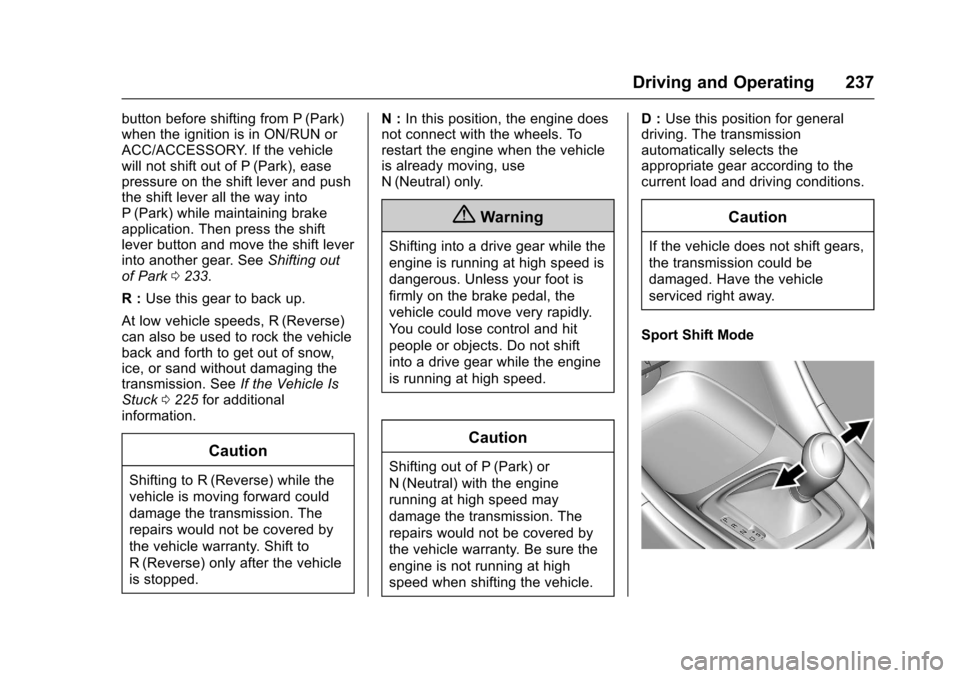
Sport Shift Mode
Page 243 of 400
Chevrolet SS Sedan Owner Manual (GMNA-Localizing-U.S.-10122752) -2017 - crc - 8/31/16
242 Driving and Operating
If driving safely on a wet road and itbecomes necessary to slam on thebrakes and continue braking toavoid a sudden obstacle, acomputer senses the wheels areslowing down. If one of the wheelsis about to stop rolling, the computerwill separately work the brakes ateach wheel.
ABS can change the brake pressureto each wheel, as required, fasterthan any driver could. This can helpyou steer around the obstacle whilebraking hard.
As the brakes are applied, thecomputer keeps receiving updateson wheel speed and controlsbraking pressure accordingly.
Remember: ABS does not changethe time needed to get a foot up tothe brake pedal or always decreasestopping distance. If you get tooclose to the vehicle in front of you,there will not be enough time toapply the brakes if that vehiclesuddenly slows or stops. Alwaysleave enough room up ahead tostop, even with ABS.
Using ABS
Do not pump the brakes. Just holdthe brake pedal down firmly and letABS work. You may hear the ABSpump or motor operating and feelthe brake pedal pulsate. This isnormal.
Braking in Emergencies
ABS allows you to steer and brakeat the same time. In manyemergencies, steering can helpmore than even the very bestbraking.
Electric Parking Brake
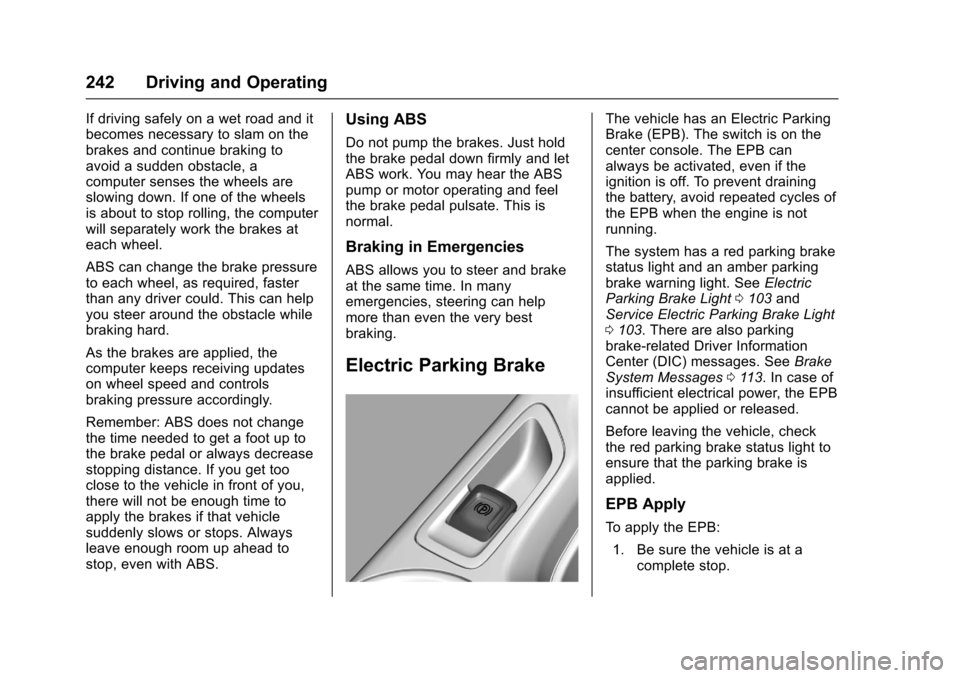
The vehicle has an Electric ParkingBrake (EPB). The switch is on thecenter console. The EPB canalways be activated, even if theignition is off. To prevent drainingthe battery, avoid repeated cycles ofthe EPB when the engine is notrunning.
The system has a red parking brakestatus light and an amber parkingbrake warning light. SeeElectricParking Brake Light0103andService Electric Parking Brake Light0103.Therearealsoparkingbrake-related Driver InformationCenter (DIC) messages. SeeBrakeSystem Messages011 3.Incaseofinsufficient electrical power, the EPBcannot be applied or released.
Before leaving the vehicle, checkthe red parking brake status light toensure that the parking brake isapplied.
EPB Apply
To a p p l y t h e E P B :
1. Be sure the vehicle is at acomplete stop.
Page 244 of 400
Chevrolet SS Sedan Owner Manual (GMNA-Localizing-U.S.-10122752) -2017 - crc - 8/31/16
Driving and Operating 243
2. Lift up the EPB switchmomentarily.
The red parking brake status lightwill flash and then stay on once theEPB is fully applied. If the redparking brake status light flashescontinuously, then the EPB is onlypartially applied or there is aproblem with the EPB. A DICmessage will display. Release theEPB and try to apply it again. If thelight does not come on, or keepsflashing, have the vehicle serviced.Do not drive the vehicle if the redparking brake status light is flashing.See your dealer. SeeElectricParking Brake Light0103.
If the amber parking brake warninglight is on, lift up on the EPB switchand hold it up. Continue to hold theswitch until the red parking brakestatus light remains on. If the amberparking brake warning light remainson, see your dealer.
If the EPB is applied while thevehicle is moving, the vehicle willdecelerate as long as the switch is
held up. If the switch is held up untilthe vehicle comes to a stop, theEPB will remain applied.
If the EPB fails to apply, the rearwheels should be blocked toprevent vehicle movement.
EPB Release
To r e l e a s e t h e E P B :
1. Place the ignition in the ACC/ACCESSORY or ON/RUNposition.
2. Apply and hold the brakepedal.
3. Push down momentarily on theEPB switch.
The EPB is released when the redparking brake status light is off.
If the amber parking brake warninglight is on, release the EPB bypushing down on the EPB switchand holding it down. Continue tohold the switch until the red parkingbrake status light is off. If either lightstays on after release is attempted,see your dealer.
Caution
Driving with the parking brake on
can overheat the brake system
and cause premature wear or
damage to brake system parts.
Make sure that the parking brake
is fully released and the brake
warning light is off before driving.
Automatic EPB Release
The EPB will automatically release ifthe vehicle is running, placed intogear, and an attempt is made todrive away. Avoid rapid accelerationwhen the EPB is applied, topreserve parking brake lining life.
The EPB can also be used toprevent roll back for vehicles with amanual transmission taking off on ahill. When no roll back is desired, anapplied EPB will allow both feet tobe used for the clutch andaccelerator pedals in preparation forstarting the vehicle moving in theintended direction. In this case,there is no need to push the switchto release the EPB.
Page 255 of 400
Chevrolet SS Sedan Owner Manual (GMNA-Localizing-U.S.-10122752) -2017 - crc - 8/31/16
254 Driving and Operating
Warning (Continued)
Under many conditions, these
systems will not:
.Detect children,pedestrians, bicyclists,or animals.
.Detect vehicles or objectsoutside the area monitoredby the system.
.Work at all driving speeds.
.Warn you or provide youwith enough time to avoid acrash.
.Work under poor visibility orbad weather conditions.
.Work if the detection sensoris not cleaned or is coveredby ice, snow, mud, or dirt.
(Continued)
Warning (Continued)
.Work if the detection sensor
is covered up, such as with
asticker,magnet,ormetal
plate.
.Work if the area surroundingthe detection sensor isdamaged or not properlyrepaired.
Complete attention is always
required while driving, and you
should be ready to take action
and apply the brakes and/or steer
the vehicle to avoid crashes.
Audible Alert
Some driver assistance featuresalert the driver of obstacles bybeeping. To change the volume ofthe warning chime, see“Comfortand Convenience”underVehiclePersonalization0120.
Assistance Systems for
Parking or Backing
If equipped, the Rear Vision Camera(RVC), Rear Parking Assist (RPA),Front Parking Assist (FPA), RearCross Traffic Alert (RCTA), andAutomatic Parking Assist (APA) mayhelp the driver park or avoid objects.Always check around the vehiclewhen parking or backing.
Rear Vision Camera (RVC)
When the vehicle is shifted intoR(Reverse), the RVC displays animage of the area behind the vehiclein the infotainment display. Whenthe vehicle is shifted out ofR(Reverse), the display returns tothe previous content, after a shortdelay. To see the previous contentsooner, press one of the radiobuttons. If the message ServiceRear Camera System is displayed,the vehicle may need service.
Page 259 of 400
Chevrolet SS Sedan Owner Manual (GMNA-Localizing-U.S.-10122752) -2017 - crc - 8/31/16
258 Driving and Operating
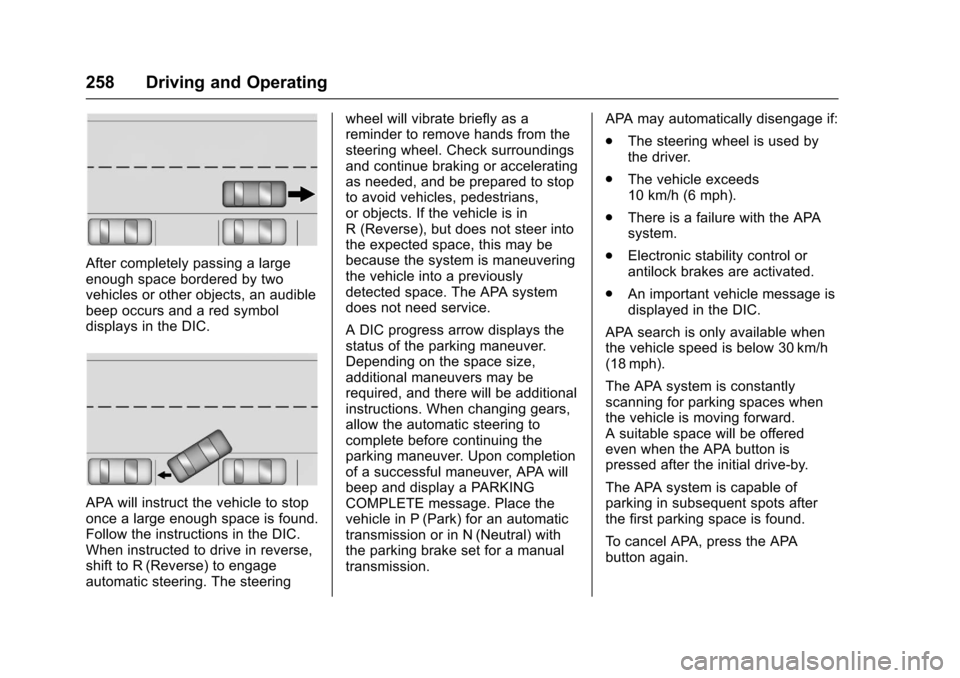
After completely passing a largeenough space bordered by twovehicles or other objects, an audiblebeep occurs and a red symboldisplays in the DIC.
APA will instruct the vehicle to stoponce a large enough space is found.Follow the instructions in the DIC.When instructed to drive in reverse,shift to R (Reverse) to engageautomatic steering. The steering
wheel will vibrate briefly as areminder to remove hands from thesteering wheel. Check surroundingsand continue braking or acceleratingas needed, and be prepared to stopto avoid vehicles, pedestrians,or objects. If the vehicle is inR(Reverse),butdoesnotsteerintothe expected space, this may bebecause the system is maneuveringthe vehicle into a previouslydetected space. The APA systemdoes not need service.
ADICprogressarrowdisplaysthestatus of the parking maneuver.Depending on the space size,additional maneuvers may berequired, and there will be additionalinstructions. When changing gears,allow the automatic steering tocomplete before continuing theparking maneuver. Upon completionof a successful maneuver, APA willbeep and display a PARKINGCOMPLETE message. Place thevehicle in P (Park) for an automatictransmission or in N (Neutral) withthe parking brake set for a manualtransmission.
APA may automatically disengage if:
.The steering wheel is used bythe driver.
.The vehicle exceeds10 km/h (6 mph).
.There is a failure with the APAsystem.
.Electronic stability control orantilock brakes are activated.
.An important vehicle message isdisplayed in the DIC.
APA search is only available whenthe vehicle speed is below 30 km/h(18 mph).
The APA system is constantlyscanning for parking spaces whenthe vehicle is moving forward.Asuitablespacewillbeofferedeven when the APA button ispressed after the initial drive-by.
The APA system is capable ofparking in subsequent spots afterthe first parking space is found.
To c a n c e l A PA , p r e s s t h e A PAbutton again.
Page 262 of 400
Chevrolet SS Sedan Owner Manual (GMNA-Localizing-U.S.-10122752) -2017 - crc - 8/31/16
Driving and Operating 261
the alert timing. The range ofselectable alert timing may not beappropriate for all drivers anddriving conditions.
Unnecessary Alerts
FCA may provide unnecessaryalerts for turning vehicles, vehiclesin other lanes, objects that are notvehicles, or shadows. These alertsare normal operation and thevehicle does not need service.
Cleaning the System
If the FCA system does not seem tooperate properly, cleaning theoutside of the windshield in front ofthe camera sensor and the front ofthe vehicle may correct the issue.
Side Blind Zone
Alert (SBZA)
If equipped, the SBZA system is alane-changing aid that assistsdrivers with avoiding crashes thatoccur with moving vehicles in theside blind zone (or spot) areas. TheSBZA warning display will light up in
the corresponding outside sidemirror and will flash if the turn signalis on.
{Warning
SBZA does not alert the driver to
vehicles rapidly approaching
outside of the side blind zones,
pedestrians, bicyclists,
or animals. It may not provide
alerts when changing lanes under
all driving conditions. Failure to
use proper care when changing
lanes may result in injury, death,
or vehicle damage. Before
making a lane change, always
check mirrors, glance over your
shoulder, and use the turn
signals.
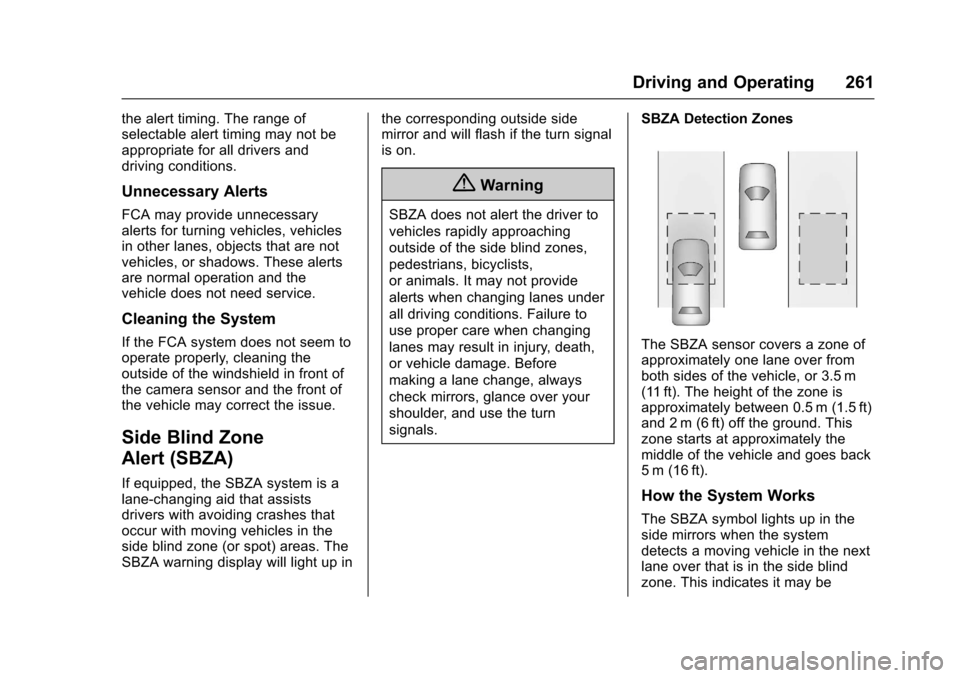
SBZA Detection Zones
The SBZA sensor covers a zone ofapproximately one lane over fromboth sides of the vehicle, or 3.5 m(11 ft). The height of the zone isapproximately between 0.5 m (1.5 ft)and 2 m (6 ft) off the ground. Thiszone starts at approximately themiddle of the vehicle and goes back5m (16ft).
How the System Works
The SBZA symbol lights up in theside mirrors when the systemdetects a moving vehicle in the nextlane over that is in the side blindzone. This indicates it may be
Page 263 of 400
Chevrolet SS Sedan Owner Manual (GMNA-Localizing-U.S.-10122752) -2017 - crc - 8/31/16
262 Driving and Operating
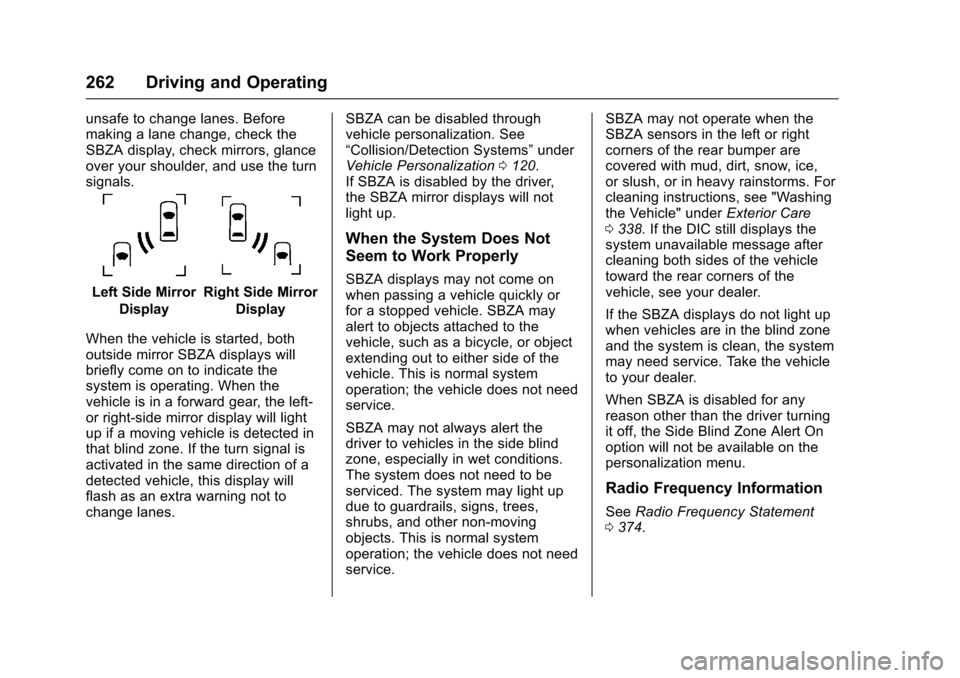
unsafe to change lanes. Beforemaking a lane change, check theSBZA display, check mirrors, glanceover your shoulder, and use the turnsignals.
Left Side Mirror
Display
Right Side Mirror
Display
When the vehicle is started, bothoutside mirror SBZA displays willbriefly come on to indicate thesystem is operating. When thevehicle is in a forward gear, the left-or right-side mirror display will lightup if a moving vehicle is detected inthat blind zone. If the turn signal isactivated in the same direction of adetected vehicle, this display willflash as an extra warning not tochange lanes.
SBZA can be disabled throughvehicle personalization. See“Collision/Detection Systems”underVehicle Personalization0120.If SBZA is disabled by the driver,the SBZA mirror displays will notlight up.
When the System Does Not
Seem to Work Properly
SBZA displays may not come onwhen passing a vehicle quickly orfor a stopped vehicle. SBZA mayalert to objects attached to thevehicle, such as a bicycle, or objectextending out to either side of thevehicle. This is normal systemoperation; the vehicle does not needservice.
SBZA may not always alert thedriver to vehicles in the side blindzone, especially in wet conditions.The system does not need to beserviced. The system may light updue to guardrails, signs, trees,shrubs, and other non-movingobjects. This is normal systemoperation; the vehicle does not needservice.
SBZA may not operate when theSBZA sensors in the left or rightcorners of the rear bumper arecovered with mud, dirt, snow, ice,or slush, or in heavy rainstorms. Forcleaning instructions, see "Washingthe Vehicle" underExterior Care0338.IftheDICstilldisplaysthesystem unavailable message aftercleaning both sides of the vehicletoward the rear corners of thevehicle, see your dealer.
If the SBZA displays do not light upwhen vehicles are in the blind zoneand the system is clean, the systemmay need service. Take the vehicleto your dealer.
When SBZA is disabled for anyreason other than the driver turningit off, the Side Blind Zone Alert Onoption will not be available on thepersonalization menu.
Radio Frequency Information
SeeRadio Frequency Statement0374.
Page 265 of 400
Chevrolet SS Sedan Owner Manual (GMNA-Localizing-U.S.-10122752) -2017 - crc - 8/31/16
264 Driving and Operating
When LDW is on,@is green if
LDW is available to warn of a lanedeparture. If the vehicle crosses adetected lane marking without using
the turn signal in that direction,@
changes to amber and flashes.Additionally, there will be threebeeps on the right or left, dependingon the lane departure direction.
When the System Does Not
Seem to Work Properly
The system may not detect lanes aswell when there are:
.Close vehicles ahead.
.Sudden lighting changes, suchas when driving through tunnels.
.Banked roads.
If the LDW system is not functioningproperly when lane markings areclearly visible, cleaning thewindshield may help.
LDW alerts may occur due totar marks, shadows, cracks inthe road, temporary or constructionlane markings, or other roadimperfections. This is normal systemoperation; the vehicle does not needservice. Turn LDW off if theseconditions continue.
Fuel
GM recommends the use of TOPTIER®detergent gasoline tokeep the engine cleaner andreduce engine deposits. Seewww.toptiergas.com for a list ofTOP TIER detergent gasolinemarketers and applicable countries.
Do not use any fuel labeled E85 orFlexFuel. Do not use gasoline withethanol levels greater than 15% byvolume.
Premium unleaded gasolinemeeting ASTM specification D4814with a posted octane rating of 93 ishighly recommended for best