light CHEVROLET VOLT 2011 Manual PDF
[x] Cancel search | Manufacturer: CHEVROLET, Model Year: 2011, Model line: VOLT, Model: CHEVROLET VOLT 2011Pages: 516, PDF Size: 6.61 MB
Page 230 of 516
Black plate (40,1)Chevrolet Volt Owner Manual - 2011
7-40 Infotainment System
Always be alert and obey traffic
and roadway laws and instructions,
regardless of the guidance from
the navigation system. Because
the navigation system uses street
map information that does not
include all traffic restrictions or
the latest road changes, it may
suggest using a road that is now
closed for construction or a turn
that is prohibited by signs at the
intersection. Because the system
uses limited information, always
evaluate whether following the
system's directions is safe and
legal for the current conditions.
Use the buttons on the navigation
system and the available screen
buttons on the navigation screen to
operate the system. SeeOverview
on page 7‑3.
Various functions are disabled when
the vehicle is moving.Infotainment Control Buttons
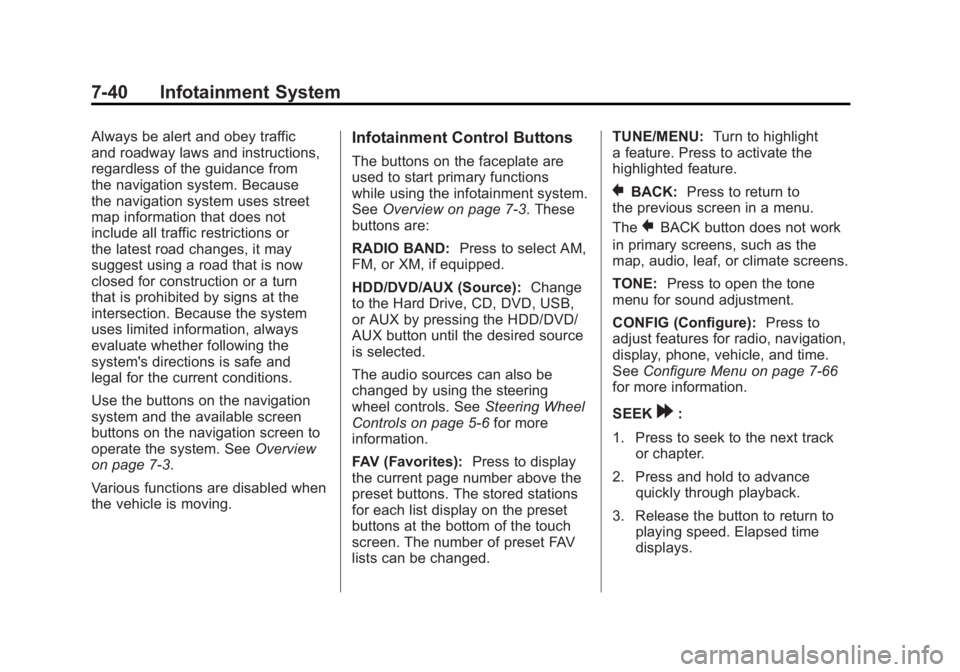
The buttons on the faceplate are
used to start primary functions
while using the infotainment system.
See Overview on page 7‑3. These
buttons are:
RADIO BAND: Press to select AM,
FM, or XM, if equipped.
HDD/DVD/AUX (Source): Change
to the Hard Drive, CD, DVD, USB,
or AUX by pressing the HDD/DVD/
AUX button until the desired source
is selected.
The audio sources can also be
changed by using the steering
wheel controls. See Steering Wheel
Controls on page 5‑6 for more
information.
FAV (Favorites): Press to display
the current page number above the
preset buttons. The stored stations
for each list display on the preset
buttons at the bottom of the touch
screen. The number of preset FAV
lists can be changed. TUNE/MENU:
Turn to highlight
a feature. Press to activate the
highlighted feature.
}BACK: Press to return to
the previous screen in a menu.
The
}BACK button does not work
in primary screens, such as the
map, audio, leaf, or climate screens.
TONE: Press to open the tone
menu for sound adjustment.
CONFIG (Configure): Press to
adjust features for radio, navigation,
display, phone, vehicle, and time.
See Configure Menu on page 7‑66
for more information.
SEEK
[:
1. Press to seek to the next track or chapter.
2. Press and hold to advance quickly through playback.
3. Release the button to return to playing speed. Elapsed time
displays.
Page 232 of 516
Black plate (42,1)Chevrolet Volt Owner Manual - 2011
7-42 Infotainment System
Touch Screen Buttons
Touch screen buttons are on the
screen and are highlighted when a
feature is available. Some screen
buttons highlight when active and
grey out when inactive.
Alpha-Numeric Keyboard
Letters of the alphabet, symbols,
punctuation, and numbers, when
available, display on the navigation
screen as an alpha or numeric
keyboard. The alpha keyboard
displays when data needs to be
entered.
All characters are touch screen
buttons. Touch to select.
À-Ý (Accent Alphabet):To select
letters with accent symbols. A-Z (Alphabet):
To select letters
from the alphabet.
Symbols: To select symbols.
U(Space):To enter a space
between characters or the words
of a name.
q(Backspace): To delete an
incorrect character that has been
selected.
To make name selection easier,
the system highlights only
characters that are available after
the previously entered one.
If a name does not display after
entry, try entering it differently.
The map database may not contain
all information.
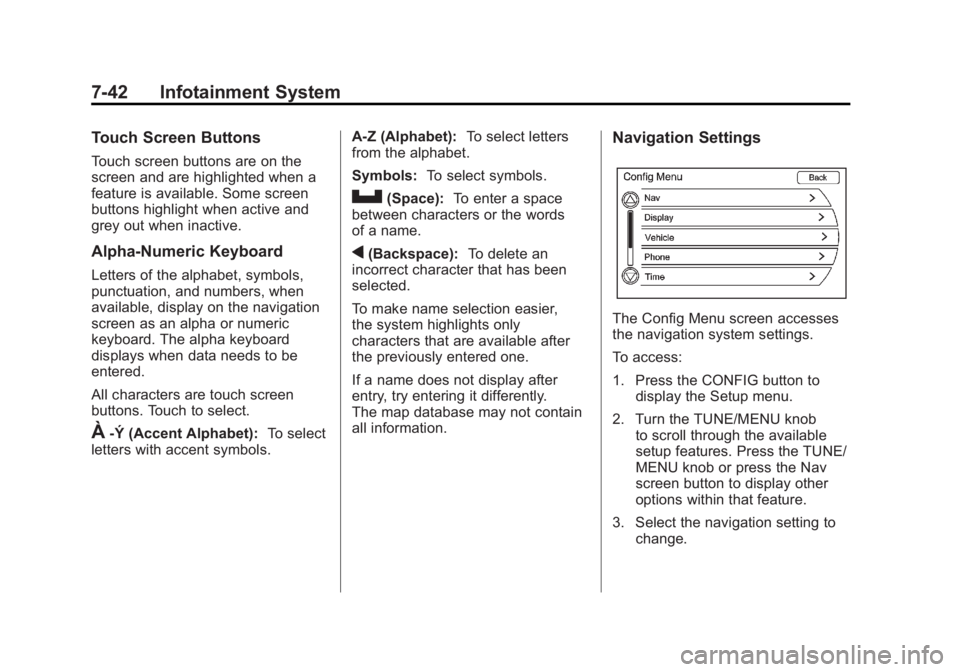
Navigation Settings
The Config Menu screen accesses
the navigation system settings.
To access:
1. Press the CONFIG button to display the Setup menu.
2. Turn the TUNE/MENU knob to scroll through the available
setup features. Press the TUNE/
MENU knob or press the Nav
screen button to display other
options within that feature.
3. Select the navigation setting to change.
Page 235 of 516
Black plate (45,1)Chevrolet Volt Owner Manual - 2011
Infotainment System 7-45
Installing the DVD Map Disc
Your dealer installs the map
database information on the HDD.
An updated map disc can be
used to update the map database
information. SeeOrdering Map
DVDs on page 7‑76.
Before updating the map database
on the HDD, read the following
steps:
1. Turn the vehicle on.
2. Press VOL/
Oto turn the
system on.
3. Insert the map update disc into the slot, label side up. 4. Press the Update screen button
when the Update Confirmation
screen displays.
5. Enter the Authentication Code, then press Enter.
6. If the correct code is entered, the system starts updating and
the status bar displays.
7. Press
Xafter the map
database update is completed.
If the application update file is
included in the disc, the application
update is also done.
Handling the DVD Map Disc
.Handle the disc very carefully to
avoid contamination or flaws.
Signals might not read out
properly.
.Use a soft cloth if the disc gets
soiled and gently wipe it from the
center of the disc to the outside.
Do not use cleaners or solvents.
.Do not use the disc to rest on
while writing or drawing with any
writing utensil or attach a seal to
any of the sides of the disc.
.Do not keep the disc in direct
sunlight, high temperatures,
or humidity.
.Place the disc back into the
original case after use.
Page 242 of 516
Black plate (52,1)Chevrolet Volt Owner Manual - 2011
7-52 Infotainment System
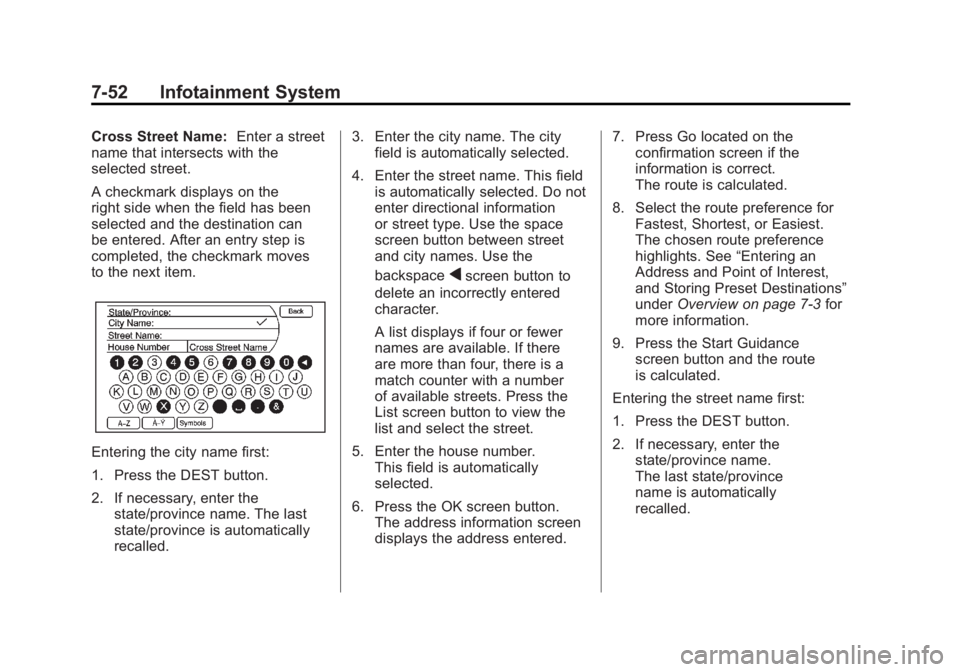
Cross Street Name:Enter a street
name that intersects with the
selected street.
A checkmark displays on the
right side when the field has been
selected and the destination can
be entered. After an entry step is
completed, the checkmark moves
to the next item.
Entering the city name first:
1. Press the DEST button.
2. If necessary, enter the
state/province name. The last
state/province is automatically
recalled. 3. Enter the city name. The city
field is automatically selected.
4. Enter the street name. This field is automatically selected. Do not
enter directional information
or street type. Use the space
screen button between street
and city names. Use the
backspace
qscreen button to
delete an incorrectly entered
character.
A list displays if four or fewer
names are available. If there
are more than four, there is a
match counter with a number
of available streets. Press the
List screen button to view the
list and select the street.
5. Enter the house number. This field is automatically
selected.
6. Press the OK screen button. The address information screen
displays the address entered. 7. Press Go located on the
confirmation screen if the
information is correct.
The route is calculated.
8. Select the route preference for Fastest, Shortest, or Easiest.
The chosen route preference
highlights. See “Entering an
Address and Point of Interest,
and Storing Preset Destinations”
under Overview on page 7‑3 for
more information.
9. Press the Start Guidance screen button and the route
is calculated.
Entering the street name first:
1. Press the DEST button.
2. If necessary, enter the state/province name.
The last state/province
name is automatically
recalled.
Page 243 of 516
Black plate (53,1)Chevrolet Volt Owner Manual - 2011
Infotainment System 7-53
3. Select the street name field.Enter the street name. Do not
enter directional information
or street type. Use the space
screen button between street
and city names. Use the
backspace
qscreen button to
delete an incorrect character.
A list displays if four or fewer
names are available. If there
are more than four, there is a
match counter with a number
of available streets. Press the
List screen button to view the
list and select the street.
4. Select the city from the list or enter the city name.
5. Enter the house number. This field is automatically
selected.
6. Press the OK screen button. 7. Press Go located on the
confirmation screen if the
information is correct.
The route is calculated.
8. Select the route preference for
Fastest, Shortest, or Easiest.
The chosen route preference
highlights. See “Entering an
Address and Point of Interest,
and Storing Preset Destinations”
under Overview on page 7‑3 for
more information.
9. Press the Start Guidance screen button and the route
is calculated. Point of Interest
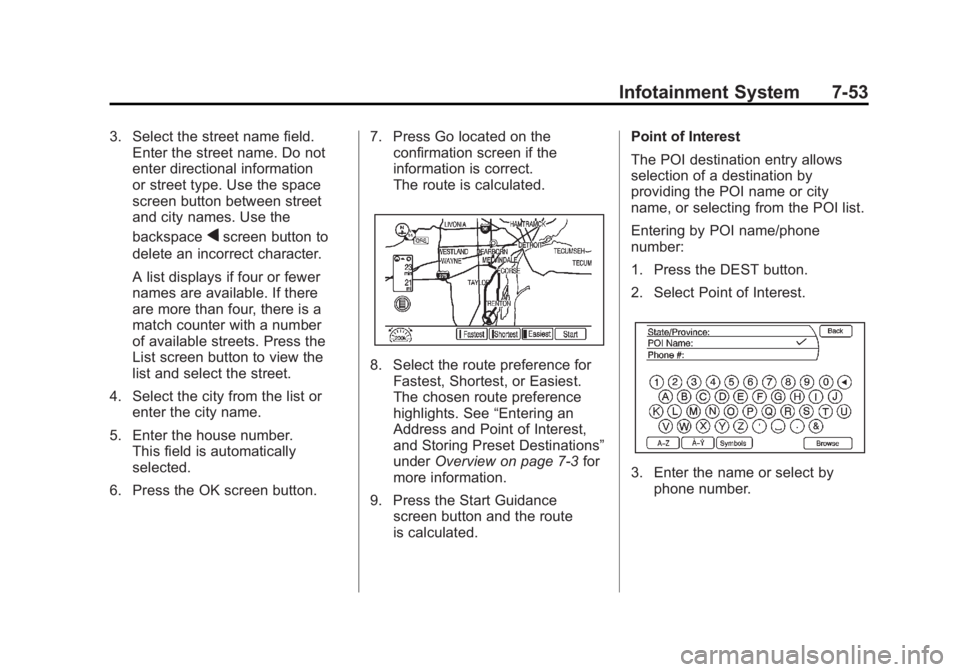
The POI destination entry allows
selection of a destination by
providing the POI name or city
name, or selecting from the POI list.
Entering by POI name/phone
number:
1. Press the DEST button.
2. Select Point of Interest.
3. Enter the name or select by
phone number.
Page 249 of 516
Black plate (59,1)Chevrolet Volt Owner Manual - 2011
Infotainment System 7-59
3. Enter the waypoint by any of theadd destination methods. See
Destination on page 7‑51 for
more information. The system
calculates and highlights the
route and the route can be
started.
4. To add more waypoints, press the DEST button. Press the
Add Waypoint screen button
to add the waypoint in the
order desired on the route.
The system calculates and
highlights the route and the
route can be started. To delete a waypoint:
1. Press the DEST button.
2. Press the Delete Waypoint
screen button.
3. Select the waypoint to be deleted by touching the screen.
4. A confirmation message displays. Press the Yes
screen button to delete the
waypoint; press No to cancel
this operation. The system
calculates and highlights the
route and the route can be
started.Route Preview
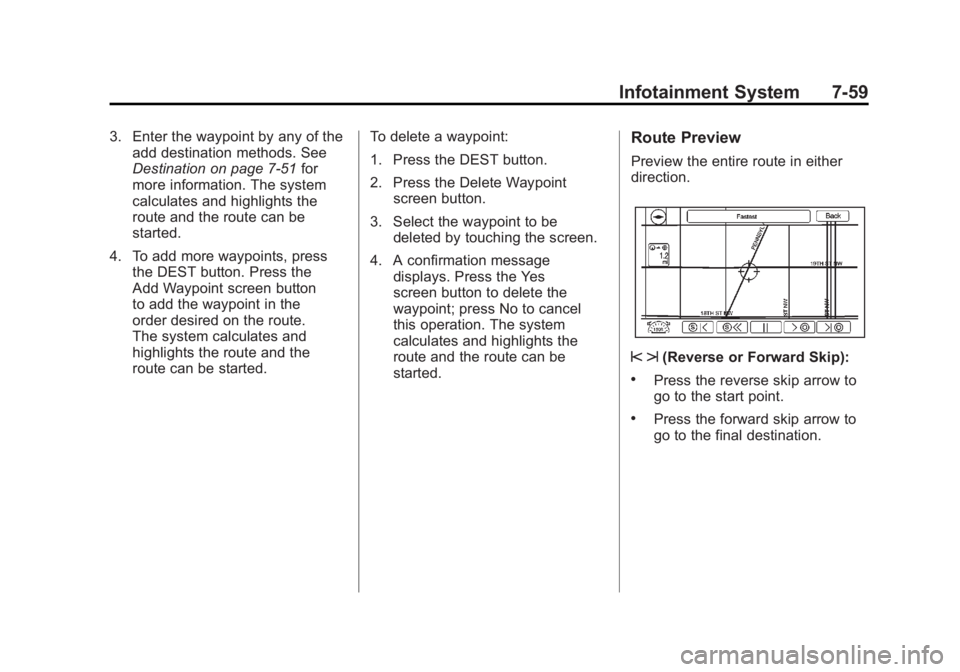
Preview the entire route in either
direction.
s t(Reverse or Forward Skip):
.Press the reverse skip arrow to
go to the start point.
.Press the forward skip arrow to
go to the final destination.
Page 257 of 516
Black plate (67,1)Chevrolet Volt Owner Manual - 2011
Infotainment System 7-67
If activated, traffic information
displays:
.Unscheduled traffic incident
data, such as accidents and
disabled vehicles.
.Scheduled traffic incident data,
such as road construction and
road closures.
.Traffic flow information (rate of
speed data). Flow data might not
be available in all markets.
Traffic information is delivered to the
vehicle by the XM Radio satellites.
XM NavTraffic provides continuously
updated traffic information.
XM NavTraffic currently broadcasts
the traffic information for many
markets nationally. The service may
be available in more cities in the
future. Visit www.xmnavtraffic.com
for more details on local coverage. To turn XM NavTraffic on or off:
1. Press the CONFIG button to
enter the menu options. Turn
the TUNE/MENU knob to scroll
through the available menu
options. Press the TUNE/MENU
knob or press the Nav screen
button to display the other
navigation settings.
2. Press the Traffic Information button.
3. Press the Traffic screen button. This button highlights and a
checkmark displays when active.
Selecting Alert for Approaching
Traffic Events displays a screen
to notify of possible traffic events
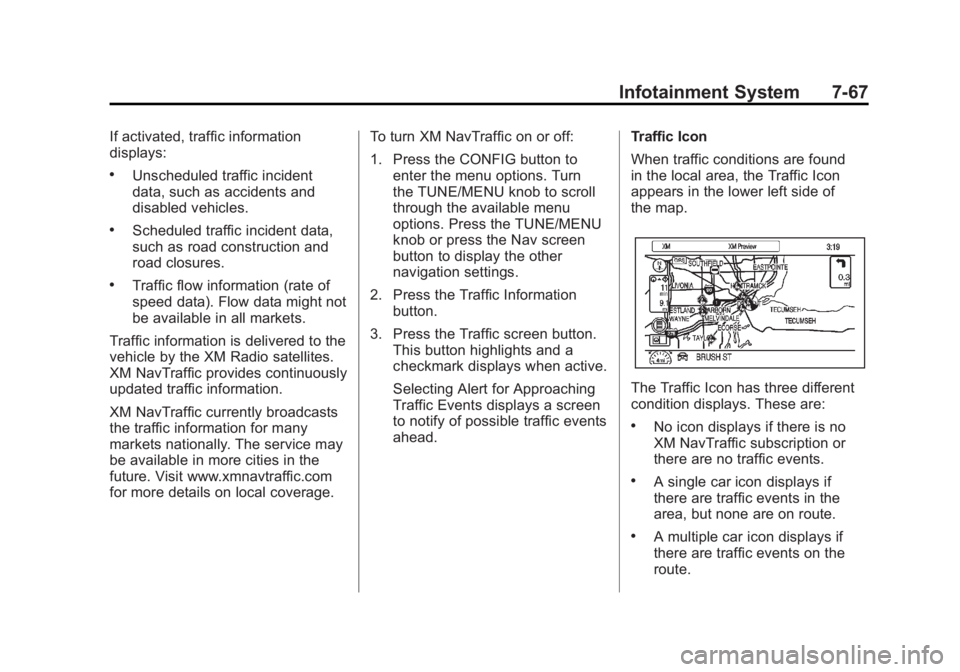
ahead. Traffic Icon
When traffic conditions are found
in the local area, the Traffic Icon
appears in the lower left side of
the map.
The Traffic Icon has three different
condition displays. These are:
.No icon displays if there is no
XM NavTraffic subscription or
there are no traffic events.
.A single car icon displays if
there are traffic events in the
area, but none are on route.
.A multiple car icon displays if
there are traffic events on the
route.
Page 259 of 516
Black plate (69,1)Chevrolet Volt Owner Manual - 2011
Infotainment System 7-69
Traffic:Press to enable or disable
the traffic function.
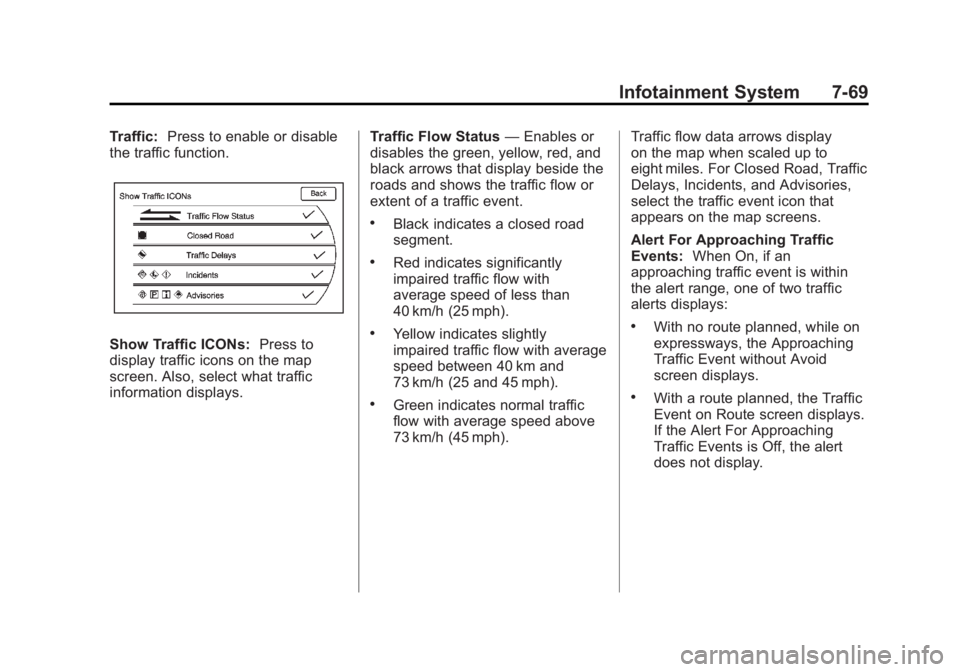
Show Traffic ICONs: Press to
display traffic icons on the map
screen. Also, select what traffic
information displays. Traffic Flow Status
—Enables or
disables the green, yellow, red, and
black arrows that display beside the
roads and shows the traffic flow or
extent of a traffic event.
.Black indicates a closed road
segment.
.Red indicates significantly
impaired traffic flow with
average speed of less than
40 km/h (25 mph).
.Yellow indicates slightly
impaired traffic flow with average
speed between 40 km and
73 km/h (25 and 45 mph).
.Green indicates normal traffic
flow with average speed above
73 km/h (45 mph). Traffic flow data arrows display
on the map when scaled up to
eight miles. For Closed Road, Traffic
Delays, Incidents, and Advisories,
select the traffic event icon that
appears on the map screens.
Alert For Approaching Traffic
Events:
When On, if an
approaching traffic event is within
the alert range, one of two traffic
alerts displays:
.With no route planned, while on
expressways, the Approaching
Traffic Event without Avoid
screen displays.
.With a route planned, the Traffic
Event on Route screen displays.
If the Alert For Approaching
Traffic Events is Off, the alert
does not display.
Page 264 of 516

Black plate (74,1)Chevrolet Volt Owner Manual - 2011
7-74 Infotainment System
Display
Press the CONFIG button to
enter the menu options. Turn the
TUNE/MENU knob to scroll through
the available setup features. Press
the TUNE/MENU knob or press the
Display screen button to display
other options within that feature.
Dimming Mode
Auto (Automatic):The screen
background automatically adjusts
depending on exterior lighting
conditions.
Day: The map background
brightens. Night:
The map background
darkens.
To change the overall brightness
setting for the display, use the
vehicle interior lighting dimming
control.
Setting the Clock
To set the time:
1. Press the TP (Time Program)
button to go directly to the
time setting page or press the
CONFIG button and select
Time from the list.
2. Press + or –to decrease or
increase the Hours and Minutes
displayed on the clock.
12/24 HR Format: Press the 12 HR
screen button for standard time;
press the 24 HR screen button for
military time.
Day + or Day –:Press the day + or
day –display buttons to increase or
decrease the day. Display:
Press Display to turn the
display of the time on the screen on
or off.
Global Positioning
System (GPS)
The position of the vehicle is
determined by using satellite
signals, various vehicle signals,
and map data.
At times, other interferences such
as the satellite condition, road
configuration, the condition of the
vehicle, and/or other circumstances
can interfere with the navigation
system's ability to determine the
accurate position of the vehicle.
The GPS shows the current position
of the vehicle using signals sent by
the GPS Satellites of the United
States Department of Defense.
Page 296 of 516
Black plate (4,1)Chevrolet Volt Owner Manual - 2011
8-4 Climate Controls
Fan Only Mode:The air
conditioning and electric heat are
turned off. As long as
0is not
selected, the climate control settings
may not have a noticeable effect
on the vehicle electric range and
fuel economy.
When in Fan Only mode, the
AUTO indicator light will be off.
When AUTO is selected in Fan
Only mode, the mode will change
to either ECO or Comfort.
When in Fan Only mode, the air
conditioning system may turn on
automatically if the high voltage
battery is being cooled. The climate
control system could blow cold air. This is normal. To prevent cold air
from blowing into the interior, turn
off the fan control and select the
vent mode and manual recirculation
mode, and close the air vents.
When in Fan Only mode,
if Auto Defog is enabled, the air
conditioning and electric heat
may turn on when high humidity
conditions exist. See
“Climate
and Air Quality” underVehicle
Personalization on page 5‑53
for more information on the
Auto Defog selection. The air
conditioning may also run
if
0is selected.
ECO Mode: The vehicle air
conditioning and electric heat are
controlled to balance comfort with
fuel economy. As long as
0is not
selected, the vehicle electric range
or fuel economy will decrease less
than in Comfort mode, but will result
in moderate comfort. Comfort Mode:
The vehicle air
conditioning and electric heat are
controlled to reach the best comfort
level based on the temperature
setting selected. In this mode,
vehicle electric range or fuel
economy will decrease depending
on the amount of energy required
to reach the best comfort levels.
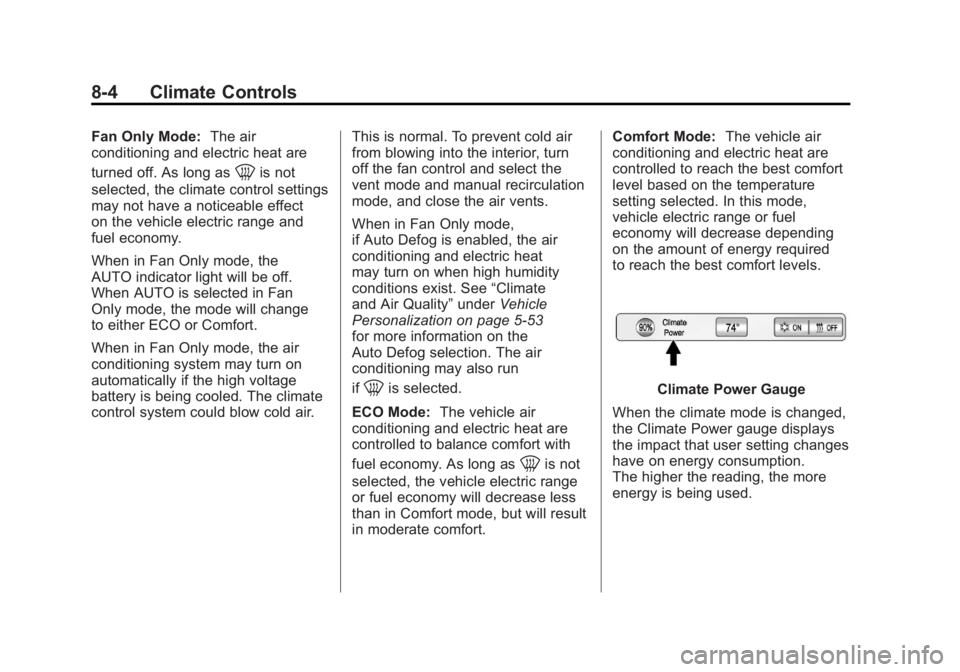
Climate Power Gauge
When the climate mode is changed,
the Climate Power gauge displays
the impact that user setting changes
have on energy consumption.
The higher the reading, the more
energy is being used.