ignition CHRYSLER CONCORDE 2004 2.G Service Manual
[x] Cancel search | Manufacturer: CHRYSLER, Model Year: 2004, Model line: CONCORDE, Model: CHRYSLER CONCORDE 2004 2.GPages: 273, PDF Size: 6 MB
Page 122 of 273
Power Button
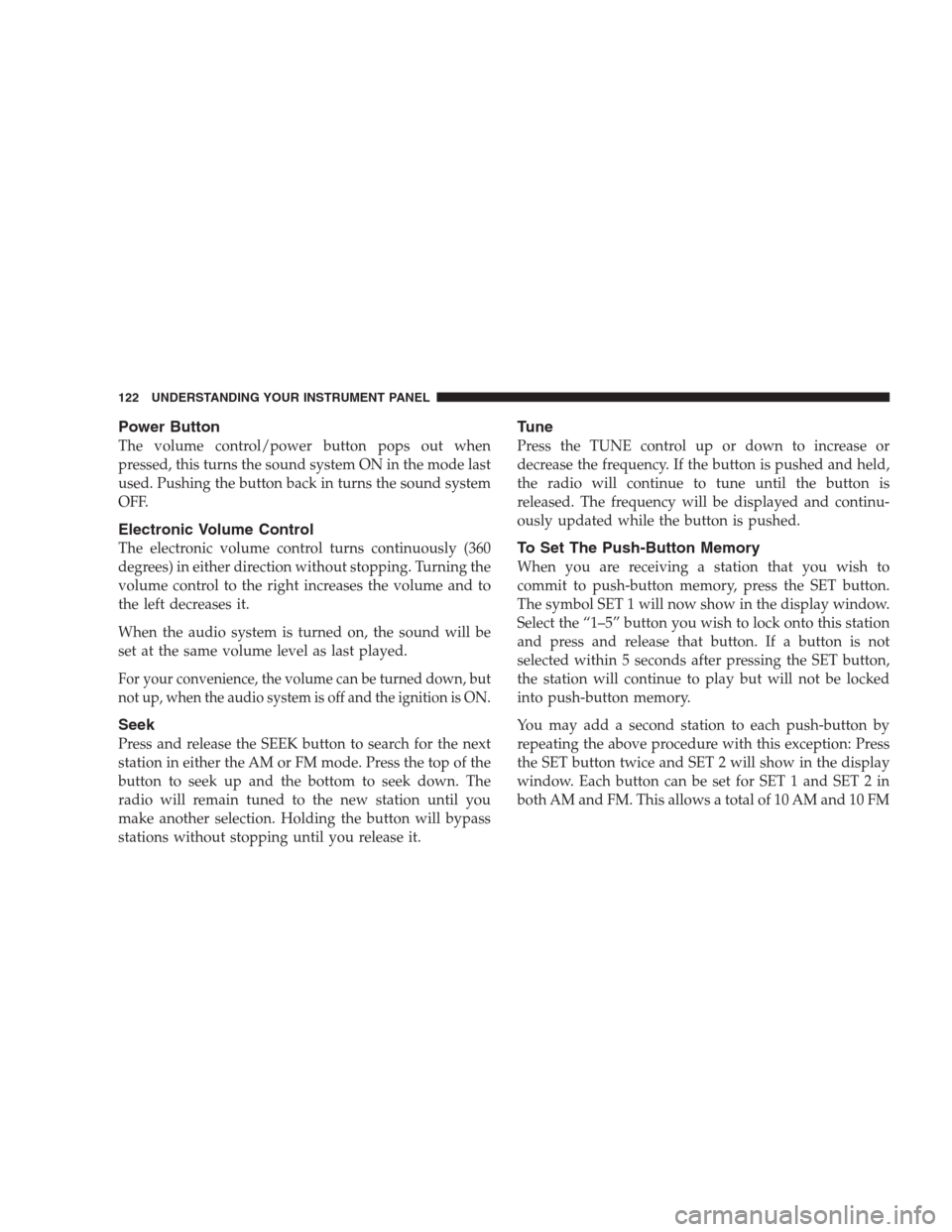
The volume control/power button pops out when
pressed, this turns the sound system ON in the mode last
used. Pushing the button back in turns the sound system
OFF.
Electronic Volume Control
The electronic volume control turns continuously (360
degrees) in either direction without stopping. Turning the
volume control to the right increases the volume and to
the left decreases it.
When the audio system is turned on, the sound will be
set at the same volume level as last played.
For your convenience, the volume can be turned down, but
not up, when the audio system is off and the ignition is ON.
Seek
Press and release the SEEK button to search for the next
station in either the AM or FM mode. Press the top of the
button to seek up and the bottom to seek down. The
radio will remain tuned to the new station until you
make another selection. Holding the button will bypass
stations without stopping until you release it.
Tune
Press the TUNE control up or down to increase or
decrease the frequency. If the button is pushed and held,
the radio will continue to tune until the button is
released. The frequency will be displayed and continu-
ously updated while the button is pushed.
To Set The Push-Button Memory
When you are receiving a station that you wish to
commit to push-button memory, press the SET button.
The symbol SET 1 will now show in the display window.
Select the “1–5” button you wish to lock onto this station
and press and release that button. If a button is not
selected within 5 seconds after pressing the SET button,
the station will continue to play but will not be locked
into push-button memory.
You may add a second station to each push-button by
repeating the above procedure with this exception: Press
the SET button twice and SET 2 will show in the display
window. Each button can be set for SET 1 and SET 2 in
both AM and FM. This allows a total of 10 AM and 10 FM
122 UNDERSTANDING YOUR INSTRUMENT PANEL
Page 123 of 273
stations to be locked into push-button memory. The
stations stored in SET 2 memory can be selected by
pressing the push-button twice.
Every time a preset button is used a corresponding
button number will be displayed.
Balance
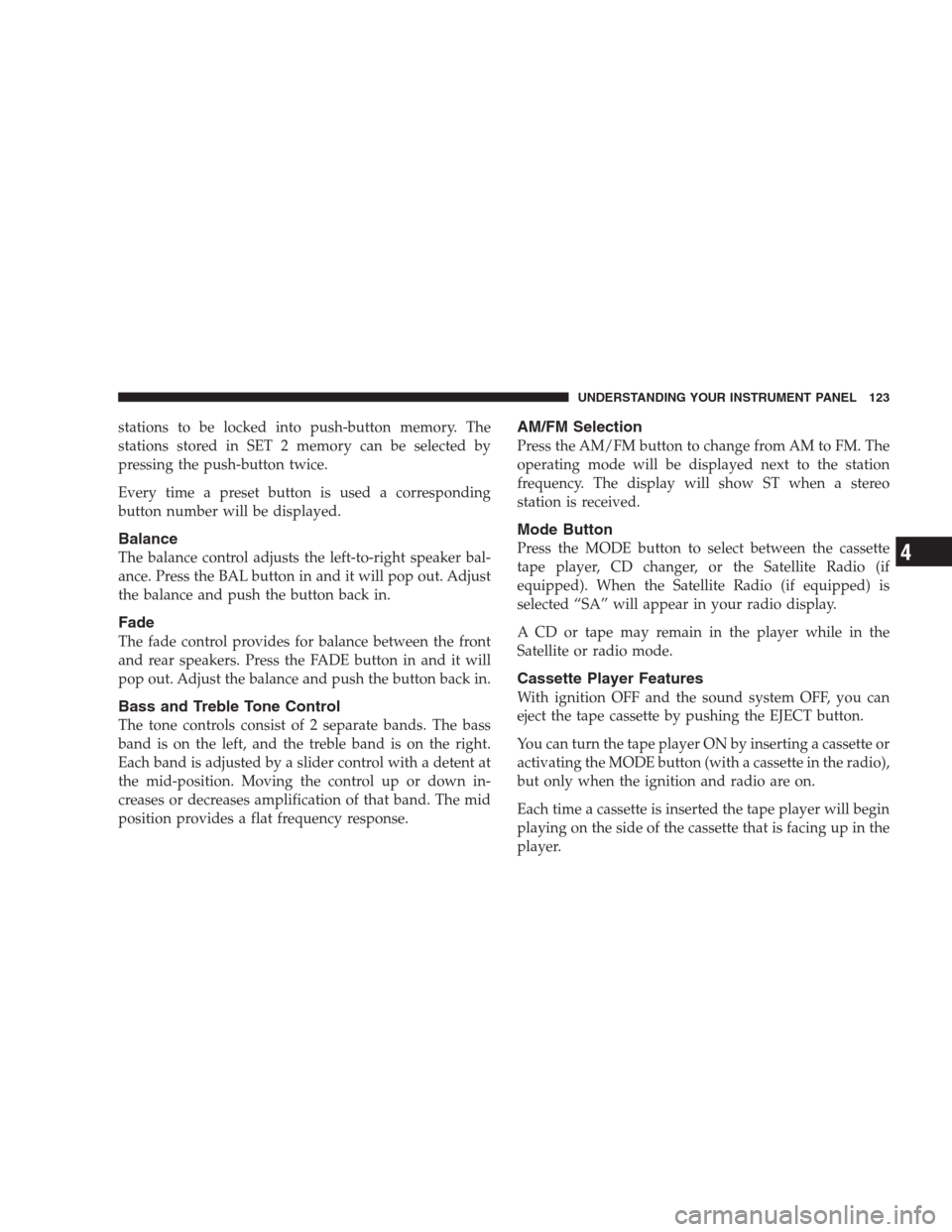
The balance control adjusts the left-to-right speaker bal-
ance. Press the BAL button in and it will pop out. Adjust
the balance and push the button back in.
Fade
The fade control provides for balance between the front
and rear speakers. Press the FADE button in and it will
pop out. Adjust the balance and push the button back in.
Bass and Treble Tone Control
The tone controls consist of 2 separate bands. The bass
band is on the left, and the treble band is on the right.
Each band is adjusted by a slider control with a detent at
the mid-position. Moving the control up or down in-
creases or decreases amplification of that band. The mid
position provides a flat frequency response.
AM/FM Selection
Press the AM/FM button to change from AM to FM. The
operating mode will be displayed next to the station
frequency. The display will show ST when a stereo
station is received.
Mode Button
Press the MODE button to select between the cassette
tape player, CD changer, or the Satellite Radio (if
equipped). When the Satellite Radio (if equipped) is
selected “SA” will appear in your radio display.
A CD or tape may remain in the player while in the
Satellite or radio mode.
Cassette Player Features
With ignition OFF and the sound system OFF, you can
eject the tape cassette by pushing the EJECT button.
You can turn the tape player ON by inserting a cassette or
activating the MODE button (with a cassette in the radio),
but only when the ignition and radio are on.
Each time a cassette is inserted the tape player will begin
playing on the side of the cassette that is facing up in the
player.
UNDERSTANDING YOUR INSTRUMENT PANEL 123
4
Page 126 of 273
Radio Display Messages
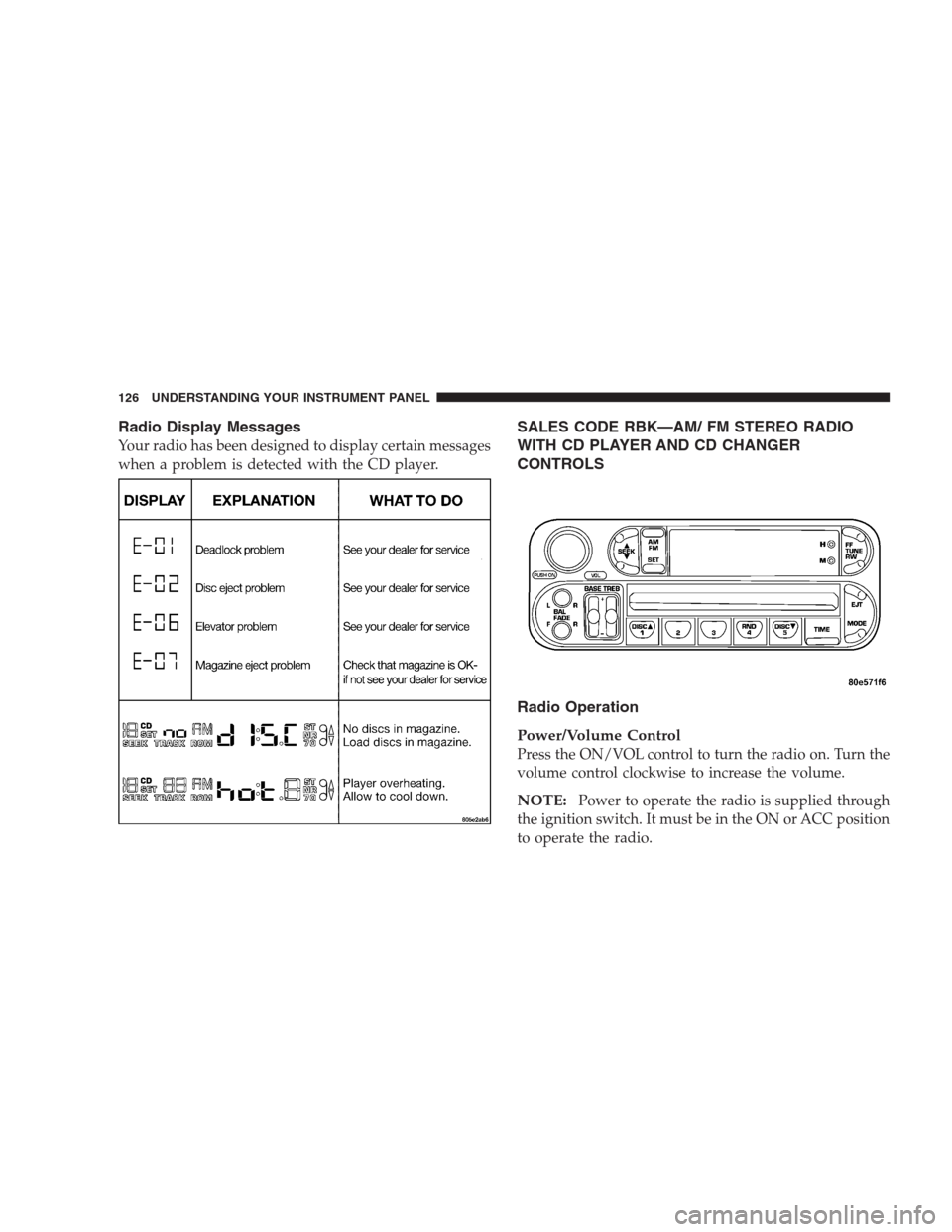
Your radio has been designed to display certain messages
when a problem is detected with the CD player.
SALES CODE RBK—AM/ FM STEREO RADIO
WITH CD PLAYER AND CD CHANGER
CONTROLS
Radio Operation
Power/Volume Control
Press the ON/VOL control to turn the radio on. Turn the
volume control clockwise to increase the volume.
NOTE:Power to operate the radio is supplied through
the ignition switch. It must be in the ON or ACC position
to operate the radio.
126 UNDERSTANDING YOUR INSTRUMENT PANEL
Page 128 of 273
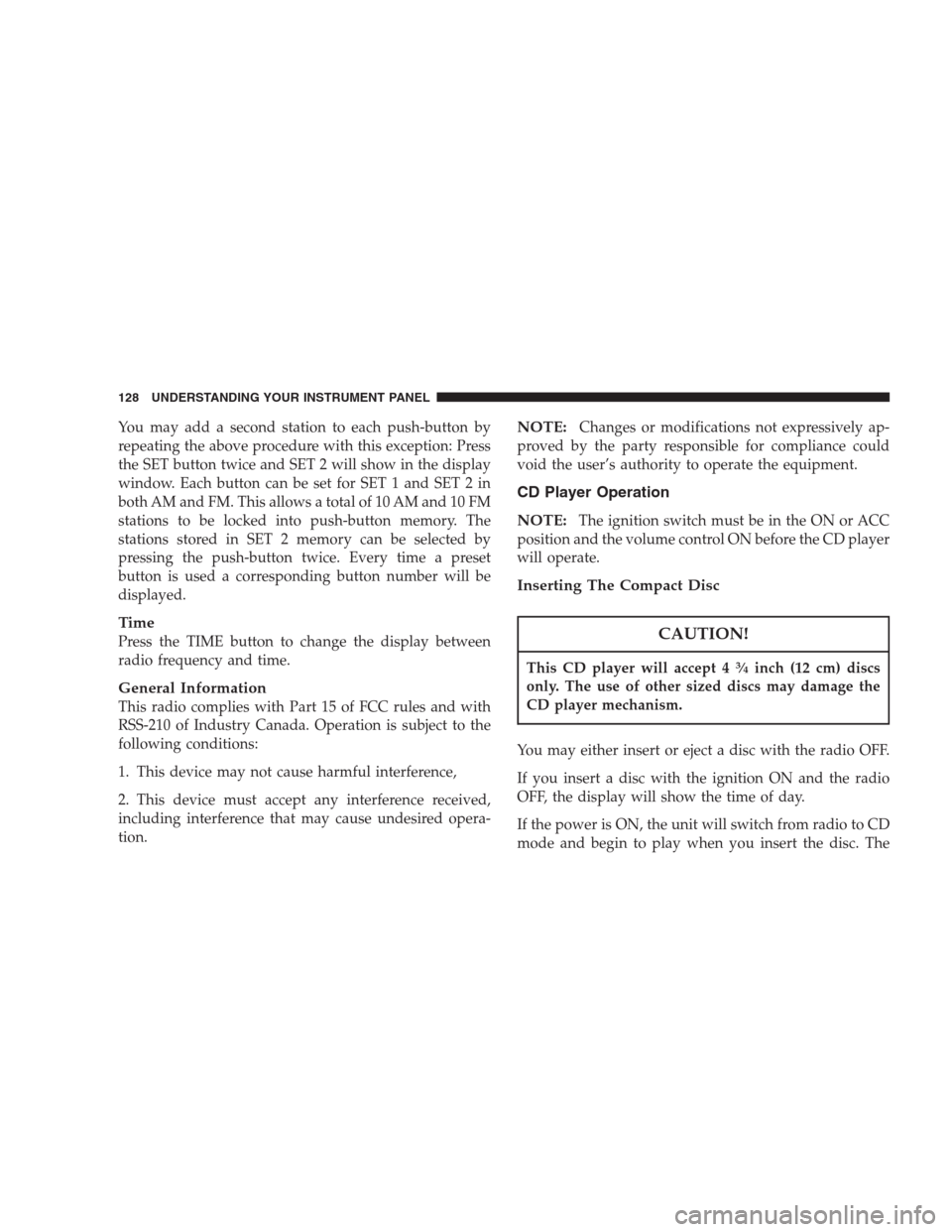
You may add a second station to each push-button by
repeating the above procedure with this exception: Press
the SET button twice and SET 2 will show in the display
window. Each button can be set for SET 1 and SET 2 in
both AM and FM. This allows a total of 10 AM and 10 FM
stations to be locked into push-button memory. The
stations stored in SET 2 memory can be selected by
pressing the push-button twice. Every time a preset
button is used a corresponding button number will be
displayed.
Time
Press the TIME button to change the display between
radio frequency and time.
General Information
This radio complies with Part 15 of FCC rules and with
RSS-210 of Industry Canada. Operation is subject to the
following conditions:
1. This device may not cause harmful interference,
2. This device must accept any interference received,
including interference that may cause undesired opera-
tion.
NOTE:Changes or modifications not expressively ap-
proved by the party responsible for compliance could
void the user’s authority to operate the equipment.
CD Player Operation
NOTE:
The ignition switch must be in the ON or ACC
position and the volume control ON before the CD player
will operate.
Inserting The Compact Disc
CAUTION!
This CD player will accept 434inch (12 cm) discs
only. The use of other sized discs may damage the
CD player mechanism.
You may either insert or eject a disc with the radio OFF.
If you insert a disc with the ignition ON and the radio
OFF, the display will show the time of day.
If the power is ON, the unit will switch from radio to CD
mode and begin to play when you insert the disc. The
128 UNDERSTANDING YOUR INSTRUMENT PANEL
Page 129 of 273

display will show the track number and index time in
minutes and seconds. Play will begin at the start of track
one.
Seek
Press the top of the SEEK button for the next selection on
the CD. Press the bottom of the button to return to the
beginning of the current selection, or return to the
beginning of the previous selection if the CD is within the
first second of the current selection.
EJT — Eject
Press the EJT button and the disc will unload and move
to the entrance for easy removal. The unit will switch to
the radio mode.
If you do not remove the disc within 15 seconds, it will be
reloaded. The unit will continue in radio mode.
The disc can be ejected with the radio and ignition OFF.
FF/TUNE/RW
Press FF (Fast Forward) and the CD player will begin to
fast forward until FF is released. The RW ( Reverse)
button works in a similar manner.
Random Play — RND/Program Button 4
Press the RND (button 4) button while the CD is playing
to activate Random Play. This feature plays the selections
on the compact disc in random order to provide an
interesting change of pace.
Press the SEEK button to move to the next randomly
selected track.
Press the RND (button 4) button a second time to stop
Random Play.
Mode
Press the MODE button repeatedly to select between the
CD player, the optional remote CD changer and the
Satellite Radio (if equipped). When Satellite Radio (if
equipped) is selected “SA” will appear in your radio
display.
A CD or tape may remain in the player while in the
Satellite mode.
Time
Press the TIME button to change the display from
elapsed CD playing time to time of day.
UNDERSTANDING YOUR INSTRUMENT PANEL 129
4
Page 133 of 273
•Pressing the AM/FM button while in the tape or CD
mode will select the radio mode.
•If in the CD mode and the last CD is ejected, the radio
will tune to the last station selected.
Removing Discs from the CD Changer
If there is a single CD in the changer, press the EJT button
and the CD will eject. If the CD is not removed within 15
seconds, it will automatically reload into the CD changer.
To eject additional CDs from the changer, first select the
numbered button where the CD is located and then press
the EJT button.
CD Changer Operation with the Changer Off
The CD changer is able to load and eject discs with the
ignition power off. However, while the ignition is off, one
of the six numbered buttons must be pressed first.
REMOTE SOUND SYSTEM CONTROLS — IF
EQUIPPED
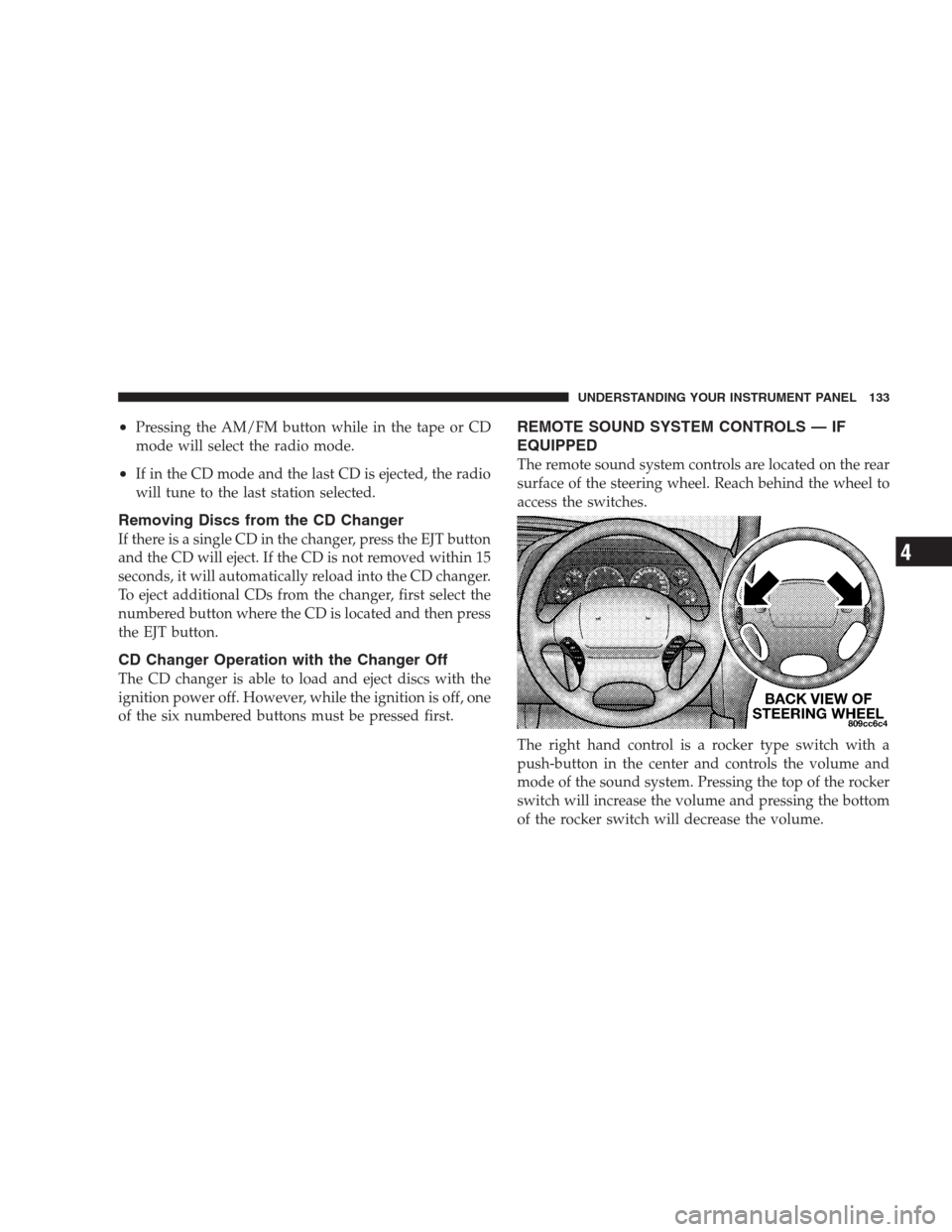
The remote sound system controls are located on the rear
surface of the steering wheel. Reach behind the wheel to
access the switches.
The right hand control is a rocker type switch with a
push-button in the center and controls the volume and
mode of the sound system. Pressing the top of the rocker
switch will increase the volume and pressing the bottom
of the rocker switch will decrease the volume.
UNDERSTANDING YOUR INSTRUMENT PANEL 133
4
Page 156 of 273
“L” Low
This range should be used for maximum engine braking
when descending steep grades. In this range, up-shifts
will occur only to prevent engine over speed while down
shifts occur as early as possible.
PARKING BRAKE
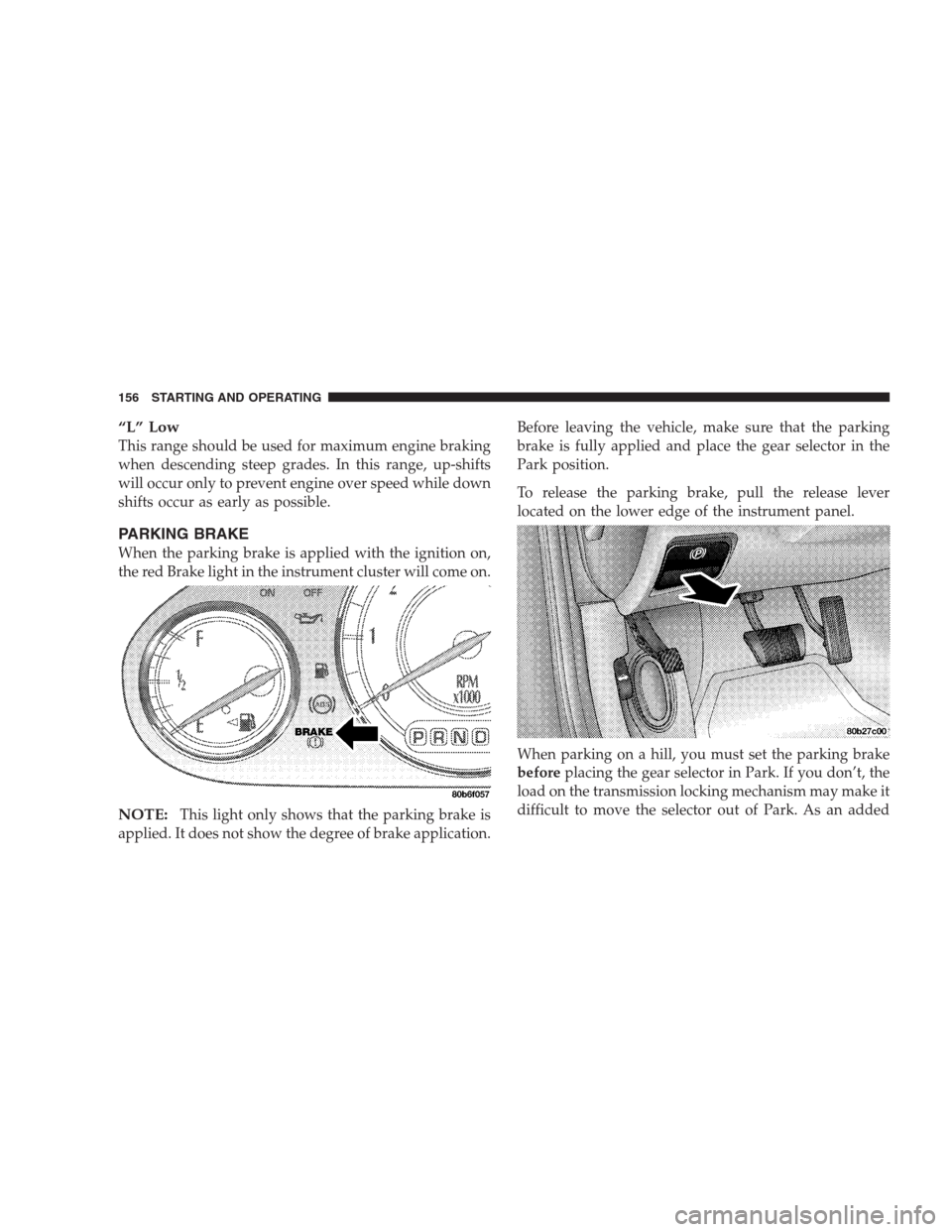
When the parking brake is applied with the ignition on,
the red Brake light in the instrument cluster will come on.
NOTE:This light only shows that the parking brake is
applied. It does not show the degree of brake application.Before leaving the vehicle, make sure that the parking
brake is fully applied and place the gear selector in the
Park position.
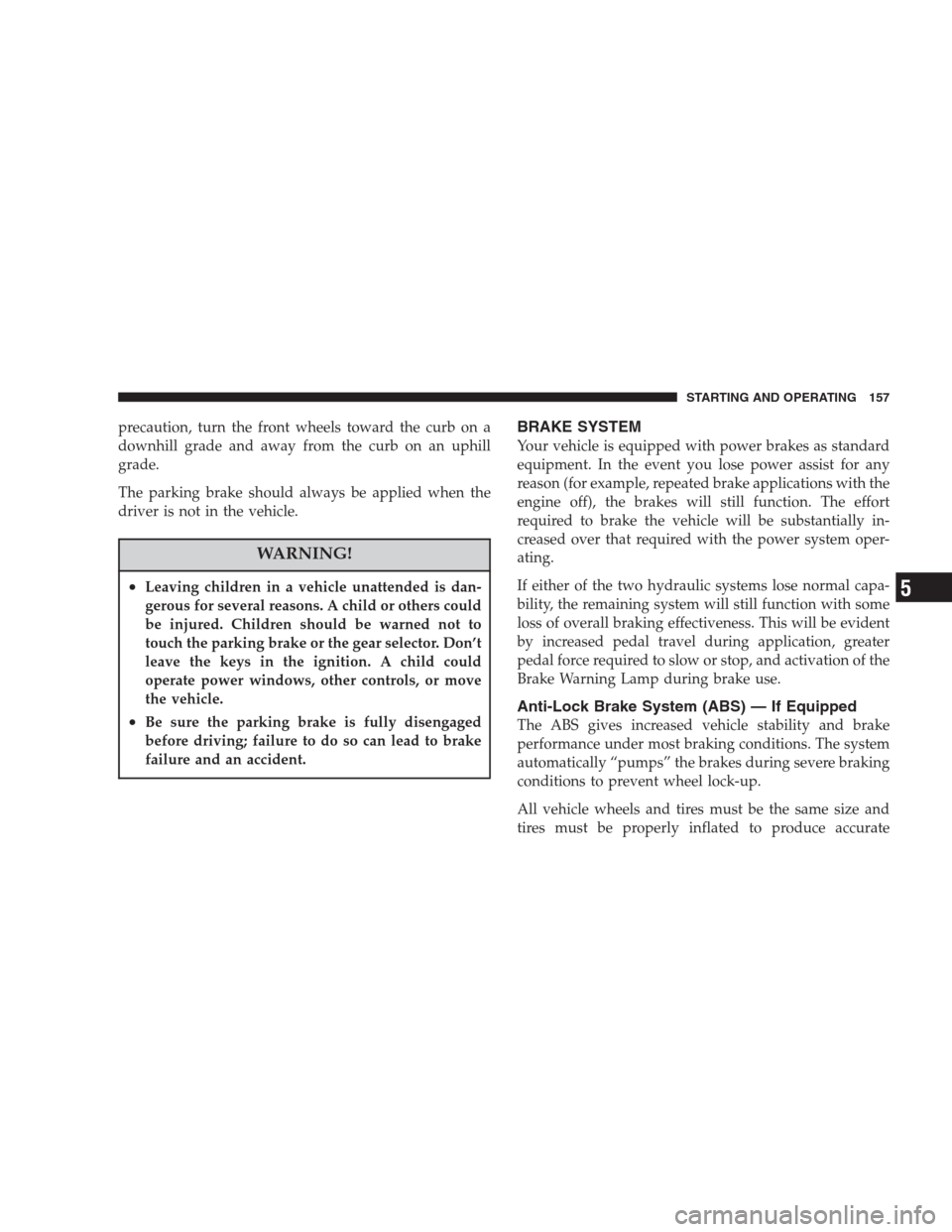
To release the parking brake, pull the release lever
located on the lower edge of the instrument panel.
When parking on a hill, you must set the parking brake
beforeplacing the gear selector in Park. If you don’t, the
load on the transmission locking mechanism may make it
difficult to move the selector out of Park. As an added
156 STARTING AND OPERATING
Page 157 of 273
precaution, turn the front wheels toward the curb on a
downhill grade and away from the curb on an uphill
grade.
The parking brake should always be applied when the
driver is not in the vehicle.
WARNING!
•Leaving children in a vehicle unattended is dan-
gerous for several reasons. A child or others could
be injured. Children should be warned not to
touch the parking brake or the gear selector. Don’t
leave the keys in the ignition. A child could
operate power windows, other controls, or move
the vehicle.
•Be sure the parking brake is fully disengaged
before driving; failure to do so can lead to brake
failure and an accident.
BRAKE SYSTEM
Your vehicle is equipped with power brakes as standard
equipment. In the event you lose power assist for any
reason (for example, repeated brake applications with the
engine off), the brakes will still function. The effort
required to brake the vehicle will be substantially in-
creased over that required with the power system oper-
ating.
If either of the two hydraulic systems lose normal capa-
bility, the remaining system will still function with some
loss of overall braking effectiveness. This will be evident
by increased pedal travel during application, greater
pedal force required to slow or stop, and activation of the
Brake Warning Lamp during brake use.
Anti-Lock Brake System (ABS) — If Equipped
The ABS gives increased vehicle stability and brake
performance under most braking conditions. The system
automatically “pumps” the brakes during severe braking
conditions to prevent wheel lock-up.
All vehicle wheels and tires must be the same size and
tires must be properly inflated to produce accurate
STARTING AND OPERATING 157
5
Page 176 of 273
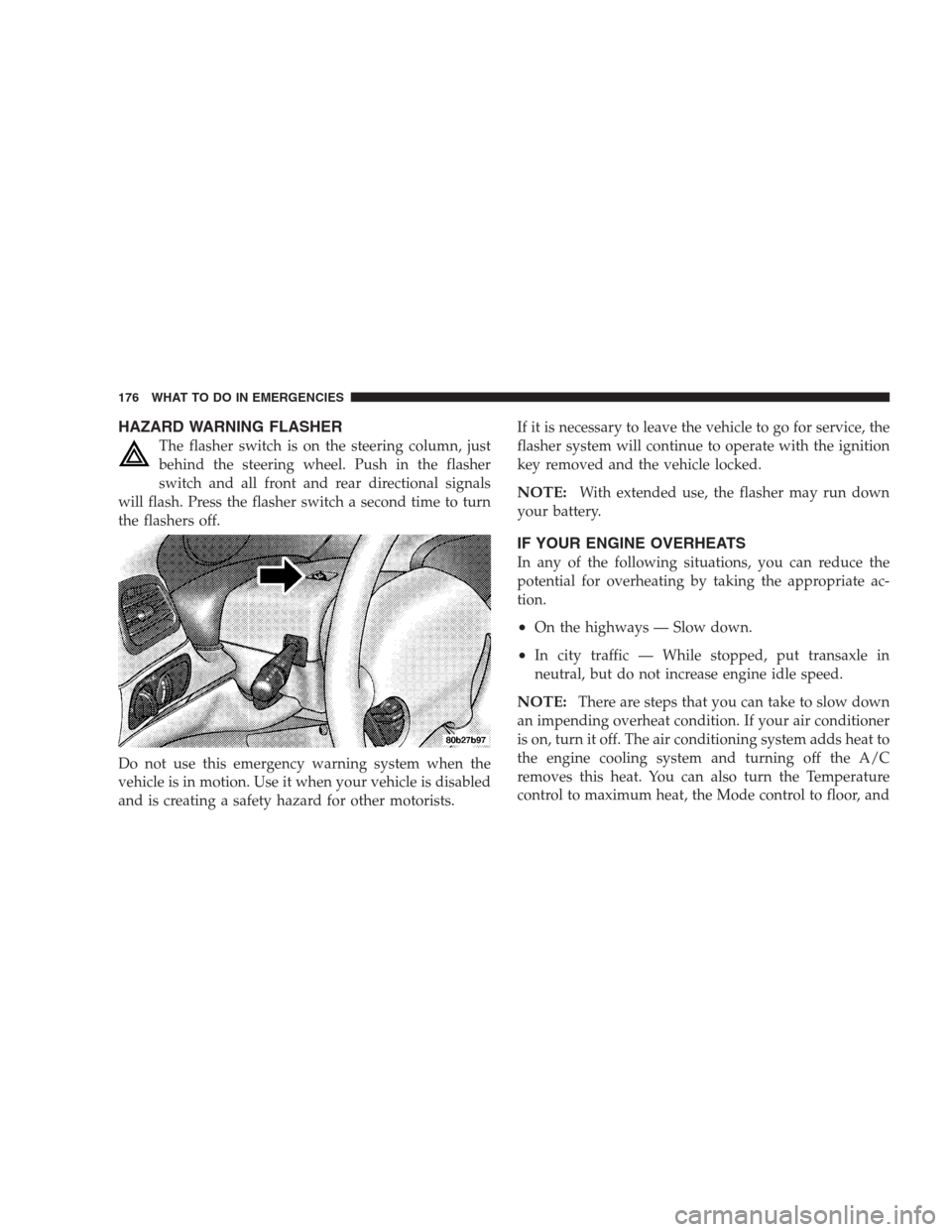
HAZARD WARNING FLASHER
The flasher switch is on the steering column, just
behind the steering wheel. Push in the flasher
switch and all front and rear directional signals
will flash. Press the flasher switch a second time to turn
the flashers off.
Do not use this emergency warning system when the
vehicle is in motion. Use it when your vehicle is disabled
and is creating a safety hazard for other motorists.If it is necessary to leave the vehicle to go for service, the
flasher system will continue to operate with the ignition
key removed and the vehicle locked.
NOTE:With extended use, the flasher may run down
your battery.
IF YOUR ENGINE OVERHEATS
In any of the following situations, you can reduce the
potential for overheating by taking the appropriate ac-
tion.
•On the highways — Slow down.
•In city traffic — While stopped, put transaxle in
neutral, but do not increase engine idle speed.
NOTE:There are steps that you can take to slow down
an impending overheat condition. If your air conditioner
is on, turn it off. The air conditioning system adds heat to
the engine cooling system and turning off the A/C
removes this heat. You can also turn the Temperature
control to maximum heat, the Mode control to floor, and
176 WHAT TO DO IN EMERGENCIES
Page 182 of 273
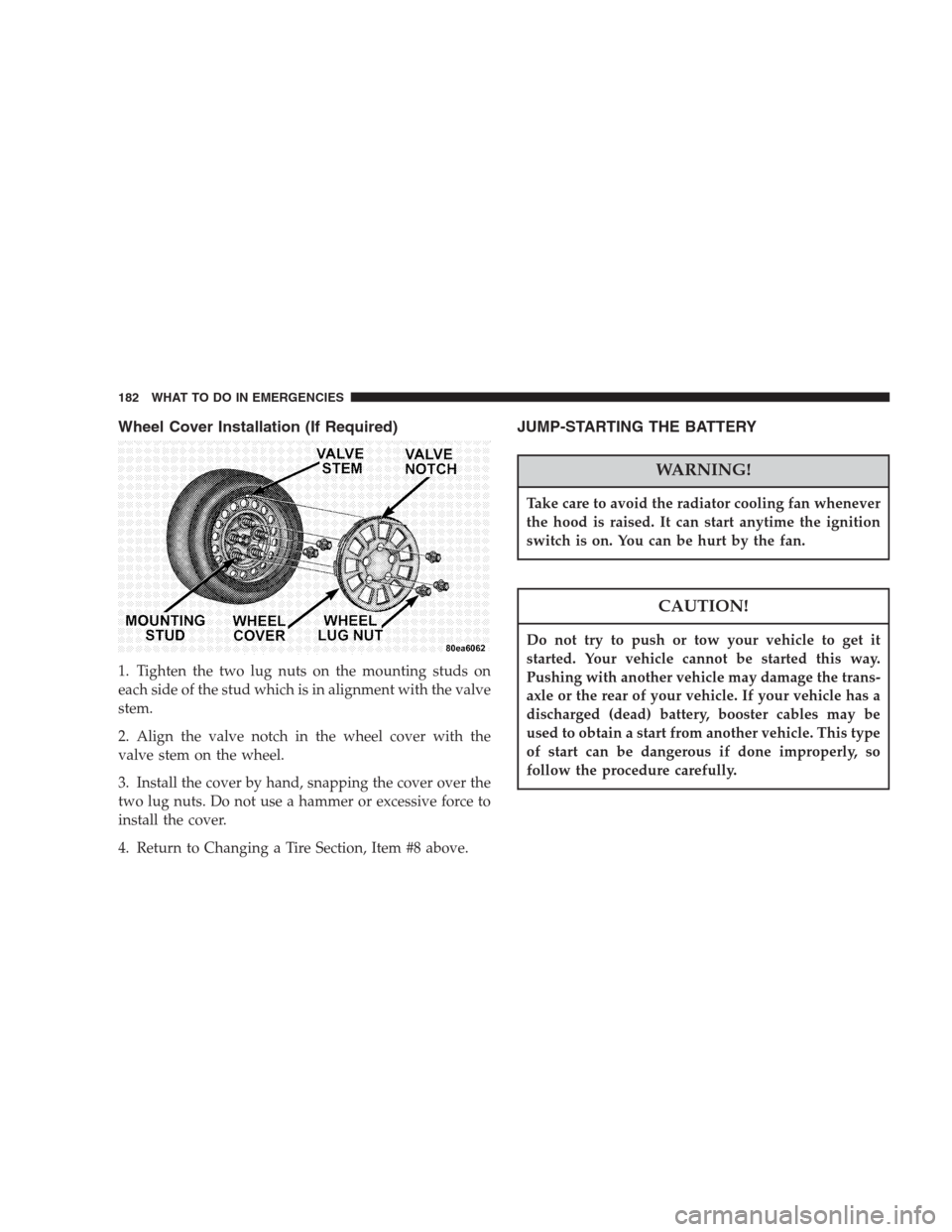
Wheel Cover Installation (If Required)
1. Tighten the two lug nuts on the mounting studs on
each side of the stud which is in alignment with the valve
stem.
2. Align the valve notch in the wheel cover with the
valve stem on the wheel.
3. Install the cover by hand, snapping the cover over the
two lug nuts. Do not use a hammer or excessive force to
install the cover.
4. Return to Changing a Tire Section, Item #8 above.
JUMP-STARTING THE BATTERY
WARNING!
Take care to avoid the radiator cooling fan whenever
the hood is raised. It can start anytime the ignition
switch is on. You can be hurt by the fan.
CAUTION!
Do not try to push or tow your vehicle to get it
started. Your vehicle cannot be started this way.
Pushing with another vehicle may damage the trans-
axle or the rear of your vehicle. If your vehicle has a
discharged (dead) battery, booster cables may be
used to obtain a start from another vehicle. This type
of start can be dangerous if done improperly, so
follow the procedure carefully.
182 WHAT TO DO IN EMERGENCIES