ignition CHRYSLER CONCORDE 2004 2.G User Guide
[x] Cancel search | Manufacturer: CHRYSLER, Model Year: 2004, Model line: CONCORDE, Model: CHRYSLER CONCORDE 2004 2.GPages: 273, PDF Size: 6 MB
Page 20 of 273

Panic Alarm
The panic alarm unlocks the driver’s door, turns on the
interior lights, flashes the headlights and sounds the horn
for about 3 minutes or until the alarm is turned off. The
vehicle can be driven while in the Panic mode.
To Use The Panic Alarm:
Press and hold the Panic button to activate the alarm.
Press and hold the Panic button or unlock the door with
the key to deactivate the alarm. The alarm will also shut
itself off after 3 minutes or when vehicle speed reaches 15
m.p.h. (24 km/h).
To Program Additional Transmitters:
Up to 4 transmitters can be programmed to your vehicle.
To program a transmitter, perform the following proce-
dure.
On vehicles equipped with an EVIC (Electronic Vehicle
Information Center), these functions can be selected at
the EVIC using the Customer Programmable Features.
Refer to EVIC— Customer Programmable Features for
details.
NOTE:When entering program mode, all previously
programmed transmitters are erased from memory,
therefore you must reprogram ALL the transmitters
when you enter program mode.
1. With the vehicle in Park, turn the Ignition switch to the
ON position.
2. Using a previously programmed transmitter, press the
Unlock button on the transmitter. Continue to hold the
Unlock button, wait at least 4 but no longer than 10
seconds, then press and hold the Panic button for at least
20 THINGS TO KNOW BEFORE STARTING YOUR VEHICLE
Page 21 of 273
one second. Release both buttons simultaneously. You
will hear a chime to signal that you can proceed with
programming the new transmitter.
3. One by one with each transmitter (includes previously
programmed as well as the new transmitter), press and
release the lock and unlock buttons simultaneously. You
will hear a chime after each transmitter has been success-
fully programmed. You will have 30 seconds to finish
programming all new transmitters. A chime will sound
when the 30 seconds is over or the ignition switch is
turned to the Lock position.
Transmitter Linked to Memory Programming
Your remote transmitters can be programmed to return
the driver’s seat, mirrors, and radio presets to the saved
position when the Unlock button is pressed and released.
NOTE:When newly purchased (or replacement) trans-
mitters are programmed into the vehicle, the first trans-
mitter programmed will be associated with memory
setting 1, and the second transmitter programmed will be
associated with memory setting 2. Additional transmit-
ters will not be associated with a memory setting.To program your transmitters, perform the following:
1. Insert key into the igniton and turn the key to the
On/Run position.
2. Adjust the seat and side view mirrors to the desired
position. Program the radio preset buttons to the desired
stations.
3. Press and release the Set (S) button on the memory
seat switch, then press and release memory button 1 or 2.
4. Press and release the Lock button on the transmitter.
This will link the transmitter to the desired memory
setting.
5. Do not press any buttons for 10 seconds.
NOTE:Your transmitters may be unlinked from your
memory settings by following the procedure above ex-
cept pressing the Unlock button on the transmitter in step
4 above. On vehicles equipped with an EVIC (Electronic
Vehicle Information Center), these functions can be se-
lected at the EVIC using the Customer Programmable
Features. Refer to EVIC-Customer Programmable Fea-
tures for details. When newly purchased (or replacement)
THINGS TO KNOW BEFORE STARTING YOUR VEHICLE 21
2
Page 23 of 273
•Reassemble the transmitter case. Snap the halves to-
gether and test transmitter operation.
SECURITY ALARM SYSTEM
The system monitors the doors, trunk key cylinder, and
ignition for unauthorized operation.
If something triggers the alarm, the system will signal for
up to 18 minutes. For the first 3 minutes the horn will
sound and the headlights, park and tail lights and the
SET light will flash. The horn will stop and if the source
of the trigger is still present, the lights will continue to
flash for another 15 minutes.
NOTE:The engine will not start until you disarm the
system.
To set the alarm:
1. Remove the keys from the ignition switch and get out
of the vehicle.
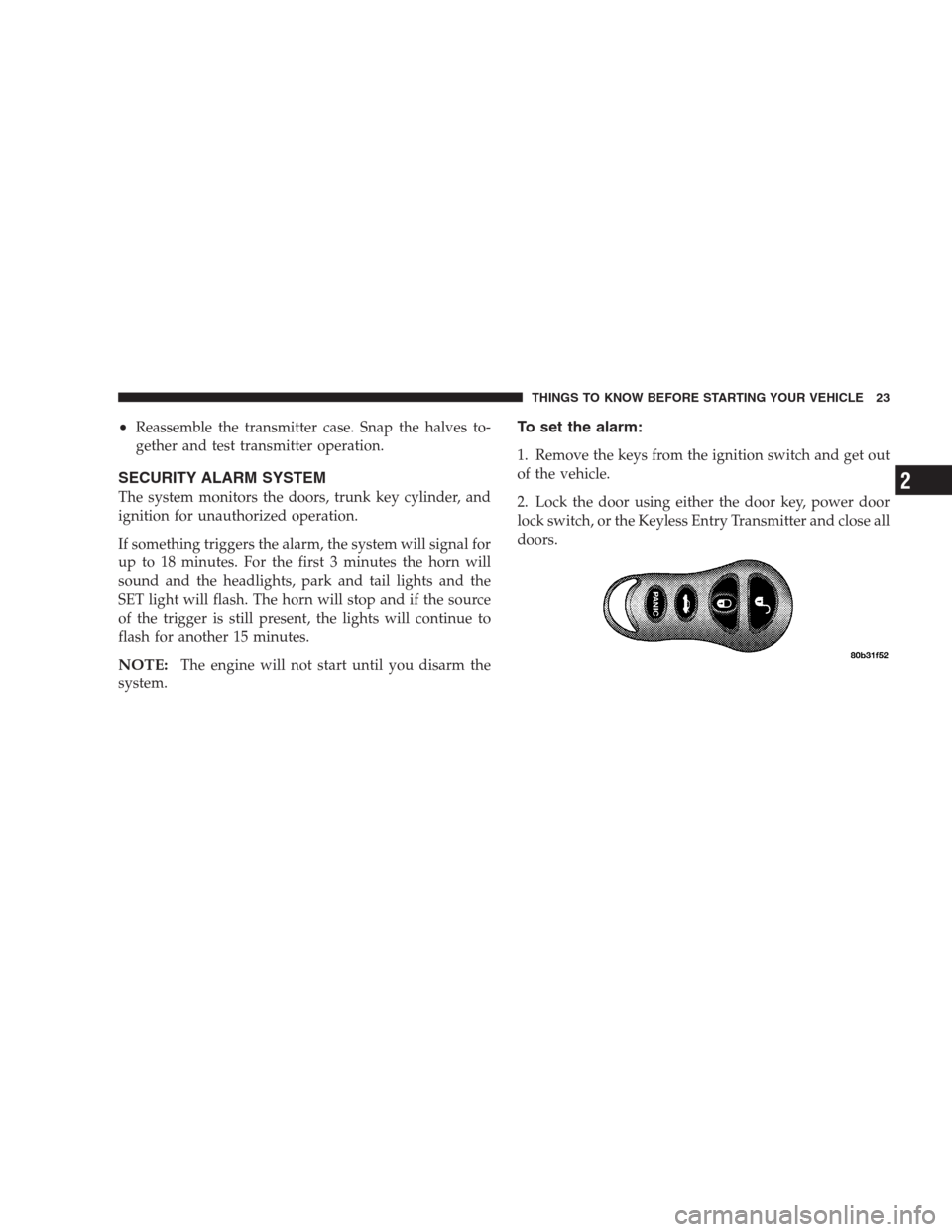
2. Lock the door using either the door key, power door
lock switch, or the Keyless Entry Transmitter and close all
doors.
THINGS TO KNOW BEFORE STARTING YOUR VEHICLE 23
2
Page 37 of 273
•ACM (Airbag Control Module)
•SIACM (Side Impact Airbag Control Module)
•Interconnecting Wiring
How the Frontal Airbag System Works
•
The front airbag control module determines if a frontal
collision is severe enough to require the airbags to
inflate.
•The airbag control module will not detect side, roll
over, or rear collisions.
•The airbag control module also monitors the readiness
of the electronic parts of the system whenever the
ignition switch is in the START or RUN positions.
These include all of the items listed above except the
knee bolsters, the instrument panel, and the steering
wheel and column. If the key is in the OFF position, in
the ACC position, or not in the ignition, the airbags are
not on and will not inflate.
•The airbag control module also turns on the
AIRBAG light in the instrument panel for 6 to
8 seconds when the ignition is first turned on,
then turns the light off. If it detects a malfunction in
any part of the system, it turns on the light either
momentarily or continuously.
WARNING!
Ignoring the AIRBAG light in your instrument panel
could mean you won’t have the airbags to protect
you in a collision. If the light does not come on, stays
on after you start the vehicle, or if it comes on as you
drive, have the airbag system checked right away.
THINGS TO KNOW BEFORE STARTING YOUR VEHICLE 37
2
Page 39 of 273
•As the airbags deflate you may see some smoke-like
particles. The particles are a normal by-product of the
process that generates the nontoxic gas used for airbag
inflation. These airborne particles may irritate the skin,
eyes, nose, or throat. If you have skin or eye irritation,
rinse the area with cool water. For nose or throat
irritation, move to fresh air. If the irritation continues,
see your doctor. If these particles settle on your
clothing, follow the garment manufacturer’s instruc-
tions for cleaning.
•It is not advisable to drive your vehicle after the
airbags have been deployed. If you are involved in
another collision, the airbags will not be in place to
protect you.
WARNING!
Deployed airbags can’t protect you in another colli-
sion. Have the airbags replaced by an authorized
dealer as soon as possible.
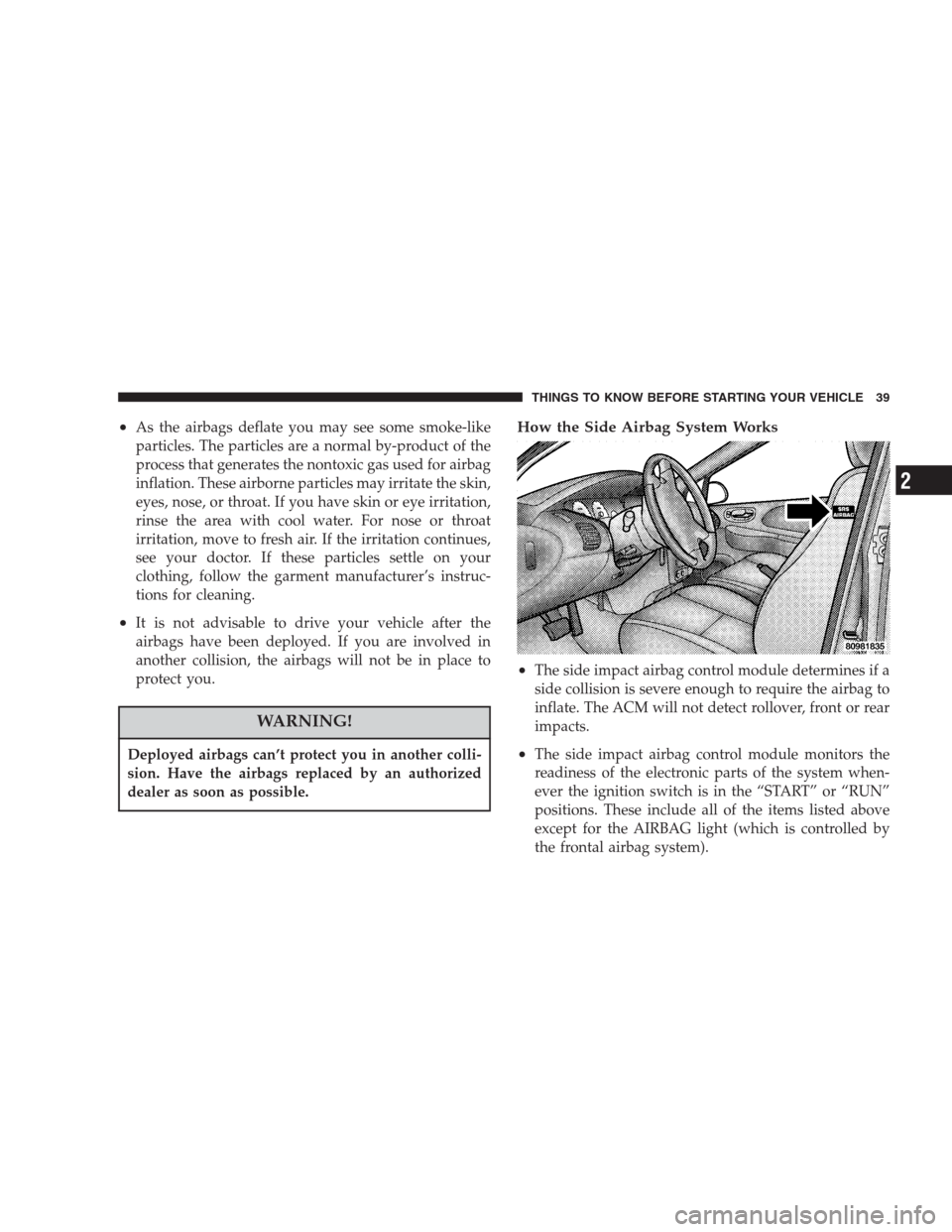
How the Side Airbag System Works
•
The side impact airbag control module determines if a
side collision is severe enough to require the airbag to
inflate. The ACM will not detect rollover, front or rear
impacts.
•The side impact airbag control module monitors the
readiness of the electronic parts of the system when-
ever the ignition switch is in the “START” or “RUN”
positions. These include all of the items listed above
except for the AIRBAG light (which is controlled by
the frontal airbag system).
THINGS TO KNOW BEFORE STARTING YOUR VEHICLE 39
2
Page 41 of 273
Airbag Light
You will want to have the airbags ready for your
protection in an impact. While the airbag system
is designed to be maintenance free, if any of the
following occurs, have an authorized dealer service the
system immediately.
•The AIRBAG light does not come on or flickers during
the 6 to 8 seconds when the ignition switch is first
turned on.
•The light remains on or flickers after the 6 to 8 second
interval.
•The light flickers or comes on and remains on while
driving.
Child Restraint
Everyone in your vehicle needs to be buckled up all the
time– babies and children too. Every state in the United
States and all Canadian provinces require that small
children ride in proper restraint systems. This is the law,
and you can be prosecuted for ignoring it.Children 12 years and under should ride properly buck-
led up in a rear seat. According to crash statistics,
children are safer when properly restrained in the rear
seat rather than the front.
WARNING!
In a collision, an unrestrained child, even a tiny
baby, can become a missile inside the vehicle. The
force required to hold even an infant on your lap
could become so great that you could not hold the
child, no matter how strong you are. The child and
others could be badly injured. Any child riding in
your vehicle should be in a proper restraint for the
child’s size.
There are different sizes and types of restraints for
children from newborn size to the child almost large
enough for an adult safety belt. Always check the child
seat owner’s manual to ensure you have the right seat for
your child. Use the restraint that is correct for your child:
THINGS TO KNOW BEFORE STARTING YOUR VEHICLE 41
2
Page 49 of 273
SAFETY TIPS
Exhaust Gas
WARNING!
Exhaust gases can injure or kill. They contain carbon
monoxide (CO) which is colorless and odorless.
Breathing it can make you unconscious and can
eventually poison you. To avoid breathing (CO)
follow the safety tips below.
•Do not run the engine in a closed garage or in confined
areas any longer than needed to move your vehicle in
or out of the area.
•If it is necessary to sit in a parked vehicle with the
engine running, adjust your heating or cooling con-
trols to force outside air into the vehicle. Set the blower
at high speed.
•To avoid drawing exhaust gases into the vehicle, close
the trunk while driving. However, if for some reason itmust remain open, close all windows. Adjust the
heating or cooling system to force outside air into the
vehicle. Set the blower at high speed.
Safety Checks You Should Make Inside the
Vehicle
Seat Belts
Inspect the belt system periodically, checking for cuts,
frays and loose parts. Damaged parts must be replaced
immediately. Do not disassemble or modify the system.
Safety belt assemblies must be replaced after an accident
if they have been damaged (bent retractor, torn webbing,
etc.). If there is any question regarding belt or retractor
condition, replace the belt.
Airbag Light
The light should come on and remain on for 6 to
8 seconds as a bulb check when the ignition
switch is first turned ON. If the bulb is not lit
during starting, have it replaced. If the light stays on or
comes on while driving, have the system checked by an
authorized dealer.
THINGS TO KNOW BEFORE STARTING YOUR VEHICLE 49
2
Page 60 of 273
WARNING!
Do not ride with the seatback reclined so that the
shoulder belt is no longer resting against your chest.
In a collision you could slide under the seat belt and
be seriously or even fatally injured. Use the recliner
only when the vehicle is parked.
Driver’s Seat Glide –To – Exit Feature
This feature provides ease of entry and exit for the driver
by moving the driver’s seat approximately 2–1/8 inches
(55mm) rearward on exit and the same distance forward
after entry, provided that the seat is not in the full
rearward position.
After entry, the seat will return to its previously set
position after one of the following occurs:
•The ignition switch is turned on
•The seatbelt is fastened (the seat moves when the seat
belt webbing is pulled out.)During exit, the seat will move rearward from the set
position when the key is removed from the ignition
providing that the seat is not in the full rearward
position.
This feature can be turned on or off by performing the
following procedure.
1. Press and hold the Set button.
2. Move the horizontal seat switch rearward.
3. Release the Set button and the horizontal seat switch.
NOTE:The glide feature is only available on the
driver’s seat.
NOTE:On vehicles equipped with an EVIC (Electronic
Vehicle Information Center), these functions can be se-
lected at the EVIC using the Customer Programmable
Features. Refer to EVIC-Customer Programmable Fea-
tures for details.
60 UNDERSTANDING THE FEATURES OF YOUR VEHICLE
Page 61 of 273
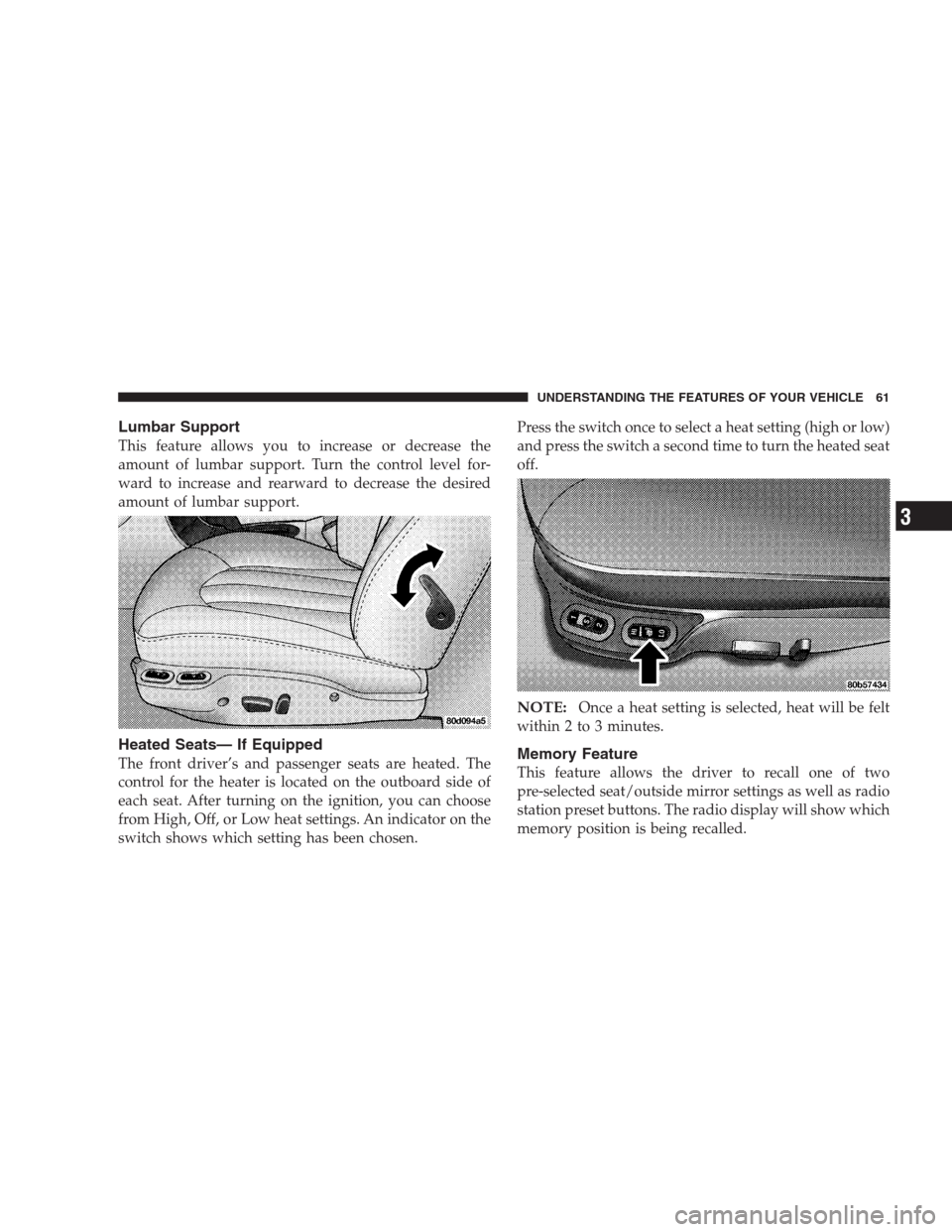
Lumbar Support
This feature allows you to increase or decrease the
amount of lumbar support. Turn the control level for-
ward to increase and rearward to decrease the desired
amount of lumbar support.
Heated Seats— If Equipped
The front driver’s and passenger seats are heated. The
control for the heater is located on the outboard side of
each seat. After turning on the ignition, you can choose
from High, Off, or Low heat settings. An indicator on the
switch shows which setting has been chosen.Press the switch once to select a heat setting (high or low)
and press the switch a second time to turn the heated seat
off.
NOTE:Once a heat setting is selected, heat will be felt
within 2 to 3 minutes.
Memory Feature
This feature allows the driver to recall one of two
pre-selected seat/outside mirror settings as well as radio
station preset buttons. The radio display will show which
memory position is being recalled.
UNDERSTANDING THE FEATURES OF YOUR VEHICLE 61
3
Page 62 of 273
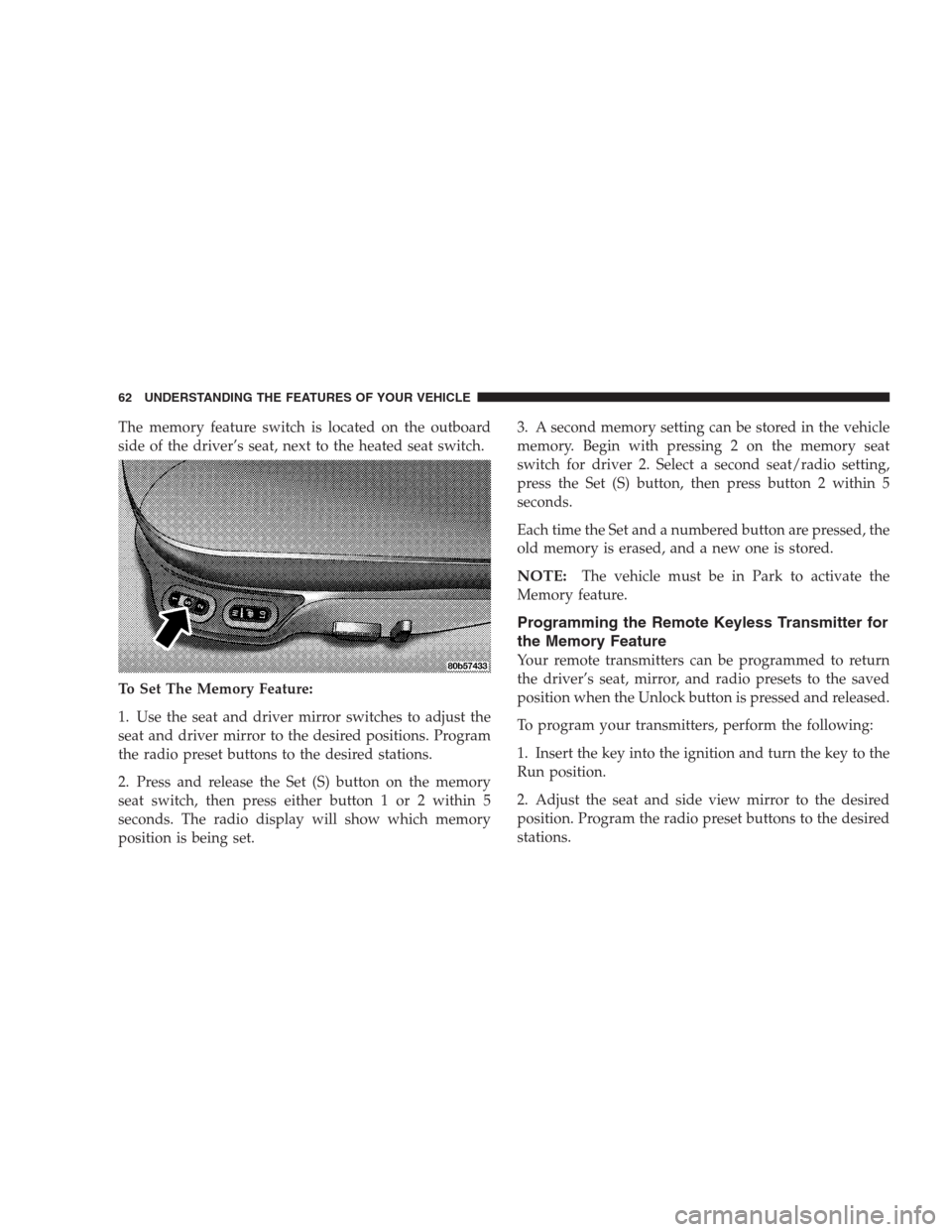
The memory feature switch is located on the outboard
side of the driver’s seat, next to the heated seat switch.
To Set The Memory Feature:
1. Use the seat and driver mirror switches to adjust the
seat and driver mirror to the desired positions. Program
the radio preset buttons to the desired stations.
2. Press and release the Set (S) button on the memory
seat switch, then press either button 1 or 2 within 5
seconds. The radio display will show which memory
position is being set.3. A second memory setting can be stored in the vehicle
memory. Begin with pressing 2 on the memory seat
switch for driver 2. Select a second seat/radio setting,
press the Set (S) button, then press button 2 within 5
seconds.
Each time the Set and a numbered button are pressed, the
old memory is erased, and a new one is stored.
NOTE:The vehicle must be in Park to activate the
Memory feature.
Programming the Remote Keyless Transmitter for
the Memory Feature
Your remote transmitters can be programmed to return
the driver’s seat, mirror, and radio presets to the saved
position when the Unlock button is pressed and released.
To program your transmitters, perform the following:
1. Insert the key into the ignition and turn the key to the
Run position.
2. Adjust the seat and side view mirror to the desired
position. Program the radio preset buttons to the desired
stations.
62 UNDERSTANDING THE FEATURES OF YOUR VEHICLE