Cate CITROEN C-ELYSÉE 2016 Owner's Manual
[x] Cancel search | Manufacturer: CITROEN, Model Year: 2016, Model line: C-ELYSÉE, Model: CITROEN C-ELYSÉE 2016Pages: 260, PDF Size: 7.11 MB
Page 78 of 260

76
C-elysee_en_Chap05_conduite_ed01-2016
Invalid value during manual
operation
This symbol is displayed if a gear is not engaged correctly (selector
b
etween two positions).
Stopping the vehicle
Before switching off the engine, you can engage position P or N to place the gearbox in
neu
tral.
In
both cases, apply the parking brake to
i
mmobilise the vehicle.
Operating fault
and a message in the multifunction screen, indicates a gearbox fault.
In
this case, the gearbox switches to back-up
m
ode and is locked in 3rd gear. You may feel
a
substantial knock when changing from P
to R
and from N to R.
This will not cause any
d
amage to the gearbox.
Do
not exceed 60 mph (100 km/h), local speed
r
estrictions
p
ermitting.
Contact
a CITROËN dealer or a qualified
w
orkshop as soon as possible. There
is a risk of damage to the
g
earbox:
- i f you press the accelerator and b
rake pedals at the same time,
-
i
f you force the movement of the
s
elector from the P position to
another position when the battery is
flat.
To
reduce fuel consumption when at
a
prolonged standstill with the engine
r
unning (traffic jam...), put the selector
i
n the N position and apply the parking
b
rake.
If the selector is not in position P ,
when
the
driver's
door
is
opened
or
a
pproximately
45
seconds
after
the
i
gnition
is
switched
off,
a
warning
m
essage
appears
in
the
screen.
F
R
eturn the selector to position P ;
t
he
message
disappears.
When
driving
on
flooded
roads
or
when
c
rossing
a
ford,
proceed
at
walking
p
ace. When
the ignition is on, the
l
ighting of this warning lamp, a
ccompanied by an audible signal
Driving
Page 82 of 260
80
C-elysee_en_Chap05_conduite_ed01-2016
There is a risk of damage to the gearbox:
-
i
f you press the accelerator and
b
rake pedals at the same time,
-
i
f you force the movement of the
s
elector from the P position to
another position when the battery is
discharged.
If the selector is not in position P
,
when
the
driver's
door
is
opened
or
a
pproximately
45
seconds
after
the
i
gnition
is
switched
off,
a
warning
m
essage
appears
in
the
screen.
F
R
eturn the selector to position P ;
t
he
message
disappears.
When
driving
on
flooded
roads
or
when
c
rossing
a
ford,
proceed
at
walking
p
ace. To
reduce fuel consumption when at
a
prolonged standstill with the engine
r
unning (traffic jam...), put the selector
i
n the N position and apply the parking
b
rake.
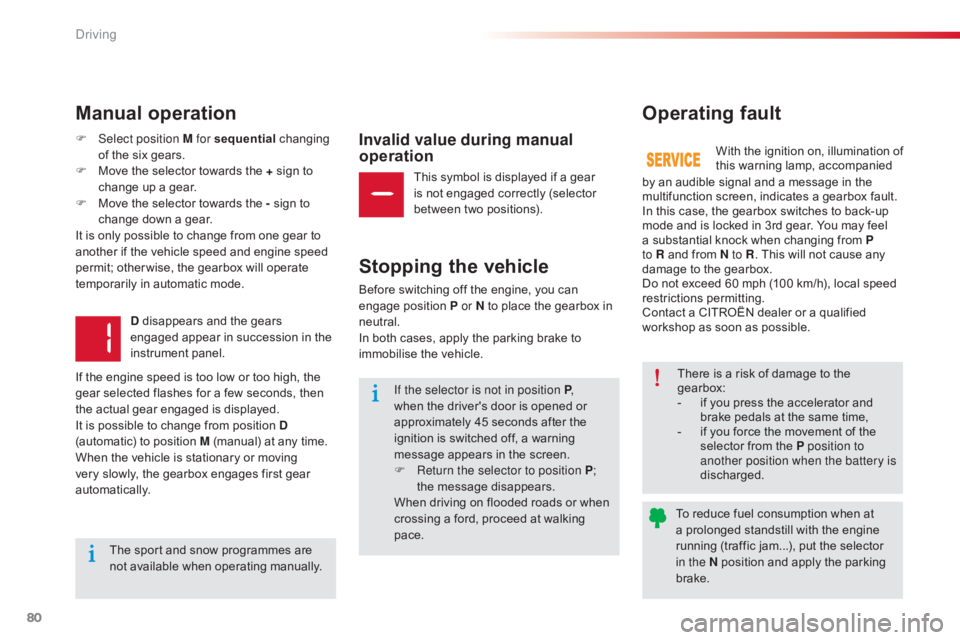
Manual operation
Invalid value during manual
operation
Stopping the vehicle
Before switching off the engine, you can e ngage position P or N to place the gearbox in
neu
tral.
In
both cases, apply the parking brake to
i
mmobilise the vehicle.
Operating fault
F Select position M for sequential c hanging o
f the six gears.
F
M
ove the selector towards the + sign to
c
hange up a gear.
F
M
ove the selector towards the - sign to
c
hange down a gear.
It
is only possible to change from one gear to
a
nother if the vehicle speed and engine speed
p
ermit; other wise, the gearbox will operate
t
emporarily in automatic mode.
D
disappears and the gears
e
ngaged appear in succession in the
in
strument
pan
el.
If
the engine speed is too low or too high, the
g
ear selected flashes for a few seconds, then
t
he actual gear engaged is displayed.
It
is possible to change from position D
(automatic)
to position M (manual) at any time.
When
the vehicle is stationary or moving
v
ery slowly, the gearbox engages first gear
au
tomatically. With
t he i gnition o n, i llumination o f
t
his warning lamp, accompanied
b
y an audible signal and a message in the
m
ultifunction screen, indicates a gearbox fault.
In
this case, the gearbox switches to back-up
m
ode and is locked in 3rd gear. You may feel
a
substantial knock when changing from P
to R
and from N to R.
This will not cause any
d
amage to the gearbox.
Do
not exceed 60 mph (100 km/h), local speed
r
estrictions
p
ermitting.
Contact
a CITROËN dealer or a qualified
w
orkshop as soon as possible.
This
symbol is displayed if a gear
i
s not engaged correctly (selector
b
etween two positions).
The
sport and snow programmes are
n
ot available when operating manually.
Driving
Page 91 of 260

89
C-elysee_en_Chap05_conduite_ed01-2016
This system indicates the proximity of an obstacle (person, vehicle, tree, gate, etc.)
w
hich comes within the field of detection of
s
ensors located in the bumper.
Certain
types of obstacle (stake, roadworks
c
one, etc.) detected initially will no longer be
d
etected at the end of the manoeuvre due to
t
he presence of blind spots.
Rear parking sensors
This function cannot, in any
circumstances, take the place of the need f
or vigilance on the part of the driver.The
system is switched on by engaging reverse
g
ear. This is accompanied by an audible signal.
The system is switched off when you come out
o
f reverse gear.
Audible assistance
The proximity information is given by an i
ntermittent audible signal, the frequency of which i
ncreases as the vehicle approaches the obstacle.
The
sound emitted by the speaker (right or left)
i
ndicates the side on which the obstacle is located.
When
the distance between the vehicle and
t
he obstacle becomes less than approximately
t
hirty centimetres, the audible signal becomes
c
ontinuous.
Visual assistance
This supplements the audible signal by d isplaying bars in the screen which move
p
rogressively nearer to the vehicle.
When
the obstacle is very close, the "Danger"
s
ymbol is displayed in the screen.
5
Driving
Page 92 of 260

90
C-elysee_en_Chap05_conduite_ed01-2016
In bad weather or in winter, ensure that the sensors are not covered with
m
ud, ice or snow. When reverse gear is
e
ngaged, an audible signal (long beep)
i
ndicates that the sensors may be dirty.
Certain
sound sources (motorcycle,
l
orry, pneumatic drill, etc.) may trigger
t
he audible signals of the parking
s
ensor system.
In
the event of a malfunction of
t
he system, when reverse gear
i
s engaged this warning lamp
i
s
displayed in the instrument panel and/or a
m
essage appears in the screen, accompanied
b
y
an
audible signal (short beep).
Contact a CITROËN dealer or a qualified
w
orkshop.
Operating fault
The function will be deactivated a
utomatically if a trailer is being towed
o
r a bicycle carrier is fitted (vehicle
f
itted with a towbar or bicycle carrier
r
ecommended by CITROËN).
Deactivation / Activation of the
rear parking sensors
The function is deactivated or activated v ia t he v ehicle c onfiguration
m
enu.
The
status of the function is stored
w
hen the ignition is switched off.
For
more
information on access to the parking
s
ensors
menu, refer to the "Personalisation -
C
onfiguration" part of the "Monitoring" section.
Driving
Page 98 of 260

96
C-elysee_en_Chap06_visibilite_ed01-2016
Headlamp beam height adjustment
To avoid causing a nuisance to other road users, the headlamp beams should be adjusted according to the load in the vehicle.
This
adjustment can be carried out using the control located:
-
u
nder the bonnet,
-
b
elow and to the left of the steering wheel (depending on version).
The
initial setting is position "0".
0
1
or 2 people in the front seats.
-
5
people.
1
5
people + maximum authorised load in
t
he boot.
-
D
river + maximum authorised load in the
b
oot.
The
higher number positions can be used,
b
ut may limit the area illuminated by the
h
eadlamps.
Under the bonnet
F Raise the bonnet for access to the control (one per headlamp).
F
T
urn the control to adjust the height of the
h
eadlamp
b
eam.
Travelling abroad
The design of the dipped beam headlamps allows, without modification,
d
riving in a country that drives on the
o
ther side of the road to the country in
w
hich your vehicle was sold.
To the left of the steering wheel
Visibility
Page 101 of 260

99
C-elysee_en_Chap06_visibilite_ed01-2016
Courtesy lamps
In this position, the courtesy lamp c
omes on gradually:
-
w
hen
the vehicle is unlocked,
-
w
hen
the key is removed from the ignition,
-
w
hen
a door is opened,
-
w
hen
the remote control locking button is
a
ctivated, in order to locate your vehicle.
It
switches off gradually:
-
w
hen
the vehicle is locked,
-
w
hen
the ignition is switched on,
-
3
0
seconds after the last door is closed.
Permanently
off.
Permanent
l
ighting. F
W ith the ignition on, press the
c
orresponding
s
witch.
A.
C
our tesy lamps
B.
M
ap reading lamps With
the "permanent lighting" mode, the
d
uration of lighting varies, depending on
t
he
c
ircumstances:
-
w
ith the ignition off, approximately
t
en
m
inutes,
-
i
n energy economy mode,
a
pproximately thirty seconds,
-
w
ith the engine running, unlimited.
Front map reading lampsFront and rear courtesy lamps
6
V
Page 105 of 260

103
C-elysee_en_Chap07_securite_ed01-2016
Reinitialisation of the system must be done with the ignition on and the vehicle stationary:
- i n the vehicle configuration menu for vehicles fitted with a display screen,
-
u
sing the button in the glove box for vehicles without display screen.
Monochrome screen C
F Press the "7" or " 8" button to select the
" Driving assistance ",
category, then
c
onfirm by pressing the central button.
F
P
ress the " 7" or " 8", button to select " Ty r e
pressures" , then "Reinitialisation ", then
confirming
by pressing the central button.
A
message confirms the reinitialisation.
F
P
ress the MENU
button for access to the
main
menu.
F
P
ress the " 7" or " 8" button to select the
" Personalisation-configuration ",
menu
t
hen
confirm
by
pressing
the
central
button.
F
P
ress the " 7" or " 8" button to select the
" Define vehicle parameters ",
menu,
then
c
onfirm
by
pressing
the
central
button.
7
Safety
Page 106 of 260

104
C-elysee_en_Chap07_securite_ed01-2016
Vehicles without display screen
F Open the glove box.
F M ake a long press on this button.
Reinitialisation
is confirmed by an low-pitched
a
udible
s
ignal.
A
high-pitched audible signal indicates that the
r
einitialisation has not been done.
The
new pressure settings registered are
c
onsidered to be reference values by the
s
ystem.
Operating fault
The under-inflation alert is only d ependable if the system has been
r
einitialised with all four tyres inflated to
t
he correct pressures.
Snow chains
The system does not have to be reinitialised after fitting or removing
sn
ow
c
hains. Before
doing anything to the system,
t
he pressures of the four tyres must be
c
hecked and the system reinitialised.
The
flashing and then fixed illumination of the
u
nder-inflation
w
arning
lam
p
a
ccompanied
b
y illumination of the Service warning lamp
i
ndicates a fault with the system.
In this case, under-inflation monitoring of the t
yres is no longer assured.
Have the system checked by a CITROËN
d
ealer or a qualified workshop.
S
Page 107 of 260

105
C-elysee_en_Chap07_securite_ed01-2016
Group of supplementary systems which help you to obtain optimum braking in complete
s
afety in emergency situations:
-
a
nti-lock braking system (ABS),
-
e
lectronic brake force distribution (EBFD),
-
e
mergency braking assistance (EBA).
Braking assistance systems
Anti-lock braking system
and electronic brake force
distribution
Linked systems which improve the stability and manoeuvrability of your vehicle when braking,
i
n particular on poor or slippery sur faces.
Activation
The anti-lock braking system comes into operation automatically when there is a risk of
w
heel lock.
Normal
operation of the ABS may make itself
f
elt by slight vibration of the brake pedal.
Operating fault
Emergency braking assistance
System which, in an emergency, enables you to obtain the optimum braking pressure more
q
uickly, thus reducing the stopping distance.
When
braking in an emergency, press
f
irmly without releasing the pressure.
When
braking
in
an
emergency,
press
v
ery
firmly
without
releasing
the
p
ressure. When
replacing
wheels
(tyres
and
r
ims),
ensure
that
they
conform
to
the
ma
nufacturer's
r
ecommendations.
If
this
warning
lamp
comes
on,
a
ccompanied
by
an
audible
signal
a
nd
a
message
in
the
screen,
it
i
ndicates
a
malfunction
of
the
anti-lock
braking
s
ystem
which
could
result
in
loss
of
control
of
t
he
vehicle
when
braking.
If
this
warning
lamp
comes
on,
t
ogether
with
the
STOP
and
ABS
warning
lamps,
accompanied
by
an
a
udible
signal
and
a
message
in
the
screen,
it
i
ndicates
a
malfunction
of
the
electronic
brake
f
orce
distribution
which
could
result
in
loss
of
c
ontrol
of
the
vehicle
when
braking.
You must stop as soon as it is safe to do so.
In
either
case,
contact
a
CITROËN
dealer
or
a
q
ualified
w
orkshop.
Activation
It is triggered by the speed at which the brake p edal is pressed.
The
effect of this is a reduction in the
r
esistance of the pedal and an increase in
b
raking
e
fficiency.
Coasting
with
the
engine
off
results
in
a
l
oss
of
power
assistance
for
braking.
7
Safety
Page 108 of 260

106
C-elysee_en_Chap07_securite_ed01-2016
Anti-slip regulation (ASR)
and electronic stability
programme (ESP)
The anti-slip regulation (also known as Traction Control) optimises traction to prevent skidding o
f the wheels, by acting on the brakes of the
d
riving wheels and on the engine.
The
electronic stability programme acts on the
b
rake of one or more wheels and on the engine
t
o keep the vehicle on the trajectory required by
t
he driver, within the limits of the laws of physics.
This
is indicated by flashing of this
w
arning lamp in the instrument panel. The
ASR /ESP systems offer
e
xceptional safety in normal driving, but
t
his should not encourage the driver to
t
ake extra risks or drive at high speed.
The
correct functioning of these
s
ystems depends on observation of
t
he
ma
nufacturer's
r
ecommendations
r
egarding the wheels (tyres and rims),
t
he braking components, the electronic
c
omponents and the assembly
a
nd repair procedures used by the
C
ITROËN dealer network.
After
an impact, have these systems
c
hecked by a CITROËN dealer or a
q
ualified
w
orkshop.
Operating fault
Illumination of the warning lamp, accompanid by a message in the
s
creen indicates a malfunction of
t
hese systems.
Reactivation
These systems are reactivated automatically every time the ignition is switched of, or from
3
0 mph (50 km/h).
F
P
ress this button again to reactivate them
m
anually.
T
he lamp in the button goes off.
The
symbol going off in the instrument panel
i
ndicates the reactivation of the ASR and
ES
P systems.
Deactivation
In exceptional conditions (starting a vehicle which is bogged down, stuck in snow, on soft
g
round, ...), it may be advisable to deactivate
t
he ASR and ESP systems, so that the wheels
c
an move freely and regain grip.
Trajectory control systems
Activation
These systems are activated automatically each time the vehicle is started.
They
come into operation in the event of a grip
o
r
t
rajectory
pro
blem. The
display of this symbol indicates
t
hat the ASR and ESP systems are
d
eactivated.
F
P
ress this button button, located on
t
he dashboard (driver's side), until the
c
orresponding symbol appears in the i
nstrument panel screen. T
he lamp in the button comes on.Contact
a CITROËN dealer or a qualified
w
orkshop to have the ASR /ESP systems
c
hecked.
Coasting with the engine off results in a
l
oss of power assistance for the steering.
S