ad blue CITROEN C-ELYSÉE 2016 Owner's Manual
[x] Cancel search | Manufacturer: CITROEN, Model Year: 2016, Model line: C-ELYSÉE, Model: CITROEN C-ELYSÉE 2016Pages: 260, PDF Size: 7.11 MB
Page 141 of 260

139
C-elysee_en_Chap09_info-pratiques_ed01-2016
F Obtain a bottle of AdBlue®. After first c
hecking
the
use-by
date,
read carefully
t
he instructions on use on the label before
pouring
the
contents
of
the bottle into your
v
ehicle's
Ad
Blue
® tank. F
A
fter emptying the bottle, wipe away any
s
pillage around the tank filler using a damp
c
loth.
F
R
efit the blue cap to the tank and turn it a
6th of a turn clockwise, to its stop.
F
R
efit the plastic blanking plug, clipping it in
t
he orifice.
F
R
eturn the storage box containing the tools
t
o
its location.
F
R
efit the boot floor and close the boot.
Important:
if
your
vehicle's
AdBlue
® tank i
s
completely
empty
-
which
is
c
onfirmed
by
the
alert
displays
and
the
i
mpossibility
of
starting
the
engine
-
you
must
add
at
least
3.8
litres
(so
two
1.89
litre
bottles). If
any additive is split or splashed, wash
i
mmediately
w
ith
c
old
w
ater
o
r
w
ipe
w
ith
a
damp cloth.
If the additive has crystallised, clean it
o
ff using a sponge and hot water.Important:
i
n the event of a top-up after
a breakdown because of a lack of
additive , you must wait around 5 minutes
b
efore switching on the ignition, without
opening the driver's door, locking the
vehicle or introducing the key into the
ignition switch .
Switch on the ignition, then, after
1
0 seconds, start the engine.
Never dispose of AdBlue
® additive b
ottles
in
the
household
waste. Place
t
hem
in
a
special
container provided
t
his
p
urpose
o
r
t
ake
t
hem
t
o
y
our
d
ealer.
9
Practical information
Page 148 of 260

146
C-elysee_en_Chap09_info-pratiques_ed01-2016
The spare wheel is installed in the boot under the floor.
Depending
on engine, the spare wheel is
a
standard wheel or the space-saver type
(
BlueHDi 100).
Access to the spare wheel
Taking out the wheel
F Unclip the tool storage box (standard spare w
heel).
F
U
nscrew the central nut.
F
R
emove the fixing parts (nut and bolt).
F
R
aise the spare wheel towards you from
t
he rear.
F
T
ake the wheel out of the boot.
Pr
Page 163 of 260
161
C-elysee_en_Chap09_info-pratiques_ed01-2016
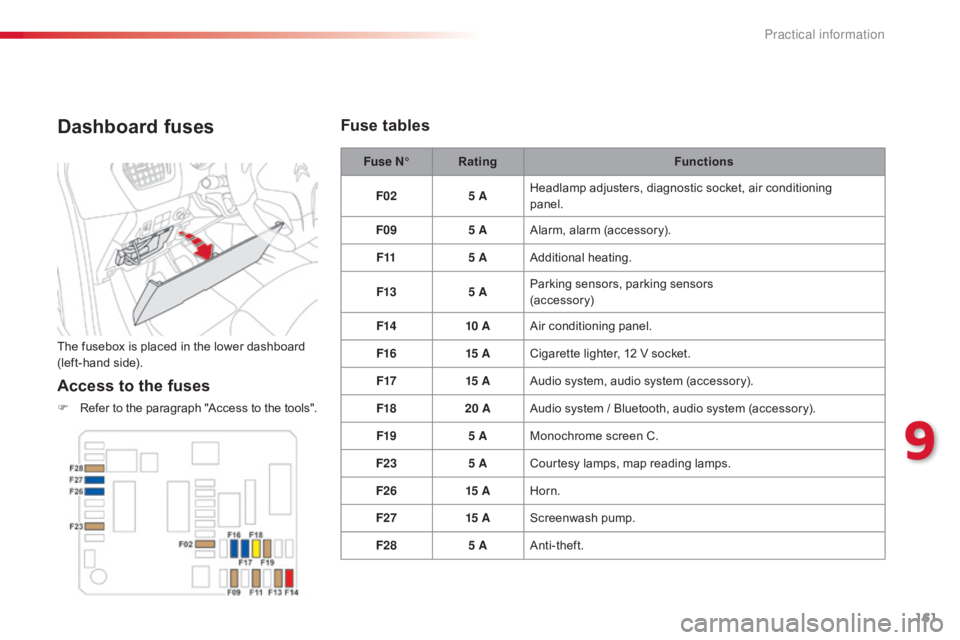
Dashboard fuses
The fusebox is placed in the lower dashboard (left-hand side).
Access to the fuses
F Refer to the paragraph "Access to the tools".Fuse N°
Rating Functions
F02 5 AHeadlamp adjusters, diagnostic socket, air conditioning
panel.
F09 5 AAlarm,
alar
m
(
accessory).
F11 5 AAdditional
h
eating.
F13 5 AParking sensors, parking sensors
(accessory)
F14 10 AAir
c
onditioning
pan
el.
F16 15 ACigarette lighter, 12 V socket.
F17 15 AAudio system, audio system (accessory).
F18 20 AAudio
system / Bluetooth, audio system (accessory).
F19 5 AMonochrome
screen C.
F23 5 ACourtesy
lamps, map reading lamps.
F26 15 AHorn.
F27 15 AScreenwash
pu
mp.
F28 5 AAnti-theft.
Fuse tables
9
Practical information
Page 170 of 260
168
C-elysee_en_Chap09_info-pratiques_ed01-2016
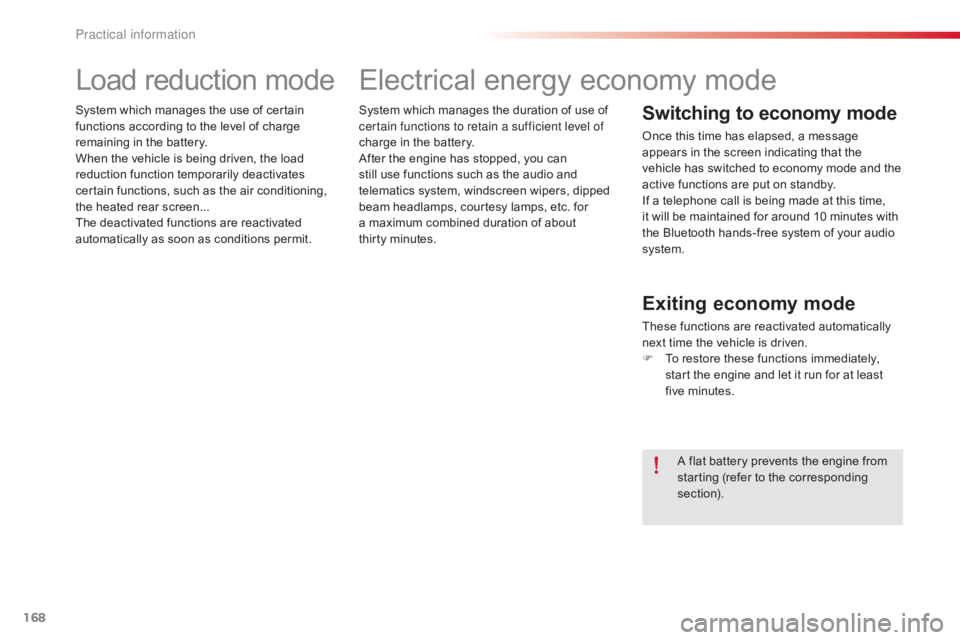
System which manages the duration of use of certain functions to retain a sufficient level of
charge
in the battery.
After
the engine has stopped, you can
s
till use functions such as the audio and
t
elematics system, windscreen wipers, dipped
b
eam headlamps, courtesy lamps, etc. for
a
maximum combined duration of about
t
hirty
m
inutes.
Electrical energy economy mode
Switching to economy mode
Once this time has elapsed, a message appears in the screen indicating that the
v
ehicle has switched to economy mode and the
a
ctive functions are put on standby.
If
a telephone call is being made at this time,
it
will be maintained for around 10 minutes with
t
he Bluetooth hands-free system of your audio
s
ystem.
Exiting economy mode
These functions are reactivated automatically n ext time the vehicle is driven.
F
T
o restore these functions immediately,
s
tart the engine and let it run for at least
f
ive
m
inutes.
A
flat battery prevents the engine from
s
tarting (refer to the corresponding
s
ection).
Load reduction mode
System which manages the use of certain functions according to the level of charge
r
emaining in the battery.
When
the vehicle is being driven, the load
r
eduction function temporarily deactivates
c
ertain functions, such as the air conditioning,
t
he heated rear screen...
The
deactivated functions are reactivated
a
utomatically as soon as conditions permit.
Practical information
Page 192 of 260

190
C-elysee_en_Chap11_caracteristiques-techniques_ed01-2016
EngineHDi 92BlueHDi 100
Gearbox Manual
(
5-speed)Manual
(
5-speed)
Model code: DD... 9HJC9HP0BHY6
Cubic
capacity (cc) 1
5601
560
Bore
x stroke (mm) 75
x 88.375
x 88.3
Max
power: EU standard (kW)* 6873
Max
power engine speed (rpm) 4
0003
750
Max
torque: EU standard (Nm) 230254
Max
torque engine speed (rpm) 1
7501
750
Fuel DieselDiesel
Catalytic converter yesyes
Particle filter noyes yes
Engine
oil capcity in litres (with filter
r
eplacement) 3.75
3.75
Diesel engines
* The maximum power corresponds to the value type approved on a test bed, under conditions defined by European legislation (Directive 1999/99/EC).
Technical data
Page 193 of 260

191
C-elysee_en_Chap11_caracteristiques-techniques_ed01-2016
The GTW and towed load values indicated are valid up to a maximum altitude of 1 000 metres; the towed load mentioned must be reduced by 10 % for each additional 1 000 metres of altitude.
The
speed of a towing vehicle must not exceed 60 mph (100 km/h) (comply with the legislation in force in your country).
High
ambient temperatures may result in a reduction in the per formance of the vehicle to protect the engine; if the ambient temperature is above 37 °C,
l
imit the towed load.
*
The kerb weight is equal to the unladen weight + driver (75 kg).
**
T
he weight of the braked trailer can be increased, within the GTW limit, if the GV W of the towing vehicle is reduced by an equal amount; warning,
t
owing using a lightly loaded towing vehicle may have an adverse effect on its road holding.
Engine
HDi 92BlueHDi 100
Gearbox Manual
(
5-speed)
Manual
(
5-speed)
Model code: DD... 9HJC9HP0BHY6
Unladen weight
1 090
1 090
Kerb weight*
1 165
1 165
Gross vehicle weight (GV W)
1 549
1 548
1 585
Gross train weight (GTW)
on a 12% gradient
2 299
2 298
2 335
Braked trailer (within the GTW limit)
on a 10% or 12% gradient
750
750
Brakled trailer** (with load transfer within
the GTW limit)
1 010
1 010
Unbraked
t
railer
580580
Recommended nose weight
5555
Diesel weights (in kg)
11
Technical data
Page 197 of 260
195
C-elysee_en_Chap12a_RD5(RD45)_ed01-2016
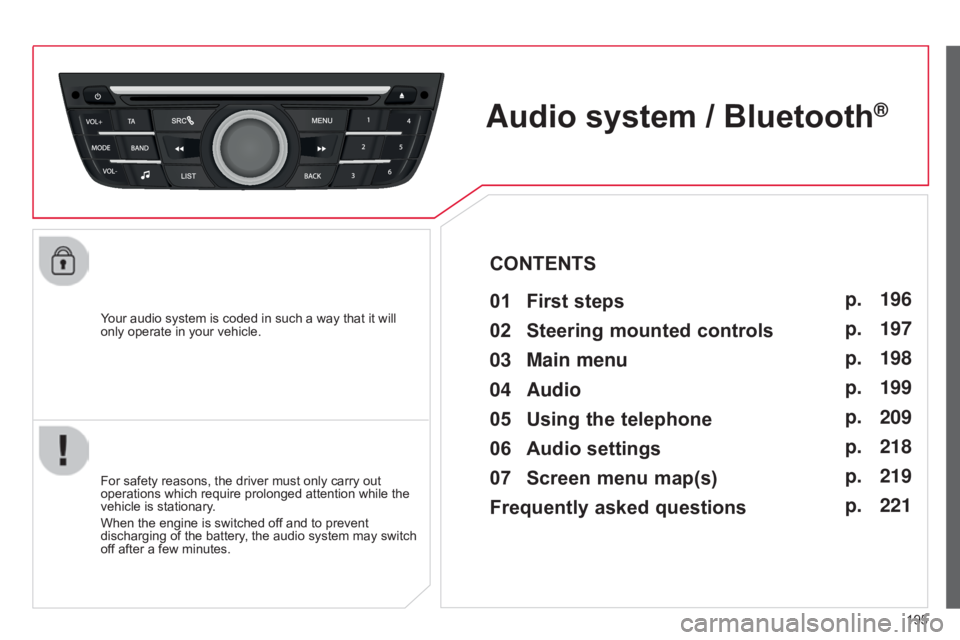
Your audio system is coded in such a way that it will only operate in your vehicle.
Audio system / Bluetooth®
01 First steps
For safety reasons, the driver must only carry out operations which require prolonged attention while the
vehicle
is stationary.
When
the engine is switched off and to prevent
discharging
of the battery, the audio system may switch
of
f after a few minutes.
CONTENTS
02
Steering
mounted controls
03
Main
menu
04
Audio
05
Using
the telephone
06
Audio
settings
07
Screen
menu map(s)
Frequently asked questions p.
p.
p.
p.
p.
p.
p.
p.
196
197
198
199
209
218
219
221
Page 200 of 260

03
198
C-elysee_en_Chap12a_RD5(RD45)_ed01-2016
MAIN MENU
"Multimedia": Media parameters, Radio
parameters.
Screen C
"Trip computer": Warning log.
"Telephone":
Call,
Directory
management,
T
elephone
management,
Hang
up. "Personalisation-configuration
":
Define
the vehicle parameters, Choice of
language,
Display configuration, Choice
of
units, Date and time adjustment.
For a detailed global view of the menus
available,
refer to "Screen menu map"
section.
"
Bluetooth connection
":
Connections
management,
Search
for
a
device.
Page 210 of 260
04
208
C-elysee_en_Chap12a_RD5(RD45)_ed01-2016
AUDIO
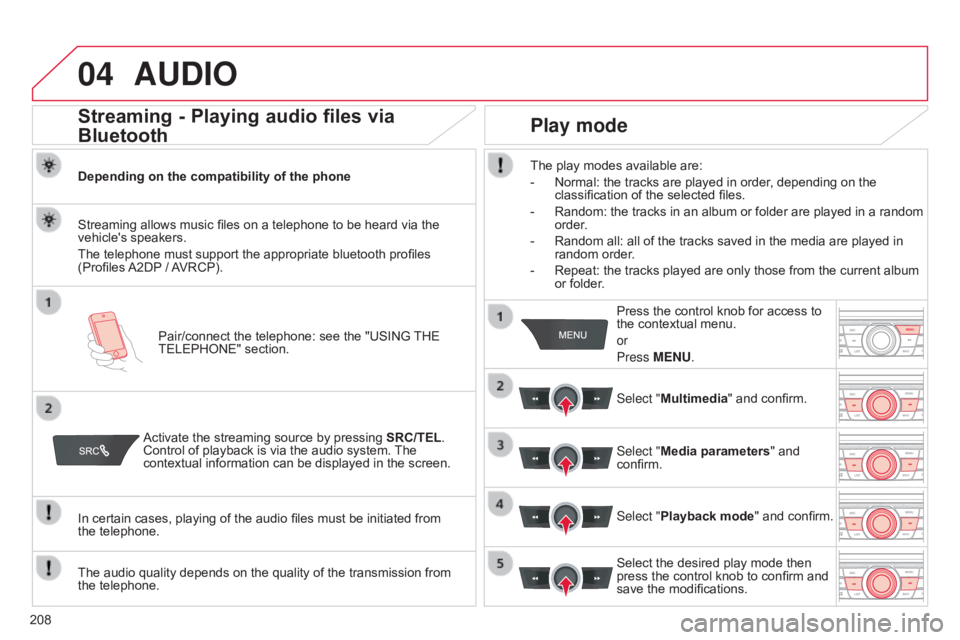
Streaming - Playing audio files via
Bluetooth
Depending on the compatibility of the phonePair/connect the telephone: see the "USING
THE
TELEPHONE"
section.
Streaming
allows music files on a telephone to be heard via the
vehicle's
speakers.
The
telephone must support the appropriate bluetooth profiles
(Profiles
A2DP
/
A
VRCP).
Activate
the streaming source by pressing
SRC/TEL
.
Control
of playback is via the audio system.
The
contextual
information can be displayed in the screen.
In
certain cases, playing of the audio files must be initiated from
the telephone.
The
audio quality depends on the quality of the transmission from
the
telephone.
Play mode
The play modes available are:
-
Normal:
the tracks are played in order, depending on the
classification
of the selected files.
-
Random:
the tracks in an album or folder are played in a random
order
.
-
Random
all: all of the tracks saved in the media are played in
random
order.
-
Repeat:
the tracks played are only those from the current album
or
folder. Press
the control knob for access to
the
contextual menu.
or
Press MENU.
Select "Multimedia"
and confirm.
Select "Media parameters "
and
confirm.
Select "
Playback mode" and confirm.
Select
the desired play mode then
press
the control knob to confirm and
save
the modifications.
Page 211 of 260
05
209
C-elysee_en_Chap12a_RD5(RD45)_ed01-2016
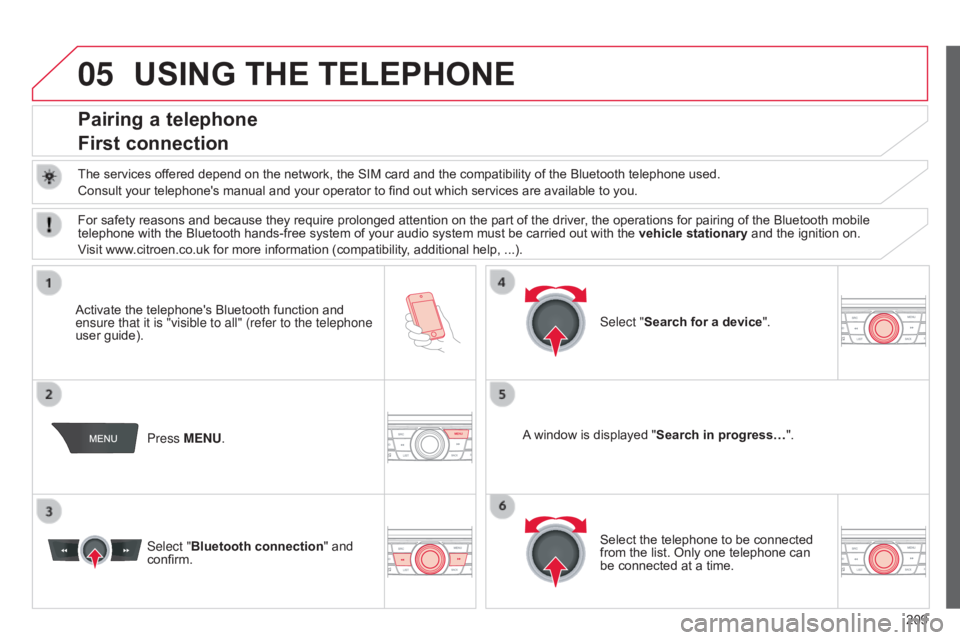
USING THE TELEPHONE
Pairing a telephone
First connection
The services offered depend on the network, the SIM card and the compatibility of the Bluetooth telephone used.
Consult your telephone's manual and your operator to find out which services are available to you.
Activate
the telephone's Bluetooth function and
ensure that
it is "visible to all" (refer to the telephone
user
guide). Press MENU. A
window is displayed "Search in progress…".
Select
the telephone to be connected
from
the list. Only one telephone can
be
connected at a time.
Select "Search for a device".
For
safety reasons and because they require prolonged attention on the part of the driver, the operations for pairing of the Bluetooth mobile
telephone
with the Bluetooth hands-free system of your audio system must be carried out with the
vehicle stationary
and the ignition on.
Visit
www.citroen.co.uk for more information (compatibility, additional help, ...).
Select "Bluetooth connection "
and
confirm.