time Citroen C4 2012 2.G Manual PDF
[x] Cancel search | Manufacturer: CITROEN, Model Year: 2012, Model line: C4, Model: Citroen C4 2012 2.GPages: 332, PDF Size: 28.33 MB
Page 232 of 332
230
EMERGENCY OR ASSISTANCE CALL
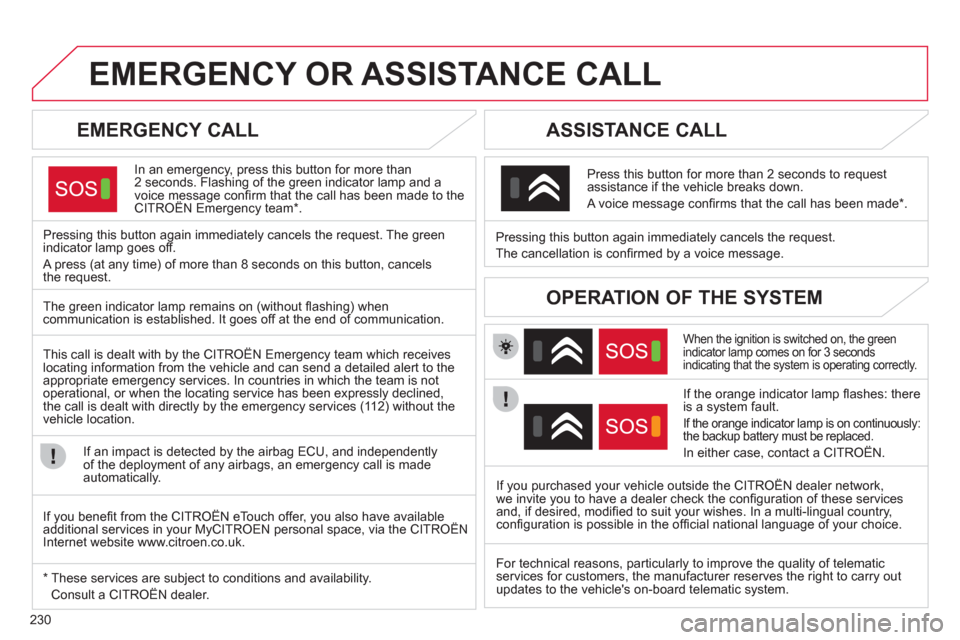
EMERGENCY CALL
In an emergency, press this button for more than
2 seconds. Flashing of the green indicator lamp and a
voice message confi rm that the call has been made to the
CITROËN Emergency team * .
Pressing this button again immediately cancels the request. The green
indicator lamp goes off.
A press (at any time) of more than 8 seconds on this button, cancels
the request.
ASSISTANCE CALL
When the ignition is switched on, the green
indicator lamp comes on for 3 seconds
indicating that the system is operating correctly.
If the orange indicator lamp fl ashes: there
is a system fault.
If the orange indicator lamp is on continuously:
the backup battery must be replaced.
In either case, contact a CITROËN.
Pressing this button again immediately cancels the request.
The cancellation is confi rmed by a voice message.
Press this button for more than 2 seconds to request
assistance if the vehicle breaks down.
A voice message confi rms that the call has been made * .
OPERATION OF THE SYSTEM
The green indicator lamp remains on (without fl ashing) when
communication is established. It goes off at the end of communication.
This call is dealt with by the CITROËN Emergency team which receives
locating information from the vehicle and can send a detailed alert to the
appropriate emergency services. In countries in which the team is not
operational, or when the locating service has been expressly declined,
the call is dealt with directly by the emergency services (112) without the
vehicle location.
If an impact is detected by the airbag ECU, and independently
of the deployment of any airbags, an emergency call is made
automatically.
* These services are subject to conditions and availability.
Consult a CITROËN dealer.
If you purchased your vehicle outside the CITROËN dealer network,
we invite you to have a dealer check the confi guration of these services
and, if desired, modifi ed to suit your wishes. In a multi-lingual country,
confi guration is possible in the offi cial national language of your choice.
If you benefi t from the CITROËN eTouch offer, you also have available
additional services in your MyCITROEN personal space, via the CITROËN
Internet website www.citroen.co.uk.
For technical reasons, particularly to improve the quality of telematic
services for customers, the manufacturer reserves the right to carry out
updates to the vehicle's on-board telematic system.
Page 233 of 332
231
The system is protected in such a way that it will only
operate in your vehicle. If it is to be installed in another
vehicle, contact a CITROËN dealer for confi guration of
the system.
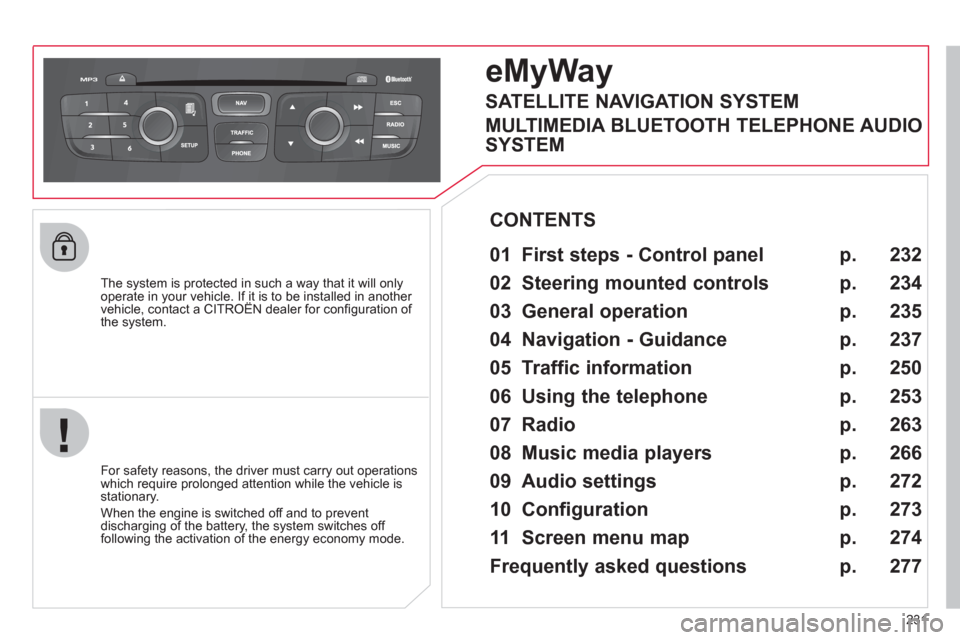
eMyWay
01 First steps - Control panel
For safety reasons, the driver must carry out operations
which require prolonged attention while the vehicle is
stationary.
When the engine is switched off and to prevent
discharging of the battery, the system switches off
following the activation of the energy economy mode.
CONTENTS
02 Steering mounted controls
03 General operation
04 Navigation - Guidance
05 Traffic information
06 Using the telephone
07 Radio
08 Music media players
09 Audio settings
10 Configuration
11 Screen menu map
Frequently asked questions p.
p.
p.
p.
p.
p.
p.
p.
p.
p.
p.
p.
232
234
235
237
250
253
263
266
272
273
274
277
SATELLITE NAVIGATION SYSTEM
MULTIMEDIA BLUETOOTH TELEPHONE AUDIO
SYSTEM
Page 237 of 332
235
03
For a detailed global view of the menus available, refer to the
"Screen menu map" section.
For cleaning the screen, the use of a soft, non-abrasive cloth
(spectacles cloth) is recommended, with no additional product.
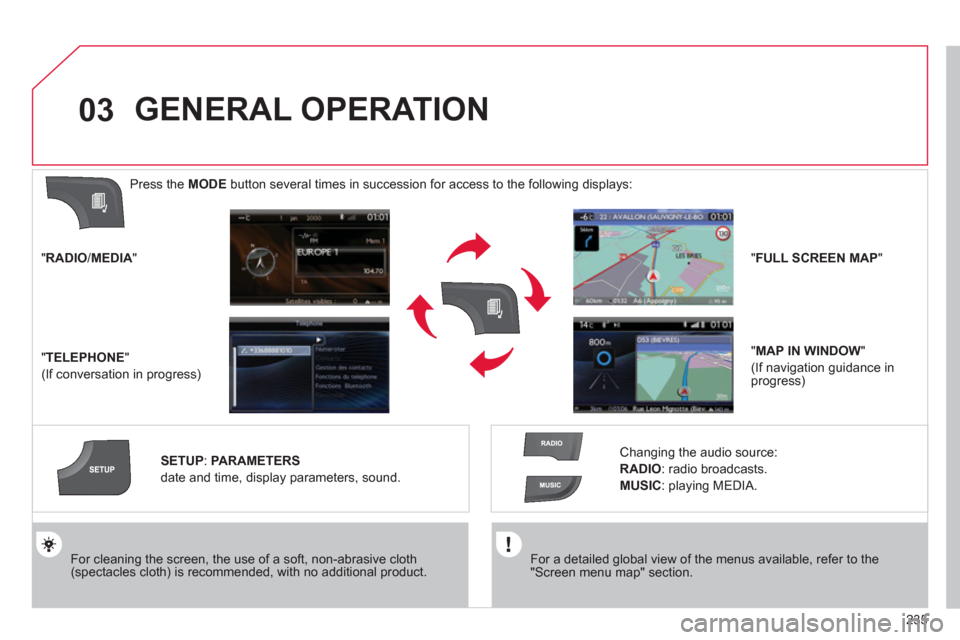
" RADIO
/ MEDIA
"
" TELEPHONE
"
(If conversation in progress)
SETUP
:
PARAMETERS
date and time, display parameters, sound.
Changing the audio source:
RADIO
:
radio broadcasts.
MUSIC
: playing MEDIA.
Press the MODE
button several times in succession for access to the following displays:
GENERAL OPERATION
" FULL SCREEN MAP
"
" MAP IN WINDOW
"
(If navigation guidance in
progress)
Page 240 of 332
238
04
1
2
3
4
5
7
9
10
8
6
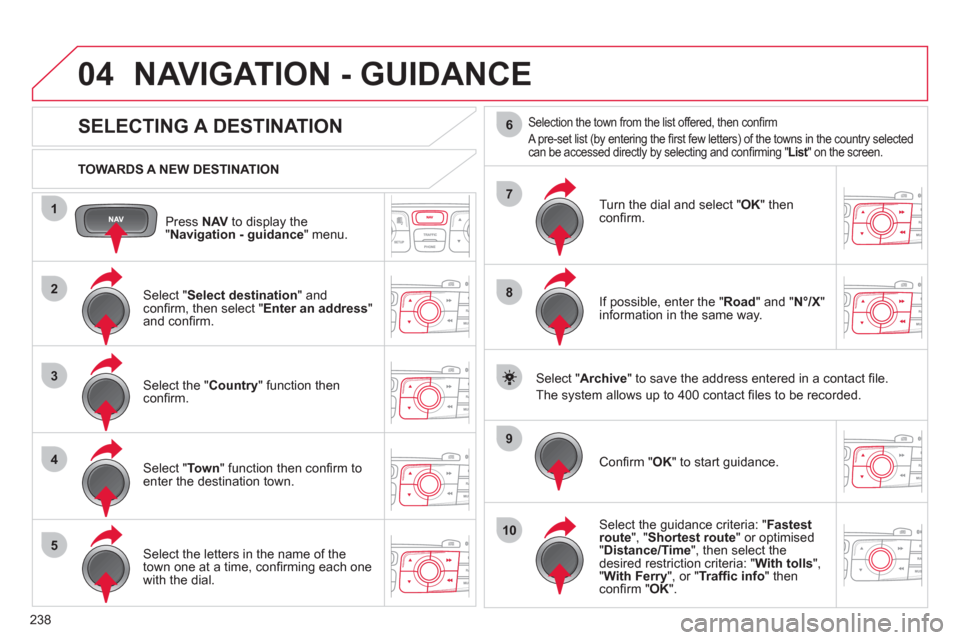
Press NAV
to display the
" Navigation - guidance
" menu.
TOWARDS A NEW DESTINATION
NAVIGATION - GUIDANCE
SELECTING A DESTINATION
Select " Select destination
" and
confi rm, then select " Enter an address
"
and confi rm.
Select the " Country
" function then
confi rm.
Select " To w n
" function then confi rm to
enter the destination town.
Select the letters in the name of the
town one at a time, confi rming each one
with the dial.
Selection the town from the list offered, then confi rm
A pre-set list (by entering the fi rst few letters) of the towns in the country selected
can be accessed directly by selecting and confi rming " List
" on the screen.
Turn the dial and select " OK
" then
confi rm.
If possible, enter the " Road
" and " N°/X
"
information in the same way.
Select " Archive
" to save the address entered in a contact fi le.
The system allows up to 400 contact fi les to be recorded.
Confi rm " OK
" to start guidance.
Select the guidance criteria: " Fastest
route
", " Shortest route
" or optimised
" Distance/Time
", then select the
desired restriction criteria: " With tolls
",
" With Ferry
", or " Traffi c info
" then
confi rm " OK
".
Page 245 of 332
243
1
2
3
04 NAVIGATION - GUIDANCE
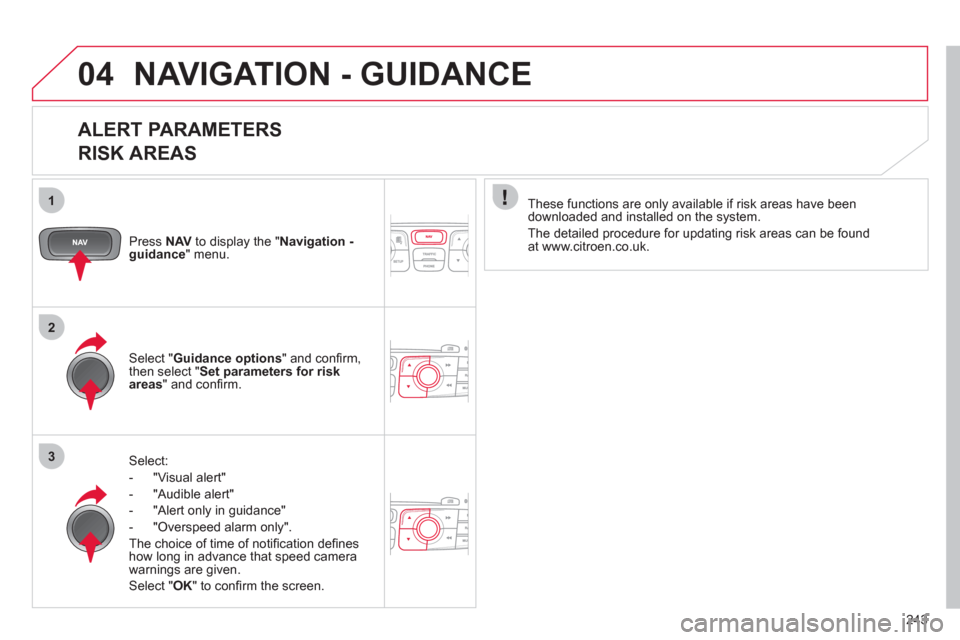
ALERT PARAMETERS
RISK AREAS
Press NAV
to display the " Navigation -
guidance
" menu.
Select:
- "Visual alert"
- "Audible alert"
- "Alert only in guidance"
- "Overspeed alarm only".
The choice of time of notifi cation defi nes
how long in advance that speed camera
warnings are given.
Select " OK
" to confi rm the screen.
Select " Guidance options
" and confi rm,
then select " Set parameters for risk
areas
" and confi rm.
These functions are only available if risk areas have been
downloaded and installed on the system.
The detailed procedure for updating risk areas can be found
at www.citroen.co.uk.
Page 247 of 332
245
04
3
4
1
2
NAVIGATION - GUIDANCE
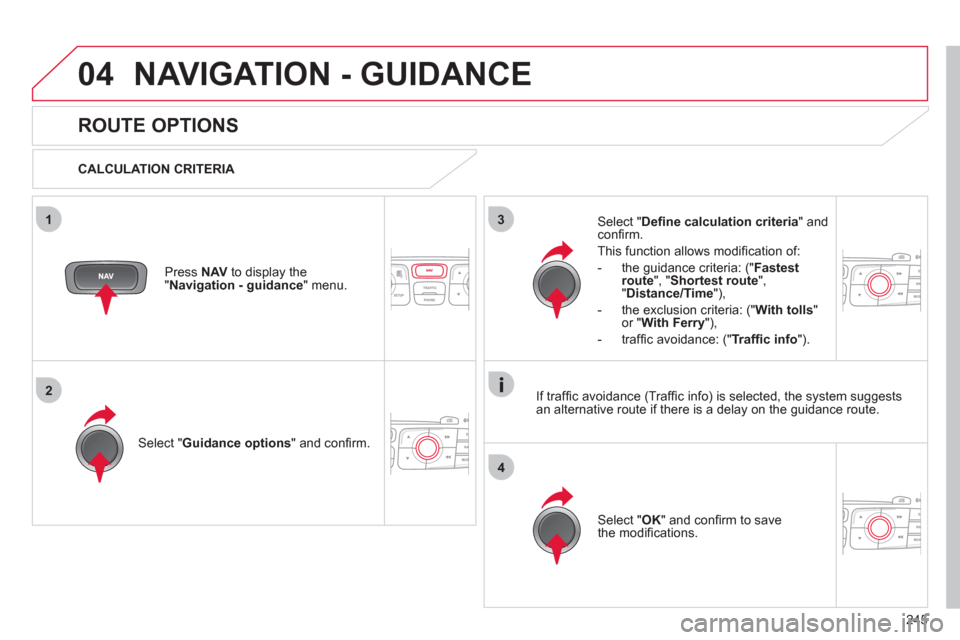
ROUTE OPTIONS
CALCULATION CRITERIA
Select " Guidance options
" and confi rm.
Select " OK
" and confi rm to save
the modifi cations.
Select " Defi ne calculation criteria
" and
confi rm.
This function allows modifi cation of:
- the guidance criteria: (" Fastest
route
", " Shortest route
",
" Distance/Time
"),
- the exclusion criteria: (" With tolls
"
or " With Ferry
"),
- traffi c avoidance: (" Traffi c info
").
Press NAV
to display the
" Navigation - guidance
" menu.
If traffi c avoidance (Traffi c info) is selected, the system suggests
an alternative route if there is a delay on the guidance route.
Page 253 of 332
251
05
1
2
3
4
TRAFFIC INFORMATION
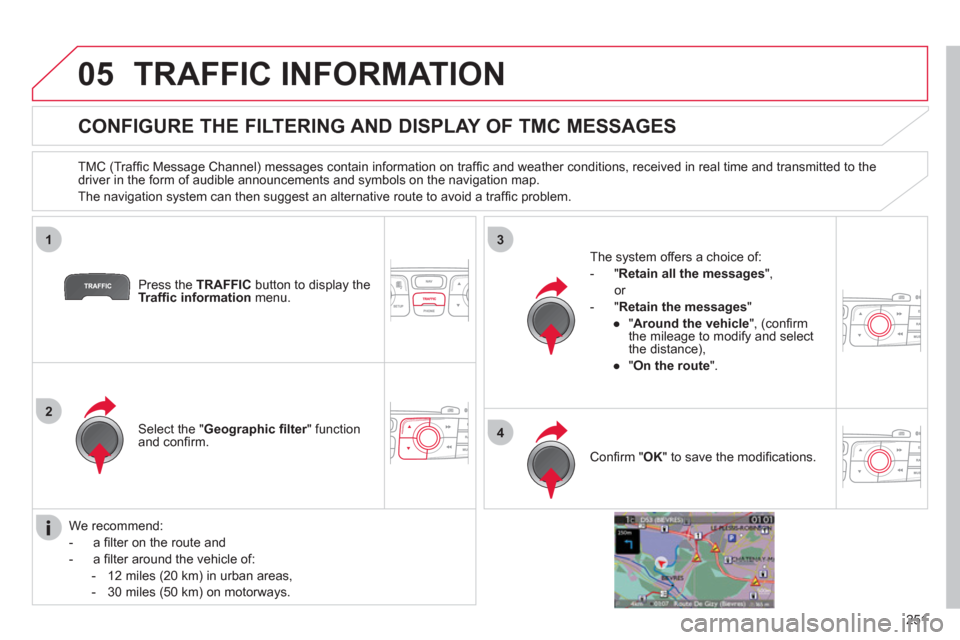
CONFIGURE THE FILTERING AND DISPLAY OF TMC MESSAGES
TMC (Traffi c Message Channel) messages contain information on traffi c and weather conditions, received in real time and transmitted to the
driver in the form of audible announcements and symbols on the navigation map.
The navigation system can then suggest an alternative route to avoid a traffi c problem.
Press the TRAFFIC
button to display the
Traffi c information
menu.
Select the " Geographic fi lter
" function
and confi rm.
The system offers a choice of:
- " Retain all the messages
",
or
- " Retain the messages
"
●
" Around the vehicle
", (confi rm
the mileage to modify and select
the distance),
●
" On the route
".
Confi rm " OK
" to save the modifi cations.
We recommend:
- a fi lter on the route and
- a fi lter around the vehicle of:
- 12 miles (20 km) in urban areas,
- 30 miles (50 km) on motorways.
Page 257 of 332
255
7
8
06
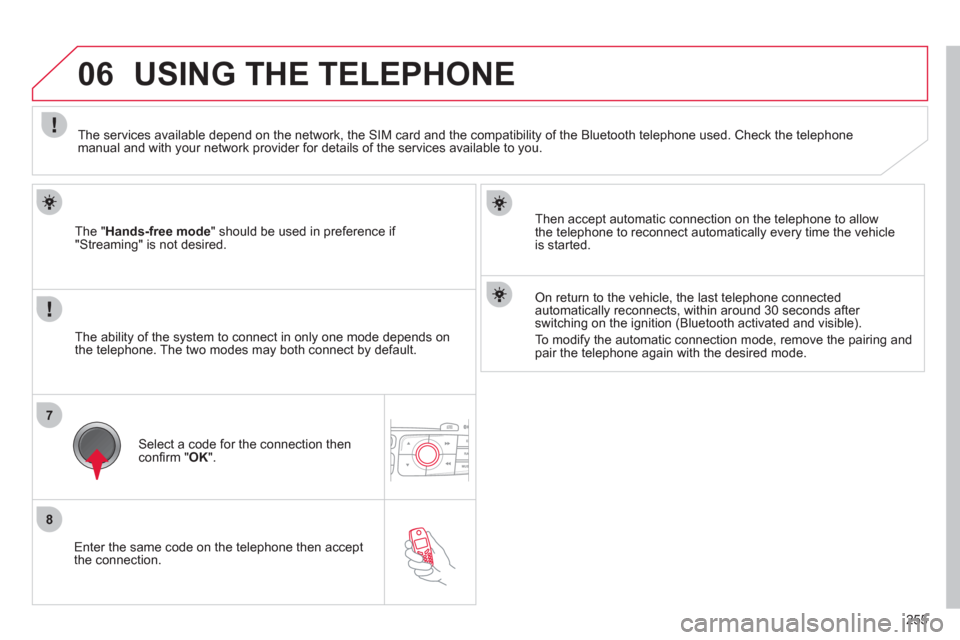
Enter the same code on the telephone then accept
the connection.
The " Hands-free mode
" should be used in preference if
"Streaming" is not desired.
Then accept automatic connection on the telephone to allow
the telephone to reconnect automatically every time the vehicle
is started.
USING THE TELEPHONE
The ability of the system to connect in only one mode depends on
the telephone. The two modes may both connect by default.
The services available depend on the network, the SIM card and the compatibility of the Bluetooth telephone used. Check the telephone
manual and with your network provider for details of the services available to you.
Select a code for the connection then
confi rm " OK
".
On return to the vehicle, the last telephone connected
automatically reconnects, within around 30 seconds after
switching on the ignition (Bluetooth activated and visible).
To modify the automatic connection mode, remove the pairing and
pair the telephone again with the desired mode.
Page 261 of 332
259
1
2
06
1
USING THE TELEPHONE
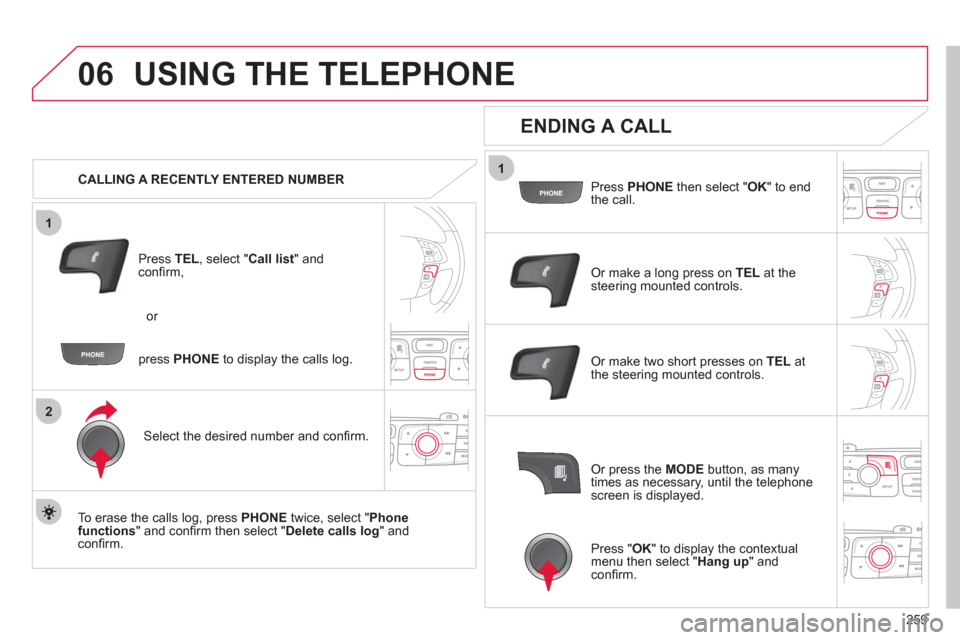
CALLING A RECENTLY ENTERED NUMBER
Press TEL
, select " Call list
" and
confi rm,
Select the desired number and confi rm.
To erase the calls log, press PHONE
twice, select " Phone
functions
" and confi rm then select " Delete calls log
" and
confi rm.
ENDING A CALL
Press PHONE
then select " OK
" to end
the call.
Or make a long press on TEL
at the
steering mounted controls.
Or make two short presses on TEL
at
the steering mounted controls.
Or press the MODE
button, as many
times as necessary, until the telephone
screen is displayed. press PHONE
to display the calls log. or
Press " OK
" to display the contextual
menu then select " Hang up
" and
confi rm.
Page 263 of 332
261
1
2a
2b
2c
2d
06 USING THE TELEPHONE
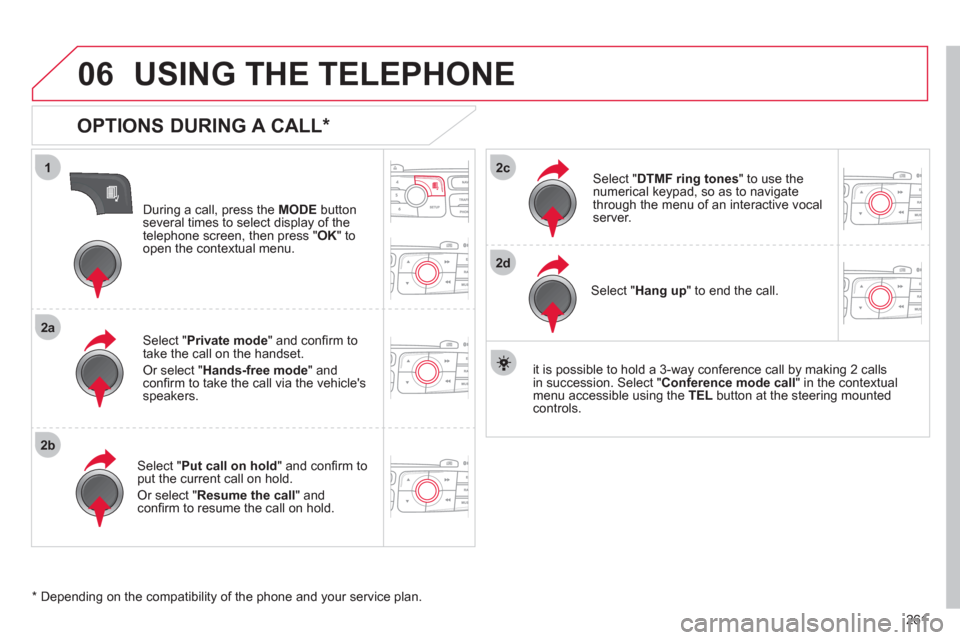
OPTIONS DURING A CALL *
During a call, press the MODE
button
several times to select display of the
telephone screen, then press " OK
" to
open the contextual menu.
Select " Private mode
" and confi rm to
take the call on the handset.
Or select " Hands-free mode
" and
confi rm to take the call via the vehicle's
speakers.
Select " Put call on hold
" and confi rm to
put the current call on hold.
Or select " Resume the call
" and
confi rm to resume the call on hold.
Select " DTMF ring tones
" to use the
numerical keypad, so as to navigate
through the menu of an interactive vocal
server.
Select " Hang up
" to end the call.
* Depending on the compatibility of the phone and your service plan.
it is possible to hold a 3-way conference call by making 2 calls
in succession. Select " Conference
mode call
" in the contextual
menu accessible using the TEL
button at the steering mounted
controls.