ignition Citroen C4 2014.5 2.G User Guide
[x] Cancel search | Manufacturer: CITROEN, Model Year: 2014.5, Model line: C4, Model: Citroen C4 2014.5 2.GPages: 494, PDF Size: 21.47 MB
Page 26 of 494
24
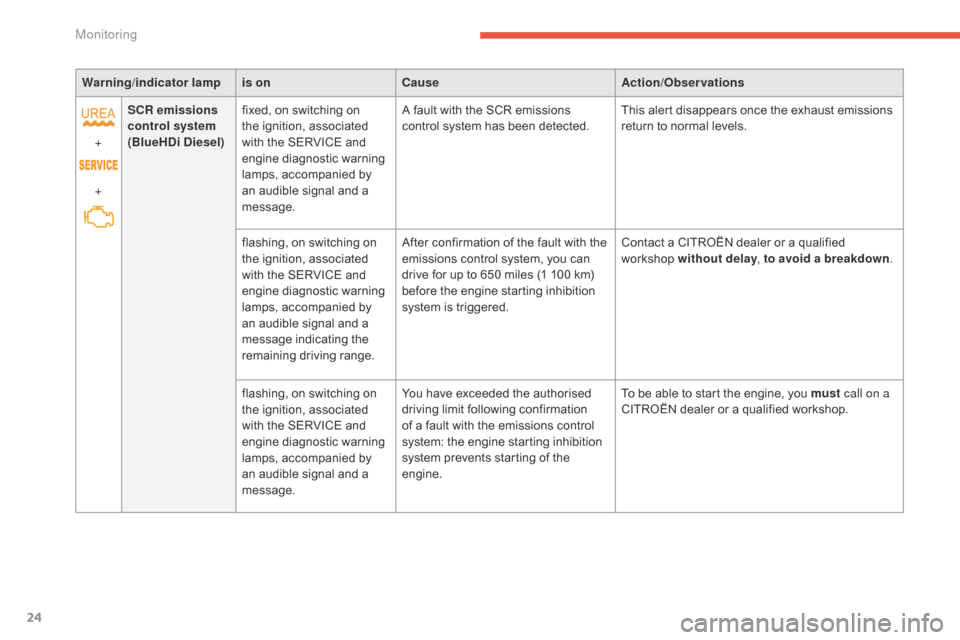
Warning/indicator lampis on Cause Action/Observations
+
+ SCR emissions
control system
(BlueHDi Diesel) fixed,
on switching on
t
he ignition, associated
w
ith the SERVICE and
e
ngine diagnostic warning
l
amps, accompanied by
a
n audible signal and a
m
essage.A
fault with the SCR emissions
c
ontrol system has been detected.This
alert disappears once the exhaust emissions
r
eturn to normal levels.
flashing,
on switching on
t
he ignition, associated
w
ith the SERVICE and
e
ngine diagnostic warning
l
amps, accompanied by
a
n audible signal and a
m
essage indicating the
r
emaining
d
riving
r
ange.After
confirmation of the fault with the
e
missions control system, you can
d
rive for up to 650 miles (1 100 km)
b
efore the engine starting inhibition
s
ystem is triggered.Contact
a CITROËN dealer or a qualified
w
orkshop without delay, to avoid a breakdown .
flashing,
on switching on
t
he ignition, associated
w
ith the SERVICE and
e
ngine diagnostic warning
l
amps, accompanied by
a
n audible signal and a
m
essage.You
have exceeded the authorised
d
riving limit following confirmation
o
f a fault with the emissions control
s
ystem: the engine starting inhibition
s
ystem prevents starting of the
e
ngine.To
be able to start the engine, you must call on a
CITROËN
dealer or a qualified workshop.
Monitoring
Page 28 of 494
26
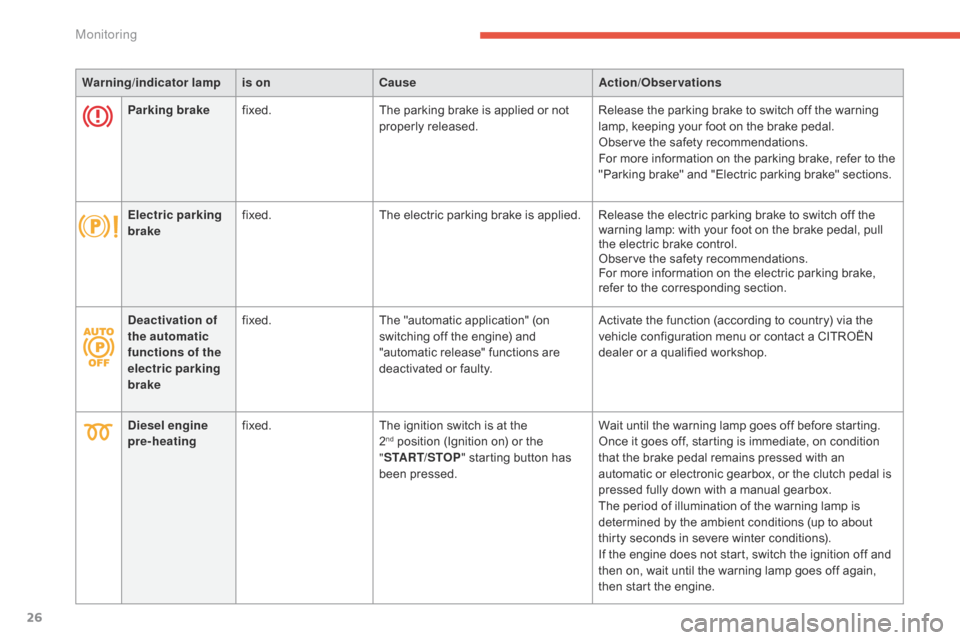
Warning/indicator lampis on Cause Action/Observations
Parking brake fixed. The
parking brake is applied or not
p
roperly
r
eleased.Release
the parking brake to switch off the warning
l
amp, keeping your foot on the brake pedal.
Observe
the safety recommendations.
For
more information on the parking brake, refer to the
"
Parking brake" and "Electric parking brake" sections.
Electric parking
brake fixed.
The
electric parking brake is applied. Release the electric parking brake to switch off the
w
arning lamp: with your foot on the brake pedal, pull
t
he electric brake control.
Observe
the safety recommendations.
For
more information on the electric parking brake,
r
efer to the corresponding section.
Deactivation of
the automatic
functions of the
electric parking
brake fixed.
The
"automatic application" (on
s
witching off the engine) and
"
automatic release" functions are
d
eactivated or faulty.Activate
the function (according to country) via the
v
ehicle configuration menu or contact a CITROËN
d
ealer or a qualified workshop.
Diesel engine
pre-heating fixed.
The
ignition switch is at the
2nd position (Ignition on) or the "ST
ART/STOP "
starting button has
b
een pressed. Wait
until the warning lamp goes off before starting.
Once it goes off, starting is immediate, on condition t
hat the brake pedal remains pressed with an
a
utomatic or electronic gearbox, or the clutch pedal is
p
ressed fully down with a manual gearbox.
The
period of illumination of the warning lamp is
d
etermined by the ambient conditions (up to about
t
hirty seconds in severe winter conditions).
If
the engine does not start, switch the ignition off and
t
hen on, wait until the warning lamp goes off again,
t
hen start the engine.
Monitoring
Page 32 of 494
30
Service indicator
System that informs the driver when the next service is due, in accordance with the
ma
nufacturer's
ser
vice
s
chedule.
The
point at which the service is due is
c
alculated from the last service indicator zero
r
eset, according to the distance covered and
t
he time elapsed since the last service.
For
b
l
ueH
di
d
i
esel versions, the level of
deterioration
of the engine oil may also be
t
aken into account, depending on the country
o
f sale.
More than 1800 miles (3000 km)
remain before the next service is due
When the ignition is switched on, no service information appears in the instrument panel central screen.
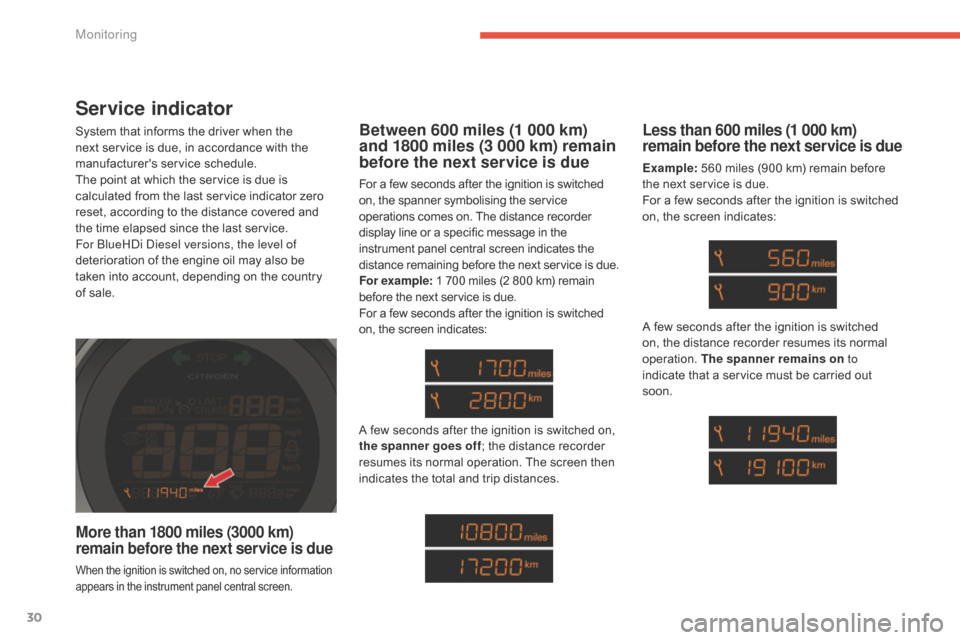
Between 600 miles (1 000 km)
and 1800 miles (3 000 km) remain
before the next service is due
For a few seconds after the ignition is switched on, the spanner symbolising the service o
perations comes on. The distance recorder
d
isplay line or a specific message in the
i
nstrument panel central screen indicates the
d
istance
r
emaining
b
efore
t
he
n
ext
ser
vice
i
s
d
ue.
For example:
1 700 miles (2 800 km) remain
b
efore the next service is due.
For
a few seconds after the ignition is switched
o
n, the screen indicates:
Less than 600 miles (1 000 km)
remain before the next service is due
Example: 560 miles (900 km) remain before t
he next service is due.
For
a few seconds after the ignition is switched
o
n, the screen indicates:
A
few
seconds
after
the
ignition
is
switched
on,
t
he spanner goes off ;
the
distance
recorder
r
esumes
its
normal
operation.
The
screen
then
i
ndicates
the
total
and
trip
distances. A
few seconds after the ignition is switched
o
n, the distance recorder resumes its normal
ope
ration.
T
he spanner remains on to
indicate
that a service must be carried out
s
oon.
Monitoring
Page 33 of 494
31
Service overdue
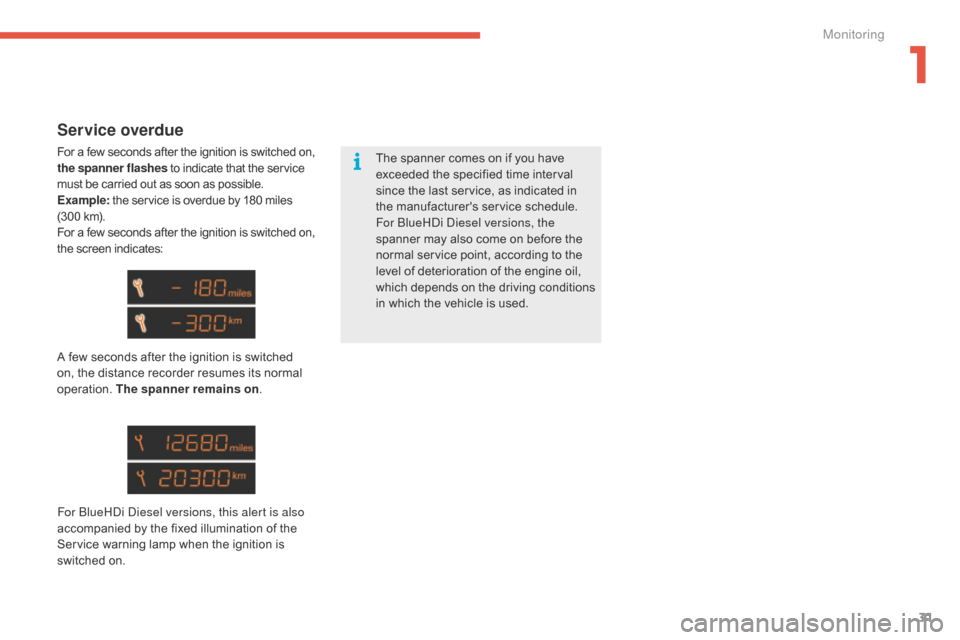
For a few seconds after the ignition is switched on, the spanner flashes to indicate that the service m
ust be carried out as soon as possible.
Example:
the service is overdue by 180 miles
(
300 km).
For
a few seconds after the ignition is switched on,
t
he screen indicates:
A
few seconds after the ignition is switched
o
n, the distance recorder resumes its normal
ope
ration.
T
he spanner remains on .
For
b
l
ueH
di
d
i
esel versions, this alert is also
accompanied
by the fixed illumination of the
S
ervice warning lamp when the ignition is
s
witched on. The
spanner comes on if you have
e
xceeded the specified time interval
s
ince the last service, as indicated in
t
he
ma
nufacturer's
ser
vice
s
chedule.
For
b
l
ueH
di
d
i
esel versions, the
spanner
may also come on before the
n
ormal service point, according to the
l
evel of deterioration of the engine oil,
w
hich
d
epends
o
n
t
he
d
riving
c
onditions
i
n which the vehicle is used.
1
Monitoring
Page 34 of 494
32
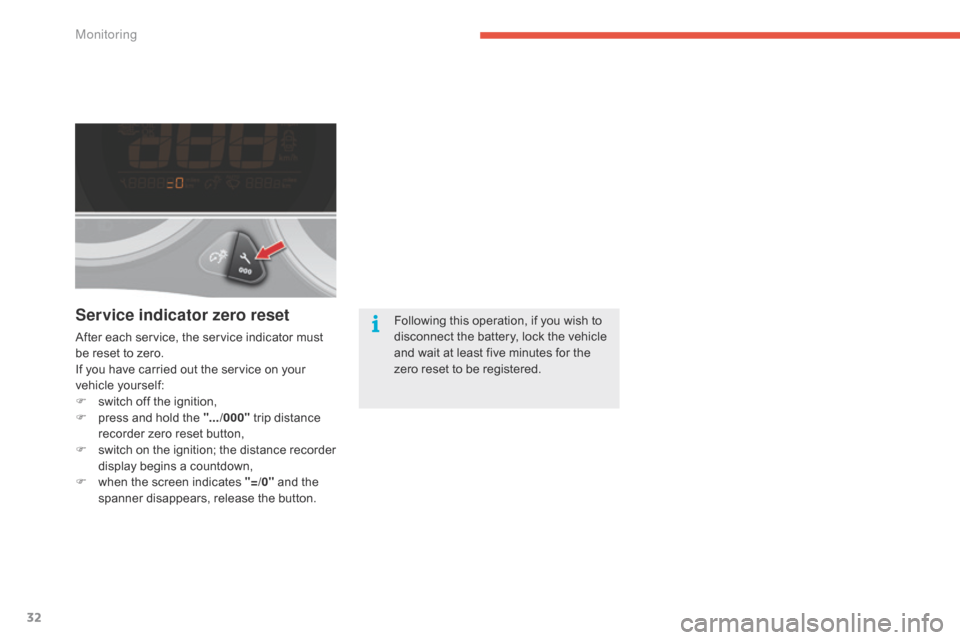
Service indicator zero reset
After each service, the service indicator must be reset to zero.
If
you have carried out the service on your
v
ehicle
y
ourself:
F
s
witch off the ignition,
F
p
ress and hold the ".../000"
trip distance
r
ecorder zero reset button,
F
s
witch
o
n
t
he
i
gnition;
t
he
d
istance
r
ecorder
d
isplay begins a countdown,
F
w
hen the screen indicates "=/0"
and the
s
panner disappears, release the button.Following
this operation, if you wish to d
isconnect the battery, lock the vehicle a
nd wait at least five minutes for the
z
ero reset to be registered.
Monitoring
Page 35 of 494
33
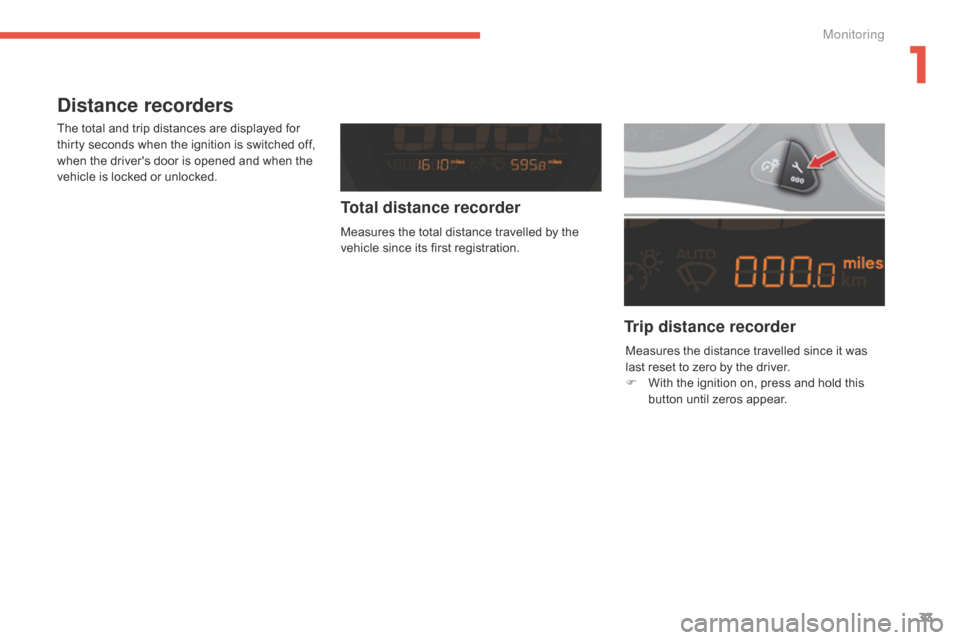
Distance recorders
The total and trip distances are displayed for thirty seconds when the ignition is switched off,
w
hen the driver's door is opened and when the
v
ehicle is locked or unlocked.
Trip distance recorder
Total distance recorder
Measures the total distance travelled by the v
ehicle since its first registration.
Measures
the distance travelled since it was
l
ast reset to zero by the driver.
F
W
ith the ignition on, press and hold this
b
utton until zeros appear.
1
Monitoring
Page 43 of 494
41
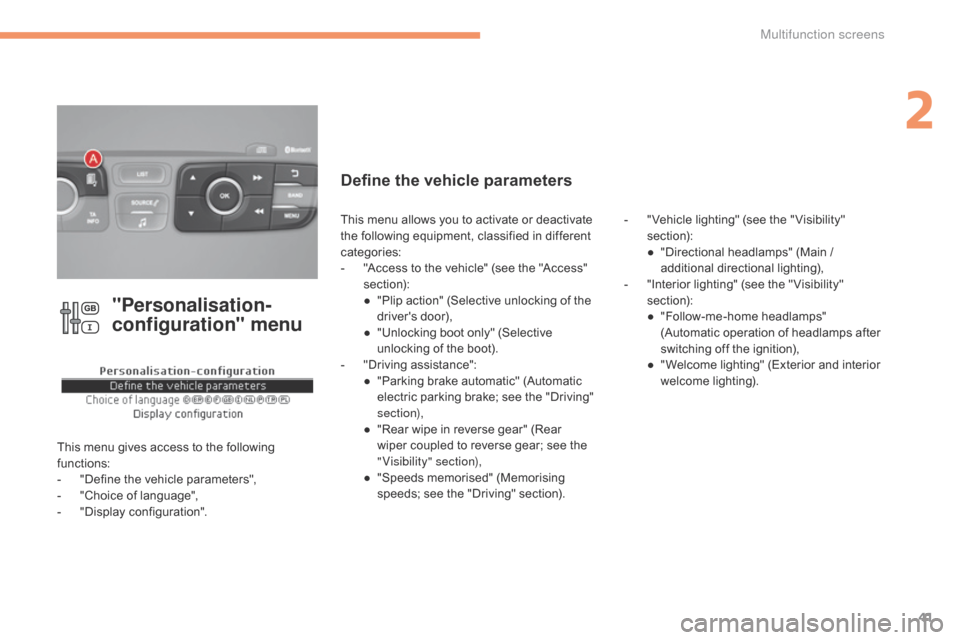
"Personalisation-
configuration" menu
This menu gives access to the following functions:
-
"
Define the vehicle parameters",
-
"
Choice of language",
-
"
Display configuration".
Define the vehicle parameters
- "Vehicle lighting" (see the " Visibility" s
ection):
●
"
Directional headlamps" (Main /
a
dditional
d
irectional
l
ighting),
-
"
Interior lighting" (see the " Visibility"
s
ection):
●
"
Follow-me-home headlamps"
(
Automatic operation of headlamps after
s
witching off the ignition),
●
"
Welcome lighting" (Exterior and interior
w
elcome lighting).
This
menu
allows
you
to
activate
or
deactivate
t
he
following
equipment,
classified
in
different
c
ategories:
-
"
Access
to
the
vehicle"
(see
the
"Access"
s
ection):
●
"
Plip
action"
(Selective
unlocking
of
the
d
river's
do
or),
●
"
Unlocking
boot
only"
(Selective
u
nlocking
of
the
boot).
-
"
Driving
assistance":
●
"
Parking
brake
automatic"
(Automatic
e
lectric
parking
brake;
see
the
"Driving"
s
ection),
●
"
Rear
wipe
in
reverse
gear"
(Rear
w
iper
coupled
to
reverse
gear;
see
the
"
Visibility" section),
●
"
Speeds
memorised"
(Memorising
s
peeds;
see
the
"Driving"
section).
2
Multifunction screens
Page 54 of 494
52
A few definitions…
Range
(miles or km)
W
hen
the
range falls below 20 miles
(30
km),
dashes are displayed. After filling with at
l
east
5
litres
of fuel, the range is recalculated and
i
s
displayed
when it exceeds 60 miles (100 km).
Current fuel consumption
(mpg or l/100 km or km/l)
Average fuel
consumption
(mpg or l/100 km or km/l)
Average speed
(mph or km/h)
Distance travelled
(miles or km)
Stop & Start time counter
(minutes / seconds or hours / minutes)
If
dashes
are
displayed
continuously
w
hile
driving
in
place
of
the
digits,
c
ontact
a
CITROËN
dealer
or
a
qualified
w
orkshop. The
fuel
consumption
of
your
vehicle
w
ill
be
higher
than
the
official
figures
o
btained
by
CITROËN
during
the
first
3
000
miles
(5
000
km)
of
the
vehicle's
l
ife.
This
function
is
only
displayed
from
2
0 mph
(30
km/h).
This
value
may
vary
following
a
change
i
n
the
style
of
driving
or
the
relief,
r
esulting
in
a
significant
change
in
the
c
urrent
fuel
consumption.
This
indicates
the
distance
which
can
still
be
t
ravelled
with
the
fuel
remaining
in
the
tank
in
r
elation
to
the
average
fuel
consumption
over
t
he
last
few
miles
(kilometres)
travelled.
This
is
the
average
fuel
consumption
during
the
l
ast
few
seconds.
T
his
is
the
average
fuel
consumption
since
the
l
ast
trip
computer
zero
reset.
If
your
vehicle is fitted with Stop & Start, a time
c
ounter
calculates the time spent in STOP
m
ode
during a journey.
It
resets
to zero every time the ignition is
s
witched
on.
This
indicates the distance travelled since the
l
ast
trip
computer zero reset.
This
is
the average speed calculated since the
l
ast
trip
computer zero reset (ignition on).
Multifunction screens
Page 60 of 494
58
Fault with the remote
control
Reinitialisation
F Switch off the ignition and remove the ig
nition k ey.
F
P
ress the closed padlock immediately for a
f
ew seconds.
F
T
urn the key to position 2 (Ignition on).
F
S
witch off the ignition and remove the key
f
rom the ignition switch.
The
remote control is fully operational again.Battery
ref.: CR2032 / 3 volts.
Changing the battery
If the battery is flat, you are
informed
by illumination of this
w
arning lamp, an audible signal and
a
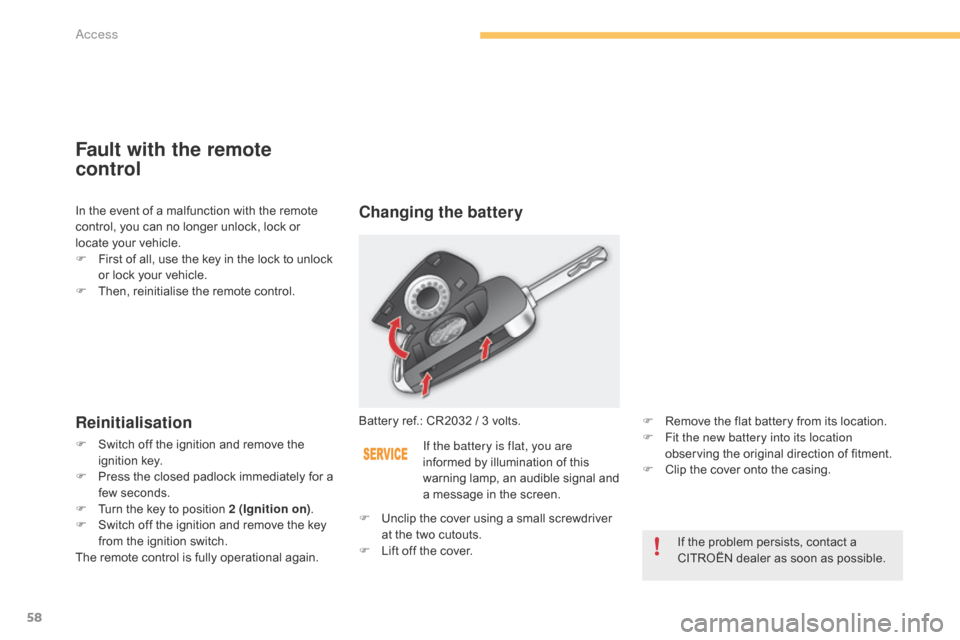
message in the screen. F
R
emove the flat battery from its location.
F F it the new battery into its location
observing the original direction of fitment.
F
C
lip the cover onto the casing.
If
the problem persists, contact a
C
ITROËN dealer as soon as possible.
F
U
nclip
the cover using a small screwdriver
a
t
the
two cutouts.
F
L
ift
off
the cover.
In
the
event
of
a
malfunction
with
the
remote
c
ontrol,
you
can
no
longer
unlock,
lock
or
l
ocate
your
vehicle.
F
F
irst
of
all,
use
the
key
in
the
lock
to
unlock
o
r
lock
your
vehicle.
F
T
hen,
reinitialise
the
remote
control.
Access
Page 64 of 494
62
Back-up key
The integral key is used to lock and unlock the vehicle when the electronic key cannot operate:
-
c
ell battery flat, vehicle battery discharged
o
r disconnected, ...
-
v
ehicle located in an area with strong
e
lectromagnetic
si
gnals.
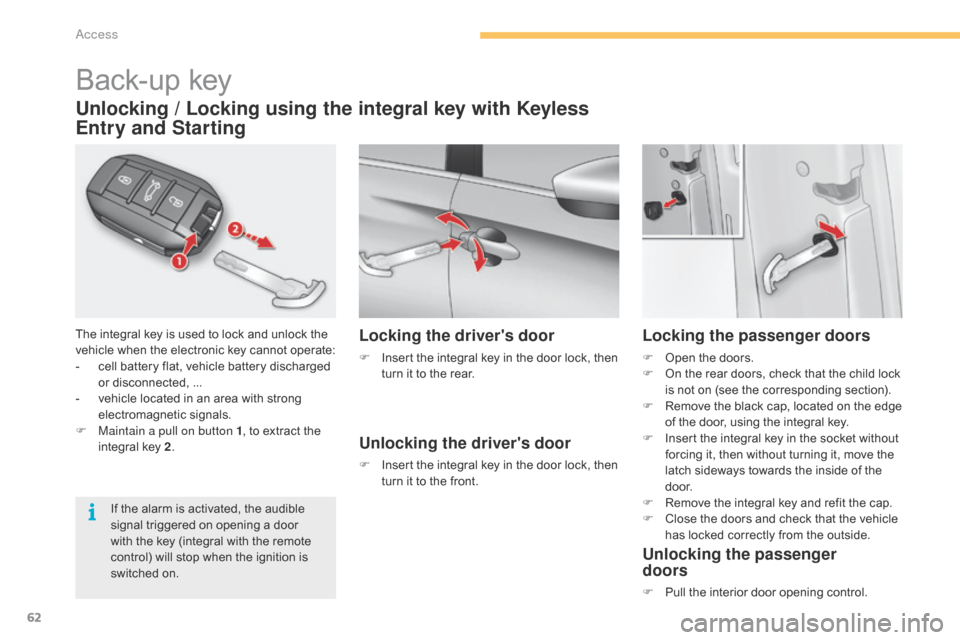
F
M
aintain a pull on button 1 ,
to extract the
i
ntegral key 2.
Unlocking / Locking using the integral key with Keyless
Entry and Starting
If the alarm is activated, the audible s
ignal triggered on opening a door
w
ith the key (integral with the remote
c
ontrol) will stop when the ignition is
s
witched on.
Locking the driver's door
F Insert the integral key in the door lock, then t
urn it to the rear.
Unlocking the driver's door
F Insert the integral key in the door lock, then t
urn it to the front.
Locking the passenger doors
F Open the doors.
F O n the rear doors, check that the child lock
i
s not on (see the corresponding section).
F
R
emove the black cap, located on the edge
o
f the door, using the integral key.
F
I
nsert the integral key in the socket without
f
orcing it, then without turning it, move the
l
atch sideways towards the inside of the
d
o o r.
F
R
emove the integral key and refit the cap.
F
C
lose the doors and check that the vehicle
h
as locked correctly from the outside.
Unlocking the passenger
doors
F Pull the interior door opening control.
access