buttons Citroen C4 2015 2.G User Guide
[x] Cancel search | Manufacturer: CITROEN, Model Year: 2015, Model line: C4, Model: Citroen C4 2015 2.GPages: 494, PDF Size: 20.49 MB
Page 47 of 494
45
C4-2_en_Chap02_ecran-multifonction_ed01-2015
C4-2_en_Chap02_ecran-multifonction_ed01-2015
Menus
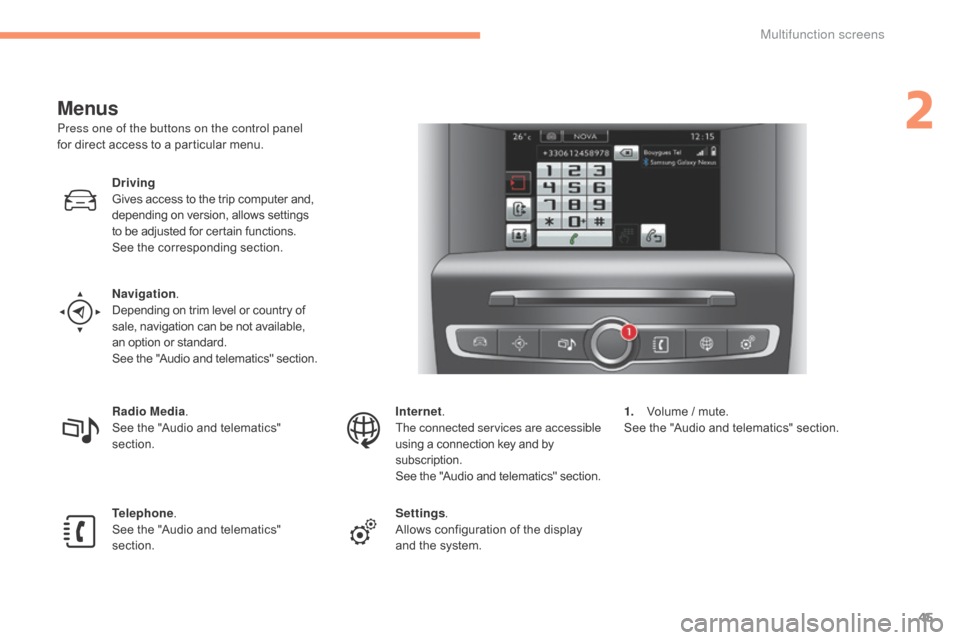
Press one of the buttons on the control panel
for direct access to a particular menu.
Driving
Gives
access to the trip computer and,
d
epending on version, allows settings
t
o be adjusted for certain functions.
See
the corresponding section.
Navigation .
Depending
on trim level or country of
s
ale, navigation can be not available,
a
n option or standard.
See
t
he
"
Audio
a
nd
t
elematics"
se
ction.
Radio Media .
See
the "Audio and telematics"
s
ection.
Telephone .
See
the "Audio and telematics"
s
ection. Internet.
The connected services are accessible
using
a connection key and by
s
ubscription.
See
t
he
"
Audio
a
nd
t
elematics"
se
ction.
Settings .
Allows
configuration of the display
a
nd the system.1.
V
olume / mute.
See
the "Audio and telematics" section.
2
Multifunction screens
Page 53 of 494
51
C4-2_en_Chap02_ecran-multifonction_ed01-2015
C4-2_en_Chap02_ecran-multifonction_ed01-2015
Touch screen tablet
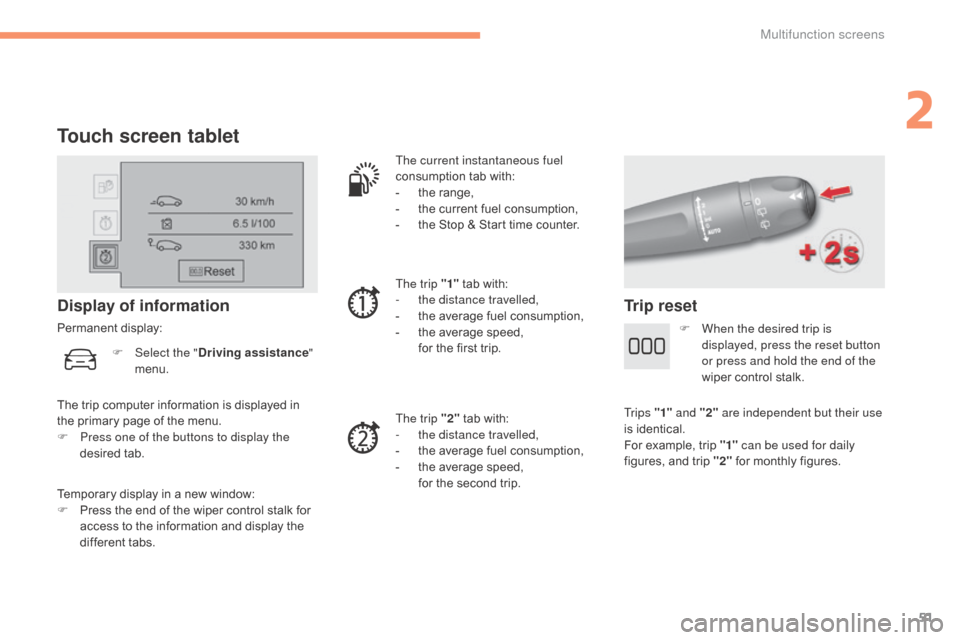
Temporary display in a new window:
F P ress the end of the wiper control stalk for
a
ccess to the information and display the
d
ifferent tabs.
Display of information
Permanent display: The current instantaneous fuel
consumption
tab with:
-
t
he range,
-
t
he current fuel consumption,
-
t
he Stop & Start time counter.
The trip "1"
tab with:
-
t
he distance travelled,
- t he average fuel consumption,
- t he average speed,
f
or the first trip.
The trip "2"
tab with:
-
t
he distance travelled,
-
t
he average fuel consumption,
-
t
he average speed,
f
or the second trip.
Trip reset
The trip computer information is displayed in the primary page of the menu.
F
P
ress one of the buttons to display the
desired
t
ab.
F
Sel
ect the "
Driving assistance "
menu. F
W
hen the desired trip is
displayed, press the reset button
or press and hold the end of the
wiper control stalk.
Tr i p s "1" and "2" are independent but their use
is
identical.
For
example, trip "1" can be used for daily
figures,
and trip "2"
for monthly figures.
2
Multifunction screens
Page 62 of 494
60
C4-2_en_Chap03_ouvertures_ed01-2015
C4-2_en_Chap03_ouvertures_ed01-2015
Locking the vehicle
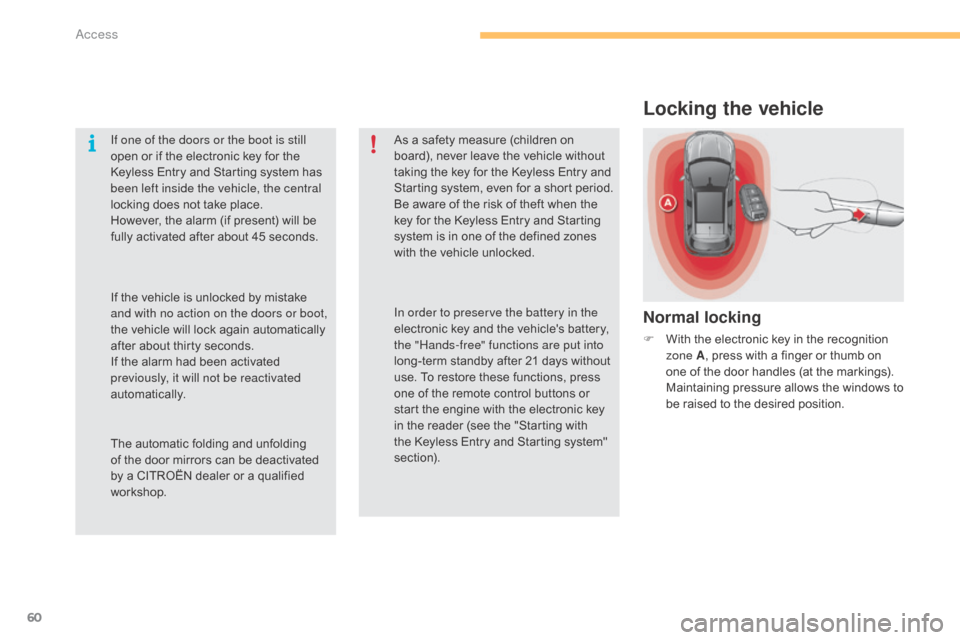
Normal locking
F With the electronic key in the recognition z
one A ,
press with a finger or thumb on
o
ne of the door handles (at the markings).
M
aintaining pressure allows the windows to
b
e raised to the desired position.
If one of the doors or the boot is still
open
or
if
the
electronic
key
for
the
K
eyless
Entry
and
Starting
system
has
b
een left inside the vehicle, the central
locking
does
not
take
place.
However,
the
alarm
(if
present)
will
be
f
ully
activated
after
about
45
seconds.
As
a
safety
measure
(children
on
b
oard),
never
leave
the
vehicle
without
t
aking
the
key
for
the
Keyless
Entry
and
S
tarting
system,
even
for
a
short
period.
Be
aware
of
the
risk
of
theft
when
the
k
ey
for
the
Keyless
Entry
and
Starting
s
ystem
is
in
one
of
the
defined
zones
w
ith
the
vehicle
unlocked.
The
automatic
folding
and
unfolding
o
f
the
door
mirrors
can
be
deactivated
b
y
a
CITROËN
dealer
or
a
qualified
w
orkshop. In order to preserve the battery in the
electronic
key
and
the
vehicle's
battery,
t
he "Hands-free" functions are put into
long-term
standby
after
21
days
without
u
se.
To
restore
these
functions,
press
o
ne
of
the
remote
control
buttons
or
s
tart
the
engine
with
the
electronic
key
i
n
the
reader
(see
the
"Starting
with
t
he
Keyless
Entry
and
Starting
system"
s
ection).
If
the
vehicle
is
unlocked
by
mistake
a
nd with no action on the doors or boot,
the
vehicle
will
lock
again
automatically
a
fter
about
thirty
seconds.
If
the
alarm
had
been
activated
p
reviously, it will not be reactivated
automatically.
Access
Page 66 of 494
64
C4-2_en_Chap03_ouvertures_ed01-2015
C4-2_en_Chap03_ouvertures_ed01-2015
Remote control
The high frequency remote control is a sensitive system; do not operate it while it is in your pocket as there is a possibility that it may unlock the vehicle, without you being aware of it.
Do
not repeatedly press the buttons of your remote control out of range and out of sight of your vehicle. You run the risk of stopping it from
w
orking and the remote control would have to be reinitialised.
The
remote control does not operate when the key is in the ignition, even when the ignition is switched off.
Locking the vehicle
Driving with the doors locked may make access to the passenger compartment by the emergency services more difficult in an emergency.
A s a safety precaution (with children on board), remove the key from the ignition or take the electronic key when you leave the vehicle, even for
a
short time.
Electrical interference
The Keyless Entry and Starting electronic key may not operate if close to certain electronic devices: telephone, laptop computer, strong magnetic fields, ...
Anti-theft protection
Do not make any modifications to the electronic engine immobiliser system; this could cause malfunctions.
D on't forget to turn the steering to engage the steering lock.
Lost keys, remote control, electronic key
Visit a CITROËN dealer with the vehicle's V5 registration document and your personal identification documents.
T he CITROËN dealer will be able to retrieve the key code and the transponder code required to order a replacement.
Do
not throw the remote control batteries away, they contain metals which are harmful to the environment.
Take
them to an approved collection point.
When purchasing a second-hand vehicle
Have the key codes memorised by a CITROËN dealer, to ensure that the keys in your possession are the only ones which can start the vehicle.
Access
Page 88 of 494
86
C4-2_en_Chap04_confort_ed01-2015
C4-2_en_Chap04_confort_ed01-2015
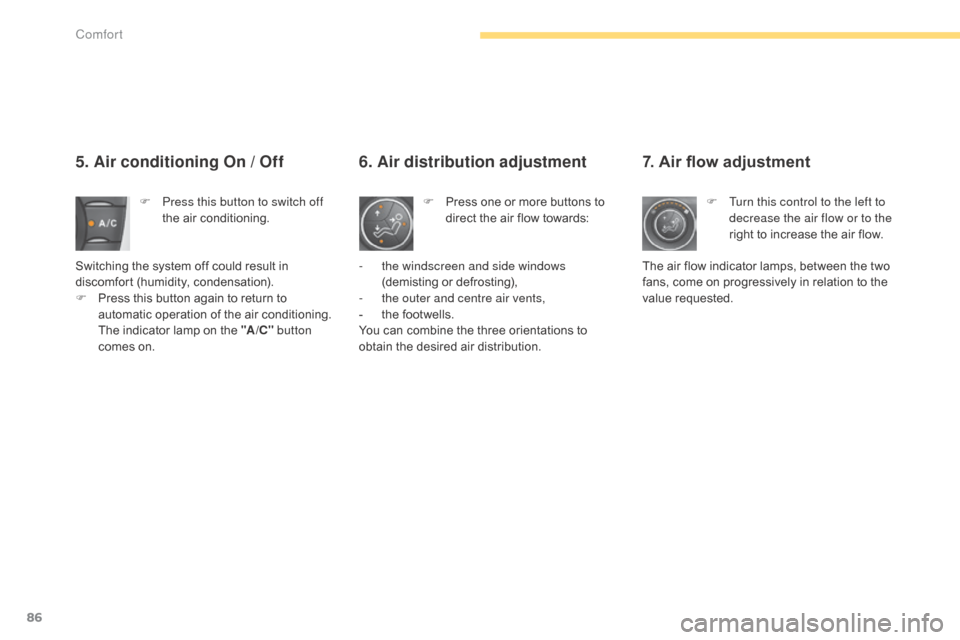
7. Air flow adjustment
F Turn this control to the left to decrease the air flow or to the
right
to increase the air flow.
The
air
flow
indicator lamps, between the two
f
ans,
come
on progressively in relation to the
v
alue
re
quested.
5. Air conditioning On / Off
F Press this button to switch off the air conditioning.
Switching
the system off could result in
d
iscomfort
(
humidity,
c
ondensation).
F
P
ress
this button again to return to
a
utomatic operation of the air conditioning.
T
he
indicator lamp on the "A /C " button
comes
on. F
P ress one or more buttons to d
irect the air flow towards:
6. Air distribution adjustment
- the windscreen and side windows
(demisting or defrosting),
-
t
he outer and centre air vents,
-
t
he footwells.
You
can combine the three orientations to
o
btain the desired air distribution.
Comfort
Page 97 of 494
95
C4-2_en_Chap04_confort_ed01-2015
C4-2_en_Chap04_confort_ed01-2015
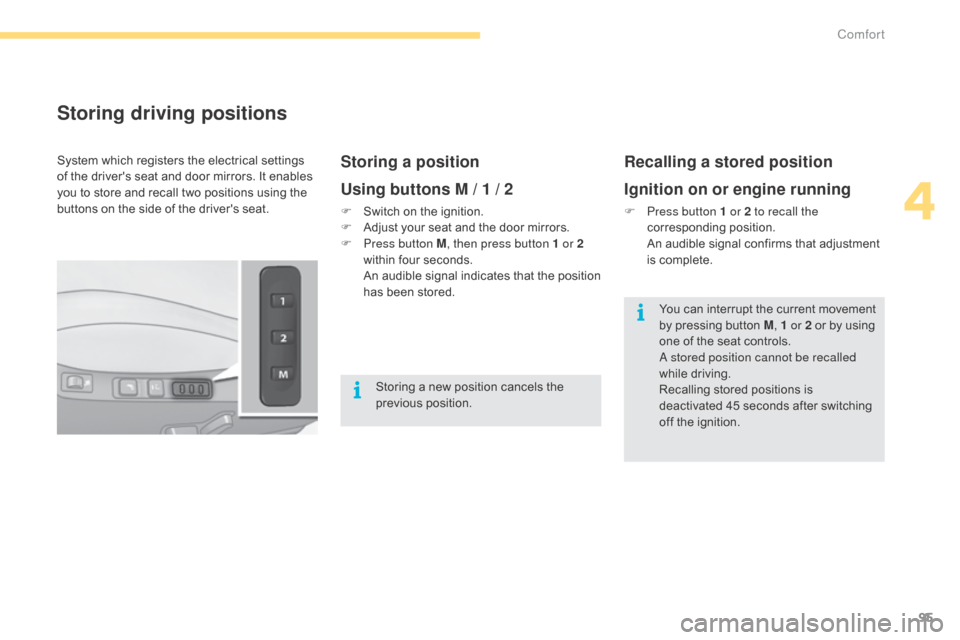
Storing driving positions
Storing a position
Using buttons M / 1 / 2
F Switch on the ignition.
F A djust your seat and the door mirrors.
F
P
ress button M , then press button 1 or 2
within
four seconds.
A
n audible signal indicates that the position
h
as been stored.
Recalling a stored position
Ignition on or engine running
F Press button 1 or 2 to recall the corresponding p osition.
A
n audible signal confirms that adjustment
i
s complete.
System
which
registers
the
electrical
settings
o
f
the
driver's
seat
and
door
mirrors.
It
enables
y
ou
to
store
and
recall
two
positions
using
the
b
uttons
on
the
side
of
the
driver's
seat.
Storing
a
new
position
cancels
the
p
revious
p
osition. You
can interrupt the current movement
b
y pressing button M, 1 or 2
or by using
o
ne of the seat controls.
a
stored position cannot be recalled
while
driving.
Recalling
stored positions is
d
eactivated 45 seconds after switching
o
ff the ignition.
4
Comfort
Page 204 of 494
202
C4-2_en_Chap09_conduite_ed01-2015
C4-2_en_Chap09_conduite_ed01-2015
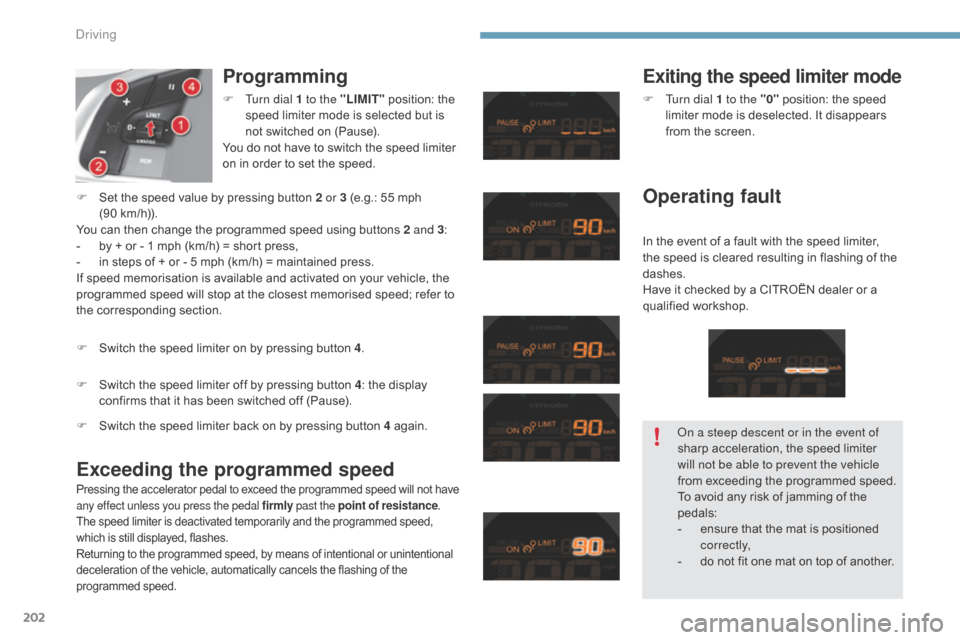
Programming
Exceeding the programmed speedExiting the speed limiter mode
In the event of a fault with the speed limiter, t he speed is cleared resulting in flashing of the
das
hes.
Have
it checked by a CITROËN dealer or a
q
ualified
w
orkshop.
F
S
witch
the
speed
limiter
off
by
pressing
button
4 :
the
display
c
onfirms
that
it
has
been
switched
off
(Pause).
F
S
et
the
speed
value
by
pressing
button
2 or 3
(e.g.:
55 mph
(
90 km/h)).
You
can
then
change
the
programmed
speed
using
buttons 2 and 3
:
-
b
y
+
or
-
1
mph
(km/h)
=
short
press,
-
i
n
steps
of
+
or
-
5
mph
(km/h)
=
maintained
press.
If
speed
memorisation
is
available
and
activated
on
your
vehicle,
the
p
rogrammed
speed
will
stop
at
the
closest
memorised
speed;
refer
to
t
he
corresponding
section. F
T
urn dial 1 to the "LIMIT"
position:
the
s
peed
limiter
mode
is
selected
but
is
n
ot
switched
on
(Pause).
You
do
not
have
to
switch
the
speed
limiter
o
n
in
order
to
set
the
speed.
F
S
witch
the
speed
limiter
on
by
pressing
button
4 .
Pressing the accelerator pedal to exceed the programmed speed will not have a
ny effect unless you press the pedal firmly past the point of resistance.
The
speed limiter is deactivated temporarily and the programmed speed,
w
hich is still displayed, flashes.
Returning
to the programmed speed, by means of intentional or unintentional
d
eceleration of the vehicle, automatically cancels the flashing of the
pro
grammed
s
peed.
F Turn dial 1 to the "0" position: the speed l
imiter mode is deselected. It disappears
f
rom the screen.
Operating fault
F Switch the speed limiter back on by pressing button 4 ag ain.on a s
teep descent or in the event of
sharp
acceleration, the speed limiter
w
ill not be able to prevent the vehicle
from
exceeding the programmed speed.
To
avoid any risk of jamming of the
ped
als:
-
e
nsure that the mat is positioned
c
o r r e c t l y,
-
d
o not fit one mat on top of another.
Driving
Page 206 of 494
204
C4-2_en_Chap09_conduite_ed01-2015
C4-2_en_Chap09_conduite_ed01-2015
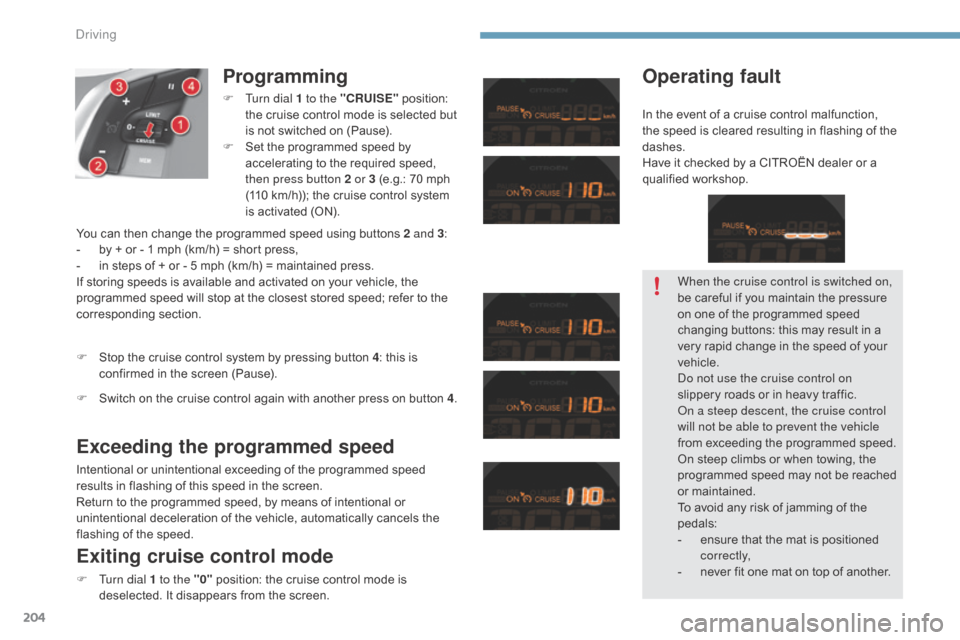
Programming
F Turn dial 1 to the "CRUISE" position: t
he cruise control mode is selected but
i
s not switched on (Pause).
F
S
et the programmed speed by
a
ccelerating to the required speed,
t
hen press button 2 or 3 (e.g.: 70 mph
(
110 km/h)); the cruise control system
i
s activated (ON).
Exceeding the programmed speed
Intentional or unintentional exceeding of the programmed speed results in flashing of this speed in the screen.
Return
to the programmed speed, by means of intentional or
u
nintentional deceleration of the vehicle, automatically cancels the
f
lashing of the speed.
Exiting cruise control mode
F Turn dial 1 to the "0" position: the cruise control mode is d
eselected. It disappears from the screen.
F
S
top the cruise control system by pressing button 4
: this is
c
onfirmed in the screen (Pause).
Operating fault
You can then change the programmed speed using buttons 2 and 3
:
- b y + or - 1 mph (km/h) = short press,
-
i
n steps of + or - 5 mph (km/h) = maintained press.
If
storing speeds is available and activated on your vehicle, the
p
rogrammed speed will stop at the closest stored speed; refer to the
c
orresponding
s
ection.
F
S
witch on the cruise control again with another press on button 4. When the cruise control is switched on,
be
careful if you maintain the pressure
o
n one of the programmed speed
c
hanging buttons: this may result in a
v
ery rapid change in the speed of your
v
ehicle.
do n
ot use the cruise control on
slippery
roads or in heavy traffic.
on a s
teep descent, the cruise control
will not be able to prevent the vehicle
from
exceeding the programmed speed.
On
steep climbs or when towing, the
p
rogrammed speed may not be reached
o
r maintained.
To
avoid any risk of jamming of the
ped
als:
-
e
nsure that the mat is positioned
c
o r r e c t l y,
-
n
ever fit one mat on top of another.
In
the event of a cruise control malfunction,
t
he speed is cleared resulting in flashing of the
das
hes.
Have it checked by a CITROËN dealer or a
q
ualified
w
orkshop.
Driving
Page 293 of 494
01
C4-2_en_Chap13b_SMEGplus_ed01-2015
C4-2_en_Chap13b_SMEGplus_ed01-2015
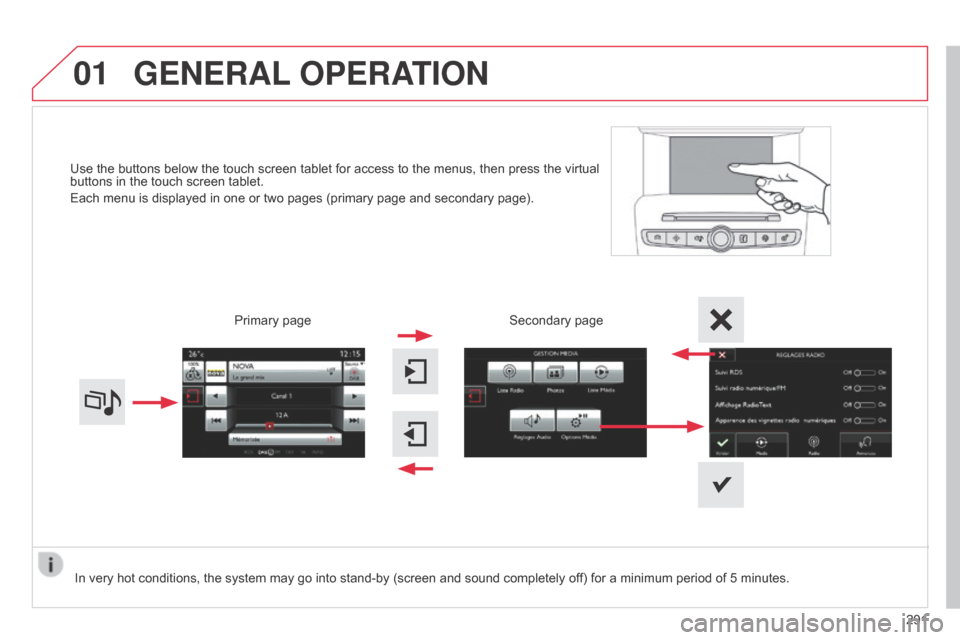
Use the buttons below the touch screen tablet for access to the menus, then press the virtual buttons in the touch screen tablet.
Each
menu is displayed in one or two pages (primary page and secondary page).
GENERAL OPERATION
In very hot conditions, the system may go into stand-by (screen and sound completely off) for a minimum period of 5 minutes.
Secondary page
291
Primary
page
Page 294 of 494
02
292
C4-2_en_Chap13b_SMEGplus_ed01-2015
C4-2_en_Chap13b_SMEGplus_ed01-2015
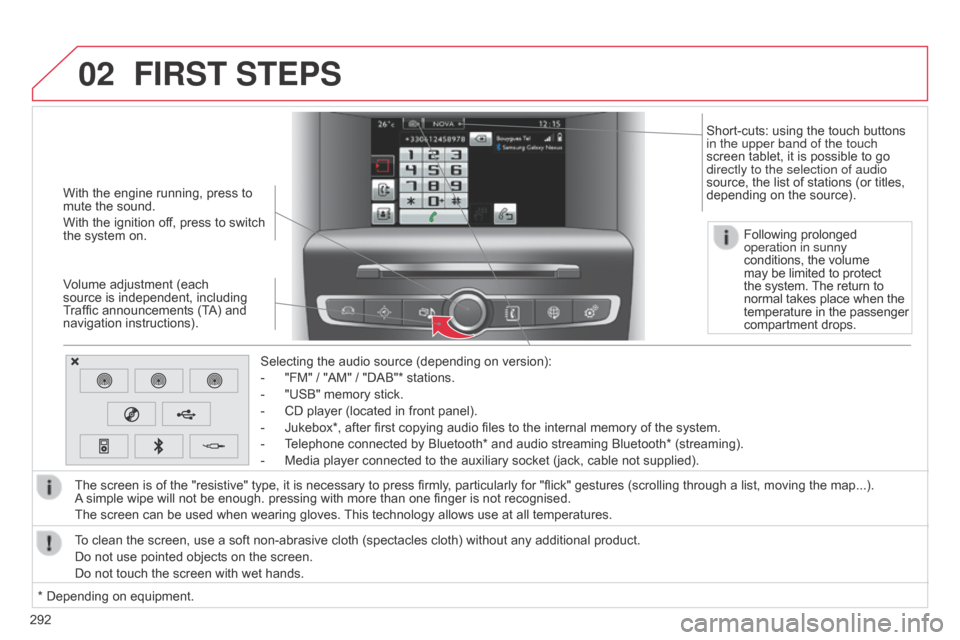
With the engine running, press to mute the sound.
With
the ignition off, press to switch
the
system on.
Volume
adjustment (each
source
is independent, including
T
raffic announcements (TA) and
navigation
instructions). Selecting
the audio source (depending on version):
-
"FM"
/ "AM" / "DAB"* stations.
-
"USB"
memory stick.
-
CD
player (located in front panel).
-
Jukebox*,
after first copying audio files to the internal memory of the system.
-
T
elephone connected by Bluetooth* and audio streaming Bluetooth* (streaming).
-
Media
player connected to the auxiliary socket (jack, cable not supplied).
The
screen is of the "resistive" type, it is necessary to press firmly, particularly for "flick" gestures (scrolling through a list, moving the map...).
A
simple wipe will not be enough. pressing with more than one finger is not recognised.
The
screen can be used when wearing gloves.
This
technology allows use at all temperatures.
FIRST STEPS
* Depending on equipment.
T o clean the screen, use a soft non-abrasive cloth (spectacles cloth) without any additional product.
Do not use pointed objects on the screen.
Do not touch the screen with wet hands. Following prolonged
operation in sunny
conditions, the volume
may
be limited to protect
the
system.
The
return to
normal
takes place when the
temperature
in the passenger
compartment
drops.
Short-cuts: using the touch buttons
in the upper band of the touch
screen
tablet, it is possible to go
directly to the selection of audio
source,
the list of stations (or titles,
depending
on the source).