buttons Citroen C4 2015 2.G Owner's Guide
[x] Cancel search | Manufacturer: CITROEN, Model Year: 2015, Model line: C4, Model: Citroen C4 2015 2.GPages: 494, PDF Size: 20.49 MB
Page 306 of 494
04
304
C4-2_en_Chap13b_SMEGplus_ed01-2015
C4-2_en_Chap13b_SMEGplus_ed01-2015
RADIO
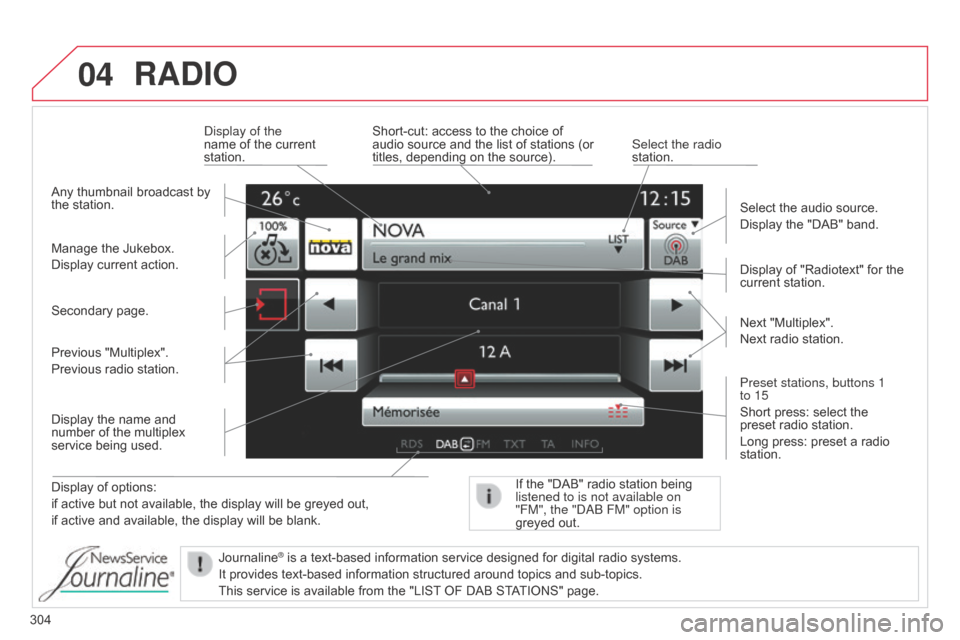
Display of options:
if active but not available, the display will be greyed out,
if
active and available, the display will be blank. Display
of "Radiotext" for the
current
station.
Manage the Jukebox.
Display current action.
Select the audio source.
Display the "DAB" band.
d
isplay of the
name of the current
station.
Short-cut:
access to the choice of
audio
source and the list of stations (or
titles,
depending on the source).
Select the radio
station.
If the "DAB" radio station being listened to is not available on
"FM", the "
dab FM" option is
greyed
out.
Any
thumbnail broadcast by
the
station.
Preset stations, buttons 1
to 15
Short press: select the
preset
radio station.
Long press: preset a radio
station. Next
"Multiplex".
Next radio station.
Secondary page.
Display the name and
number
of the multiplex
service
being used.
Previous "Multiplex".
Previous radio station.
Journaline
® is a text-based information service designed for digital radio systems.
It
provides
text-based information structured around topics and sub-topics.
This
service is available from the "LIST
OF DAB STATIONS" page.
Page 311 of 494
04
309
C4-2_en_Chap13b_SMEGplus_ed01-2015
C4-2_en_Chap13b_SMEGplus_ed01-2015
Audio streaming
Streaming allows audio files on your telephone to be played via the vehicle's speakers.
Connect
the telephone: see the "Telephone" section, then
"Bluetooth".
Choose the " Audio" or "All"
profile.
If
play does not start automatically, it may be necessary to start the
audio
playback from the telephone.
Control
is from the peripheral device or by using the audio system
buttons.
Once
connected in streaming mode, the telephone is considered to
be
a media source.
It
is recommended that you activate "Repeat" on the b luetooth
peripheral.
Connecting APPLE® players
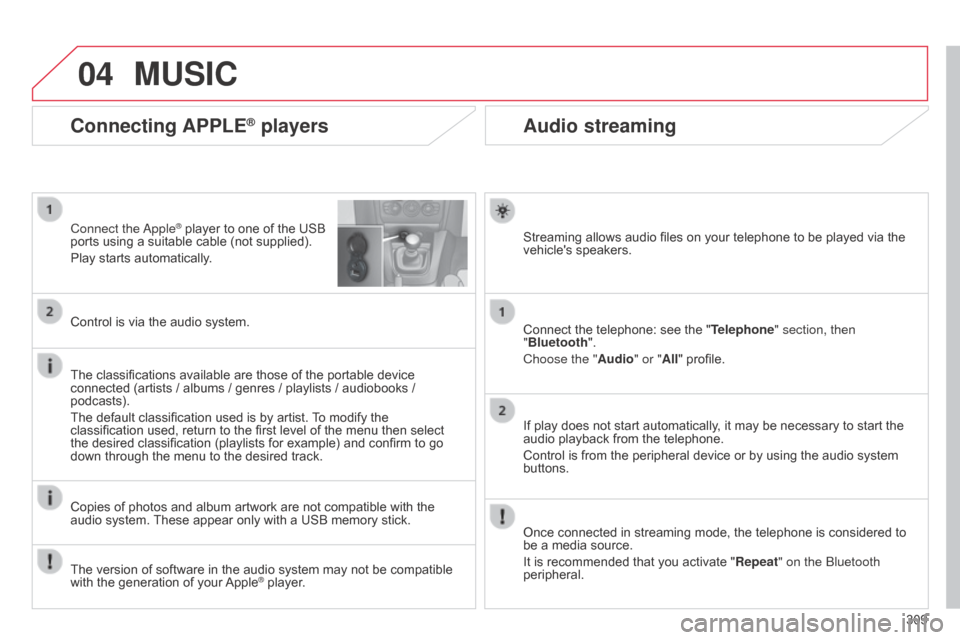
Connect the apple® player to one of the USB ports
using
a
suitable cable (not supplied).
Play
starts
automatically.
Control
is
via
the
audio system.
The
classifications
available are those of the portable device
connected
(artists
/
albums / genres / playlists / audiobooks /
podcasts).
The
default
classification used is by artist.
T
o modify the
classification
used,
return to the first level of the menu then select
the
desired
classification (playlists for example) and confirm to go
down
through
the
menu to the desired track.
Copies
of
photos
and album artwork are not compatible with the
audio
system.
These
appear only with a USB memory stick.
MUSIC
The version of software in the audio system may not be compatible with the generation of your Apple® player.
Page 368 of 494
04
C4-2_en_Chap13c_RD5_ed01-2015
C4-2_en_Chap13c_RD5_ed01-2015
AUDIO
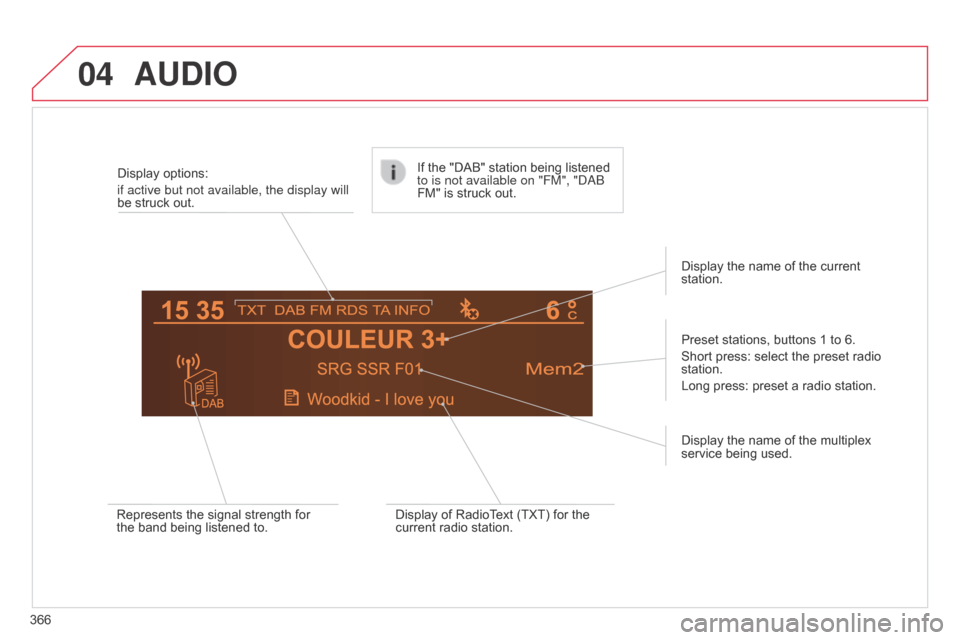
366Display options:
if active but not available, the display will
be struck out.
Preset stations, buttons 1 to 6.
Short press: select the preset radio
station.
Long
press: preset a radio station.
Display the name of the multiplex
service
being used.
Represents the signal strength for
the
band being listened to.If the "DAB" station being listened
to is not available on "FM", "
dab
FM" is struck out.
Display of RadioText (TXT) for the
current
radio station.Display the name of the current
station.
Page 370 of 494
04
368
C4-2_en_Chap13c_RD5_ed01-2015
C4-2_en_Chap13c_RD5_ed01-2015
AUDIO
Audio CD
Insert 12 cm diameter circular compact discs only.
Some anti-pirating systems, on original discs or CDs copied using a
personal
recorder, may cause faults which are no reflection on the
quality
of the original player.
Without
pressing the EJECT button, insert a C d in the player, play
begins
automatically.
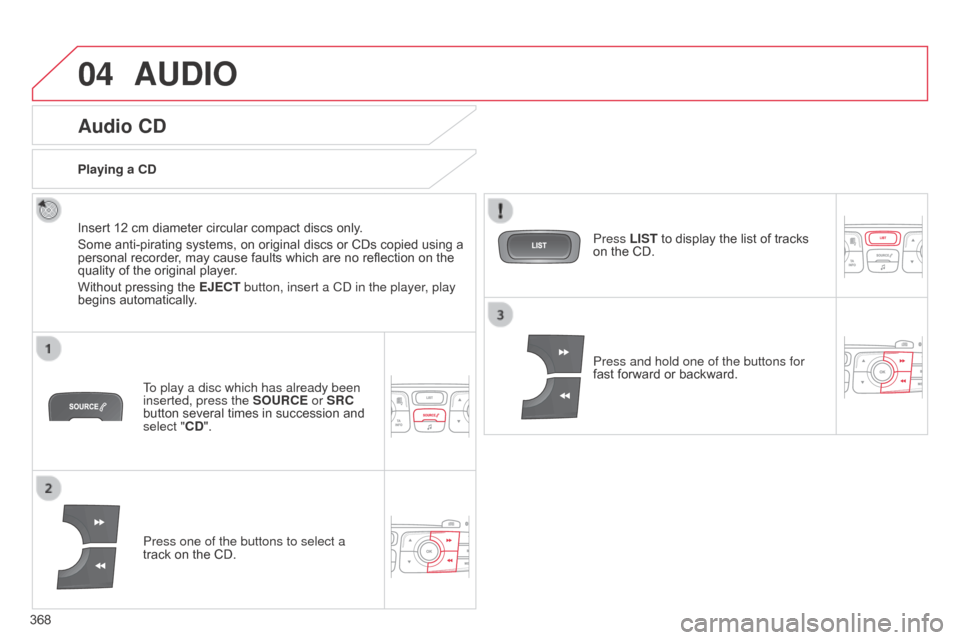
To play a disc which has already been
inserted, press the SOURCE or SRC
button
several times in succession and
select "
CD".
Press one of the buttons to select a
track
on the CD.
Playing a CD
Press LIST to display the list of tracks
on
the CD.
Press and hold one of the buttons for
fast
forward or backward.
Page 372 of 494
04
370
C4-2_en_Chap13c_RD5_ed01-2015
C4-2_en_Chap13c_RD5_ed01-2015
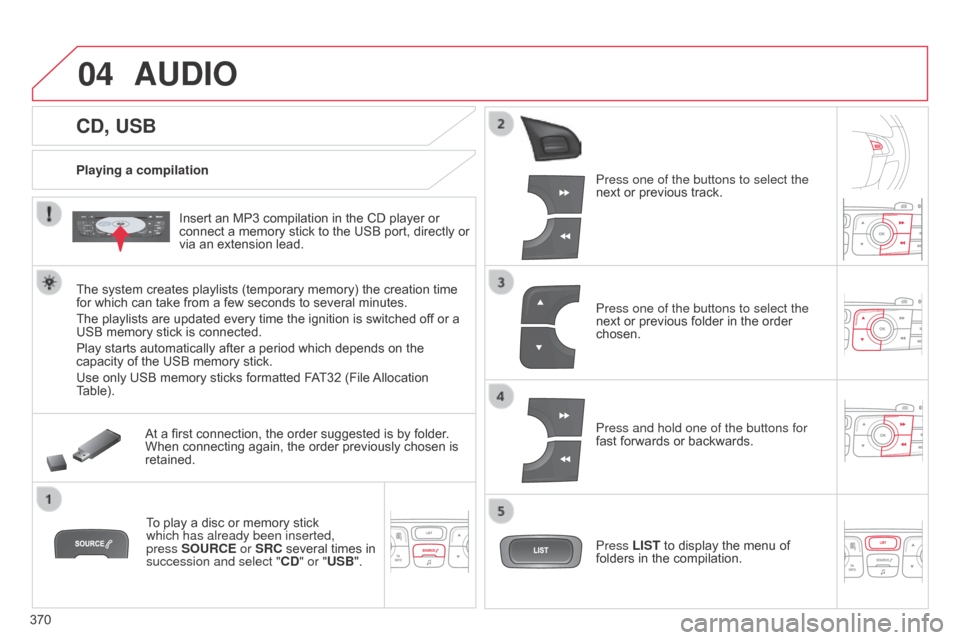
CD, USB
AUDIO
Playing a compilationInsert an MP3 compilation in the CD player or
connect
a memory stick to the USB port, directly or
via
an extension lead.
The
system creates playlists (temporary memory) the creation time
for
which can take from a few seconds to several minutes.
The
playlists are updated every time the ignition is switched off or a
USB
memory stick is connected.
Play
starts automatically after a period which depends on the
capacity
of the USB memory stick.
Use
only USB memory sticks formatted FAT32 (File
Allocation
T
able). At
a first connection, the order suggested is by folder.
When
connecting again, the order previously chosen is
retained.T
o play a disc or memory stick
which has already been inserted,
press
SOURCE or SRC several times in
succession and select "CD
" or "USB". Press one of the buttons to select the
next
or previous track.
Press one of the buttons to select the
next
or previous folder in the order
chosen.
Press and hold one of the buttons for
fast
forwards or backwards.
Press LIST
to display the menu of
folders
in the compilation.
Page 380 of 494
05
378
C4-2_en_Chap13c_RD5_ed01-2015 C4-2_en_Chap13c_RD5_ed01-2015
USING THE TELEPHONE
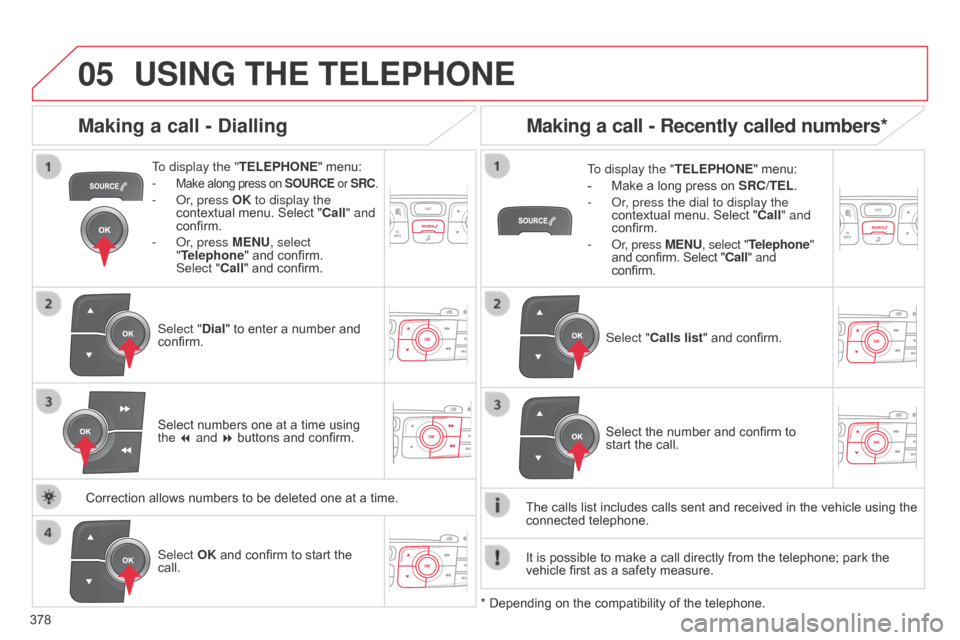
To display the " TELEPHONE" menu:
-
Make along press on SOURCE or SRC.
- or, press OK to display the
contextual menu. Select "Call" and
confirm.
-
o r, press MENU, select
"Telephone"
and confirm.
Select
"Call" and confirm.
Select "Dial"
to enter a number and
confirm. T
o display the "
TELEPHONE" menu:
- Make a long press on SRC/TEL .
- o r, press the dial to display the
contextual
menu. Select "Call" and
confirm.
-
o r, press MENU, select "Telephone"
and
confirm. Select "Call" and
confirm.
Select OK
and confirm to start the
call. Select "
Calls list" and confirm.
Making a call - Dialling
Select numbers one at a time using the 7 and 8 buttons and confirm.
Making a call - Recently called numbers*
Select the number and confirm to start the call.
The
calls
list
includes calls sent and received in the vehicle using the
connected
telephone.
*
Depending
on
the
compatibility of the telephone.
Correction
allows
numbers
to
be
deleted
one
at
a
time. It
is
possible
to make a call directly from the telephone; park the
vehicle
first
as a safety measure.
Page 381 of 494
05
379
C4-2_en_Chap13c_RD5_ed01-2015 C4-2_en_Chap13c_RD5_ed01-2015
USING THE TELEPHONE
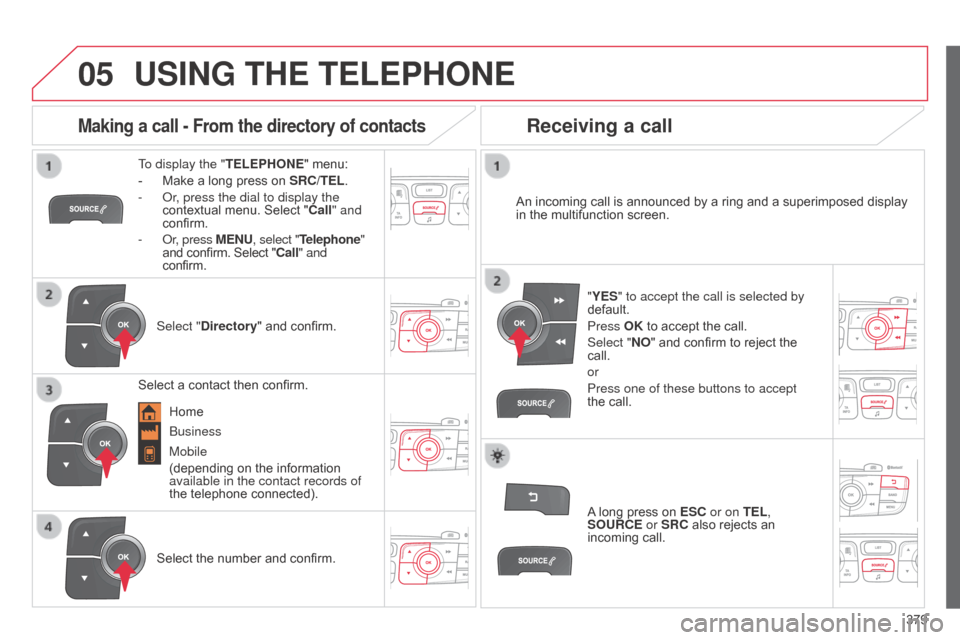
To display the " TELEPHONE" menu:
-
Make
a long press on
SRC/TEL
.
-
o r, press the dial to display the
contextual
menu. Select "Call" and
confirm.
-
o r, press MENU, select "Telephone"
and
confirm. Select "Call" and
confirm.
Select "Directory "
and confirm. An
incoming call is announced by a ring and a superimposed display
in
the multifunction screen.
Mobile
(depending
on the information
available in the contact records of
the
telephone connected). "YES" to accept the call is selected by
default.
Press OK
to accept the call.
Select "NO"
and confirm to reject the
call.
or
Press one of these buttons to accept
the
call.
Making a call - From the directory of contacts
Select a contact then confirm.
Receiving a call
Select the number and confirm.A
long press on
ESC
or on TEL,
SOURCE or SRC also rejects an
incoming
call.
b
usiness
Home
Page 382 of 494
05
380
C4-2_en_Chap13c_RD5_ed01-2015
C4-2_en_Chap13c_RD5_ed01-2015
USING THE TELEPHONE
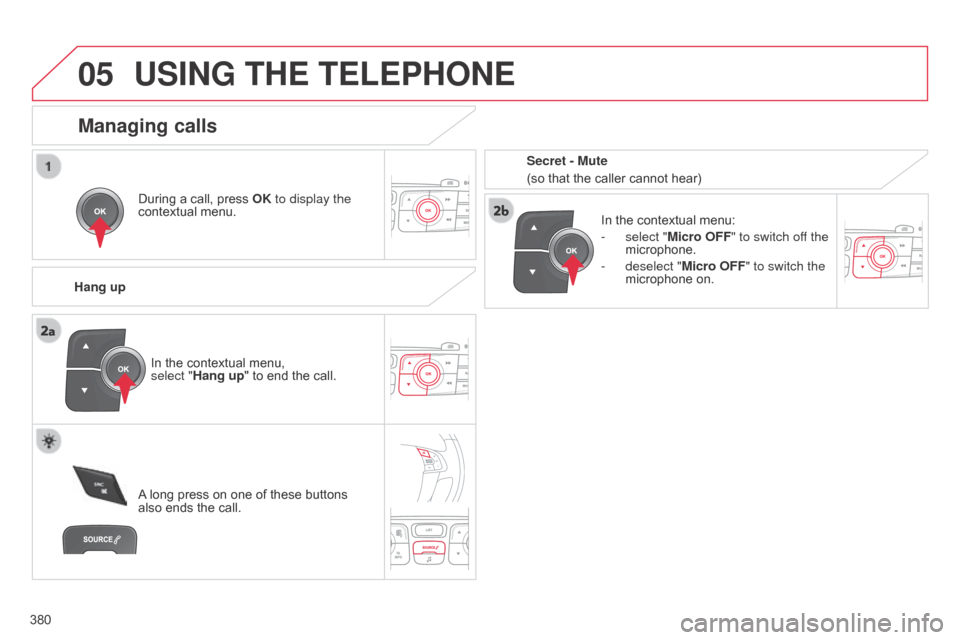
During a call, press OK to display the
contextual menu.
Hang up In
the contextual menu:
-
select "
Micro OFF" to switch off the
microphone.
-
deselect "
Micro OFF" to switch the
microphone
on.
Managing calls
A long press on one of these buttons also
ends the call.
In
the contextual menu,
select "Hang up" to end the call. Secret - Mute
(so that the caller cannot hear)
Page 405 of 494
2
Multifunction screens1
C4-2-add_en_Chap02_ecran-multifonction_ed01-2015
Touch screen tablet
General operation
Principles
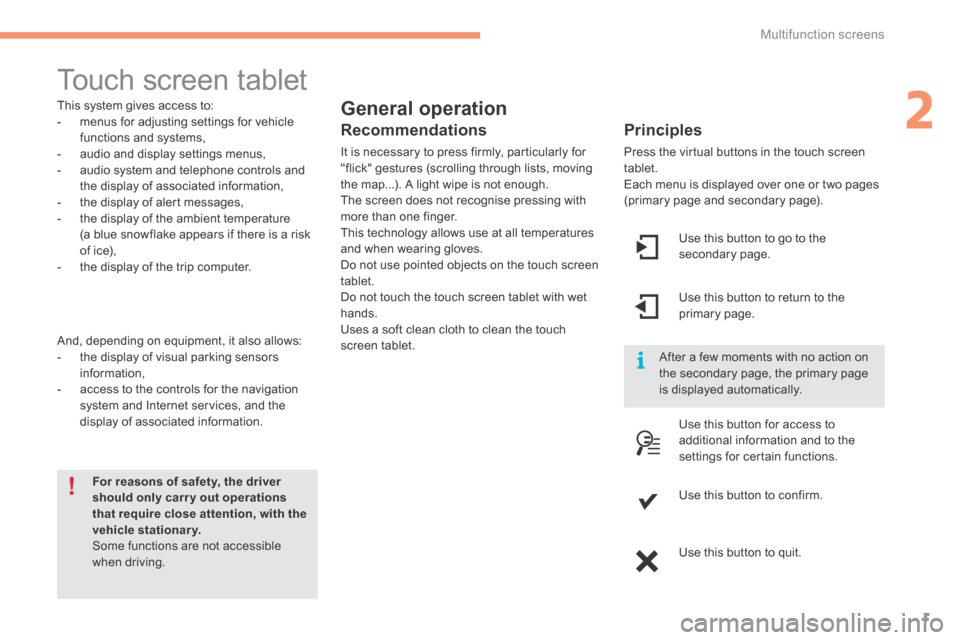
Press the virtual buttons in the touch screen tablet. Each menu is displayed over one or two pages (primary page and secondary page).
For reasons of safety, the driver should only carr y out operations that require close attention, with the vehicle stationary. Some functions are not accessible when driving.
This system gives access to: - menus for adjusting settings for vehicle functions and systems, - audio and display settings menus, - audio system and telephone controls and the display of associated information, - the display of alert messages, - the display of the ambient temperature
(a blue snowflake appears if there is a risk of ice), - the display of the trip computer.
And, depending on equipment, it also allows: - the display of visual parking sensors information, - access to the controls for the navigation system and Internet services, and the display of associated information.
Recommendations
It is necessary to press firmly, particularly for "flick" gestures (scrolling through lists, moving the map...). A light wipe is not enough. The screen does not recognise pressing with more than one finger.
This technology allows use at all temperatures and when wearing gloves. Do not use pointed objects on the touch screen tablet. Do not touch the touch screen tablet with wet hands. Uses a soft clean cloth to clean the touch screen tablet.
Use this button to go to the secondary page.
After a few moments with no action on the secondary page, the primary page is displayed automatically.
Use this button to return to the primary page.
Use this button for access to
additional information and to the settings for certain functions.
Use this button to confirm.
Use this button to quit.
Page 406 of 494
Multifunction screens
2
C4-2-add_en_Chap02_ecran-multifonction_ed01-2015
Menus
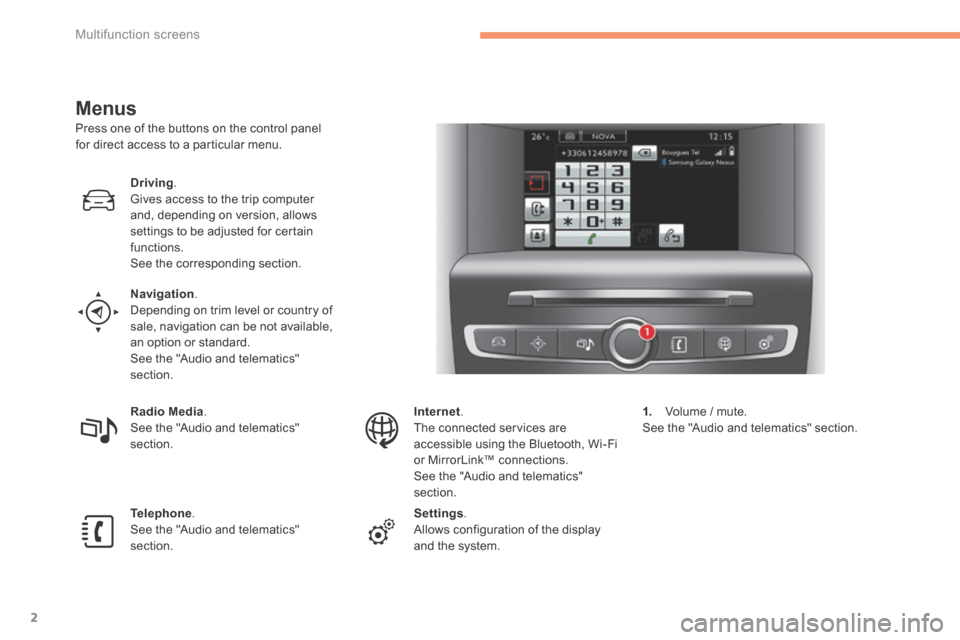
Press one of the buttons on the control panel for direct access to a particular menu.
Driving. Gives access to the trip computer and, depending on version, allows settings to be adjusted for certain functions. See the corresponding section.
Navigation . Depending on trim level or country of sale, navigation can be not available, an option or standard. See the "Audio and telematics" section.
Radio Media . See the "Audio and telematics" section.
Telephone . See the "Audio and telematics" section.
Internet . The connected services are accessible using the Bluetooth, Wi-Fi or MirrorLink™ connections. See the "Audio and telematics" section.
Settings . Allows configuration of the display and the system.
1. Volume / mute. See the "Audio and telematics" section.