Instrument Citroen C4 2015 2.G User Guide
[x] Cancel search | Manufacturer: CITROEN, Model Year: 2015, Model line: C4, Model: Citroen C4 2015 2.GPages: 494, PDF Size: 20.49 MB
Page 24 of 494
22
C4-2_en_Chap01_controle-de-marche_ed01-2015
C4-2_en_Chap01_controle-de-marche_ed01-2015
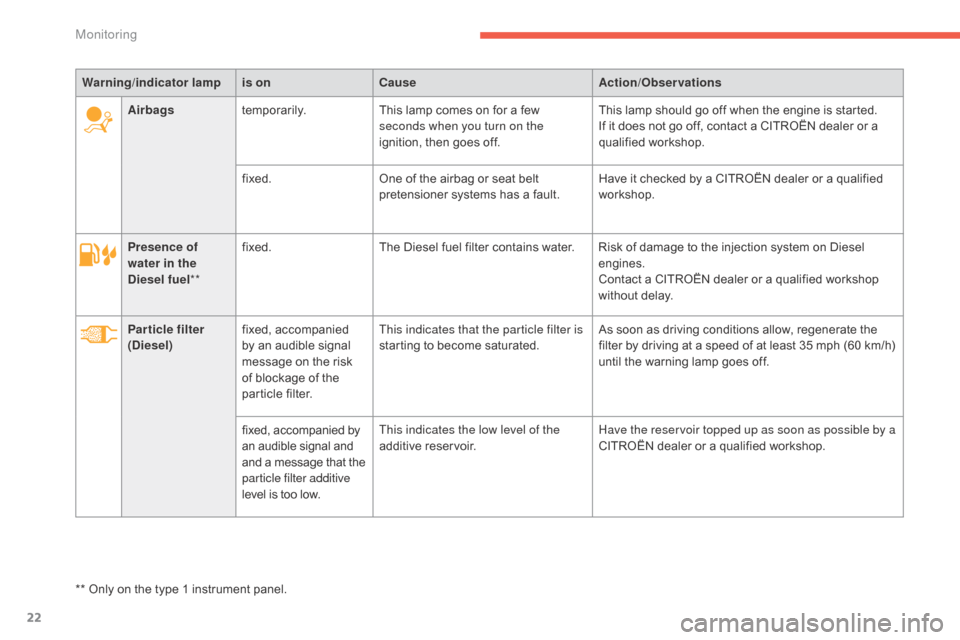
Presence of
water in the
Diesel fuel**fixed.
The Diesel fuel filter contains water. Risk of damage to the injection system on Diesel e
ngines.
Contact
a CITROËN dealer or a qualified workshop
w
ithout delay.
Particle filter
(Diesel) fixed,
a
ccompanied
b
y an audible signal
m
essage on the risk
o
f blockage of the
p
article filter.This indicates that the particle filter is
starting
to become saturated.As
soon as driving conditions allow, regenerate the
f
ilter by driving at a speed of at least 35 mph (60 km/h)
u
ntil the warning lamp goes off.
fixed,
accompanied by
a
n audible signal and
a
nd a message that the
par
ticle filter additive
level
is too low.This indicates the low level of the
additive
r
eservoir.Have the reservoir topped up as soon as possible by a
CITROËN
dealer or a qualified workshop.
Warning
/indicator lampis on Cause Action/Observations
Airbags temporarily. This lamp comes on for a few
s
econds when you turn on the
ignition, then goes off.
This lamp should go off when the engine is started.
If it does not go off, contact a CITROËN dealer or a
q
ualified
w
orkshop.
fixed. One of the airbag or seat belt
p
retensioner systems has a fault.
Have it checked by a CITROËN dealer or a qualified
w
orkshop.
**
Only
on the type 1 instrument panel.
Monitoring
Page 30 of 494
28
C4-2_en_Chap01_controle-de-marche_ed01-2015
C4-2_en_Chap01_controle-de-marche_ed01-2015
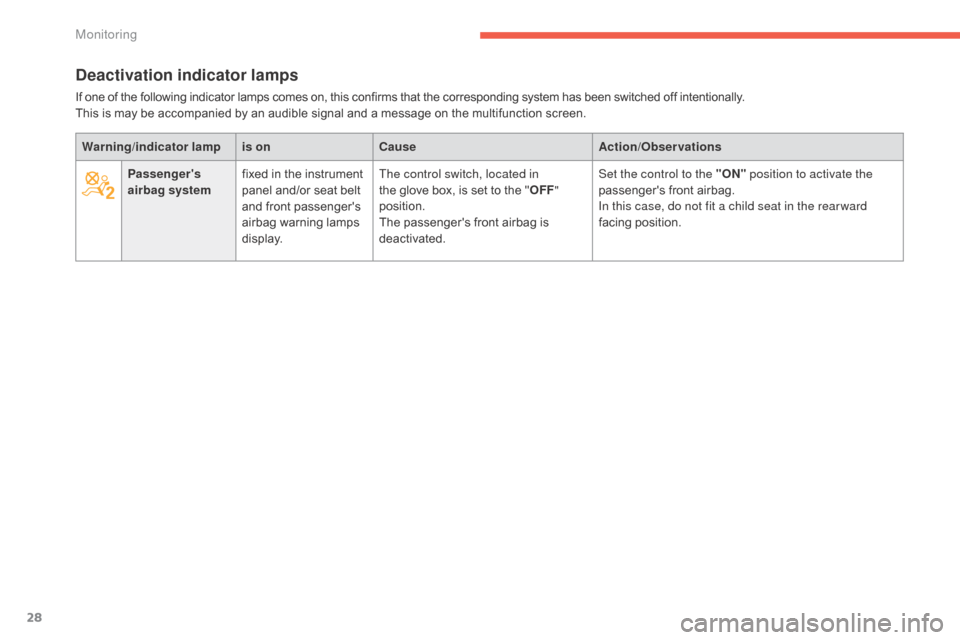
Deactivation indicator lamps
If one of the following indicator lamps comes on, this confirms that the corresponding system has been switched off intentionally.
T his is may be accompanied by an audible signal and a message on the multifunction screen.
Warning /indicator lampis on Cause Action/Observations
Passenger's
airbag system fixed
in the instrument
p
anel and/or seat belt
a
nd front passenger's
a
irbag
w
arning
lam
ps
d
isplay.The control switch, located in
the
glove box, is set to the "OFF "
position.
The
passenger's front airbag is
d
eactivated.Set the control to the "ON"
position to activate the
passenger's
front airbag.
In this case, do not fit a child seat in the rear ward
facing
position.
Monitoring
Page 31 of 494
29
C4-2_en_Chap01_controle-de-marche_ed01-2015
C4-2_en_Chap01_controle-de-marche_ed01-2015
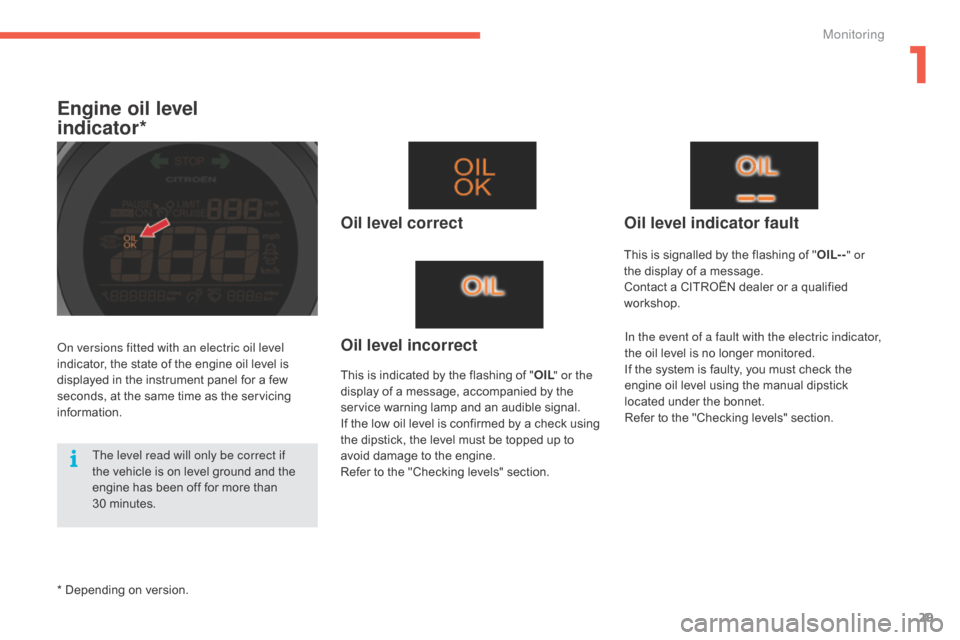
Engine oil level
indicator*
Oil level correct
This is indicated by the flashing of "O IL" or the
display of a message, accompanied by the
s
ervice warning lamp and an audible signal.
If
the low oil level is confirmed by a check using
t
he dipstick, the level must be topped up to
a
void damage to the engine.
Refer
to the "Checking levels" section.
Oil level indicator fault
In the event of a fault with the electric indicator,
the oil level is no longer monitored.
If
the system is faulty, you must check the
e
ngine oil level using the manual dipstick
l
ocated under the bonnet.
Refer
to the "Checking levels" section.Oil level incorrect
This is signalled by the flashing of "O IL--" or
the display of a message.
Contact
a CITROËN dealer or a qualified
w
orkshop.
on v
ersions fitted with an electric oil level
indicator,
the
state
of
the
engine
oil
level
is
d
isplayed
in
the
instrument
panel
for
a
few
s
econds,
at
the
same
time
as
the
servicing
i
nformation.
*
Depending
on
version.
The level read will only be correct if
the
vehicle
is
on
level
ground
and
the
e
ngine
has
been
off
for
more
than
30
m
inutes.
1
Monitoring
Page 32 of 494

30
C4-2_en_Chap01_controle-de-marche_ed01-2015
C4-2_en_Chap01_controle-de-marche_ed01-2015
Service indicator
System that informs the driver when the next service is due, in accordance with the
ma
nufacturer's
ser
vice
s
chedule.
The point at which the service is due is
calculated
from the last service indicator zero
r
eset, according to the distance covered and
t
he time elapsed since the last service.
For
b
l
ueH
di
d
i
esel versions, the level of
deterioration
of the engine oil may also be
t
aken into account, depending on the country
o
f sale.
More than 1800 miles (3000 km)
remain before the next service is due
When the ignition is switched on, no service information appears in the instrument panel central screen.
Between 600 miles (1 000 km)
and 1800 miles (3 000 km) remain
before the next service is due
For a few seconds after the ignition is switched on, the spanner symbolising the service o
perations comes on. The distance recorder
d
isplay line or a specific message in the
i
nstrument panel central screen indicates the
d
istance
r
emaining
b
efore
t
he
n
ext
ser
vice
i
s
d
ue.
For example:
1 700 miles (2 800 km) remain
b
efore the next service is due.
For
a few seconds after the ignition is switched
o
n, the screen indicates:
Less than 600 miles (1 000 km)
remain before the next service is due
Example: 560 miles (900 km) remain before t
he next service is due.
For
a few seconds after the ignition is switched
o
n, the screen indicates:
A
few
seconds
after
the
ignition
is
switched
on,
t
he spanner goes off ;
the
distance
recorder
r
esumes
its
normal
operation.
The
screen
then
i
ndicates
the
total
and
trip
distances. A
few seconds after the ignition is switched
o
n, the distance recorder resumes its normal
ope
ration.
T
he spanner remains on to
indicate
that a service must be carried out
s
oon.
Monitoring
Page 36 of 494
34
C4-2_en_Chap01_controle-de-marche_ed01-2015
C4-2_en_Chap01_controle-de-marche_ed01-2015
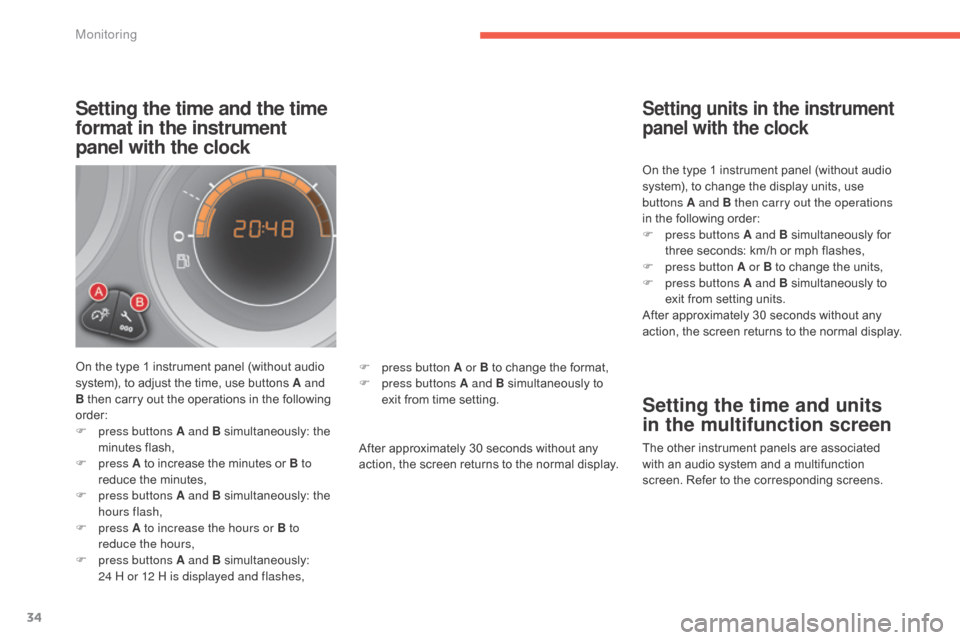
Setting the time and the time
format in the instrument
panel with the clock
On the type 1 instrument panel (without audio system), to adjust the time, use buttons A and
B
then carry out the operations in the following
o
rder:
F
p
ress buttons A and B
s
imultaneously:
t
he
m
inutes
f
lash,
F
press A
to increase the minutes or B to
reduce
the minutes,
F
p
ress buttons A and B
s
imultaneously:
t
he
h
ours flash,
F
press A to increase the hours or B to
reduce the hours,
F
p
ress buttons A and B
s
imultaneously:
2
4 H or 12 H is displayed and flashes, After
approximately 30 seconds without any
a
ction, the screen returns to the normal display.On
the type 1 instrument panel (without audio
s
ystem), to change the display units, use
b
uttons A and B then carry out the operations
in the following order:
F
p
ress buttons A and B
s
imultaneously
fo
r
t
hree seconds: km/h or mph flashes,
F
p
ress button A or B to change the units,
F
p
ress buttons A and B simultaneously to
e
xit from setting units.
After approximately 30 seconds without any
a
ction, the screen returns to the normal display.
Setting units in the instrument
panel with the clock
Setting the time and units
in the multifunction screen
The other instrument panels are associated w
ith an audio system and a multifunction
s
creen. Refer to the corresponding screens.
F
p
ress button A or B
to
change
the
format,
F
p
ress buttons A and B
simultaneously
to
e
xit
from
time
setting.
Monitoring
Page 37 of 494
35
C4-2_en_Chap01_controle-de-marche_ed01-2015
C4-2_en_Chap01_controle-de-marche_ed01-2015
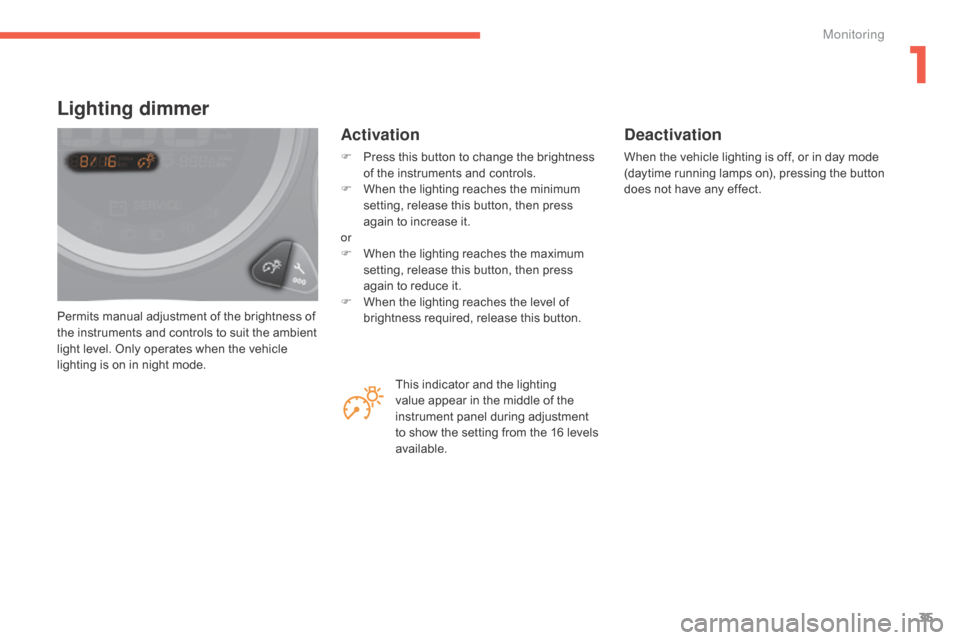
Permits manual adjustment of the brightness of the instruments and controls to suit the ambient
l
ight level. Only operates when the vehicle
l
ighting is on in night mode.
Lighting dimmer
Activation
F Press this button to change the brightness o
f the instruments and controls.
F
W
hen the lighting reaches the minimum
s
etting, release this button, then press
a
gain to increase it.
or
F
W
hen the lighting reaches the maximum
s
etting, release this button, then press
a
gain to reduce it.
F
W
hen the lighting reaches the level of
b
rightness required, release this button.
Deactivation
When the vehicle lighting is off, or in day mode (daytime running lamps on), pressing the button d
oes not have any effect.
This
indicator
and
the
lighting
v
alue
appear
in
the
middle
of
the
i
nstrument
panel
during
adjustment
t
o
show
the
setting
from
the
16
levels
a
vailable.
1
Monitoring
Page 38 of 494
36
C4-2_en_Chap01_controle-de-marche_ed01-2015
C4-2_en_Chap01_controle-de-marche_ed01-2015
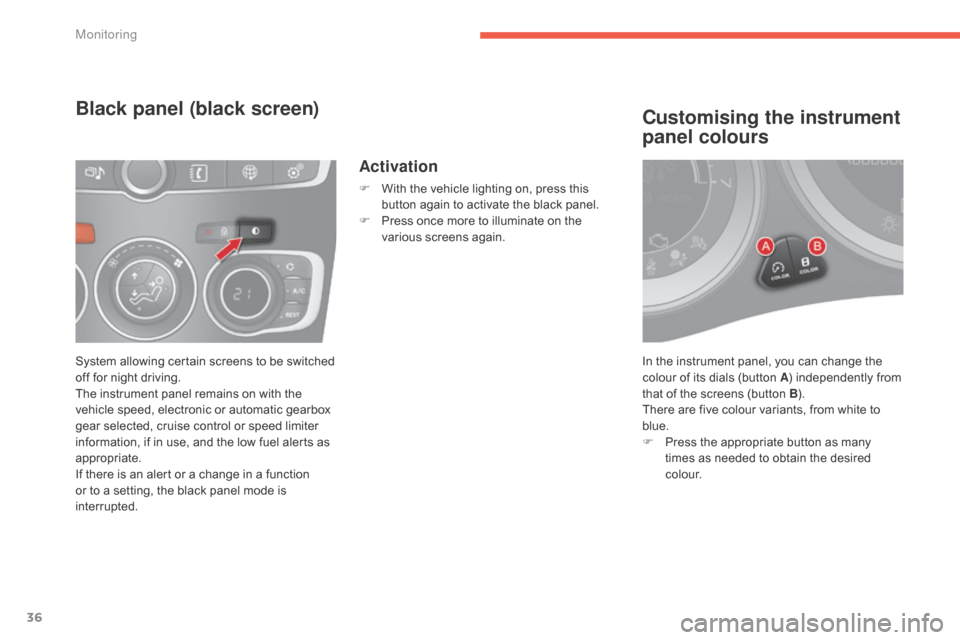
In the instrument panel, you can change the colour of its dials (button A)
independently from
t
hat of the screens (button B).
There
are five colour variants, from white to
b
lue.
F
P
ress the appropriate button as many
t
imes as needed to obtain the desired
c
o l o u r.
Customising the instrument
panel colours
System allowing certain screens to be switched off for night driving.
The
instrument panel remains on with the
v
ehicle speed, electronic or automatic gearbox
g
ear selected, cruise control or speed limiter
i
nformation, if in use, and the low fuel alerts as
a
ppropriate.
If
there is an alert or a change in a function
o
r to a setting, the black panel mode is
i
nterrupted.
Black panel (black screen)
Activation
F With the vehicle lighting on, press this b
utton again to activate the black panel.
F
P
ress once more to illuminate on the
v
arious screens again.
Monitoring
Page 121 of 494
119
C4-2_en_Chap06_visibilite_ed01-2015
C4-2_en_Chap06_visibilite_ed01-2015
Model without AUTO lighting
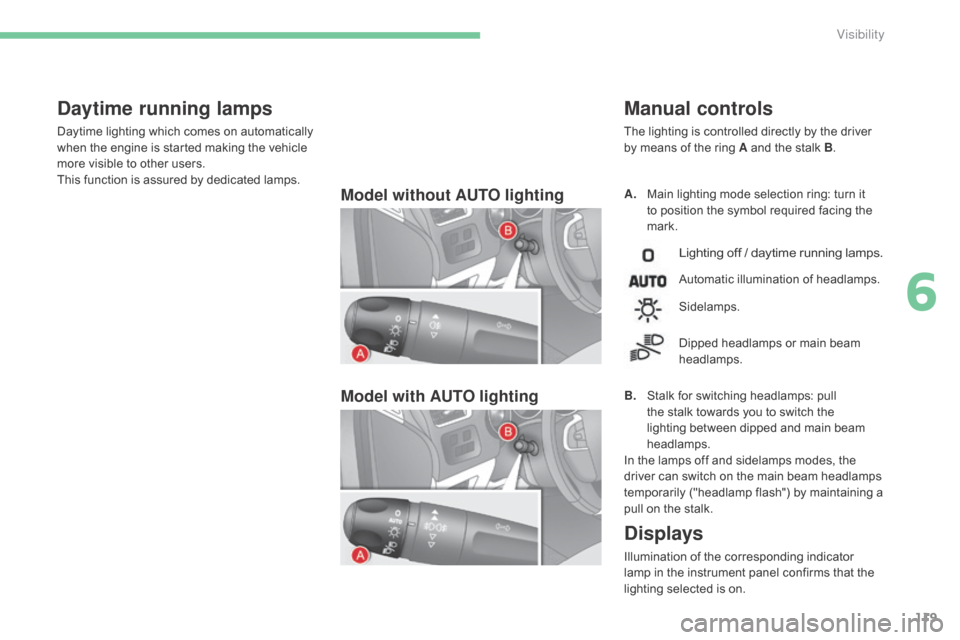
Model with AUTO lightingA. Main lighting mode selection ring: turn it t
o position the symbol required facing the
ma
rk.
Manual controls
The lighting is controlled directly by the driver by means of the ring A and the stalk B.
Lighting off / daytime running lamps.
Automatic illumination of headlamps.
B.
S
talk
for switching headlamps: pull
t
he
stalk towards you to switch the
l
ighting between dipped and main beam
h
eadlamps.
In
the
lamps off and sidelamps modes, the
d
river
can
switch on the main beam headlamps
t
emporarily ("headlamp flash") by maintaining a
p
ull
on
the stalk.
Sidelamps.
Dipped
headlamps or main beam
h
eadlamps.
Displays
Illumination of the corresponding indicator lamp in the instrument panel confirms that the
l
ighting selected is on.
Daytime running lamps
Daytime lighting which comes on automatically when the engine is started making the vehicle
m
ore visible to other users.
This
function is assured by dedicated lamps.
6
Visibility
Page 124 of 494
122
C4-2_en_Chap06_visibilite_ed01-2015
C4-2_en_Chap06_visibilite_ed01-2015
Parking lamps
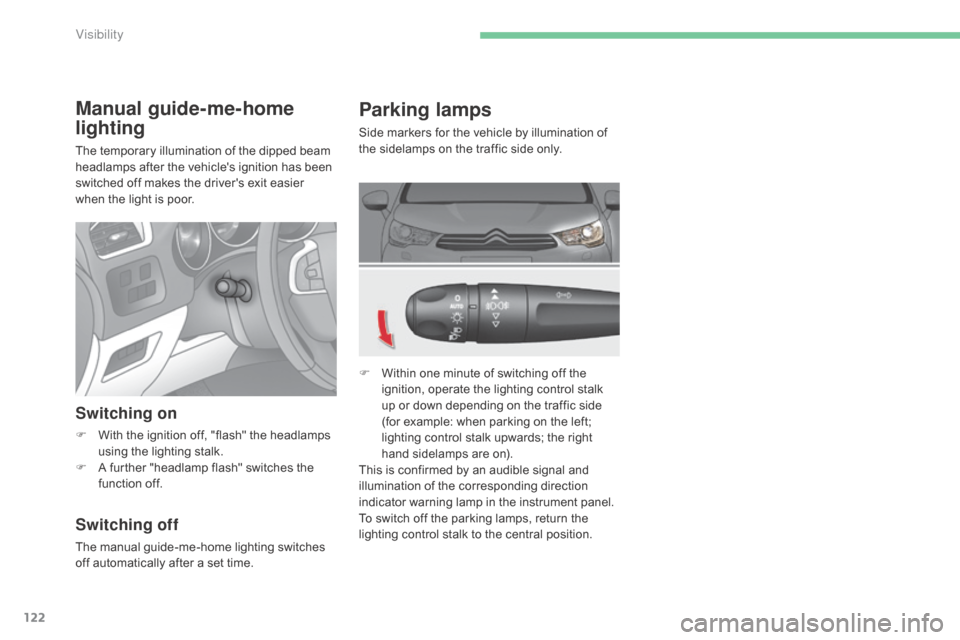
Side markers for the vehicle by illumination of the sidelamps on the traffic side only.
F
W
ithin one minute of switching off the
i
gnition, operate the lighting control stalk
u
p or down depending on the traffic side
(
for example: when parking on the left;
l
ighting control stalk upwards; the right
h
and sidelamps are on).
This
is confirmed by an audible signal and
i
llumination of the corresponding direction
i
ndicator warning lamp in the instrument panel.
To
switch off the parking lamps, return the
l
ighting control stalk to the central position.
Manual guide-me-home
lighting
The temporary illumination of the dipped beam headlamps after the vehicle's ignition has been
s
witched off makes the driver's exit easier
w
hen the light is poor.
Switching on
F With the ignition off, "flash" the headlamps u
sing the lighting stalk.
F
A
further "headlamp flash" switches the
f
unction off.
Switching off
The manual guide-me-home lighting switches off automatically after a set time.
Visibility
Page 125 of 494
123
C4-2_en_Chap06_visibilite_ed01-2015
C4-2_en_Chap06_visibilite_ed01-2015
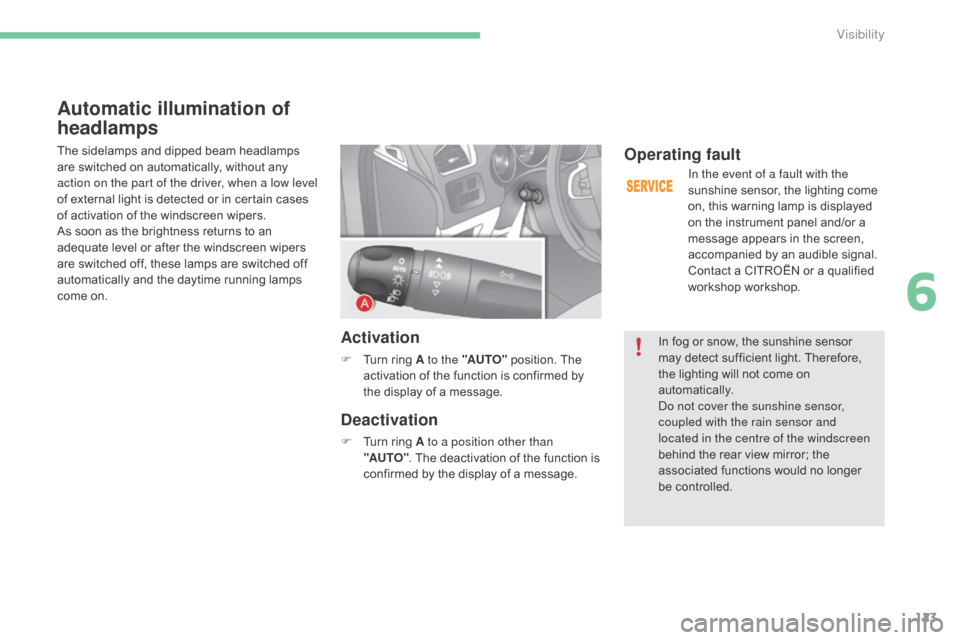
Automatic illumination of
headlamps
The sidelamps and dipped beam headlamps are switched on automatically, without any
a
ction on the part of the driver, when a low level
of
external light is detected or in certain cases
o
f activation of the windscreen wipers.
As
soon as the brightness returns to an
a
dequate level or after the windscreen wipers
a
re switched off, these lamps are switched off
a
utomatically and the daytime running lamps
c
ome on.
Activation
F Turn ring A to the "AUTO" position. The a
ctivation of the function is confirmed by
t
he display of a message.
Deactivation
F Turn ring A to a position other than
"AUTO" .
The deactivation of the function is
c
onfirmed by the display of a message.
Operating fault
In the event of a fault with the
sunshine sensor, the lighting come
o
n, this warning lamp is displayed
o
n the instrument panel and/or a
m
essage appears in the screen,
a
ccompanied by an audible signal.
Contact
a CITROËN or a qualified
w
orkshop workshop.
In
fog or snow, the sunshine sensor
m
ay
detect sufficient light. Therefore,
t
he
lighting will not come on
au
tomatically.
do n
ot cover the sunshine sensor,
coupled with the rain sensor and
located in the centre of the windscreen
behind
the rear view mirror; the
a
ssociated functions would no longer
be c
ontrolled.
6
Visibility