ignition CITROEN C4 2019 User Guide
[x] Cancel search | Manufacturer: CITROEN, Model Year: 2019, Model line: C4, Model: CITROEN C4 2019Pages: 317, PDF Size: 9.31 MB
Page 28 of 317
26
C4-cactus_en_Chap01_Instruments-de-bord_ed01-2016
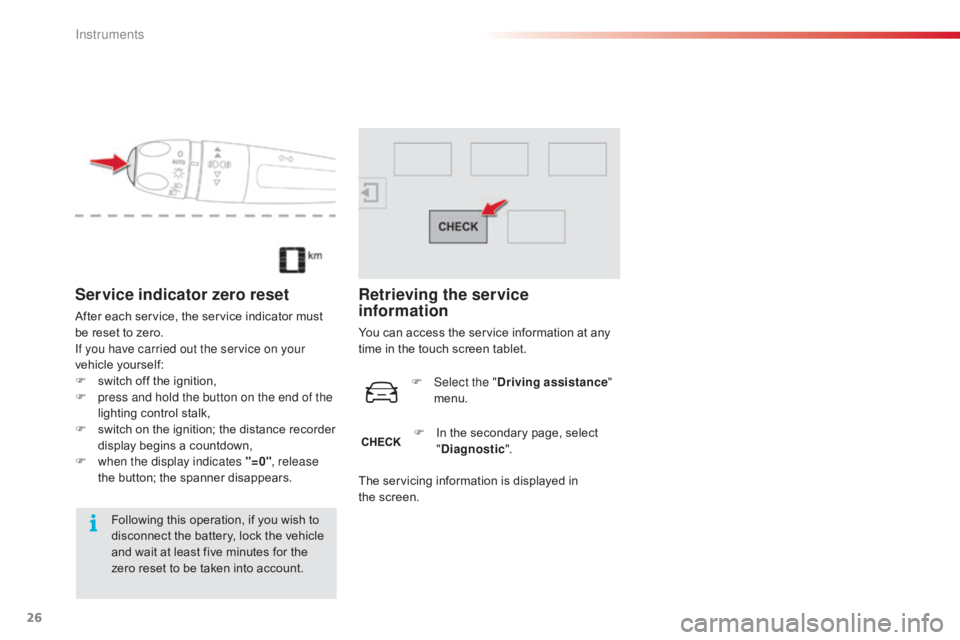
Service indicator zero reset
After each service, the service indicator must be reset to zero.
If you have carried out the service on your
vehicle
y
ourself:
F
s
witch off the ignition,
F
p
ress and hold the button on the end of the
lighting
control stalk,
F
s
witch
o
n
t
he
i
gnition;
t
he
d
istance
r
ecorder
d
isplay begins a countdown,
F
w
hen the display indicates "=0" , release
the
button; the spanner disappears.
Following
this operation, if you wish to
d
isconnect the battery, lock the vehicle
a
nd wait at least five minutes for the
z
ero reset to be taken into account.
Retrieving the service
information
You can access the service information at any time in the touch screen tablet.
F
Sel
ect the "Driving assistance "
menu.
F
I
n the secondary page, select
"D
iagnostic".
The
servicing information is displayed in
t
he screen.
Instruments
Page 38 of 317
36
C4-cactus_en_Chap01_Instruments-de-bord_ed01-2016
Trip computer, a few definitions
Range
(miles or km)
T he distance which can still be
travelled
with the fuel remaining in
t
he tank (related to the average fuel
c
onsumption over the last few miles
(
kilometres)
t
ravelled).
This
value may vary following a change
i
n
the style of driving or the relief,
r
esulting in a significant change in the
c
urrent fuel consumption.
When
the
range falls below 20 miles (30 km),
d
ashes
are displayed. After filling with at least
5
litres
of
fuel, the range is recalculated and is
d
isplayed
when it exceeds 60 miles (100 km).
If dashes are displayed continuously
while
driving in place of the digits,
c
ontact a CITROËN dealer or a
qualified
w
orkshop. This
function is only displayed from
20
mph (30 km/h).
Current fuel
consumption
(mpg or l/100 km or km/l)
C alculated over the last few seconds.
Average fuel consumption
(mpg or l/100 km or km/l)
C alculated since the last trip
computer
re
set.
Distance travelled
(miles or km)
C alculated since the last trip
computer
re
set.
Average speed
(mph or km/h)
C alculated since the last trip
computer
re
set.
Stop & Start time
counter
(minutes / seconds or hours / minutes)
If your vehicle is fitted with Stop & Start,
a time
counter calculates the time spent in
S
TOP mode during a journey.
It
resets
to zero every time the ignition is
s
witched
on.
Instruments
Page 43 of 317
41
C4-cactus_en_Chap02_ouvertures_ed01-2016
If one of the doors or the boot is still
open, the central locking does not
t
ake place; the vehicle locks then
i
mmediately unlocks, identifiable by the
s
ound of the locks rebounding.
When
the vehicle is locked, if it is
u
nlocked inadvertently, it will lock
a
gain automatically after thirty seconds
u
nless a door or the boot is open.
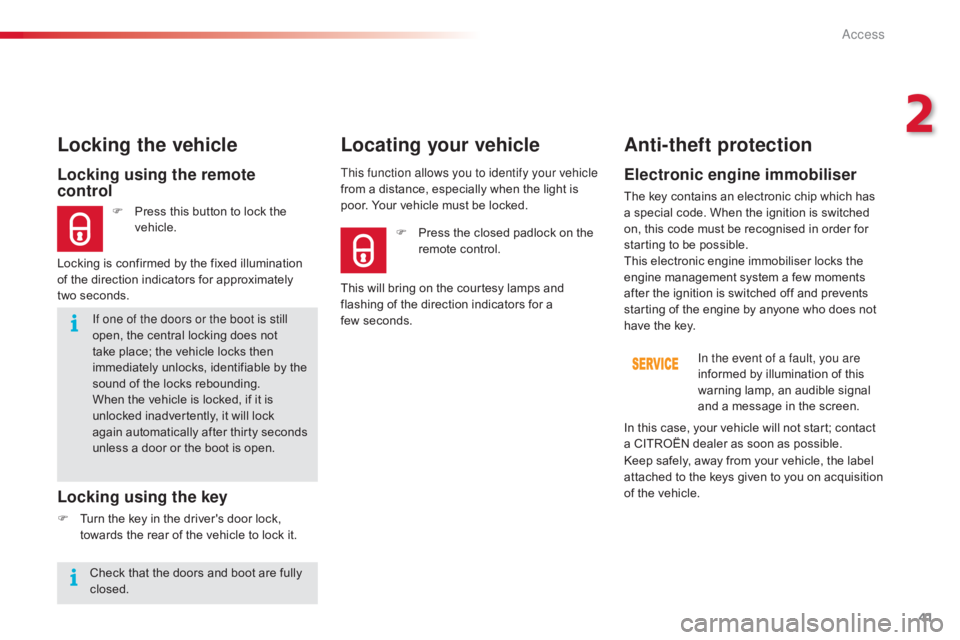
Locking using the remote
control
F Press this button to lock the v
ehicle.
Locking the vehicle
Locking is confirmed by the fixed illumination
o f the direction indicators for approximately
two
seconds.
Locking using the key
F Turn the key in the driver's door lock, t
owards the rear of the vehicle to lock it.This function allows you to identify your vehicle
from
a distance, especially when the light is
p
oor. Your vehicle must be locked.
Locating your vehicle
Anti-theft protection
Electronic engine immobiliser
The key contains an electronic chip which has a
special code. When the ignition is switched
o
n, this code must be recognised in order for
s
tarting to be possible.
This
electronic engine immobiliser locks the
e
ngine management system a few moments
a
fter the ignition is switched off and prevents
s
tarting of the engine by anyone who does not
h
ave the key.In the event of a fault, you are
informed
by illumination of this
w
arning lamp, an audible signal
a
nd a message in the screen.
F
P
ress
the
closed
padlock
on
the
r
emote
control.
This
will
bring
on
the
courtesy
lamps
and
f
lashing
of
the
direction
indicators
for
a
f
ew seconds.
Keep
safely, away from your vehicle, the label
a
ttached to the keys given to you on acquisition
o
f the vehicle.
In
this case, your vehicle will not start; contact
a
CITROËN dealer as soon as possible.
Check
that
the
doors
and
boot
are
fully
c
losed.
2
Access
Page 44 of 317
42
C4-cactus_en_Chap02_ouvertures_ed01-2016
If the problem persists, contact a CITROËN dealer as soon as possible.
If the battery is flat, you are
informed
by illumination of this
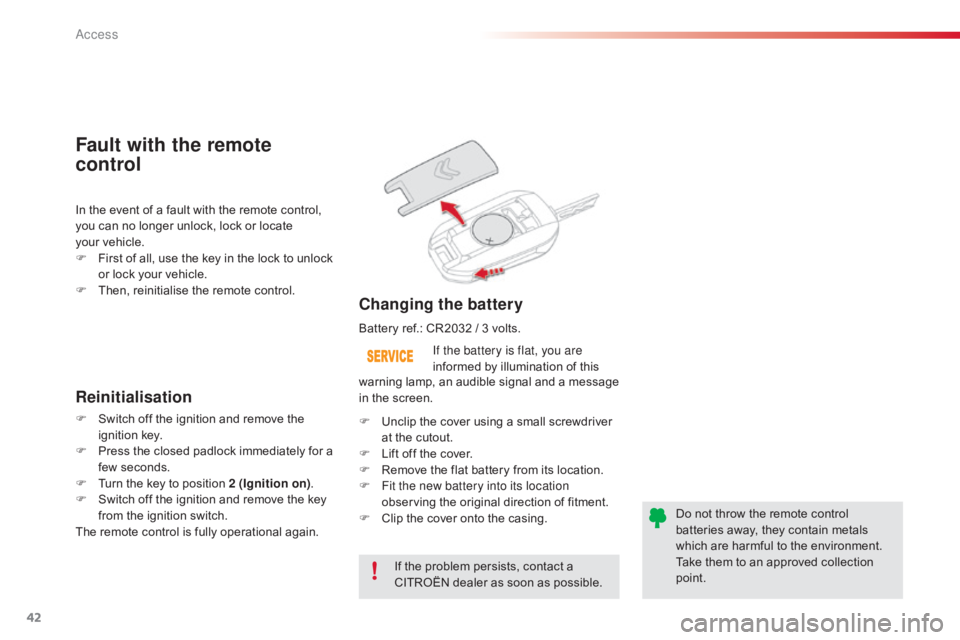
Changing the battery
In the event of a fault with the remote control, y
ou can no longer unlock, lock or locate
y
our vehicle.
F
F
irst of all, use the key in the lock to unlock
o
r lock your vehicle.
F
T
hen, reinitialise the remote control.
Fault with the remote
control
Reinitialisation
F Switch off the ignition and remove the ig
nition k ey.
F
P
ress the closed padlock immediately for a
f
ew seconds.
F
T
urn the key to position 2 (Ignition on).
F
S
witch off the ignition and remove the key
f
rom the ignition switch.
The
remote control is fully operational again.Battery
ref.: CR2032 / 3 volts.
F U nclip the cover using a small screwdriver
a
t the cutout.
F
L
ift off the cover.
F
R
emove the flat battery from its location.
F
F
it the new battery into its location
observing
the original direction of fitment.
F
C
lip the cover onto the casing.Do
not throw the remote control
b
atteries away, they contain metals
w
hich are harmful to the environment.
Take
them to an approved collection
po
int.
warning
lamp, an audible signal and a message
i
n the screen.
Access
Page 45 of 317
43
C4-cactus_en_Chap02_ouvertures_ed01-2016
Lost keys
Go to a CITROËN dealer with the vehicle's registration document, your personal identification documents and if possible the key code label.
The
CITROËN dealer will be able to look up the key code and the transponder code
r
equired to order a new key.
Remote control
The high frequency remote control is a sensitive system; do not operate it while it is in your pocket as there is a possibility that it may unlock the vehicle, without you being aware of it.
Do
not repeatedly press the buttons of your remote control out of range and out of sight of
y
our vehicle. You run the risk of stopping it from working and the remote control would have
t
o be reinitialised.
No
remote control can operate when the key is in the ignition switch, even when the ignition
i
s switched off, except for reinitialisation.
Locking the vehicle
Driving with the doors locked may make access to the passenger compartment by the emergency services more difficult in an emergency.
As
a safety precaution, never leave children alone in the vehicle, except for a very short period.
In
all cases, it is essential to remove the key from the ignition switch when leaving the
v
ehicle.
Anti-theft protection
Do not make any modifications to the electronic engine immobiliser system; this could c ause m alfunctions.
When purchasing a second-hand vehicle
Have the pairing of all of the keys in your possession checked by a CITROËN dealer, to ensure that only your keys can be used to open and start the vehicle.
2
Access
Page 50 of 317
48
C4-cactus_en_Chap02_ouvertures_ed01-2016
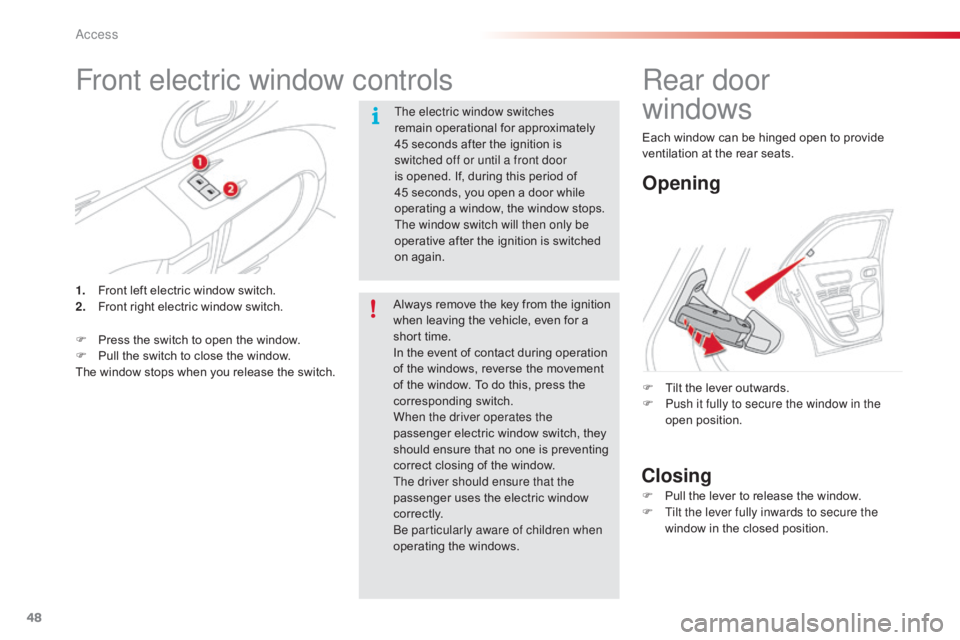
Front electric window controls
The electric window switches
remain operational for approximately
4
5 seconds after the ignition is
s
witched off or until a front door
is
opened. If, during this period of
4
5 seconds, you open a door while
o
perating a window, the window stops.
T
he window switch will then only be
operative
after the ignition is switched
o
n again.
1.
F
ront
left
electric
window
switch.
2.
F
ront
right
electric
window
switch.
F
P
ress
the
switch
to
open
the
window.
F
P
ull
the
switch
to
close
the
window.
The
window
stops
when
you
release
the
switch. Always
remove the key from the ignition
w
hen leaving the vehicle, even for a
s
hort time.
In
the event of contact during operation
o
f the windows, reverse the movement
o
f the window. To do this, press the
c
orresponding
s
witch.
When the driver operates the
passenger
electric window switch, they
s
hould ensure that no one is preventing
c
orrect closing of the window.
The driver should ensure that the
passenger
uses the electric window
c
o r r e c t l y.
Be particularly aware of children when
operating
t
he
w
indows.
Rear door
windows
Opening
Closing
F Tilt the lever outwards.
F P ush it fully to secure the window in the
open
p
osition.
F
P
ull the lever to release the window.
F
T
ilt the lever fully inwards to secure the
window
in the closed position.
Each
window can be hinged open to provide
v
entilation at the rear seats.
Access
Page 63 of 317
61
C4-cactus_en_Chap03_Ergonomie-et-confort_ed01-2016
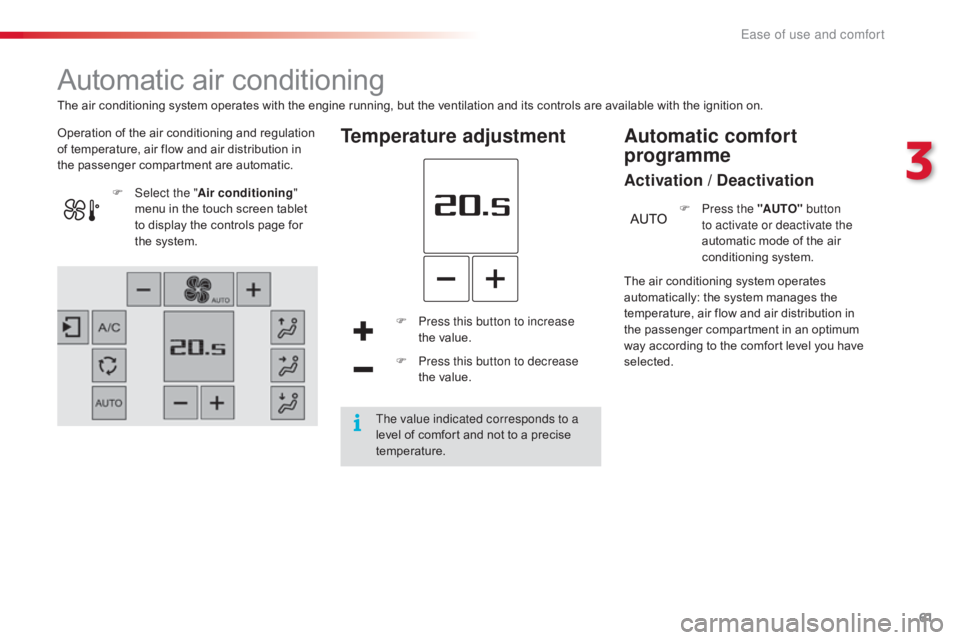
Automatic air conditioning
Operation of the air conditioning and regulation of temperature, air flow and air distribution in
t
he passenger compartment are automatic.Temperature adjustment
F Press this button to increase the value.
F
P
ress this button to decrease
the value.
F
Sel
ect the "
Air conditioning "
menu
in
the
touch
screen
tablet
t
o
display
the
controls
page
for
t
he
system.
The air conditioning system operates
a
utomatically: the system manages the t
emperature, air flow and air distribution in t
he passenger compartment in an optimum
w
ay according to the comfort level you have
s
elected.F
P
ress the "AUTO"
button
to activate or deactivate the
automatic mode of the air
c
onditioning system.
Automatic comfort
programme
Activation / Deactivation
The air conditioning system operates with the engine running, but the ventilation and its controls are available with the ignition on.
T he value indicated corresponds to a
level
of comfort and not to a precise
t
emperature.
3
Ease of use and comfort
Page 66 of 317
64
C4-cactus_en_Chap03_Ergonomie-et-confort_ed01-2016
Avoid the prolonged use of interior air recirculation (risk of misting and
d
eterioration of air quality).
It
allows
you:
-
i
n
summer,
to
lower
the
temperature,
-
i
n
winter,
above
3
°C,
to
improve
demisting.
F
P
ress
this
button
again
to
switch
o
ff
the
air
conditioning.
F
P
ress this button to switch on the
air
c
onditioning.
Air conditioning On/Off
The air conditioning is designed to operate e
fficiently in all seasons, with the windows
closed. The
intake of exterior air avoids and eliminates m
isting of the windscreen and side windows.
Air intake/Air recirculation
The recirculation of interior air prevents exterior o
dours and smoke from entering the passenger
c
ompartment.
F
P
ress this button to recirculate
the
interior air.
F
P
ress this button again to allow
t
he intake of exterior air.
The
air
conditioning
cannot
operate
w
hen
the
air
flow
is
set
to
off. This
function also allows faster heating
o
r cooling of the air in the passenger
c
ompartment.
Ventilation with "ignition on"
function
With the ignition on, you can use the ventilation system and access the "Air conditioning "
menu
to adjust the air flow and air
distribution
in the passenger compartment.
This
function is available for a few minutes,
d
epending on the state of charge of the battery
o
f your vehicle.
This function does not activate the air
conditioning.
You
can make use of the residual heat in the
e
ngine to warm the passenger compartment
u
sing the temperature setting buttons.
Switching on
Switching off
Ease of use and comfort
Page 69 of 317
67
C4-cactus_en_Chap03_Ergonomie-et-confort_ed01-2016
Courtesy lamp
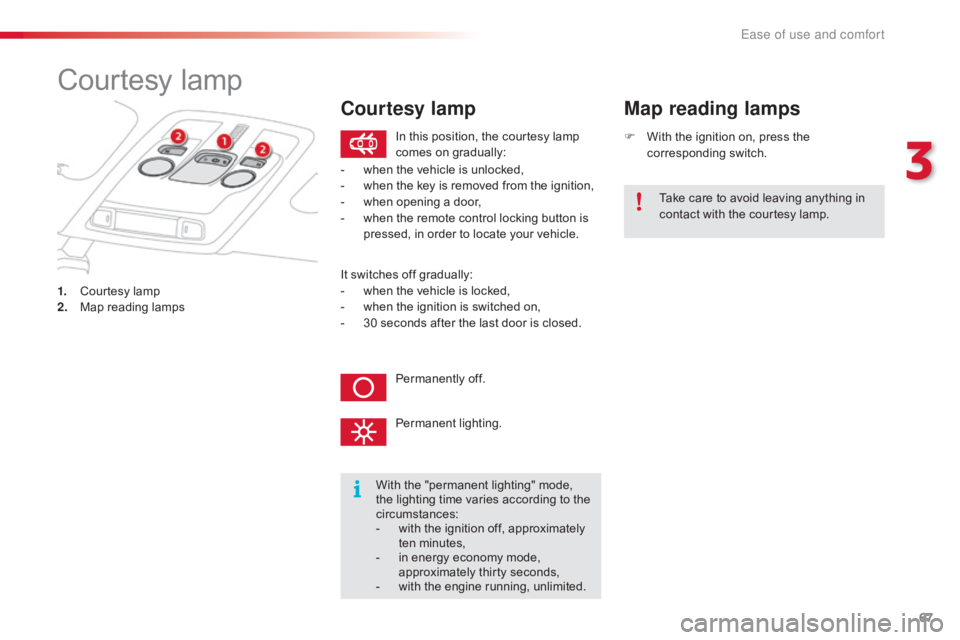
1. Courtesy lamp
2. M ap reading lamps F
W
ith the ignition on, press the
c
orresponding
s
witch.
Map reading lamps
With the "permanent lighting" mode, t
he lighting time varies according to the
c
ircumstances:
-
w
ith the ignition off, approximately
t
en
m
inutes,
-
i
n energy economy mode,
a
pproximately thirty seconds,
-
w
ith the engine running, unlimited.
In
this position, the courtesy lamp
c
omes on gradually:
Permanently off.
Permanent
l
ighting.
-
w
hen the vehicle is unlocked,
-
w
hen the key is removed from the ignition,
-
w
hen opening a door,
-
w
hen the remote control locking button is
p
ressed, in order to locate your vehicle.
Take care to avoid leaving anything in
c
ontact with the courtesy lamp.
Courtesy lamp
It switches off gradually:
- w hen the vehicle is locked,
-
w
hen the ignition is switched on,
-
3
0 seconds after the last door is closed.
3
Ease of use and comfort
Page 70 of 317
68
C4-cactus_en_Chap03_Ergonomie-et-confort_ed01-2016
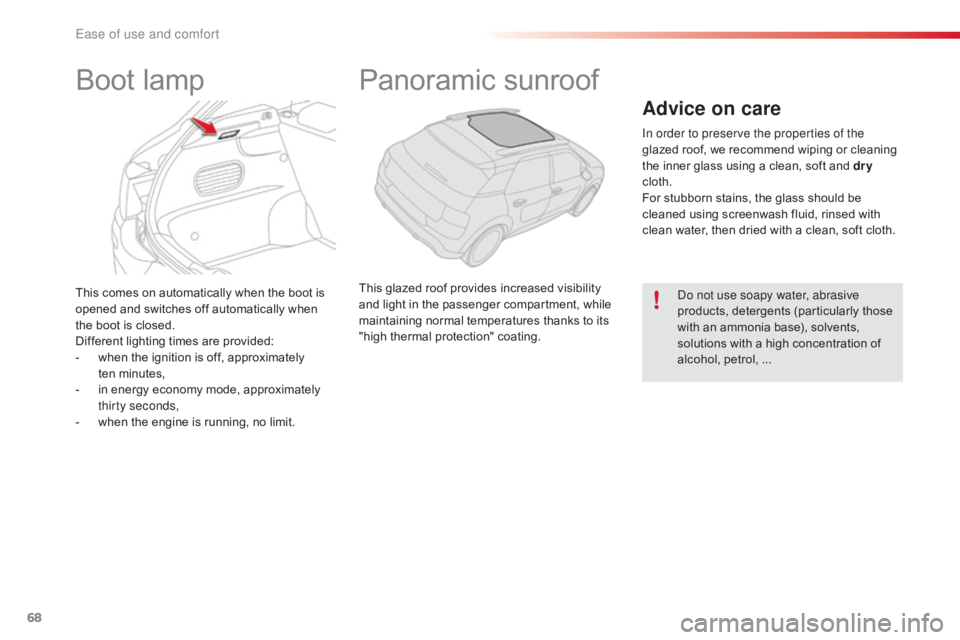
This comes on automatically when the boot is opened and switches off automatically when
t
he boot is closed.
Different
lighting times are provided:
-
w
hen the ignition is off, approximately
t
en minutes,
-
i
n energy economy mode, approximately
t
hirty seconds,
-
w
hen the engine is running, no limit.
Boot lampPanoramic s unroof
This glazed roof provides increased visibility a
nd light in the passenger compartment, while
m
aintaining normal temperatures thanks to its
"
high thermal protection" coating.
Advice on care
In order to preserve the properties of the
glazed roof, we recommend wiping or cleaning
t
he inner glass using a clean, soft and dry
cloth.
For
stubborn stains, the glass should be
c
leaned using screenwash fluid, rinsed with
c
lean water, then dried with a clean, soft cloth.
Do not use soapy water, abrasive
products,
detergents (particularly those
w
ith an ammonia base), solvents,
s
olutions with a high concentration of
a
lcohol, petrol, ...
Ease of use and comfort