ignition CITROEN C4 2019 Owner's Guide
[x] Cancel search | Manufacturer: CITROEN, Model Year: 2019, Model line: C4, Model: CITROEN C4 2019Pages: 317, PDF Size: 9.31 MB
Page 102 of 317
100
C4-cactus_en_Chap05_securite_ed01-2016
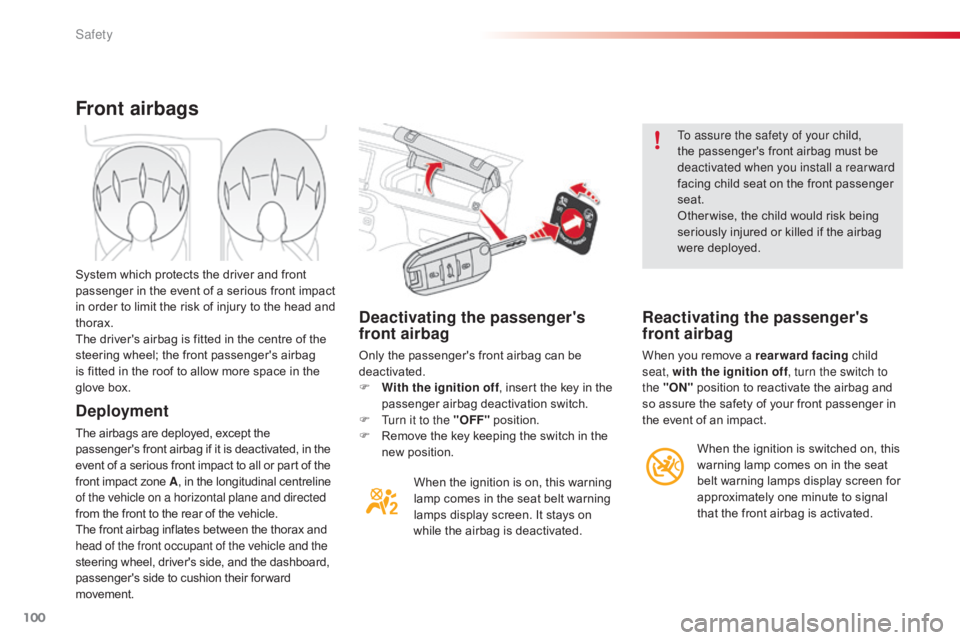
Deactivating the passenger's
front airbag
Only the passenger's front airbag can be deactivated.
F
W
ith the ignition off ,
insert the key in the
p
assenger airbag deactivation switch.
F
T
urn it to the "OFF"
p
osition.
F
R
emove the key keeping the switch in the
n
ew position.When
the ignition is on, this warning
l
amp comes in the seat belt warning
l
amps display screen. It stays on
w
hile the airbag is deactivated. To assure the safety of your child,
the
passenger's front airbag must be
d
eactivated when you install a rear ward
facing child seat on the front passenger
sea
t.
Other wise, the child would risk being
s
eriously injured or killed if the airbag
w
ere deployed.
Reactivating the passenger's
front airbag
When you remove a rearward facing
c hild
seat, with the ignition off , turn the switch to
the "ON"
position to reactivate the airbag and
s
o assure the safety of your front passenger in
t
he event of an impact.
Front airbags
Deployment
The airbags are deployed, except the passenger's front airbag if it is deactivated, in the e
vent of a serious front impact to all or part of the
f
ront impact zone A,
in the longitudinal centreline
o
f the vehicle on a horizontal plane and directed
from
the front to the rear of the vehicle.
The
front airbag inflates between the thorax and
h
ead of the front occupant of the vehicle and the
steering
wheel, driver's side, and the dashboard,
p
assenger's side to cushion their for ward
m
ovement.
System
which protects the driver and front
p
assenger in the event of a serious front impact
i
n order to limit the risk of injury to the head and
t
horax.
The driver's airbag is fitted in the centre of the
s
teering wheel; the front passenger's airbag
i
s fitted in the roof to allow more space in the
g
love box.
When the ignition is switched on, this
w
arning lamp comes on in the seat
b
elt warning lamps display screen for
a
pproximately one minute to signal
t
hat the front airbag is activated.
Safety
Page 120 of 317
118
C4-cactus_en_Chap05_securite_ed01-2016
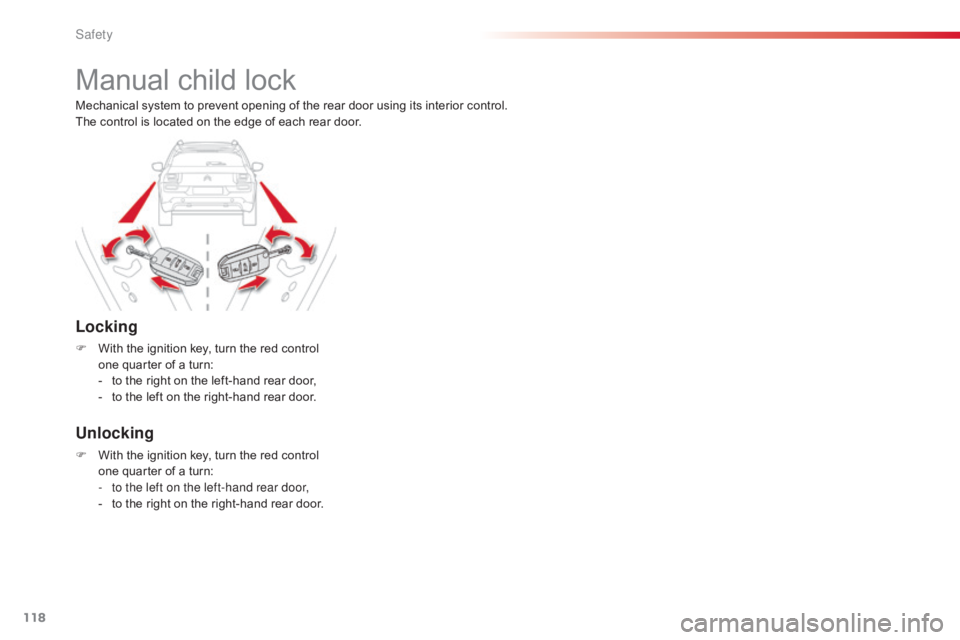
Manual child lock
Locking
F With the ignition key, turn the red control o
ne quarter of a turn:
-
t
o the right on the left-hand rear door,
-
t
o the left on the right-hand rear door.
Unlocking
F With the ignition key, turn the red control o
ne quarter of a turn:
-
t
o the left on the left-hand rear door,
-
t
o the right on the right-hand rear door.
Mechanical
system to prevent opening of the rear door using its interior control.
The control is located on the edge of each rear door.
Safety
Page 123 of 317
121
C4-cactus_en_Chap06_conduite_ed01-2016
Starting
The parking brake must be applied.
F
W
ith
a manual gearbox, place the gear
l
ever in neutral then depress the clutch
pedal
f
ully.
F
W
ith
an electronic gearbox, place the
c
ontrol at N then press the brake pedal
f
i r m l y.
F
I
nsert
the key into the ignition switch; the
s
ystem recognises the code.
F
U
nlock the steering column by simultaneously
t
urning the steering and the key.
In
certain cases, you may have to apply
m
ore force to the steering (wheels on
f
ull
lock, for example).
F
W
ith
a petrol engine, operate the starter
m
otor
by turning the key to position 3
without
pressing the accelerator pedal,
u
ntil
the engine starts. Once the engine is
r
unning, release the key.
Starting-switching off the engine
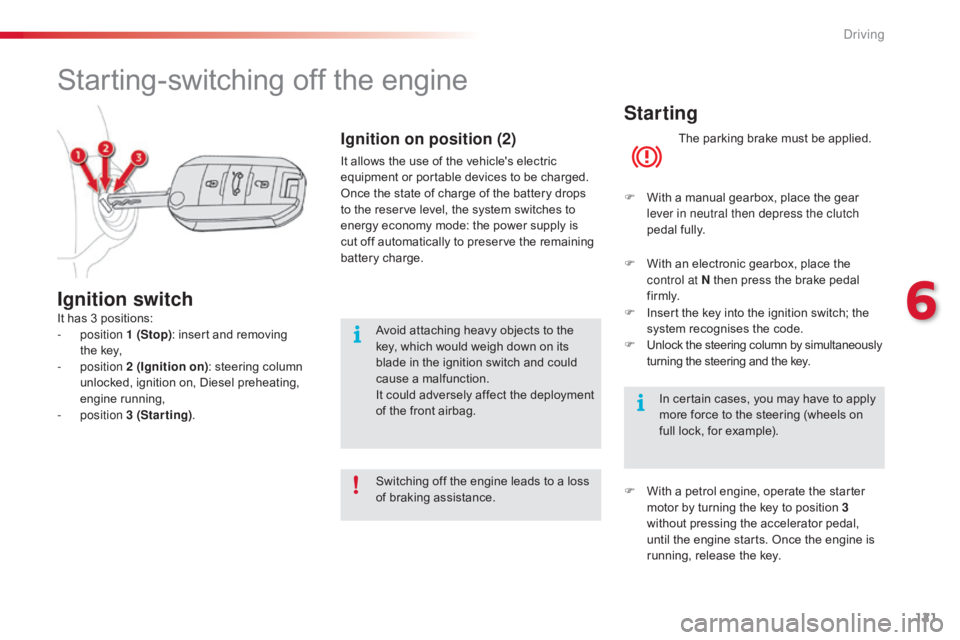
It has 3 positions:
- position 1 (Stop):
insert and removing
the
key,
-
position 2 (Ignition on) :
steering column
u
nlocked, ignition on, Diesel preheating,
e
ngine
r
unning,
-
position 3 (Starting) .
Ignition switch
Switching off the engine leads to a loss o
f braking assistance.
Ignition on position (2)
It allows the use of the vehicle's electric equipment or portable devices to be charged.
Once
the state of charge of the battery drops
t
o the reserve level, the system switches to
e
nergy economy mode: the power supply is
c
ut off automatically to preserve the remaining
b
attery charge.
Avoid
attaching heavy objects to the
k
ey, which would weigh down on its
b
lade in the ignition switch and could
c
ause a malfunction.
It
could adversely affect the deployment
o
f the front airbag.
6
Driving
Page 124 of 317
122
C4-cactus_en_Chap06_conduite_ed01-2016
F With a Diesel engine, turn the key to p
osition 2 ,
ignition on, to operate the
eng
ine
p
re-heating
s
ystem.
Wait until this warning lamp goes off in the instrument panel then operate the starter m
otor by turning the key to position 3
without
pressing the accelerator pedal,
u
ntil the engine starts. Once the engine is
r
unning, release the key.
In wintry conditions, the warning lamp can stay on for a longer period. When
t
he engine is hot, the warning lamp
d
oes not come on. In
temperate conditions, do not leave
t
he engine at idle to warm up but move
o
ff straight away and drive at moderate
s
peed.
Never leave the engine running in
a
n enclosed area without adequate
v
entilation:
in
ternal
c
ombustion
e
ngines emit toxic exhaust gases,
s
uch as carbon monoxide. Danger of i
ntoxication and death.
In very severe wintry conditions
(temperatures
below -23°C), to ensure
t
he correct operation and durability of
the
mechanical components of your
v
ehicle, engine and gearbox, it is
n
ecessary to leave the engine running
f
or 4 minutes before moving off.
If
the engine does not start straight
a
way, switch off the ignition. Wait a few
m
oments before operating the starter
m
otor again. If the engine does not
s
tart after several attempts, do not keep
t
rying: you risk damaging the starter
m
otor or the engine.
Contact a CITROËN dealer or a
qualified
w
orkshop.
Driving
Page 125 of 317
123
C4-cactus_en_Chap06_conduite_ed01-2016
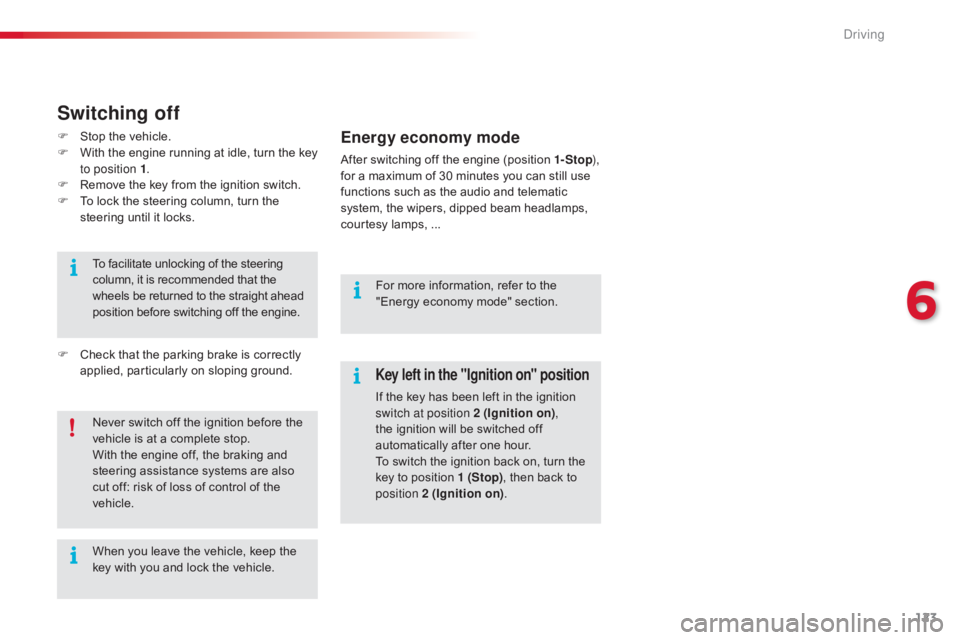
Key left in the "Ignition on" position
If the key has been left in the ignition switch at position 2 (Ignition on) ,
the
ignition will be switched off
a
utomatically after one hour.
To
switch the ignition back on, turn the
k
ey to position 1 (Stop),
then back to
p
osition 2 (Ignition on) .
Never
switch
off
the
ignition
before
the
v
ehicle
is
at
a
complete
stop.
With
the
engine
off,
the
braking
and
s
teering
assistance
systems
are
also
c
ut
off:
risk
of
loss
of
control
of
the
v
ehicle.
When
you
leave
the
vehicle,
keep
the
k
ey
with
you
and
lock
the
vehicle.
To
facilitate
unlocking
of
the
steering
c
olumn,
it
is
recommended
that
the
w
heels
be
returned
to
the
straight
ahead
p
osition
before
switching
off
the
engine.
Switching off
F Stop
the vehicle.
F W ith the engine running at idle, turn the key
t
o position 1 .
F
R
emove the key from the ignition switch.
F
T
o lock the steering column, turn the
s
teering until it locks.
F
C
heck that the parking brake is correctly
a
pplied, particularly on sloping ground.For
more information, refer to the
"
Energy economy mode" section.Energy economy mode
After switching off the engine (position 1- Stop),
for a maximum of 30 minutes you can still use
f
unctions such as the audio and telematic
s
ystem, the wipers, dipped beam headlamps,
c
ourtesy lamps, ...
6
Driving
Page 126 of 317
124
C4-cactus_en_Chap06_conduite_ed01-2016
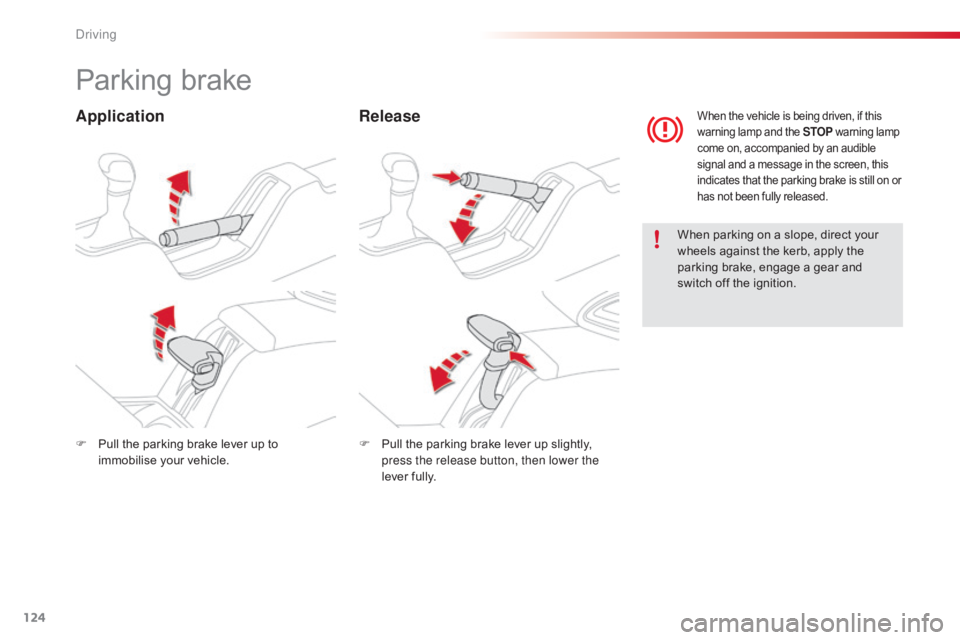
Parking brake
ApplicationRelease
When parking on a slope, direct your w
heels against the kerb, apply the
p
arking brake, engage a gear and
s
witch off the ignition.
When the vehicle is being driven, if this warning lamp and the STOP w arning lam p c
ome on, accompanied by an audible
s
ignal and a message in the screen, this
i
ndicates that the parking brake is still on or
h
as not been fully released.
F Pull the parking brake lever up to i
mmobilise your vehicle. F
P ull the parking brake lever up slightly, p
ress the release button, then lower the
lever
f
ully.
Driving
Page 130 of 317
128
C4-cactus_en_Chap06_conduite_ed01-2016
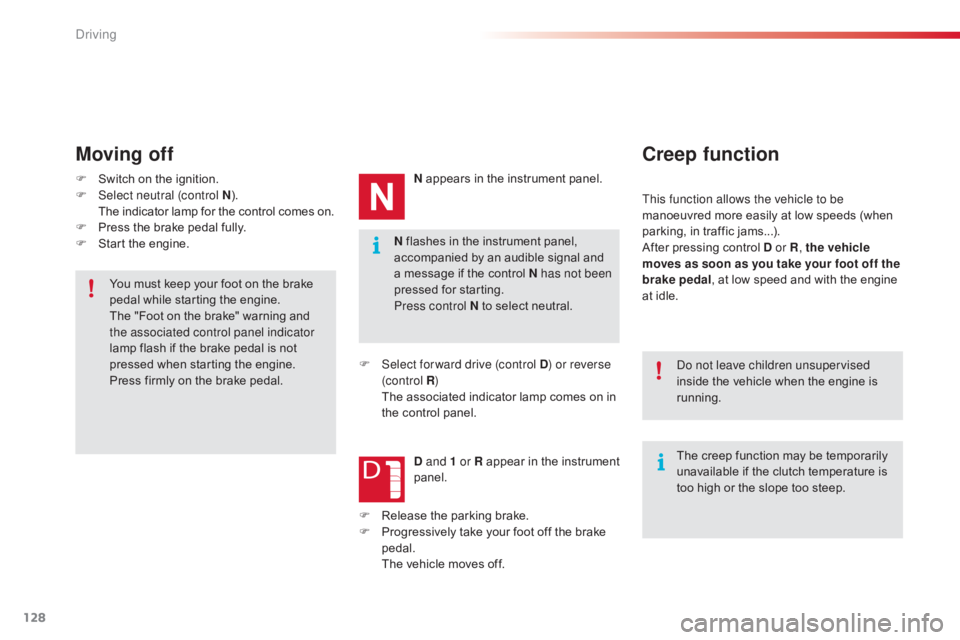
N flashes in the instrument panel, accompanied by an audible signal and
a
message if the control N has not been
pressed
for starting.
Press control N
to select neutral.
Moving off
F Switch on the ignition.
F Sel ect neutral (control N ).
T
he indicator lamp for the control comes on.
F
P
ress the brake pedal fully.
F
S
tart the engine. N
appears in the instrument panel.
F
S
elect for ward drive (control D) or reverse
(c ontrol R )
T
he associated indicator lamp comes on in
t
he control panel.
D and 1 or R
appear in the instrument
pan
el.
Creep function
This function allows the vehicle to be
manoeuvred more easily at low speeds (when
p
arking, in traffic jams...).
After
pressing control D or R, the vehicle
moves as soon as you take your foot off the
brake pedal ,
at low speed and with the engine
a
t idle.
The
creep function may be temporarily
u
navailable if the clutch temperature is
t
oo high or the slope too steep.
Do not leave children unsupervised
inside
the vehicle when the engine is
r
unning.
You
must
keep
your
foot
on
the
brake
p
edal
while
starting
the
engine.
The
"Foot
on
the
brake"
warning
and
t
he associated control panel indicator
lamp
flash
if
the
brake
pedal
is
not
p
ressed
when
starting
the
engine.
Press
firmly
on
the
brake
pedal. F
R
elease
the
parking
brake.
F
P
rogressively
take
your
foot
off
the
brake
ped
al.
T
he
vehicle
moves
off.
Driving
Page 132 of 317
130
C4-cactus_en_Chap06_conduite_ed01-2016
Before switching off the engine:
- p ress control N to be in neutral,
or
-
l
eave the vehicle in gear; in this case the
v
ehicle cannot be moved.
Stopping the vehicle
For all parking situations, you must
ap ply the parking brake to immobilise
t
he vehicle.
When
immobilising the vehicle with
t
he engine running, you must select
neu
tral
N.
Operating fault
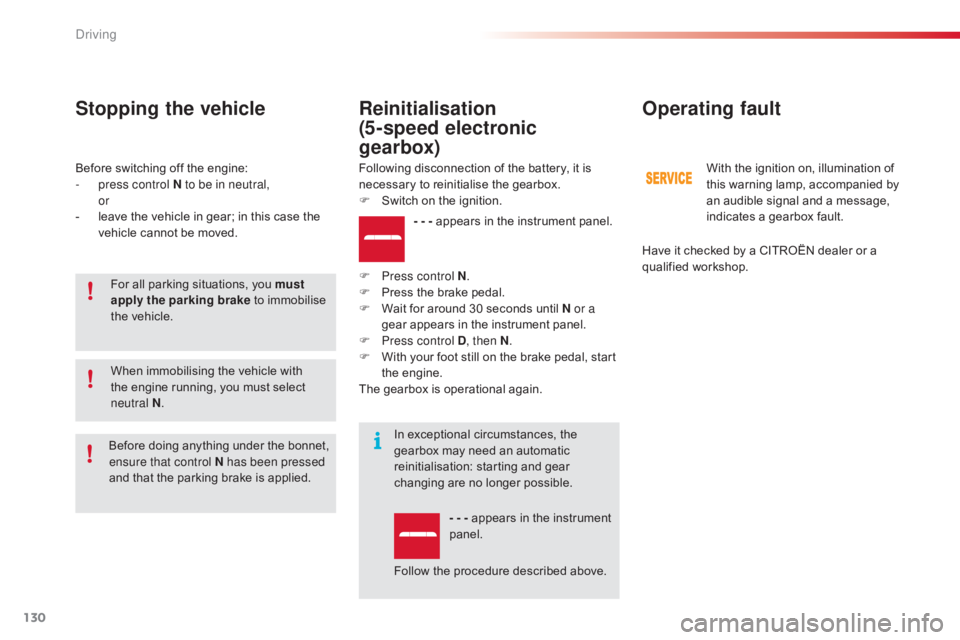
- - - appears in the instrument panel.
F
P
ress control N .
F
P
ress
the brake pedal.
F
W
ait
for around 30 seconds until N or a
gear
appears in the instrument panel.
F
P
ress control D , then N.
F
W
ith
your foot still on the brake pedal, start
t
he
eng
ine.
The
gearbox is operational again.
Reinitialisation
(5-speed electronic
gearbox)
Following disconnection of the battery, it is necessary to reinitialise the gearbox.
F
S
witch on the ignition.
In
exceptional circumstances, the
g
earbox may need an automatic
r
einitialisation: starting and gear
c
hanging are no longer possible.
- - -
appears in the instrument
pan
el.
Follow
the procedure described above.
Before
d
oing
a
nything
u
nder
t
he
b
onnet,
e
nsure that control N has been pressed
and
that
the
parking
brake
is
applied. With
the ignition on, illumination of t
his warning lamp, accompanied by
a
n audible signal and a message,
i
ndicates a gearbox fault.
Have
it checked by a CITROËN dealer or a
q
ualified
w
orkshop.
Driving
Page 134 of 317
132
C4-cactus_en_Chap06_conduite_ed01-2016
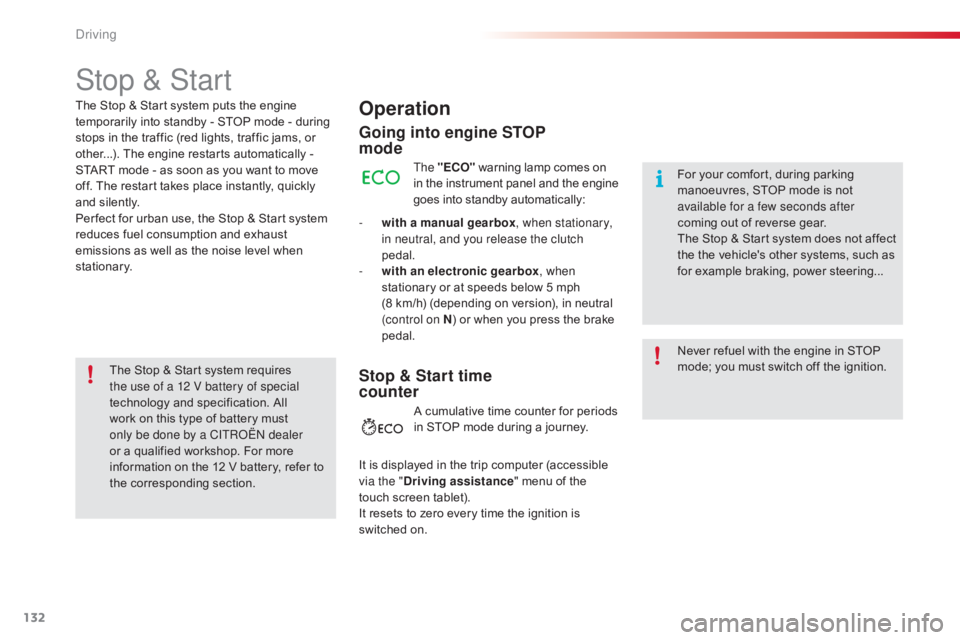
Stop & Start
Operation
Going into engine STOP
mode
The "ECO" warning lamp comes on i
n the instrument panel and the engine g
oes into standby automatically:
-
w
ith a manual gearbox , when stationary,
in neutral, and you release the clutch
pedal.
-
w
ith an electronic gearbox , when
stationary
or at speeds below 5 mph
(
8 km/h) (depending on version), in neutral
(
control on N )
or when you press the brake
ped
al. Never
refuel with the engine in STOP
m
ode; you must switch off the ignition.
For
your comfort, during parking
m
anoeuvres, STOP mode is not
a
vailable for a few seconds after
coming
out of reverse gear.
The
Stop & Start system does not affect
t
he the vehicle's other systems, such as
f
or example braking, power steering...
The
Stop
&
Start system
puts
the
engine
t
emporarily
into
standby
-
STOP
mode
-
during
s
tops
in
the
traffic
(red
lights,
traffic
jams,
or
o
ther...).
The
engine
restarts
automatically
-
S
TART
mode
-
as
soon
as
you
want
to
move
o
ff.
The
restart
takes
place
instantly,
quickly
a
nd
silently.
Per fect
for
urban
use,
the
Stop
&
Start
system
r
educes
fuel
consumption
and
exhaust
e
missions
as
well
as
the
noise
level
when
s
tationary.
Stop & Start time
counter
A cumulative time counter for periods i n STOP mode during a journey.
It
is
displayed in the trip computer (accessible
v
ia the " Driving assistance "
menu of the
t
ouch
screen tablet).
It
resets
to zero every time the ignition is
s
witched
on.
The
Stop
&
Start
system
requires
t
he use of a 12 V battery of special
technology
and
specification.
All
w
ork
on
this
type
of
battery
must
o
nly be done by a CITROËN dealer
or
a
qualified
workshop.
For
more
i
nformation
on
the
12
V
battery,
refer
to
t
he
corresponding
section.
Driving
Page 136 of 317
134
C4-cactus_en_Chap06_conduite_ed01-2016
A fault with the system is signalled in the " Driving assistance "
menu
(
primary page) of the touch screen
t
ablet.
Operating fault
In the event of a fault with the system, the symbol in the button changes to alert m
ode and the indicator lamp flashes for a
f
ew moments then stays on continuously.
If you press this button to reactivate the
system, the indicator lamp flashes again for a
f
ew moments and then stays on continuously.
In
certain
circumstances,
such
as
the
need
t
o
maintain
a
comfortable
temperature
in
the
p
assenger
compartment,
it
may
be
preferable
t
o
deactivate
the
Stop
&
Start
system.
The
system
can
be
deactivated
at
any
time,
o
nce
the
ignition
is
on.
If
the
system
is
deactivated
while
in
S
TOP mode,
the
engine
then
restarts.
The
Stop
&
Start
system
is
automatically
r
eactivated
every
time
the
engine
is
started.
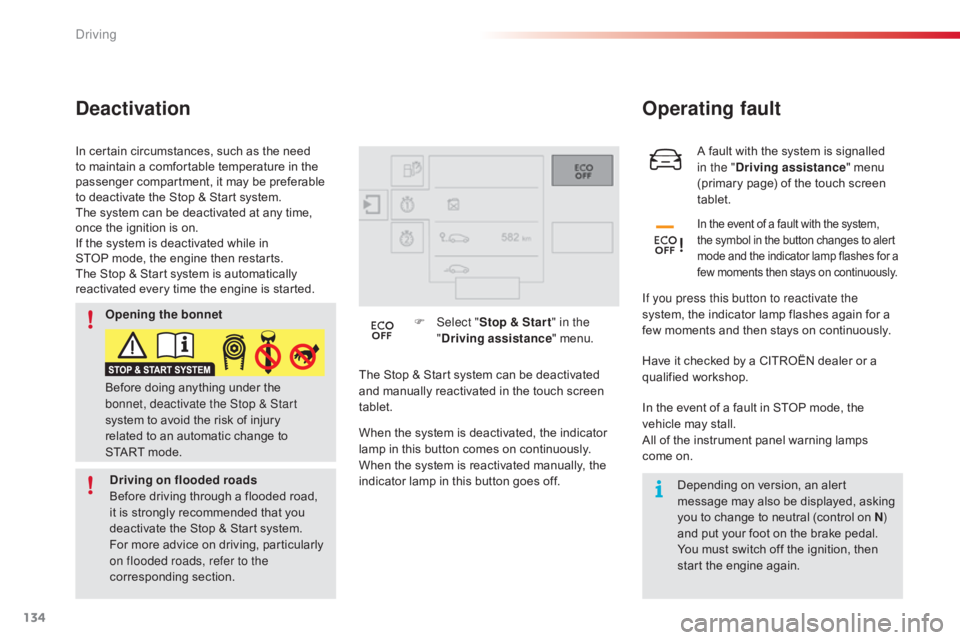
Deactivation
The Stop & Start system can be deactivated a
nd manually reactivated in the touch screen
t
ablet. F
Sel
ect "
Stop & Star t " in the
" Driving assistance " menu.
When the system is deactivated, the indicator
l
amp in this button comes on continuously.
When
the system is reactivated manually, the
i
ndicator lamp in this button goes off.Have
it checked by a CITROËN dealer or a q
ualified w orkshop.
In
the event of a fault in STOP mode, the
v
ehicle may stall.
All
of the instrument panel warning lamps
come
on.Depending
on version, an alert
m
essage may also be displayed, asking
y
ou to change to neutral (control on N)
and
put your foot on the brake pedal.
You
must switch off the ignition, then
s
tart the engine again.
Before
doing
anything
under
the
b
onnet, deactivate the Stop & Start
system
to
avoid
the
risk
of
injury
r
elated
to
an
automatic
change
to
S
TART mode.
Opening the bonnet
Driving on flooded roads
Before
driving
through
a
flooded
road,
i
t
is
strongly
recommended
that
you
d
eactivate
the
Stop
&
Start
system.
For
more
advice
on
driving,
particularly
o
n flooded roads, refer to the
corresponding
s
ection.
Driving