Screen CITROEN C4 PICASSO 2019 Service Manual
[x] Cancel search | Manufacturer: CITROEN, Model Year: 2019, Model line: C4 PICASSO, Model: CITROEN C4 PICASSO 2019Pages: 316, PDF Size: 10.36 MB
Page 148 of 316
146
- windscreen area located in front of the camera dirty, misted, frost-covered, snow-
covered, damaged or covered by a
sticker,
-
f
ault with the camera,
-
o
bsolete or incorrect mapping,
-
o
bstructed road signs (by other vehicles,
vegetation, snow),
-
s
peed limit signs that do not conform to the
standard, are damaged or distorted.
Recommendation
For more information on the Speed
limiter , Cruise control or Adaptive
cruise control , refer to the corresponding
sections.
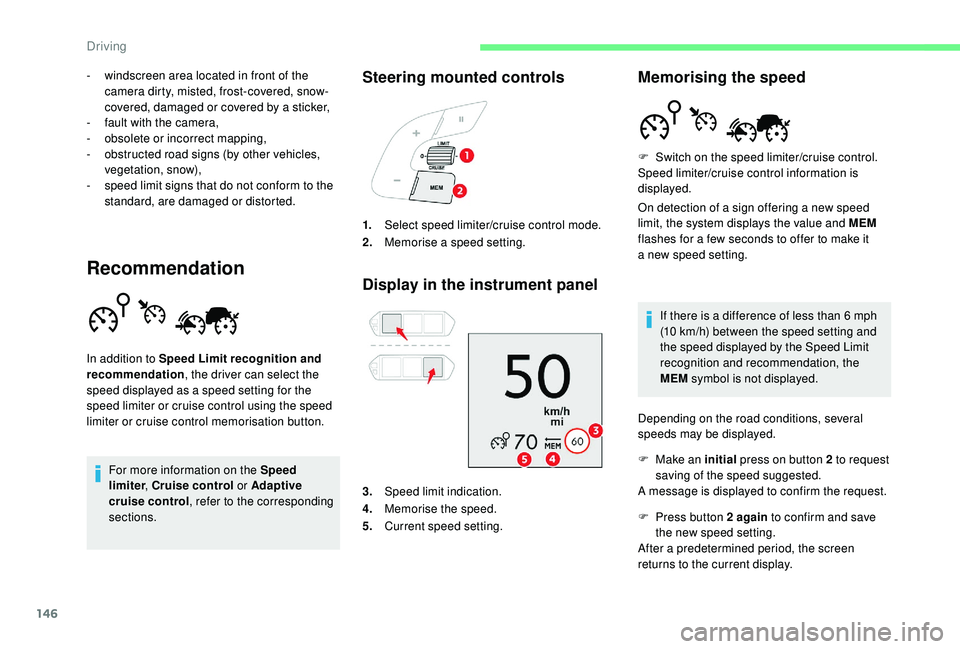
Steering mounted controls
Display in the instrument panel
In addition to Speed Limit recognition and
recommendation , the driver can select the
speed displayed as a
speed setting for the
speed limiter or cruise control using the speed
limiter or cruise control memorisation button. 1.
Select speed limiter/cruise control mode.
2. Memorise a
speed setting.
3. Speed limit indication.
4. Memorise the speed.
5. Current speed setting.
Memorising the speed
On detection of a sign offering a new speed
l imit, the system displays the value and MEM
flashes for a
few seconds to offer to make it
a
new speed setting.
If there is a
difference of less than 6 mph
(10
km/h) between the speed setting and
the speed displayed by the Speed Limit
recognition and recommendation, the
MEM symbol is not displayed.
Depending on the road conditions, several
speeds may be displayed. F
S
witch on the speed limiter/cruise control.
Speed limiter/cruise control information is
displayed.
F
M
ake an initial press on button 2
to request
saving of the speed suggested.
A message is displayed to confirm the request.
F
P
ress button 2 again to confirm and save
the new speed setting.
After a
predetermined period, the screen
returns to the current display.
Driving
Page 150 of 316
148
Adjusting the Speed Limit
recognition and recommendation
setting
You do not have to switch the speed limiter on
in order to set the speed.
To modify the limit speed setting from the
current speed of the vehicle:
F
i
n steps of +/- 1 mph (km/h), make
successive short presses on button 2
or 3,
F
c
ontinuously, in steps of +/- 5 mph (km/h),
press and hold button 2
or 3.
To modify the limit speed setting using
memorised speeds and from the touch screen:
F
p
ress button 5 to display the memorised
speed settings,
F
p
ress the button for the desired speed
setting.
The selection screen closes after a
few
moments.
This setting becomes the new limit speed.
To modify the limit speed setting from the
speed suggested by the vehicle Speed Limit
recognition and recommendation:
F
t
he speed suggested is displayed in the
instrument panel,
F
m
ake a first press on button 5 ; a message
is displayed to confirm the memorisation
request,
F
p
ress button 5 again to save the suggested
speed.
The speed displays immediately in the
instrument panel as the new speed setting.
Temporarily exceeding the
programmed speed
F Press firmly on the accelerator pedal,
going beyond the point of resistance, to
exceed the programmed speed limit.
The speed limiter is deactivated temporarily
and the displayed programmed speed flashes.
An audible signal accompanies the flashing
of the programmed speed when exceeding
the speed is not due to an action by the driver
(steep hill, etc.).
As soon as the vehicle's speed returns to the
programmed value, the limiter operates again:
the display of the programmed speed becomes
steady again.
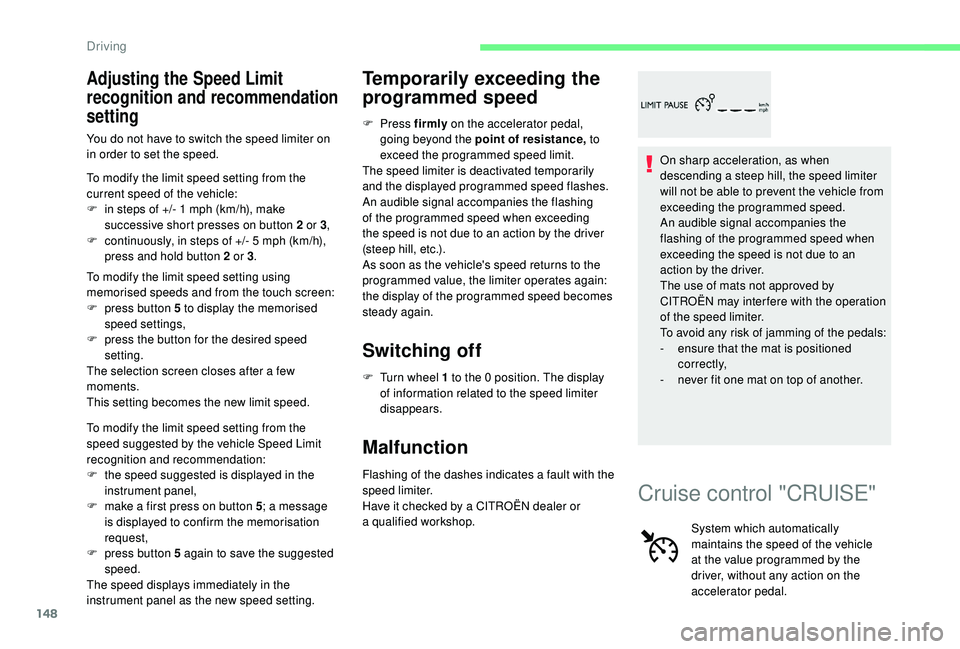
Switching off
F Turn wheel 1 to the 0 position. The display
of information related to the speed limiter
disappears.
Malfunction
Flashing of the dashes indicates a fault with the
sp eed limiter.
Have it checked by a
CITROËN dealer or
a
qualified workshop. On sharp acceleration, as when
descending a
steep hill, the speed limiter
will not be able to prevent the vehicle from
exceeding the programmed speed.
An audible signal accompanies the
flashing of the programmed speed when
exceeding the speed is not due to an
action by the driver.
The use of mats not approved by
CITROËN may inter fere with the operation
of the speed limiter.
To avoid any risk of jamming of the pedals:
-
e
nsure that the mat is positioned
c o r r e c t l y,
-
n
ever fit one mat on top of another.
Cruise control "CRUISE"
System which automatically
maintains the speed of the vehicle
at the value programmed by the
driver, without any action on the
accelerator pedal.
Driving
Page 152 of 316
150
Pause
You can temporarily stop the speed limiter by
pressing button 4 again: the display confirms
that it has been stopped (Pause).
Modifying the cruise speed
setting
The cruise control must be active.
To modify the cruise speed setting from the
current speed of the vehicle:
F
i
n steps of +/- 1 mph (km/h), make
successive short presses on button 2
or 3,
F
c
ontinuously, in steps of +/- 5 mph (km/h),
press and hold button 2
or 3.
Take care: pressing and holding button
2
or 3 results in a rapid change in the
speed of your vehicle.
As a
precaution, it is recommended
that the cruise speed chosen be close
to the current speed of your vehicle, so
as to avoid any sudden acceleration or
deceleration of the vehicle.
F
P
ress button 2 or 3
: your vehicle's current
speed becomes the cruise speed.
The cruise control is activated (ON). To modify the cruise speed setting using
memorised speed settings and from the touch
screen:
F
p
ress button 5 to display the memorised
speed settings,
F
p
ress the button for the desired speed
setting.
The selection screen closes after a few
moments.
This setting becomes the new cruise speed.
To modify the cruise speed setting using
the speed suggested by the Speed Limit
recognition and recommendation system:
F t he speed suggested is displayed in the
instrument panel,
F
m
ake a first press on button 5; a message
is displayed to confirm the memorisation
request,
F
p
ress button 5 again to save the suggested
speed.
The speed displays immediately in the
instrument panel as the new speed setting.
Exceeding the programmed
speed
If the speed setting is exceeded, the displayed
speed flashes.
The display becomes steady again once the
speed of the vehicle has reached the level of
the speed setting again.
Switching off
F Turn wheel 1 to the 0 position. The display
of information related to the cruise control
disappears.
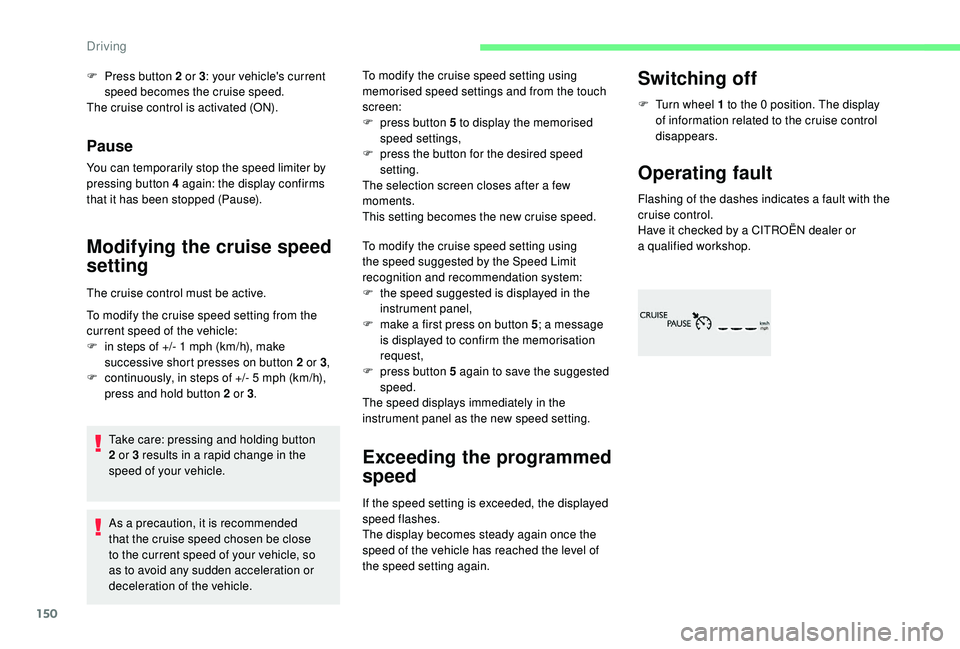
Operating fault
Flashing of the dashes indicates a fault with the
c ruise control.
Have it checked by a
CITROËN dealer or
a
qualified workshop.
Driving
Page 155 of 316
153
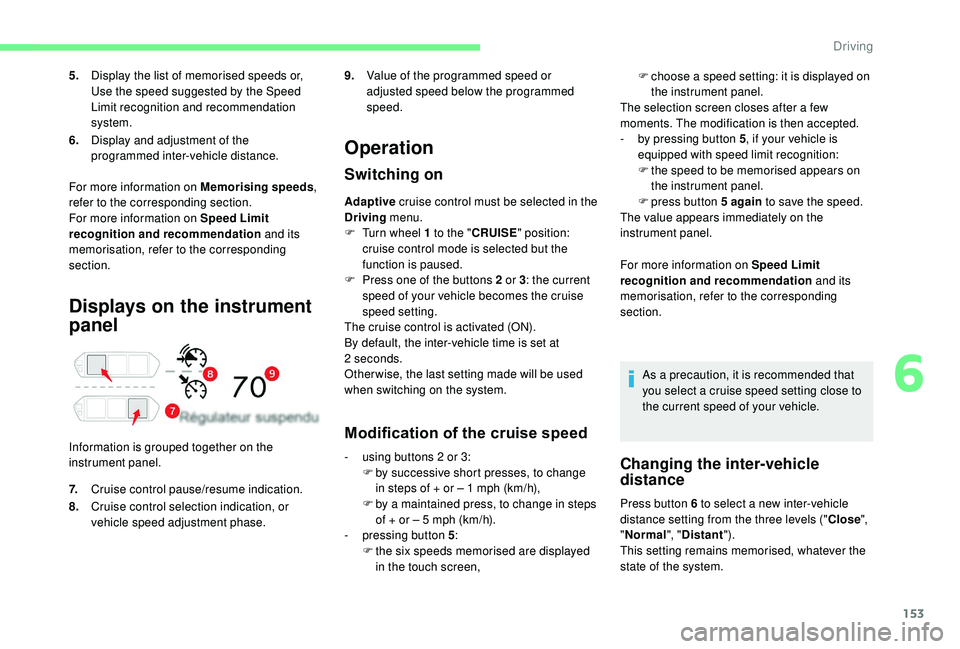
Displays on the instrument
panel
Information is grouped together on the
instrument panel.
Operation
Switching on
Adaptive cruise control must be selected in the
Driving menu.
F
T
urn wheel 1 to the "CRUISE " position:
cruise control mode is selected but the
function is paused.
F
P
ress one of the buttons 2 or 3: the current
speed of your vehicle becomes the cruise
speed setting.
The cruise control is activated (ON).
By default, the inter-vehicle time is set at
2
seconds.
Other wise, the last setting made will be used
when switching on the system.
Modification of the cruise speed
F choose a speed setting: it is displayed on
the instrument panel.
The selection screen closes after a
few
moments. The modification is then accepted.
-
b
y pressing button 5 , if your vehicle is
equipped with speed limit recognition:
F
t
he speed to be memorised appears on
the instrument panel.
F
press button 5
again to save the speed.
The value appears immediately on the
instrument panel.
For more information on Speed Limit
recognition and recommendation and its
memorisation, refer to the corresponding
section.
As a
precaution, it is recommended that
you select a
cruise speed setting close to
the current speed of your vehicle.
Changing the inter-vehicle
distance
Press button 6 to select a new inter-vehicle
d istance setting from the three levels (" Close",
" Normal ", "Distant ").
This setting remains memorised, whatever the
state of the system.
5.
Display the list of memorised speeds or,
Use the speed suggested by the Speed
Limit recognition and recommendation
system.
6. Display and adjustment of the
programmed inter-vehicle distance.
For more information on Memorising speeds ,
refer to the corresponding section.
For more information on Speed Limit
recognition and recommendation and its
memorisation, refer to the corresponding
section.
7. Cruise control pause/resume indication.
8. Cruise control selection indication, or
vehicle speed adjustment phase. 9.
Value of the programmed speed or
adjusted speed below the programmed
speed.
-
u
sing buttons 2
or 3:
F
b
y successive short presses, to change
in steps of + or – 1
mph (km/h),
F
b
y a
maintained press, to change in steps
of + or – 5
mph (km/h).
-
p
ressing button 5 :
F
t
he six speeds memorised are displayed
in the touch screen,
6
Driving
Page 162 of 316

160
As a safety measure, wait until the current
s peed approaches the speed setting to
reactivate the function by pressing button 4 .
Modification of the speed
setting
With the engine running and cruise control on
(green), you can modify the speed setting.
Modification from the current
speed
F By successive short presses on button 2 or
3 , to lower or raise the setting in steps of +
or – 1
mph (km/h),
F
B
y a maintained press on button 2 or 3, to
lower or raise the setting in steps of + or –
5
mph (km/h). Take care: pressing and holding button
2
or 3 results in a rapid change in the
speed of your vehicle.
Modification from the
Speed Limit recognition and
recommendation system
F The suggested speed is displayed in the instrument panel.
F
M
ake an initial press on button 5 ; a
message is displayed to confirm the
memorisation request.
F
P
ress button 5 again to save the suggested
speed.
The speed displays immediately in the
instrument panel as the new speed setting.
For more information on the Speed Limit
recognition and recommendation , refer to
the corresponding section.
The driver should press the accelerator pedal
to move off, then reactivate the system above
19
mph (30
km/h) by pressing button 2
, 3
or 4
.
If the driver takes no action following this
immobilisation, the electric parking brake is
applied automatically after a
while (approx. five
minutes).
As a precaution, it is recommended
that you select a
cruise speed close to
the current speed of your vehicle, so
as to avoid any sudden acceleration or
deceleration of the vehicle.
Modification of the programmed
inter-vehicle distance
Engine running and with the wheel at the
" CRUISE " position:
F
P
ress button 6 to display the selection
screen for inter-vehicle distance.
F
B
y pressing button 6 repeatedly, cycle
through the predefined settings.
The selection screen closes after a
few
seconds.
The modification is then accepted.
This setting remains in memory, whatever the
state of the system and when the ignition is
switched off.
The selection also applies to the stopping
distance (versions with EAT6
and
EAT8
automatic gearbox).
Three threshold settings are suggested for the
inter-vehicle distance:
-
"
Distant " (3 dashes),
- "
Normal " (2 dashes),
- "
Close " (1 dash).
Driving
Page 168 of 316

166
The vehicle has a camera located at the top of
t he windscreen, and, depending on the version,
a radar located in the front bumper.
This system is designed to assist the
driver and improve road safety.
It is the driver's responsibility to
continuously monitor the state of the
traffic, observing the driving regulations.
This system does not replace the need for
vigilance on the part of the driver.
As soon as the system detects a
potential
obstacle, it prepares the braking circuit in
case automatic braking is needed. This
may cause a
slight noise and a slight
sensation of deceleration.
Deactivation/Activation
By default, the system is automatically
activated at every engine start.
The system can be deactivated or activated via
the vehicle settings menu.
Deactivation of the system is
signalled by the illumination of this
indicator lamp, accompanied by the
display of a
message.
Operating conditions and
limits
The ESC system must not be faulty.
The ASR must not be deactivated.
All passenger seat belts must be fastened.
Driving at a steady speed on roads with few
bends is required. The following situations may interfere with
the operation of the system or prevent it
from working:
-
p
oor visibility (inadequate street
lighting, falling snow, heavy rain, dense
f o g , e t c .),
-
d
azzle (headlamps of an oncoming
vehicle, low sun, reflections on a damp
road, leaving a tunnel, alternating
shade and light, etc.),
-
c
amera or radar obstructed (mud, frost,
snow, condensation, etc.).
On versions with camera alone, this
message indicates to you that the camera
is obstructed: " Driving aids camera:
visibility limited, see user guide ".
In these situations, detection performance
may be reduced.
Driving
Page 169 of 316

167
In the following cases, deactivating the system
via the vehicle's configuration menu is advised:
-
t
owing a trailer,
-
c
arrying long objects on roof bars or roof
rack,
-
w
ith snow chains fitted,
-
b
efore using an automatic car wash, with
the engine running,
-
b
efore placing the vehicle on a rolling road
in a
workshop,
-
t
owed vehicle, engine running,
-
d
amaged front bumper (version with radar),
-
f
ollowing impact to the windscreen close to
the detection camera. The system is automatically deactivated
after the use of the "space-saver" type
spare wheel is detected, or if a
fault with
the lateral brake lamps is detected.
It is possible that warnings are not given,
are given too late or seem unjustified.
Consequently, always stay in control of
your vehicle and be prepared to react at
any time to avoid an accident.
After an impact, the function automatically
stops operating. Contact a
CITROËN
dealer or a
qualified workshop to have the
system checked.
If the front bumper is to be repainted or
retouched, contact a
CITROËN dealer
or a
qualified workshop. Certain types of
paint could inter fere with the operation of
the radar.
Collision Risk Alert
It warns the driver if their vehicle is at risk of
collision with the vehicle in front or a pedestrian
present in their traffic lane.
Modifying the alert trigger
threshold
This threshold determines how you wish
to be alerted of the presence of a moving
or stationary vehicle in front of you, or
a
pedestrian present in your traffic lane.
The current threshold can only be
modified via the touch screen's
Driving menu.
You can select one of three predefined
thresholds:
-
"Distant ",
-
"Normal ",
-
"Close ".
The last threshold selected is kept in memory
when the ignition is switched off.
Operation
Depending on the degree of risk of collision
detected by the system and the alert threshold
chosen by the driver, different levels of
alert can be triggered and displayed in the
instrument panel.
Clean the windscreen regularly,
particularly the area in front of the camera.
The internal sur face of the windscreen can
also become misted around the camera.
In humid and cold weather, demist the
windscreen regularly.
Do not allow snow to accumulate on the
bonnet or roof of the vehicle as this could
conceal the detection camera.
Clean the front bumper, especially around
the radar, removing mud, snow, etc.
6
Driving
Page 171 of 316
169
The driver can maintain control of the
vehicle at any time by sharply turning
the steering wheel and/or pressing the
accelerator pedal.
Operation of the function may be felt by
slight vibration in the brake pedal.
If the vehicle comes to a complete stop,
the automatic braking is maintained for
1
to 2 seconds.
Malfunction
In the event of a fault with the
s ystem, you are alerted by the
illumination of this warning lamp,
accompanied by the display of
a
message and an audible signal.
Lane Departure Warning
System
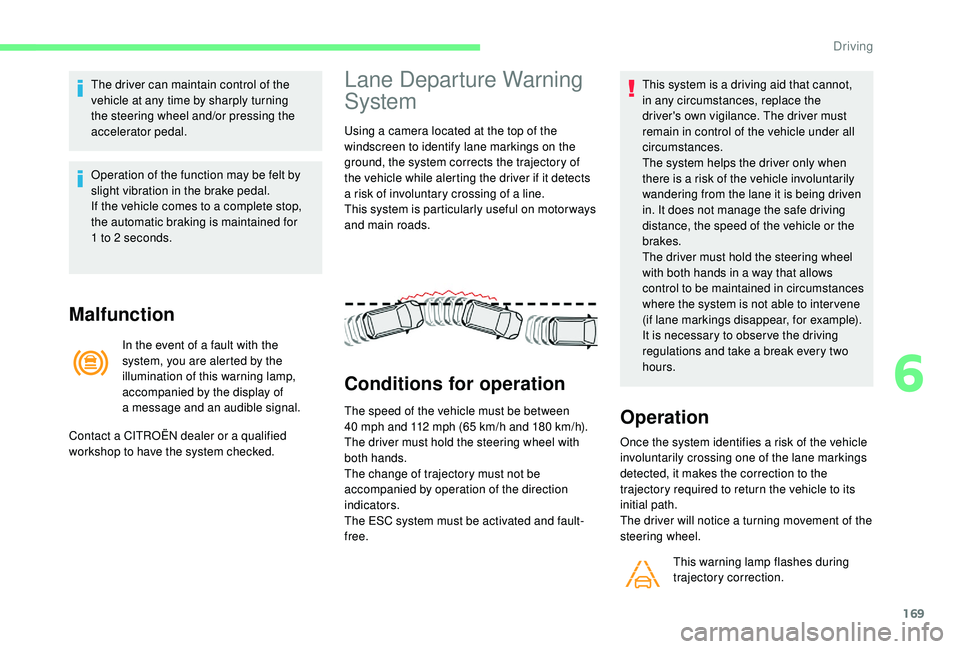
Using a camera located at the top of the
w indscreen to identify lane markings on the
ground, the system corrects the trajectory of
the vehicle while alerting the driver if it detects
a
risk of involuntary crossing of a line.
This system is particularly useful on motor ways
and main roads.
Conditions for operation
The speed of the vehicle must be between
40 mph and 112 mph (65 km/h and 180 km/h).
The driver must hold the steering wheel with
both hands.
The change of trajectory must not be
accompanied by operation of the direction
indicators.
The ESC system must be activated and fault-
free. This system is a
driving aid that cannot,
in any circumstances, replace the
driver's own vigilance. The driver must
remain in control of the vehicle under all
circumstances.
The system helps the driver only when
there is a risk of the vehicle involuntarily
wandering from the lane it is being driven
in. It does not manage the safe driving
distance, the speed of the vehicle or the
brakes.
The driver must hold the steering wheel
with both hands in a way that allows
control to be maintained in circumstances
where the system is not able to inter vene
(if lane markings disappear, for example).
It is necessary to obser ve the driving
regulations and take a break every two
hours.Operation
Once the system identifies a risk of the vehicle
i nvoluntarily crossing one of the lane markings
detected, it makes the correction to the
trajectory required to return the vehicle to its
initial path.
The driver will notice a
turning movement of the
steering wheel.
This warning lamp flashes during
trajectory correction.
Contact a
CITROËN dealer or a
qualified
workshop to have the system checked.
6
Driving
Page 174 of 316
172
Deactivation of the system is recommended in
the following situations:
-
d
riving on a road sur face in poor condition,
-
p
oor weather conditions,
-
d
riving on slippery sur faces (ice).
Activation/Deactivation
Activation and deactivation of the system is
done in the Driving menu of the touch screen.
Select the " Driving functions " then the "Lane
assist " tab.
The system state remains in memory when the
ignition is switched off.
Malfunction
Operating limits
The system goes into standby automatically in
the following cases:
-
E
SC deactivated or operation triggered,
-
s
peed below 40 mph (65 km/h) or greater
than 112
mph (180 km/h),
-
c
onnected electrically to a
trailer,
-
u
se of the "space-saver" spare
wheel detected (as detection is not
immediate, deactivation of the system is
recommended),
-
d
ynamic driving style detected, pressure on
the brake or accelerator pedal,
-
d
riving where there are no lane markings,
-
a
ctivation of the direction indicators,
-
c
rossing the inside line on a bend,
-
d
riving in a tight corner,
-
i
nactivity by the driver detected during
correction. The following situations may interfere with
the operation of the system or prevent it
working:
-
c
onditions of poor visibility (inadequate
street lighting, snowfall, rain, fog),
-
d
azzle (headlamps of an oncoming
vehicle, low sun, reflections on a
damp
road, leaving a
tunnel, alternating
shade and light),
-
w
indscreen area located in front of the
camera: dirty, misted, frost-covered,
snow-covered, damaged or covered by
a
s t i c ke r,
-
l
ane markings worn, hidden (snow,
mud) or multiple (roadworks, etc.),
-
r
unning close to the vehicle in front
(the lane markings may not be
detected),
-
r
oads that are narrow, winding, etc.
Risk of undesirable operation
The system is not intended for driving in the
following situations:
-
d
riving on a speed circuit,
-
d
riving with a trailer,
-
d
riving on a rolling stand,
-
d
riving on unstable sur faces.
In the event of a
fault with the system, you are
alerted by the illumination of these warning
lamps in the instrument panel, accompanied by
the display of a
message and an audible signal.
Have the system checked by a
CITROËN
dealer or a
qualified workshop.
Driving
Page 175 of 316
173
Blind Spot Detection
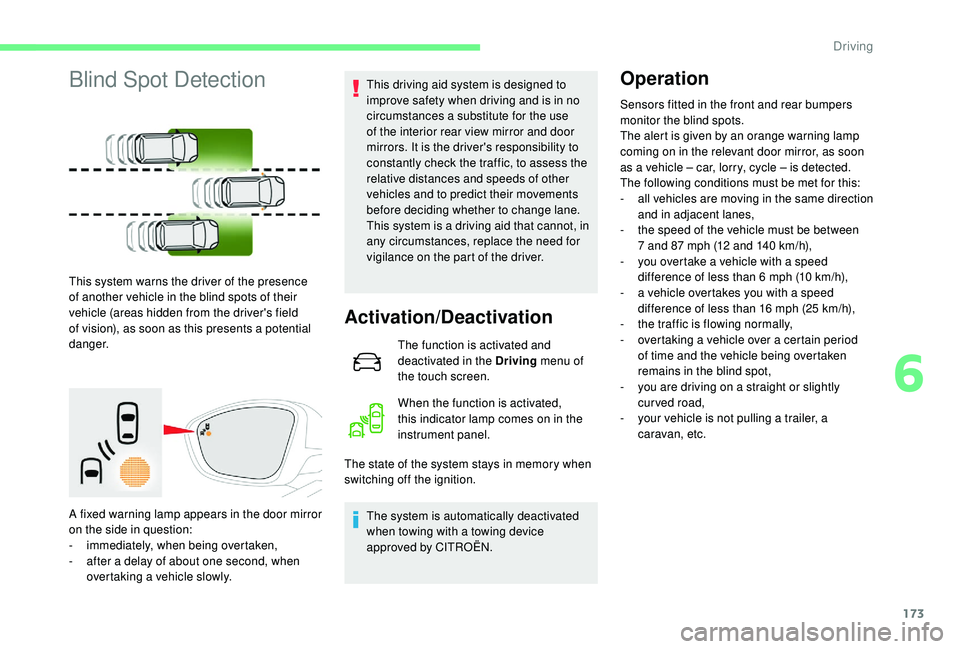
This system warns the driver of the presence
of another vehicle in the blind spots of their
vehicle (areas hidden from the driver's field
of vision), as soon as this presents a potential
danger.
A fixed warning lamp appears in the door mirror
on the side in question:
-
i
mmediately, when being overtaken,
-
a
fter a delay of about one second, when
overtaking a
vehicle slowly. This driving aid system is designed to
improve safety when driving and is in no
circumstances a
substitute for the use
of the interior rear view mirror and door
mirrors. It is the driver's responsibility to
constantly check the traffic, to assess the
relative distances and speeds of other
vehicles and to predict their movements
before deciding whether to change lane.
This system is a driving aid that cannot, in
any circumstances, replace the need for
vigilance on the part of the driver.
Activation/Deactivation
The function is activated and
deactivated in the Driving menu of
the touch screen.
When the function is activated,
this indicator lamp comes on in the
instrument panel.
The state of the system stays in memory when
switching off the ignition.
The system is automatically deactivated
when towing with a
towing device
approved by CITROËN.
Operation
Sensors fitted in the front and rear bumpers
monitor the blind spots.
The alert is given by an orange warning lamp
coming on in the relevant door mirror, as soon
as a
vehicle – car, lorry, cycle – is detected.
The following conditions must be met for this:
-
a
ll vehicles are moving in the same direction
and in adjacent lanes,
-
t
he speed of the vehicle must be between
7
and 87 mph (12 and 140 km/h),
-
y
ou overtake a vehicle with a speed
difference of less than 6
mph (10 km/h),
-
a v
ehicle overtakes you with a speed
difference of less than 16
mph (25 km/h),
-
t
he traffic is flowing normally,
-
ov
ertaking a vehicle over a certain period
of time and the vehicle being overtaken
remains in the blind spot,
-
y
ou are driving on a straight or slightly
curved road,
-
y
our vehicle is not pulling a trailer, a
caravan, etc.
6
Driving