display Citroen C4 RHD 2016 2.G Service Manual
[x] Cancel search | Manufacturer: CITROEN, Model Year: 2016, Model line: C4 RHD, Model: Citroen C4 RHD 2016 2.GPages: 472, PDF Size: 13.96 MB
Page 357 of 472
355
DAB (Digital Audio Broadcasting) radio
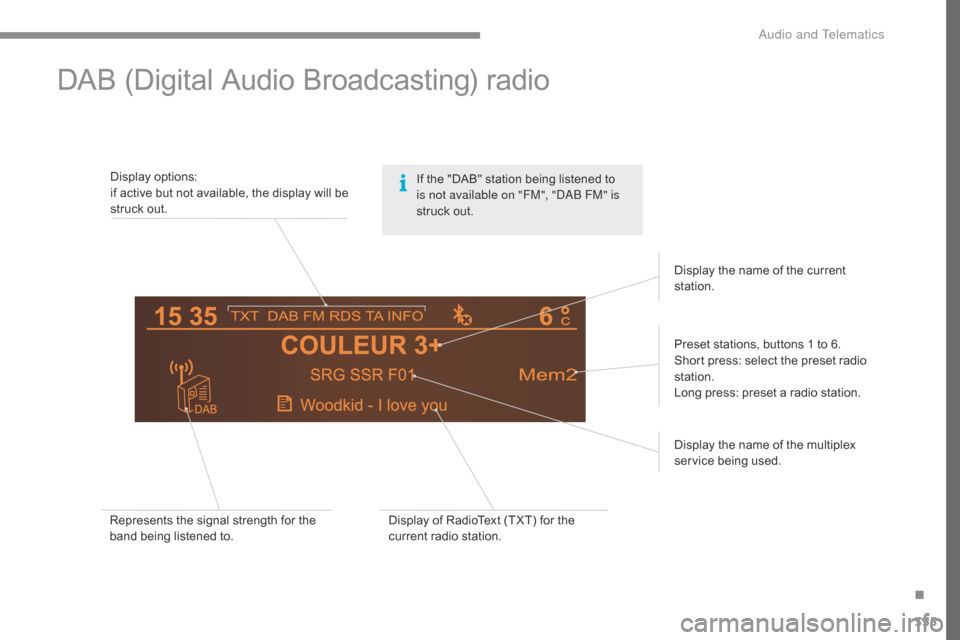
Display options:
i f a ctive b ut n ot a vailable, t he d isplay w ill b e st
ruck
o
ut.
Preset
s
tations,
b
uttons
1 t
o
6
.
Short
p
ress:
s
elect
t
he
p
reset
r
adio
st
ation.
Long
p
ress:
p
reset
a r
adio
s
tation.
Display
t
he
n
ame
o
f
t
he
m
ultiplex
serv
ice
bei
ng
use
d.
Represents
t
he
s
ignal
s
trength
f
or
t
he
ba
nd
b
eing
l
istened
t
o. Display
o
f
R
adioText
(
TXT)
f
or
t
he
cu
rrent
r
adio
s
tation.Display
t
he
n
ame
o
f
t
he
c
urrent
st
ation.
If t
he " DAB" s tation b eing l istened t o is n
ot available on "FM", "DAB FM" is
struck
o
ut.
.
Audio and Telematics
Page 358 of 472
356
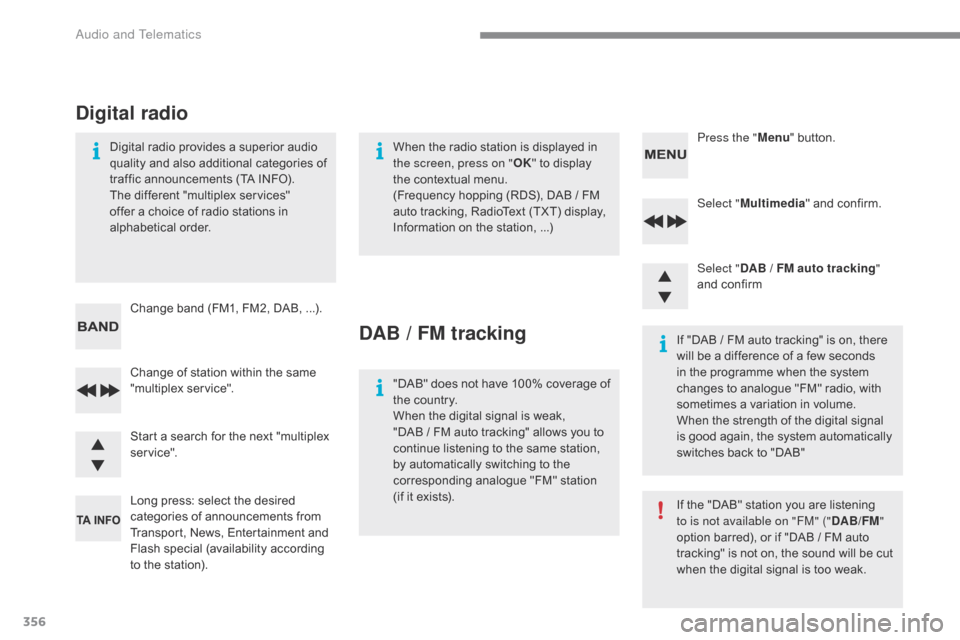
Select "Multimedia " a nd c onfirm.
Select " DAB
/ F
M auto tracking "
and
c
onfirm
Long
p
ress:
s
elect
t
he
d
esired
ca
tegories
o
f
a
nnouncements
f
rom
Tr
ansport,
N
ews,
E
ntertainment
a
nd
Fla
sh
spe
cial
(a
vailability
ac
cording
to t
he
s
tation).
Change
o
f
s
tation
w
ithin
t
he
s
ame
"m
ultiplex
se
rvice". Press the "
Menu"
b
utton.
Start
a s
earch
f
or
t
he
n
ext
"
multiplex
serv
ice".
Change
b
and
(
FM1,
F
M2,
D
AB, ...).
Digital
r
adio
p
rovides
a s
uperior
a
udio
qu
ality
a
nd
a
lso
a
dditional
c
ategories
o
f
tr
affic
a
nnouncements
(
TA
I
NFO).
The d
ifferent "
multiplex s
ervices" of
fer a c
hoice o
f r
adio s
tations i
n alp
habetical
or
der.
Digital radio
When the radio station is displayed in th e screen, press on " OK" t
o d isplay th
e
c
ontextual
m
enu.
(Frequency
h
opping
(
RDS),
D
AB / FM
au
to
t
racking,
R
adioText
(
TXT)
d
isplay,
In
formation
o
n
t
he
s
tation, ...)
DAB / FM tracking
"DAB" does not h ave 1 00% c overage o f th
e c ountry.
When
t
he
d
igital
s
ignal
i
s
w
eak,
"
DAB
/ F
M
a
uto
t
racking"
a
llows
y
ou
t
o
co
ntinue
l
istening
t
o
t
he
s
ame
s
tation,
by a
utomatically
s
witching
t
o
t
he
co
rresponding
a
nalogue
"
FM"
s
tation
(i
f
i
t
e
xists). If
"
DAB
/ F
M
a
uto
t
racking"
i
s
o
n,
t
here
wi
ll
b
e
a d
ifference
o
f
a f
ew
s
econds
in t
he p rogramme w hen t he s ystem ch
anges t o a nalogue " FM" r adio, w ith so
metimes
a v
ariation
i
n
v
olume.
When
t
he
s
trength
o
f
t
he
d
igital
s
ignal
is g
ood
a
gain,
t
he
s
ystem
a
utomatically
sw
itches
b
ack
t
o
"
DAB"
If
t
he
"
DAB"
s
tation
y
ou
a
re
l
istening
to i
s not available on "FM" ("DAB/FM"
option
b
arred),
o
r
i
f
"
DAB
/ F
M
a
uto
tr
acking"
i
s
n
ot
o
n,
t
he
s
ound
w
ill
b
e
c
ut
wh
en
t
he
d
igital
s
ignal
i
s
t
oo
w
eak.
Audio and Telematics
Page 364 of 472
362
A message is displayed on the screen of the telephone: e nter t he s ame c ode a nd c onfirm.
Select "
Bluetooth connection "
a
nd
co
nfirm.
A virtual keypad is displayed on the sc
reen: e nter a c ode w ith a t l east 4 d igits an
d
c
onform
w
ith
O
K.
Select "Search for a device".
Select
t
he
t
elephone
t
o
b
e
c
onnected
fr
om
t
he
l
ist.
O
nly
o
ne
t
elephone
c
an
be c
onnected
a
t
a t
ime.
A
w
indow
i
s
d
isplayed
"S
earch in progress… ".
In
s
ome
c
ases,
t
he
r
eference
n
umber
o
f
t
he
te
lephone
o
r
t
he
B
luetooth
a
ddress
m
ay
a
ppear
in
stead
o
f
t
he
n
ame
o
f
t
he
t
elephone.
If pairing fails, try again; the number of attempts is not limited.
Accept the connection to the telephone.
A
m
essage
a
ppears
i
n
t
he
s
creen
t
o
c
onfirm
su
ccessful
con
nection.
Pairing
c
an
a
lso
b
e
i
nitiated
f
rom
t
he
te
lephone
b
y
s
earching
f
or
d
etected
Bl
uetooth
d
evices.
The
d
irectory
a
nd
t
he
c
alls
l
ist
c
an
b
e
ac
cessed
a
fter
t
he
s
ynchronisation
pe
riod
(
if
t
he
t
elephone
i
s
c
ompatible).
Automatic
c
onnection
m
ust
b
e
co
nfigured
i
n
t
he
t
elephone
t
o
a
llow
th
e
c
onnection
e
ach
t
ime
t
he
v
ehicle
is s
tarted.
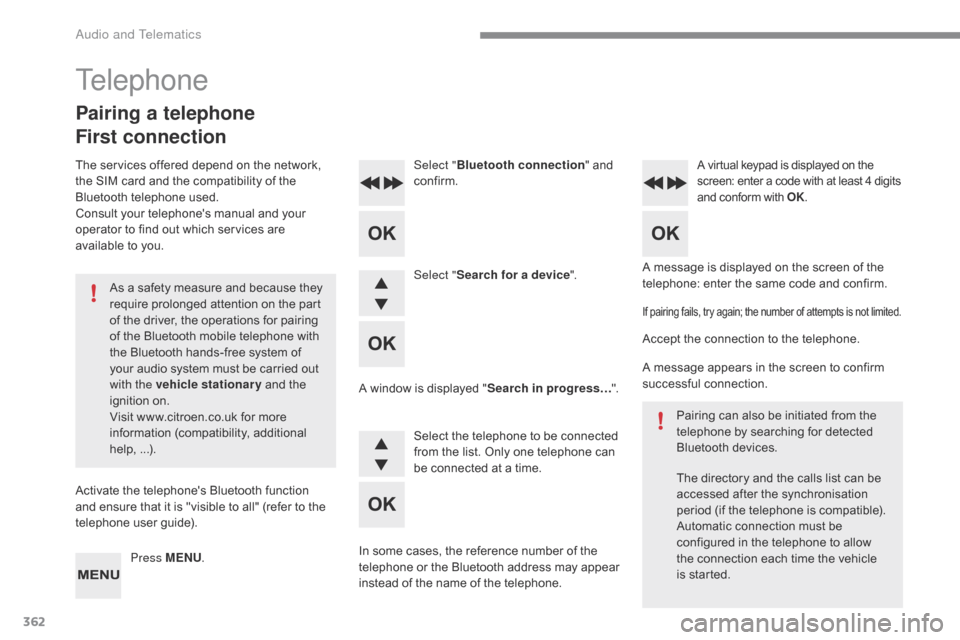
Press MENU
.
Telephone
Pairing a telephone
First connection
The services offered depend on the network, th
e S IM c ard a nd t he c ompatibility o f t he Bl
uetooth
t
elephone
u
sed.
Consult
y
our
t
elephone's
m
anual
a
nd
y
our
op
erator
t
o
f
ind
o
ut
w
hich
s
ervices
a
re
av
ailable
t
o
y
ou.
As
a s
afety
m
easure
a
nd
b
ecause
t
hey
re
quire
p
rolonged
a
ttention
o
n
t
he
p
art
of t
he
d
river,
t
he
o
perations
f
or
p
airing
of t
he
B
luetooth
m
obile
t
elephone
w
ith
th
e
B
luetooth
h
ands-free
s
ystem
o
f
yo
ur
a
udio
s
ystem
m
ust
b
e
c
arried
o
ut
wi
th the vehicle stationary
a
nd
t
he
ign
ition
on
.
Visit
w
ww.citroen.co.uk
f
or
m
ore
info
rmation
(c
ompatibility,
ad
ditional
he
lp,
...)
.
Activate
t
he
t
elephone's
B
luetooth
f
unction
an
d
e
nsure
t
hat
i
t
i
s
"
visible
t
o
a
ll"
(
refer
t
o
t
he
te
lephone
u
ser
g
uide).
Audio and Telematics
Page 366 of 472
364
To display the "TE LEPHONE" m enu:
- Make along press on SOURCE or
S RC .
- Or, press O K t o d isplay t he co
ntextual m enu. S elect "Ca
ll"
and
c
onfirm.
-
Or
,
p
ress
M
ENU, select
" Telephone "
a
nd
c
onfirm.
Selec
t
"Ca
ll"
a
nd
c
onfirm.
Select " Dial"
t
o
e
nter
a n
umber
a
nd
co
nfirm. Select OK
a
nd
c
onfirm
t
o
s
tart
t
he
ca
ll.
Select
n
umbers
o
ne
a
t
a t
ime
u
sing
th
e 7
a
nd
8 b
uttons
a
nd
c
onfirm.
Making a call - Dialling
Correction allows numbers to be deleted one at a t
ime.
Then
s
elect
a
nd
c
onfirm:
-
" Co
nnect telephone
"
/ "Di
sconnect telephone
":
to c
onnect
/ d
isconnect
t
he
te
lephone
o
r
t
he
h
ands-free
con
nection
onl
y.
-
" Co
nnect media player
"
/ "Di
sconnect media player
":
to c
onnect / d
isconnect o
nly st
reaming.
-
" Co
nnect telephone +
media player "
/ "Di
sconnect
telephone + media player ":
to c
onnect /
d
isconnect
t
he
te
lephone
(
hands-free
a
nd
st
reaming).
-
" De
lete connection ":
t
o
d
elete
th
e
pair
ing.
Audio and Telematics
Page 367 of 472
365
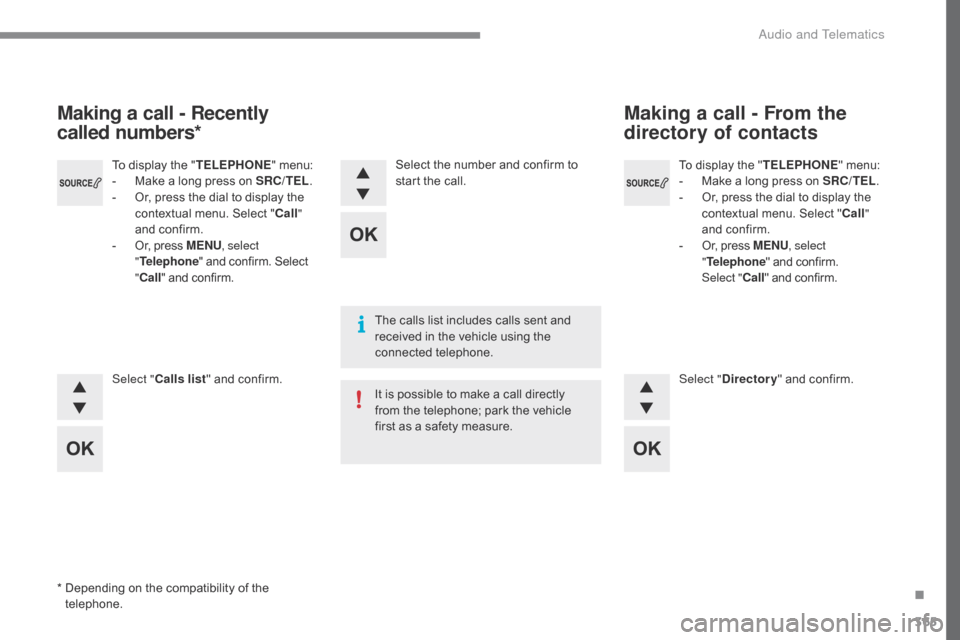
To display the "TE LEPHONE" m enu:
- Ma ke a l ong p ress o n S RC/TEL.
-
Or
,
p
ress
t
he
d
ial
t
o
d
isplay
t
he
co
ntextual
m
enu.
S
elect
"Ca
ll"
and
c
onfirm.
-
Or
,
p
ress
M
ENU, select
" Telephone "
a
nd
c
onfirm.
Selec
t
"Ca
ll"
a
nd
c
onfirm.
To d
isplay t
he "
T
ELEPHONE
" m
enu:
- Ma
ke a l
ong p
ress o
n S
RC/TEL .
-
Or
,
p
ress
t
he
d
ial
t
o
d
isplay
t
he
co
ntextual
m
enu.
S
elect
" Ca
ll "
and
c
onfirm.
-
Or
,
p
ress
M
ENU , select
" Telephone "
a
nd
c
onfirm.
S
elect
" Cal
l "
a
nd
c
onfirm.
Select " Calls list "
a
nd
c
onfirm. Select "Directory "
a
nd
c
onfirm.
Select t
he n
umber a
nd c
onfirm t
o st
art t
he c
all.
Making a call - Recently
called numbers* Making a call - From the
directory of contacts
The calls list includes calls sent and re
ceived i n t he v ehicle u sing t he con
nected
tel
ephone.
It
i
s
p
ossible
t
o
m
ake
a c
all
d
irectly
fr
om
t
he
t
elephone;
p
ark
t
he
v
ehicle
fi
rst
a
s
a s
afety
m
easure.
*
De
pending
o
n
t
he
c
ompatibility
o
f
t
he
te
lephone.
.
Audio and Telematics
Page 371 of 472
369
The Ambience, Treble and Bass audio settings ar e di fferent and ind ependent fo
r
e
ach
s
ound
s
ource.
On-board
a
udio:
A
rkamys
© Sound St
aging o
ptimises s
ound d
istribution i n the the pa
ssenger
co
mpartment.
The
d
istribution
(
or
s
patialisation
u
sing
th
e
A
rkamys
© system), is an audio pr
ocess w
hich a llows t he s ound q uality to b
e
i
mproved
a
ccording
t
o
t
he
s
etting
ch
osen,
c
orresponding
t
o
t
he
p
osition
of t
he
l
isteners
i
n
t
he
v
ehicle.
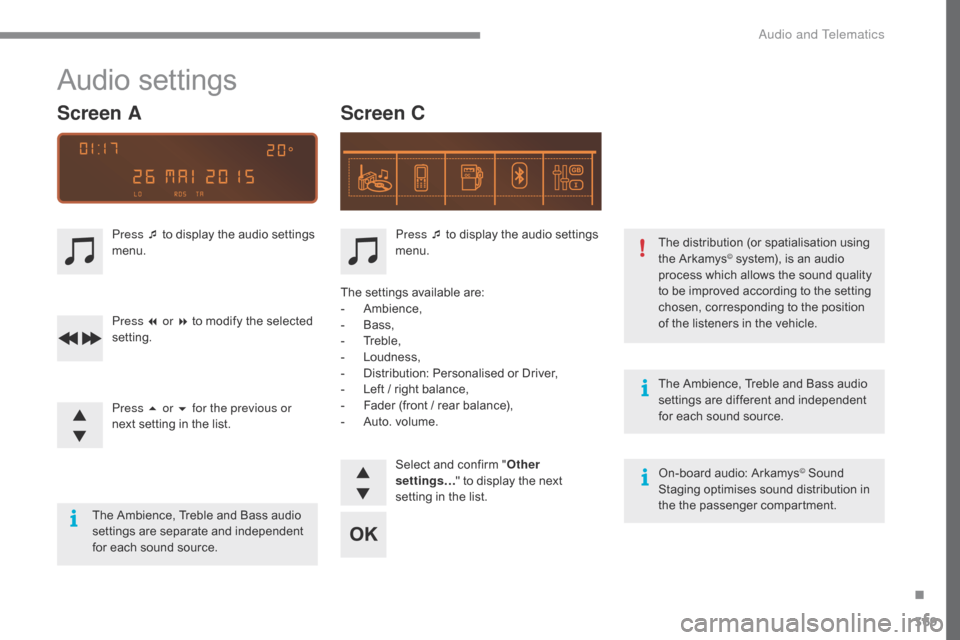
Audio settings
Screen C
Screen A
Press ¯ to display the audio settings me
nu.
Press ¯ t
o d
isplay t
he a
udio s
ettings me
nu.
Press 7 or 8
t
o
m
odify
t
he
s
elected
set
ting.
Press 5 or 6 for the previous or
next
s
etting
i
n
t
he
l
ist. The
s
ettings
a
vailable
a
re:
-
Ambi
ence,
-
Ba
ss,
-
Tr
eble,
-
Lo
udness,
-
Di
stribution:
Pe
rsonalised
o
r
D
river,
-
Le
ft
/ r
ight
b
alance,
-
Fa
der
(
front
/ r
ear
b
alance),
-
Au
to.
v
olume.
Select
a
nd
c
onfirm
"O
ther
settings… "
t
o
d
isplay
t
he
n
ext
se
tting
i
n
t
he
l
ist.
The
A
mbience,
T
reble
a
nd
B
ass
a
udio
set
tings
ar
e
sepa
rate
and ind
ependent
fo
r
e
ach
s
ound
s
ource.
.
Audio and Telematics
Page 374 of 472
372
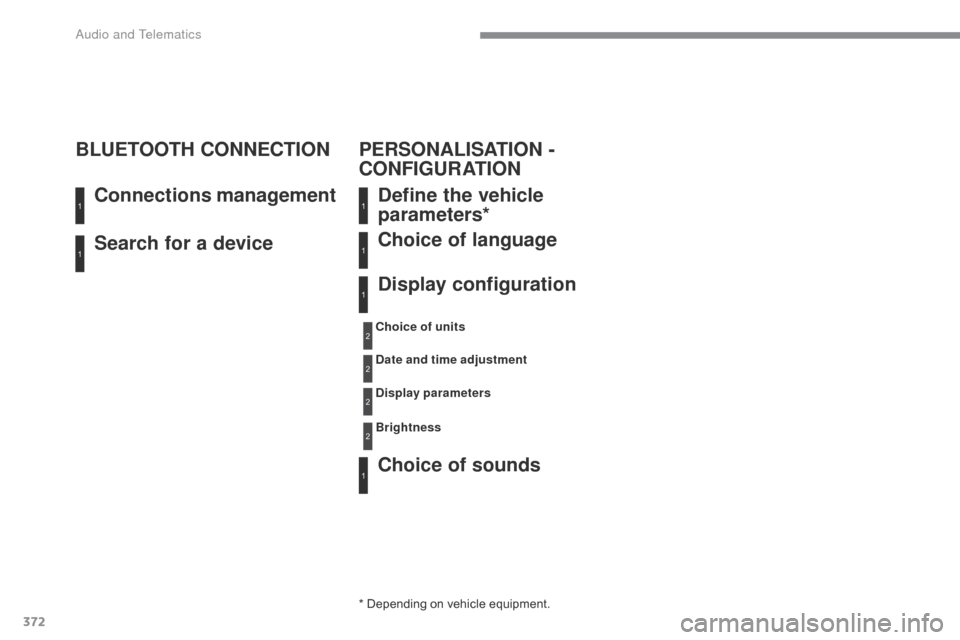
Search for a device Connections management
BLUETOOTH CONNECTION
Define the vehicle
parameters*
Choice of sounds Choice of language
Display configuration
* Depending on vehicle equipment.
Ch oice of units
Date and time adjustment
Display parameters
Brightness
1
11
1
1
1
2
2
2
2
PERSONALISATION -
CONFIGURATION
Audio and Telematics
Page 381 of 472
379
Gauge, fuel................................. 12, 1 3, 1 4, 2 05
Gearbox, a utomatic ............. 17 9, 1 85, 2 27, 2 64
Gearbox,
man
ual
......................... 17
8,
1
85,
2
27
Gear efficiency indicator
..................................................... 18
4
G
Eco-driving .................................................... 10
E conomy
mo
de
........................................................... 215
E
lectronic
b
rake
f
orce
di
stribution
(E
BFD)
..................................... 137
E
mergency
br
aking
as
sistance (EBA)
........................................ 137
E
mergency
ca
ll
.................................... 13
6,
2
76
Emergency
wa
rning
lamp
s
......................................................... 13
6
Emissions
c
ontrol
s
ystem,
SC
R
.....................................................
24,
2
28
Energy
econ
omy
mo
de
........................................................... 215
E
ngine
co
mpartment
..................................... 22
0,
2
21
Engine,
Die
sel
.................................
206,
2
21,
2
34,
2
69
Engine,
p
etrol
............................... 20
6,
2
20,
2
67
Environment
...............................10
,
6
8,
9
0,
1
00,
1
83,
2
25,
2
31
E
Connection, Bluetooth ................................ 336
Connection, Mi rrorLink ................................ 324
C
onnection,
W
i-Fi
n
etwork
..........................322
C
ontrol,
e
lectric
w
indows
............................... 75
Co
ntrol,
emer
gency
bo
ot release
................................................. 80
C
ontrol,
emer
gency
doo
r
......................... 60
,
6
5
Control,
h
eated
s
eats
..................................... 83
Co
ntrols,
steering
mou
nted
............................... 28
2,
3
51
Control
s
talk,
l
ighting
.................................... 121
C
ontrol
s
talk,
w
ipers
.................................... 132
C
ourtesy
l
amps
............................................ 104
C
ruise control
........................................19
7,
2
00
Cup
h
older
.................................................... 10
7Display s
creen, m ultifunction
(
with a udio s ystem) ................................ 40 , 4 2
Door
p
ockets
................................................101
D
oors
..............................................................78
Do
ors, rear
...................................................16
2
Drawer,
st
orage
.............................................11
2
Driving
ec
onomically...................................... 10
Dynamic
st
ability
c o
ntrol (DSC)
.............................................13 8F
illing t he f uel t ank ................................205
-207
Filter, air
....................................................... 2
26
Filter, oil
........................................................ 226
F
ilter, particle
....................................... 22
5,
2
26
Filter,
pa
ssenger
co
mpartment
.............................................226
F
itting
a w
heel
..............................................24
5
Fitting
r
oof
b
ars
.............................................218
F
ittings,
b
oot
.................................................11 6
F
ittings,
int
erior
.....................................101
,
102
F
itting
spe
akers............................................ 216
Fittings,
re
ar
..................................................11
5
Flap, fuel filler
.......................................
205,
2
07
Flashing
ind
icators
............... 12
5,
1
28,
24
9,
2
52
Foglamps,
fr
ont
..................... 12
3,
1
31,
24
7,
2
52
Foglamps,
rea
r
..................................... 12
3,
2
53
Frequency
(
radio)
................................. 30
4,
3
53
Fuel ............................................................... 206
Fuel
con
sumption
...........................................10
Fu
el
t
ank............................................... 205,
2
07
Fusebox,
dashb
oard
....................................258
F
usebox,
engi
ne
co
mpartment
.............................................260
Fu
ses
............................................................25
6
DAB
(
Digital
A
udio
B
roadcasting)
-
D
igital
ra
dio
........................................ 30
6,
3
55
Date
(
setting)
.......................................
41,
4
6,
5
1
Daytime
r
unning
l
amps
................. 12
5,
24
7,
2
51
Deactivating
the pa
ssenger
air
bag
......................................................... 145
D
eadlocking
.............................................
58,
6
4
Defrosting
...............................................
99,
1
00
Diesel
.....................................................
26,
2
06
Dimensions
.................................................. 2
73
Dipstick
...................................................
29,
2
22
Direction
in
dicators
.......12
5,
1
28,
24
7,
24
9,
2
53
Display screen, instrument
pane
l
............................. 12
-14,
1
84
D
F
.
Alphabetical index
Page 409 of 472

1
ADD_C42_EVO_EN
7-inch touch screen tablet
GPS satellite navigation - Multimedia audio - Bluetooth® telephone
Contents
First steps
2
S
teering mounted controls
4
M
enus
5
N
avigation
6
Navigation - Guidance
1
4
Tr a f fi c 18
Radio Media
2
0
Radio
26
DAB
(Digital
Audio
Broadcasting)
radio 28
Media
30
Settings
34
Connected services
4
2
MirrorLink
TM 42
C
arPlay® 46
T
elephone 48
Frequently asked questions
5
6
The system is protected in such a way that it will only operate in
your vehicle. As a safety measure, the driver should only carry out operations
which require prolonged attention while the vehicle is stationary.
The display of an energy economy mode message signals that
electrical systems operating are going into standby.
Refer to the energy economy mode section.
.
Audio and Telematics
Page 410 of 472
2
ADD_C42_EVO_EN
First steps
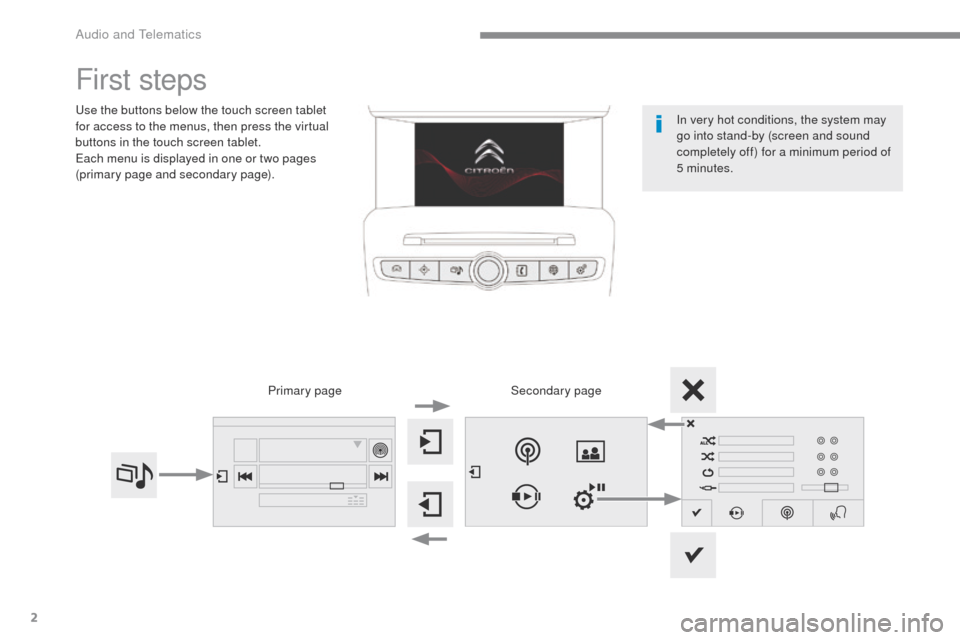
Use the buttons below the touch screen tablet
for access to the menus, then press the virtual
buttons in the touch screen tablet.
Each menu is displayed in one or two pages
(primary page and secondary page).Secondary page
Primary page In very hot conditions, the system may
go into stand-by (screen and sound
completely off) for a minimum period of
5 minutes.
Audio and Telematics