fuel CITROEN C5 AIRCROSS 2020 Handbook (in English)
[x] Cancel search | Manufacturer: CITROEN, Model Year: 2020, Model line: C5 AIRCROSS, Model: CITROEN C5 AIRCROSS 2020Pages: 292, PDF Size: 8.59 MB
Page 38 of 292
36
Selective unlocking
Driver's door and fuel filler flap
F
P
ress the unlocking button.
F
P
ress it again to unlock the other doors and
the boot.
The complete or selective unlocking and the
alarm deactivation, depending on version,
is confirmed by flashing of the direction
indicators.
Depending on version, the door mirrors unfold.
Opening the windows
With the key
F Turn the key in the driver's door lock towards the front of the vehicle to unlock.
Selective unlocking and opening
of the tailgate
The settings for the selective tailgate unlocking
and motorised operation are made in the
vehicle configuration menu. F
M
ake a long press on the button
to unlock the boot and trigger the
motorised opening of the tailgate.
If selective unlocking of the tailgate is
deactivated, pressing the button unlocks
the whole vehicle.
If motorised operation of the tailgate is
deactivated, pressing the button releases
the tailgate.
To lock the vehicle, it is necessary to close
the tailgate again.
Locking the vehicle
With the remote control
F Press this button to lock the vehicle.
Locking is confirmed by fixed illumination of
the direction indicators for approximately two
seconds. Depending on version, the door
mirrors fold. If one of the doors or the boot is still open,
the central locking does not work; the vehicle
locks, then immediately unlocks, identifiable by
the locks making a
rebound sound.
When the vehicle is locked, if it is
unlocked without the opening of a door
or the boot, it will automatically lock itself
again after thirty seconds.
The automatic folding and unfolding of the
door mirrors can be deactivated via the
vehicle's configuration menu.
With the key
F Turn the key in the driver's door lock towards the rear of the vehicle to lock it.
Check that the doors and boot are fully
closed.
Closing the windows and sunroof
Maintaining pressure on the locking button
allows the windows and, depending on version,
the sunroof to be closed to the desired position.
This operation also closes the sunroof blind.
Depending on version, holding the
unlocking button pressed for more
than 3
seconds opens the windows.
The windows stop when the button is released. By default, selective tailgate unlocking is
activated and and motorised operation is
deactivated.
The doors and fuel filler flap remain locked.
Access
Page 40 of 292
38
The electronic key is also used as
a remote control. For more information
on the Remote control , refer to the
corresponding section.
Unlocking the vehicle
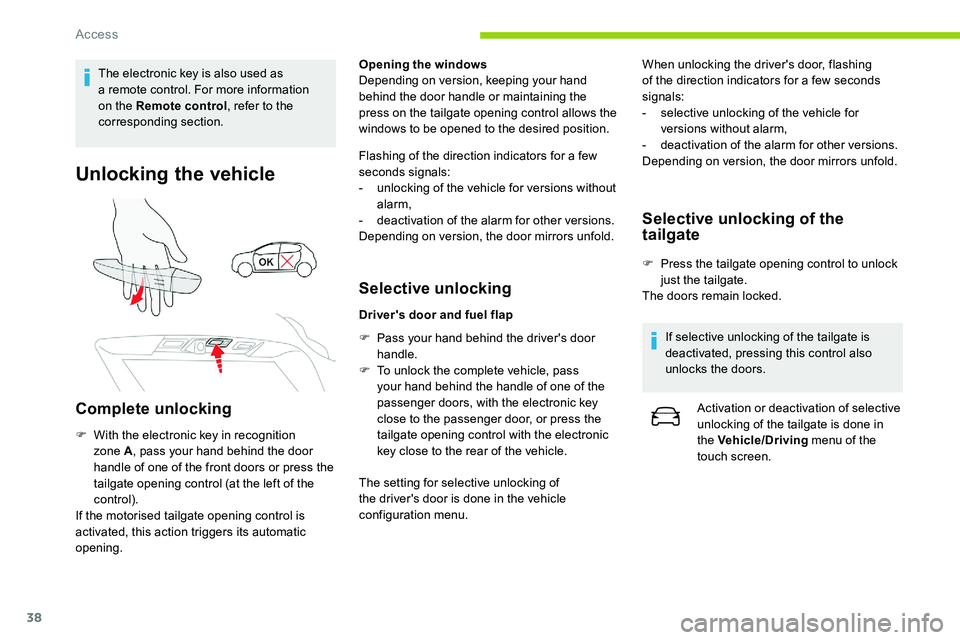
Complete unlocking
F With the electronic key in recognition zone A , pass your hand behind the door
handle of one of the front doors or press the
tailgate opening control (at the left of the
control).
If the motorised tailgate opening control is
activated, this action triggers its automatic
opening. Opening the windows
Depending on version, keeping your hand
behind the door handle or maintaining the
press on the tailgate opening control allows the
windows to be opened to the desired position.
Flashing of the direction indicators for a
few
seconds signals:
-
u
nlocking of the vehicle for versions without
alarm,
-
d
eactivation of the alarm for other versions.
Depending on version, the door mirrors unfold.
Selective unlocking
Driver's door and fuel flap
F
P
ass your hand behind the driver's door
handle.
F
T
o unlock the complete vehicle, pass
your hand behind the handle of one of the
passenger doors, with the electronic key
close to the passenger door, or press the
tailgate opening control with the electronic
key close to the rear of the vehicle.
The setting for selective unlocking of
the driver's door is done in the vehicle
configuration menu. When unlocking the driver's door, flashing
of the direction indicators for a
few seconds
signals:
-
s
elective unlocking of the vehicle for
versions without alarm,
-
d
eactivation of the alarm for other versions.
Depending on version, the door mirrors unfold.
Selective unlocking of the
tailgate
F Press the tailgate opening control to unlock just the tailgate.
The doors remain locked.
If selective unlocking of the tailgate is
deactivated, pressing this control also
unlocks the doors. Activation or deactivation of selective
unlocking of the tailgate is done in
the Vehicle/Driving menu of the
touch screen.
Access
Page 43 of 292
41
Central locking
Manual
F Press this button to operate the central locking of the vehicle (doors, boot and
fuel filler flap) from inside the vehicle. The
indicator lamp in the button comes on.
F
P
ressing the button again unlocks the
vehicle completely. The indicator lamp in
the button goes off.
The indicator lamp also goes off when
unlocking one or more doors.
The central locking does not take place if
one of the doors is open. When locking/deadlocking from the
outside
When the vehicle is locked or deadlocked
from the outside, the red indicator lamp
flashes and the button is inactive.
F
A
fter normal locking, pull one of the
interior door controls to unlock the
vehicle.
F
A
fter deadlocking, it is necessary to
use the remote control, Keyless Entry
and Starting or the integral key to
unlock the vehicle.
Automatic (anti-intrusion
security)
To activate/deactivate this function (activated
by default):
Transpor ting long or bulky objects
Pressing the central locking button
unlocks the vehicle.
Above 6
mph (10 km/h), this unlocking is
te m p o r a r y. F
P
ress the button until an audible
signal is heard and a
message
appears in the screen.
Back-up procedures
Lost keys, remote control,
electronic key
Visit a CITROËN dealer with the vehicle's
r egistration certificate, your personal
identification documents and if possible, the
label bearing the key code.
The CITROËN dealer will be able to retrieve the
key code and the transponder code required to
order a
new key
Complete unlocking/locking
of the vehicle with the key
Use these procedures in the following cases:
- r emote control battery discharged,
-
r
emote control fault,
-
b
attery failure,
-
v
ehicle in an area subject to strong
electromagnetic interference.
In the first case, change the remote control
battery.
In the second case, reinitialise the remote
control.
Refer to the corresponding sections.
2
Access
Page 59 of 292
57
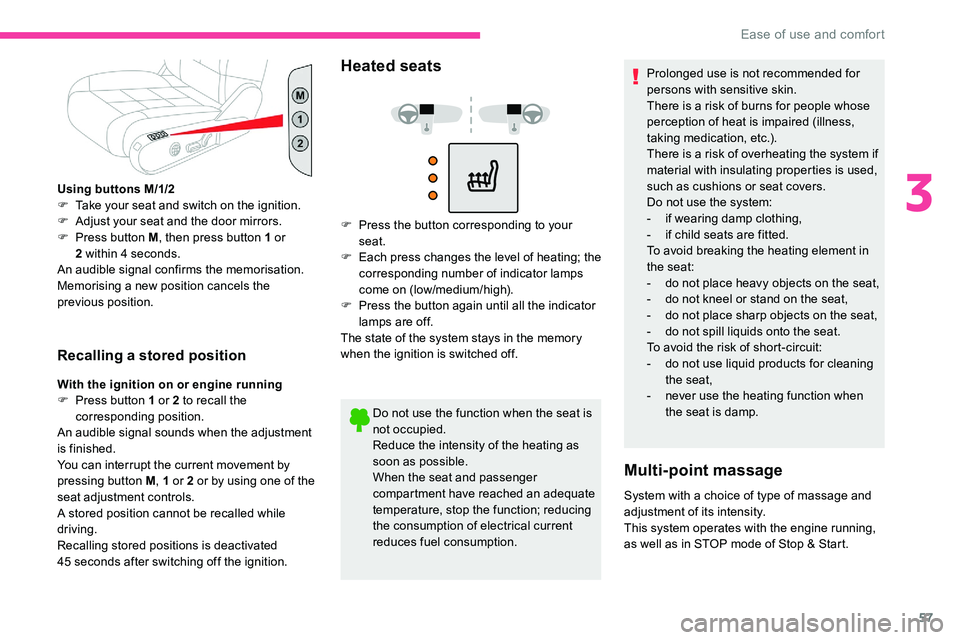
Using buttons M/1/2
F T ake your seat and switch on the ignition.
F
A
djust your seat and the door mirrors.
F
P
ress button M , then press button 1
or
2
within 4 seconds.
An audible signal confirms the memorisation.
Memorising a
new position cancels the
previous position.
Recalling a stored position
With the ignition on or engine running
F
P ress button 1 or 2 to recall the
corresponding position.
An audible signal sounds when the adjustment
is finished.
You can interrupt the current movement by
pressing button M , 1
or 2 or by using one of the
seat adjustment controls.
A stored position cannot be recalled while
driving.
Recalling stored positions is deactivated
45
seconds after switching off the ignition.
Heated seats
F Press the button corresponding to your seat.
F
E
ach press changes the level of heating; the
corresponding number of indicator lamps
come on (low/medium/high).
F
P
ress the button again until all the indicator
lamps are off.
The state of the system stays in the memory
when the ignition is switched off.
Do not use the function when the seat is
not occupied.
Reduce the intensity of the heating as
soon as possible.
When the seat and passenger
compartment have reached an adequate
temperature, stop the function; reducing
the consumption of electrical current
reduces fuel consumption. Prolonged use is not recommended for
persons with sensitive skin.
There is a
risk of burns for people whose
perception of heat is impaired (illness,
taking medication, etc.).
There is a risk of overheating the system if
material with insulating properties is used,
such as cushions or seat covers.
Do not use the system:
- i f wearing damp clothing,
- i f child seats are fitted.
To avoid breaking the heating element in
the seat:
-
d
o not place heavy objects on the seat,
-
d
o not kneel or stand on the seat,
-
d
o not place sharp objects on the seat,
-
d
o not spill liquids onto the seat.
To avoid the risk of short-circuit:
-
d
o not use liquid products for cleaning
the seat,
-
n
ever use the heating function when
the seat is damp.
Multi-point massage
System with a choice of type of massage and
ad justment of its intensity.
This system operates with the engine running,
as well as in STOP mode of Stop & Start.
3
Ease of use and comfort
Page 71 of 292

69
Switch off the demisting/defrosting of the
rear screen and door mirrors as soon as
possible to reduce fuel consumption.
Rear screen demisting – defrosting can
only be operated when the engine is
running.
Additional Heating/
Ventilation
Heating
This is an additional and separate system
which heats the passenger compartment and
improves defrosting performance. This indicator lamp is lit while the
system is programmed or set in
operation remotely via the remote
control.
It flashes during the whole duration
of the heating and goes off at the end
of the heating cycle or when stopped
using the remote control.
Ventilation
This system allows ventilation of the passenger
compartment with exterior air to improve the
temperature experienced on entering the
vehicle in summer.
Programming
You can programme the heating or ventilation
to come on using the second page of the "
Air
conditioning " menu of the touch screen.
F
P
ress the "Air conditioning "
menu.
F
P
ress the " OPTIONS " tab.
F
P
ress "Temperature
programming ". F
P
ress the "
Parameters " tab to select
" Heating " mode to heat the engine and
passenger compartment or " Ventilation"
mode to ventilate the passenger
compartment.
F
P
ress the " Status" tab to activate/deactivate
the system. F
T
hen programme/preset the activation time
for each selection.
F
P
ress "
OK" to confirm.
Long range remote control
This enables you to switch the heating in
the passenger compartment on or off from
a
distance.
The range of the remote control is about
0.6
miles (1 km) in open country.
Switching on
F Pressing and holding this button starts the heating immediately
(confirmed by the temporary
illumination of the green indicator
lamp).
3
Ease of use and comfort
Page 72 of 292
70
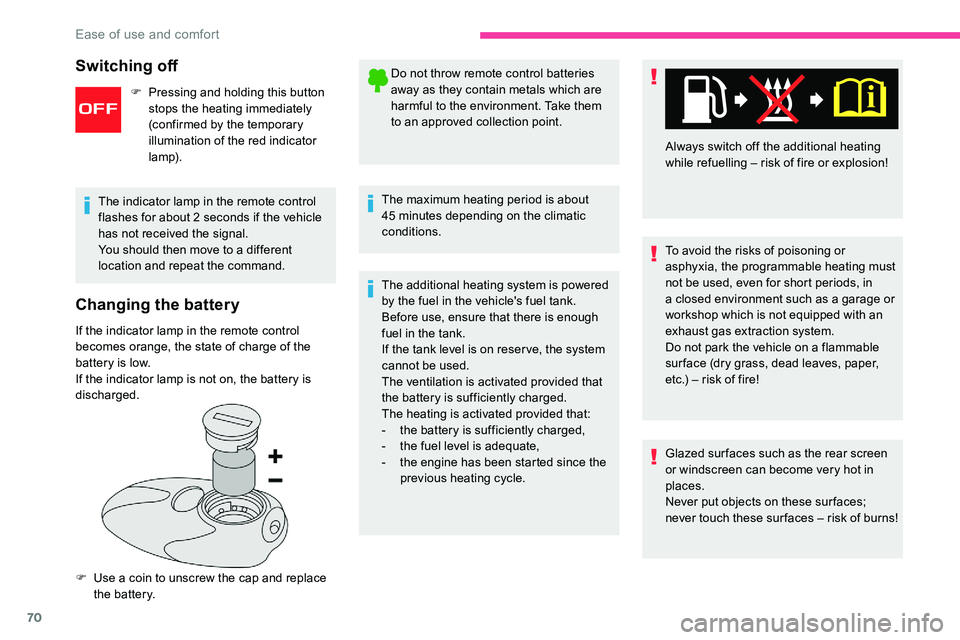
Changing the battery
If the indicator lamp in the remote control
becomes orange, the state of charge of the
battery is low.
If the indicator lamp is not on, the battery is
discharged.
F
U
se a coin to unscrew the cap and replace
the battery. Do not throw remote control batteries
away as they contain metals which are
harmful to the environment. Take them
to an approved collection point.
The maximum heating period is about
45 minutes depending on the climatic
conditions.
The additional heating system is powered
by the fuel in the vehicle's fuel tank.
Before use, ensure that there is enough
fuel in the tank.
If the tank level is on reser ve, the system
cannot be used.
The ventilation is activated provided that
the battery is sufficiently charged.
The heating is activated provided that:
-
t
he battery is sufficiently charged,
-
t
he fuel level is adequate,
-
t
he engine has been started since the
previous heating cycle. To avoid the risks of poisoning or
asphyxia, the programmable heating must
not be used, even for short periods, in
a
closed environment such as a garage or
workshop which is not equipped with an
exhaust gas extraction system.
Do not park the vehicle on a
flammable
sur face (dry grass, dead leaves, paper,
etc.) – risk of fire!
Glazed sur faces such as the rear screen
or windscreen can become very hot in
places.
Never put objects on these sur faces;
never touch these sur faces – risk of burns! Always switch off the additional heating
while refuelling – risk of fire or explosion!
The indicator lamp in the remote control
flashes for about 2 seconds if the vehicle
has not received the signal.
You should then move to a different
location and repeat the command.
Switching off
F Pressing and holding this button stops the heating immediately
(confirmed by the temporary
illumination of the red indicator
lamp).
Ease of use and comfort
Page 98 of 292
96
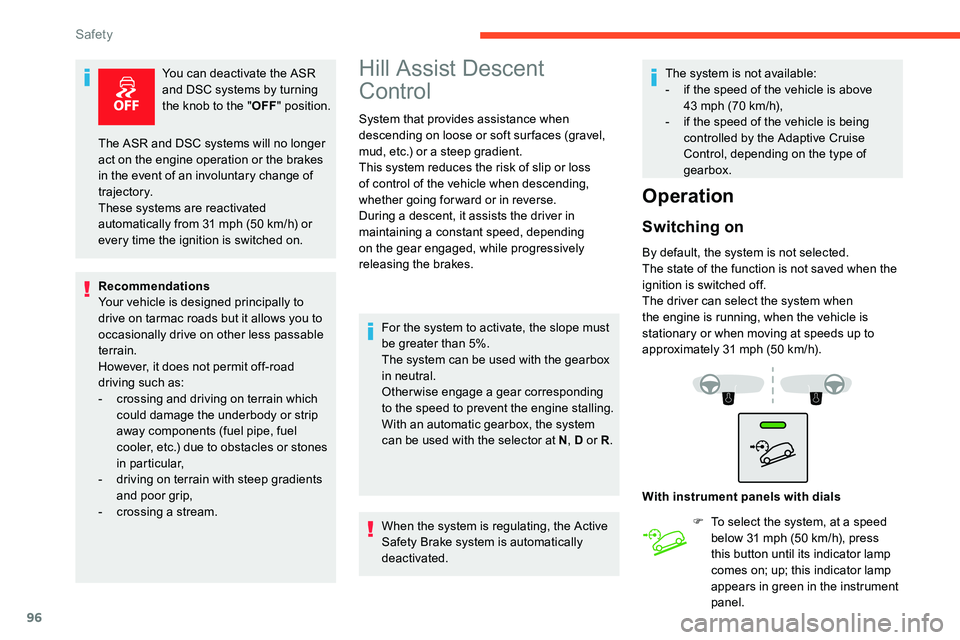
You can deactivate the ASR
and DSC systems by turning
the knob to the "OFF" position.
Recommendations
Your vehicle is designed principally to
drive on tarmac roads but it allows you to
occasionally drive on other less passable
terrain.
However, it does not permit off-road
driving such as:
-
c
rossing and driving on terrain which
could damage the underbody or strip
away components (fuel pipe, fuel
cooler, etc.) due to obstacles or stones
in particular,
-
d
riving on terrain with steep gradients
and poor grip,
-
c
rossing a stream.Hill Assist Descent
Control
System that provides assistance when
descending on loose or soft sur faces (gravel,
mud, etc.) or a steep gradient.
This system reduces the risk of slip or loss
of control of the vehicle when descending,
whether going forward or in reverse.
During a
descent, it assists the driver in
maintaining a
constant speed, depending
on the gear engaged, while progressively
releasing the brakes.
For the system to activate, the slope must
be greater than 5%.
The system can be used with the gearbox
in neutral.
Otherwise engage a
gear corresponding
to the speed to prevent the engine stalling.
With an automatic gearbox, the system
can be used with the selector at N , D or R.
When the system is regulating, the Active
Safety Brake system is automatically
deactivated. The system is not available:
-
i
f the speed of the vehicle is above
43 mph (70 km/h),
- i f the speed of the vehicle is being
controlled by the Adaptive Cruise
Control, depending on the type of
gearbox.
Operation
Switching on
By default, the system is not selected.
The state of the function is not saved when the
ignition is switched off.
The driver can select the system when
the engine is running, when the vehicle is
stationary or when moving at speeds up to
approximately 31
mph (50 km/h).
The ASR and DSC systems will no longer
act on the engine operation or the brakes
in the event of an involuntary change of
trajectory.
These systems are reactivated
automatically from 31
mph (50
km/h) or
every time the ignition is switched on.
With instrument panels with dialsF
T
o select the system, at a speed
below 31
mph (50 km/h), press
this button until its indicator lamp
comes on; up; this indicator lamp
appears in green in the instrument
panel.
Safety
Page 131 of 292

129
Stop as soon as it is safe to do so, away
from the traffic, and call a CITROËN
dealer or a
qualified workshop.
When the ignition is switched off, the
gearbox goes into mode P automatically.
Driving mode
1. ECO.
Press this button to activate/deactivate
"ECO " mode (confirmed by the
illumination/extinction of the indicator
lamp).
2.
S P O R T.
Press this button to activate/deactivate
" SPORT " mode (confirmed by the
illumination/extinction of the indicator lamp).
When the message disappears, the selected
mode is activated.
Each mode is independent and they cannot
be activated simultaneously. Activation of
one mode deactivates the other.
" SPORT " mode (depending on version)
With the engine running, when SPORT mode is
activated, the gearbox delays changing up for
a
more dynamic driving style.
Activating SPORT mode is not recommended
in the following situations:
-
A
SR/DSC deactivated,
-
l
ow fuel level reached,
-
l
ow AdBlue level reached.
In mode D , pressing this button activates the
SPORT programme.
" S " appears in the instrument panel.
Pressing this button again deactivates the
function.
Pressing this button has no effect when
towing a
connected trailer.
" ECO " mode
This allows fuel consumption to be reduced.
With the EAT8
gearbox, "free-wheeling" mode
may activate to save fuel. Take your foot fully
off the accelerator pedal to anticipate slowing
down.
SPORT or ECO mode is automatically
deactivated when the ignition is switched
of f.Hill start assist
System which keeps your vehicle immobilised
temporarily (approximately 2 seconds) when
starting on a
gradient, the time it takes to
move your foot from the brake pedal to the
accelerator pedal.
It is only active when:
-
t
he vehicle is completely stationary, with
your foot on the brake pedal,
-
c
ertain slope conditions are met,
-
t
he driver's door is closed.Do not leave the vehicle while it is being
held in the hill start assist phase.
If you need to leave the vehicle with the
engine running, apply the parking brake
manually. Then check that the parking
brake warning lamp is on fixed on the
instrument panel.
The hill start assist function cannot be
deactivated. However, use of the parking
brake to immobilise the vehicle interrupts
its operation.
6
Driving
Page 132 of 292
130
Malfunction
Gear efficiency indicator
(Depending on engine.)
This system reduces fuel consumption by
recommending the most appropriate gear.
Operation
Depending on the driving situation and your
vehicle's equipment, the system may advise
you to skip one or more gears.
Gear engagement recommendations are
only optional. In fact, the configuration of the
road, the traffic density and safety remain
determining factors when choosing the best
gear. Therefore, the driver remains responsible
for deciding whether or not to follow the
system's advice.
This function cannot be deactivated.With an automatic gearbox, the system is
only active in manual operation.
The information appears in the
instrument panel in the form of an
arrow and the recommended gear.
The system adapts its gear shift
recommendation according to the driving
conditions (slope, load, etc.) and the
driver's requirements (power, acceleration,
b r a k i n g , e t c .) .
The system never suggests:
-
e
ngaging first gear,
-
enga
ging reverse.
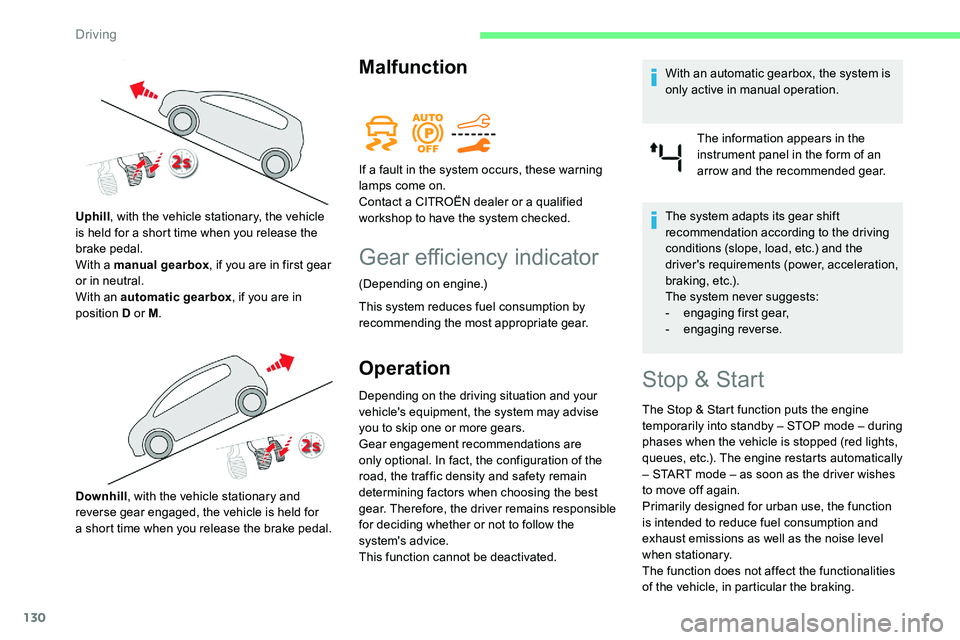
Uphill
, with the vehicle stationary, the vehicle
is held for a
short time when you release the
brake pedal.
With a
manual gearbox
, if you are in first gear
or in neutral.
With an automatic gearbox , if you are in
position D or M .
Downhill , with the vehicle stationary and
reverse gear engaged, the vehicle is held for
a
short time when you release the brake pedal. If a
fault in the system occurs, these warning
lamps come on.
Contact a CITROËN dealer or a qualified
workshop to have the system checked.Stop & Start
The Stop & Start function puts the engine
temporarily into standby – STOP mode – during
phases when the vehicle is stopped (red lights,
queues, etc.). The engine restarts automatically
– START mode – as soon as the driver wishes
to move off again.
Primarily designed for urban use, the function
is intended to reduce fuel consumption and
exhaust emissions as well as the noise level
when stationary.
The function does not affect the functionalities
of the vehicle, in particular the braking.
Driving
Page 135 of 292
133
must be reinitialised ever y time the tyre
pressures are adjusted or a wheel changed.
The system triggers an alert as soon as it
detects a
drop in the inflation pressure of one
or more tyres.
Under-inflation detection does not replace
the need for vigilance on the part of the
driver.
This system does not avoid the need
to regularly check the tyre pressures
(including the spare wheel) as well as
before a
long journey.
Driving with under-inflated tyres,
particularly in adverse conditions (heavy
load, high speed, long journey):
-
w
orsens road-holding,
-
l
engthens braking distances,
-
c
auses premature wear of the tyres,
-
i
ncreases fuel consumption.
The inflation pressures defined for your
vehicle can be found on the tyre pressure
label.
For more information on the
Identification markings , refer to the
corresponding section. Checking tyre pressures
This check should be done when the tyres
are "cold" (vehicle stopped for 1
hour or
after a
journey of less than 6 miles (10 km)
at moderate speeds).
Other wise, add 0.3
bar to the pressures
shown on the label.
Under-inflation alert
This is signalled by continuous
illumination of this warning lamp,
an audible signal and the display of
a
message.
F
R
educe speed immediately, avoid excessive
steering movements and avoid sudden
braking.
F
S
top the vehicle as soon as it is safe to
do so.
The loss of pressure detected does not
always cause visible bulging of the tyre.
Do not rely on just a
visual check. F
I
f it is not possible to make this check
immediately, drive carefully at reduced
speed.
F
I
n the event of a puncture, use the
temporary puncture repair kit or the spare
wheel (depending on equipment).
The alert is kept active until the system is
reinitialised.Reinitialisation
The system must be reinitialised after any
adjustment to the pressure of one or more
tyres, and after changing one or more wheels.
F
U
sing a
compressor, such as the one in the
temporary puncture repair kit, check the
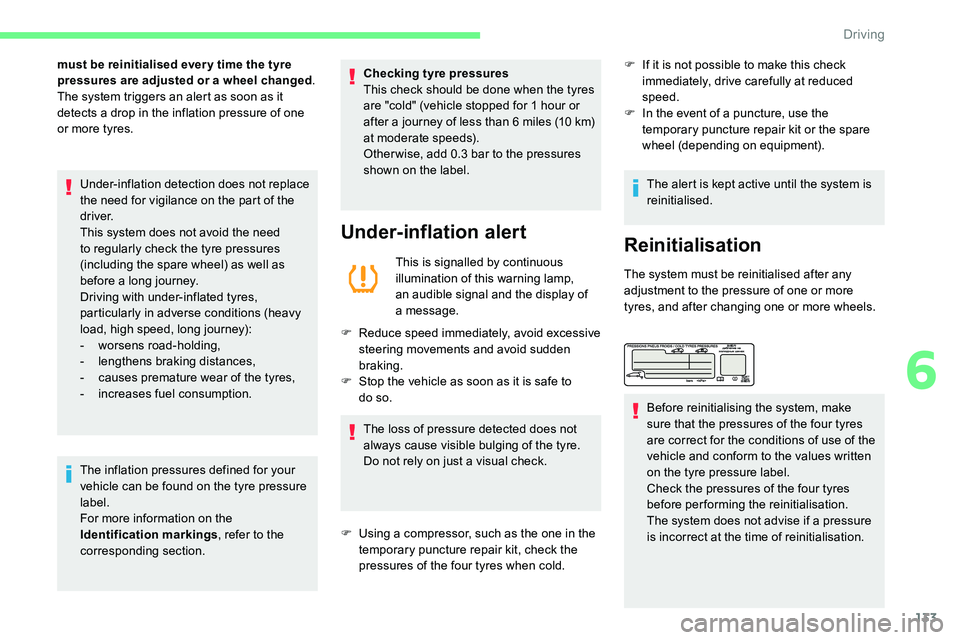
pressures of the four tyres when cold. Before reinitialising the system, make
sure that the pressures of the four tyres
are correct for the conditions of use of the
vehicle and conform to the values written
on the tyre pressure label.
Check the pressures of the four tyres
before performing the reinitialisation.
The system does not advise if a
pressure
is incorrect at the time of reinitialisation.
6
Driving