instrument panel CITROEN RELAY 2017 Handbook (in English)
[x] Cancel search | Manufacturer: CITROEN, Model Year: 2017, Model line: RELAY, Model: CITROEN RELAY 2017Pages: 292, PDF Size: 9.04 MB
Page 60 of 292

58
First activation /
programming a
speed
- Reach the chosen speed by pressing
the accelerator.
-
Move the switch up (+) or down (-)
to memorise the speed. A message
appears in the instrument panel screen
to confirm the operation.
The vehicle will maintain this speed setting.
temporarily exceeding the speed
setting
It is possible to accelerate and drive
momentarily at a speed greater than the
programmed speed.
When the accelerator pedal is released, the
vehicle will return to the programmed speed.
reactivation
- Following deactivation of the cruise
control, press this button. A message
appears in the instrument panel screen
to confirm the reactivation.
Your vehicle will return to the last
programmed speed.
Alternatively, you can repeat the "first
activation" procedure.
deactivation (off)
- Press this button or the brake or clutch
pedal. A message appears in the
instrument panel screen to confirm the
deactivation.
Steering mounted controls
Page 62 of 292

60
SPEEd LIMItEr
"This is the selected speed which the driver
does not wish to exceed".
This selection is made with the vehicle
stationary and the engine running or with the
vehicle moving and 2
nd gear or higher engaged.
The lowest speed that can be programmed is
20 mph (30 km/h).
The speed of the vehicle responds to the
pressure of the driver's foot as far as the
accelerator pedal point of resistance which
indicates that the programmed speed has been
reached. However, pressing the pedal beyond this
point of resistance to the floor permits
exceeding of the programmed speed. To
resume use of the limiter, simply reduce
the pressure on the accelerator pedal
gradually and return to a speed below that
programmed.
t
he operating actions may be carried out
with the vehicle stationary and the engine
running, or with the vehicle moving. This speed limiter shows the status of the
system and the programmed speed in the
instrument panel screen:
System selected,
display of the "Speed
Limiter" indicator.
System deactivated,
last programmed speed - OFF
(example at 65 mph
(107
km/h)).
System activated
(example at 65 mph
(107 km/h)).
Vehicle speed above
(example 70 mph
(118
km/h))
the programmed speed is
displayed flashing.
Operating fault detected,
OFF - the dashes flash.
Steering mounted controls
Page 94 of 292

92PErSOnALISAtIO n - cO n FIG ur At IO n
u
sing the MO d E control panel
This control panel located alongside the
steering wheel provides access to menus for
the personalisation of some of the vehicle
systems.
The corresponding information appears in
the instrument panel screen.
Eleven languages are offered: Brazilian,
Dutch, English, French, German, Italian,
Polish, Portuguese, Russian, Spanish and
Turkish. You have access to all the menus if your
vehicle is fitted with an audio system.
If your vehicle is fitted with a touch screen
audio system, certain menus are only
accessible using the audio system control
panel.
-
scroll down through a menu,
-
decrease a value.
t
his MO d E button enables you to:
-
access the menus and sub-menus,
-
confirm your selections, within a
menu,
-
quit the menus.
A
long press takes you back to the
home screen.
t
his button enables you to:
t
his button enables you to:
-
scroll up through a menu,
-
increase a value.
As a safety measure, some menus can
only be accessed when the ignition is off.
Vehicle configuration
Page 102 of 292

100
AudIBLE rEAr PArKInG SEnSOrS
If fitted on your vehicle, the system consists
of four proximity sensors, installed in the
rear bumper.
They detect any obstacle: person, vehicle,
tree, fence, behind the vehicle during the
manoeuvre.
However, objects the size or thickness of
which are detected at the beginning of the
manoeuvre will no longer be detected at the
end of the manoeuvre: blind spots between
and below the sensors. Examples: stake,
roadworks cone or pavement post.
The rear parking sensor system may be
coupled with a reversing camera.Operation
Engage reverse gear with the gear lever.
The proximity information is indicated by an
audible signal of increasing frequency as the
vehicle approaches the obstacle.
When the distance between the rear of
the vehicle and the obstacle is less than
approximately thirty centimetres, the audible
signal becomes continuous.
Switching off
Come our of reverse gear into neutral.
Operating fault
If this warning lamp comes
on in the instrument panel
accompanied by a message in
the screen, contact a CITROËN
dealer or a qualified workshop.
Good practice
The system cannot, in any circumstances,
replace the need for vigilance on the part of
the driver.
Take even greater care if you reverse with a
rear door open.
In bad weather or in winter, ensure that the
sensors are not covered with mud, ice or
snow.
Parking sensors
Page 104 of 292
102
PnEuMAtI c S u SPE n SIO n
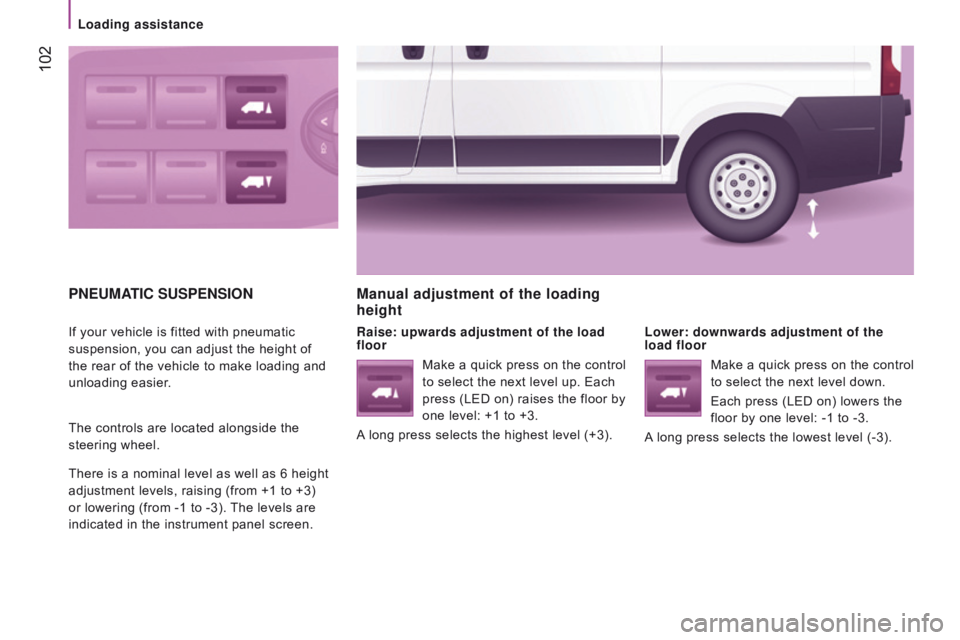
If your vehicle is fitted with pneumatic
suspension, you can adjust the height of
the rear of the vehicle to make loading and
unloading easier.
The controls are located alongside the
steering wheel.
There is a nominal level as well as 6 height
adjustment levels, raising (from +1 to +3)
or lowering (from -1 to -3). The levels are
indicated in the instrument panel screen.
Manual adjustment of the loading
height
raise: upwards adjustment of the load
floor Lower: downwards adjustment of the
load floor
Make a quick press on the control
to select the next level up. Each
press (LED on) raises the floor by
one level: +1 to +3.
A long press selects the highest level (+3). Make a quick press on the control
to select the next level down.
Each press (LED on) lowers the
floor by one level: -1 to -3.
A long press selects the lowest level (-3).
Loading assistance
Page 106 of 292

104
PAr KI n G B r AKEH A z A rd WA rn I n G LAMPS
Press this button, the direction indicators
flash.
They can operate with the ignition off.Applying
Pull the parking brake lever up to immobilise
your vehicle.
Check that the parking brake is applied
firmly before leaving the vehicle.Pull on the parking brake lever, only
with the vehicle stationary.
releasing
Pull the lever up slightly and press the
button to lower the parking brake lever.In the exceptional case of use of the
parking brake when the vehicle is
moving, apply the brake by pulling gently
to avoid locking the rear wheels (risk of
skidding).
If the parking brake is still on or has not
been released properly, this is indicated
by this warning lamp which comes on in
the instrument panel.
When parking on a slope, direct your wheels towards
the pavement and pull the parking brake lever up.
There is no advantage in engaging a gear after
parking the vehicle, particularly if the vehicle is
loaded.
The hazard warning lamps should only
be used in dangerous situations, when
stopping in an emergency or when
driving in unusual conditions.
driving safely
Page 108 of 292

106
Good practice
The ABS system does not provide shorter
braking distances. On very slippery surfaces
(black ice, oil...) the ABS can extend braking
distances. For emergency braking, press the
brake pedal hard and do not release it, even
on a slipper surface; you will then be able to
steer the vehicle and avoid an obstacle.
When replacing wheels (tyres and
rims), ensure that they conform to the
manufacturer's recommendations.Emergency braking assistance
System which, in an emergency, enables
you to obtain the optimum braking pressure
more quickly, thus reducing the stopping
distance.
Operation
It is triggered by the speed at which the
brake pedal is pressed.
The effect of this is a reduction in the
resistance of the pedal and an increase in
braking efficiency.
Switching off
This system cannot be deactivated by
the driver.
Operating fault
If this warning lamp comes on,
accompanied by an audible signal
and a message in the instrument
panel screen, it indicates a fault with
the anti-lock braking system which could result in
loss of control of the vehicle when braking.
For maximum braking efficiency, a
bedding-in period of around 300 miles
(500 kilometres) is needed. During this
period it is recommended that you avoid
harsh, repeated or prolonged braking. If this warning lamp comes on,
together with the ABS warning
lamp, accompanied by a message
in the instrument panel screen,
it indicates a fault with the electronic brake
force distribution which could result in loss
of control of the vehicle when braking. When braking in an emergency, press
firmly without releasing the pressure.
You must stop as soon as it is safe to do so.
In either case, contact a CITROËN dealer or
a qualified workshop.
driving safely
Page 109 of 292

107
trAjEctOrY c O ntr OL SYS t EMS
Switching off
This system cannot be deactivated by
the
driver.
dynamic stability control
( d S c )
The electronic stability programme acts on
the brake of one or more wheels and on the
engine to keep the vehicle on the trajectory
required by the driver, within the limits of the
laws of physics.
With the DSC system, maintain course
without trying to countersteer.
Operation
The DSC system is activated automatically
each time the vehicle is started. Operating fault
Illumination of this warning lamp,
accompanied by an audible signal
and confirmed by a message
in the instrument panel screen,
indicates a fault with the DSC system.
Have it checked by a CITROËN dealer or a
qualified workshop. Operation
This system is activated automatically every
time the vehicle is started.
In the event of a problem of adhesion or
trajectory, this system comes into play.
Switching off
In exceptional conditions (starting a vehicle
which is bogged down, stuck in snow,
on soft ground...), it may be advisable to
deactivate the ASR system, so that the
wheels can spin freely and regain grip.
-
Press this button, located in the
middle of the dashboard, to deactivate
the
system.
Anti-slip regulation (ASr)
Anti-slip regulation (also known as traction
control) optimises traction, avoiding wheel
spin by acting on the brakes of the driving
wheels and the engine.
If the button's warning lamp comes
on, accompanied by a message in the
instrument panel screen, this indicates that
the ASR system is deactivated.
It comes into operation in the
event of a grip or trajectory
problem.
This is indicated by flashing of this warning
lamp in the instrument panel.
5
driving safely
SAFEtY
Page 110 of 292

108
reactivation
The ASR system is reactivated automatically
every time the ignition is switched back on.
-
Press this button again to reactivate it
manually.
Operating fault
If this warning lamp comes on,
accompanied by an audible signal
and a message in the instrument
panel screen, this indicates a fault
with the ASR system.
Have it checked by a CITROËN dealer or a
qualified workshop. Good practice
The DSC and ASR systems offer exceptional
safety in normal driving, but this should not
encourage the driver to take extra risks or
drive at high speed.
The correct operation of these systems
depend on observation of the manufacturer's
recommendations regarding the wheels
(tyres and rims), the braking components,
the electronic components and assembly
and repair procedures.
After an impact, have these systems
checked by a CITROËN dealer or a qualified
workshop.Load inertia control
The true total weight of a commercial vehicle
can vary considerably depending on the load
carried. As a result, the centre of gravity of
the vehicle can move, both longitudinally
and in height.
All such variations have an effect on braking,
traction, the behaviour of the vehicle when
cornering and the tendency to overturn.
Load inertia control estimates the true
total weight of the vehicle by analysing its
behaviour under acceleration and braking.
This system then adapts the operation of
the DSC and ASR systems according to the
weight distribution in the vehicle. In critical
situations, your vehicle than remains more
securely on its intended trajectory.
driving safely
Page 113 of 292
111
LAnE dEPArturE WArn I n G
S YS t EM
System which detects the involuntary
crossing of longitudinal traffic lane markings
on the ground (continuous or discontinuous
line).
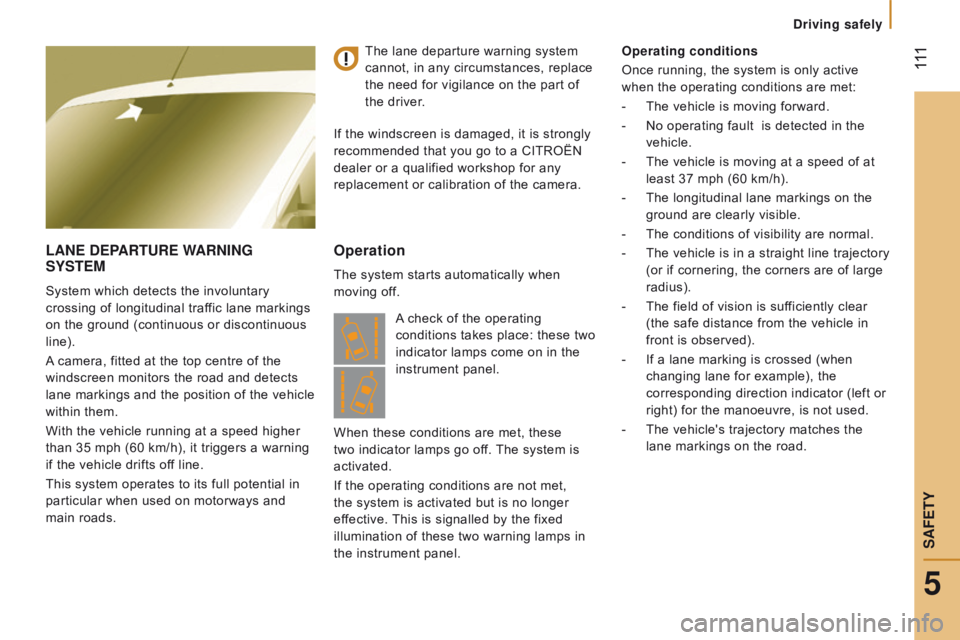
A camera, fitted at the top centre of the
windscreen monitors the road and detects
lane markings and the position of the vehicle
within them.
With the vehicle running at a speed higher
than 35 mph (60 km/h), it triggers a warning
if the vehicle drifts off line.
This system operates to its full potential in
particular when used on motorways and
main roads.
Operation
The system starts automatically when
moving off. Operating conditions
Once running, the system is only active
when the operating conditions are met:
-
The vehicle is moving forward.
-
No operating fault
is detected in the
vehicle.
-
The vehicle is moving at a speed of at
least 37 mph (60 km/h).
-
The longitudinal lane markings on the
ground are clearly visible.
-
The conditions of visibility are normal.
-
The vehicle is in a straight line trajectory
(or if cornering, the corners are of large
radius).
-
The field of vision is suf
ficiently clear
(the safe distance from the vehicle in
front is observed).
-
If a lane marking is crossed (when
changing lane for example), the
corresponding direction indicator (left or
right) for the manoeuvre, is not used.
-
The vehicle's trajectory matches the
lane markings on the road.
The lane departure warning system
cannot, in any circumstances, replace
the need for vigilance on the part of
the
driver.
If the windscreen is damaged, it is strongly
recommended that you go to a CITROËN
dealer or a qualified workshop for any
replacement or calibration of the camera.
A check of the operating
conditions takes place: these two
indicator lamps come on in the
instrument panel.
When these conditions are met, these
two indicator lamps go off. The system is
activated.
If the operating conditions are not met,
the system is activated but is no longer
effective. This is signalled by the fixed
illumination of these two warning lamps in
the instrument panel.
5
driving safely
SAFEtY