Level Citroen SPACETOURER 2016 1.G Owner's Manual
[x] Cancel search | Manufacturer: CITROEN, Model Year: 2016, Model line: SPACETOURER, Model: Citroen SPACETOURER 2016 1.GPages: 604, PDF Size: 13.25 MB
Page 500 of 604
498
Spacetourer-VP_en_Chap11_index-alpha_ed01-2016
G
I
Head restraints, front ........ ................................................. 91, 93
Head-up display
...............................
.............218
Heated bench seat
.......................................... 94
H
eating
................
.......................... 125, 127, 136
Heating, programmable
.......................... 8
3, 137
Hill start assist
............................................... 2
02
Horn ............................................................... 159
Gauge, fuel........................................ 13, 14, 261
Gearbox, automatic
................... 1
3, 14, 19, 195,
200, 202, 205, 214, 215, 229, 233, 277, 316
Gearbox, electronic
................................. 1
3, 14,
198, 202, 210, 214, 215, 277 Identification, vehicle
....................................
3
27
Ignition on.............................................. 195, 198
Immobiliser, electronic
................4
9, 59, 63, 201
Indicator, AdBlue
® range ................................. 33
In
dicator, coolant temperature ........................ 29
I
ndicator, engine oil level
................................ 32
I
ndicator lamps, operation
........................ 15
-28
Indicators, direction
...................................... 14
6
Inflating tyres
..............................
............ 11, 237
Inflating tyres and accessories (using the kit)
..............................
................285
Instrument panel, LCD text
............................. 13
I
nstrument panel, matrix
................................. 14
I
ntelligent Traction Control
............................ 16
0
ISOFIX
...............
.................................... 183 -18 6
Gearbox, manual
..............................
..... 19, 202,
203, 214, 215, 229, 233, 277
Gear shift indicator
....................................... 20
4
Gear lever, automatic gearbox
................
.......................................
205
Gear lever, electronic gearbox
................
.......................................
277
Gear lever, manual gearbox
.........................
20
3
Glove box
......................................................
111
G
. P. S .
...............
.................................... 342, 358
Grab handles
................................................ 11
5
Grip control
...................................................
16
2
Guide-me-home
...............................
.............
148
Hazard warning lamps
..........................1
58, 282
Headlamp beam height
................................. 15
3
Headlamps, automatic dipping
..............................
.................... 27, 151
Headlamps, automatic illumination
...............................
........... 14 4, 147
Headlamps, dipped beam
...............
..............27, 144, 299, 301, 303
Headlamps, halogen
.............................2
99, 301
Headlamps, main beam
...............
............. 27, 144, 299, 302, 303
Headlamps, Xenon
.............................. 2
99, 303
Headlamp wash
............................................ 15
6H
Fatigue detection .............................. .... 247, 248
Filling the fuel tank ................................ 26
1, 263
Filter, air
...............
......................................... 276
Filter, oil
......................................................... 2
76
Filter, particle
........................................2
75, 276
Filter, passenger
compartment
.............................................. 2
76
Finisher, wheel trim
....................................... 2
97
Fitting a wheel
...............................
................296
Fitting roof bars
............................................. 26
8
Fittings, interior
..................................... 11
0 , 115
Fitting the mats
............................................. 11
0
Flap, fuel filler
...............................
.................261
Flashing indicators
........................................ 14
6
Foglamps, rear
............................. 1
45, 305, 308
Foglamps, front
.................... 1
45, 150, 299, 304
Foglamps, rear
............................. 1
45, 305, 308
Frequency (radio)
......................... 3
84, 440, 478
Fuel .......................................................... 11, 2 6 3
Fuel consumption
...................................... 11
, 4 0
Fuel tank.......................................................... 18
Fuses
................
............................................. 311
F
Alphabetical index
Page 501 of 604
499
Spacetourer-VP_en_Chap11_index-alpha_ed01-2016
Jack ...............................................................291
Key
.......
........................................................... 45
Keyless Entry and Starting
........................5
2-59
Key with remote control
............................4
5-49
Kit, hands-free
............. 3
96, 397, 452, 453, 487
Kit, temporary puncture repair
............. 2
84, 285
Labels
................
...................................... 10, 109
Labels, identification
..................................... 3
27
Lane Departure Warning System (LDWS)
.................................................2
8, 245
Level, brake fluid
........................................... 2
74
Level, Diesel additive
............................ 2
75, 276
Level, engine coolant
.............................. 2
9, 274
Level, engine oil
...............................
.......32, 273
Level, headlamp wash
.......................... 1
56, 275Level, power steering fluid
............................2
74
Levels and checks
.............................. ...272-275
Level, screenwash fluid
........................ 1
56, 275
Lighting
................
....................................28, 14 4
Lighting, cornering
...............................
.........150
Lighting dimmer
..............................
................37
Lighting, guide-me home
..............................14
8
Lighting, interior
.................................... 1
19, 153
Lighting, mood
..............................
................153
Lighting, welcome
.........................................14
9
Loading
..............................
.....................11, 2 6 8
Load reduction mode
.................................... 26
6
Localised Assistance Call
.....................1
58, 328
Locating your vehicle
................................4
9, 59
Locking
.......................................... 4
7, 52, 56, 63
Locking from the inside
...................................64
L
ow fuel level
..............................
............18, 261
Lumbar
...............................
.......................88, 92
K
LMaintenance, routine ......................................11
M arkings, identification ................................. 3
27
Massage function
...............................
............92
Mats
...............................
........................ 110, 198
Memorising a speed
..................................... 2
20
Menu
................... 3
42, 344, 346, 348, 350, 352,
360, 362, 364, 368, 374, 376, 378, 380, 382,
390, 392, 394, 402, 404, 406, 424, 430, 432, 434, 436, 438, 446, 448, 450, 458, 460, 462
Menus (audio)
..............................
.........335, 423
M
Messages ............................................. 400, 456
Messages, quick ................................... 4 01, 457
Mirror, rear view
............................................ 14
3
Mirrors, door .................. 132, 133, 141, 142, 249
Mirror, vanity
..............................
...................111
Misfuel prevention
...............................
..........262
Mountings, Isofix
...............................
............183
MP3 CD
................
......................................... 484
J
Navigation ............................... ......................342
Navigation, connected .................................. 35
8
Net, high load retaining
.........................11
5 , 11 6
Net, storage................................................... 115
Number plate lamps
............................. 3
06, 309
Oil change
...............................
......................273
Oil consumption
............................................ 2
73
N
O
.
Alphabetical index
Page 524 of 604
16
Driving
Comp _Spacetourer_01_16_EN
The Active Safety Brake system does not operate: - if the front bumper is damaged, - if the system has been triggered in the last 10 seconds, - if the electronic stability control system has a fault.
Limits of operation
It is recommended that the system be deactivated in the vehicle configuration menu in the following cases: - if the windscreen has impact damage close to the detection camera, - when towing a trailer or caravan, - when a load on the roof rack extends beyond the windscreen (for example: long objects), - when the vehicle is being towed, with the engine running, - when a "space-saver" type spare wheel is fitted (if your vehicle has one), - when on a rolling road for a service in a workshop, - when in an automatic car wash, - if the brake lamps are not working.
Following an impact, the system is automatically disabled; contact a CITROËN dealer or a qualified workshop to have the system checked.
Collision Risk Alert
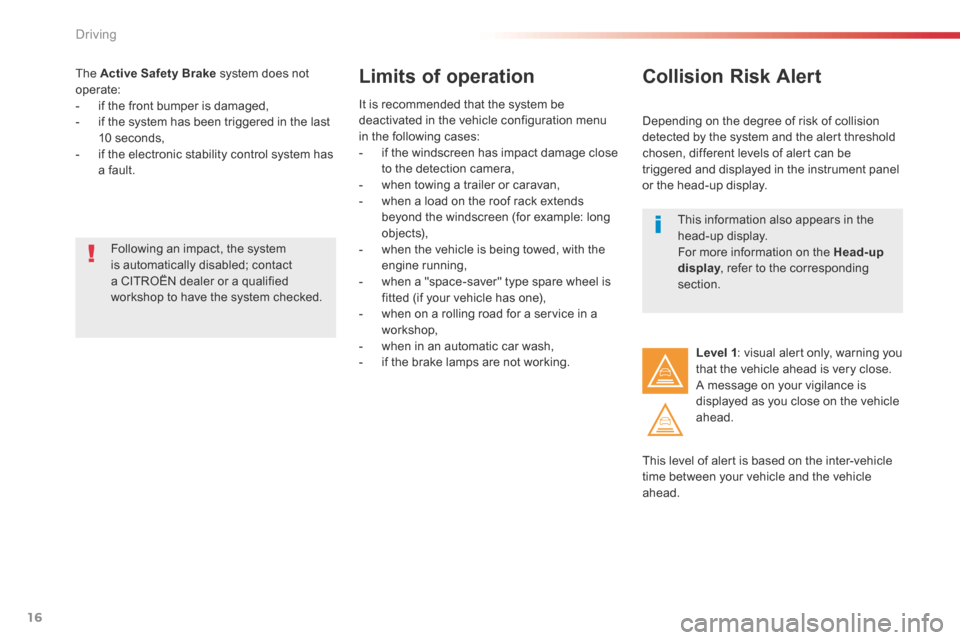
Depending on the degree of risk of collision detected by the system and the alert threshold chosen, different levels of alert can be triggered and displayed in the instrument panel or the head-up display.
This level of alert is based on the inter-vehicle time between your vehicle and the vehicle ahead.
Level 1 : visual alert only, warning you that the vehicle ahead is very close. A message on your vigilance is displayed as you close on the vehicle ahead.
This information also appears in the head-up display. For more information on the Head-up display , refer to the corresponding display , refer to the corresponding displaysection.
Page 525 of 604
17
6
Driving
Comp _Spacetourer_01_16_EN
This level of alert is based on the time before collision. It takes account of the vehicle dynamics, the speed of your vehicle and the
one in front, the environmental conditions, the operation of the vehicle (cornering, pedals pressed, etc.) to trigger the alert at the best moment.
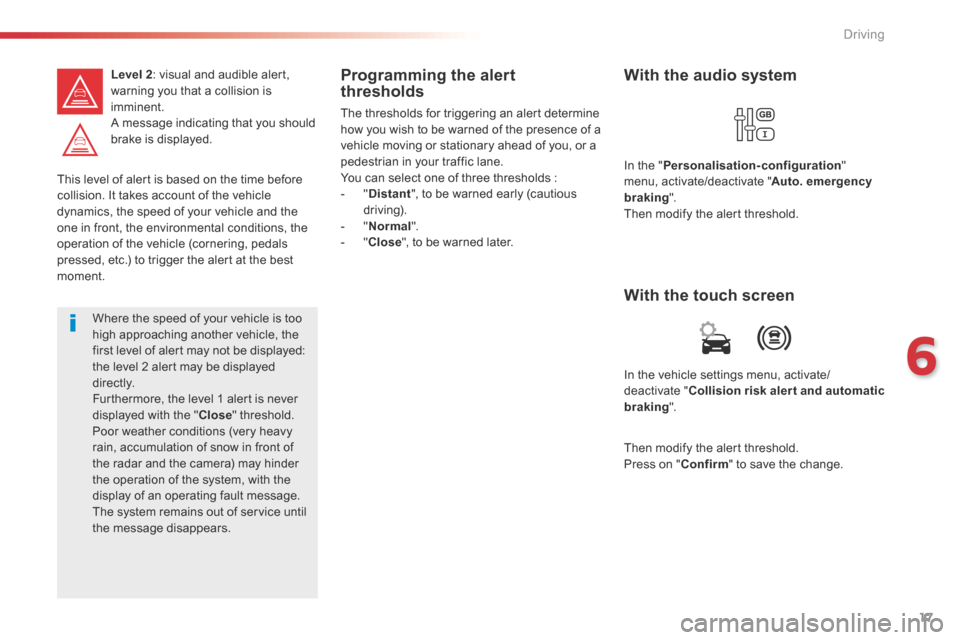
Level 2 : visual and audible alert, warning you that a collision is imminent. A message indicating that you should brake is displayed.
Where the speed of your vehicle is too high approaching another vehicle, the first level of alert may not be displayed: the level 2 alert may be displayed di r e c t l y. Furthermore, the level 1 alert is never displayed with the " Close " threshold. Poor weather conditions (very heavy rain, accumulation of snow in front of the radar and the camera) may hinder the operation of the system, with the display of an operating fault message. The system remains out of service until the message disappears.
Programming the alert thresholds
The thresholds for triggering an alert determine how you wish to be warned of the presence of a vehicle moving or stationary ahead of you, or a pedestrian in your traffic lane. You can select one of three thresholds : - " Distant ", to be warned early (cautious driving). - " Normal ". - " Close ", to be warned later.
In the vehicle settings menu, activate/deactivate " Collision risk alert and automatic braking ".
With the touch screen
With the audio system
In the " Personalisation-configuration " menu, activate/deactivate " Auto. emergency braking ". Then modify the alert threshold.
Then modify the alert threshold. Press on " Confirm " to save the change.
Page 527 of 604
19
6
Driving
Comp _Spacetourer_01_16_EN
Deactivation / Activation of
the alert and the braking
By default, the function is automatically activated at every engine start. The deactivation or activation of the function is done in the vehicle configuration menu.
With the audio system
In the " Personalisation-configuration " menu, activate/deactivate " Auto. emergency braking ".
With the touch screen
In the vehicle settings menu, activate/deactivate " Collision risk alert and automatic
braking ".
In the event of a fault, you are alerted by the illumination of this warning lamp, accompanied by an audible signal and a message. Contact a CITROËN dealer or a qualified workshop.
Operating fault
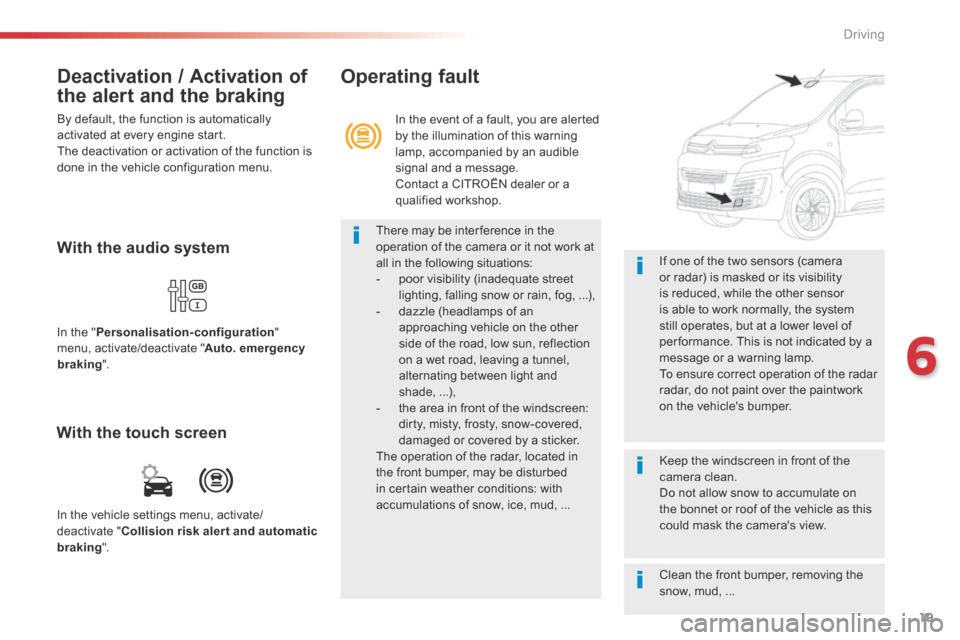
There may be interference in the operation of the camera or it not work at all in the following situations: - poor visibility (inadequate street lighting, falling snow or rain, fog, ...), - dazzle (headlamps of an approaching vehicle on the other side of the road, low sun, reflection on a wet road, leaving a tunnel, alternating between light and shade, ...), - the area in front of the windscreen: dirty, misty, frosty, snow-covered,
damaged or covered by a sticker. The operation of the radar, located in the front bumper, may be disturbed in certain weather conditions: with accumulations of snow, ice, mud, ...
Clean the front bumper, removing the snow, mud, ...
If one of the two sensors (camera or radar) is masked or its visibility is reduced, while the other sensor is able to work normally, the system still operates, but at a lower level of per formance. This is not indicated by a message or a warning lamp. To ensure correct operation of the radar radar, do not paint over the paintwork on the vehicle's bumper.
Keep the windscreen in front of the camera clean. Do not allow snow to accumulate on the bonnet or roof of the vehicle as this could mask the camera's view.
Page 530 of 604
96
Transversal-Citroen_en_Chap02_RCC-2-2-0_ed01-2016
First steps
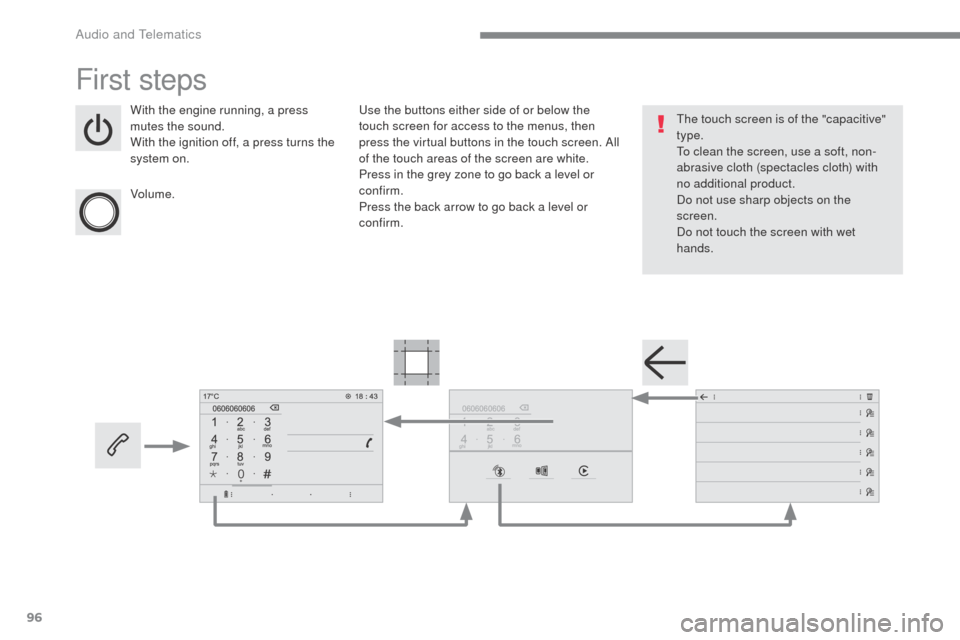
With the engine running, a press
mutes the sound.
With the ignition off, a press turns the
system on.
Volume.Use the buttons either side of or below the
touch screen for access to the menus, then
press the virtual buttons in the touch screen. All
of the touch areas of the screen are white.
Press in the grey zone to go back a level or
confirm.
Press the back arrow to go back a level or
confirm. The touch screen is of the "capacitive"
type.
To clean the screen, use a soft, non-
abrasive cloth (spectacles cloth) with
no additional product.
Do not use sharp objects on the
screen.
Do not touch the screen with wet
hands.
Audio and Telematics
Page 536 of 604
102
1
564
23
Transversal-Citroen_en_Chap02_RCC-2-2-0_ed01-2016
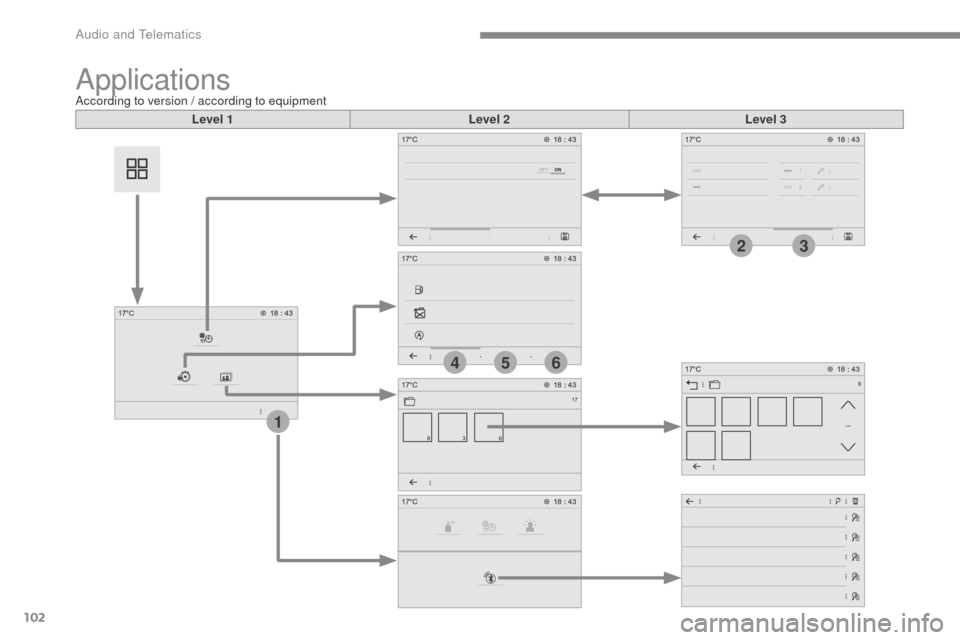
ApplicationsAccording to version / according to equipmentLevel 1 Level 2Level 3
Audio and Telematics
Page 537 of 604
103
1
4
5
6
2
3
Transversal-Citroen_en_Chap02_RCC-2-2-0_ed01-2016
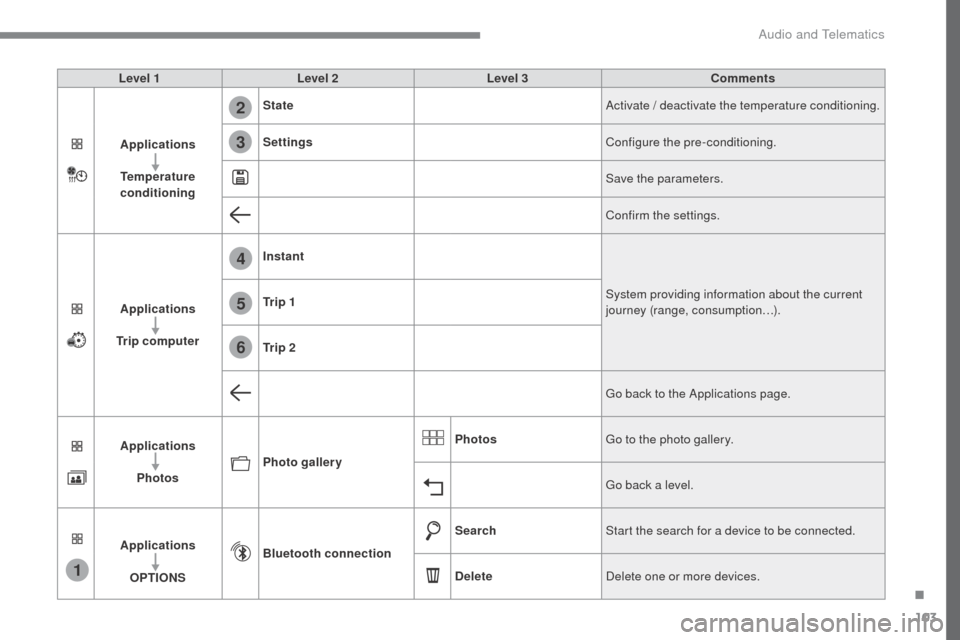
Level 1Level 2 Level 3 Comments
Applications
Temperature
conditioning State
Activate / deactivate the temperature conditioning.
Settings Configure the pre-conditioning.
Save the parameters.
Confirm the settings.
Applications
Trip computer Instant
System providing information about the current
journey (range, consumption…).
Tr i p 1
Tr i p 2
Go back to the Applications page.
Applications Photos Photo gallery Photos
Go to the photo gallery.
Go back a level.
Applications OPTIONS Bluetooth connection
Search
Start the search for a device to be connected.
Delete Delete one or more devices.
.
Audio and Telematics
Page 539 of 604
105
Transversal-Citroen_en_Chap02_RCC-2-2-0_ed01-2016
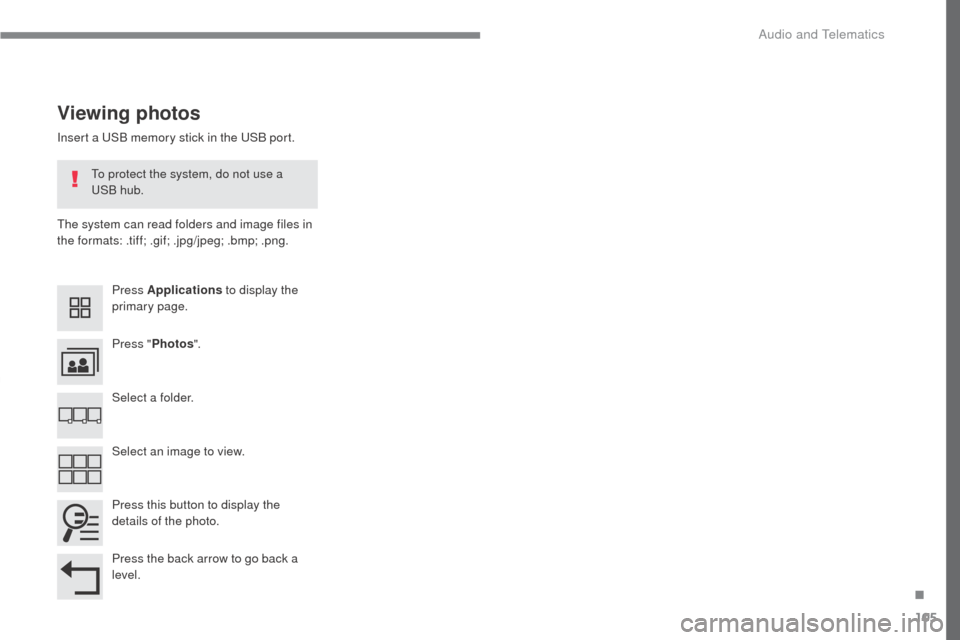
Insert a USB memory stick in the USB port.
The system can read folders and image files in
the formats: .tiff; .gif; .jpg/jpeg; .bmp; .png.
Viewing photos
Press Applications to display the
primary page.
Press " Photos ".
Select a folder.
Press this button to display the
details of the photo.
Press the back arrow to go back a
level. Select an image to view.
To protect the system, do not use a
USB hub.
.
Audio and Telematics
Page 540 of 604
106
21345
Transversal-Citroen_en_Chap02_RCC-2-2-0_ed01-2016
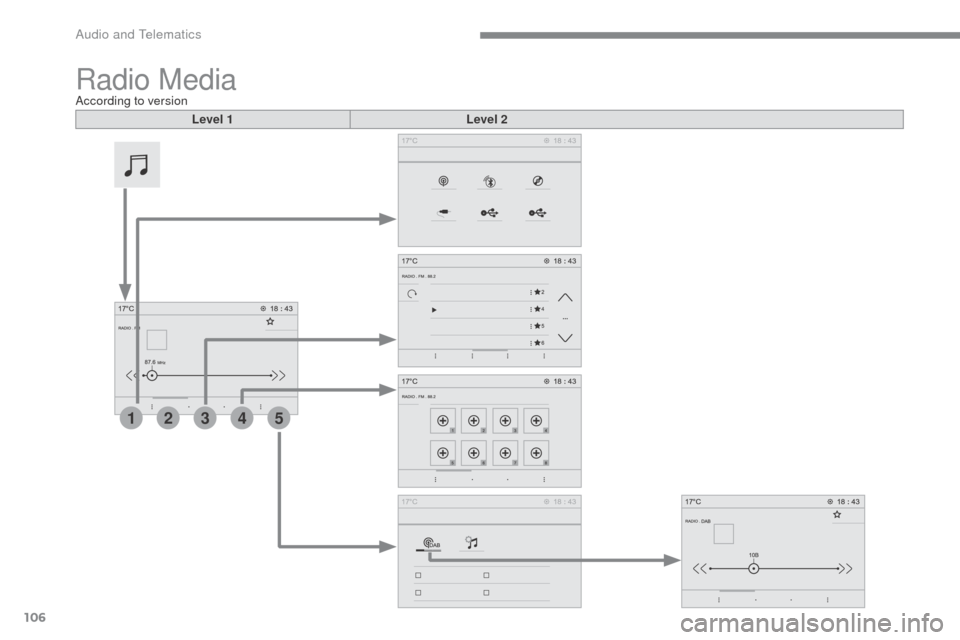
Radio MediaAccording to versionLevel 1 Level 2
Audio and Telematics