display DODGE CHARGER SRT 2015 7.G Owners Manual
[x] Cancel search | Manufacturer: DODGE, Model Year: 2015, Model line: CHARGER SRT, Model: DODGE CHARGER SRT 2015 7.GPages: 595, PDF Size: 16.43 MB
Page 380 of 595
Only shift from DRIVE to PARK or REVERSE when the
accelerator pedal is released and the vehicle is stopped.
Be sure to keep your foot on the brake pedal when
shifting between these gears.
The transmission shift lever has PARK, REVERSE, NEU-
TRAL, DRIVE, and MANUAL (Autostick) shift positions.
Manual shifts can be made using the Autostick shift
control (refer to “AutoStick” in this section for further
information). Toggling the shift lever forward (-) or
rearward (+) while in the MANUAL (AutoStick) position
(beside the DRIVE position) will manually select the
transmission gear, and will display the current gear in the
instrument cluster as M1, M2, M3, etc.
NOTE:If the shift lever cannot be moved to the PARK,
REVERSE, or NEUTRAL position (when pushed for-
ward) it is probably in the MANUAL (AutoStick, +/-)
position (beside the DRIVE position). In MANUAL
(AutoStick) mode, the transmission gear is displayed in
the instrument cluster (as M1, M2, M3, etc.). Move the
shift lever to the right (into the DRIVE [D] position) for
access to PARK, REVERSE, and NEUTRAL.
Gear Ranges
DO NOT race the engine when shifting from PARK or
NEUTRAL into another gear range.
NOTE:After selecting any gear range, wait a moment to
allow the selected gear to engage before accelerating.
This is especially important when the engine is cold.
PARK (P)
This range supplements the parking brake by locking the
transmission. The engine can be started in this range.
378 STARTING AND OPERATING
Page 383 of 595
CAUTION!
•Before moving the shift lever out of PARK, you
must start the engine and also press the brake
pedal. Otherwise, damage to the shift lever could
result.
•DO NOT race the engine when shifting from
PARK or NEUTRAL into another gear range, as this
can damage the drivetrain.
The following indicators should be used to ensure that
you have engaged the transmission into the PARK posi-
tion:
•When shifting into PARK, press the lock button on the
shift lever and firmly move the lever all the way
forward until it stops and is fully seated.
•Look at the transmission gear position display and
verify that it indicates the PARK position (P).
•With brake pedal released, verify that the shift lever
will not move out of PARK.
REVERSE (R)
This range is for moving the vehicle backward. Shift into
REVERSE only after the vehicle has come to a complete
stop.
NEUTRAL (N)
Use this range when the vehicle is standing for prolonged
periods with the engine running. Apply the parking
brake and shift the transmission into PARK if you must
leave the vehicle.
5
STARTING AND OPERATING 381
Page 385 of 595
![DODGE CHARGER SRT 2015 7.G Owners Manual During extremely cold temperatures (-22°F [-30°C] or
below), transmission operation may be modified depend-
ing on engine and transmission temperature as well as
vehicle speed. Normal operation will](/img/12/5578/w960_5578-384.png "DODGE CHARGER SRT 2015 7.G Owners Manual During extremely cold temperatures (-22°F [-30°C] or
below), transmission operation may be modified depend-
ing on engine and transmission temperature as well as
vehicle speed. Normal operation will")
During extremely cold temperatures (-22°F [-30°C] or
below), transmission operation may be modified depend-
ing on engine and transmission temperature as well as
vehicle speed. Normal operation will resume once the
transmission temperature has risen to a suitable level.
MANUAL (M)
The MANUAL (M, +/-) position (beside the DRIVE
position) enables full manual control of transmission
shifting (also known as AutoStick mode; refer to
“AutoStick” in this section for further information). Tog-
gling the shift lever forward (-) or rearward (+) while in
the MANUAL (AutoStick) position will manually select
the transmission gear, and will display the current gear in
the instrument cluster as M1, M2, M3, etc.
Transmission Limp Home Mode
Transmission function is monitored electronically for
abnormal conditions. If a condition is detected that could
result in transmission damage, Transmission Limp Home
Mode is activated. In this mode, the transmission may
operate only in certain gears, or may not shift at all.
Vehicle performance may be severely degraded and the
engine may stall. In some situations, the transmission
may not re-engage if the engine is turned off and
restarted. The Malfunction Indicator Light (MIL) may be
illuminated. A message in the instrument cluster will
inform the driver of the more serious conditions, and
indicate what actions may be necessary.
In the event of a momentary problem, the transmission
can be reset to regain all forward gears by performing the
following steps.
NOTE:In cases where the instrument cluster message
indicates the transmission may not re-engage after en-
gine shutdown, perform this procedure only in a desired
location (preferably, at your authorized dealer).
1. Stop the vehicle.
5
STARTING AND OPERATING 383
Page 387 of 595
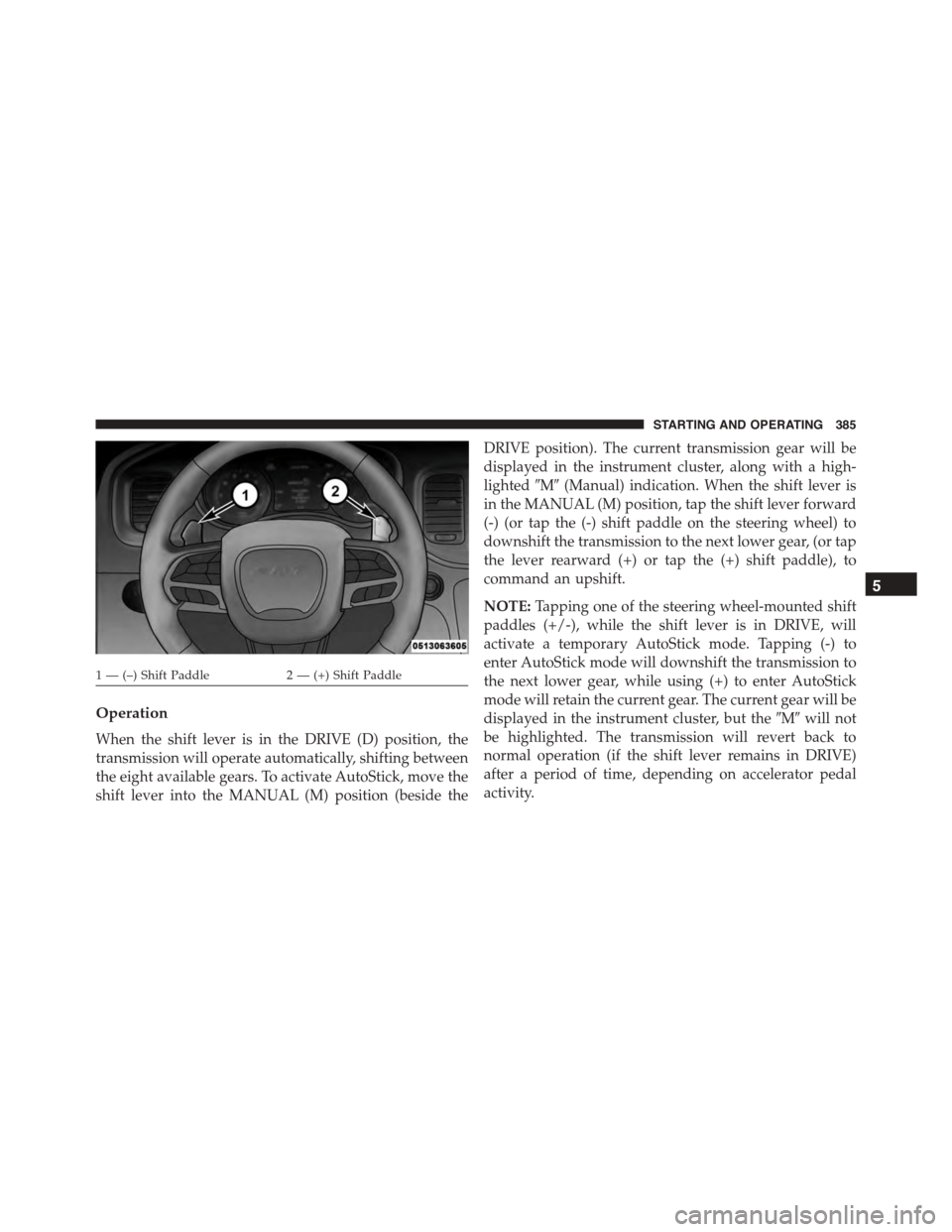
Operation
When the shift lever is in the DRIVE (D) position, the
transmission will operate automatically, shifting between
the eight available gears. To activate AutoStick, move the
shift lever into the MANUAL (M) position (beside the
DRIVE position). The current transmission gear will be
displayed in the instrument cluster, along with a high-
lighted#M#(Manual) indication. When the shift lever is
in the MANUAL (M) position, tap the shift lever forward
(-) (or tap the (-) shift paddle on the steering wheel) to
downshift the transmission to the next lower gear, (or tap
the lever rearward (+) or tap the (+) shift paddle), to
command an upshift.
NOTE:Tapping one of the steering wheel-mounted shift
paddles (+/-), while the shift lever is in DRIVE, will
activate a temporary AutoStick mode. Tapping (-) to
enter AutoStick mode will downshift the transmission to
the next lower gear, while using (+) to enter AutoStick
mode will retain the current gear. The current gear will be
displayed in the instrument cluster, but the#M#will not
be highlighted. The transmission will revert back to
normal operation (if the shift lever remains in DRIVE)
after a period of time, depending on accelerator pedal
activity.
1 — (–) Shift Paddle2 — (+) Shift Paddle
5
STARTING AND OPERATING 385
Page 388 of 595
In AutoStick mode, the transmission will shift up or
down when (+/-) is manually selected by the driver
(using the shift lever, or the shift paddles), unless an
engine lugging or overspeed condition would result. It
will remain in the selected gear until another upshift or
downshift is chosen, except as described below.
•In temporary AutoStick mode (shift lever in DRIVE),
the transmission will automatically shift up when
maximum engine speed is reached. Lack of accelerator
pedal activity will cause the transmission to revert to
automatic operation.
•If normal AutoStick mode is engaged (shift lever in
MANUAL position), manual gear selection will be
maintained until the shift lever is returned to DRIVE,
or as described below. The transmission will not
upshift automatically at redline in this mode, nor will
downshifts be obtained if the accelerator pedal is
pressed to the floor.
•The transmission will automatically downshift as the
vehicle slows (to prevent engine lugging) and will
display the current gear.
•The transmission will automatically downshift to first
gear when coming to a stop. After a stop, the driver
should manually upshift (+) the transmission as the
vehicle is accelerated.
•You can start out, from a stop, in first or second gear.
Tapping (+) (at a stop) will allow starting in second
gear. Starting out in second gear can be helpful in
snowy or icy conditions.
•If a requested downshift would cause the engine to
over-speed, that shift will not occur.
•The system will ignore attempts to upshift at too low
of a vehicle speed.
386 STARTING AND OPERATING
Page 393 of 595
(active dampening system) stiffness may be config-
ured to either the STREET, SPORT or TRACK settings
within this mode. Steering wheel mounted paddle
shifters may be enabled or disabled while in this mode
as well.
NOTE:The vehicle will restart with DEFAULT active if
DEFAULT was active when the vehicle was last shut
down.
•VALET — To enter Valet Mode the operator must
select it from the Drive Modes interface and enter a
four digit PIN code. The PIN code is not predeter-
mined, so the operator is free to select any four digit
numeric combination that will be easy to remember.
While in Valet Mode the following vehicle configura-
tions are set and locked to prevent unauthorized
modification:
•Engine limited to a lowest power output state.
•Transmission locks out access to first gear and shifts
earlier than normal.
•Traction, Steering and Suspension are forced to
STREET settings.
•Steering wheel mounted paddle shifters are disabled.
•The SRT Drive Modes are not available. Pressing the
SRT button will display the unlock keypad.
•The ESC Off button is disabled.
•The Launch Control button is disabled.
NOTE:
•To exit VALET Mode the operator must enter the same
four digit PIN that was used to enter the mode. The
unlock keypad can be accessed by either pressing the
SRT button or selecting to disable Valet on the
Uconnect® touchscreen.
5
STARTING AND OPERATING 391
Page 395 of 595
•Launch Control is intended to be used on dry, paved
road surfaces only. Use on slippery or loose surfaces
may cause damage to vehicle components and is not
recommended.
Launch Control is available when the following proce-
dure is followed:
1. Push the LAUNCH button on the center stack switch
bank.
NOTE:Pushing the SRT button on the center stack or
pressing the “SRT & Apps” button on the touchscreen are
two other options to access launch control features.
Please refer to “Uconnect® Settings” within your Own-
er ’s Manual on the DVD for further information.
2. Press the “Launch RPM Set-Up” button on the touch-
screen. This screen will allow you to adjust your
launch RPM’s for optimum launch/traction.
3. Press the “Activate Launch Mode” button on the
touchscreen.
4. Make sure the vehicle is not moving.
5. Make sure the steering wheel is pointing straight.
6. Hold the brake and make sure the vehicle is in
“Drive”.
7. While holding the brake, rapidly apply the accelerator
pedal to wide open throttle. The engine speed will
hold at the RPM that was set in the “Launch RPM
Set-up” screen.
NOTE:Messages will appear in the Driver Information
Display (DID) to inform the driver if one or more of the
above conditions have not been met.
8. When conditions 5 through 8 have been met, the
Driver Information Display (DID) will read “Launch
Ready Release Brake”.
5
STARTING AND OPERATING 393
Page 396 of 595
9. Keep the vehicle pointed straight.
Launch control will be active until the vehicle reaches
62 mph (100 km/h), at which point the ESC system will
return to its current ESC mode.
Launch control will abort before launch completion,
display “Launch Aborted” in the cluster and return to
ESC Full ON under any the following conditions:
•The accelerator pedal is released during launch. ESC
system continues in ESC Full ON.
•The ESC system detects that the vehicle is no longer
moving in a straight line. ESC system continues in ESC
Full ON.
•The “ESC OFF” button is pressed to change the system
to another mode. One press puts the ESC system into
ESC Full ON.
NOTE:After launch control has been aborted, ESC will
return to its current ESC mode.
CAUTION!
Do not attempt to shift when the drive wheels are
spinning and do not have traction. Damage to the
transmission may occur.
Guidelines For Track Use
NOTE:Because of the extreme conditions encountered
during track use, any damage or wear associated with
track use is not covered by warranty.
•If your SRT vehicle is equipped with Drive Modes they
will alter the vehicle’s performance in various driving
situations. It is recommended that your vehicle oper-
ates in SPORT or TRACK modes during the track
event.
394 STARTING AND OPERATING
Page 398 of 595
NOTE:It is recommended that you target 40psi Hot Tire
Pressure at the conclusion of each track session. Starting
at 32psi Front & 30psi Rear Cold and adjusting based on
ambient & track conditions is recommended. Tire pres-
sure can be monitored via the Driver Information Display
(DID) and can assist with adjustments.
Track burnishing your brakes:
To avoid “green lining fade” during track use, the brake
pads and rotors must have a thermal burnish for factory
installed components or when new brake friction com-
ponents are installed:
1. Use one track session to burnish brakes by driving at
75% speed. Brake at approximately 0.60-0.80g max
without ABS intervention.
2. Lap the track in this manner until you start smelling
the brakes. Continue for another½lap at speed, then
do a two lap cool down with minimal brake applies.
Make sure the brakes are not smoking. If they are, do
another cool down lap.
3. Do not continue for more than 1 full burnishing lap
after you start smelling the brakes. Do not get them
smoking heavily. This will get them too hot and affect
their life negatively in future track use.
4. Allow vehicle to sit and cool in the paddock for at least
30 min. If an infrared thermal gun is available, allow
rotors to cool to 200°F before going back out.
5. There should be a thin, ash layer when inspecting the
pads installed in the caliper. Having the ash layer go
more than half the thickness of the pad material
indicates too aggressive of a burnish.
396 STARTING AND OPERATING
Page 403 of 595
WARNING!
Continued operation with reduced assist could pose
a safety risk to yourself and others. Service should be
obtained as soon as possible.
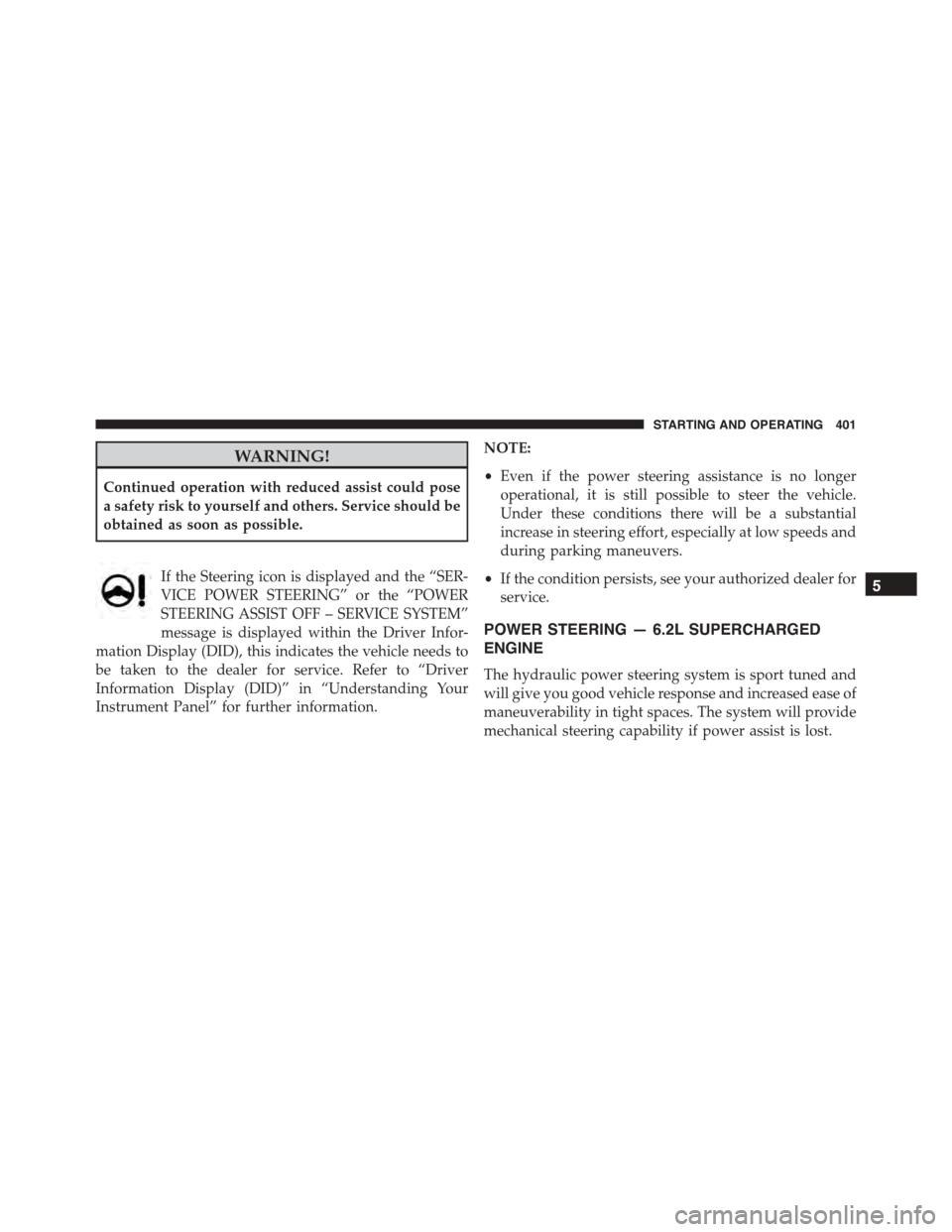
If the Steering icon is displayed and the “SER-
VICE POWER STEERING” or the “POWER
STEERING ASSIST OFF – SERVICE SYSTEM”
message is displayed within the Driver Infor-
mation Display (DID), this indicates the vehicle needs to
be taken to the dealer for service. Refer to “Driver
Information Display (DID)” in “Understanding Your
Instrument Panel” for further information.
NOTE:
•Even if the power steering assistance is no longer
operational, it is still possible to steer the vehicle.
Under these conditions there will be a substantial
increase in steering effort, especially at low speeds and
during parking maneuvers.
•If the condition persists, see your authorized dealer for
service.
POWER STEERING — 6.2L SUPERCHARGED
ENGINE
The hydraulic power steering system is sport tuned and
will give you good vehicle response and increased ease of
maneuverability in tight spaces. The system will provide
mechanical steering capability if power assist is lost.
5
STARTING AND OPERATING 401