mirror DODGE GRAND CARAVAN 2009 5.G User Guide
[x] Cancel search | Manufacturer: DODGE, Model Year: 2009, Model line: GRAND CARAVAN, Model: DODGE GRAND CARAVAN 2009 5.GPages: 535, PDF Size: 18.61 MB
Page 116 of 535
uconnecttallows you to transfer calls between the sys-
tem and your cellular phone as you enter or exit your
vehicle and enables you to mute the system’s microphone
for private conversation.
The uconnectt phone is driven through your Bluetootht
“Hands-Free Profile” cellular phone. uconnectt features
Bluetootht technology - the global standard that enables
different electronic devices to connect to each other
without wires or a docking station, so uconnectt phone
works no matter where you stow your cellular phone (be
it your purse, pocket, or briefcase), as long as your phone
is turned on and has been paired to the vehicle’s
uconnectt phone. The uconnectt phone allows up to
seven cellular phones to be linked to the system. Only
one linked (or paired) cellular phone can be used with the
system at a time. The system is available in English,
Spanish, or French languages. Phone Button
The rearview mirror contains the microphone
for the system (depending on the type of
mirror and radio equipped), and either the
radio or the mirror has the two control buttons
(PHONE Button and VOICE RECOGNITION button)
that will enable you to access the system.
Voice Recognition Button
Actual button location may vary with the ra-
dio. The individual buttons are described in the
“Operation” section.
The uconnectt phone can be used with any Hands-Free
Profile certified Bluetootht cellular phone. See the
uconnectt website for supported phones. If your cellular
phone supports a different profile (e.g., Headset Profile)
you may not be able to use any uconnectt phone
features. Refer to your cellular service provider or the
phone manufacturer for details. 114 UNDERSTANDING THE FEATURES OF YOUR VEHICLE
Page 135 of 535
Press the VOICE RECOGNITION button and say the
9Setup, Voice Training9
command.
Repeat the words and phrases when prompted by the
uconnectt phone. For best results, the Voice Training
session should be completed when the vehicle is parked
with the engine running, all windows closed, and the
blower fan switched off.
This procedure may be repeated with a new user. The
system will adapt to the last trained voice only.
To restore the Voice Recognition system to factory default
settings, enter the Voice Training session via the above
procedure and follow the prompts.
Voice Recognition (VR)
For best performance, adjust the rearview mirror to
provide at least12in (1 cm) gap between the overhead
console (if equipped) and the mirror.
Always wait for the beep before speaking.
Speak normally, without pausing, just as you would
speak to a person sitting a few feet/meters away from
you.
Make sure that no one other than you is speaking
during a voice recognition period.
Performance is maximized under:
low-to-medium blower setting,
low-to-medium vehicle speed,
low road noise,
smooth road surface,
fully closed windows,
dry weather condition.
UNDERSTANDING THE FEATURES OF YOUR VEHICLE 133 3
Page 172 of 535
WARNING!To avoid serious injury or death, NEVER operate the
vehicle with occupants in the third row seat while in
the tailgate mode.
DRIVER MEMORY SEAT — IF EQUIPPED
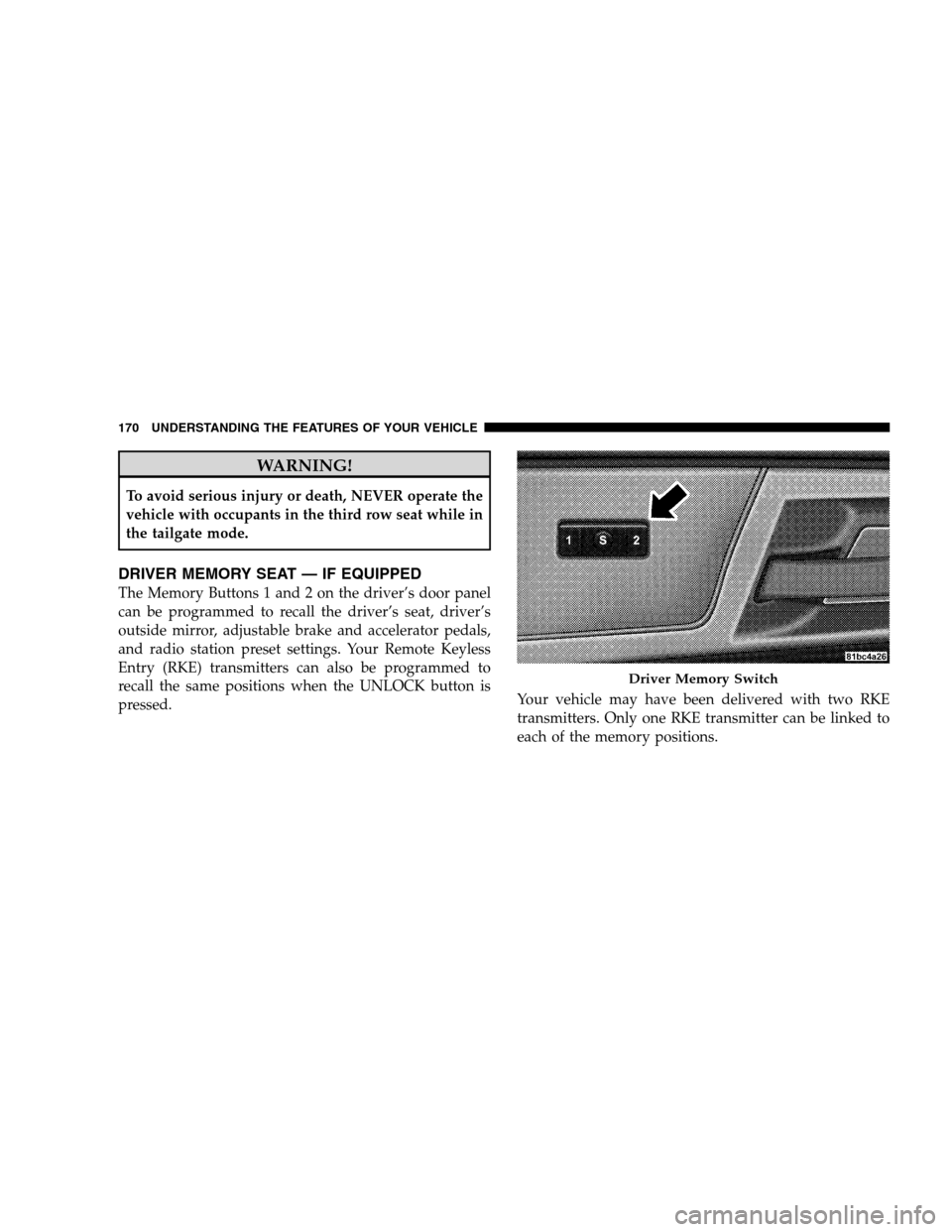
The Memory Buttons 1 and 2 on the driver’s door panel
can be programmed to recall the driver’s seat, driver’s
outside mirror, adjustable brake and accelerator pedals,
and radio station preset settings. Your Remote Keyless
Entry (RKE) transmitters can also be programmed to
recall the same positions when the UNLOCK button is
pressed.
Your vehicle may have been delivered with two RKE
transmitters. Only one RKE transmitter can be linked to
each of the memory positions. Driver Memory Switch
170 UNDERST
ANDING THE FEATURES OF YOUR VEHICLE
Page 173 of 535
Setting Memory Positions and Linking RKE
Transmitter
to Memory
NOTE:Each time the SET (S) button and a numbered
button (1 or 2) is pressed, you erase the memory settings
for that button and store a new one.
1. Insert the ignition key and turn the ignition switch to
the ON position.
2. Press the driver door MEMORY button number 1 if
you are setting the memory for driver 1, or button
number 2 if you are setting the memory for driver 2. The
system will recall any stored settings. Wait for the system
to complete the memory recall before continuing to
Step 3.
3. Adjust the driver’s seat, recliner, and driver’s side-
view mirror to the desired positions.
4. Adjust the brake and accelerator pedals to the desired
positions. 5. Turn on the radio and set the radio station presets (up
to 10 AM and 10 FM stations can be set).
6. Turn the ignition switch to the OFF position and
remove the key.
7. Press and release the SET (S) button located on the
driver’s door.
8. Within five seconds, press and release MEMORY
button 1 or 2 on the driver’s door. The next step must be
performed within 10 seconds if you desire to also use a
RKE transmitter to recall memory positions.
9. Press and release the LOCK button on one of the RKE
transmitters.
10. Insert the ignition key and turn the ignition switch to
the ON position.
UNDERSTANDING THE FEATURES OF YOUR VEHICLE 171 3
Page 174 of 535
11. Select9Remote Linked to Memory9 in the Electronic
Vehicle Information Center (EVIC) and enter “Yes”. Refer
to the “Customer-Programmable Features” in the “Elec-
tronic Vehicle Information Center (EVIC)” section for
more information.
12. Repeat the above steps to set the next Memory
position using the other numbered Memory button or to
link another RKE transmitter to memory.
Memory Position Recall
NOTE: The vehicle must be in PARK to recall memory
positions. If a recall is attempted when the vehicle is not
in PARK, a message will be displayed in the EVIC.
To recall the memory settings for driver one, press
MEMORY button 1 on the driver’s door or the UNLOCK
button on the RKE transmitter linked to memory position
1. To recall the memory setting for driver two, press
MEMORY button 2 on the driver’s door or the UNLOCK
button on the RKE transmitter linked to Memory Position
2.
A recall can be cancelled by pressing any of the
MEMORY buttons on the driver’s door during a recall (S,
1, or 2). When a recall is cancelled, the driver’s seat,
driver’s mirror, and the pedals stop moving. A delay of
one second will occur before another recall can be
selected.To Disable RKE Transmitter Linked to Memory
1. Turn the ignition switch to the OFF position and
remove the key.
2. Press and release MEMORY button 1. The system will
recall any memory settings stored in position 1. Wait for
the system to complete the memory recall before continu-
ing to Step 3.
172 UNDERSTANDING THE FEATURES OF YOUR VEHICLE
Page 193 of 535
REAR PARK ASSIST — IF EQUIPPEDThe Rear Park Assist provides visible and audible indi-
cations of the distance between the rear fascia and the
detected obstacle, when backing up. When backing up,
you should also use the inside rearview and outside
mirrors.
The Rear Park Assist will remember the last system state
(enabled or disabled) from the last ignition cycle, when
the ignition is changed to the RUN/ON position.
The Rear Park Assist can be active only when the shift
lever is in REVERSE. When in REVERSE, the system
scans for objects behind the vehicle, using four sensors
located in the rear bumper.
NOTE:
The system will be active until the vehicle speed
is increased to approximately 11 mph (18 km/h) or
above. The system will be active again if the vehicle
speed is decreased to speeds less than approximately
10 mph (16 km/h).
Rear Park Assist Sensors
The four Rear Park Assist sensors, located in the rear
fascia, monitor the area behind the vehicle that is within
the sensors’ field of view. The monitored area seems oval
in shape. The sensors can detect obstacles from approxi-
mately 11.8 in (30 cm) up to 78.7 in (200 cm) from the rear
fascia in the horizontal direction, depending on the
location and orientation of the obstacle and the type of
obstacle.
UNDERSTANDING THE FEATURES OF YOUR VEHICLE 191 3
Page 194 of 535
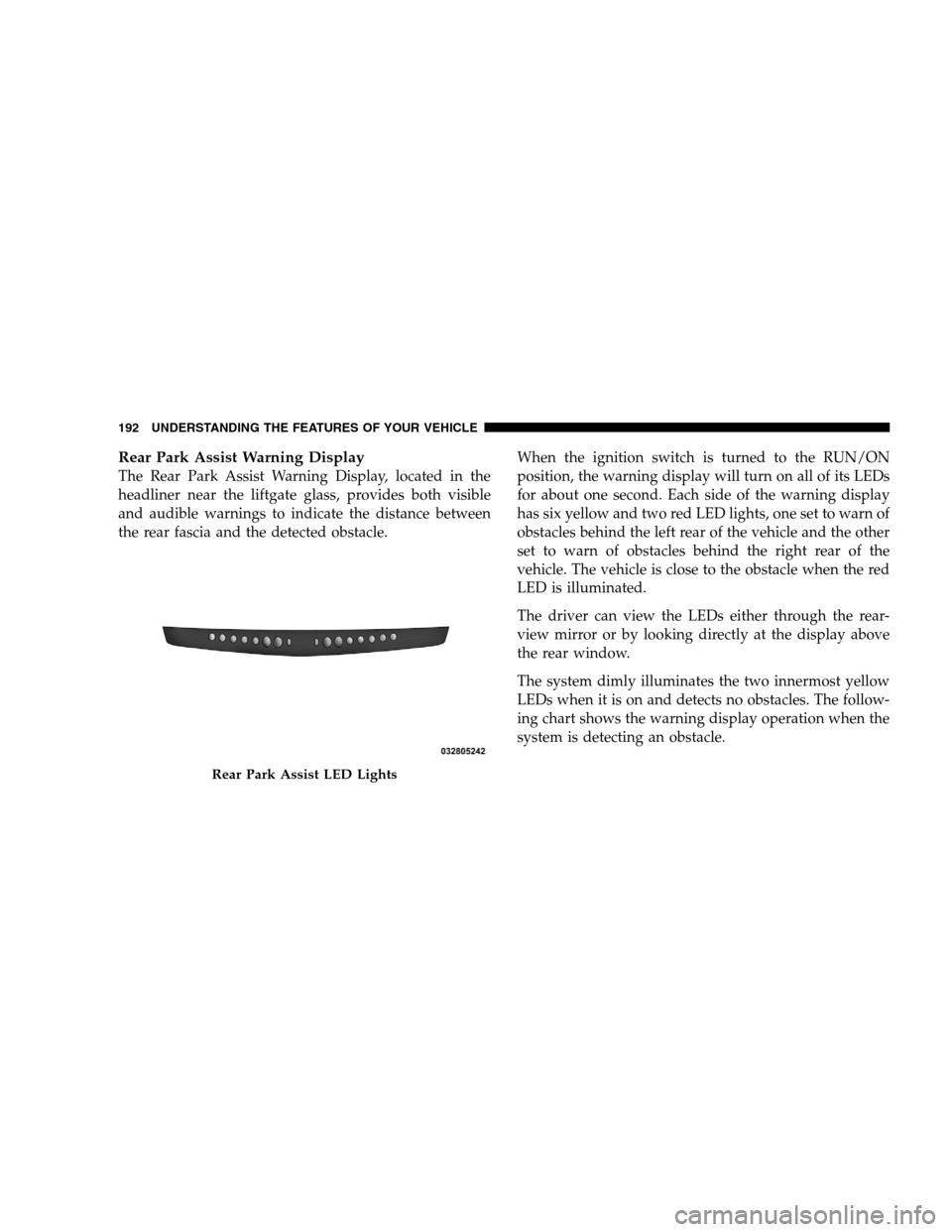
Rear Park Assist Warning DisplayThe Rear Park Assist Warning Display, located in the
headliner near the liftgate glass, provides both visible
and audible warnings to indicate the distance between
the rear fascia and the detected obstacle.
When the ignition switch is turned to the RUN/ON
position, the warning display will turn on all of its LEDs
for about one second. Each side of the warning display
has six yellow and two red LED lights, one set to warn of
obstacles behind the left rear of the vehicle and the other
set to warn of obstacles behind the right rear of the
vehicle. The vehicle is close to the obstacle when the red
LED is illuminated.
The driver can view the LEDs either through the rear-
view mirror or by looking directly at the display above
the rear window.
The system dimly illuminates the two innermost yellow
LEDs when it is on and detects no obstacles. The follow-
ing chart shows the warning display operation when the
system is detecting an obstacle.Rear Park Assist LED Lights
192 UNDERST
ANDING THE FEATURES OF YOUR VEHICLE
Page 200 of 535
4. Enable or disable the rear camera feature by selecting
9enable rear camera in reverse9soft key.
5. Press the “save” soft key.
6. When the vehicle is shifted into REVERSE, an image of
the rear of the vehicle will appear with a caution note to
9check entire surroundings9 displayed across the top of
the screen. After five seconds this note will disappear.
7. When the vehicle is shifted out of REVERSE, the rear
camera mode is exited and the navigation or audio screen
appears again.
Turning the Rear Camera On or Off — Without
Navigation Radio
1. Press the 9menu9hard key.
2. Select 9system setup9 soft key.
3. Enable or disable the rear camera feature by selecting
9enable rear camera in reverse9 soft key.4. When the vehicle is shifted into REVERSE, an image of
the rear of the vehicle will appear with a caution note to
9check entire surroundings9
displayed across the top of
the screen. After five seconds this note will disappear.
5.
When the vehicle is shifted out of REVERSE, the rear
camera mode is exited and the audio screen appears again.
OVERHEAD CONSOLES
Front Overhead Console
Two versions of the overhead console are available. The
base front overhead console model featured fixed incan-
descent courtesy/reading lights, flip-down sunglass stor-
age and conversation mirror. The premium front over-
head console model features a LED focused light that
illuminates the instrument panel cupholders, Infrared
Automatic Temperature Control Sensor (ATC equipped
only), two swiveling LED lights, flip-down sunglass
storage, conversation mirror, optional power sliding door
switches and an optional power liftgate switch.
198 UNDERSTANDING THE FEATURES OF YOUR VEHICLE
Page 201 of 535
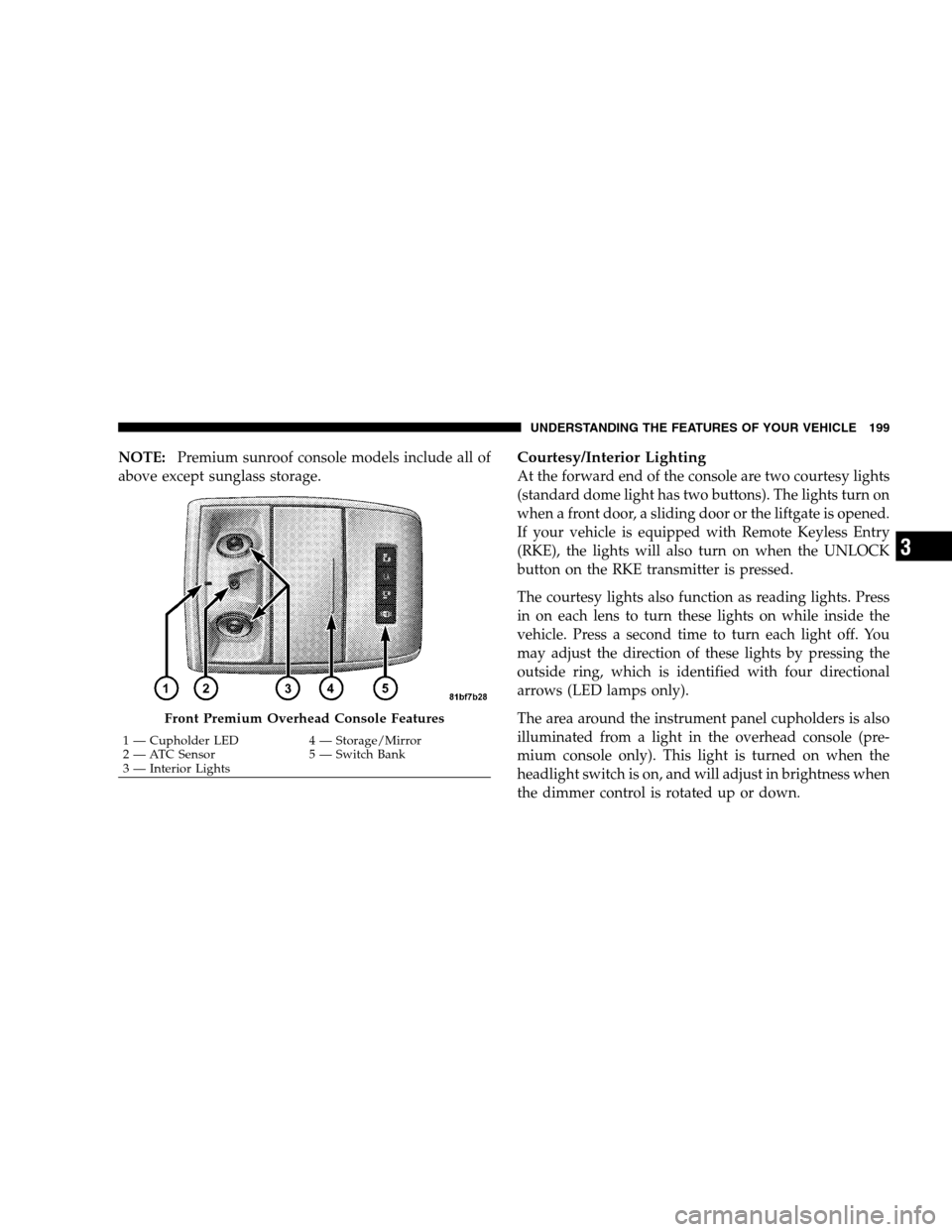
NOTE:Premium sunroof console models include all of
above except sunglass storage.Courtesy/Interior Lighting
At the forward end of the console are two courtesy lights
(standard dome light has two buttons). The lights turn on
when a front door, a sliding door or the liftgate is opened.
If your vehicle is equipped with Remote Keyless Entry
(RKE), the lights will also turn on when the UNLOCK
button on the RKE transmitter is pressed.
The courtesy lights also function as reading lights. Press
in on each lens to turn these lights on while inside the
vehicle. Press a second time to turn each light off. You
may adjust the direction of these lights by pressing the
outside ring, which is identified with four directional
arrows (LED lamps only).
The area around the instrument panel cupholders is also
illuminated from a light in the overhead console (pre-
mium console only). This light is turned on when the
headlight switch is on, and will adjust in brightness when
the dimmer control is rotated up or down. Front Premium Overhead Console Features
1 — Cupholder LED
4 — Storage/Mirror
2 —
ATC Sensor 5 — Switch Bank
3 — Interior Lights UNDERSTANDING THE FEATURES OF YOUR VEHICLE 199 3
Page 202 of 535
Sunglass Storage (non-sunroof only)At the rear of the front overhead console, a compartment
is provided for the storage of two pairs of sunglasses.
From the closed position, press the door over-travel latch
to open the compartment. The door will slowly rotate to
the full open position. From this position, the door can be
fully closed or, by rotating upward about 3/4 of the way
and releasing, positioned for conversation mirror use.
From the
9conversation mirror9 position, the door can
only be closed. To return to the full open position, the
door must first be closed and then opened by pressing
the over-travel latch again to release.
NOTE: The front overhead console supplied with fac-
tory sunroof, incorporates a sunroof switch.
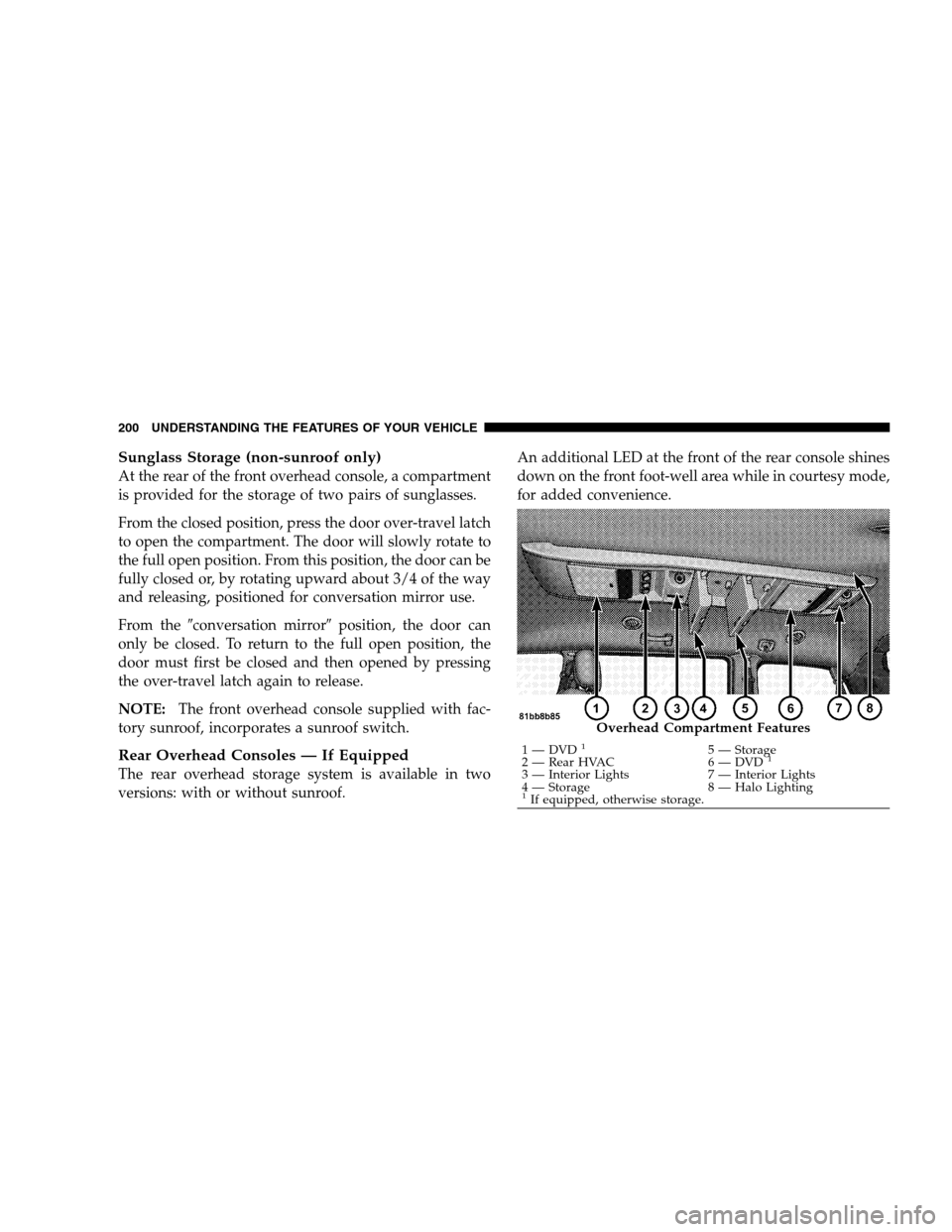
Rear Overhead Consoles — If Equipped
The rear overhead storage system is available in two
versions: with or without sunroof. An additional LED at the front of the rear console shines
down on the front foot-well area while in courtesy mode,
for added convenience. Overhead Compartment Features
1 — DVD
15 — Storage
2 — Rear HVAC 6 — DVD1
3 — Interior Lights7 — Interior Lights
4 — Storage 8 — Halo Lighting
1If equipped, otherwise storage.
200 UNDERSTANDING THE FEATURES OF YOUR VEHICLE