steering DODGE JOURNEY 2020 Workshop Manual
[x] Cancel search | Manufacturer: DODGE, Model Year: 2020, Model line: JOURNEY, Model: DODGE JOURNEY 2020Pages: 396, PDF Size: 25.53 MB
Page 328 of 396
326 MULTIMEDIA
Operation
Voice commands can be used to operate the
Uconnect Phone and to navigate through the
Uconnect Phone menu structure. Voice
commands are required after most Uconnect
Phone prompts. There are two general methods
for how Voice Command works:
1. Say compound commands like “Call John
S
mith Mobile.”
2. S ay the individual commands and allow the
s
ystem to guide you to complete the task.
You will be prompted for a specific command
a n
d then guided through the available options.
Prior to giving a voice command, one must
wait for the beep, which follows the “Listen”
prompt or another prompt.
For certain operations, compound
commands can be used. For example,
instead of saying “Call” and then “John
Smith” and then “mobile”, the following
compound command can be said: “Call John
Smith mobile.”
For each feature explanation in this section, only
the compound command form of the voice
command is given. You can also break the
commands into parts and say each part of
the command when you are asked for it.
For example, you can use the compound
c o
mmand form voice command “Search for
John Smith,” or you can break the compound
c o
mmand form into two voice commands:
“Search Contact” and when asked “John Smith.”
Please remember, the Uconnect Phone works
best when you talk in a normal conversational
tone, as if speaking to someone sitting a few
feet/meters away from you.
Natural Speech
Your Uconnect Phone Voice system uses a
N a
tural Language Voice Recognition (VR)
engine.
Natural speech allows the user to speak
c o
mmands in phrases or complete sentences.
The system filters out certain non-word
utterances and sounds such as “ah” and “eh.”
The system handles fill-in words such as “I would
like to.”
The system handles multiple inputs in the same
p
h
rase or sentence such as “make a phone
call” and “to Kelly Smith.” For multiple inputs in
the same phrase or sentence, the system
identifies the topic or context and provides the
associated follow-up prompt such as “Who do
you want to call?” in the case where a phone
call was requested but the specific name was
not recognized.
The system utilizes continuous dialog; when the
s y
stem requires more information from the user
it will ask a question to which the user can
respond without pushing the Voice Recognition
button on your steering wheel.
Help Command
If you need assistance at any prompt, or if you
w a
nt to know your options at any prompt, say
“Help” following the beep.
To activate the Uconnect Phone from idle,
s i
mply push the Phone button (if active) on
your steering wheel and say a command or say
“ H
elp.” All Uconnect Phone sessions begin with
a push of the VR button or the Phone button
(if active) on the radio control head.
Page 329 of 396
MULTIMEDIA 327
Cancel Command
At any prompt, after the beep, you can say
“C
ancel” and you will be returned to the main
menu.
You can also push the VR button or
Phone button (if active) on your steering
wheel when the system is listening for a
c o
mmand and be returned to the main or
previous menu.
Pair (Link) Uconnect Phone To A Mobile Phone
To begin using your Uconnect Phone, you must
p a
ir your compatible Bluetooth® enabled
mobile phone.
NOTE:
You must have Bluetooth® enabled on your
mobile phone to complete this procedure.
The vehicle must be in PARK.
To complete the pairing process, you will need
t o
reference your mobile phone Owner's
Manual. The Uconnect website may also
provide detailed instructions for pairing.
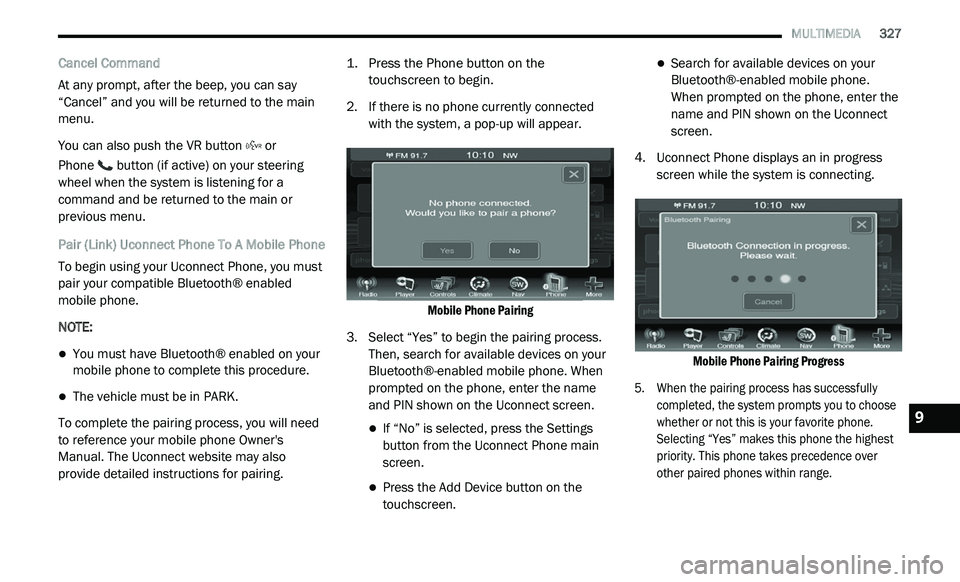
1. P
ress the Phone button on the
t
ouchscreen to begin.
2. I f there is no phone currently connected
w
ith the system, a pop-up will appear.
Mobile Phone Pairing
3. S elect “Yes” to begin the pairing process.
T
hen, search for available devices on your
Bluetooth®-enabled mobile phone. When
prompted on the phone, enter the name
and PIN shown on the Uconnect screen.
If “No” is selected, press the Settings
button from the Uconnect Phone main
screen.
Press the Add Device button on the
touchscreen.
Search for available devices on your
Bluetooth®-enabled mobile phone.
When prompted on the phone, enter the
name and PIN shown on the Uconnect
screen.
4. U connect Phone displays an in progress
s
creen while the system is connecting.
Mobile Phone Pairing Progress
5. W hen the pairing process has successfully
c
ompleted, the system prompts you to choose
whether or not this is your favorite phone.
Selecting “Yes” makes this phone the highest
priority. This phone takes precedence over
other paired phones within range.
9
Page 334 of 396
332 MULTIMEDIA
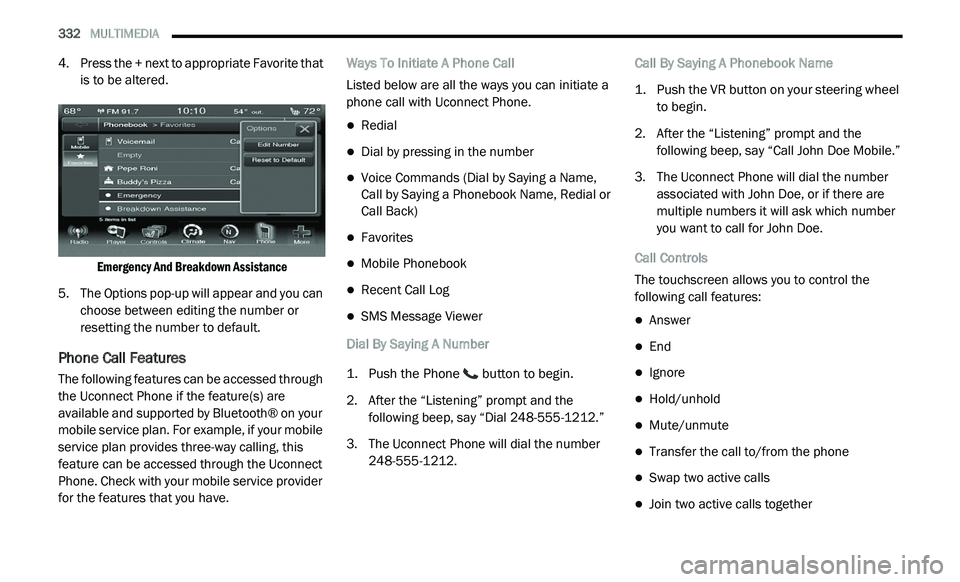
4. Press the + next to appropriate Favorite that
is to be altered.
Emergency And Breakdown Assistance
5. T he Options pop-up will appear and you can
c
hoose between editing the number or
resetting the number to default.
Phone Call Features
The following features can be accessed through
the Uconnect Phone if the feature(s) are
available and supported by Bluetooth® on your
mobile service plan. For example, if your mobile
service plan provides three-way calling, this
feature can be accessed through the Uconnect
Phone. Check with your mobile service provider
for the features that you have. Ways To Initiate A Phone Call
Listed below are all the ways you can initiate a
p
h
one call with Uconnect Phone.
Redial
Dial by pressing in the number
Voice Commands (Dial by Saying a Name,
Call by Saying a Phonebook Name, Redial or
Call Back)
Favorites
Mobile Phonebook
Recent Call Log
SMS Message Viewer
Dial By Saying A Number
1. P ush the Phone
button to begin.
2. A fter the “Listening” prompt and the
f
ollowing beep, say “Dial 248-555-1212.”
3. T he Uconnect Phone will dial the number
2
48-555-1212. Call By Saying A Phonebook Name
1. P
ush the VR button on your steering wheel
t
o begin.
2. A fter the “Listening” prompt and the
f
ollowing beep, say “Call John Doe Mobile.”
3. T he Uconnect Phone will dial the number
a
ssociated with John Doe, or if there are
multiple numbers it will ask which number
you want to call for John Doe.
Call Controls
The touchscreen allows you to control the
f o
llowing call features:
Answer
End
Ignore
Hold/unhold
Mute/unmute
Transfer the call to/from the phone
Swap two active calls
Join two active calls together
Page 335 of 396
MULTIMEDIA 333
Touch-Tone Number Entry
1. Press the Phone button on the
t
ouchscreen.
2. P ress the Dial button on the touchscreen.
3
. T he Touch-Tone screen will be displayed.
4
. U se the numbered buttons on the
t
ouchscreen to enter the number and press
“Call.”
To send a touch-tone using Voice Recognition
(V
R), push the Voice Command button on
your steering wheel while in a call and say
“ S
end 1234#” or you can say “Send Voicemail
Password” if Voicemail password is stored in
your mobile phonebook.
Recent Calls
You may browse up to 34 of the most recent of
e a
ch of the following call types:
Incoming Calls
Outgoing Calls
Missed Calls
All Calls These can be accessed by pressing the Recent
C
a
lls button on the touchscreen on the Phone
main screen.
You can also push the Phone button and say
“Show my incoming calls” from any screen and
t h
e Incoming calls will be displayed.
You can also push the Phone button and say
“Show my recent calls” from any screen and the
A l
l Calls screen will be displayed.
NOTE:
Incoming can also be replaced with “Outgoing,”
“ R
ecent”, or “Missed.”
Answer Or Ignore An Incoming Call — No Call
C u
rrently In Progress
When you receive a call on your mobile phone,
t h
e Uconnect Phone will interrupt the vehicle
audio system. Push the Phone button on the
steering wheel to accept the call. You can also
p r
ess the Answer button on the touchscreen, or
press the caller ID box. Answer Or Ignore An Incoming Call — Call
C
u
rrently In Progress
If a call is currently in progress and you have
a n
other incoming call, you will hear the same
network tones for call waiting that you normally
hear when using your mobile phone. Push the
Phone button on the steering wheel, or press
the Answer button on the touchscreen, or caller
I D
box, to place the current call on hold and
answer the incoming call.
NOTE:
The Uconnect Phone-compatible phones in
the market today do not support rejecting an
i n
coming call when another call is in progress.
Therefore, the user can only answer an
incoming call or ignore it.
Making A Second Call While Current Call Is In
P r
ogress
You can place a call on hold by pressing the
H o
ld button on the Phone main screen, then
dial a number from the dialpad, recent calls,
SMS Inbox or from the phonebooks. To go back
to the first call, refer to “Toggling Between Calls”
in this section. To combine two calls, refer to
“Join Calls” in this section.
9
Page 339 of 396
MULTIMEDIA 337
Things You Should Know About Your
Uconnect Phone
Voice Command
For the best performance:
Adjust the rearview mirror to provide at least
½-inch (1 cm) gap between the overhead
console (if equipped) and the mirror.
Always wait for the beep before speaking.
Speak normally, without pausing, just as you
would speak to a person sitting a few feet/
meters away from you.
Ensure that no one other than you is
speaking during a voice command period.
Performance is maximized under:
Low-To-Medium Blower Setting
Low-To-Medium Vehicle Speed
Low Road Noise
Smooth Road Surface
Fully Closed Windows
Dry Weather Condition Even though the system is designed for many
l
a
nguages and accents, the system may not
always work for some.
NOTE:
It is recommended that you do not store names
in
your favorites phonebook while the vehicle is
in motion.
Phonebook (Mobile and Favorites) name
r e
cognition rate is optimized when the entries
are not similar. You can say “O” (letter “O”) for
“0” (zero). Even though international dialing for most
nu
mber combinations is supported, some
shortcut dialing number combinations may not
be supported.
Far End Audio Performance
Audio quality is maximized under:
Low-To-Medium Blower Setting
Low-To-Medium Vehicle Speed
Low Road Noise
Smooth Road Surface
Fully Closed Windows
Dry Weather Conditions
Operation From The Driver's Seat
Performance such as audio clarity, echo, and
l o
udness to a large degree relies on the phone
and network, and not the Uconnect Phone.
Echo at the far end can sometimes be reduced
b y
lowering the in-vehicle audio volume.
In a convertible vehicle, system performance
m a
y be compromised with the convertible top
down.
WARNING!
ALWAYS drive safely with your hands on the
steering wheel. You have full responsibility
and assume all risks related to the use of the
Uconnect features and applications in this
vehicle. Only use Uconnect when it is safe to
do so. Failure to do so may result in an acci -
dent involving serious injury or death.
ALWAYS follow the law! Failure to follow
traffic laws may result in serious injury or
death.
9
Page 341 of 396
MULTIMEDIA 339
13. Start without me.
14. Where are you?
1
5. A re you there yet?
1
6. I need directions.
1
7. I 'm lost.
1
8. S ee you later.
B
luetooth® Communication Link
Mobile phones have been found to lose
c o
nnection to the Uconnect Phone. When this
happens, the connection can generally be
re-established by switching the mobile phone
OFF/ON. Your mobile phone is recommended to
remain in Bluetooth® On mode.
NAVIGATION MODE — IF EQUIPPED
Safety Precautions And Important
Information
Warning
Read this information carefully before starting
t o
operate the navigation system and follow the
instructions in this manual. Neither the FCA US
LLC nor Garmin® shall be liable for problems or
accidents resulting from failure to observe the
instructions in this manual. Failure to avoid the following potentially
h
a
zardous situations could result in an accident
or collision resulting in death or serious injury.
Always drive safely. Only use the navigation
features in this vehicle when it is safe to do
so. You accept full responsibility for the use
of the features in this vehicle.
When navigating, carefully compare informa -
tion displayed on the navigation system to all
a v
ailable navigation sources, including road
signs, road closures, road conditions, traffic
congestion, weather conditions, and other
factors that may affect safety while driving.
For safety, always resolve any discrepancies
before continuing navigation, and defer to
posted road signs and road conditions.
The navigation system is designed to provide
route suggestions. It is not a replacement for
driver attentiveness and good judgment.
Do not follow route suggestions if they suggest
a n
unsafe or illegal maneuver or would place the
vehicle in an unsafe situation.
WARNING!
ALWAYS drive safely with your hands on the
steering wheel. You have full responsibility
and assume all risks related to the use of the
Uconnect features and applications in this
vehicle. Only use Uconnect when it is safe to
do so. Failure to do so may result in an acci -
dent involving serious injury or death.
ALWAYS follow the law! Failure to follow
traffic laws may result in serious injury or
death.
9
Page 365 of 396
MULTIMEDIA 363
Garmin® is a trademark of Garmin® Ltd. or its
subsidiaries, registered in the USA and other
countries. This trademark may not be used
without the express permission of Garmin®.
All other company names and trademarks
m e
ntioned or referenced in this documentation
are the properties of their respective owners. All
rights reserved.
MORE MODE
“More” Main Menu
The More Main Menu consists of the following
options:
Settings
SiriusXM® Travel Link (if equipped)
Refer to the “Navigation Mode” in this
s e
ction for more information.
Settings Main Menu
Radio Settings Main Menu
Press the Settings button to display the list of
a v
ailable settings.
Refer to “Uconnect Settings” in this section for
f u
rther information.
Accessibility
Accessibility is a feature of the DVD system that
a n
nounces a function prior to performing the
action. The first time a button is pressed the
system will identify the button, and will enact
the function of the button the second time it is
pressed. For further information, refer to
“Uconnect Settings” in “Multimedia.”
STEERING WHEEL AUDIO CONTROLS — IF
EQUIPPED
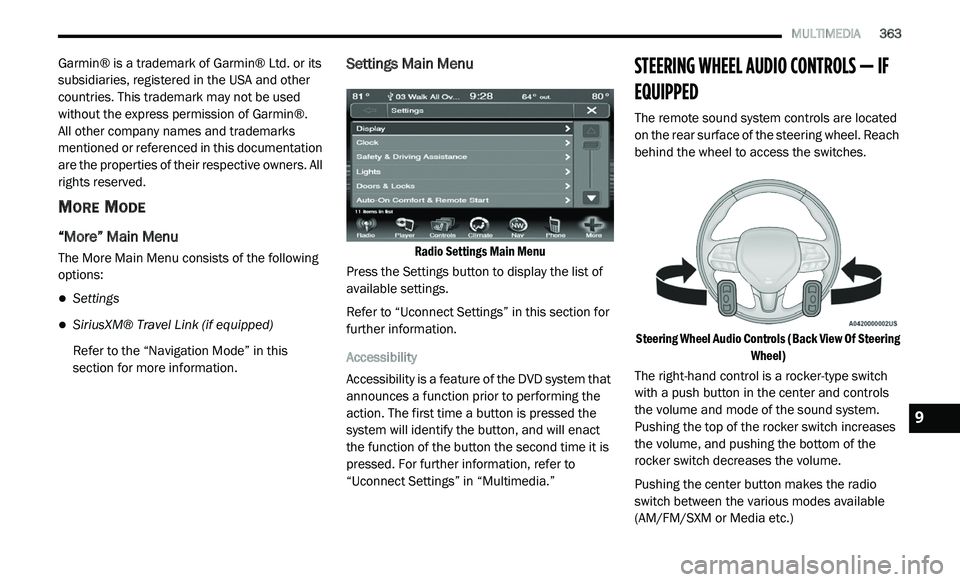
The remote sound system controls are located
on the rear surface of the steering wheel. Reach
behind the wheel to access the switches.
Steering Wheel Audio Controls (Back View Of Steering Wh
eel)
The right-hand control is a rocker-type switch
w i
th a push button in the center and controls
the volume and mode of the sound system.
Pushing the top of the rocker switch increases
the volume, and pushing the bottom of the
rocker switch decreases the volume.
Pushing the center button makes the radio
s w
itch between the various modes available
(AM/FM/SXM or Media etc.)
9
Page 387 of 396
385
Brake System......................................232, 256Fluid Check.....................................232, 264Master Cylinder.........................................232Parking......................................................160Warning Light............................................100Brake, Parking...............................................160Brake/Transmission Interlock.......................162Brakes...........................................................256Brightness, Interior Lights................................43Bulb Replacement.........................................189Bulbs, Light..........................................156, 189
C
Camera, Rear................................................175Capacities, Fluid............................................261Caps, FillerOil (Engine)......................................220, 223Power Steering..........................................168Radiator (Coolant Pressure)......................230Car Washes...................................................253Carbon Monoxide Warning..................154, 260CargoVehicle Loading..................................78, 177Cargo Area Cover.............................................78Cargo Compartment........................................78Luggage Carrier...........................................91Cargo Load Floor.............................................78Cargo Management System............................78Rollaway Tonneau Cover.............................78
Tri-Fold Load Floor.......................................78
Cargo Tie-Downs..............................................79Cellular Phone..............................................376Certification Label.........................................177Chains, Tire...................................................250Changing A Flat Tire......................................234Chart, Tire Sizing...........................................236Check Engine Light (Malfunction Indicator
Light).............................................................108Checking Your Vehicle For Safety.................154Checks, Safety..............................................154Child Restraint..............................................139Child Restraints Booster Seats...........................................142Child Seat Installation..............................151How To Stow An unused ALR Seat Belt....148Infant And Child Restraints.......................141Locating The LATCH Anchorages..............146Lower Anchors And Tethers For Children..144Older Children And Child Restraints.........141Seating Positions......................................143Using The Top Tether Anchorage..............153Clean Air Gasoline.........................................258CleaningWheels.....................................................249Climate Control................................................47Automatic....................................................58Manual........................................................47Rear......................................................53, 64Coin Holder......................................................85
Cold Weather Operation...............................159
Compact Spare Tire......................................247ConsoleFloor............................................................85Contract, Service...........................................381Cooling Pressure Cap (Radiator Cap)............230Cooling System.............................................228Adding Coolant (Antifreeze)......................229Coolant Level...................................228, 231Cooling Capacity.......................................261Disposal Of Used Coolant.........................230Drain, Flush, And Refill.............................229Inspection.................................................231Points To Remember................................231Pressure Cap............................................230Selection Of Coolant
(Antifreeze).........................229, 261, 262Corrosion Protection.....................................252Cruise Light...................................................106Cupholders.............................................86, 255Customer Assistance....................................380Customer Programmable Features...............266Cybersecurity................................................265
D
Daytime Brightness, Interior Lights..................43Daytime Running Lights...................................41Dealer Service...............................................222Defroster, Windshield...................................155Delay (Intermittent) Wipers..............................45
Diagnostic System, Onboard.........................107
11
Page 388 of 396
386
Dimmer Switch
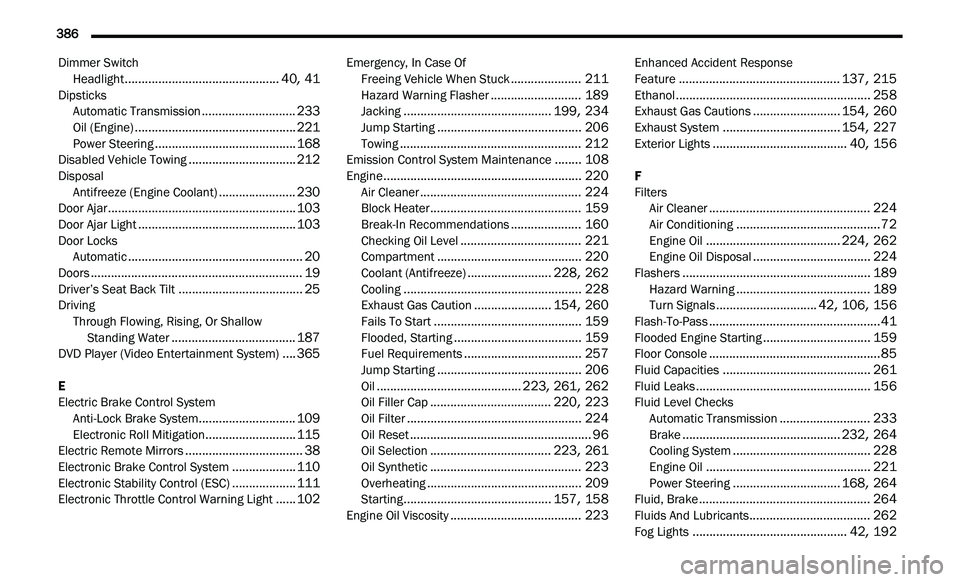
Headlight..............................................40, 41DipsticksAutomatic Transmission............................233Oil (Engine)................................................221Power Steering..........................................168Disabled Vehicle Towing................................212DisposalAntifreeze (Engine Coolant).......................230Door Ajar........................................................103Door Ajar Light...............................................103Door LocksAutomatic....................................................20Doors...............................................................19Driver’s Seat Back Tilt.....................................25DrivingThrough Flowing, Rising, Or Shallow
Standing Water
.....................................187DVD Player (Video Entertainment System)....365
E
Electric Brake Control System Anti-Lock Brake System
.............................109Electronic Roll Mitigation...........................115Electric Remote Mirrors...................................38Electronic Brake Control System...................110Electronic Stability Control (ESC)...................111Electronic Throttle Control Warning Light......102
Emergency, In Case OfFreeing Vehicle When Stuck.....................211Hazard Warning Flasher...........................189Jacking............................................199, 234Jump Starting...........................................206Towing......................................................212Emission Control System Maintenance........108Engine...........................................................220Air Cleaner................................................224Block Heater.............................................159Break-In Recommendations.....................160Checking Oil Level....................................221Compartment...........................................220Coolant (Antifreeze).........................228, 262Cooling.....................................................228Exhaust Gas Caution.......................154, 260Fails To Start............................................159Flooded, Starting......................................159Fuel Requirements...................................257Jump Starting...........................................206Oil...........................................223, 261, 262Oil Filler Cap....................................220, 223Oil Filter....................................................224Oil Reset......................................................96Oil Selection....................................223, 261Oil Synthetic.............................................223Overheating..............................................209Starting............................................157, 158Engine Oil Viscosity.......................................223
Enhanced Accident Response
Feature................................................137, 215Ethanol..........................................................258Exhaust Gas Cautions..........................154, 260Exhaust System...................................154, 227Exterior Lights........................................40, 156
F
Filters Air Cleaner
................................................224Air Conditioning...........................................72Engine Oil........................................224, 262Engine Oil Disposal...................................224Flashers........................................................189Hazard Warning........................................189Turn Signals..............................42, 106, 156Flash-To-Pass...................................................41Flooded Engine Starting................................159Floor Console...................................................85Fluid Capacities............................................261Fluid Leaks....................................................156Fluid Level ChecksAutomatic Transmission...........................233Brake...............................................232, 264Cooling System.........................................228Engine Oil.................................................221Power Steering................................168, 264Fluid, Brake...................................................264Fluids And Lubricants....................................262
Fog Lights..............................................42, 192
Page 391 of 396
389
M
Maintenance...................................................75Maintenance Free Battery.............................221Making A Phone Call............................300, 332Malfunction Indicator Light (Check
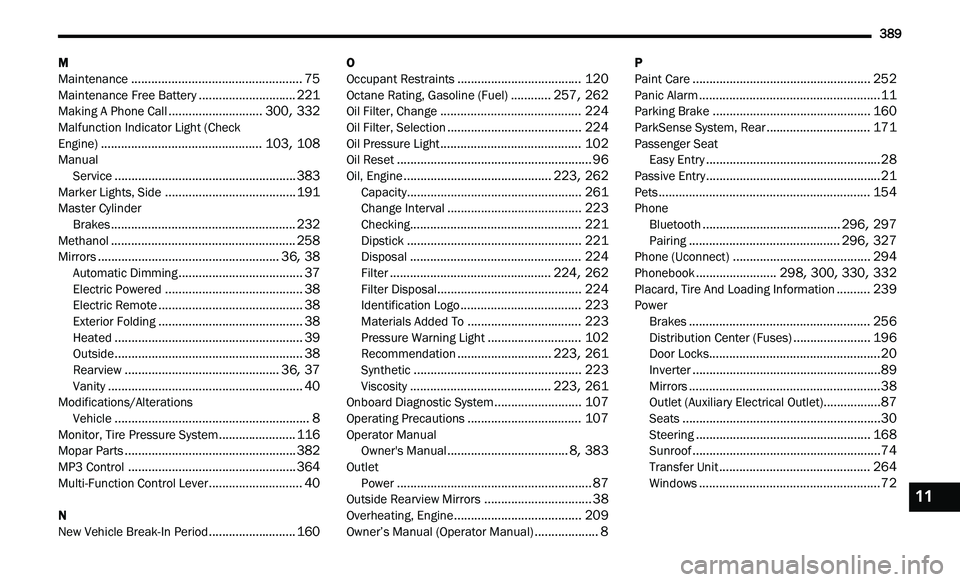
Engine)................................................103, 108Manual Service......................................................383Marker Lights, Side.......................................191Master CylinderBrakes.......................................................232Methanol.......................................................258Mirrors......................................................36, 38Automatic Dimming.....................................37Electric Powered.........................................38Electric Remote...........................................38Exterior Folding...........................................38Heated........................................................39Outside........................................................38Rearview..............................................36, 37Vanity..........................................................40Modifications/AlterationsVehicle..........................................................8Monitor, Tire Pressure System.......................116Mopar Parts...................................................382MP3 Control..................................................364Multi-Function Control Lever............................40
N
New Vehicle Break-In Period
..........................160
O
Occupant Restraints.....................................120Octane Rating, Gasoline (Fuel)............257, 262Oil Filter, Change..........................................224Oil Filter, Selection........................................224Oil Pressure Light..........................................102Oil Reset..........................................................96Oil, Engine............................................223, 262Capacity....................................................261Change Interval........................................223Checking...................................................221Dipstick....................................................221Disposal...................................................224Filter................................................224, 262Filter Disposal...........................................224Identification Logo....................................223Materials Added To..................................223Pressure Warning Light............................102Recommendation............................223, 261Synthetic..................................................223Viscosity..........................................223, 261Onboard Diagnostic System..........................107Operating Precautions..................................107Operator ManualOwner's Manual....................................8, 383OutletPower..........................................................87Outside Rearview Mirrors................................38Overheating, Engine......................................209
Owner’s Manual (Operator Manual)...................8
P
Paint Care.....................................................252Panic Alarm......................................................11Parking Brake...............................................160ParkSense System, Rear...............................171Passenger SeatEasy Entry....................................................28Passive Entry....................................................21Pets...............................................................154PhoneBluetooth.........................................296, 297Pairing.............................................296, 327Phone (Uconnect).........................................294Phonebook........................298, 300, 330, 332Placard, Tire And Loading Information..........239PowerBrakes......................................................256Distribution Center (Fuses).......................196Door Locks...................................................20Inverter........................................................89Mirrors.........................................................38Outlet (Auxiliary Electrical Outlet).................87Seats...........................................................30Steering....................................................168Sunroof........................................................74Transfer Unit.............................................264Windows......................................................7211