service DODGE JOURNEY 2020 Repair Manual
[x] Cancel search | Manufacturer: DODGE, Model Year: 2020, Model line: JOURNEY, Model: DODGE JOURNEY 2020Pages: 396, PDF Size: 25.53 MB
Page 260 of 396
258 TECHNICAL SPECIFICATIONS
While operating on gasoline with an octane
number of 87, hearing a light knocking sound
from the engine is not a cause for concern.
However, if the engine is heard making a heavy
knocking sound, see your dealer immediately.
Use of gasoline with an octane number lower
than 87 can cause engine failure and may void
or not be covered by the New Vehicle Limited
Warranty.
Poor quality gasoline can cause problems such
as
hard starting, stalling, and hesitations. If you
experience these symptoms, try another brand
of gasoline before considering service for the
vehicle.
REFORMULATED GASOLINE
Many areas of the country require the use of
cleaner burning gasoline referred to as
“Reformulated Gasoline”. Reformulated
gasoline contains oxygenates and are
specifically blended to reduce vehicle
emissions and improve air quality.
The use of reformulated gasoline is
r e
commended. Properly blended reformulated
gasoline will provide improved performance
and durability of engine and fuel system
components.
MATERIALS ADDED TO FUEL
Besides using unleaded gasoline with the
proper octane rating, gasolines that contain
detergents, corrosion and stability additives are
recommended. Using gasolines that have these
additives will help improve fuel economy,
reduce emissions, and maintain vehicle
performance.
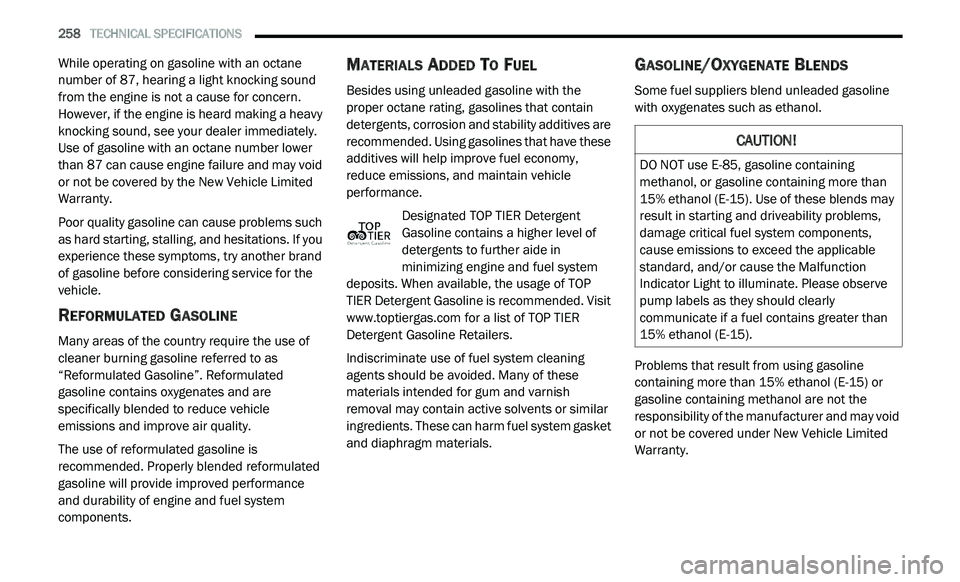
Designated TOP TIER Detergent
Gasoline contains a higher level of
de
tergents to further aide in
minimizing engine and fuel system
deposits. When available, the usage of TOP
TIER Detergent Gasoline is recommended. Visit
www.toptiergas.com for a list of TOP TIER
Detergent Gasoline Retailers.
Indiscriminate use of fuel system cleaning
a g
ents should be avoided. Many of these
materials intended for gum and varnish
removal may contain active solvents or similar
ingredients. These can harm fuel system gasket
and diaphragm materials.
GASOLINE/OXYGENATE BLENDS
Some fuel suppliers blend unleaded gasoline
with oxygenates such as ethanol.
Problems that result from using gasoline
c o
ntaining more than 15% ethanol (E-15) or
gasoline containing methanol are not the
responsibility of the manufacturer and may void
or not be covered under New Vehicle Limited
Warranty.
CAUTION!
DO NOT use E-85, gasoline containing
methanol, or gasoline containing more than
15% ethanol (E-15). Use of these blends may
result in starting and driveability problems,
damage critical fuel system components,
cause emissions to exceed the applicable
standard, and/or cause the Malfunction
Indicator Light to illuminate. Please observe
pump labels as they should clearly
communicate if a fuel contains greater than
15% ethanol (E-15).
Page 261 of 396
TECHNICAL SPECIFICATIONS 259
(Continued)
DO NOT USE E-85 IN NON-FLEX FUEL
V
EHICLES
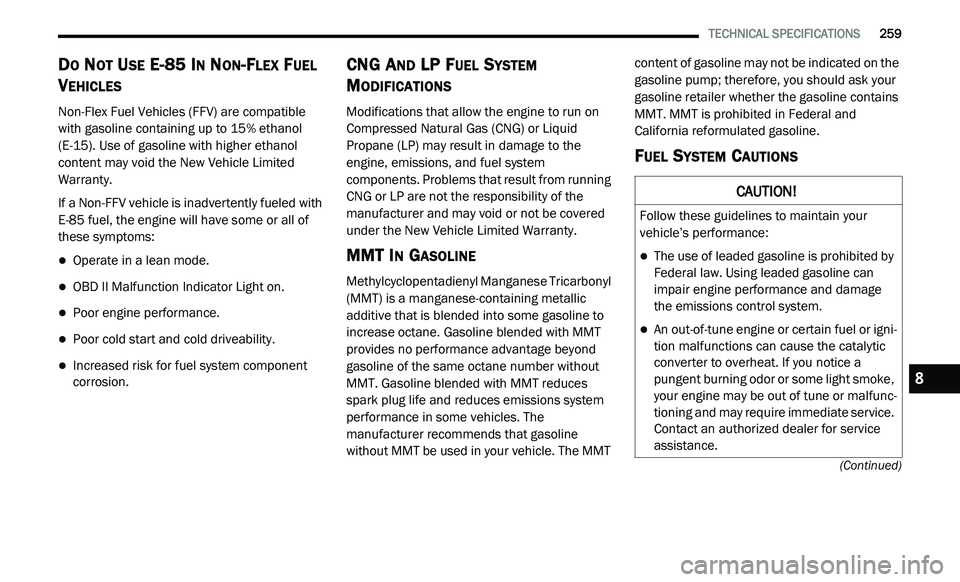
Non-Flex Fuel Vehicles (FFV) are compatible
with gasoline containing up to 15% ethanol
(E-15). Use of gasoline with higher ethanol
content may void the New Vehicle Limited
Warranty.
If a Non-FFV vehicle is inadvertently fueled with
E-
85 fuel, the engine will have some or all of
these symptoms:
Operate in a lean mode.
OBD II Malfunction Indicator Light on.
Poor engine performance.
Poor cold start and cold driveability.
Increased risk for fuel system component
corrosion.
CNG AND LP FUEL SYSTEM
M
ODIFICATIONS
Modifications that allow the engine to run on
Compressed Natural Gas (CNG) or Liquid
Propane (LP) may result in damage to the
engine, emissions, and fuel system
components. Problems that result from running
CNG or LP are not the responsibility of the
manufacturer and may void or not be covered
under the New Vehicle Limited Warranty.
MMT IN GASOLINE
Methylcyclopentadienyl Manganese Tricarbonyl
(MMT) is a manganese-containing metallic
additive that is blended into some gasoline to
increase octane. Gasoline blended with MMT
provides no performance advantage beyond
gasoline of the same octane number without
MMT. Gasoline blended with MMT reduces
spark plug life and reduces emissions system
performance in some vehicles. The
manufacturer recommends that gasoline
without MMT be used in your vehicle. The MMT content of gasoline may not be indicated on the
gasoline pump; therefore, you should ask your
gasoline retailer whether the gasoline contains
MMT. MMT is prohibited in Federal and
California reformulated gasoline.
FUEL SYSTEM CAUTIONS
CAUTION!
Follow these guidelines to maintain your
vehicle’s performance:
The use of leaded gasoline is prohibited by
Federal law. Using leaded gasoline can
impair engine performance and damage
the emissions control system.
An out-of-tune engine or certain fuel or igni -
tion malfunctions can cause the catalytic
c o
nverter to overheat. If you notice a
pungent burning odor or some light smoke,
your engine may be out of tune or malfunc -
tioning and may require immediate service.
C o
ntact an authorized dealer for service
assistance.
8
Page 275 of 396
MULTIMEDIA 273
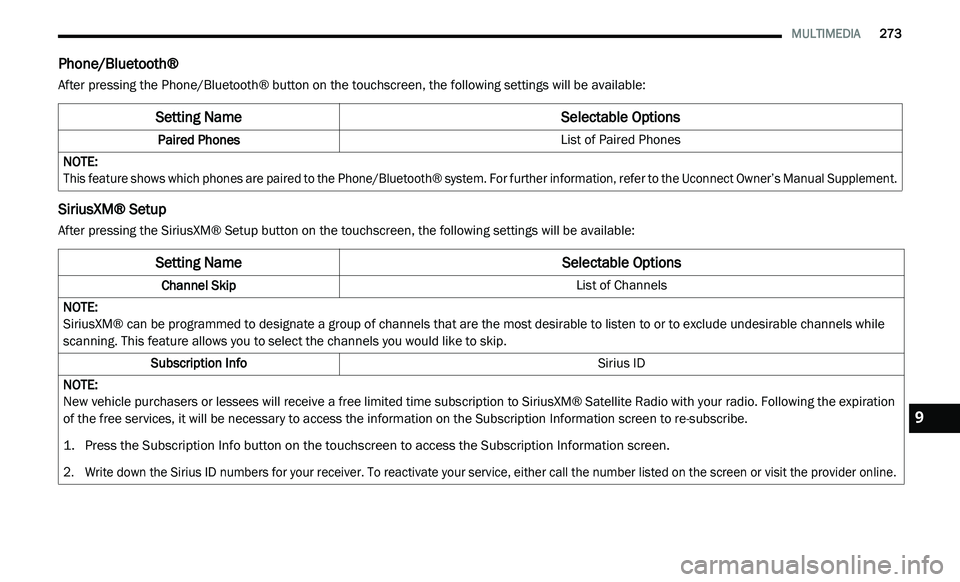
Phone/Bluetooth®
After pressing the Phone/Bluetooth® button on the touchscreen, the following settings will be available:
SiriusXM® Setup
After pressing the SiriusXM® Setup button on the touchscreen, the following settings will be available:
Setting Name Selectable Options
Paired Phones List of Paired Phones
NOTE:
This feature shows which phones are paired to the Phone/Bluetooth® system. For further information, refer to the Uconnect Owner’s Manual Supplement.
Setting NameSelectable Options
Channel Skip List of Channels
NOTE:
SiriusXM® can be programmed to designate a group of channels that are the most desirable to listen to or to exclude undesirable channels while
s c
anning. This feature allows you to select the channels you would like to skip.
Subscription Info Sirius ID
NOTE:
New vehicle purchasers or lessees will receive a free limited time subscription to SiriusXM® Satellite Radio with your radio. Following the expiration
of
the free services, it will be necessary to access the information on the Subscription Information screen to re-subscribe.
1. P ress the Subscription Info button on the touchscreen to access the Subscription Information screen.
2
. W rite down the Sirius ID numbers for your receiver. To reactivate your service, either call the number listed on the screen or visit the provider online.
9
Page 286 of 396
284 MULTIMEDIA
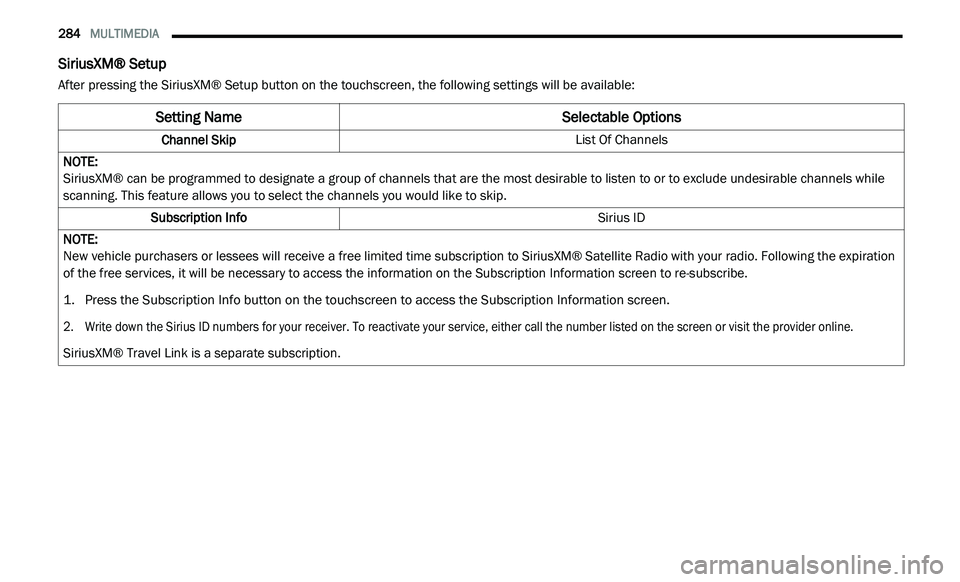
SiriusXM® Setup
After pressing the SiriusXM® Setup button on the touchscreen, the following settings will be available:
Setting Name Selectable Options
Channel Skip List Of Channels
NOTE:
SiriusXM® can be programmed to designate a group of channels that are the most desirable to listen to or to exclude undesirable channels while
s c
anning. This feature allows you to select the channels you would like to skip.
Subscription Info Sirius ID
NOTE:
New vehicle purchasers or lessees will receive a free limited time subscription to SiriusXM® Satellite Radio with your radio. Following the expiration
of
the free services, it will be necessary to access the information on the Subscription Information screen to re-subscribe.
1. P ress the Subscription Info button on the touchscreen to access the Subscription Information screen.
2
. W rite down the Sirius ID numbers for your receiver. To reactivate your service, either call the number listed on the screen or visit the provider online.
S
iriusXM® Travel Link is a separate subscription.
Page 291 of 396
MULTIMEDIA 289
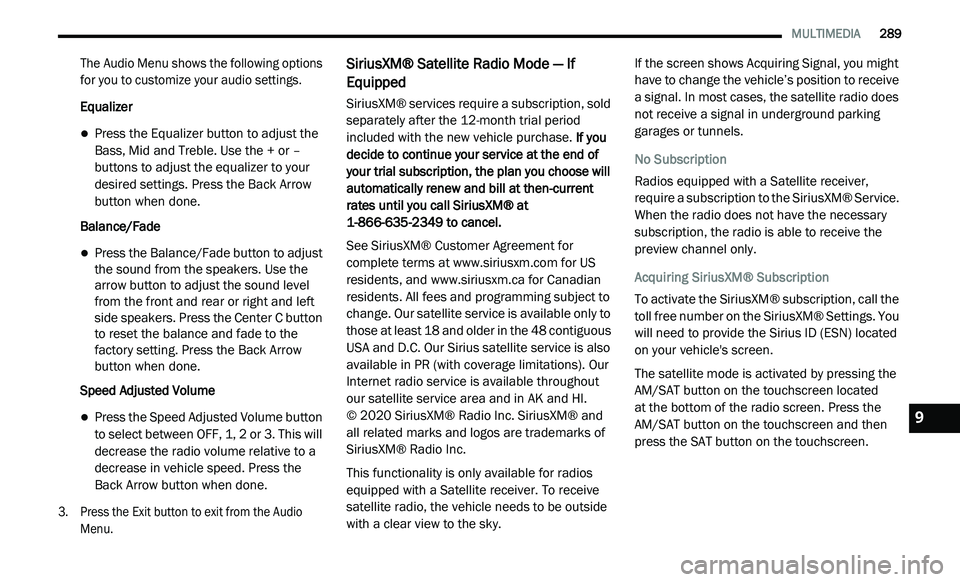
The Audio Menu shows the following options
for you to customize your audio settings.
Equalizer
Press the Equalizer button to adjust the
Bass, Mid and Treble. Use the + or –
buttons to adjust the equalizer to your
desired settings. Press the Back Arrow
button when done.
Balance/Fade
Press the Balance/Fade button to adjust
the sound from the speakers. Use the
arrow button to adjust the sound level
from the front and rear or right and left
side speakers. Press the Center C button
to reset the balance and fade to the
factory setting. Press the Back Arrow
button when done.
Speed Adjusted Volume
Press the Speed Adjusted Volume button
to select between OFF, 1, 2 or 3. This will
decrease the radio volume relative to a
decrease in vehicle speed. Press the
Back Arrow button when done.
3. P ress the Exit button to exit from the Audio
M
enu.
SiriusXM® Satellite Radio Mode — If
Equipped
SiriusXM® services require a subscription, sold
separately after the 12-month trial period
included with the new vehicle purchase. If you
decide to continue your service at the end of
your trial subscription, the plan you choose will
automatically renew and bill at then-current
rates until you call SiriusXM® at
1-866-635-2349 to cancel.
See SiriusXM® Customer Agreement for
c o
mplete terms at www.siriusxm.com for US
residents, and www.siriusxm.ca for Canadian
residents. All fees and programming subject to
c h
ange. Our satellite service is available only to
those at least 18 and older in the 48 contiguous
USA and D.C. Our Sirius satellite service is also
available in PR (with coverage limitations). Our
Internet radio service is available throughout
our satellite service area and in AK and HI.
© 2020 SiriusXM® Radio Inc. SiriusXM® and
al
l related marks and logos are trademarks of
SiriusXM® Radio Inc.
This functionality is only available for radios
e q
uipped with a Satellite receiver. To receive
satellite radio, the vehicle needs to be outside
with a clear view to the sky. If the screen shows Acquiring Signal, you might
h
a
ve to change the vehicle’s position to receive
a signal. In most cases, the satellite radio does
not receive a signal in underground parking
garages or tunnels.
No Subscription
Radios equipped with a Satellite receiver,
r e
quire a subscription to the SiriusXM® Service.
When the radio does not have the necessary
subscription, the radio is able to receive the
preview channel only.
Acquiring SiriusXM® Subscription
To activate the SiriusXM® subscription, call the
t o
ll free number on the SiriusXM® Settings. You
will need to provide the Sirius ID (ESN) located
on your vehicle's screen.
The satellite mode is activated by pressing the
A M
/SAT button on the touchscreen located
at the bottom of the radio screen. Press the
AM/SAT button on the touchscreen and then
p r
ess the SAT button on the touchscreen.9
Page 296 of 396
294 MULTIMEDIA
Bluetooth® device is within the first eight
seconds of the current selection.
Source
Press the Source button on the touchscreen to
se
lect the desired audio source; CD, USB/iPod®,
AUX or Bluetooth®. This screen will time out after
a few seconds and return to the main radio
screen if no selection is made.
Info
Press the Info button to display the current
t r
ack information. Press the Info button a
second time to cancel this feature.
Audio
Refer to “Audio” in “Radio Mode” for further
i n
formation on adjusting the audio settings.
UCONNECT PHONE (4.3)
Radio 4.3
Uconnect Phone is a voice-activated,
hands-free, in-vehicle communications system.
Uconnect Phone allows you to dial a phone
number with your mobile phone. Uconnect Phone supports the following
f
e
atures:
Voice Activated Features:
Hands-Free dialing via Voice (“Call John
Smith Mobile” or, “Dial 248-555-1212”)
Redialing last dialed numbers (“Redial”)
Calling Back the last incoming call number
(“Call Back”)
Viewing Call logs on screen (“Show Incoming
Calls,” “Show Outgoing Calls,” “Show Missed
Calls,” “Show Recent Calls”)
Searching Contacts phone number (“Search
for John Smith Mobile”)
Screen Activated Features:
Dialing via Keypad using touchscreen
Viewing and Calling contacts from Phone -
books displayed on the touchscreen
Setting Favorite Contact Phone numbers so
they are easily accessible on the Main Phone
screen
Viewing and Calling contacts from Recent
Call logs
Listening to Music on your Bluetooth®
Device via the touchscreen
Pairing up to 10 phones/audio devices for
easy access to connect to them quickly
Your mobile phone’s audio is transmitted
t h
rough your vehicle’s audio system; the system
will automatically mute your radio when using
the Uconnect Phone.
For Uconnect Customer Support:
US residents — visit UconnectPhone.com or
call 1-877-855-8400.
Canadian Residents — visit Uconnect-
Phone.com or call, 1-800-465-2001
(English) or 1-800-387-9983 (French).
If your mobile phone only supports the Headset
P r
ofile you may not be able to use any Uconnect
Phone features. Refer to your mobile service
provider or the phone manufacturer for details.
Uconnect Phone allows you to transfer calls
b e
tween the system and your mobile phone as
you enter or exit your vehicle and enables you to
mute the system's microphone for private
conversation.
Page 301 of 396
MULTIMEDIA 299
A maximum of 2,000 entries per phone will
be downloaded and updated every time a
phone is connected to the Uconnect Phone.
Depending on the maximum number of entries
downloaded, there may be a short delay
before the latest downloaded names can be
used. Until then, if available, the previously
downloaded phonebook is available for use.
Only the phonebook of the currently
connected mobile phone is accessible.
This downloaded phonebook cannot be
edited or deleted on the Uconnect Phone.
These can only be edited on the mobile
phone. The changes are transferred and
updated to Uconnect Phone on the next
phone connection.
Emergency And Towing Assistance
The 911/Help numbers can only be altered.
Th
ese can not be deleted or the names can not
be changed. To change the 911/Help number, follow these
s
t
eps:
1. P ress the Phonebook button on the
t
ouchscreen from the Phone main screen.
2. P ress the 911/Help button on the
t
ouchscreen. Press the appropriate listing
to alter, Emergency for example.
3. O nce Emergency is pressed, the Edit button
o
n the touchscreen appears. Press the Edit
button on the touchscreen and you will be
given the choice to Edit Number or Reset to
Default.
4. F ollow the on-screen prompts to complete
t
he task.
Phone Call Features
The following features can be accessed through
the Uconnect Phone if the feature(s) are
available on your mobile service plan.
For example, if your mobile service plan
p r
ovides three-way calling, this feature can
be accessed through the Uconnect Phone.
C h
eck with your mobile service provider for the
features that you have. Ways To Initiate A Phone Call
Listed below are all the ways you can initiate a
p
h
one call with Uconnect Phone.
Redial
Dial by pressing in the number
Voice Commands (Dial by Saying a Number,
Call by Saying a Phonebook Name, Redial, or
Call Back)
Mobile Phonebook
Recent Call Log
NOTE:
All of the above operations except Redial can be
do
ne with one call or less active.
Dial By Saying A Number
1. P ush the Phone
button to begin.
2. A fter the “Listening” prompt and the
f
ollowing beep, say “Dial 248-555-1212.”
3. T he Uconnect Phone will dial
2
48-555-1212.
9
Page 304 of 396
302 MULTIMEDIA
Uconnect Phone Features
Emergency Assistance
If you are in an emergency and the mobile
ph
one is reachable:
Pick up the phone and manually dial the
emergency number for your area.
If the phone is not reachable and the Uconnect
P h
one is operational, you may reach the
emergency number as follows:
Push the Phone button to begin.
After the “Listening” prompt and the
following beep, say “Emergency” and the
Uconnect Phone will instruct the paired
mobile phone to call the emergency number.
This feature is supported in the US, Canada,
and Mexico.
NOTE:
The emergency number dialed is based on
the country where the vehicle is purchased
(911 for the US and Canada and 060 for
Mexico). The number dialed may not be appli -
cable with the available mobile service and
a r
ea.
The Uconnect Phone slightly lowers your
chances of successfully making a phone call
to the mobile phone directly.
Roadside Assistance/Towing Assistance
If you need roadside/towing assistance:
Push the Phone button to begin.
After the “Listening” prompt and the
following beep, say “Roadside Assistance” or
say “Towing Assistance.”
NOTE:
The roadside/towing assistance number dialed
i s
based on the country where the vehicle is
purchased (1-800-521-2779 for U.S.,
1-800-363-4869 for Canada, 55-14-3454 for
Mexico City and 1-800-712-3040 for outside
Mexico City in Mexico). Please refer to the FCA
US LLC 24-Hour “Roadside Assistance” coverage details in the Warranty Information
Booklet and on the 24-Hour Roadside Assis
-
tance Card.
Voice Mail Calling
To learn how to access your voice mail, refer to
“ W
orking with Automated Systems.”
Working With Automated Systems
This method is used in instances where one
g e
nerally has to push numbers on the mobile
phone keypad while navigating through an
automated telephone system.
You can use your Uconnect Phone to access a
v o
ice mail system or an automated service, such
as a paging service or automated customer
service line. Some services require immediate
response selection. In some instances, that may
be too quick for use of the Uconnect Phone.
When calling a number with your Uconnect
P h
one that normally requires you to enter in a
touch-tone sequence on your mobile phone
keypad, you can utilize the touchscreen or push
the Voice Command button and say the word
“Send” then the sequence you wish to enter.
F o
r example, if required to enter your PIN
followed with a pound, (3 7 4 6 #), you can push
WARNING!
Your phone must be turned on and connected
to the Uconnect Phone to allow use of this
vehicle feature in emergency situations, when
the mobile phone has network coverage and
stays connected
to the Uconnect Phone.
Page 305 of 396
MULTIMEDIA 303
the Voice Command button and say, “Send
3 7 4 6 #.” Saying “Send” followed by a number,
o r
sequence of numbers, is also to be used for
navigating through an automated customer
service center menu structure, and to leave a
number on a pager.
You can also send stored mobile phonebook
en
tries as tones for fast and easy access to
voice mail and pager entries. For example, if you
previously created a Phonebook entry and/or
Last Name as “Voice Password,” then if you
push the Voice Command button and say
“Send Voicemail Password,” the Uconnect
P h
one will then send the corresponding phone
number associated with the phonebook entry,
as tones over the phone.
NOTE:
The first number encountered for that
contact will be sent. All other numbers
entered for that contact will be ignored.
You may not hear all of the tones due to
mobile phone network configurations.
This is normal.
Some paging and voice mail systems have
system time out settings that are too short
and may not allow the use of this feature.
Pauses, wait or other characters that are
supported by some phones are not
supported over Bluetooth®. These additional
symbols will be ignored when dialing a
numbered sequence.
Barge In — Overriding Prompts
The Voice Command button can be used
when you wish to skip part of a prompt and
i s
sue your voice command immediately.
For example, if a prompt is asking “There are
t w
o numbers with the name John. Say the full
name” you could push the Voice Command
button and say, “John Smith” to select that
o p
tion without having to listen to the rest of the
voice prompt.
Voice Response Length
It is possible for you to choose between Brief
a n
d Detailed Voice Response Length.
1. P ush the MORE button on the faceplate,
t
hen press the Settings button on the
touchscreen.
2. P ress the Display button on the
t
ouchscreen, then scroll down to Voice
Response Length. 3. S
elect either “Brief” or “Detailed” by
p
ressing the box next to the selection.
A check-mark will appear to indicate your
s e
lection.
Phone And Network Status Indicators
Uconnect Phone will provide notification to
in
form you of your phone and network status
when you are attempting to make a phone call
using Uconnect Phone. The status is given for
network signal strength and phone battery
strength.
Dialing Using The Mobile Phone Keypad
You can dial a phone number with your mobile
p h
one keypad and still use the Uconnect Phone
(while dialing via the mobile phone keypad, the
user must exercise caution and take
precautionary safety measures). By dialing a
number with your connected Bluetooth® mobile
phone, the audio will be played through your
vehicle's audio system. The Uconnect Phone will
work the same as if you dial the number using a
voice command.
NOTE:
Certain brands of mobile phones do not send
t h
e dial ring to the Uconnect Phone to play it on
the vehicle audio system, so you will not hear it.
9
Page 312 of 396
310 MULTIMEDIA
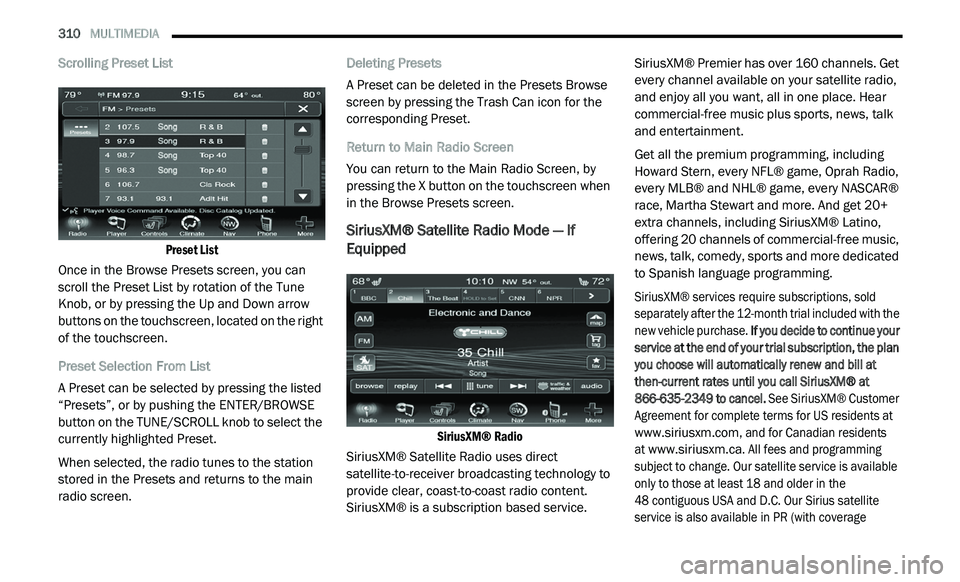
Scrolling Preset List
Preset List
Once in the Browse Presets screen, you can
s c
roll the Preset List by rotation of the Tune
Knob, or by pressing the Up and Down arrow
buttons on the touchscreen, located on the right
of the touchscreen.
Preset Selection From List
A Preset can be selected by pressing the listed
“ P
resets”, or by pushing the ENTER/BROWSE
button on the TUNE/SCROLL knob to select the
currently highlighted Preset.
When selected, the radio tunes to the station
s t
ored in the Presets and returns to the main
radio screen. Deleting Presets
A Preset can be deleted in the Presets Browse
sc
reen by pressing the Trash Can icon for the
corresponding Preset.
Return to Main Radio Screen
You can return to the Main Radio Screen, by
p r
essing the X button on the touchscreen when
in the Browse Presets screen.
SiriusXM® Satellite Radio Mode — If
Equipped
SiriusXM® Radio
SiriusXM® Satellite Radio uses direct
s a
tellite-to-receiver broadcasting technology to
provide clear, coast-to-coast radio content.
SiriusXM® is a subscription based service. SiriusXM® Premier has over 160 channels. Get
e
v
ery channel available on your satellite radio,
and enjoy all you want, all in one place. Hear
commercial-free music plus sports, news, talk
and entertainment.
Get all the premium programming, including
Ho
ward Stern, every NFL® game, Oprah Radio,
every MLB® and NHL® game, every NASCAR®
race, Martha Stewart and more. And get 20+
extra channels, including SiriusXM® Latino,
offering 20 channels of commercial-free music,
news, talk, comedy, sports and more dedicated
to Spanish language programming.
SiriusXM® services require subscriptions, sold
s e
parately after the 12-month trial included with the
new vehicle purchase. If you decide to continue your
service at the end of your trial subscription, the plan
you choose will automatically renew and bill at
then-current rates until you call SiriusXM® at
866-635-2349 to cancel. See SiriusXM® Customer
Agreement for complete terms for US residents at
www.siriusxm.com
, and for Canadian residents
at
www.siriusxm.ca
. All fees and programming
subject to change. Our satellite service is available
o n
ly to those at least 18 and older in the
48 contiguous USA and D.C. Our Sirius satellite
s e
rvice is also available in PR (with coverage