light DODGE SPRINTER 2006 1.G Owner's Guide
[x] Cancel search | Manufacturer: DODGE, Model Year: 2006, Model line: SPRINTER, Model: DODGE SPRINTER 2006 1.GPages: 330, PDF Size: 10.82 MB
Page 112 of 330
112 UNDERSTANDING YOUR INSTRUMENT PANEL
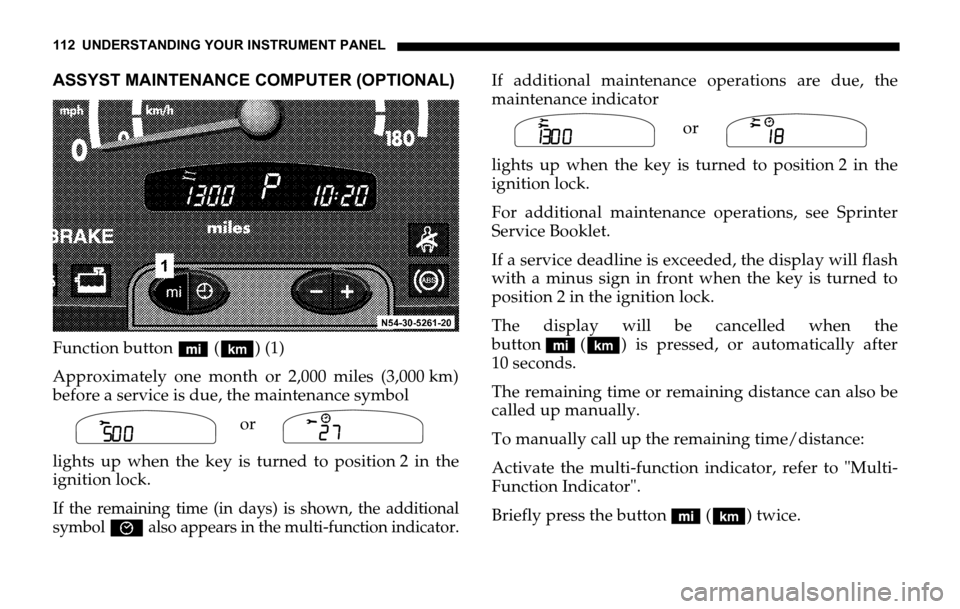
ASSYST MAINTENANCE COMPUTER (OPTIONAL)
Function button (‘) (1)
Approximately one month or 2,000 miles (3,000 km)
before a service is due, the maintenance symbol
or
lights up when the key is turned to position 2 in the
ignition lock.
If the remaining time (in days) is shown, the additional
symbol
È also appears in the multi-function indicator.
If additional maintenance operations are due, the
maintenance indicator
or
lights up when the key is turned to position 2 in the
ignition lock.
For additional maintenance operations, see Sprinter
Service Booklet.
If a service deadline is exceeded, the display will flash
with a minus sign in front when the key is turned to
position 2 in the ignition lock.
The display will be cancelled when the
button (‘) is pressed, or automatically after
10 seconds.
The remaining time or remaining distance can also be
called up manually.
To manually call up the remaining time/distance:
Activate the multi-function indicator, refer to "Multi-
Function Indicator".
Briefly press the button (‘) twice.
Symb
N00.00-2387-00Symb
N00.00-2156-00
Symb
N00.00-2388-00Symb
N00.00-2157-00
Page 113 of 330

UNDERSTANDING YOUR INSTRUMENT PANEL 113
4
Depending on the driving style, the mileage covered
and the operating conditions, the next service due is
displayed either as a remaining distance in "mi"
(in km) or as a remaining time in "days". The length of
time between services should not exceed 2 years.
The display will be cancelled when the
button (‘) is pressed, or automatically after
10 seconds.
When a service has been performed, have the ASSYST
maintenance computer reset by an authorized Sprinter
Dealer.
Should your Sprinter for any reason not be serviced by
an authorized Sprinter Dealer, the ASSYST
maintenance computer can, in exceptional
circumstances, be reset as follows:
Turn the key to position 2 in the ignition lock and
immediately press the button (‘) twice.
Within 10 seconds, return the key to position 0 in the
ignition lock.
Press and hold the button (‘). Turn the key to
position 2 in the ignition lock. Keep the
button (‘) pressed.The maintenance indicator with the current remaining
time/distance is shown.
After about 10 seconds, an acoustic signal will sound
and the maintenance indicator is displayed with the
new remaining time/distance.
Release the button (‘).
NOTE: The ASSYST maintenance computer provides
information on the optimum maintenance requirements.
If maintenance intervals are not observed, resulting
damage will not be covered by Warranty.
The ASSYST maintenance computer is not an engine
oil gauge.
Engine oil level – for display in instrument cluster, see
next page.
If the engine oil level indicator lamp lights up, refer to
"Engine Oil Level Indicator Lamp".
If the battery is disconnected, the time is not recorded
by the ASSYST maintenance computer. Such periods
must be considered if maintenance intervals are
measured by time.
Page 114 of 330
114 UNDERSTANDING YOUR INSTRUMENT PANEL
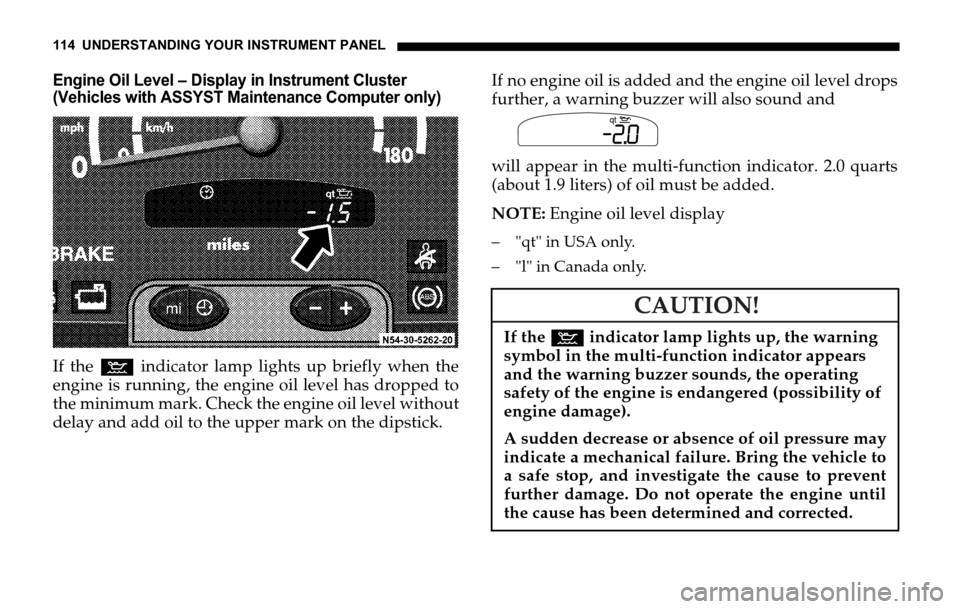
Engine Oil Level – Display in Instrument Cluster
(Vehicles with ASSYST Maintenance Computer only)
If the : indicator lamp lights up briefly when the
engine is running, the engine oil level has dropped to
the minimum mark. Check the engine oil level without
delay and add oil to the upper mark on the dipstick. If no engine oil is added and the engine oil level drops
further, a warning buzzer will also sound and
will appear in the multi-function indicator. 2.0 quarts
(about 1.9 liters) of oil must be added.
NOTE: Engine oil level display
– "qt" in USA only.
– "l" in Canada only.
CAUTION!
If the : indicator lamp lights up, the warning
symbol in the multi-function indicator appears
and the warning buzzer sounds, the operating
safety of the engine is endangered (possibility of
engine damage).
A sudden decrease or absence of oil pressure may
indicate a mechanical failure. Bring the vehicle to
a safe stop, and investigate the cause to prevent
further damage. Do not operate the engine until
the cause has been determined and corrected.
Symb
N00.00-2384-00qt
Page 117 of 330
UNDERSTANDING YOUR INSTRUMENT PANEL 117
4
ENGINE OIL LEVEL INDICATOR IN INSTRUMENT
CLUSTER
(VEHICLES WITHOUT ASSYST MAINTENANCE
COMPUTER)
If the : indicator lamp lights up when the engine is
running, the engine oil level has dropped to the
minimum mark. Check the engine oil level without
delay and add engine oil up to the upper mark on the
dipstick.
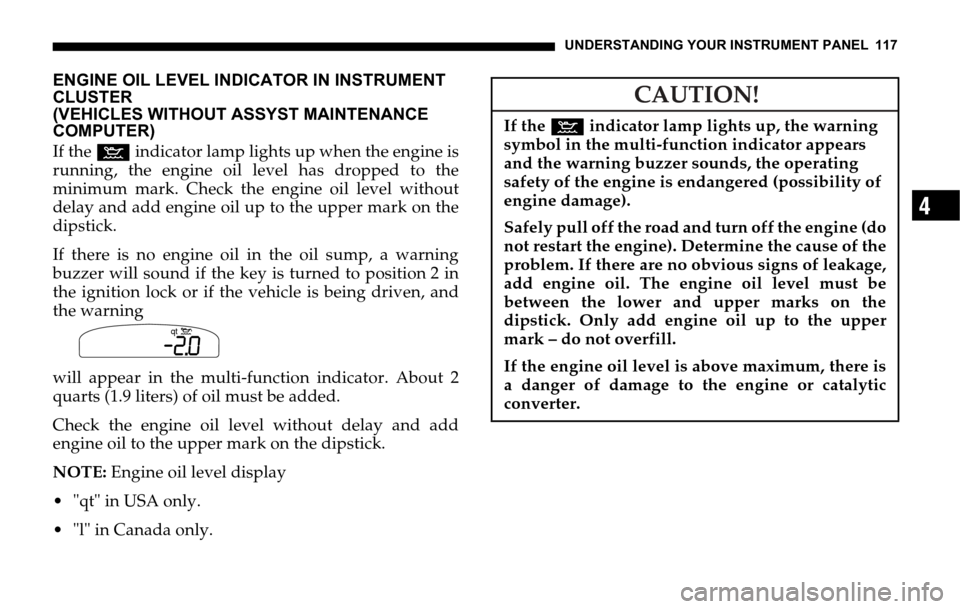
If there is no engine oil in the oil sump, a warning
buzzer will sound if the key is turned to position 2 in
the ignition lock or if the vehicle is being driven, and
the warning
will appear in the multi-function indicator. About 2
quarts (1.9 liters) of oil must be added.
Check the engine oil level without delay and add
engine oil to the upper mark on the dipstick.
NOTE: Engine oil level display
"qt" in USA only.
"l" in Canada only.Symb
N00.00-2384-00
qt
CAUTION!
If the : indicator lamp lights up, the warning
symbol in the multi-function indicator appears
and the warning buzzer sounds, the operating
safety of the engine is endangered (possibility of
engine damage).
Safely pull off the road and turn off the engine (do
not restart the engine). Determine the cause of the
problem. If there are no obvious signs of leakage,
add engine oil. The engine oil level must be
between the lower and upper marks on the
dipstick. Only add engine oil up to the upper
mark – do not overfill.
If the engine oil level is above maximum, there is
a danger of damage to the engine or catalytic
converter.
Page 118 of 330
118 UNDERSTANDING YOUR INSTRUMENT PANEL
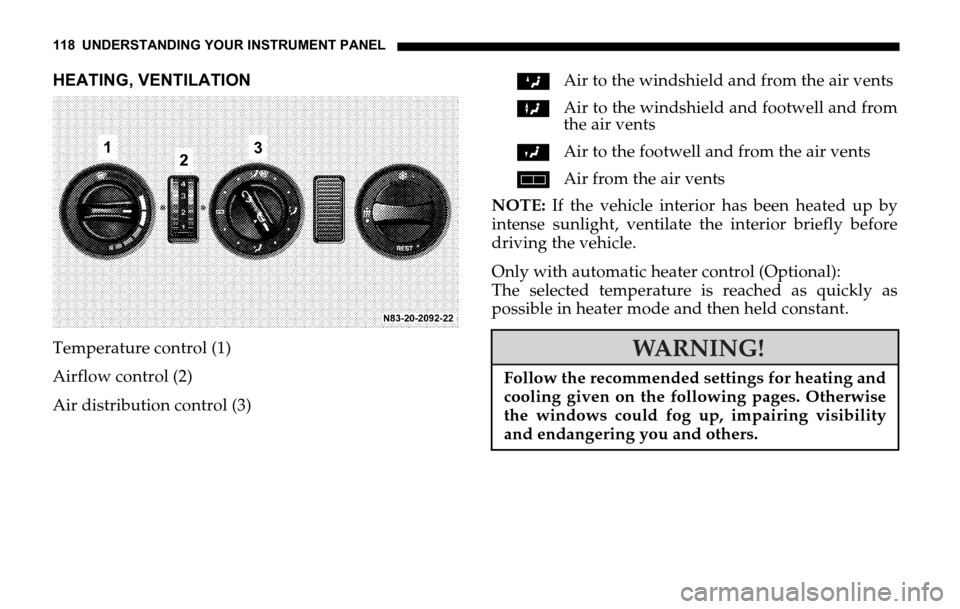
HEATING, VENTILATION
Temperature control (1)
Airflow control (2)
Air distribution control (3)ZAir to the windshield and from the air vents
XAir to the windshield and footwell and from
the air vents
YAir to the footwell and from the air vents
hAir from the air vents
NOTE: If the vehicle interior has been heated up by
intense sunlight, ventilate the interior briefly before
driving the vehicle.
Only with automatic heater control (Optional):
The selected temperature is reached as quickly as
possible in heater mode and then held constant.
WARNING!
Follow the recommended settings for heating and
cooling given on the following pages. Otherwise
the windows could fog up, impairing visibility
and endangering you and others.
Page 119 of 330
UNDERSTANDING YOUR INSTRUMENT PANEL 119
4
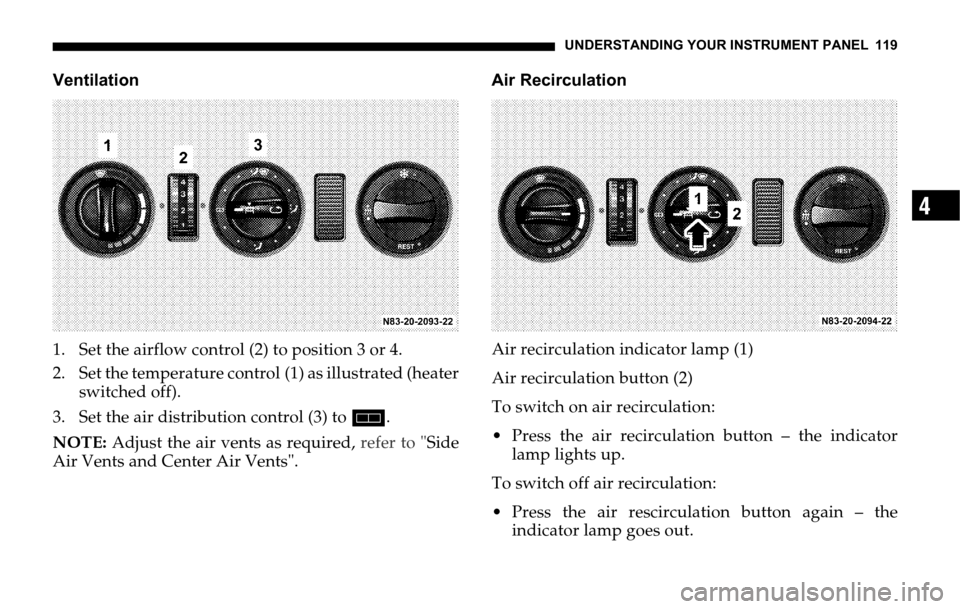
Ventilation
1. Set the airflow control (2) to position 3 or 4.
2. Set the temperature control (1) as illustrated (heater
switched off).
3. Set the air distribution control (3) to h.
NOTE: Adjust the air vents as required, refer to "Side
Air Vents and Center Air Vents".Air Recirculation
Air recirculation indicator lamp (1)
Air recirculation button (2)
To switch on air recirculation:
Press the air recirculation button – the indicator
lamp lights up.
To switch off air recirculation:
Press the air rescirculation button again – the
indicator lamp goes out.
Page 123 of 330
UNDERSTANDING YOUR INSTRUMENT PANEL 123
4
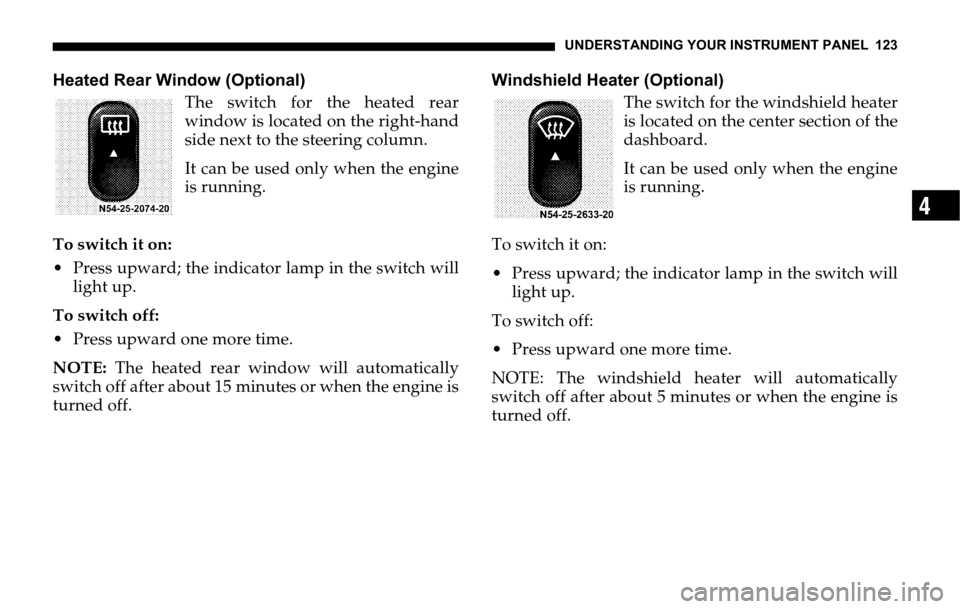
Heated Rear Window (Optional)
The switch for the heated rear
window is located on the right-hand
side next to the steering column.
It can be used only when the engine
is running.
To switch it on:
Press upward; the indicator lamp in the switch will
light up.
To switch off:
Press upward one more time.
NOTE: The heated rear window will automatically
switch off after about 15 minutes or when the engine is
turned off.Windshield Heater (Optional)
The switch for the windshield heater
is located on the center section of the
dashboard.
It can be used only when the engine
is running.
To switch it on:
Press upward; the indicator lamp in the switch will
light up.
To switch off:
Press upward one more time.
NOTE: The windshield heater will automatically
switch off after about 5 minutes or when the engine is
turned off.
Page 124 of 330
124 UNDERSTANDING YOUR INSTRUMENT PANEL
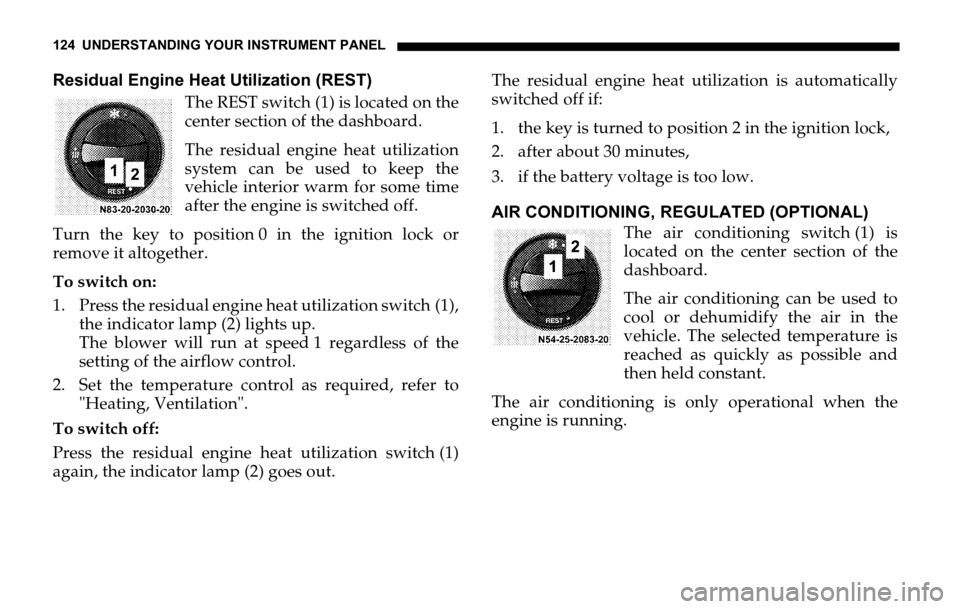
Residual Engine Heat Utilization (REST)
The REST switch (1) is located on the
center section of the dashboard.
The residual engine heat utilization
system can be used to keep the
vehicle interior warm for some time
after the engine is switched off.
Turn the key to position 0 in the ignition lock or
remove it altogether.
To switch on:
1. Press the residual engine heat utilization switch (1),
the indicator lamp (2) lights up.
The blower will run at speed 1 regardless of the
setting of the airflow control.
2. Set the temperature control as required, refer to
"Heating, Ventilation".
To switch off:
Press the residual engine heat utilization switch (1)
again, the indicator lamp (2) goes out.The residual engine heat utilization is automatically
switched off if:
1. the key is turned to position 2 in the ignition lock,
2. after about 30 minutes,
3. if the battery voltage is too low.
AIR CONDITIONING, REGULATED (OPTIONAL)
The air conditioning switch (1) is
located on the center section of the
dashboard.
The air conditioning can be used to
cool or dehumidify the air in the
vehicle. The selected temperature is
reached as quickly as possible and
then held constant.
The air conditioning is only operational when the
engine is running.
Page 125 of 330
UNDERSTANDING YOUR INSTRUMENT PANEL 125
4
To switch on:
Press switch (1), the indicator lamp (2) in the switch
lights up.
To switch off:
Press switch (1) again, the indicator lamp (2) goes out.
NOTE: Run the air conditioning at least once a month
for about 10 minutes.
It is possible that the air conditioning will
automatically switch off at outside temperatures below
41 °F (+5 °C). Dehumidification is then also not
possible.
Condensation may emerge from the underside of the
vehicle.
The air conditioner only uses the refrigerant R-134a.
This refrigerant does not damage the earth’s ozone
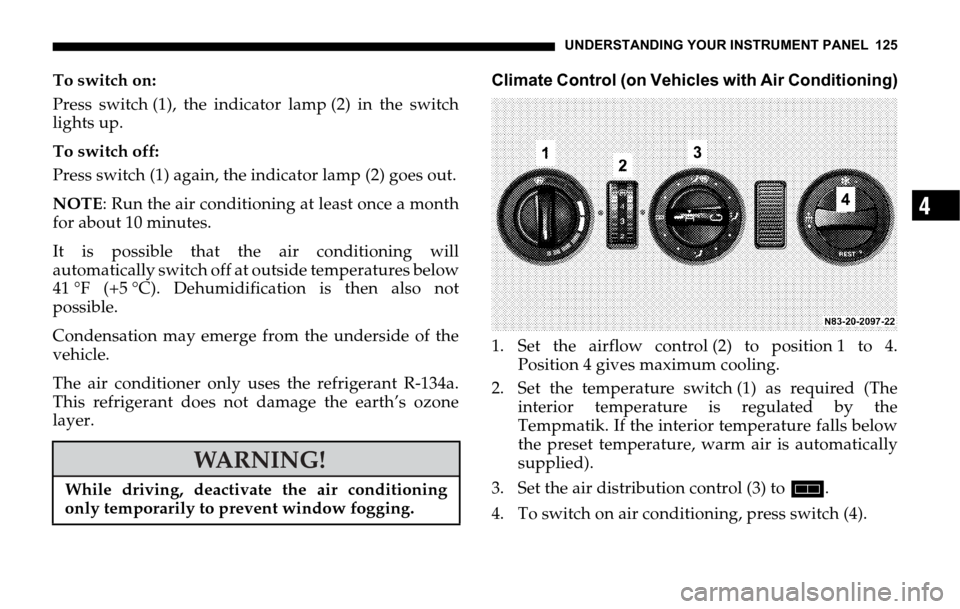
layer.Climate Control (on Vehicles with Air Conditioning)
1. Set the airflow control (2) to position 1 to 4.
Position 4 gives maximum cooling.
2. Set the temperature switch (1) as required (The
interior temperature is regulated by the
Tempmatik. If the interior temperature falls below
the preset temperature, warm air is automatically
supplied).
3. Set the air distribution control (3) to h.
4. To switch on air conditioning, press switch (4).
WARNING!
While driving, deactivate the air conditioning
only temporarily to prevent window fogging.
Page 128 of 330

128 UNDERSTANDING YOUR INSTRUMENT PANEL
To switch it on:
1. Press switch (1) on air conditioning, regulated.
The indicator lamp (2) will light up.
2. Operate the airflow switch (3).
Blower level 1, press the airflow switch (3)
upwards; the left-hand indicator lamp will light up.
Blower level 2, press the airflow switch (3)
downwards; the right-hand indicator lamp will
light up.
3. Set temperature control (4) as needed.
Increase cooling turn upwards.
Decrease cooling turn downwards.
To switch off:
1. Switch the airflow switch (3) to the center position.
2. Press switch (1) air conditioning, regulated; the
indicator lamp (2) will go out.Air Recirculation
Recirculation mode can now be assisted by the air
conditioner for rear passenger compartment.
To switch it on:
Operate the airflow switch (3)
Blower level 1, press the airflow switch (3) upwards;
the left-hand indicator lamp will light up.
Blower level 2, press the airflow switch (3)
downwards; the right-hand indicator lamp will light
up.
To switch off:
Switch the airflow switch (3) to the center position.