center console DODGE SPRINTER 2007 2.G User Guide
[x] Cancel search | Manufacturer: DODGE, Model Year: 2007, Model line: SPRINTER, Model: DODGE SPRINTER 2007 2.GPages: 393, PDF Size: 7.61 MB
Page 64 of 393
63 Controls in detail
Opening and closing
3
\1To close: make sure that the left-hand
rear door is closed.
\1Pull the right-hand rear door firmly
closed by the door handle.
\1To lock: slide catch2 to the right.
Only the rear door is locked.
The white marking is no longer visible.Using the central locking switch, you can
centrally lock or unlock from the inside ei-
ther the entire vehicle or the sliding doors
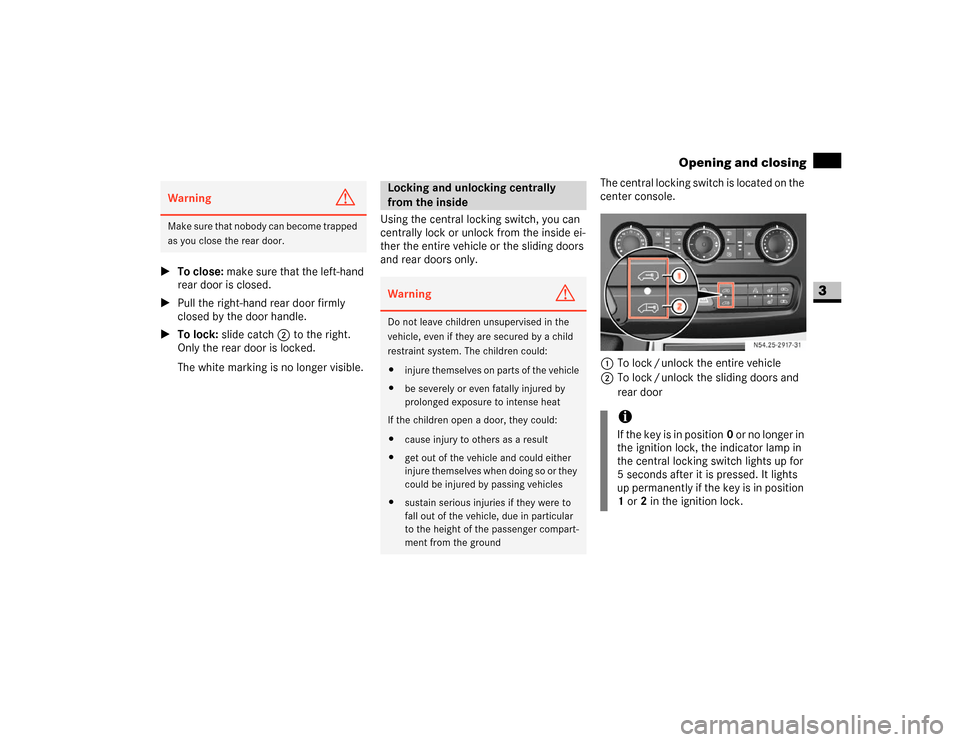
and rear doors only.The central locking switch is located on the
center console.
1To lock / unlock the entire vehicle
2To lock / unlock the sliding doors and
rear doorWarning
G
M a k e s u r e t h a t n o b o d y c a n b e c o m e t r a p p e d
as you close the rear door.
Locking and unlocking centrally
from the insideWarning
G
Do not leave children unsupervised in the
vehicle, even if they are secured by a child
restraint system. The children could:
\4injure themselves on parts of the vehicle
\4be severely or even fatally injured by
prolonged exposure to intense heat
If the children open a door, they could:
\4cause injury to others as a result
\4get out of the vehicle and could either
injure themselves when doing so or they
could be injured by passing vehicles
\4sustain serious injuries if they were to
fall out of the vehicle, due in particular
to the height of the passenger compart-
ment from the ground
iIf the key is in position0 or no longer in
the ignition lock, the indicator lamp in
the central locking switch lights up for
5 seconds after it is pressed. It lights
up permanently if the key is in position
1 or2 in the ignition lock.
N54.25-2917-31
Page 65 of 393
64 Controls in detailOpening and closing
3
The indicator lamp in the central locking
switch indicates when the sliding doors
and the rear door are locked. You can de-
termine whether the driver's door or co-
driver's door is locked or unlocked by the
position of the locking knobs.
Locking the entire vehicle
\1Press upper part 1 of the switch when
the doors are closed.
The indicator lamp in the switch comes
on.
Unlocking the entire vehicle
\1Press upper part 1 of the switch.
The indicator lamp in the switch goes
out.Locking the sliding doors and the rear
door
\1Press lower part 2 of the switch when
the doors are closed.
The indicator lamp in the switch comes
on.
Unlocking the sliding doors and the
rear door
\1Press lower part 2 of the switch.
The indicator lamp in the switch goes
out.All the doors lock automatically above a
speed of 9 mph (15 km/h).
You can unlock and open a locked door
from the inside at any time.
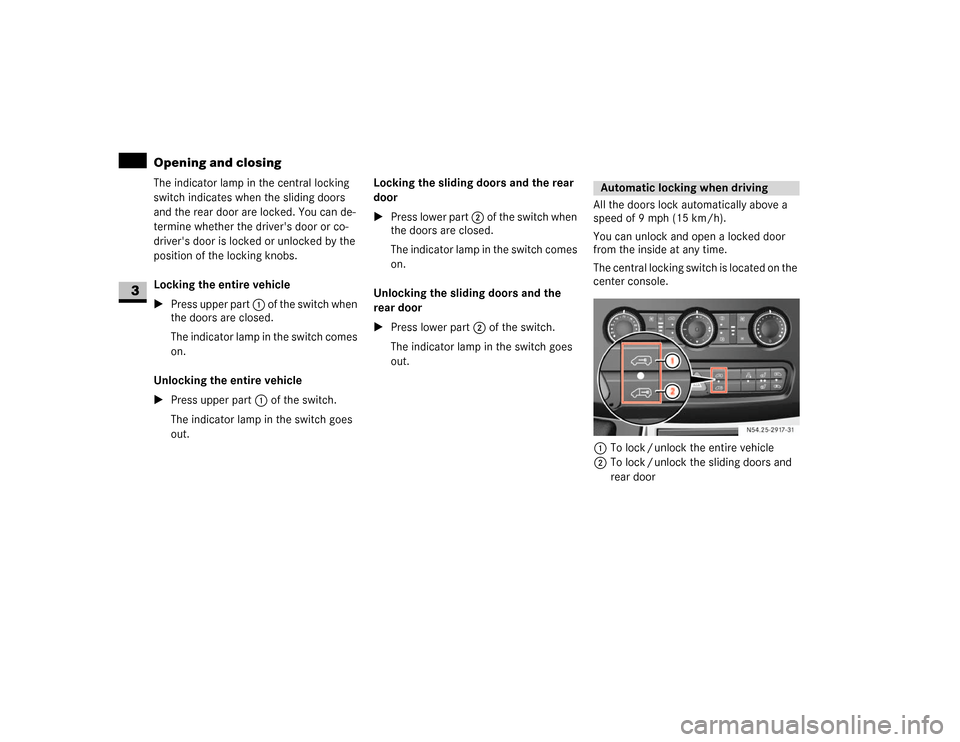
The central locking switch is located on the
center console.
1To lock / unlock the entire vehicle
2To lock / unlock the sliding doors and
rear door
Automatic locking when driving
N54.25-2917-31
Page 74 of 393
73 Controls in detail
Seats
3
Removing the head restraints
\1Pull the head restraint up as far as it
will go.
\1Press release button1 and pull the
head restraint out.
Installing the head restraints
\1Insert the head restraint so that the rod
with the notches is in the direction of
travel on the left.
\1Push the head restraint down until it
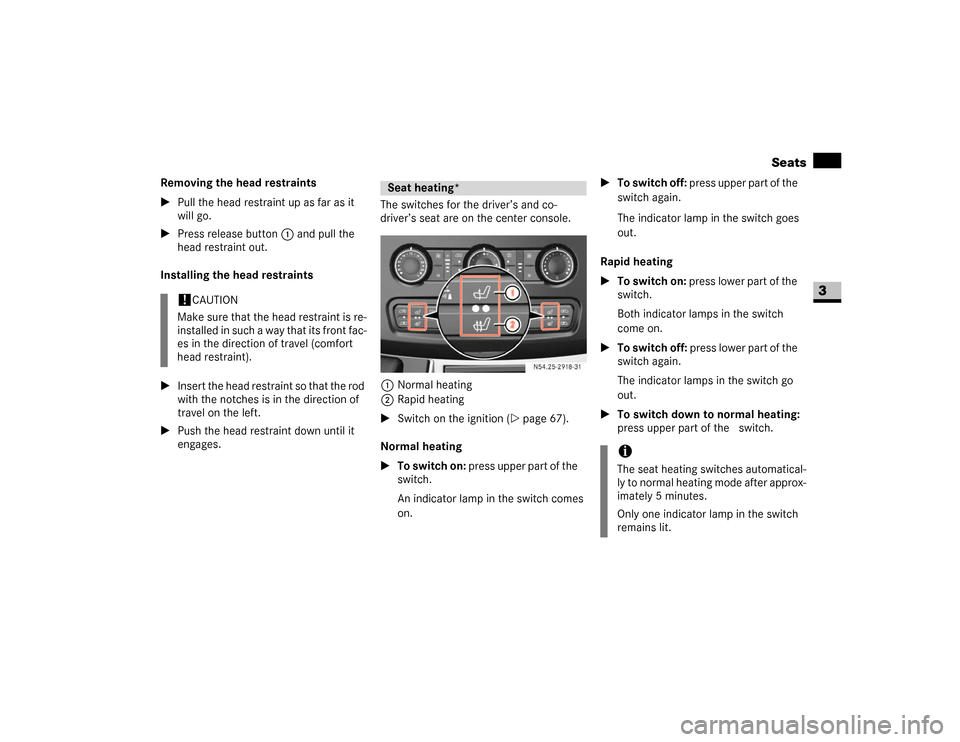
engages.The switches for the driver’s and co-
driver’s seat are on the center console.
1Normal heating
2Rapid heating
\1Switch on the ignition (\2page 67).
Normal heating
\1To switch on: press upper part of the&
switch.
An indicator lamp in the switch comes
on.\1To switch off: press upper part of the&
switch again.
The indicator lamp in the switch goes
out.
Rapid heating
\1To switch on: press lower part of the
switch.
Both indicator lamps in the switch
come on.
\1To switch off: press lower part of the
switch again.
The indicator lamps in the switch go
out.
\1To switch down to normal heating:
press upper part of the& switch.
!
CAUTION
Make sure that the head restraint is re-
installed in such a way that its front fac-
es in the direction of travel (comfort
head restraint).
Seat heating*
N54.25-2918-31
iThe seat heating switches automatical-
ly to normal heating mode after approx-
imately 5 minutes.
Only one indicator lamp in the switch
remains lit.
Page 129 of 393
128 Controls in detailGood visibility
3
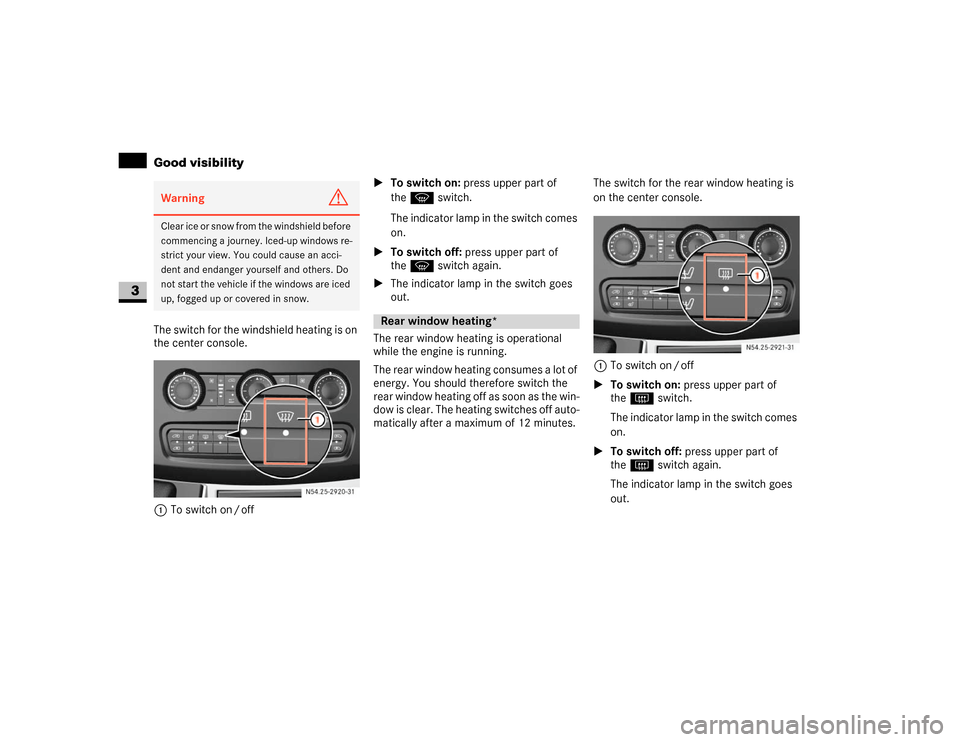
The switch for the windshield heating is on
the center console.
1To switch on / off\1To switch on: press upper part of
theP switch.
The indicator lamp in the switch comes
on.
\1To switch off: press upper part of
theP switch again.
\1The indicator lamp in the switch goes
out.
The rear window heating is operational
while the engine is running.
The rear window heating consumes a lot of
energy. You should therefore switch the
rear window heating off as soon as the win-
dow is clear. The heating switches off auto-
matically after a maximum of 12 minutes.The switch for the rear window heating is
on the center console.
1To switch on / off
\1To switch on: press upper part of
theF switch.
The indicator lamp in the switch comes
on.
\1To switch off: press upper part of
theF switch again.
The indicator lamp in the switch goes
out.Warning
G
Clear ice or snow from the windshield before
commencing a journey. Iced-up windows re-
strict your view. You could cause an acci-
dent and endanger yourself and others. Do
not start the vehicle if the windows are iced
up, fogged up or covered in snow.
N54.25-2920-31
Rear window heating*N54.25-2921-31
Page 152 of 393
151 Controls in detail
Driving systems
3
Front sensors
Rear sensors
Minimum distance
If an obstacle is within this range, all seg-
ments of the warning displays light up and
you will hear an audible warning tone. The
distance may no longer be displayed if you
drive the vehicle closer to the obstacle
than the minimum distance.Warning displays
The warning displays indicate the distance
between the sensor and the obstacle.
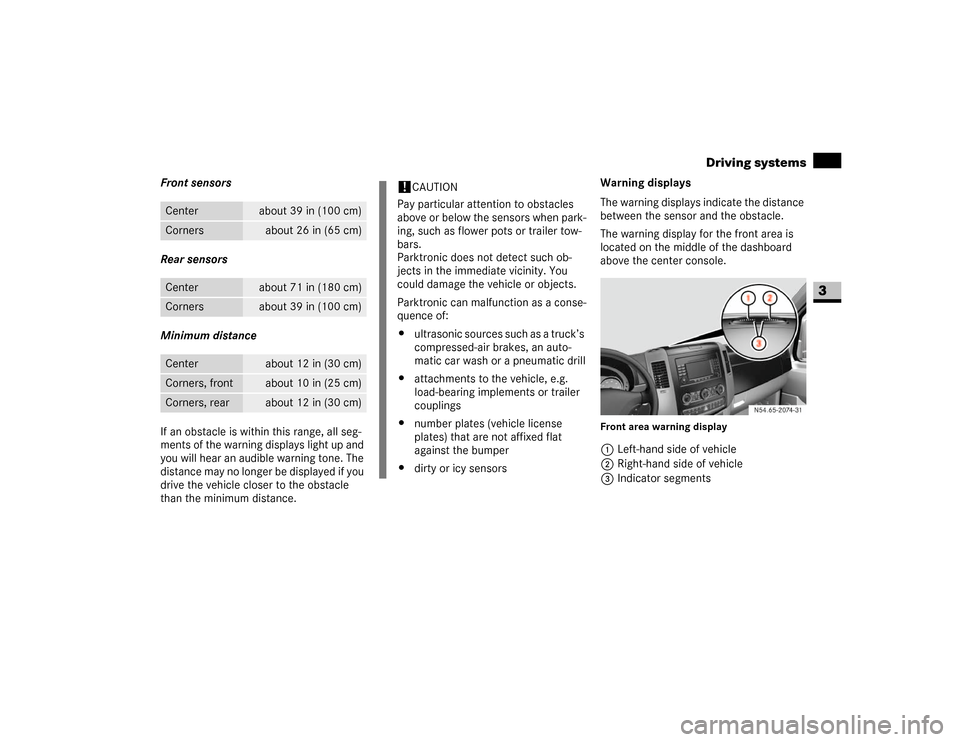
The warning display for the front area is
located on the middle of the dashboard
above the center console.
Front area warning display1Left-hand side of vehicle
2Right-hand side of vehicle
3Indicator segments
Center
about 39 in (100 cm)
Corners
about 26 in (65 cm)
Center
about 71 in (180 cm)
Corners
about 39 in (100 cm)
Center
about 12 in (30 cm)
Corners, front
about 10 in (25 cm)
Corners, rear
about 12 in (30 cm)
!
CAUTION
Pay particular attention to obstacles
above or below the sensors when park-
ing, such as flower pots or trailer tow-
bars.
Parktronic does not detect such ob-
jects in the immediate vicinity. You
could damage the vehicle or objects.
Parktronic can malfunction as a conse-
quence of:
\4ultrasonic sources such as a truck’s
compressed-air brakes, an auto-
matic car wash or a pneumatic drill
\4attachments to the vehicle, e.g.
load-bearing implements or trailer
couplings
\4number plates (vehicle license
plates) that are not affixed flat
against the bumper
\4dirty or icy sensors
N54.65-2074-31
Page 167 of 393
166 Controls in detailFeatures
3
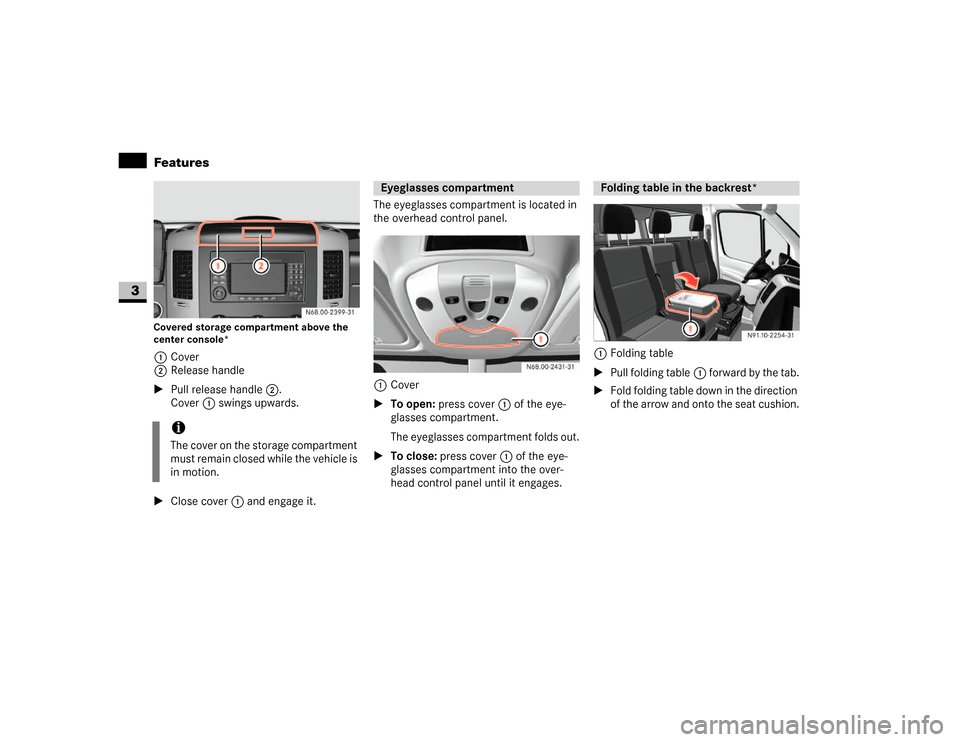
Covered storage compartment above the
center console*1Cover
2Release handle
\1Pull release handle2.
Cover1 swings upwards.
\1Close cover1 and engage it.The eyeglasses compartment is located in
the overhead control panel.
1Cover
\1To open: press cover1 of the eye-
glasses compartment.
The eyeglasses compartment folds out.
\1To close: press cover1 of the eye-
glasses compartment into the over-
head control panel until it engages.1Folding table
\1Pull folding table1 forward by the tab.
\1Fold folding table down in the direction
of the arrow and onto the seat cushion.
iThe cover on the storage compartment
must remain closed while the vehicle is
in motion.
Eyeglasses compartment
Folding table in the backrest*
Page 168 of 393
167 Controls in detail
Features
3
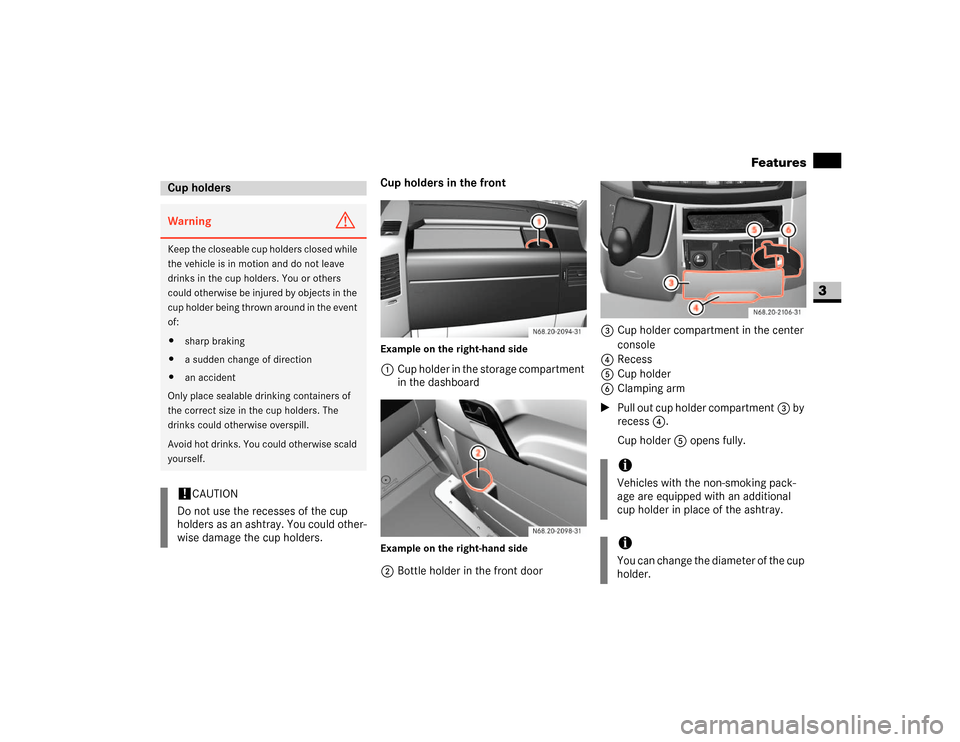
Cup holders in the frontExample on the right-hand side1Cup holder in the storage compartment
in the dashboardExample on the right-hand side2Bottle holder in the front door3Cup holder compartment in the center
console
4Recess
5Cup holder
6Clamping arm
\1Pull out cup holder compartment3 by
recess4.
Cup holder5 opens fully.
Cup holdersWarning
G
Keep the closeable cup holders closed while
the vehicle is in motion and do not leave
drinks in the cup holders. You or others
could otherwise be injured by objects in the
cup holder being thrown around in the event
of:
\4sharp braking
\4a sudden change of direction
\4an accident
Only place sealable drinking containers of
the correct size in the cup holders. The
drinks could otherwise overspill.
Avoid hot drinks. You could otherwise scald
yourself.!
CAUTION
Do not use the recesses of the cup
holders as an ashtray. You could other-
wise damage the cup holders.
iVehicles with the non-smoking pack-
age are equipped with an additional
cup holder in place of the ashtray.iYou can change the diameter of the cup
holder.
Page 169 of 393
168 Controls in detailFeatures
3
\1Place the container in cup holder5.
\1Press clamping arm6 onto the con-
tainer.
Cup holders in the rear
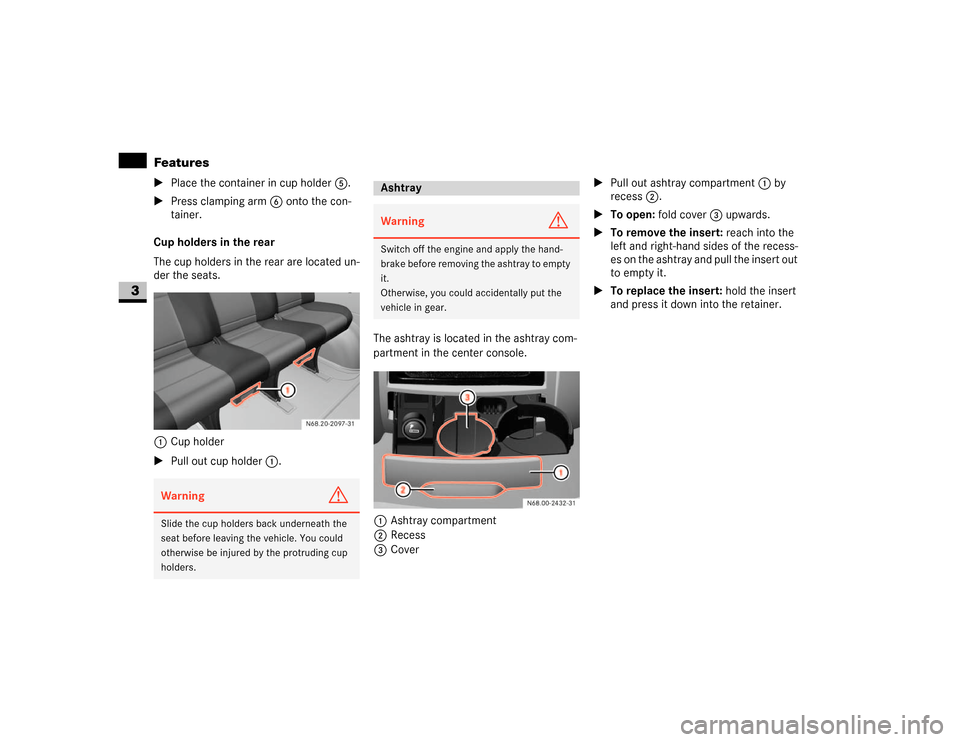
The cup holders in the rear are located un-
der the seats.
1Cup holder
\1Pull out cup holder1.The ashtray is located in the ashtray com-
partment in the center console.
1Ashtray compartment
2Recess
3Cover\1Pull out ashtray compartment1 by
recess2.
\1To open: fold cover3 upwards.
\1To remove the insert: reach into the
left and right-hand sides of the recess-
es on the ashtray and pull the insert out
to empty it.
\1To replace the insert: hold the insert
and press it down into the retainer.Warning
G
Slide the cup holders back underneath the
seat before leaving the vehicle. You could
otherwise be injured by the protruding cup
holders.
AshtrayWarning
G
Switch off the engine and apply the hand-
brake before removing the ashtray to empty
it.
Otherwise, you could accidentally put the
vehicle in gear.
Page 170 of 393
169 Controls in detail
Features
3
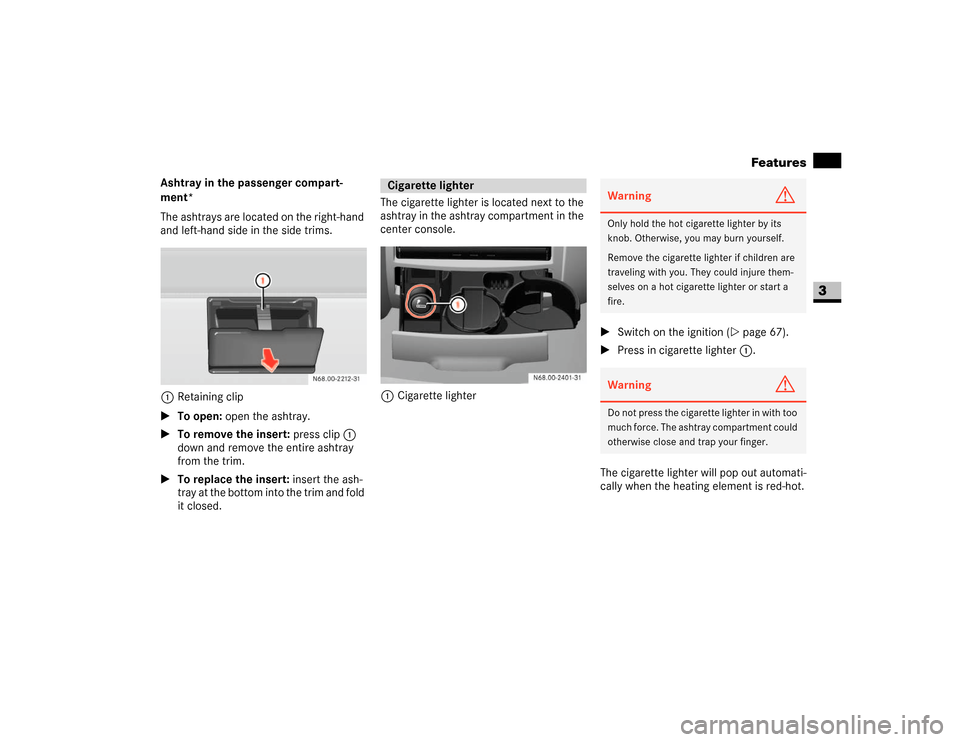
Ashtray in the passenger compart-
ment*
The ashtrays are located on the right-hand
and left-hand side in the side trims.
1Retaining clip
\1To open: open the ashtray.
\1To remove the insert: press clip1
down and remove the entire ashtray
from the trim.
\1To replace the insert: insert the ash-
tray at the bottom into the trim and fold
it closed.The cigarette lighter is located next to the
ashtray in the ashtray compartment in the
center console.
1Cigarette lighter\1Switch on the ignition (\2page 67).
\1Press in cigarette lighter 1.
The cigarette lighter will pop out automati-
cally when the heating element is red-hot.
Cigarette lighter
Warning
G
Only hold the hot cigarette lighter by its
knob. Otherwise, you may burn yourself.
Remove the cigarette lighter if children are
traveling with you. They could injure them-
selves on a hot cigarette lighter or start a
fire.Warning
G
Do not press the cigarette lighter in with too
much force. The ashtray compartment could
otherwise close and trap your finger.
Page 171 of 393
170 Controls in detailFeatures
3
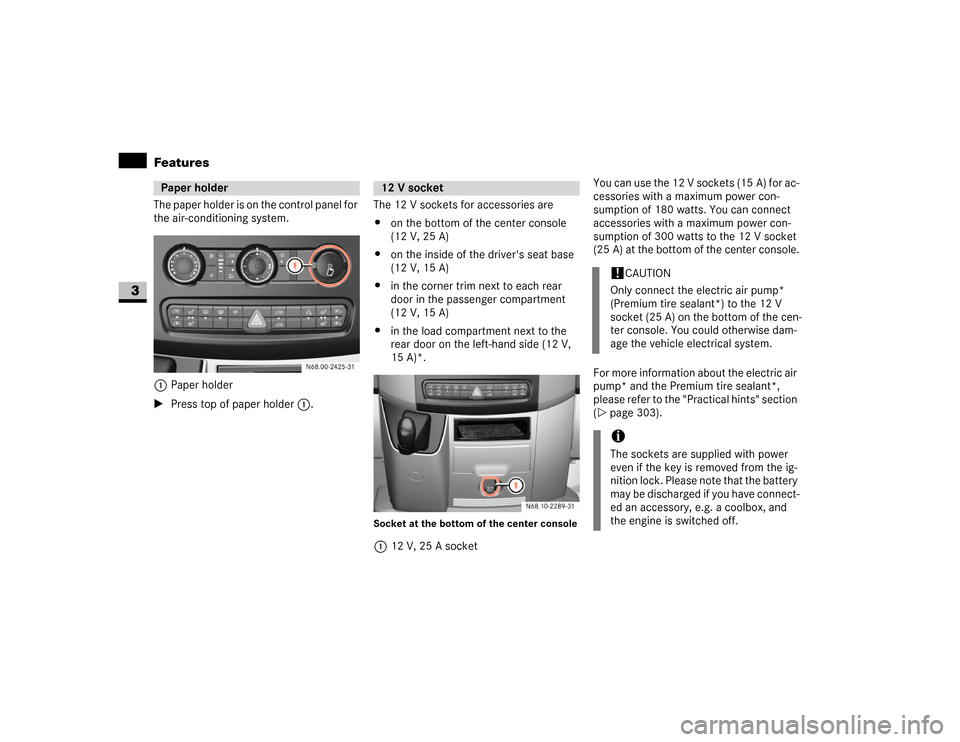
The paper holder is on the control panel for
the air-conditioning system. 1Paper holder
\1Press top of paper holder1.The 12 V sockets for accessories are
\4on the bottom of the center console
(12 V, 25 A)
\4on the inside of the driver's seat base
(12 V, 15 A)
\4in the corner trim next to each rear
door in the passenger compartment
(12 V, 15 A)
\4in the load compartment next to the
rear door on the left-hand side (12 V,
15 A)*.
Socket at the bottom of the center console112 V, 25 A socketYou can use the 12 V sockets (15 A) for ac-
cessories with a maximum power con-
sumption of 180 watts. You can connect
accessories with a maximum power con-
sumption of 300 watts to the 12 V socket
(25 A) at the bottom of the center console.
For more information about the electric air
pump* and the Premium tire sealant*,
please refer to the "Practical hints" section
(\2page 303).
Paper holder
N68.00-2425-31
12 V socket
!
CAUTION
Only connect the electric air pump*
(Premium tire sealant*) to the 12 V
socket (25 A) on the bottom of the cen-
ter console. You could otherwise dam-
age the vehicle electrical system.
iThe sockets are supplied with power
even if the key is removed from the ig-
nition lock. Please note that the battery
may be discharged if you have connect-
ed an accessory, e.g. a coolbox, and
the engine is switched off.